
Terminal tool to plot stocks, crypto, pair ratios, and technical indicators like MACD and RSI.

Project description
Tsigna


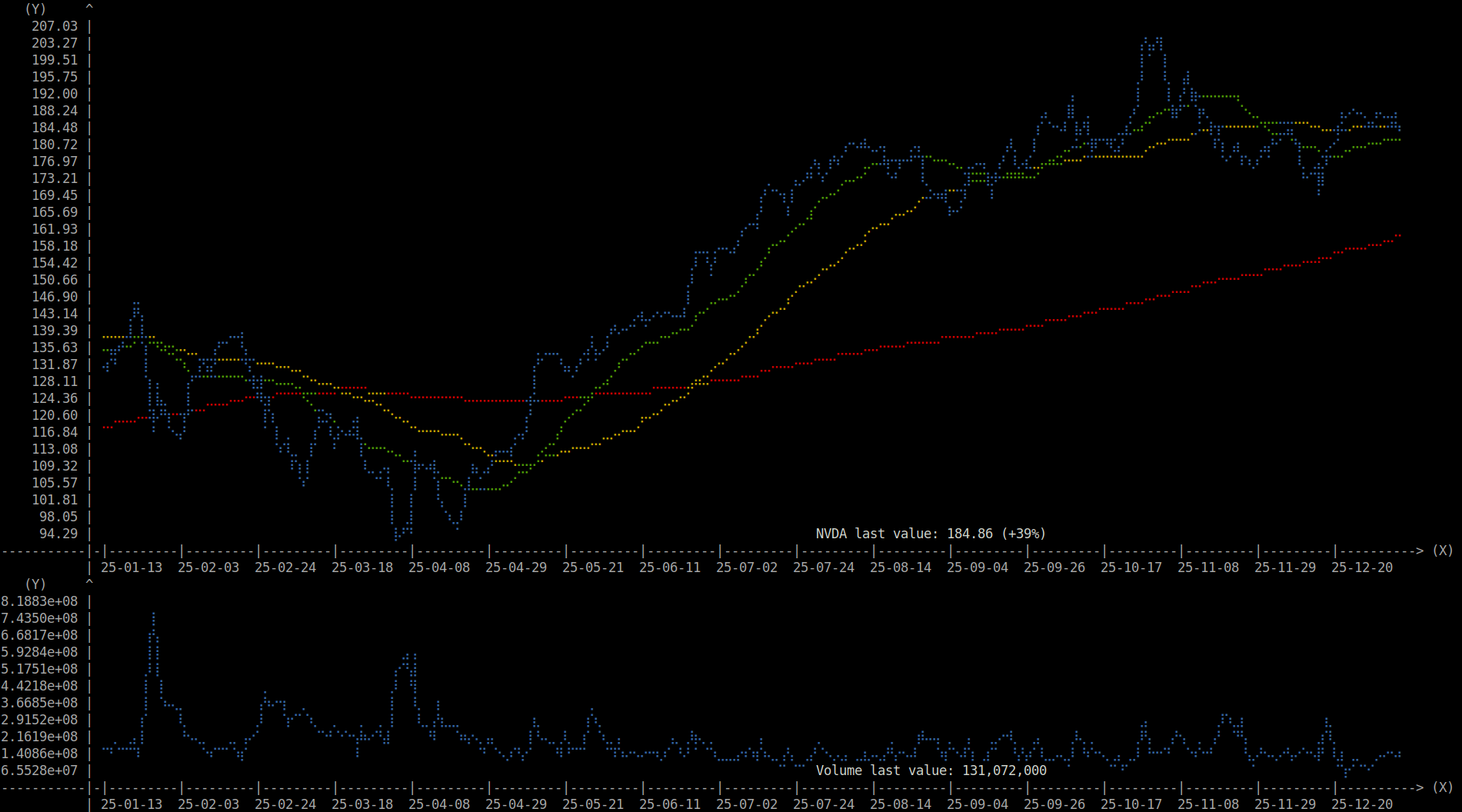
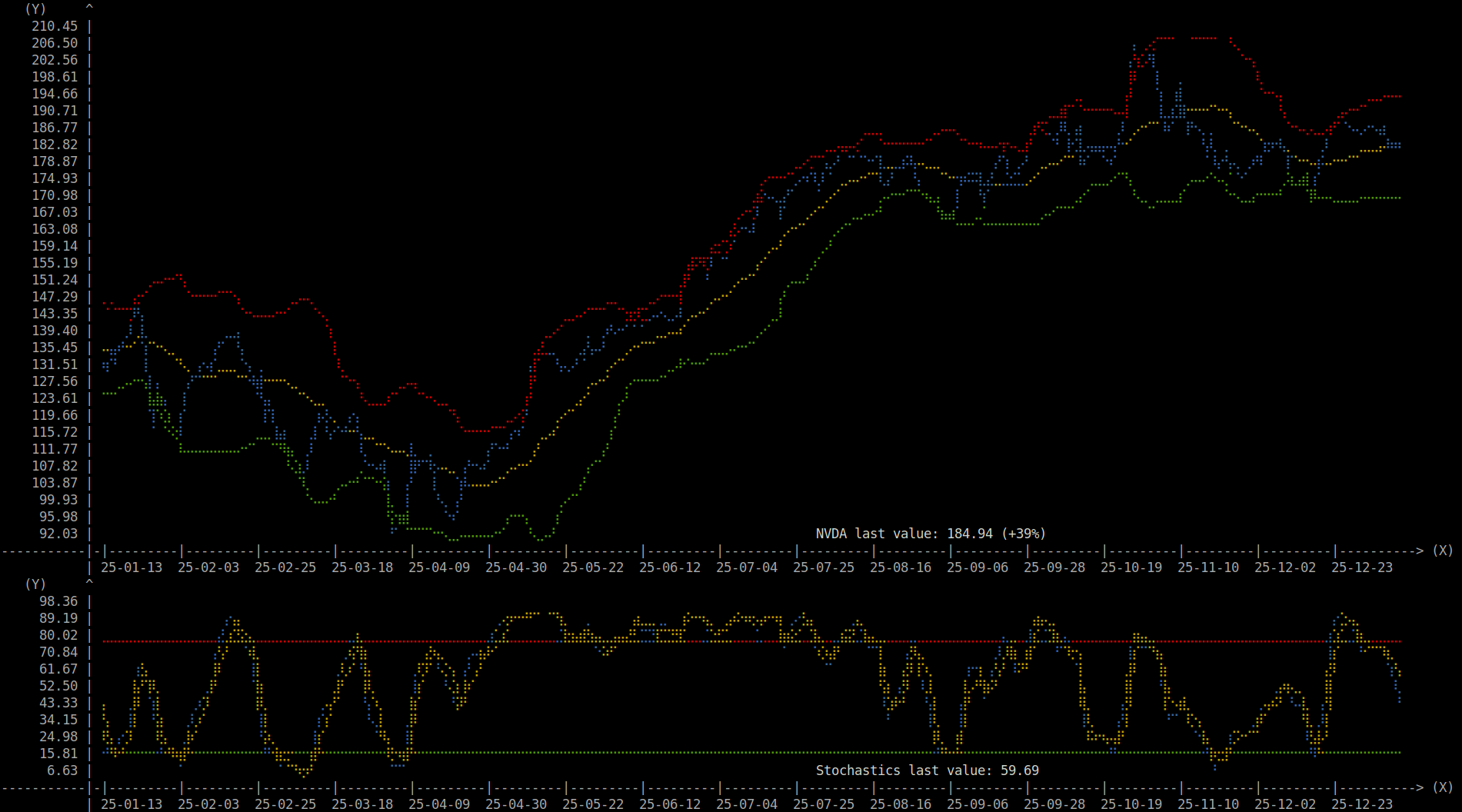
Tsigna is a Python financial analysis tool that runs entirely in the terminal. Designed for medium-term trading, it fetches historical stock data from Yahoo Finance to generate text-based charts using the plotille library.
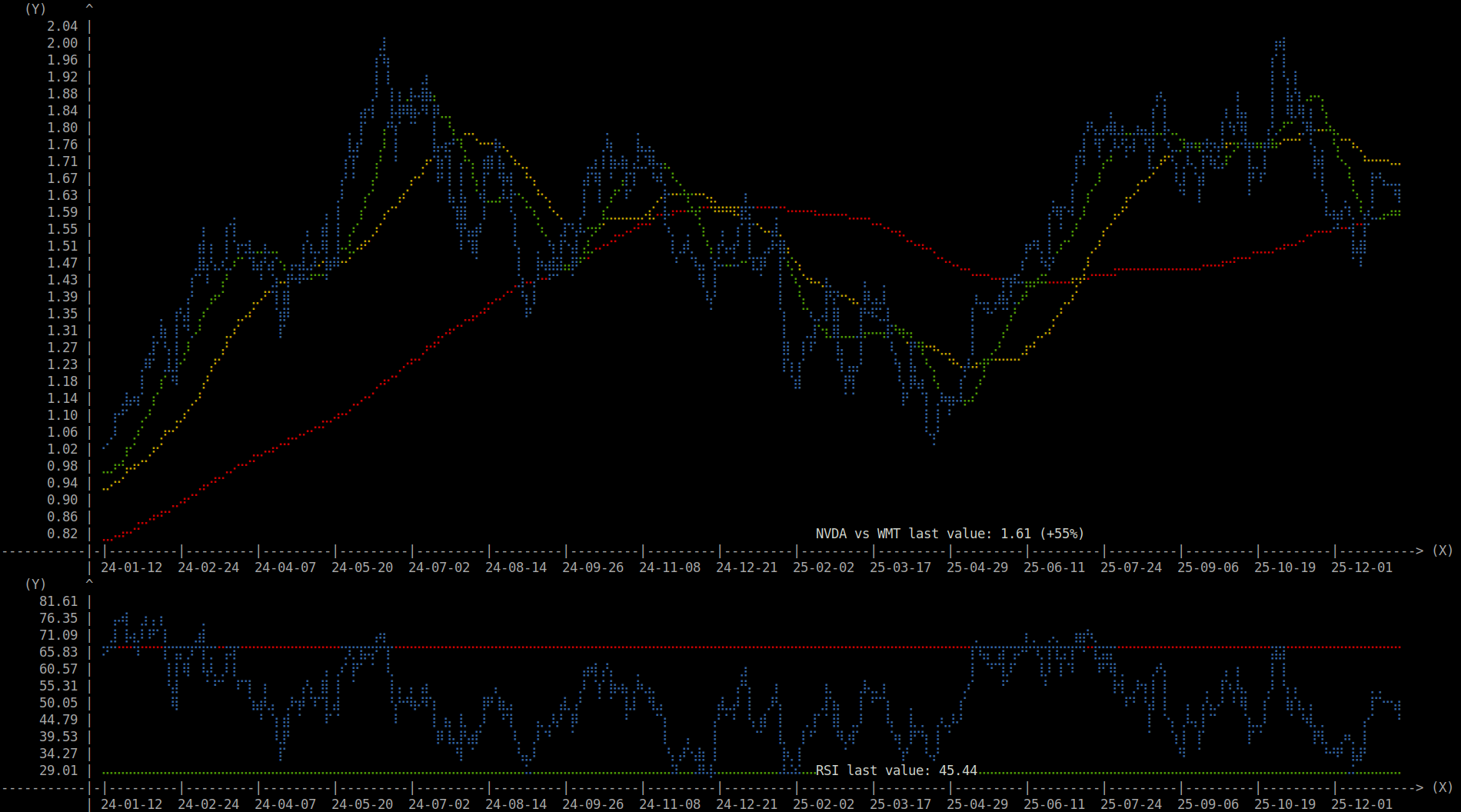
Tsigna calculates technical indicators like moving averages, MACD, and RSI, while offering unique features such as ratio comparison between two tickers in addition to single-ticker analysis. Users can customize the timeframe and view multiple indicators simultaneously.
Background
I originally looked for a free online tool to plot the ratio between two tickers but couldn't find one, so I started working on Tsigna. The name combines 'T' for terminal and the plural of signum, the Latin word for signal. The 'T' also stands for technical, as the tool is designed to generate technical signals.
Dependencies
Tsigna requires the following external libraries:
- pandas: Used for data manipulation and analysis.
- plotille: Used for creating terminal-based plots.
- yahooquery: Used for fetching financial data from Yahoo Finance.
These libraries and their sub-dependencies will be installed automatically when you install Tsigna.
Installation
It is recommended to install Tsigna within a virtual environment to avoid conflicts with system packages. Some Linux distributions enforce this. You can use pipx to handle the virtual environment automatically, or create one manually and use pip.
Installation with pipx
pipx installs Tsigna in an isolated environment and makes it available globally.
1. Install pipx:
-
Linux (Debian / Ubuntu / Mint):
sudo apt install pipx
pipx ensurepath
-
Linux (Other) / macOS:
python3 -m pip install --user pipx
python3 -m pipx ensurepath
-
Windows:
python -m pip install --user pipx
python -m pipx ensurepath
You may need to reopen your terminal for the PATH changes to take effect. If you encounter a problem, please refer to the official pipx documentation.
2. Install Tsigna:
pipx install tsigna
Installation with pip
If you prefer to manage the virtual environment manually, you can create and activate it by following this tutorial. Then install Tsigna:
pip install tsigna
Deployments
View all releases on:
Usage
Basic Usage
tsigna [arguments] [TICKER1] [TICKER2]
Arguments
| Argument | Short Flag | Description |
|---|---|---|
--help |
-h |
Show help message |
--atr |
-a |
Display ATR indicator (Average True Range) |
--atr-only |
-A |
Display only ATR indicator |
--bollinger |
-b |
Display Bollinger Bands indicator |
--mfi |
-f |
Display MFI indicator (Money Flow Index) |
--mfi-only |
-F |
Display only MFI indicator |
--indicator-info |
-i |
Show indicator information |
--ignore-missing |
-I |
Ignore rows with missing values |
--log-scale |
-l |
Use a logarithmic scale on the y-axis |
--macd |
-m |
Display MACD indicator (Moving Average Convergence Divergence) |
--macd-only |
-M |
Display only MACD indicator |
--no-cache |
-n |
Bypass cache and get latest data |
--obv |
-o |
Display OBV indicator (On-Balance Volume) |
--obv-only |
-O |
Display only OBV indicator |
--period |
-p |
Set period to plot, e.g. 1y, ytd, 3m, 6w, 10d (default: 1y) |
--rsi |
-r |
Display RSI indicator (Relative Strength Index) |
--rsi-only |
-R |
Display only RSI indicator |
--stoch |
-s |
Display Stochastics indicator |
--stoch-only |
-S |
Display only Stochastics indicator |
--version |
-v |
Show program's version number and exit |
--volume |
-w |
Display volume |
--volume-only |
-W |
Display only volume |
Configuration
When you run Tsigna for the first time, a config.toml file is automatically created. Its location depends on your operating system (typical paths are listed below):
- Linux:
~/.config/tsigna - macOS:
~/Library/Preferences/tsigna - Windows:
C:/Users/YourUsername/AppData/Roaming/tsigna
You can edit this file to customize various settings. Common customizations include changing the expiration time of the cache (or disabling it), modifying the line colors, or changing the parameters of the technical indicators.
Not Financial Advice
I do not own any of the stocks in the examples, I chose them because they are very popular.
License
Copyright (c) 2025 Monsieur Linux
This project is licensed under the MIT License. See the LICENSE file for details.
Acknowledgements
Tsigna is not doing much more than getting data from yahooquery, processing it with pandas, and plotting it with plotille, so thanks to the creators and contributors of these powerful libraries for making it possible.
Thanks also to the ticker tool, which is very useful to track prices in real time from the terminal.


Download files
Download the file for your platform. If you're not sure which to choose, learn more about installing packages.
Source Distribution
Built Distribution
Filter files by name, interpreter, ABI, and platform.
If you're not sure about the file name format, learn more about wheel file names.
Copy a direct link to the current filters
File details
Details for the file tsigna-0.4.1.tar.gz.
File metadata
- Download URL: tsigna-0.4.1.tar.gz
- Upload date:
- Size: 354.2 kB
- Tags: Source
- Uploaded using Trusted Publishing? No
- Uploaded via: twine/6.2.0 CPython/3.11.2
File hashes
| Algorithm | Hash digest | |
|---|---|---|
| SHA256 |
f0e0bd57bcd2f3a29e06256f203cfa42dff3e9e82fc86630db678bd5031bae06
|
|
| MD5 |
d425b2d6fd02c4a39f89acea21528e86
|
|
| BLAKE2b-256 |
3669539709552ef2dedec920f59dd1b3dddc77be6e3a9edf796cc4b337160214
|
File details
Details for the file tsigna-0.4.1-py3-none-any.whl.
File metadata
- Download URL: tsigna-0.4.1-py3-none-any.whl
- Upload date:
- Size: 14.9 kB
- Tags: Python 3
- Uploaded using Trusted Publishing? No
- Uploaded via: twine/6.2.0 CPython/3.11.2
File hashes
| Algorithm | Hash digest | |
|---|---|---|
| SHA256 |
7a816fcee05c297a949f7545dc11d94e65c2d401a00799e5740a0bf22b1e85e8
|
|
| MD5 |
1c7cbabc4a4dcb70a7be335626862287
|
|
| BLAKE2b-256 |
19bbcc7c934f4c7dc3192027ba805f1b1bd0cc5708a0b5fe8c33773f629f440d
|






