
Themed Tkinter Text


Themed Tkinter Text widget with modern styling support.
Features
- 🎨 Theme-aware text widget that automatically adapts to ttk themes
- 📜 Built-in ScrolledText component with vertical/horizontal scrollbars
- 🖥️ Native integration with ttk styles and themes
- 🔄 Dynamic theme switching support
Screenshots
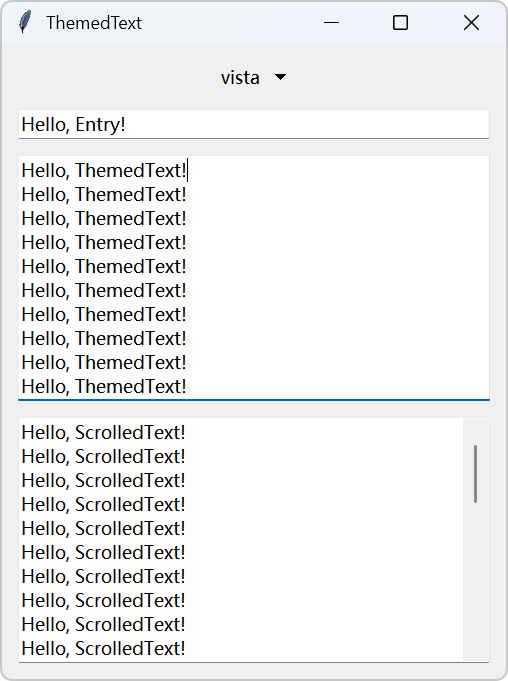
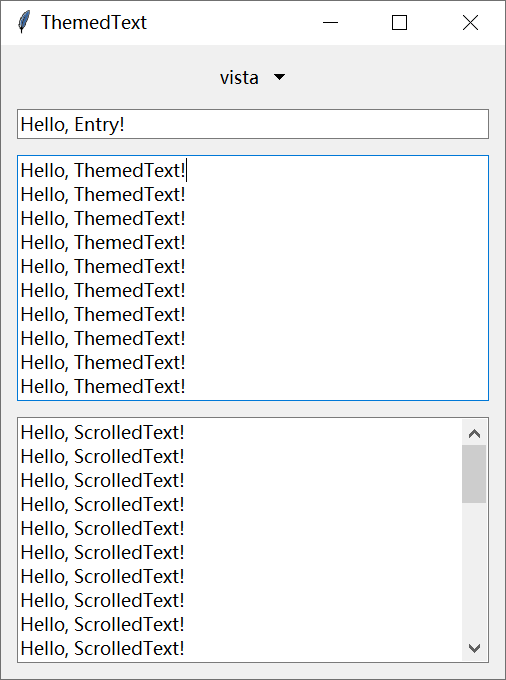
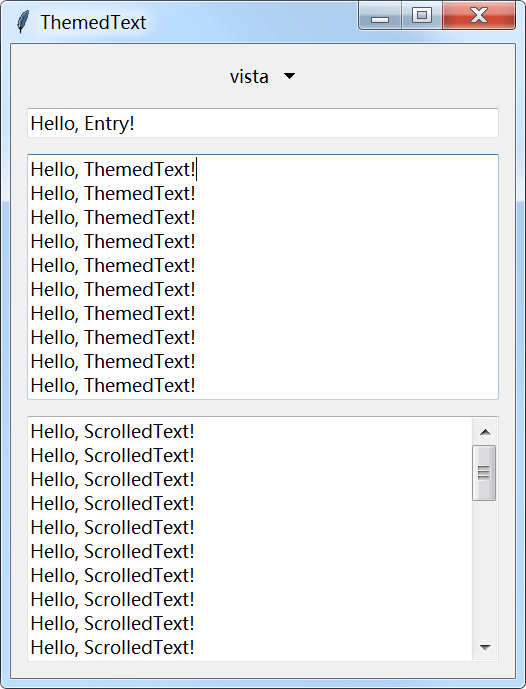
Example screenshots of Windows 11, Windows 10, and Windows 7.
Using the Widgets
ttk-text provides two widgets:
ttk_text.ThemedText: A themed Text widget, as a replacement fortkinter.Text.ttk_text.scrolled_text.ScrolledText: An extension ofThemedTextwith vertical/horizontal scrollbars, as a replacement fortkinter.scrolledtext.ScrolledText.
You can use ThemedText and ScrolledText just like you would use tkinter.Text.
Here’s an example:
from tkinter import Tk
from ttk_text import ThemedText
from ttk_text.scrolled_text import ScrolledText

root = Tk()
themed_text = ThemedText(root)
themed_text.pack(fill="both", expand=True)

scrolled_text = ScrolledText(root)
scrolled_text.pack(fill="both", expand=True)

root.mainloop()
Contributing
See Contribution Guidelines for details.
License
This project is licensed under the MIT License, see the LICENSE file for details.
1 maintainer

Metadata
1 maintainer
Release files for ttk-text 0.3.4
For a detailed explanation of source distributions (sdists) and built distributions (wheels), please see the package formats documentation.
Built distribution (wheel)
| File | Interpreter | ABI | Platform | Reset |
|---|---|---|---|---|
| ttk_text-0.3.4-py3-none-any.whl | Python 3 | none | any | Details |
Release files / ttk_text-0.3.4-py3-none-any.whl
| Download URL | ttk_text-0.3.4-py3-none-any.whl |
|---|---|
| Size | 9.4 kB |
| Tags | Python 3 |
|
SHA-256 checksum How to use checksums |
da7736fff0f52f79b89264f383afbcf44597937c49ded63e7a6c83e2a411a004
|
|
BLAKE2b-256 checksum How to use checksums |
38f624b6206108a4d6ce50fbb6dd77092eff654586932754699fefa802cb6c9c
|
| Upload date | |
|
Uploaded using Trusted Publishing? What is trusted publishing? |
Yes |
| Uploaded via |
twine/6.1.0 CPython/3.13.7
|
Provenance
Provenance describes where a file came from. On PyPI, provenance is shared via attestations, which provide a verifiable record of the build or publishing details. View details, limitations and caveats.


PyPI Publish Attestation
PyPI verified that this artifact, at this checksum, originated from the publisher listed below.
Signed by GitHub Actions, verified by PyPI on May 16, 2026.
Transparency log













