
TT-NN Visualizer

A tool for visualizing the Tenstorrent Neural Network model (TT-NN)
Quick Start
TT-NN Visualizer can be installed from PyPI:
pip install ttnn-visualizer
# or
pipx install ttnn-visualizer
# or
uv tool install ttnn-visualizer
After installation run ttnn-visualizer to start the application.
It is recommended to do this within an isolated/virtual environment. The minimum Python version is 3.10.
Please see the install guide guide for further information on getting up and running with TT-NN Visualizer.
If you want to test out TT-NN Visualizer you can try some of the sample data. See loading data for instructions on how to use this.
Features
For the latest updates and features, please see releases.
Reports
- Upload reports from the local file system or sync remotely via SSH
- Switch seamlessly between previously uploaded or synced reports
- Run multiple instances of the application concurrently with different data
- Set data ranges for both memory and performance traces
- Display physical topology and configuration of Tenstorrent chip clusters
Operations
- Filterable list of all operations in the model
- Interactive memory and tensor visualizations, including per core allocations, memory layout, allocation over time
- Input/output tensors details per operation including allocation details per core
- Navigable device operation tree with associated buffers and circular buffers
Tensors
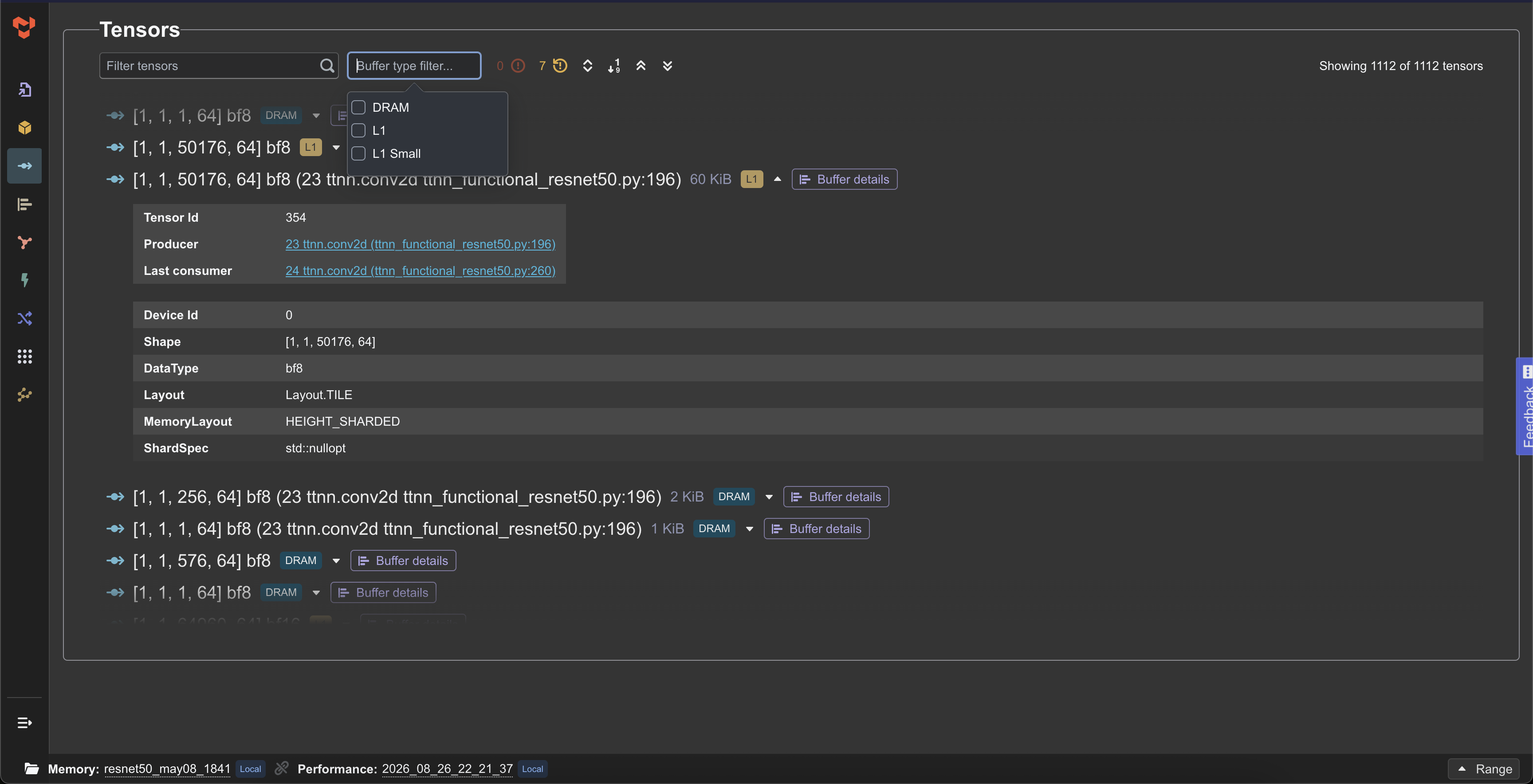
- List of tensor details filterable by buffer type
- Flagging of high consumer or late deallocated tensors
Buffers
- Visual overview of all buffers for the entire model run by L1 or DRAM memory
- Toggle additional overlays such as memory layouts or late deallocated tensors
- Ease of navigation to the relevant operation
- Track a specific buffer in the data across the application
- Filterable table view for a more schematic look at buffers
Graph
- Interactive model graph view showing all operations and connecting tensors
- Filter out deallocated operations
- Find all operations by name
Performance
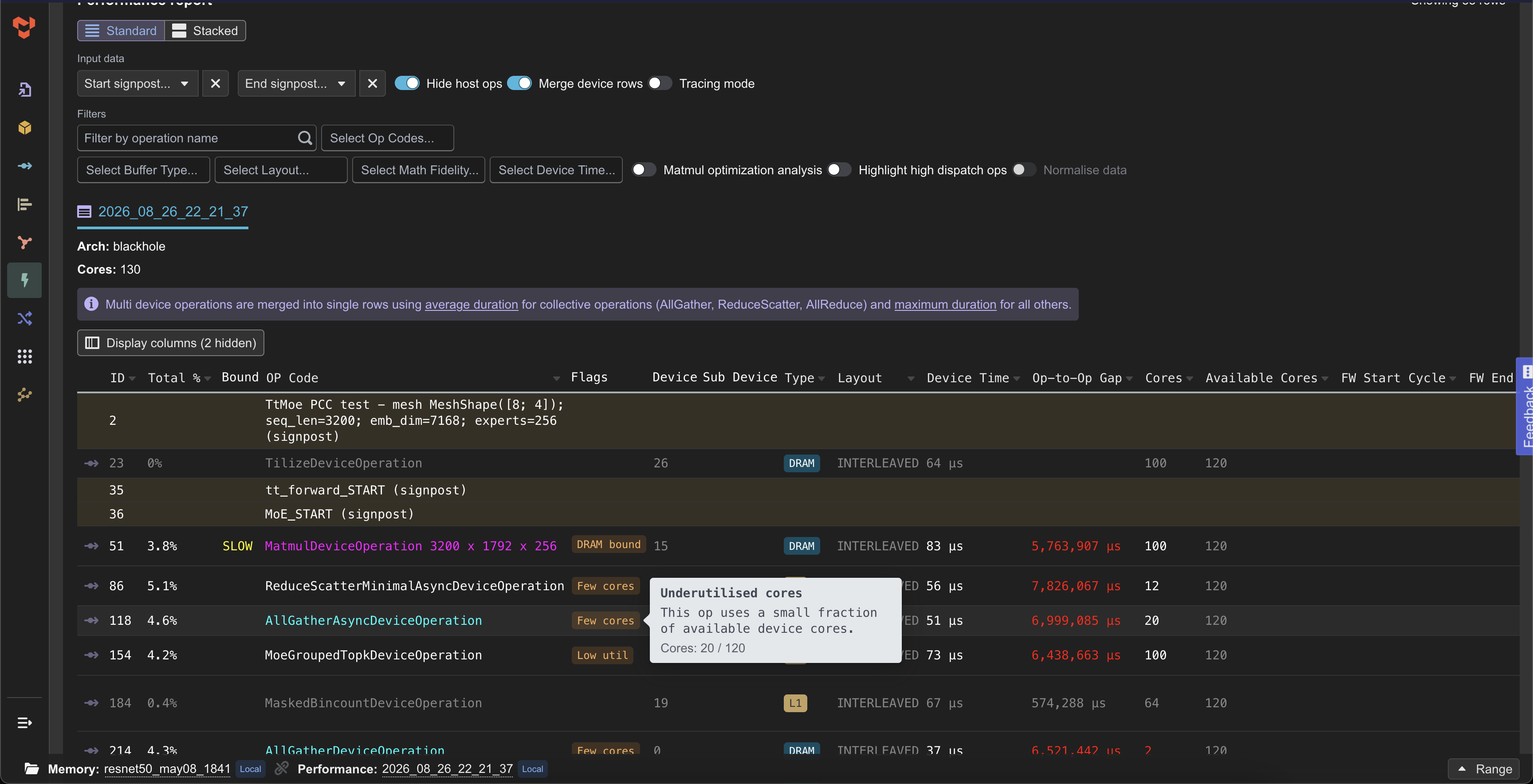
- Integration with tt-perf-report and rendering of performance analysis
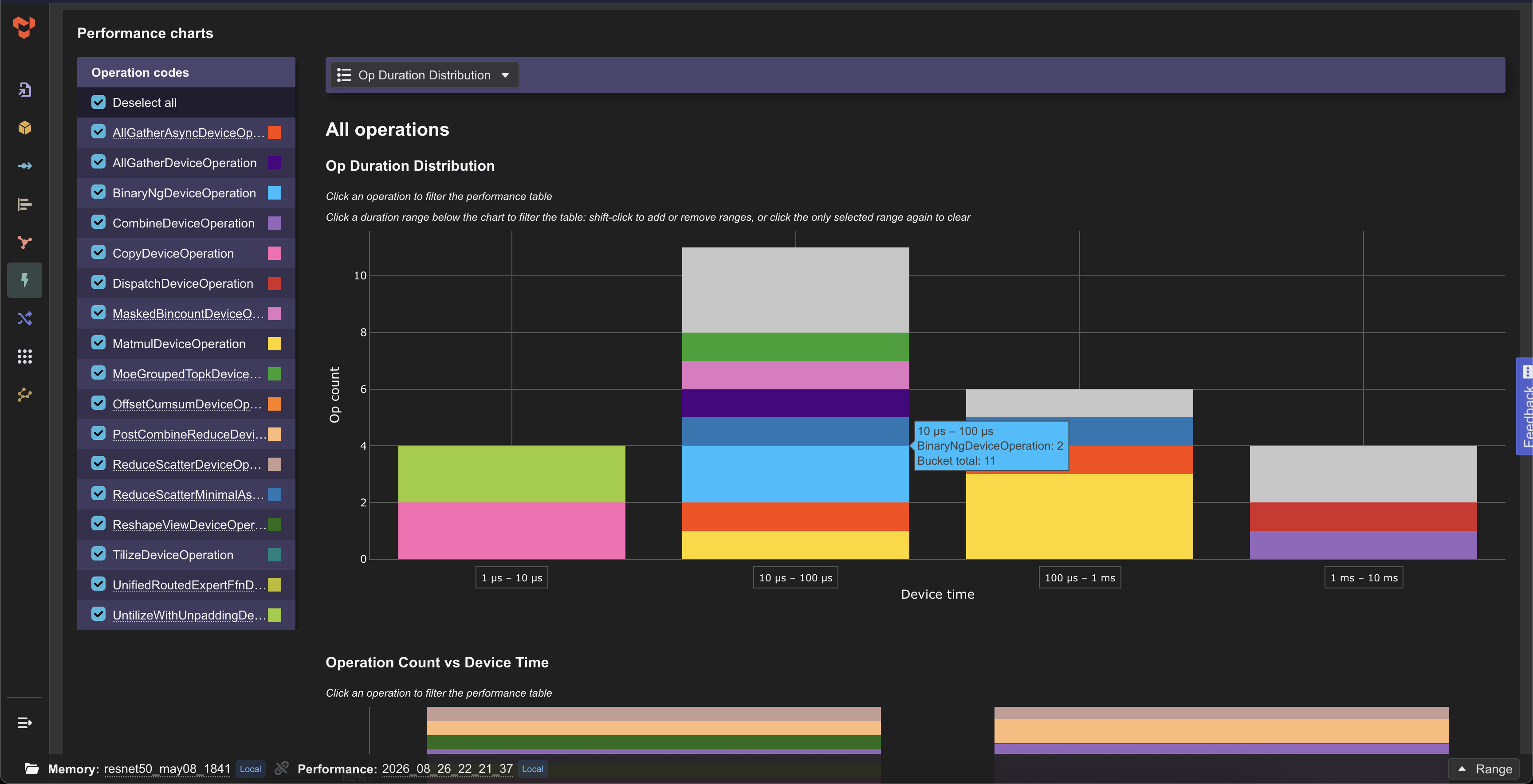
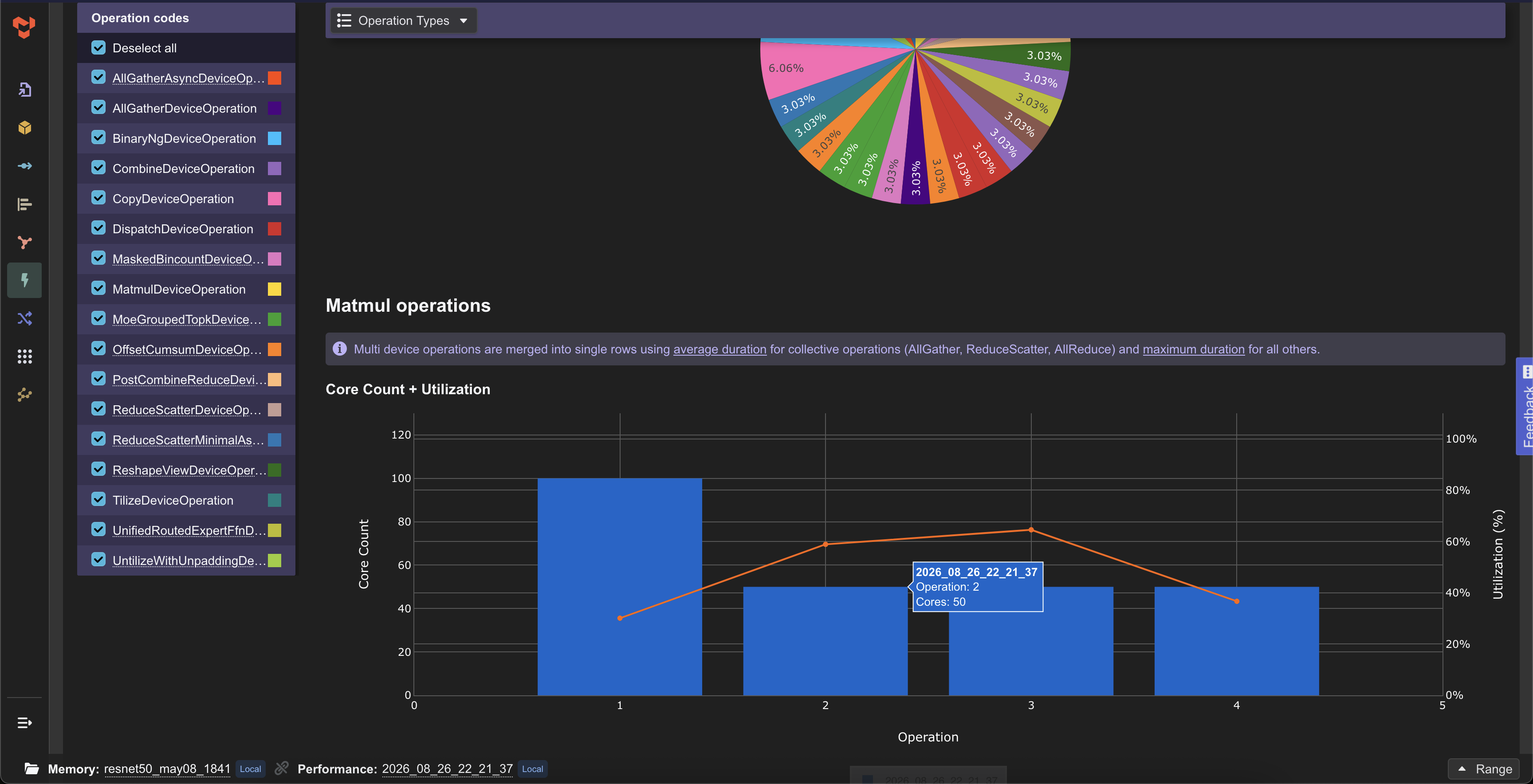
- Interactive charts and tables
- Multiple filtering options of performance data
- Compare multiple performance traces
NPE
- Network-on-chip performance estimator (NPE) for Tenstorrent Tensix-based devices
- Dedicated NPE visualizations: zones, transfers, congestion, timelines with elaborate filtering capability
Demo
Application demo
https://github.com/user-attachments/assets/4e51a636-c6d6-46df-bf34-a06bca13c0b3
| L1 Summary with Tensor highlight | Operation inputs and outputs |
|---|---|
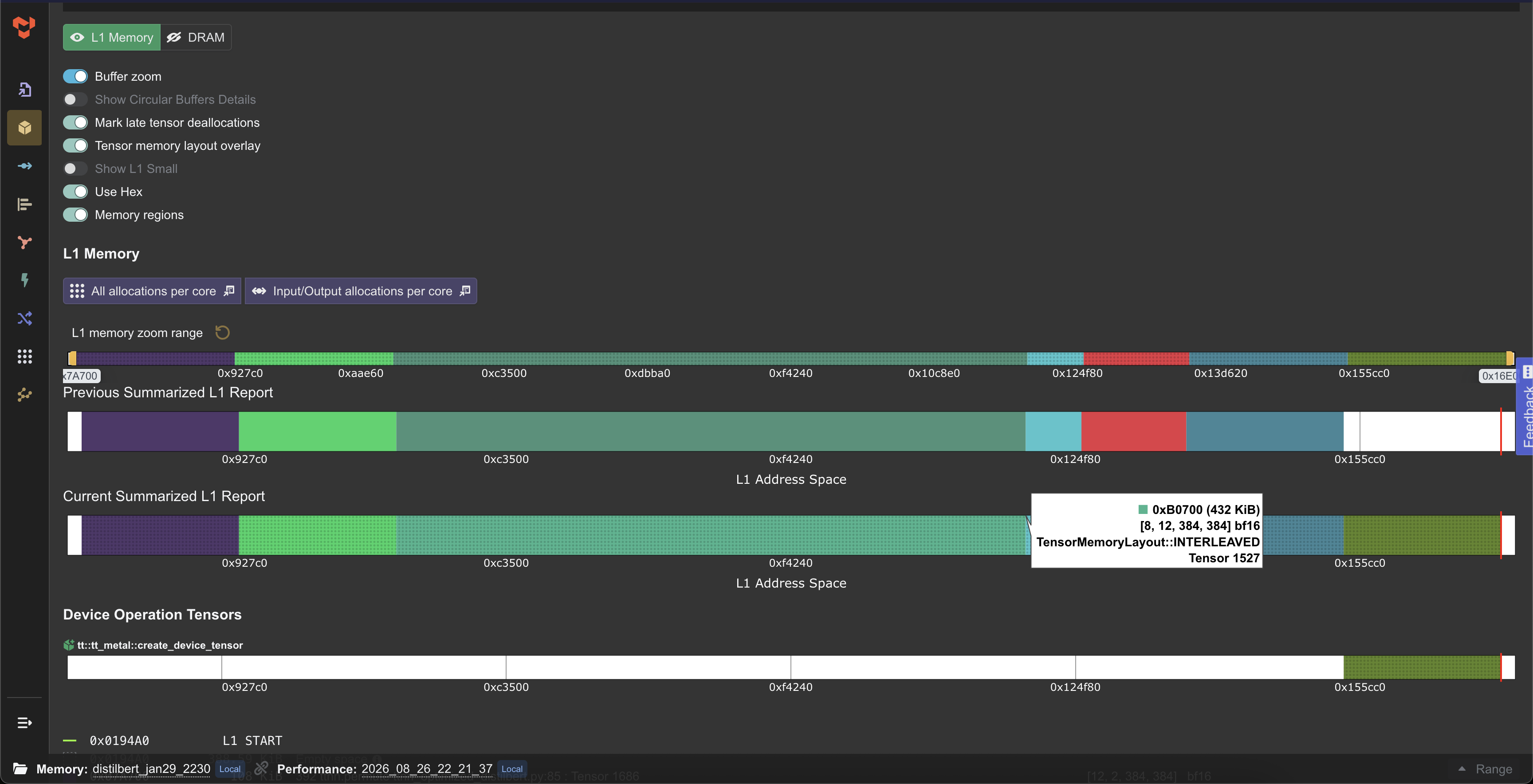 |
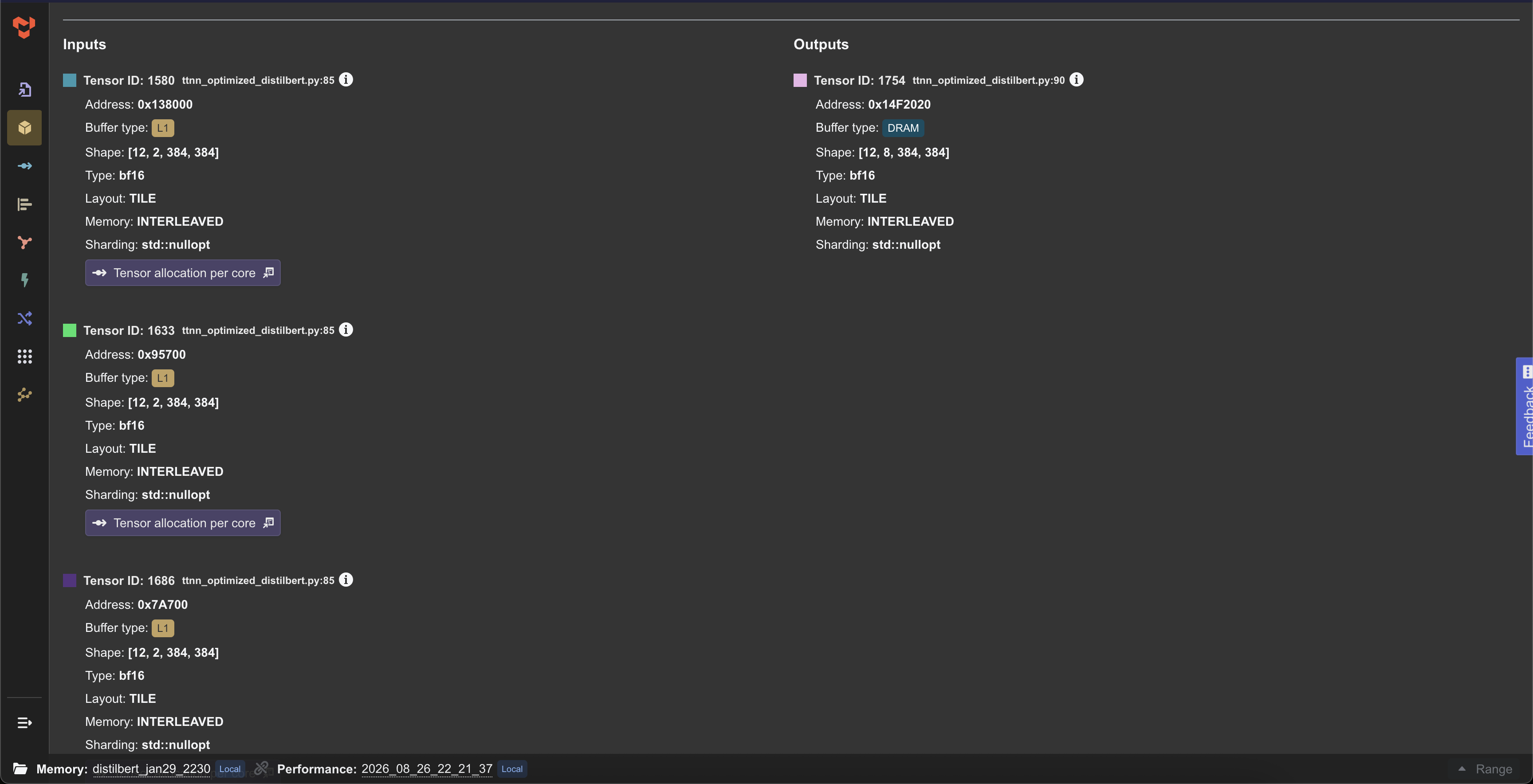 |
| Device operations with memory consumption | DRAM memory allocation |
|---|---|
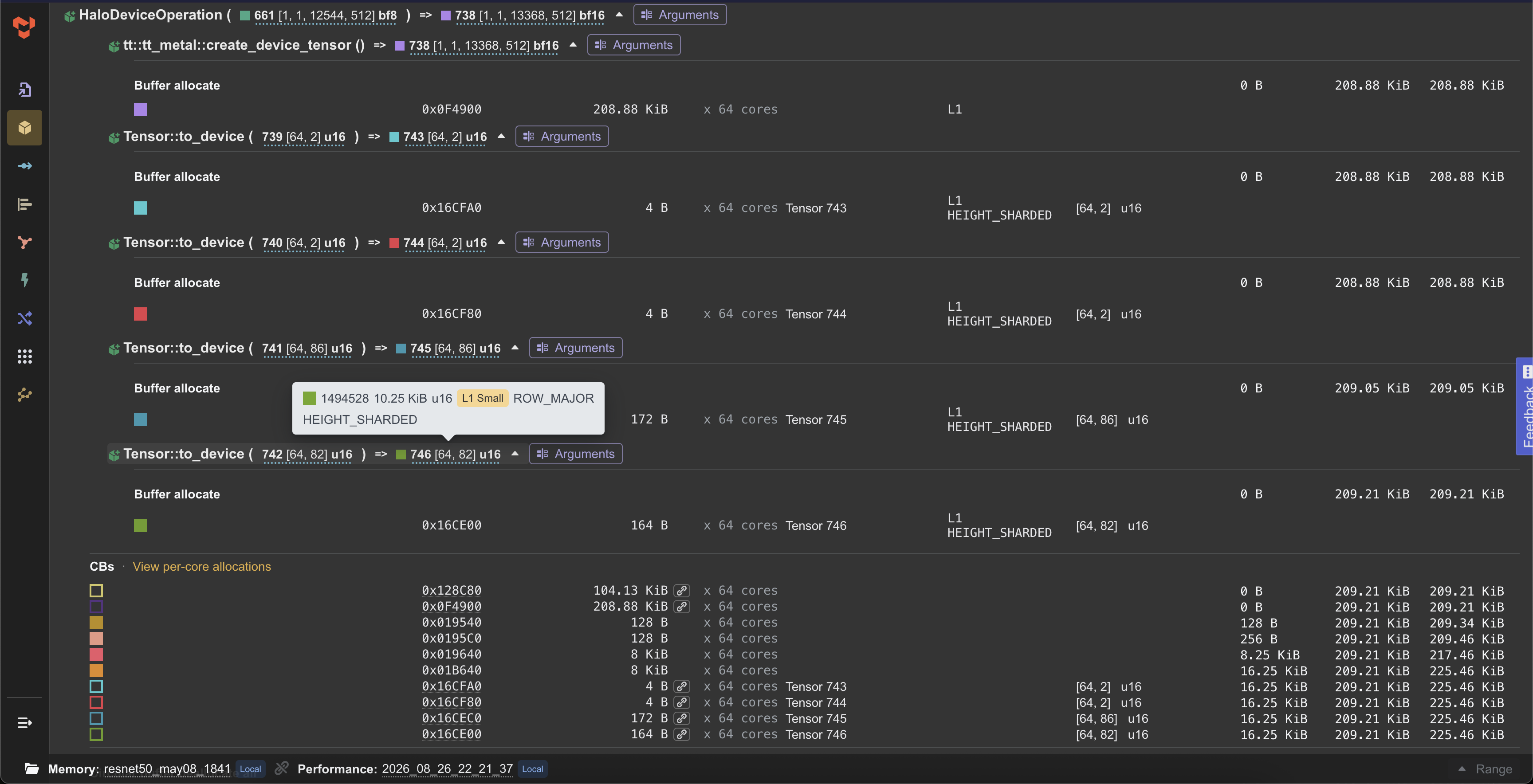 |
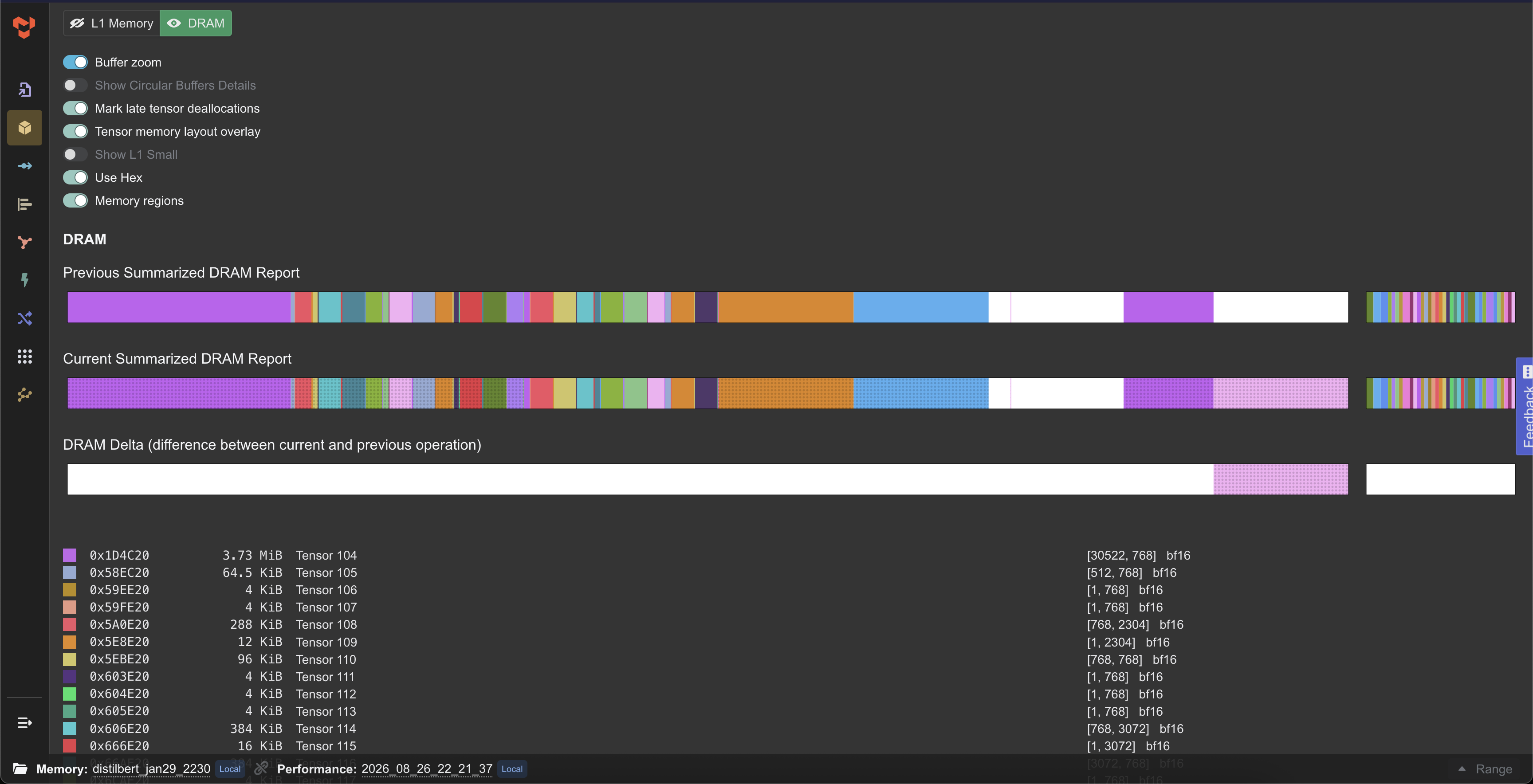 |
| Operation graph view | Model buffer summary |
|---|---|
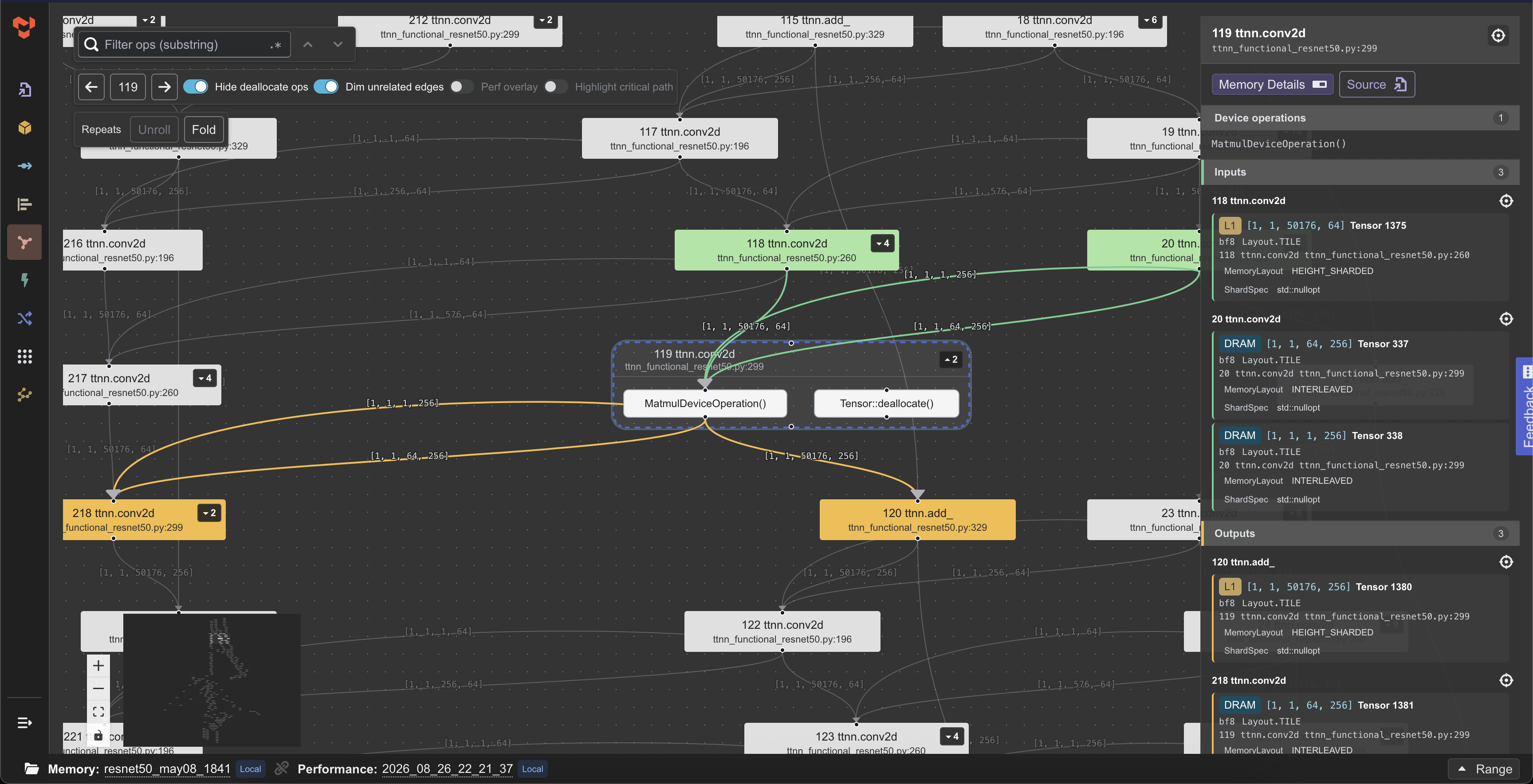 |
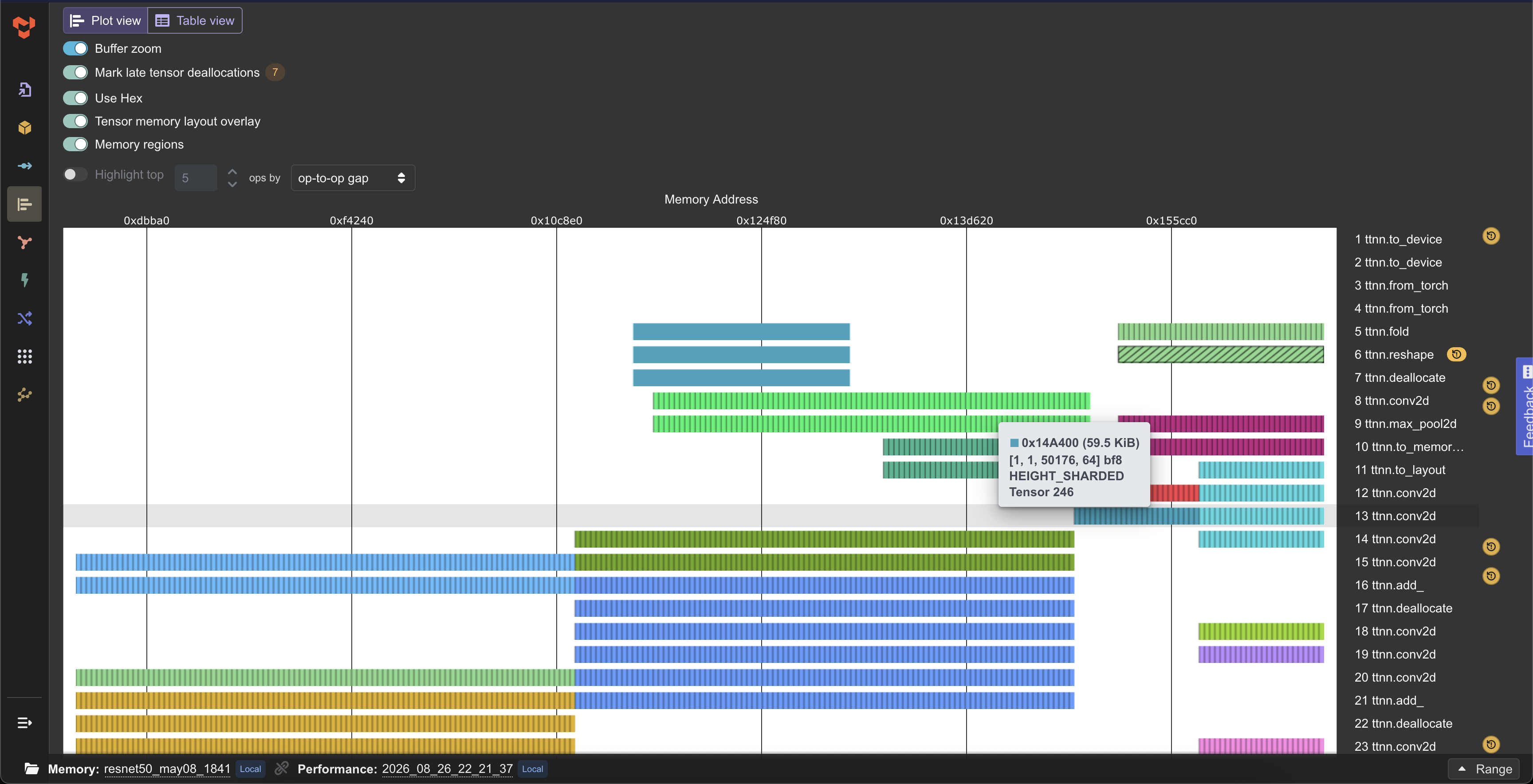 |
| Per core allocation details | Per core allocation details for individual tensors |
|---|---|
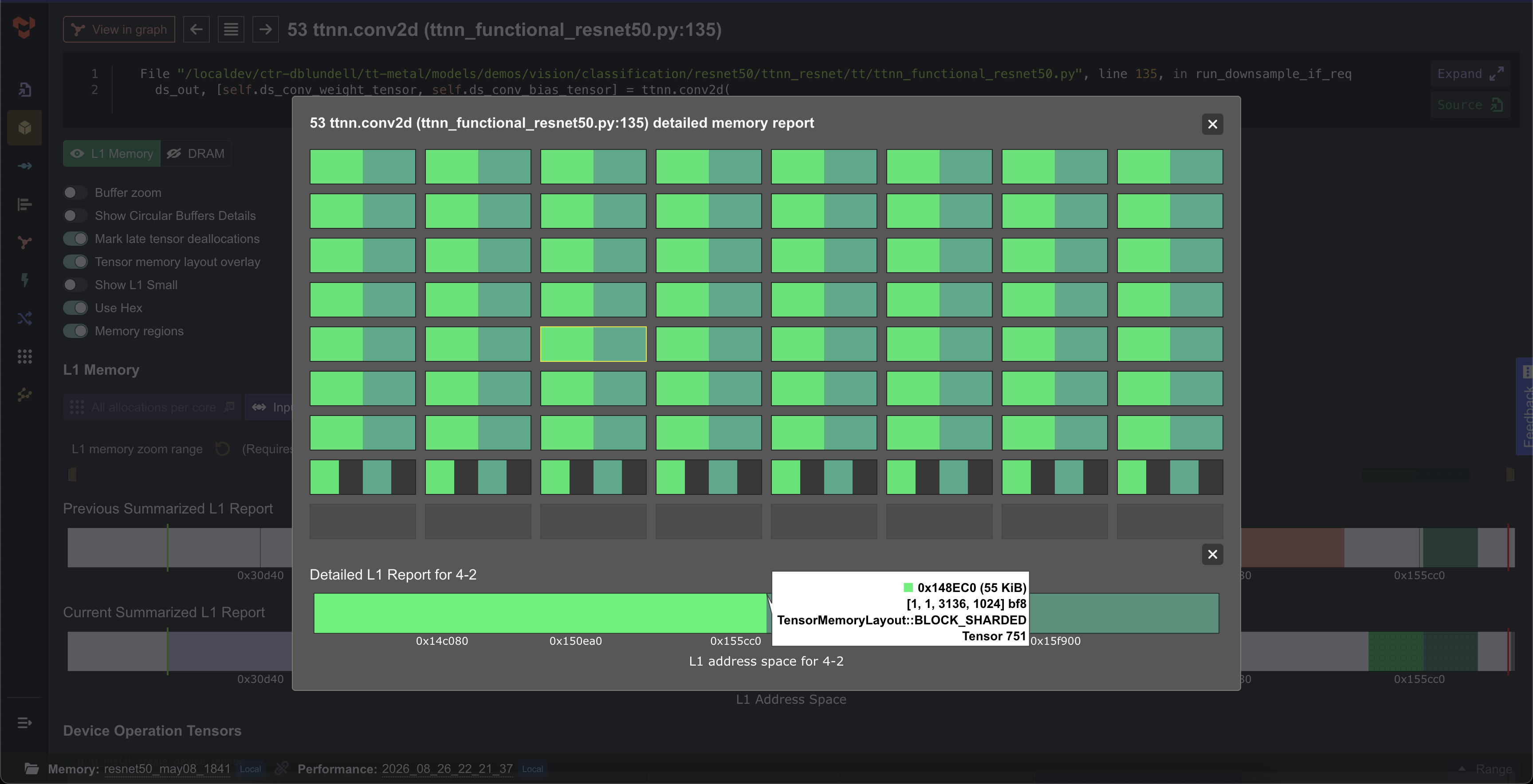 |
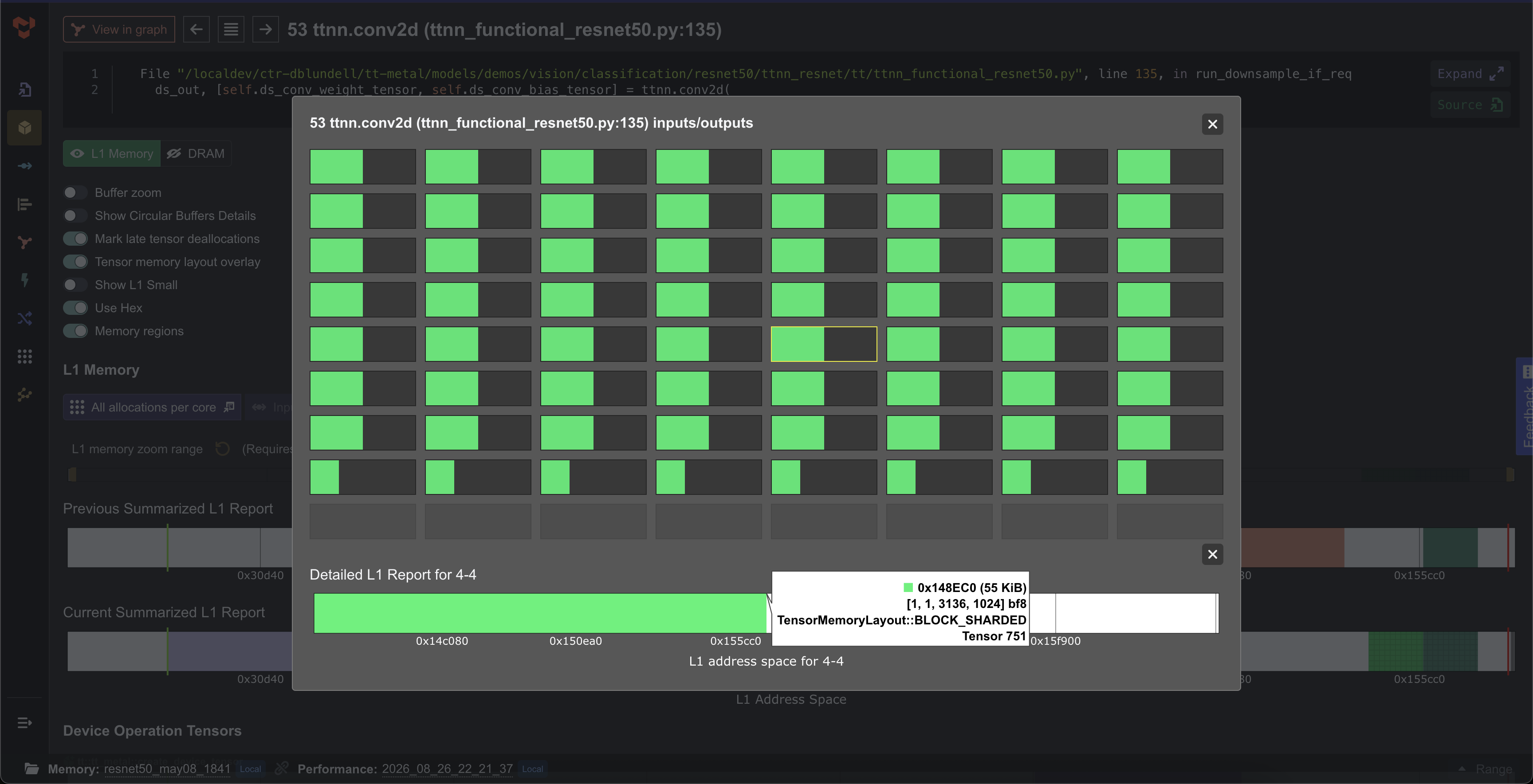 |
| Tensor details list | Performance report |
|---|---|
 |
 |
| Performance charts | |
|---|---|
 |
 |
| NPE | |
|---|---|
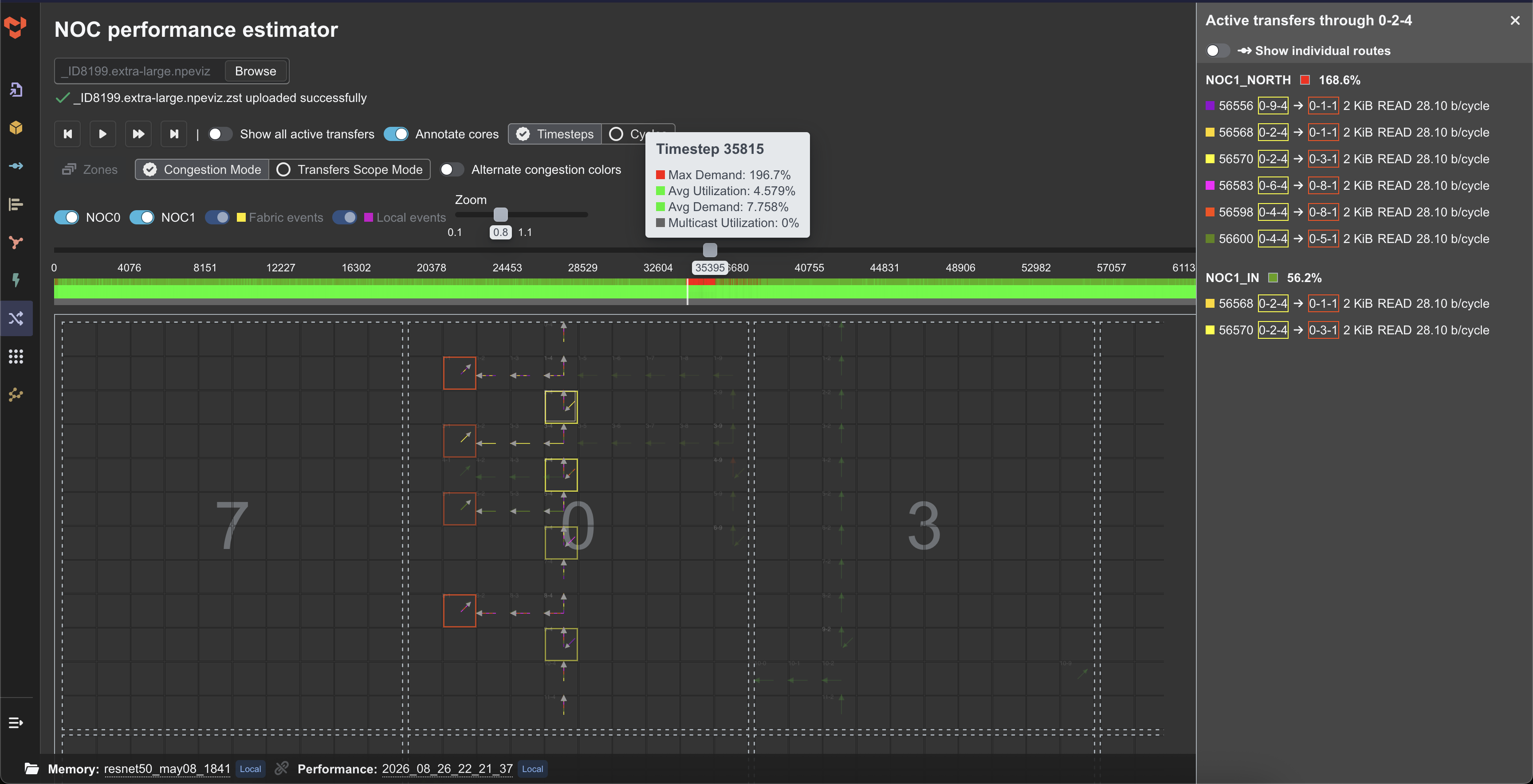 |
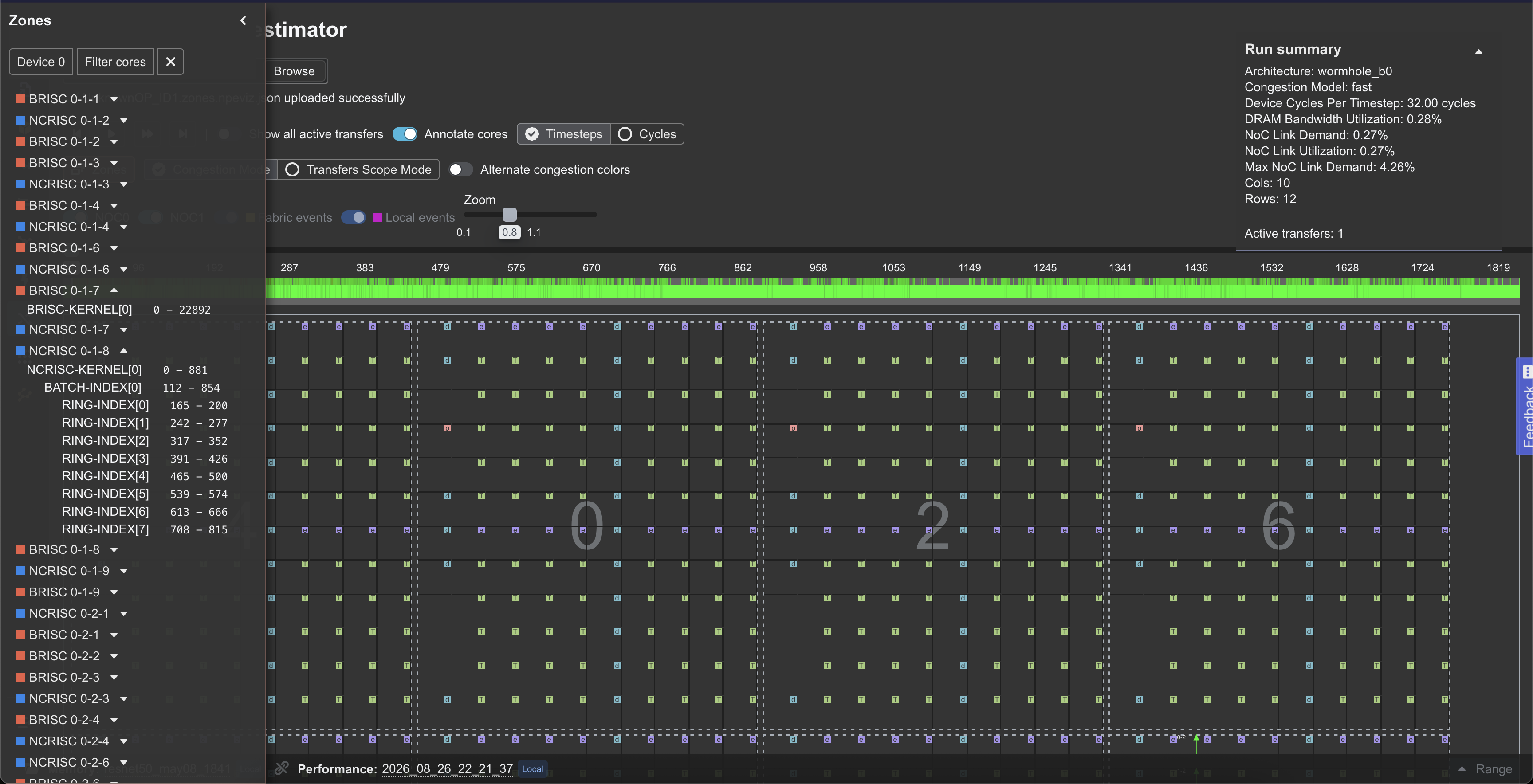 |
Sample reports
You may test the application using the following sample reports.
Unzip the files into their own directories and select them with the local folder selector, or load the NPE data on the /npe route.
Segformer encoder memory report
Segformer decoder memory report
Llama mlp memory + performance report
N300 llama memory + performance report with NPE data + cluster description
NPE report
T3K synthetic synthetic_t3k_small.json.zip
Contributing
How to run TT-NN Visualizer from source.
1 maintainer

Metadata
1 maintainer
Release files for ttnn-visualizer 0.106.0
For a detailed explanation of source distributions (sdists) and built distributions (wheels), please see the package formats documentation.
Built distribution (wheel)
| File | Interpreter | ABI | Platform | Reset |
|---|---|---|---|---|
| ttnn_visualizer-0.106.0-py3-none-any.whl | Python 3 | none | any | Details |
Release files / ttnn_visualizer-0.106.0-py3-none-any.whl
| Download URL | ttnn_visualizer-0.106.0-py3-none-any.whl |
|---|---|
| Size | 3.1 MB |
| Tags | Python 3 |
|
SHA-256 checksum How to use checksums |
273d733f4f973cec3c599e47049cbe6591cd8b8f2da4355d91e9b9b8bc000048
|
|
BLAKE2b-256 checksum How to use checksums |
63db7708b854534274b7862f406e60d89bb0a004ae0a6ea16d5a601c3a55d261
|
| Upload date | |
|
Uploaded using Trusted Publishing? What is trusted publishing? |
Yes |
| Uploaded via |
twine/7.0.0 CPython/3.13.14
|
Provenance
Provenance describes where a file came from. On PyPI, provenance is shared via attestations, which provide a verifiable record of the build or publishing details. View details, limitations and caveats.


PyPI Publish Attestation
PyPI verified that this artifact, at this checksum, originated from the publisher listed below.
Signed by GitHub Actions, verified by PyPI on Oct 7, 2026.
Transparency log













