
TTP Builder GUI Application
Introduction
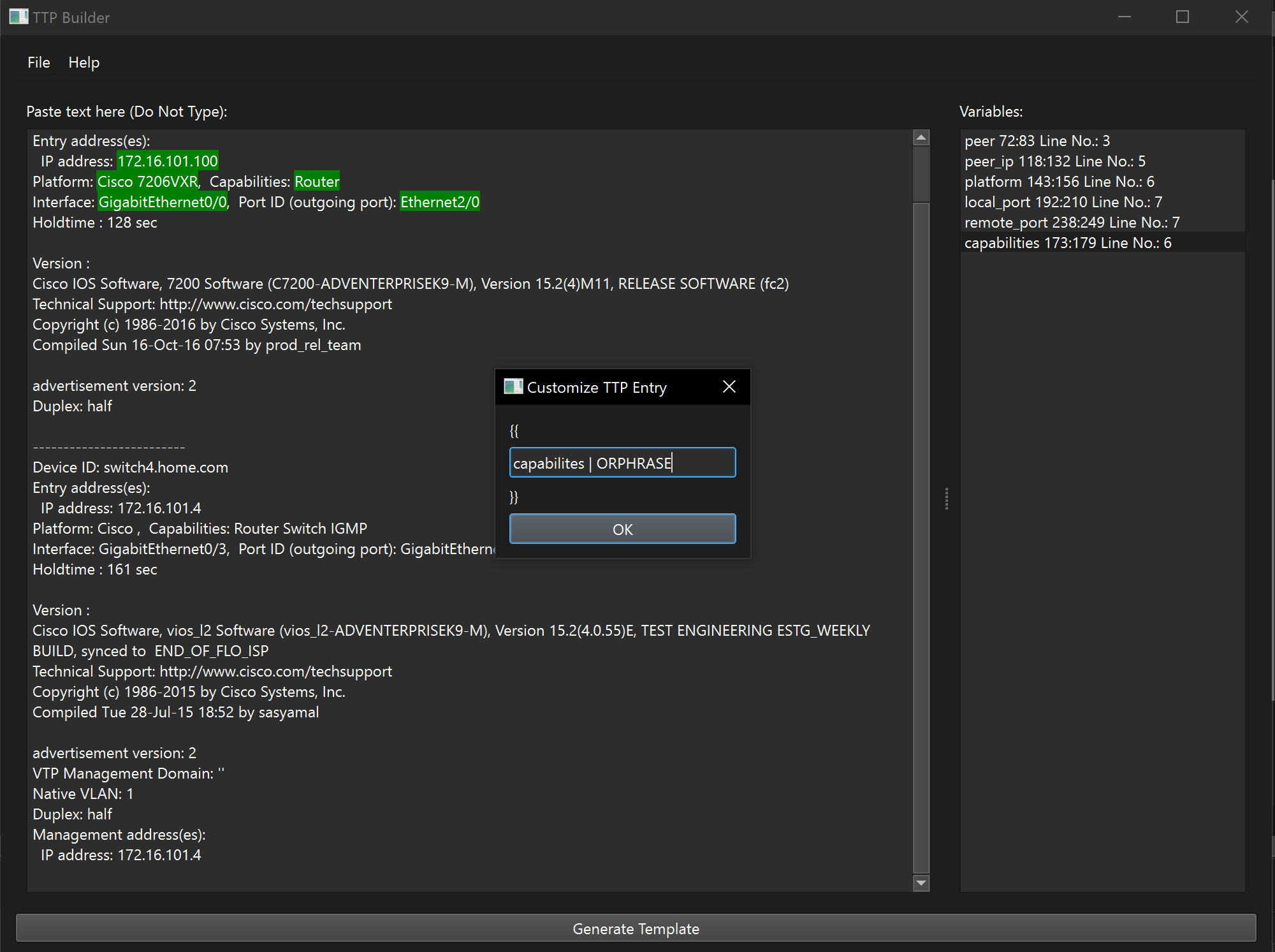
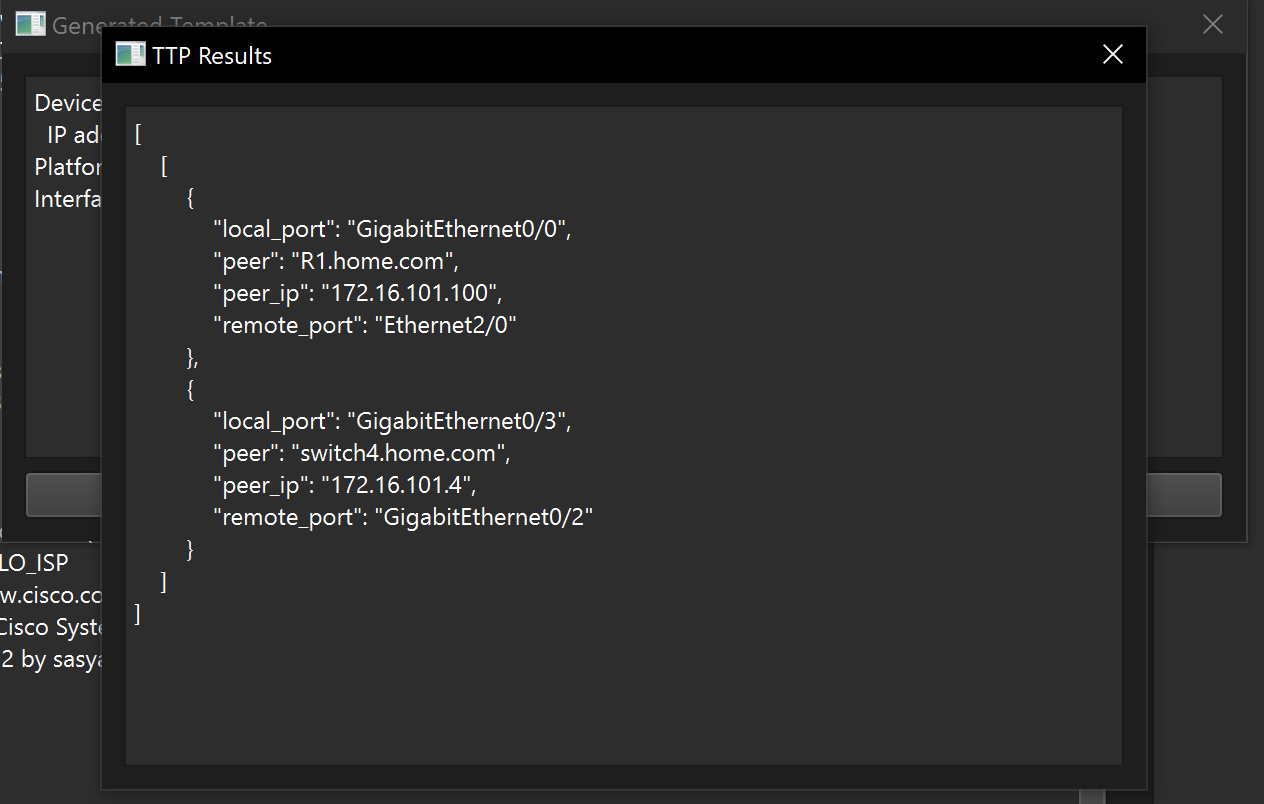
TTP Builder is a Python-based GUI application built using PyQt6 that facilitates the creation and testing of Text-based Template Parsing (TTP) templates. TTP Builder accelerates the process of creating and testing TTP templates for network automation projects.
Features
- Text Editor: A primary text editor to paste sample text data.
- Named Selections: A ListWidget displays identified variables parsed from the sample text data.
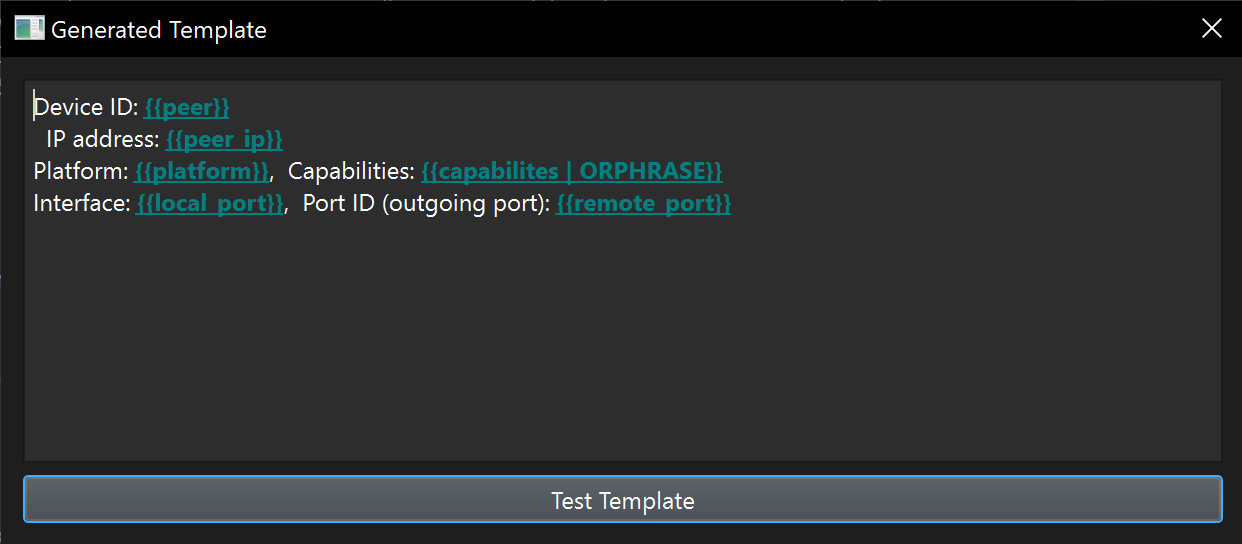
- Template Generator: A 'Generate Template' button for automated TTP template creation.
- Help System: In-app help documentation linking directly to TTP's official documentation and an "About" section.
Screen Shots
Pre-requisites
- Python 3.x
- PyQt6
- PyQt6-WebEngine (For Help menu)
- TTP
Install and Run
From an activated venv environment
pip install ttpbuilder
Execute: ttpbuilder
git clone https://github.com/scottpeterman/ttpbuilder.git
cd ttp_builder
Install the required packages.
pip install -r requirements.txt
Run the application.
python main.py
How to Use
- Paste Sample Data: Open the app and paste your sample text data into the text editor on the left-hand side.
- Named Selections: After pasting text data, highlight a section of the text that you want to be a variable in the TTP template. Right-click and choose "Create Named Selection".
- ListWidget: This will populate the ListWidget on the right with your identified variables. You can edit or remove these as necessary.
- Generate Template: Once you've highlighted all variables of interest, click on the 'Generate Template' button at the bottom to create the TTP template.
- Help Menu: Use the Help menu for additional resources and documentation on TTP.
Technologies and Libraries Used
- PyQt6: For the GUI.
- QWebEngineView: For embedded web browser support.
- TTP: For template generation logic.
1 maintainer

Metadata
1 maintainer
Release files for ttpbuilder 0.2
For a detailed explanation of source distributions (sdists) and built distributions (wheels), please see the package formats documentation.
Source distribution (sdist)
| File | Size | Uploaded | |
|---|---|---|---|
| ttpbuilder-0.2.tar.gz | 8.9 kB | Details |
Built distribution (wheel)
| File | Interpreter | ABI | Platform | Reset |
|---|---|---|---|---|
| ttpbuilder-0.2-py3-none-any.whl | Python 3 | none | any | Details |
Total release size: 18.3 kB
Release files / ttpbuilder-0.2.tar.gz
| Download URL | ttpbuilder-0.2.tar.gz |
|---|---|
| Size | 8.9 kB |
| Tags | Source |
|
SHA-256 checksum How to use checksums |
10d333f2f32c47560d6b6a2188a05215e06991ec5c0b60427c3e279582931fb3
|
|
BLAKE2b-256 checksum How to use checksums |
3fea09f495e1cbd2d5b7ef2226205a8ba1901dd424e6583c1743615d93d0f465
|
| Upload date | |
|
Uploaded using Trusted Publishing? What is trusted publishing? |
No |
| Uploaded via |
twine/4.0.2 CPython/3.9.13
|
Release files / ttpbuilder-0.2-py3-none-any.whl
| Download URL | ttpbuilder-0.2-py3-none-any.whl |
|---|---|
| Size | 9.3 kB |
| Tags | Python 3 |
|
SHA-256 checksum How to use checksums |
0ff16265ecec6e0273544c4cd9fd210bdeadfc4c2ca9ecbd3bc1f72050b6ee76
|
|
BLAKE2b-256 checksum How to use checksums |
65aaac902c26517dcbe320657834e9996842bce459ceb74efa8b283d0294e0da
|
| Upload date | |
|
Uploaded using Trusted Publishing? What is trusted publishing? |
No |
| Uploaded via |
twine/4.0.2 CPython/3.9.13
|














