
A fancy TUI client for Google Play Music

Project description
TUIJam
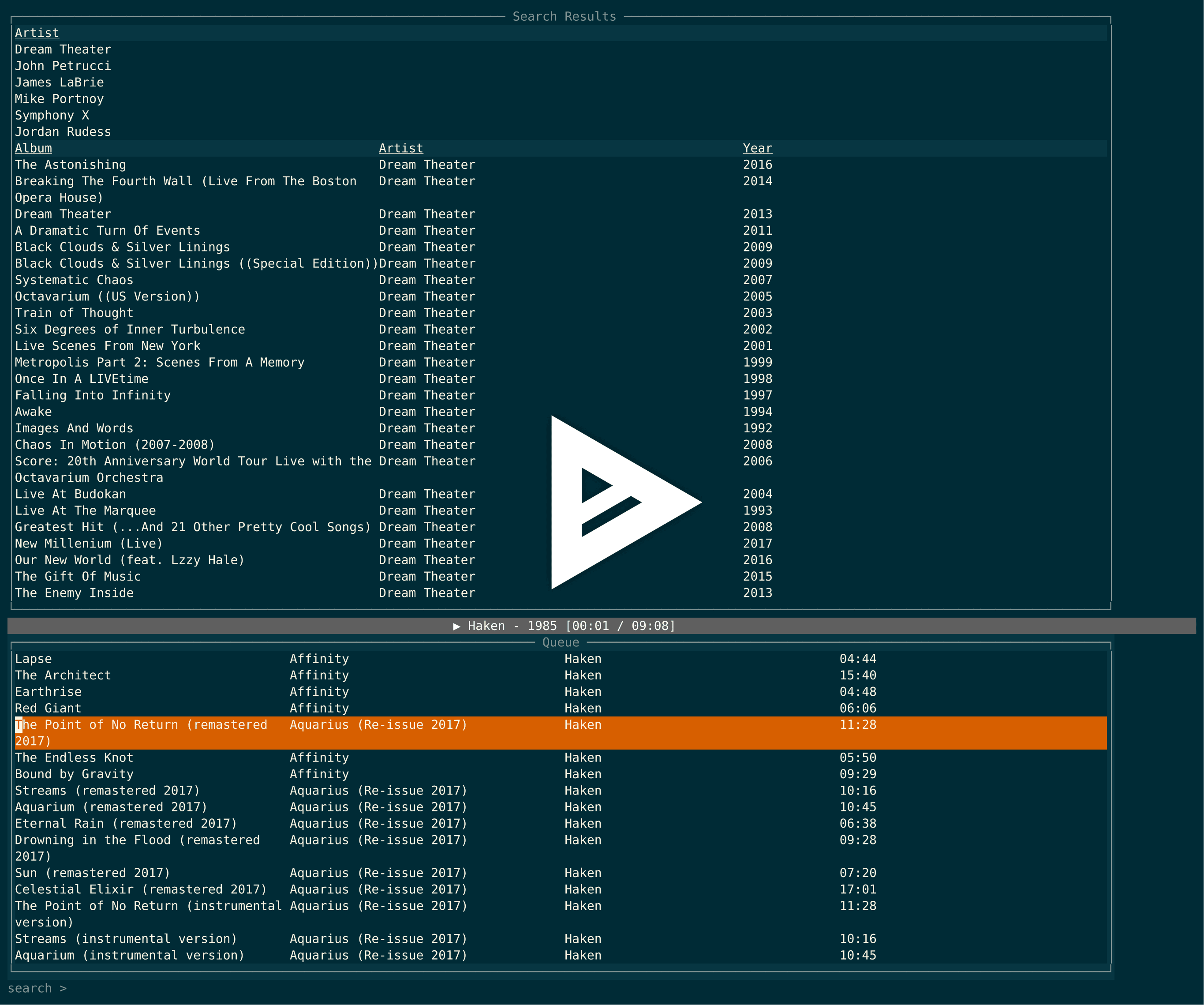
A fancy TUI client for Google Play Music.
TUIJam seeks to make a simple, attractive, terminal-based interface to listening to music for Google Play Music All-Access subscribers.
Dependencies
Installation
git clone git@github.com:cfangmeier/tuijam.git
cd tuijam
python setup.py install --user
Configuration
When you first launch TUIJam, it checks for a config file in $HOME/.config/tuijam/config.yaml with the following content:
email: you@your-email.com
password: your-password
device_id: yourdeviceid
If this file doesn't exist, TUIJam will guide you through a first-time setup where you will need to supply your google music email, password, and (optionally) a separate password to encrypt your google credentials locally.
Note that if you have 2-factor setup on your Google account, you need to make an app-password for TUIJam.
MPRIS Support
TUIJam supports a subset of the MPRIS spec to allow for external control via clients such as playerctl. Currently, the following behavior is supported:
- Get current song metadata (Title/Album/Artist)
- Get player status (Playing/Paused/Stopped)
- Play/Pause current song
- Next Song
- Stop
If this causes problems for you, please feel free to create an issue, but this feature can also be disabled by placing the following line in your config file:
mpris_enabled: false
Controls
ctrl-cquitctrl-ptoggle play/pausectrl-qstopctrl-nmove to next songctrl-rview recently played songsctrl-sshuffle queued songs (Note: If this hangs, try runningstty -ixonin your terminal and restartingtuijam)ctrl-uThumbs up the currently playing songctrl-dThumbs down the currently playing song>seek forward 10 seconds<seek backwards 10 seconds+volume up-volume downtab/shift-tabcycle focus through search/queue/input windows- In search window,
qAdd selected song/album to queuerCreate radio station around selected song/album/artist and add 50 songs from it to queueeview information about selected song/album/artistbackspacego back in search/expand history
- In queue window,
umove selected song up in queuedmove selected song down in queuedeleteremove selected song from queue
- In input window,
- Type search query and press enter. Results are shown in search window.
- Enter an empty query to view the suggested "Listen Now" stations and albums.
Thanks
TUIJam was heavily inspired by the gpymusic project, and, of course, could not exists without the great gmusicapi.
This project is neither affiliated with nor endorsed by Google.
Release history Release notifications | RSS feed


Download files
Download the file for your platform. If you're not sure which to choose, learn more about installing packages.
Source Distribution
File details
Details for the file tuijam-0.2.1.tar.gz.
File metadata
- Download URL: tuijam-0.2.1.tar.gz
- Upload date:
- Size: 11.1 kB
- Tags: Source
- Uploaded using Trusted Publishing? No
- Uploaded via: twine/1.11.0 pkginfo/1.4.2 requests/2.19.1 setuptools/39.2.0 requests-toolbelt/0.8.0 tqdm/4.23.4 CPython/3.6.6
File hashes
| Algorithm | Hash digest | |
|---|---|---|
| SHA256 |
920bac087d27563385de6907ee394d2b6b901cfb0b877c31248e59de6cc65a61
|
|
| MD5 |
9203f80cb8096a4a174945f56436659b
|
|
| BLAKE2b-256 |
0cbe97450c1d3e9d978b3899b548224bf28e18ccf98f162875d6c5e82f55519c
|






