tuitela




English · Português (Brasil)
Terminal UIs in pure Python. Your app is one immutable model, an update that turns messages into a new
model, and a view that draws the model as a tree of widgets. Python 3.10+, no dependencies, Linux, macOS and
Windows 10+.
The idea
- The state is one value. A
Modelis a frozen dataclass..set(...)returns a changed copy; nothing changes in place, so every frame is drawn from a value you can print, compare and test. updateandvieware plain functions. A key, a click, a timer or a finished job becomes a message;updatereturns the next model (and maybe an effect, like opening a dialog);viewdraws it.- Widgets wire themselves.
Input(m.draft)receives its state straight from the model. The App finds where that state lives, sends it the keys and writes the new state back. There is no binding code. - One way to do each thing. A callback is a named function. A per-item action passes
value=. A condition is a field or property name. A dialog is an effect that calls you back.
It is good at the things a terminal app needs every day: forms, lists and tables that stay fast with 100,000 rows, dialogs that stack, background jobs that report progress, mouse and themes out of the box, and a test driver that runs the whole app without a terminal. Only the cells that changed reach the terminal.
Install
pip install tuitela
# or
uv add tuitela
Try the demo without installing anything (Linux, macOS and Windows):
uvx tuitela
From source:
git clone https://github.com/oornnery/tuitela
cd tuitela
uv sync              # or: pip install .
uv run tuitela       # the demo
A first app
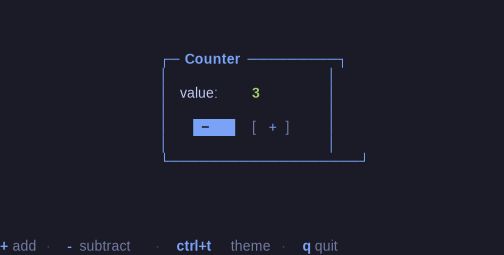
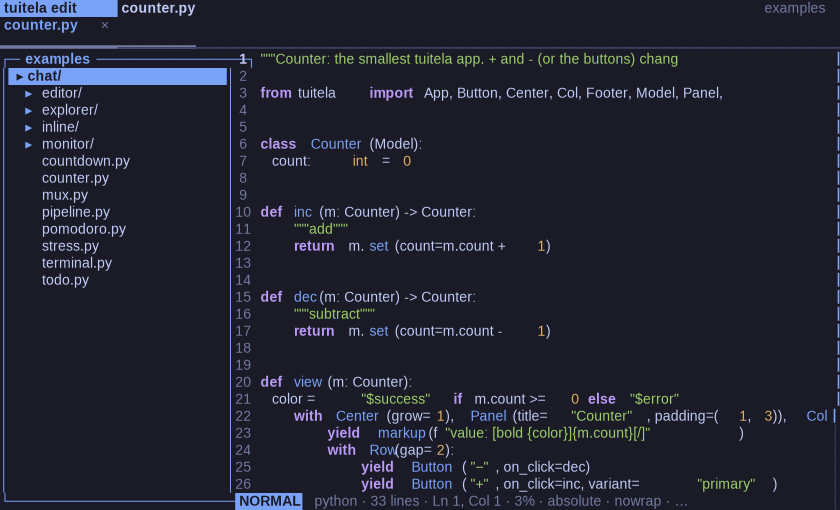
examples/counter.py:
"""Counter: the smallest tuitela app. + and - (or the buttons) change the value; ctrl+t themes; q quits."""

from tuitela import App, Button, Center, Col, Footer, Model, Panel, Row, markup


class Counter(Model):
    count: int = 0


def inc(m: Counter) -> Counter:
    """add"""
    return m.set(count=m.count + 1)


def dec(m: Counter) -> Counter:
    """subtract"""
    return m.set(count=m.count - 1)


def view(m: Counter):
    color = "$success" if m.count >= 0 else "$error"
    with Center(grow=1), Panel(title="Counter", padding=(1, 3)), Col(gap=1):
        yield markup(f"value: [bold {color}]{m.count}[/]")
        with Row(gap=2):
            yield Button("−", on_click=dec)
            yield Button("+", on_click=inc, variant="primary")
    yield Footer()


if __name__ == "__main__":
    final = App(Counter(), {"+": inc, "-": dec}, view).run()
    print(f"ended at {final.count}")
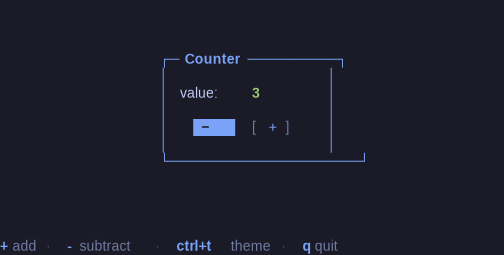
The view yields its nodes from top to bottom, and with puts what is yielded in its block inside a container
(here a column, in a panel, in the center). + and - call inc and dec. Tab moves between the two buttons;
enter, space or a click presses one. Footer() lists the keys, and each label is the first line of the function's
docstring. q quits, ctrl+t opens the theme picker, and run() returns the final model.
How it works
The loop
Everything that happens becomes a message. update turns the message and the current model into the next
model. view draws that model; the App compares the new frame with the last one and writes only the cells that
changed.
flowchart LR
    events["key, click, paste, resize,<br/>timer, job result"] -->|message| update
    update -->|next model| model[("model")]
    update -.->|"effect: dialog, job, toast, focus"| app["App"]
    app -.->|"callback with the answer"| update
    model --> view
    view -->|widget tree| diff["render + diff"]
    diff -->|changed cells| terminal
Where a key goes
A key goes to the first place that takes it.
flowchart TD
    key["key"] --> appkeys{"an App key?<br/>(ctrl+t)"}
    appkeys -->|yes| picker["theme picker"]
    appkeys -->|no| screen["the screen on top<br/>(a dialog is a screen)"]
    screen --> widget{"focused widget<br/>takes it?"}
    widget -->|yes| callback["widget state changes,<br/>its callback runs"]
    widget -->|no| tab{"tab or shift+tab?"}
    tab -->|yes| focus["focus moves"]
    tab -->|no| update{"update: an active<br/>@update.key or handler?"}
    update -->|yes| handler["your function"]
    update -->|no| quit["q or ctrl+c quit;<br/>esc closes a dialog"]
An open dropdown takes every key until it closes. A paste goes to the focused widget; the wheel goes to the widget under the pointer.
The modules
Your code imports names from tuitela. Each name loads its module on first use, so import tuitela is cheap.
flowchart TB
    app["your app: from tuitela import ..."] --> api["tuitela (the public API)"]
    api --> core["core<br/>App, Model, Update, effects,<br/>workers, keys, focus routing, pilot"]
    api --> render["render<br/>Node, Text, Style, themes,<br/>buffer and diff, markup, animation, SVG"]
    api --> layout["layout<br/>Row, Col, Grid, Dock, Fit, Box, Panel,<br/>Viewport, SplitPane, Modal, Scope"]
    api --> widgets["widgets<br/>input, data, feedback, frame,<br/>dialogs, effects, editor, terminal"]
    api --> graphics["graphics<br/>Canvas, Plot, Image, QRCode,<br/>diagrams, node editor"]
Concepts
The snippets below run in order: a later one can use what an earlier one defined.
Model and .set
from tuitela import Field, ListState, Model


class Task(Model):
    title: str
    done: bool = False


class Tasks(Model):
    tasks: ListState = ListState((Task("learn tuitela"), Task("write an app", done=True)))
    draft: Field = Field()

    @property
    def done(self) -> int:
        return sum(t.done for t in self.tasks.items)


before = Tasks()
after = before.set(draft=Field("buy milk"))
assert before.draft.value == "" and after.draft.value == "buy milk"  # `before` did not change
assert after.done == 1
Use tuples, never lists. Widget states (Field, ListState, TableState, SelectState...) are models too.
set_at, insert_at, remove_at, move and clamp help with tuples.
update, keys and handlers
An App takes a model, an update and a view. The update can be an Update, a dict of shortcuts, or nothing
when the widgets' callbacks do all the work:
from tuitela import App, Col, Footer, Input, Model, Panel, Resize, Text, Update, fx


class Note(Model):
    text: Field = Field()
    saved: str = ""
    width: int = 0

    @property
    def dirty(self) -> bool:
        return self.text.value != self.saved


notes = Update()


@notes.key("ctrl+s", help="save", when="dirty")
def save(m: Note):
    return m.set(saved=m.text.value), fx.toast("saved", "success")


@notes.on(Resize)
def resized(m: Note, msg: Resize) -> Note:
    return m.set(width=msg.width)


def note_view(m: Note):
    title = "note *" if m.dirty else "note"
    return Col(Panel(Input(m.text, placeholder="write something"), title=title), Text(f"{m.width} columns"),
               Footer())


App(Note(), notes, note_view).run()
App(Counter(), {"+": inc, "-": dec}, view).run()  # a dict of shortcuts
@update.key(*keys, help=..., when=..., unless=...)is a shortcut.helpis its label inFooter(); keys that share ahelpshow as one entry (+/- zoom).@update.on(MsgType, attr=pattern, when=..., unless=...)takes any message.@update.on(Click, target="reset")runs when the node drawn withid="reset"is clicked.@update.every(seconds, when=...)is a timer (see Timers).update.fallback(fn)gets what nothing else took.when=andunless=name a field or property of the model. A complex condition becomes a named@property. A shortcut that is not active also leaves the footer.
A handler takes (model) or (model, msg) and returns the next model or (model, cmd). The first handler
that matches wins; one that returns None passes the message on. A cmd is an effect, a plain function (runs in
a thread), an async function, an async generator (each yield becomes a message) or a list of these.
view and layout
view(model) returns a tree of nodes. Layout is a few containers:
from tuitela import Box, Col, Dock, Fit, Grid, Header, Panel, Row, Span, Text, Viewport


def cards():
    return Grid(Span(Panel("over two columns", title="span"), cols=2), Panel("a"), Panel("b"), Panel("c"),
                Panel("d"), columns="1fr 1fr 16")


def lines():
    return Viewport(Col(*(Text(f"line {i}") for i in range(200))), grow=1)  # scrolls with the wheel


def layout_view(m: Note):
    narrow = Col(cards(), lines(), grow=1)
    wide = Row(Box(cards(), padding=(1, 2), width="40%"), lines(), gap=1, grow=1)
    return Dock(Fit({0: narrow, 100: wide}), top=Header("layout", "a demo"), bottom=Footer())


App(Note(), layout_view).run()
Row(...)andCol(...)place children side by side or stacked;grow=shares the free space,width=takes cells or a percentage,gap=spaces them. ANonechild is left out:Col(header if m.header else None, body).Grid(columns="20 1fr 2fr")sizes columns by count, width and share;Grid(*cards, min_cell=24)fits as many columns as it can;Span(child, cols=2)spans cells.Dock(body, top=, bottom=, left=, right=)gives the edges their own size and the body the rest.Fit({0: narrow, 80: medium, 120: wide})draws the child for the width it gets.- Borders are
"square"(the default;set_borderchanges it),"rounded","double","heavy","dashed","dotted"and"ascii".Rule("part", align="center")draws a line with its title in the middle. Row(a, b, c, justify="between")places the room its children leave free: "start" (the default), "center", "end", "between", "around" or "evenly";align=places them on the other axis.min_height=andmax_height=limit a height asmin_width=andmax_width=limit a width.Boxadds a border, padding, a title on the top border and a subtitle on the bottom one (Panel(rows, title="Files", subtitle="9 of 459"));Panelis a box whose border lights up when the focus is inside.style="on $surface"fills it with a color.Viewportscrolls its child and follows the focused widget.SplitPane(menu, page, ratio=0.2, maximum=0.4)puts a divider between two panes, dragged with the mouse or moved with ctrl+←/→;minimumandmaximumsay how far it goes.Center,Align,Spacer,Wrap,Layers,CollapsibleandTooltipcover the rest.
Views that yield
A view (and a Component.build) can also be a generator. What it yields makes a column, None is left out, and a
container opened with with takes what is yielded inside its block. These two views draw the same screen:
from tuitela import App, Button, Col, Footer, Header, List, ListState, Model, Panel, Row, Text


class Todos(Model):
    todos: ListState = ListState(("milk", "eggs"))
    note: str = ""


def add(m: Todos) -> Todos:
    return m.set(todos=m.todos.add("bread"), note="added bread")


def clear(m: Todos) -> Todos:
    return m.set(todos=ListState(()), note="")


def call_view(m: Todos):
    return Col(
        Header("todo"),
        Row(Button("Add", on_click=add), Button("Clear", on_click=clear), gap=1),
        Panel(List(m.todos), title="tasks", grow=1),
        Text(m.note, style="$muted") if m.note else None,
        Footer(),
    )


def yield_view(m: Todos):
    yield Header("todo")
    with Row(gap=1):
        yield Button("Add", on_click=add)
        yield Button("Clear", on_click=clear)
    with Panel(title="tasks", grow=1):
        yield List(m.todos)
    if m.note:
        yield Text(m.note, style="$muted")
    yield Footer()


App(Todos(), yield_view).run()
- Both forms draw the same screen. A view that yields reads top to bottom, and
ifandforreplacex if c else Noneand building lists; the examples and the demo are written this way. A short node is still a call:yield Row(Text("name"), Input(m.name)). withworks on the containers whose children are a plain list:Row,Col,Wrap,Layers,Grid,Box,Panel,Modal,Align,Center,Viewport, andDock, where the block is the body and the edges stay keywords (with Dock(top=Header("app"), bottom=Footer()):). Several nodes in a one-child container make a column. A container takes its children as arguments or from its block, not both;withoutside a view that yields is an error.- One
withopens several containers, each inside the one before it:with Center(grow=1), Panel(title="card"), Col(gap=1):. yield from part(m)puts the nodes of another generator in the open container, as if they were written there;yield part(m)makes them a column of their own.- What a view yields shares the screen like any column: the node that takes the free rows says so
(
with Dock(bottom=Footer(), grow=1):). - Wherever a node goes, a generator is a column:
Panel(rows(m)),lazy(part, item), a screen's or a dialog's view,render_to_string(view(m), 40, 10). The column grows when something in it grows.
Widgets: state, callbacks and value=
A widget receives its state from the model: Input(m.draft), List(m.tasks), Select(m.mode). Events go to
named callbacks on the widget, with the same name for the same kind of event everywhere: on_click (a button),
on_change (a new value), on_pick (an item chosen in a list, table, tree, menu or drawing), on_submit (text
sent), on_cancel and on_close. A callback is (model) or (model, value), chosen by its arity, and returns
the model or (model, cmd).
from tuitela import Button, Checkbox, Col, Input, Panel, Row, Text, fx


class Signup(Model):
    name: Field = Field()
    agree: bool = False
    saved: tuple[str, ...] = ()


def set_agree(m: Signup, agree: bool) -> Signup:
    return m.set(agree=agree)


def add(m: Signup, name: str):
    if not name.strip():
        return m
    return m.set(saved=(*m.saved, name.strip()), name=Field()), fx.toast("saved", "success")


def remove(m: Signup, i: int) -> Signup:
    return m.set(saved=m.saved[:i] + m.saved[i + 1:])


def saved_row(i: int, name: str):
    return Row(Text(name, grow=1), Button("Remove", on_click=remove, value=i))


def signup_view(m: Signup):
    return Col(
        Panel(Input(m.name, placeholder="your name", on_submit=add), title="name"),
        Checkbox(m.agree, "I accept the terms", on_change=set_agree),
        *(saved_row(i, name) for i, name in enumerate(m.saved)),
        Footer(),
    )


App(Signup(), signup_view).run()
- Each state object appears once in the model; the App finds it by identity.
- Plain values (
bool,int,float,str) cannot be found by identity, so their widgets take the value and anon_changecallback:Checkbox,Switch,Slider,RadioGroup,Tabs,Paginator. value=replaces the event's value:Button("Remove", on_click=remove, value=i)callsremove(m, i). This is how per-item actions work without lambdas.Clickable(node, on_click=fn, value=i, tip="...")makes any node a click target.Autocomplete(m.draft, suggestions=rows, index=m.menu, columns=True)is a command line: the names in columns over the field and the description of the marked one in a box.ModalEditor(commands=...)shows the same over its:prompt, with a fuzzy match, andinfo=puts the app's own text on its status line.fuzzy_filter(text, rows)keeps the rows whose letters appear in order, best first: the same match for rows of your own.Help(pairs, rows=True)lists a shortcut per line: in aPanelwith a title, the menu of a key.Finder(m.files, preview=show, boxed=True)draws the list and the preview in a box each, andfx.find(..., boxed=True)opens it that way, with no window around it.solid=Trueis a second look, blocks of color instead of brackets and lines: aButtonalways filled with its variant's color (the focused one is lighter, bold and underlined), the marks of aCheckbox, aRadioGroupand aStepper, aSwitchthat says ON or OFF, a filledSlider, the active tab ofTabs, andHeaderandFooteras bars.look.set(solid=True)makes it the default of every widget that does not say, the buttons of the dialogs included.List,TableandTreealso take a plain sequence; the App then keeps the marked row. UseListState,TableStateorTreeStatewhen the model needs the index.
Focus
Focus lives in the App, not in your model. The first widget drawn starts with it; tab and shift+tab follow the
order of the view; a click focuses the widget under the pointer; focusable=False keeps a widget out of the
tab order. From code, fx.focus("path") focuses the widget whose state is at that field path, and fx.focus_back()
returns to where the focus was:
from tuitela import List, fx


class Search(Model):
    items: ListState = ListState(("apple", "banana", "cherry"))
    query: Field = Field()
    searching: bool = False


search = Update()


@search.key("/", help="search", unless="searching")
def start_search(m: Search):
    return m.set(searching=True), fx.focus("query")


def stop_search(m: Search):
    return m.set(searching=False), fx.focus_back()


def search_view(m: Search):
    field = Input(m.query, placeholder="search", on_submit=stop_search, on_cancel=stop_search) if m.searching else None
    shown = tuple(i for i in m.items.items if m.query.value in i)
    return Col(field, List(shown), Footer())


App(Search(), search, search_view).run()
A Panel lights its border when the focused widget is inside it. If the focused widget disappears, the focus
moves to the nearest one.
Dialogs and effects
An effect is returned as the cmd. Every effect and dialog lives in one namespace, fx: from tuitela import fx,
then fx.toast(...), fx.confirm(...), fx.work(...). Dialogs call your callbacks with the answer. Each one is a
modal screen made of real widgets, so the mouse, the wheel and paste work in it, and dialogs stack.
from functools import partial

from tuitela import Change, Setting, fx, remove_at


class Doc(Model):
    title: str = "untitled"
    lines: tuple[str, ...] = ("one", "two", "three")
    wrap: bool = False
    words: int = 0


def rename(m: Doc, title: str) -> Doc:
    return m.set(title=title)


def delete_line(m: Doc, *, line: int) -> Doc:
    return m.set(lines=remove_at(m.lines, line))


def changed(m: Doc, change: Change) -> Doc:
    return m.set(**{change.key: change.value})


def counted(m: Doc, words: int) -> Doc:
    return m.set(words=words)


def count_words(text: str) -> int:
    return len(text.split())


def picked(m: Doc, command: str):
    return m, fx.toast(f"picked {command}")


doc = Update()


@doc.key("r", help="rename")
def ask_title(m: Doc):
    return m, fx.prompt("New title?", text=m.title, on_submit=rename)


@doc.key("x", help="delete line")
def ask_delete(m: Doc):
    return m, fx.confirm("Delete the first line?", yes="Delete", danger=True, on_yes=partial(delete_line, line=0))


@doc.key("p", help="commands")
def commands(m: Doc):
    return m, fx.find([("Save", "save", "ctrl+s"), ("Export", "export", "")], title="Commands", on_pick=picked)


@doc.key("s", help="settings")
def options(m: Doc):
    return m, fx.settings([Setting("wrap", "Wrap lines", m.wrap)], on_change=changed)


@doc.key("w", help="count")
def count(m: Doc):
    return m, fx.work(partial(count_words, " ".join(m.lines)), on_done=counted, name="count")


def doc_view(m: Doc):
    return Col(Text(f"{m.title}: {len(m.lines)} lines, {m.words} words"), *(Text(line) for line in m.lines),
               Footer())


App(Doc(), doc, doc_view).run()
When a callback needs more than the model and the answer, give it with functools.partial, as keyword
arguments after the model: on_yes=partial(delete_line, line=0) calls delete_line(m, line=0). Do not park
that context in the model while the dialog is open.
| Effect | Callbacks |
|---|---|
fx.confirm(question, yes=, no=, danger=) |
on_yes(m), on_no(m) |
fx.prompt(question, text=, placeholder=) |
on_submit(m, text), on_cancel(m) |
fx.choose(question, options) |
on_pick(m, option), on_cancel(m) |
fx.alert(*body, title=) |
on_close(m) |
fx.find(items, preview=): items are str, (text, value) or (text, value, note) |
on_pick(m, value), on_cancel(m) |
fx.menu(items, at=(x, y)) |
on_pick(m, label), on_cancel(m) |
fx.pick_file(start, only_dirs=, save=, name=) |
on_pick(m, path), on_cancel(m) |
fx.pick_date(initial) |
on_pick(m, date), on_cancel(m) |
fx.pick_color(initial) |
on_pick(m, "#rrggbb"), on_cancel(m) |
fx.pick_theme() |
on_pick(m, name), on_cancel(m) |
fx.settings([Setting(...)]) |
on_change(m, change) on each change, on_close(m) |
fx.work(fn, name=) |
on_done(m, result), on_progress(m, value), on_error(m, "Type: message"), on_cancel(m) |
fx.run(argv): hands the terminal to a program (an editor, a pager) |
on_done(m, returncode) |
Other effects: fx.toast(message, kind, title, subtitle=) (a box in the corner, its border in the color of the
kind, the title on the top border and the subtitle on the bottom one), fx.copy(text) (clipboard over OSC 52),
fx.focus(path),
fx.focus_back(), fx.push(...), fx.pop(value), fx.send(msg) and fx.cancel(name) for a running job.
work runs a function or a generator in a thread, or an async function or async generator on the event loop.
Each yield calls on_progress. A new job with a running job's name replaces it. A job with no on_error
shows its error in a toast, so a failure is never silent.
Screens and your own dialogs
fx.push(model, view, update=None, on_close=fn) opens a screen with its own model, view and update. fx.pop(value)
closes it and calls on_close(parent_model, value). With modal=True the screen is a dialog: esc, ctrl+c or a
click outside the Modal closes it with fx.pop(). The built-in dialogs are written this way.
from tuitela import Modal, fx


class Rename(Model):
    name: Field


def submitted(r: Rename, text: str):
    return r, fx.pop(text)


def rename_view(r: Rename):
    return Modal(Text("New name:"), Input(r.name, on_submit=submitted), title="Rename", width=40)


def renamed(m: Doc, text: str | None) -> Doc:
    return m if text is None else m.set(title=text)


@doc.key("f2", help="rename")
def open_rename(m: Doc):
    return m, fx.push(Rename(Field(m.title)), rename_view, on_close=renamed, modal=True)
Timers
class Stopwatch(Model):
    seconds: int = 0
    running: bool = True


ticks = Update()


@ticks.every(1, when="running")
def second(m: Stopwatch) -> Stopwatch:
    return m.set(seconds=m.seconds + 1)


@ticks.key("p", help="pause")
def pause(m: Stopwatch) -> Stopwatch:
    return m.set(running=not m.running)


def clock_view(m: Stopwatch):
    return Col(Text(f"{m.seconds}s"), Footer())


App(Stopwatch(), ticks, clock_view).run()
The App starts the timer when when= turns true and stops it when it turns false. No message class and no
thread are needed.
Sub-models: mount and Scope
A large app splits into parts that each have a model, an update and a view. update.mount(path, sub_update)
sends messages to the sub-model at path: its shortcuts (also in the footer), timers and callbacks work on
it. Scope(child, path) makes the widgets drawn inside it work on that sub-model.
class Player(Model):
    volume: int = 5
    muted: bool = False


class Page(Model):
    draft: Field = Field()
    sent: tuple[str, ...] = ()


class Main(Model):
    player: Player = Player()
    left: Page = Page()
    right: Page = Page()


player = Update()


@player.key("+", help="louder", unless="muted")
def louder(p: Player) -> Player:
    return p.set(volume=p.volume + 1)


main = Update()
main.mount("player", player)  # `+` reaches m.player through `player`


def send_text(p: Page, text: str):  # works on a Page, not on Main
    return p.set(sent=(*p.sent, text), draft=Field()), fx.focus("draft")


def page_view(p: Page):
    return Col(Text(f"{len(p.sent)} sent"), Input(p.draft, on_submit=send_text))


def main_view(m: Main):
    pages = Row(Scope(page_view(m.left), "left", grow=1), Scope(page_view(m.right), "right", grow=1), gap=2)
    return Col(Text(f"volume {m.player.volume}"), pages, Footer())


App(Main(), main, main_view).run()
The path is a field name, a dotted path ("pages.1") or a tuple (("pages", 1)). It can also be a property of
the model, so the open page of a gallery can be mounted: update.mount(Shell.path, Shell.page_update).
update.mount(other) adds another Update on the same model, to split a big update by screen.
Animation
Animated widgets read the App's clock and ask for their next frame. Your model needs no frame counter and no tick message.
from tuitela import Spinner
from tuitela.widget import Node, frame_now


class Blink(Node):
    """A dot that blinks twice a second, with no code in update."""

    def _measure(self, max_w: int) -> tuple[int, int]:
        return 1, 1

    def _render(self, buf, rect) -> None:
        dot = "●" if frame_now(buf, 2) % 2 == 0 else " "
        buf.put(rect.x, rect.y, dot, self.style.cell, rect)


def busy_view(m: Stopwatch):
    return Row(Spinner(), Text(" working "), Blink(style="$warning"))


App(Stopwatch(), busy_view).run()
Spinner, Shimmer, Reveal, Logo, Rain, Snow, Fireworks, Clock and Timer work this way.
Tween (ease="out"; also "linear", "in", "in_out", "bounce" or your own function), pulse, blend and
gradient help with values and colors. Everything to write your own widget is in tuitela.widget: Node,
Widget, Component, Buffer, Rect, frame_now.
Themes
Colors are theme tokens: $primary, $secondary, $success, $warning, $error, $fg, $muted, $bg,
$surface and $border. A style is a string ("bold $primary on $surface") or a Style.
from tuitela import Style, Theme


ember = Theme("ember", bg="#101010", surface="#1c1c1c", fg="#e0e0e0", muted="#808080", border="#303030",
              primary="#ff8800", secondary="#00aaff", success="#00c060", warning="#e0b000", error="#e04040")


def themed_view(m: Stopwatch):
    link = Text(("docs", Style(link="https://github.com/oornnery/tuitela")))  # a clickable link (OSC 8)
    return Col(Text("ember", style="bold $primary"), link)


App(Stopwatch(), themed_view, theme=ember).run()
App(Stopwatch(), themed_view, theme="nord").run()
There are 13 built-in themes: tokyo-night (the default), catppuccin-mocha, catppuccin-latte, dracula,
everforest, gruvbox, kanagawa, light, nord, one-dark, rose-pine, solarized-dark and
solarized-light. ctrl+t opens the theme picker with a live preview; fx.pick_theme() does the same from code.
The color mode (truecolor, 256, 16, none) is detected and NO_COLOR is respected.
The theme, the default border, the solid look, the color mode and the default look of each widget with more than
one (tabs, input, progress, spinner, table grid, tree guides, paginator) are the library's look, kept in one object,
look. A widget's own option wins over it. App(theme=, border=) is a shortcut for it; from an update,
fx.look(...) changes it and draws the whole screen again. The gallery's L opens a dialog with all of them.
from tuitela import fx, look

look.set(theme="nord", border="rounded", solid=True, colors="256")
look.set(tabs="pill", input="box", grid="full", spinner="arc")  # every Tabs, Input... that does not say
print(look.theme.name, look.border, look.solid, look.tabs)  # nord rounded True pill


def go_dark(m: Stopwatch):
    return m, fx.look(theme="dracula")
Testing
tuitela.testing.Tester drives the whole App without a terminal: focus, widgets, dialogs and toasts.
from tuitela.testing import Tester, assert_snapshot

t = Tester(App(Signup(), signup_view), (60, 12))
t.click("name").type("Ada").press("enter")  # click a widget by the field path of its state
assert t.model.saved == ("Ada",) and "saved" in t.toasts
t.press("tab", "tab", "enter")  # the Remove button
assert t.model.saved == ()
assert_snapshot(t.app, 60, 12, "snapshots/signup.txt")
press,type,click(target),scroll,paste,drag,hover,resizeandsend(msg)drive it;batch(*msgs)applies messages read together, as one terminal read.t.model,t.dialog(the open dialog's model),t.screen(),t.focusandt.toastsread it.t.tick()fires each active@update.everytimer once; timers do not run on their own.Tester(app, cmds=True)runs thread cmds,workand the App'sinitinline, to the end.
assert_snapshot(node_or_app, width, height, path) compares the frame with a file. A missing file fails; write
or rewrite snapshots with TUITELA_UPDATE_SNAPSHOTS=1.
The pilot drives the real event loop, headless or in a terminal:
async def script(pilot):
    await pilot.press("+")
    await pilot.press("+")
    await pilot.wait_for("value: 2")


final = App(Counter(), {"+": inc}, view).run(autopilot=script, headless=True)
assert final.count == 2
Performance
Only the cells that changed are written, inside one synchronized update. When a band of rows scrolls, the terminal moves it and only the new rows are sent. A flood of messages from a worker is drawn at most 30 times a second, while keys still draw at once.
For long lists, each(items, fn, *shared) builds one subtree per item and reuses it while the item (and
shared) stay equal; lazy(fn, *args) does the same for one expensive part of a view:
from tuitela import each, lazy


class Feed(Model):
    lines: tuple[str, ...] = tuple(f"message {i}" for i in range(10_000))
    compact: bool = False


def line_view(line: str, compact: bool):
    return Text(line if compact else f"· {line}")


def summary(count: int):
    return Text(f"{count:,} messages", style="$muted")


def feed_view(m: Feed):
    return Col(lazy(summary, len(m.lines)), Viewport(Col(*each(m.lines, line_view, m.compact)), grow=1))


App(Feed(), feed_view).run()
List, Table, Tree and Log draw only the visible rows; the modal editor and TextArea read only the lines
on screen; Markdown is parsed by block and cached; a Viewport draws only its window. A built node never
changes, which is what makes these caches safe.
To see where the time goes, run any app with TUITELA_PROFILE=1: it prints per-frame times by phase (view,
render, diff, write) when the app ends. App(meter=True) with a FrameMeter() in the view shows the same
numbers live.
Catalog
Every public name, from tuitela. The demo (uv run tuitela) shows each widget live, with its code.
App and model
App: runs a model, an update and a view;run()returns the final model.AppKeys: its own keys (quit, theme picker,?help panel with every active key,ctrl+pcommand palette, screenshot, recording).App(toasts="top-right", toast_bar=True): where toasts show and a bar of their time left.App(accessible=True)(orTUITELA_ACCESSIBLE=1): plain lines a screen reader can follow.run_inline: a small app below the prompt.Model: base of the state (a frozen dataclass with.set).Field: editable text with cursor, selection and undo.Update: decoratorskey,on,every,fallbackandmount.Quit,fx.quit: end the app (fx.quitasks first withconfirm_quit).Resize: the terminal size.- Messages:
Key,Click,Release,MouseMove,Scroll,Paste,FocusIn,FocusOut,SetLook. - Tuple helpers:
set_at,insert_at,remove_at,move(by=steps orto=a position),clamp,approach. - Drag and drop:
Drag,drag_ghost,dropped_paths,move_between.
Effects and dialogs, all in fx (from tuitela import fx)
fx.toast(Toast, drawn byToasts);fx.copy;fx.focus,fx.focus_back;fx.send;fx.push,fx.pop;fx.run;fx.look;fx.quit.fx.work,fx.cancel: background jobs.fx.confirm,fx.prompt,fx.choose,fx.alert,fx.find,fx.menu: questions and pickers.fx.pick_file,fx.pick_date,fx.pick_color,fx.pick_theme,fx.settingswithSettingandChange;ThemePicker.
Layout
Row,Col,Stack: side by side or stacked.Wrap: breaks onto new lines.Grid,Span: cells.Dock: edges around a body.Fit: the child for the width.Align,Center,Spacer: placement.Box,Panel(kind="warning": a callout in the kind's color),Rule(border="dashed"...): borders, titles, padding.Viewport: scrolling (the wheel, shift+wheel sideways withsideways=True, and its scrollbars dragged with the mouse).SplitPane,SplitPaneState: two panes.Collapsible,CollapsibleState;Tooltip;Layers,Modal: drawing on top.Menu,MenuItem,MenuState: menu bar or list with submenus.Scope: a view over a sub-model.
Input
Input(password=,mask=,prefix=,suffix=;look="box","underline"or"filled"with alabel=;unmask),TextArea.Button(link="https://...": a focusable link),Clickable,Checkbox,Switch,Slider,RadioGroup.Select,SelectState;Autocomplete,AutocompleteState;Tags,TagsState;Calendar,CalendarState.Form,FormState,FormItem,FormField: declarative forms with validation;kind="multi"(a tuple of options) andpage=(a form in steps, with Back and Next).KeyValueEditor,KeyValueState,KeyValueRow: editable key-value rows.ModalEditor,ModalEditorState,EditorCommand: a Vim-like editor.
Data
List,ListState(multi=Truefor checkboxes;ListGroupheaders andNoneseparators,disabled=,filter=True);Table,TableState(sort, edit, drag rows;cursor="cell"or"column",fixed_columns=,fixed_rows=,footer=,widths=,grid="full"...).Tree,TreeNode,TreeState(guides="bold"...), withfile_roots,json_treeandast_tree.Tabs(body=the active tab's page,look="box"or"pill",vertical=True);Finder,FinderState,fuzzy_match;Log,LogState,LogHandlerandLogged(theloggingmodule into aLog);Markdown(toc=True: its headings beside it);Code(marks=in the gutter).Pretty(any Python value),Traceback(an exception),Bullets(•, 1., a., i. lists).
Feedback
Progress(look="line"or"segments";Taskrows with count, rate and ETA),Spinner(kind="arc"...),Gauge,Sparkline,BarChart,LineChart,Heatmap.BigText,Shimmer,Diff(side_by_side=True),Paginator,Stepper.Timer,TimerState,format_duration;FrameMeter.
Frame
Header,Clock,Footer,Help,Breadcrumbs.
Effects
Reveal,Logo,Rain,Snow,Fireworks.
Graphics
Canvas,Plot;Image(PNG, GIF, PPM, SVG;protocol="auto", "blocks", "kitty", "sixel" or "iterm2"),Bitmap,Pixels;QRCode.Diagram,Graph,GraphNode,GraphEdge,GraphView,Sequence,SequenceView.NodeEditor,NodeEditorState,NodeBox,Wire.
Terminal
Terminal,TerminalState: a shell or any program inside a widget (Linux and macOS).
Drawing and styles
Text(badge="success": a chip),markup: styled text.each,lazy: cached subtrees.render,render_to_string,save_frame.Style;Theme,THEMES.look: the theme, the default border, the solid look, the color mode and each widget's default look (look.set(...),look.theme,look.tabs...).Tween,Spring(a value that follows its target),pulse,blend,gradient.Pilot: drives a running App (see Testing).
Your own widgets, in tuitela.widget (from tuitela.widget import Node, Widget)
Node,Widget,Component: the bases.Buffer,Rect: what_rendergets.frame_now: animation.BrailleCanvas,Copies(a click target that copies),slide,area_text,decode_png,decode_gif,decode_ppm.
Examples
Run them from a clone of the repository. Every screenshot and animation is in the gallery.
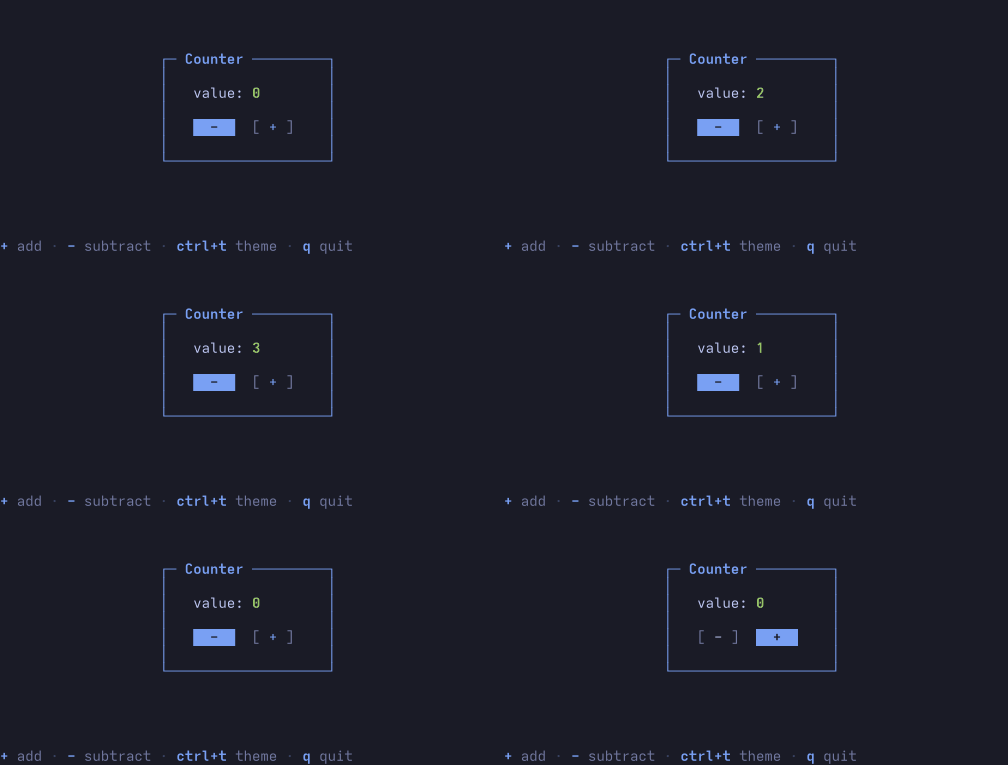
Counter (uv run python examples/counter.py): the first app above. + and - or the buttons change the value,
which turns red below zero.
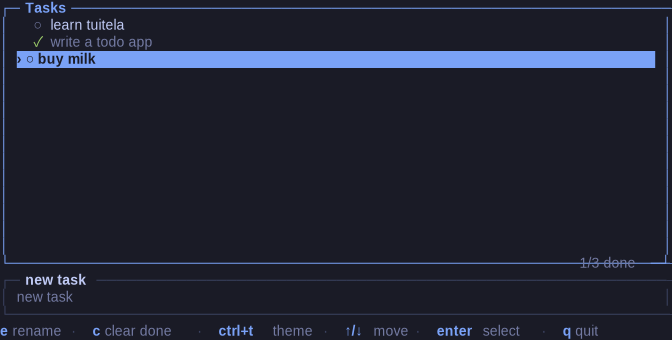
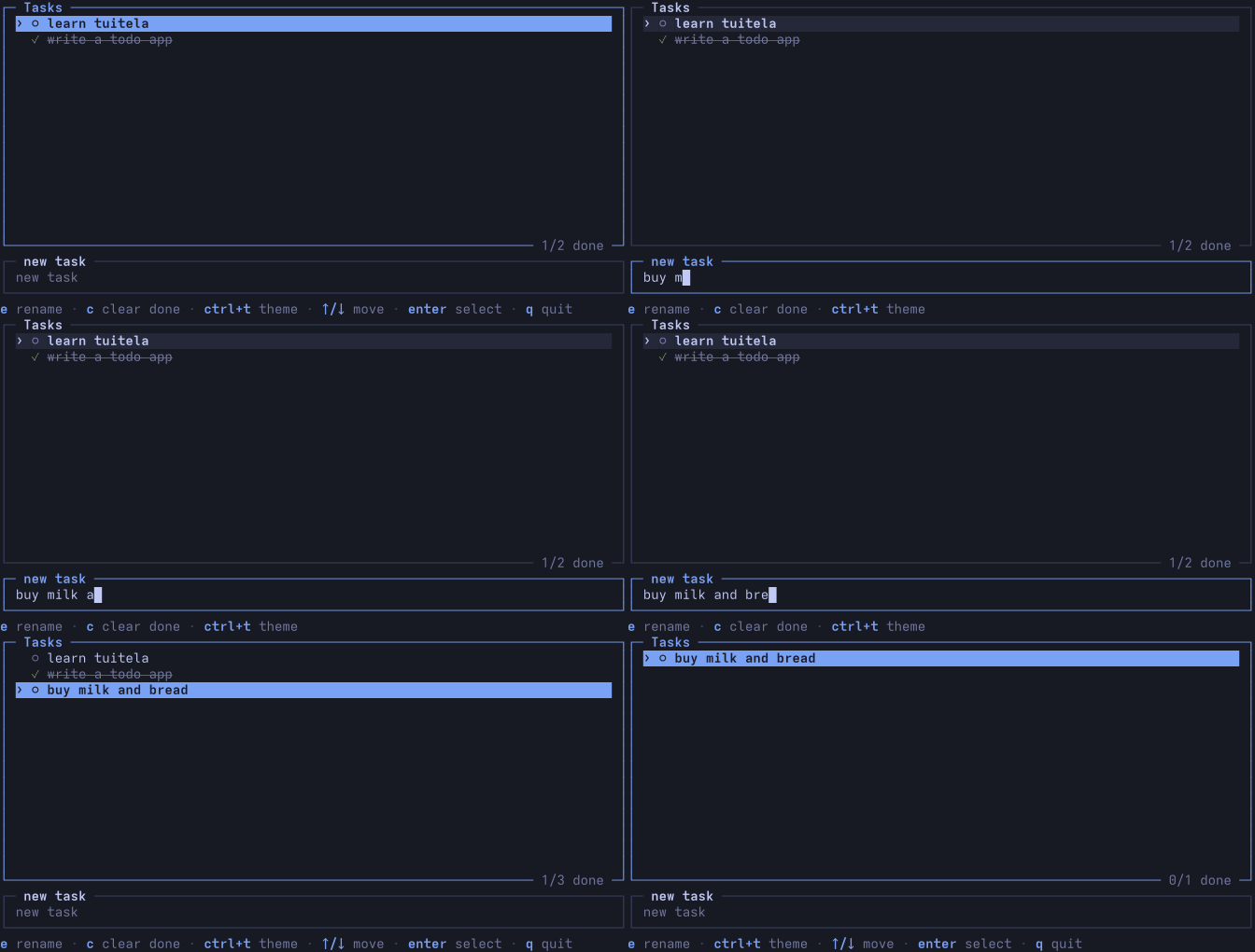
Todo (uv run python examples/todo.py): a list, a text field, a confirm dialog and focus moves.
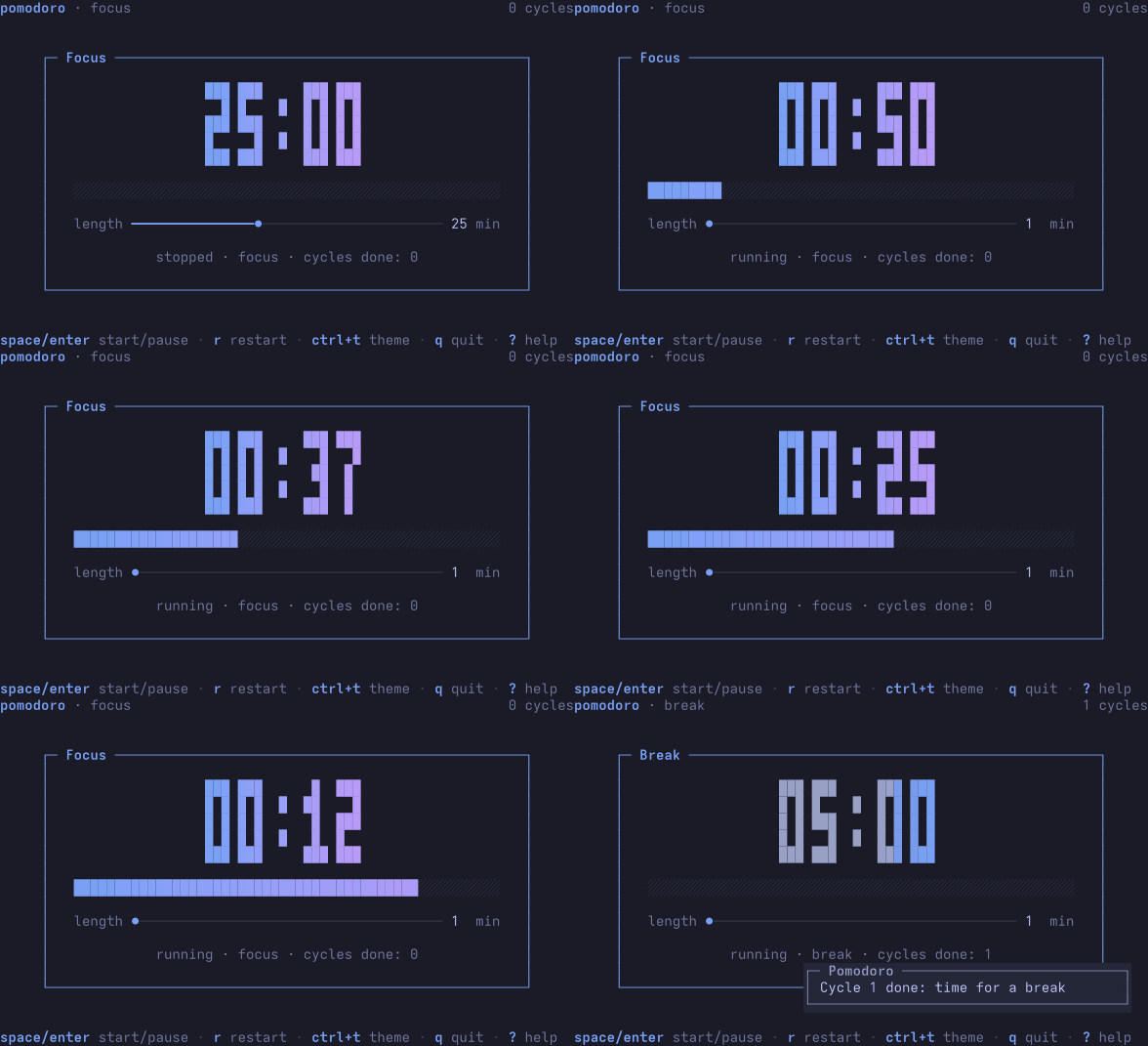
Pomodoro (uv run python examples/pomodoro.py): focus and break cycles with @update.every, BigText, a
gradient Progress and a Slider for the length.
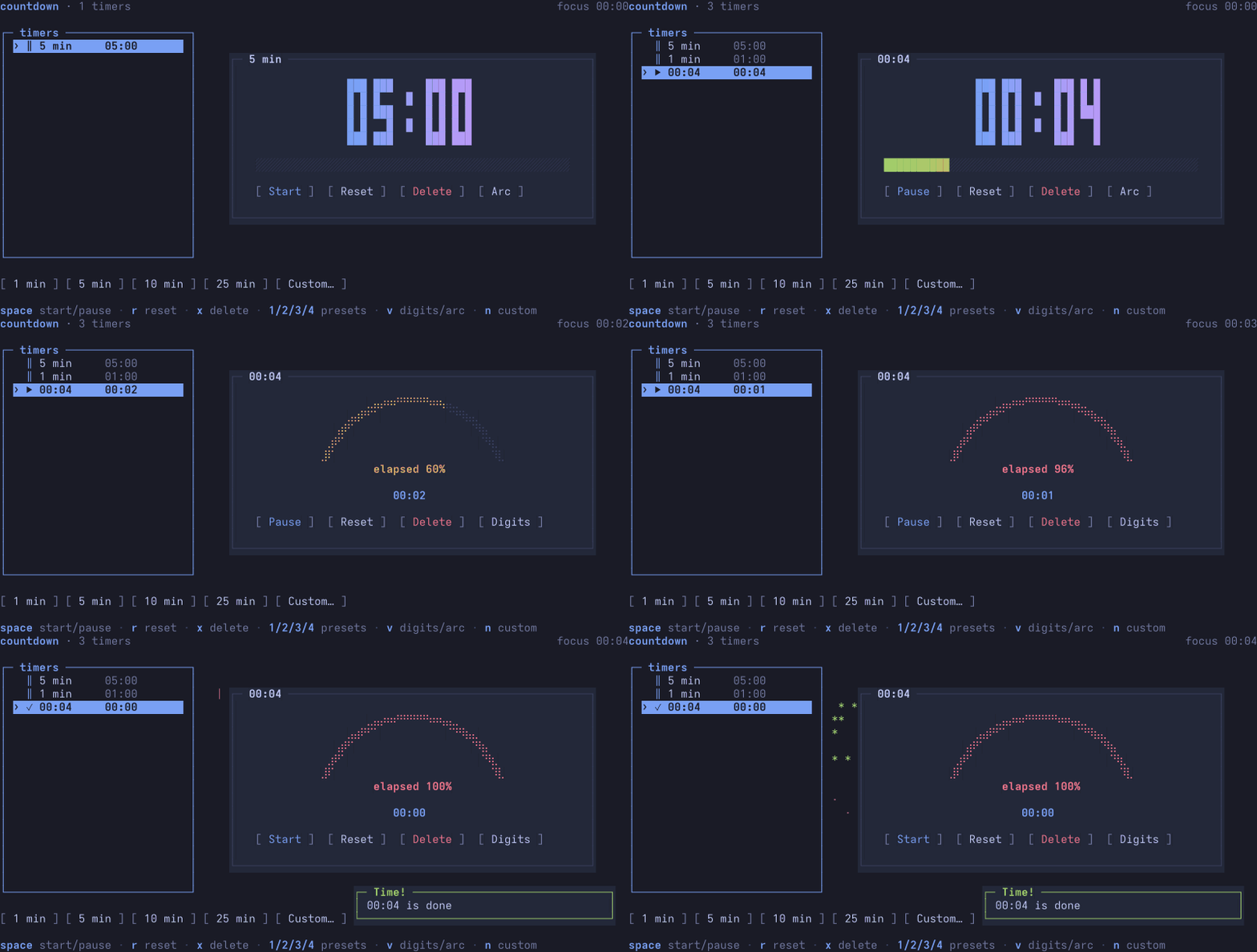
Countdown (uv run python examples/countdown.py): several named timers at once, big digits or an arc, and
fireworks when one ends.
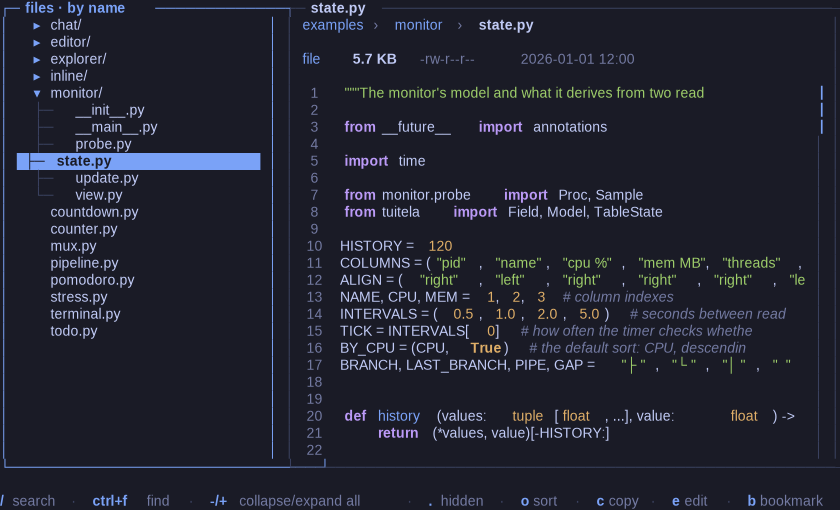
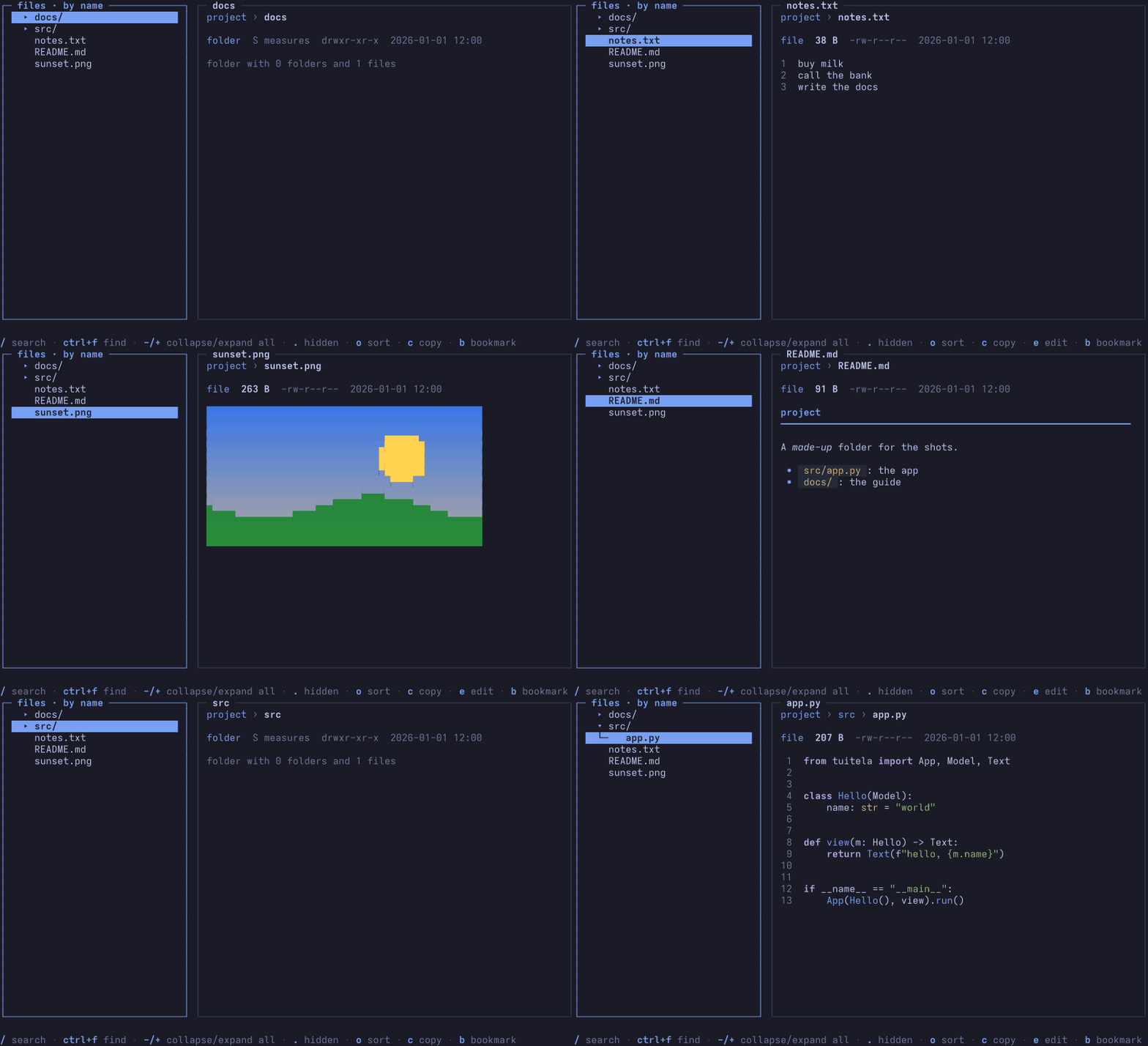
Explorer (uv run python examples/explorer [folder]): a file tree with image, code, Markdown and hex
previews, bookmarks, sizes and guarded file actions.
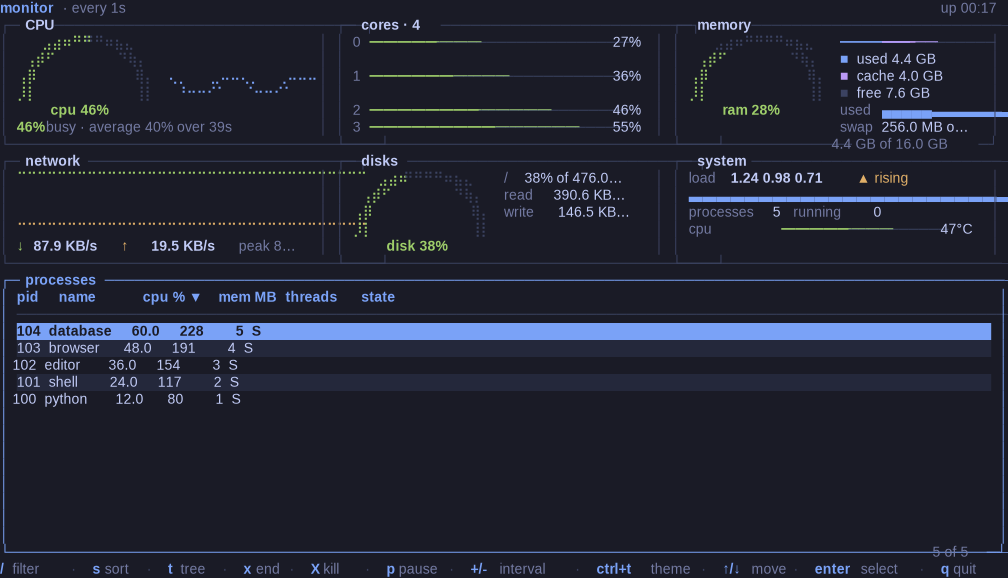
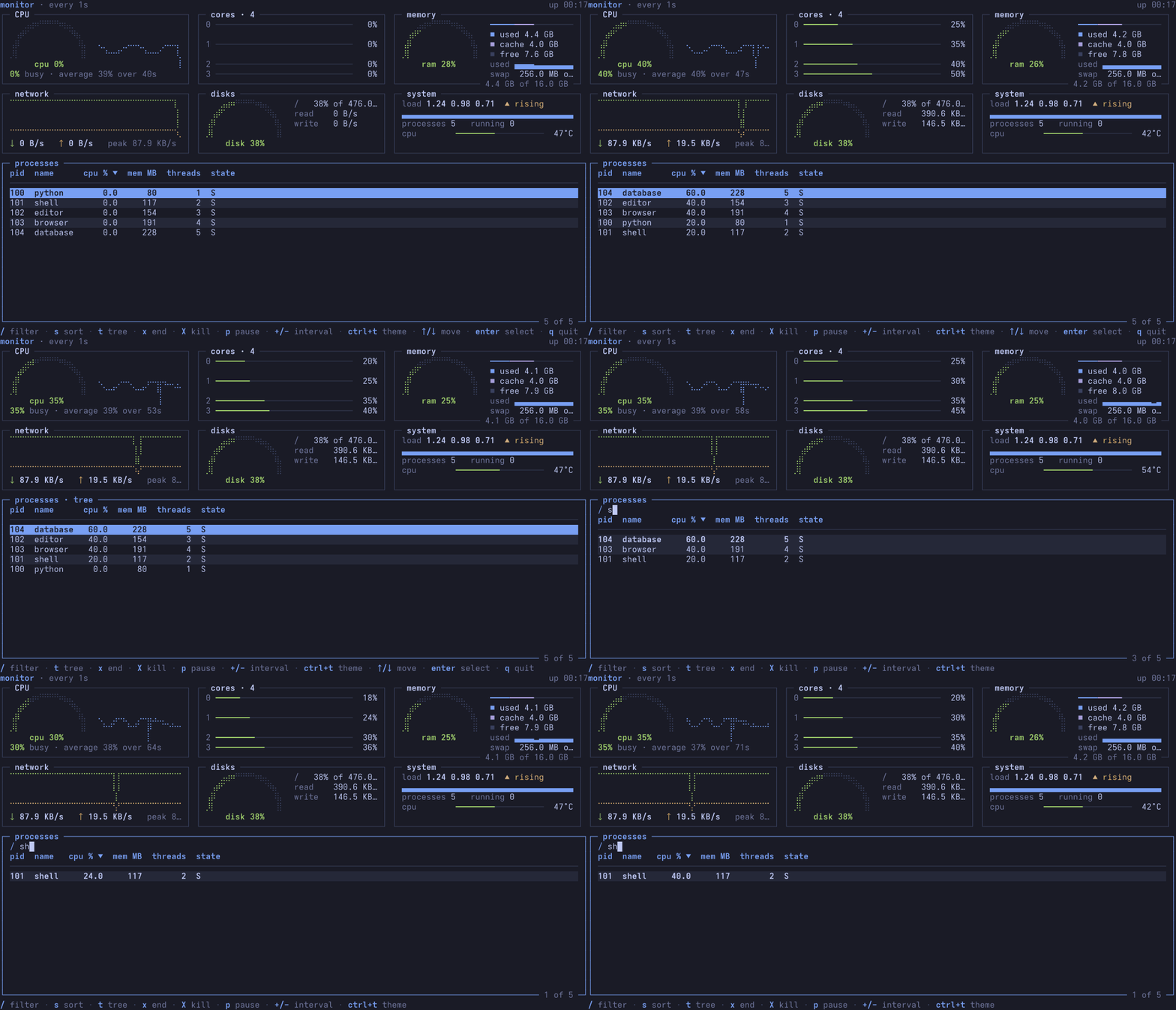
Monitor (uv run python examples/monitor): a chart per metric (cores, memory, network, disks) and a process
table or tree, read from /proc on Linux and simulated elsewhere.
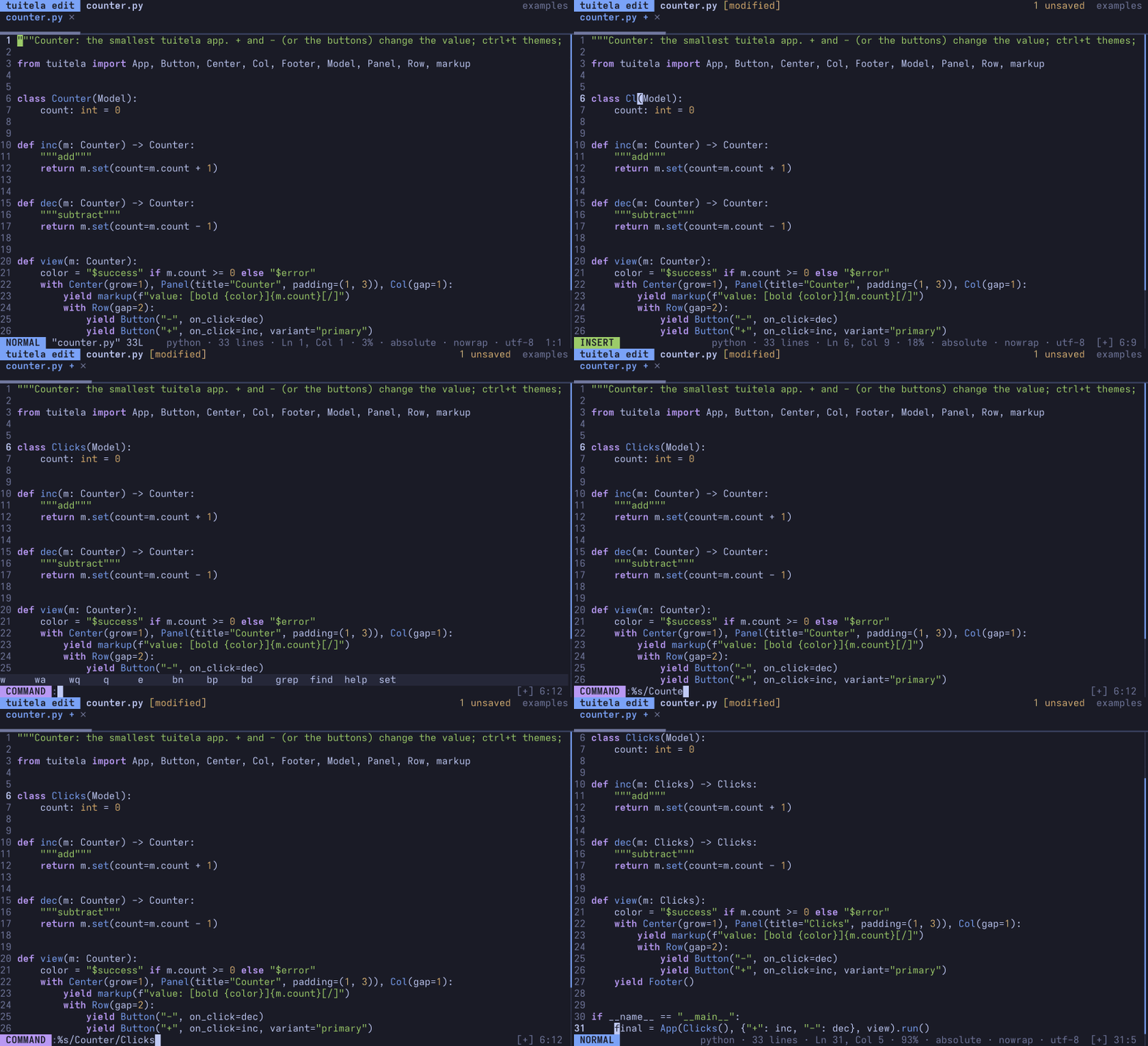
Editor (uv run python -m examples.editor [file]): a modal editor with buffers, a file tree, a finder and
project search.
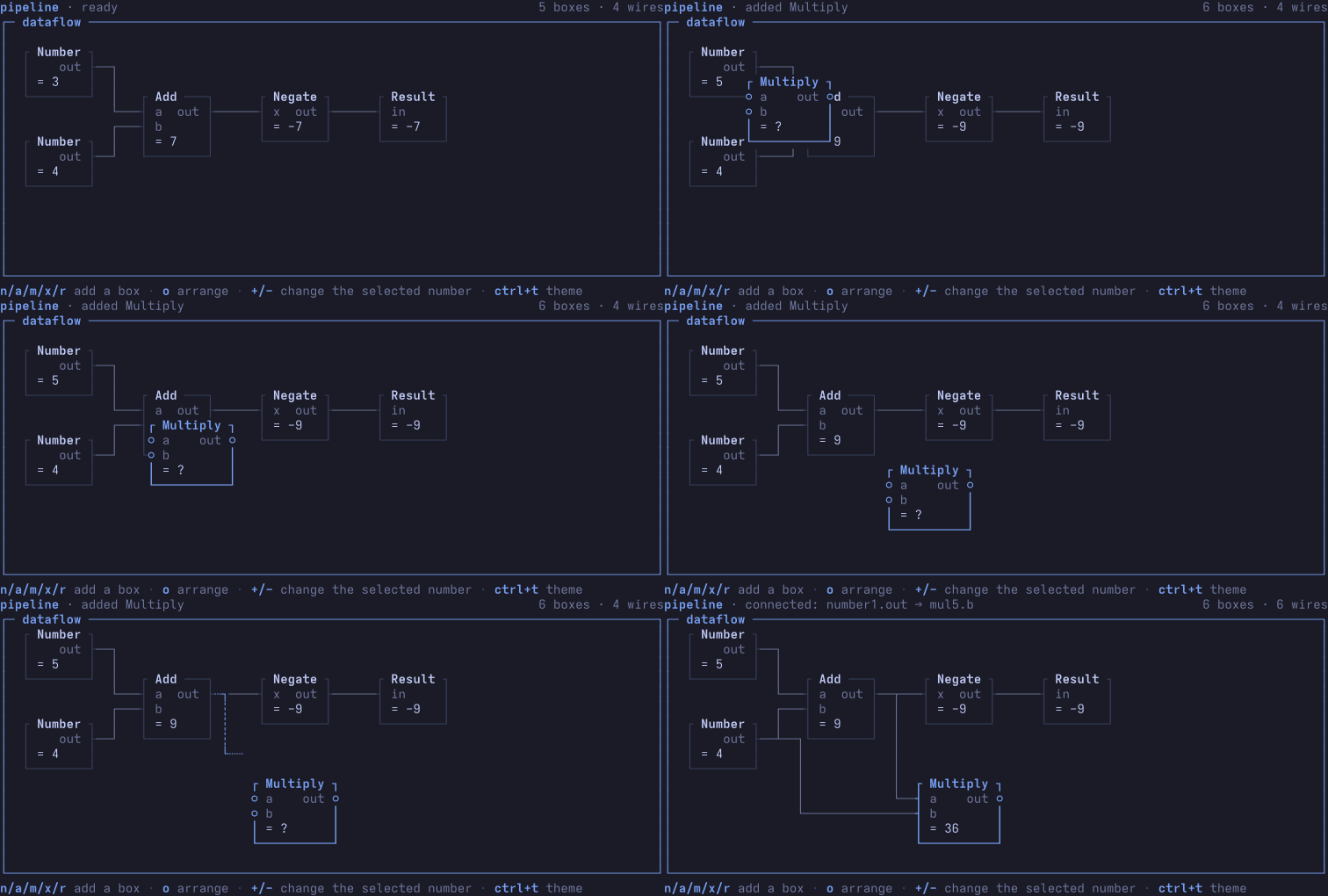
Pipeline (uv run python examples/pipeline.py): dataflow on the node editor. Boxes and wires move with the
mouse or the keys, and every value is recomputed when something changes.
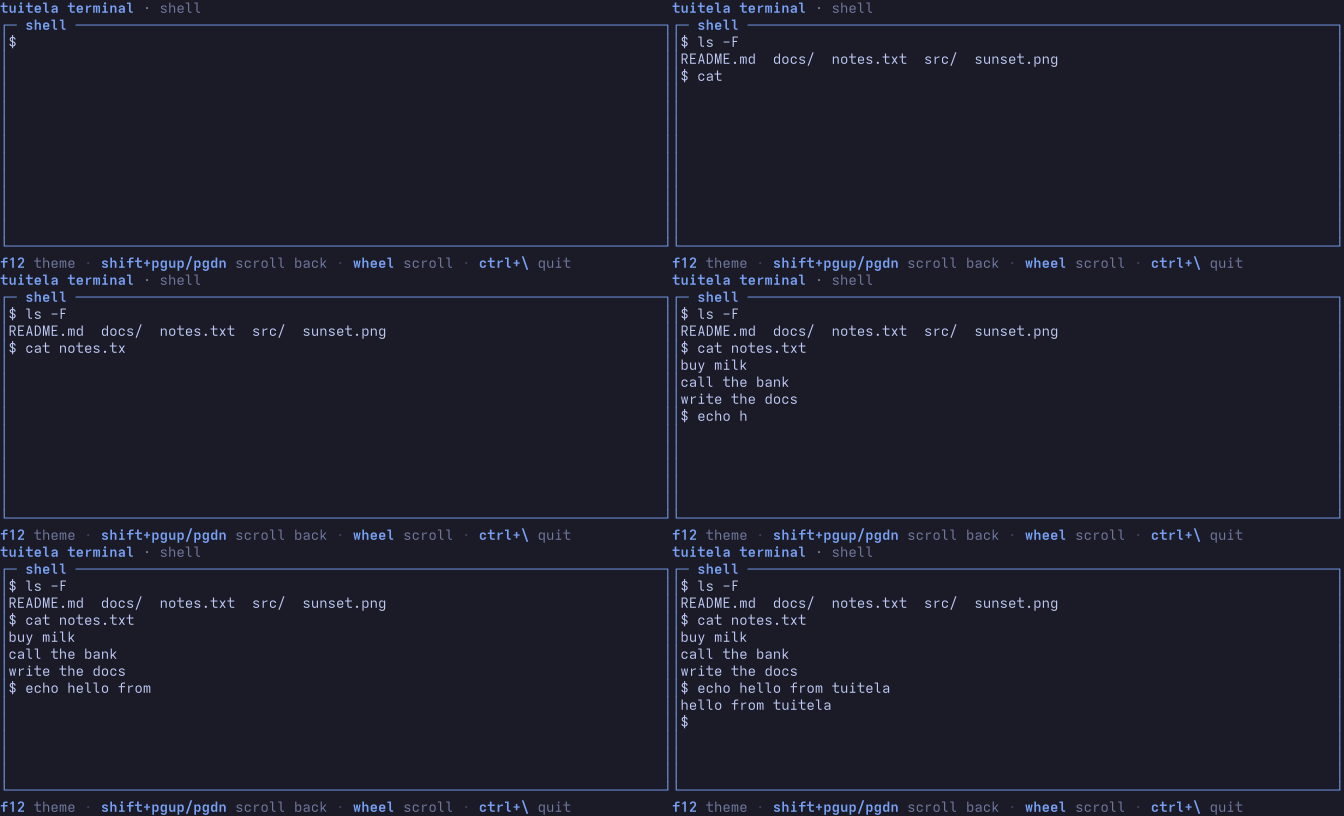
Terminal (uv run python examples/terminal.py): your shell inside a panel (Linux and macOS).
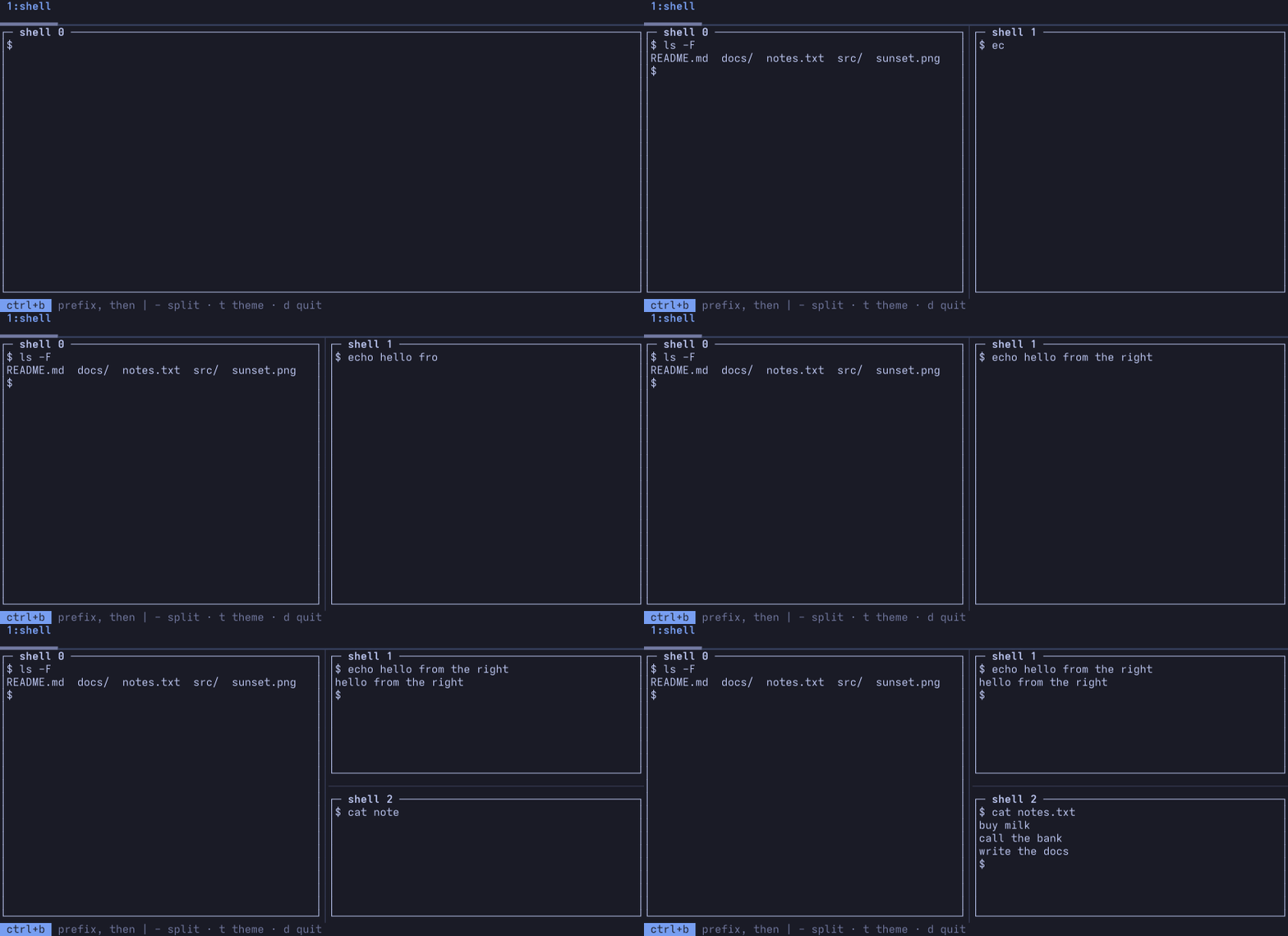
Mux (uv run python examples/mux.py): a terminal multiplexer with splits, tabs, zoom and typing into every
pane at once.
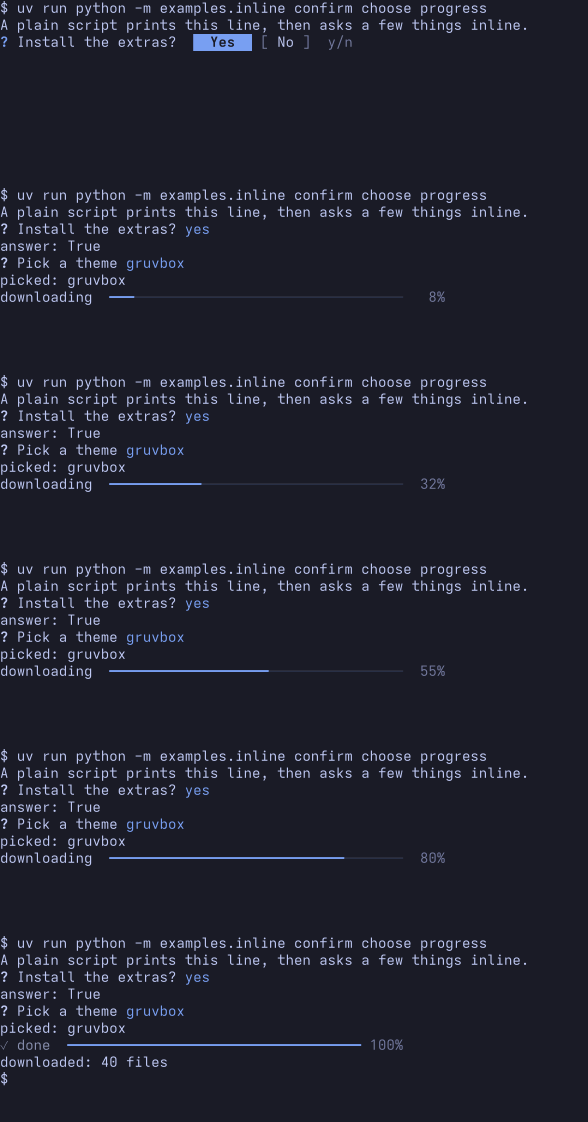
Inline (uv run python -m examples.inline [name]): small UIs inside a plain script: confirm, lists, text,
masked input, password, progress, spinner and table. Without a name they run one after the other.
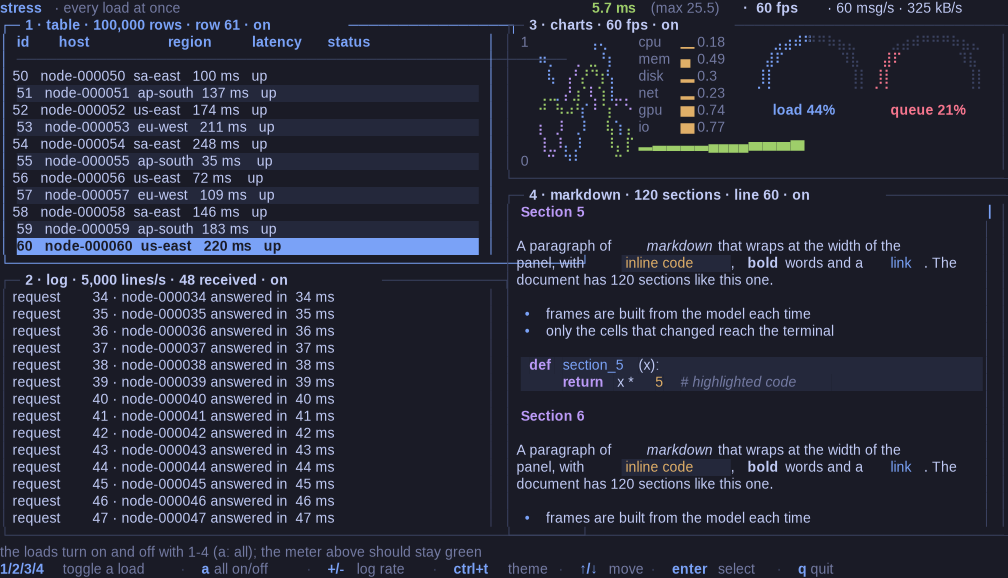
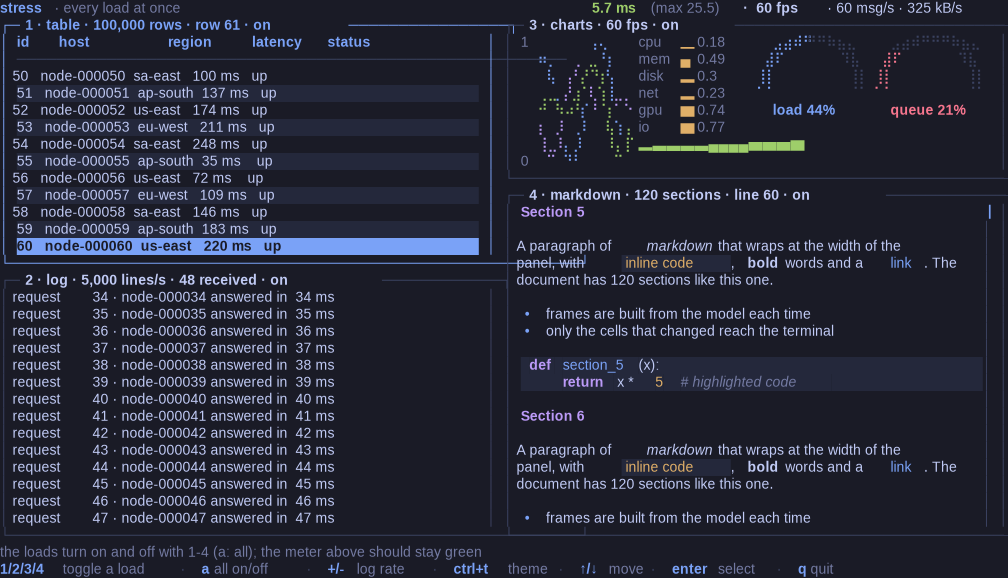
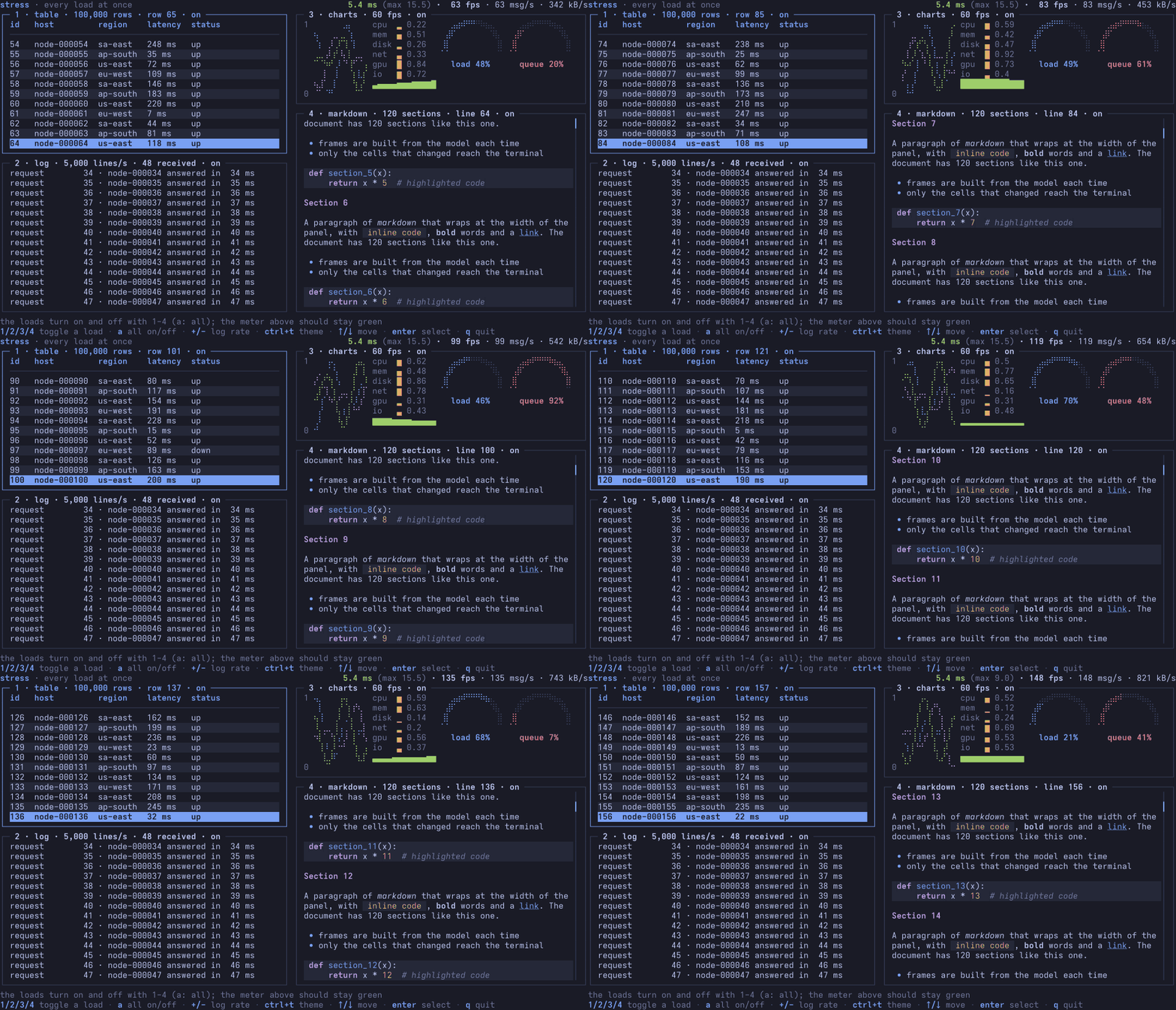
Stress (uv run python examples/stress.py): a 100,000-row table, a log fed thousands of lines a second,
charts at 60 fps and a long Markdown document, all at once, with the frame meter.
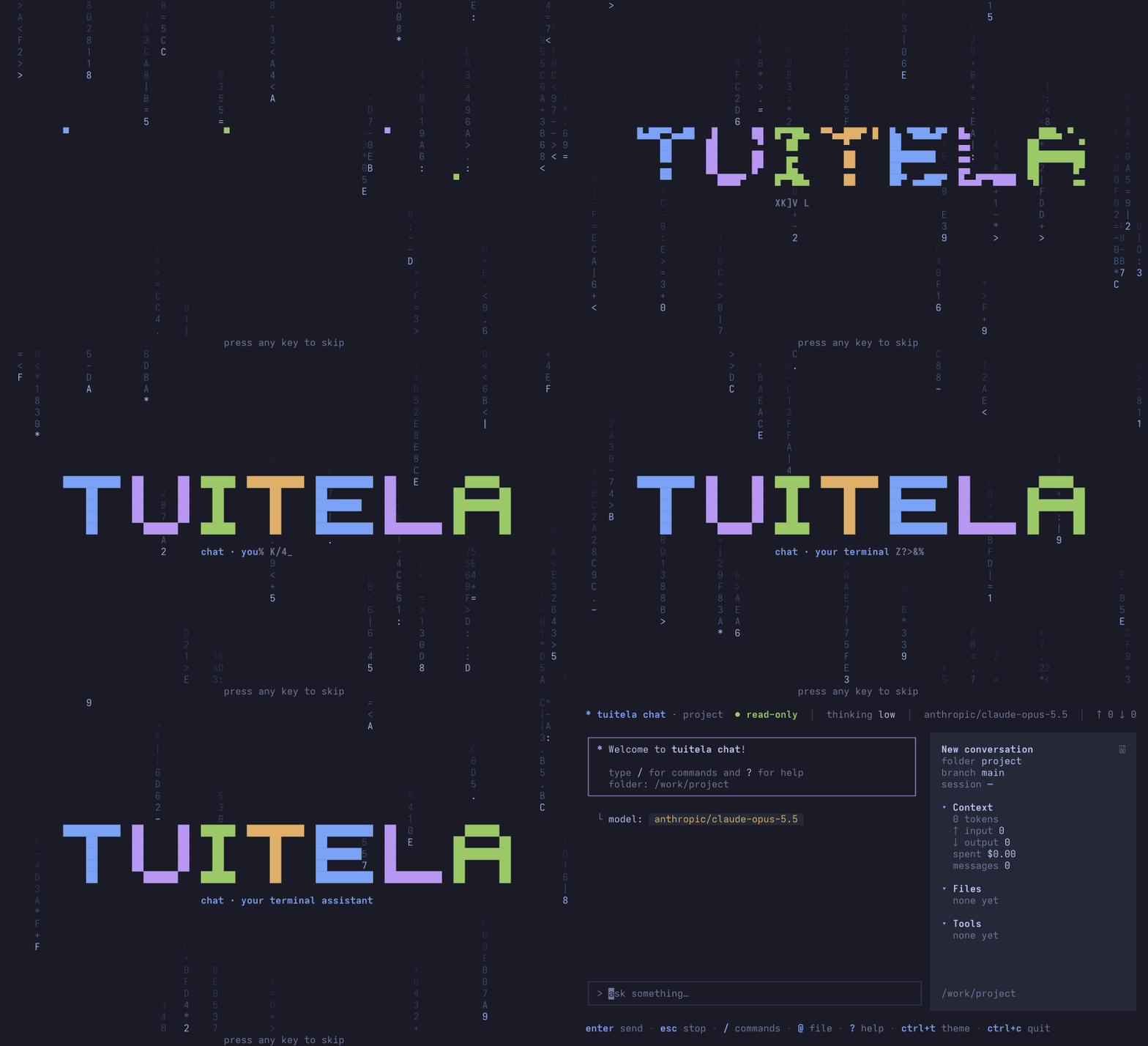
Chat (uv run --group chat python -m examples.chat): an AI chat that streams answers, mentions files with
@, runs /commands and asks before writing files or running commands. It needs OPENROUTER_API_KEY; the
file and shell tools stay inside the current folder.
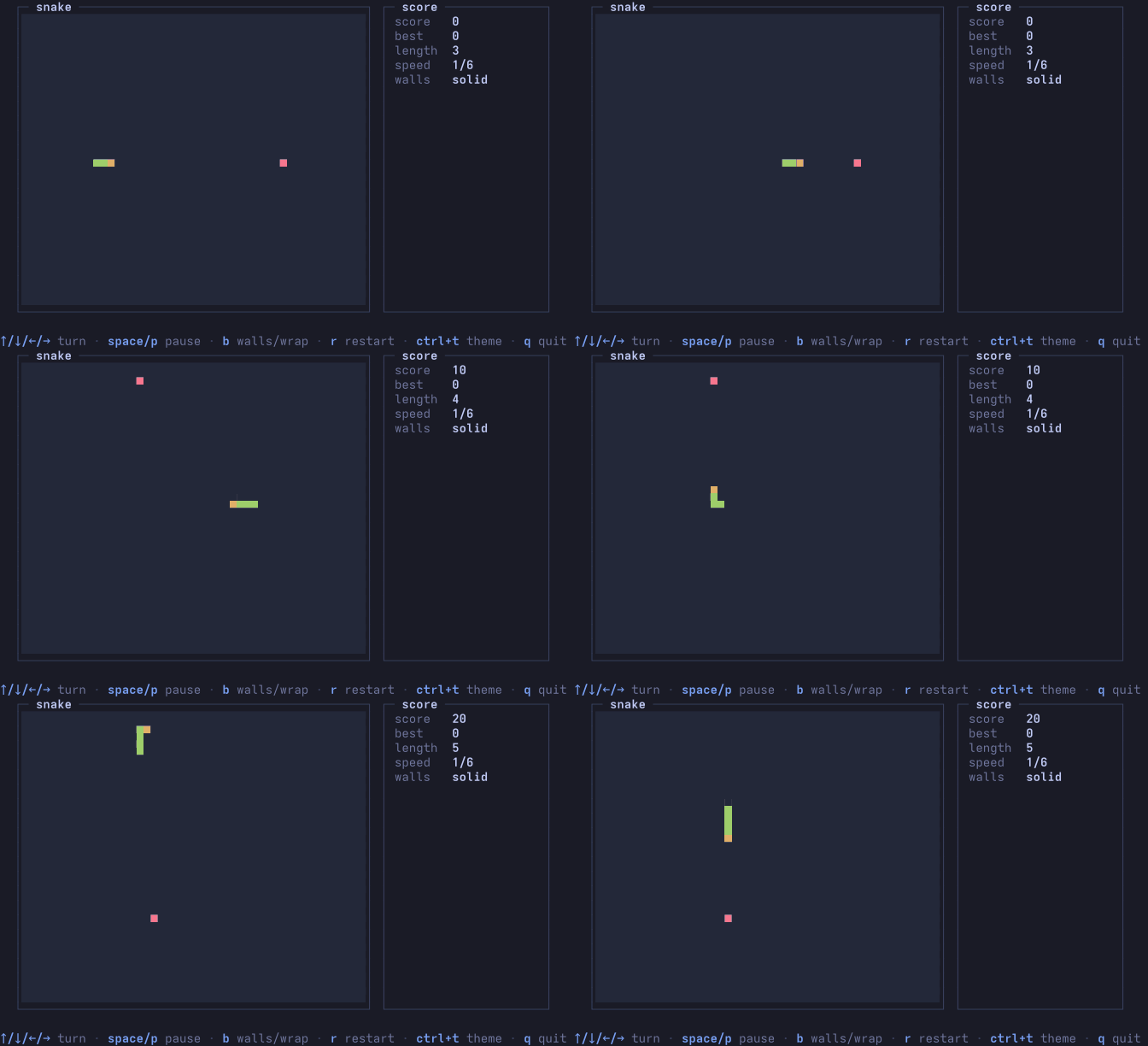
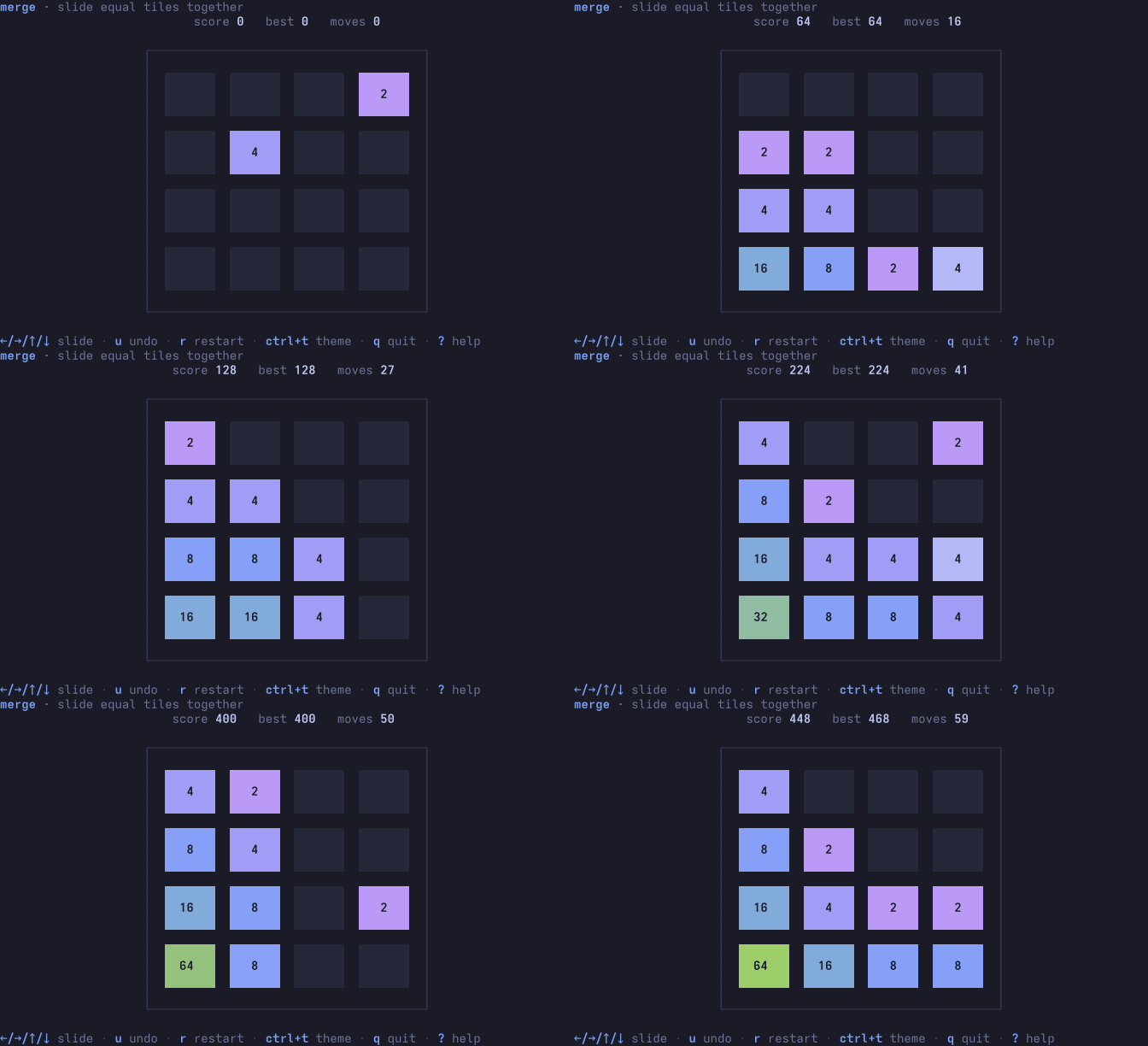
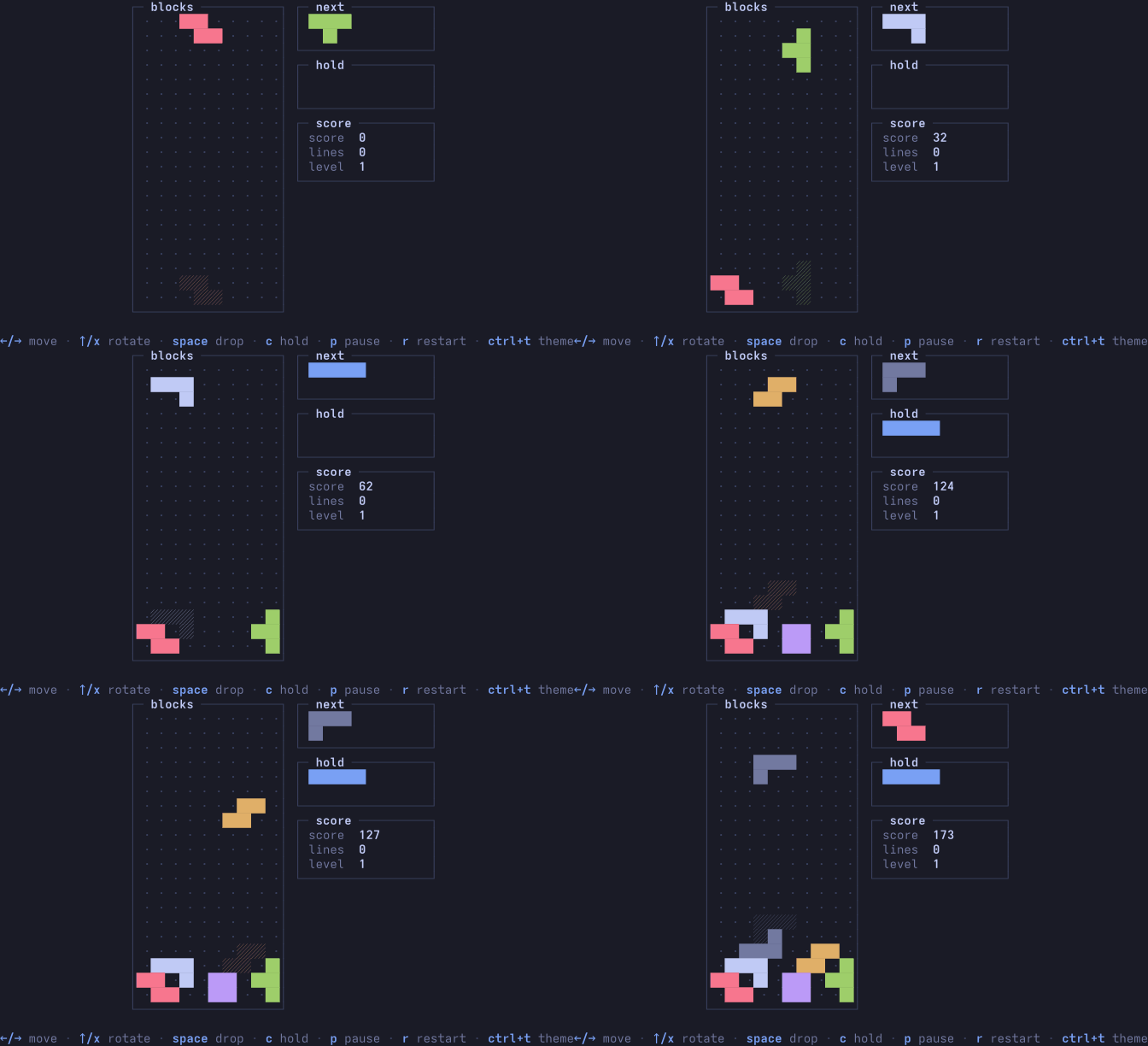
Games, each one file: models, keys and timers, and a board drawn by a small Node of its own.
- Snake (
uv run python examples/snake.py): arrows, WASD or hjkl; it speeds up as it eats;bswitches walls and wrap. - Merge (
uv run python examples/merge.py): slide equal tiles together on a 4x4 board;uundoes a move. - Blocks (
uv run python examples/blocks.py): falling pieces with a landing shadow, the next piece, a hold slot and rows that clear.
The demo
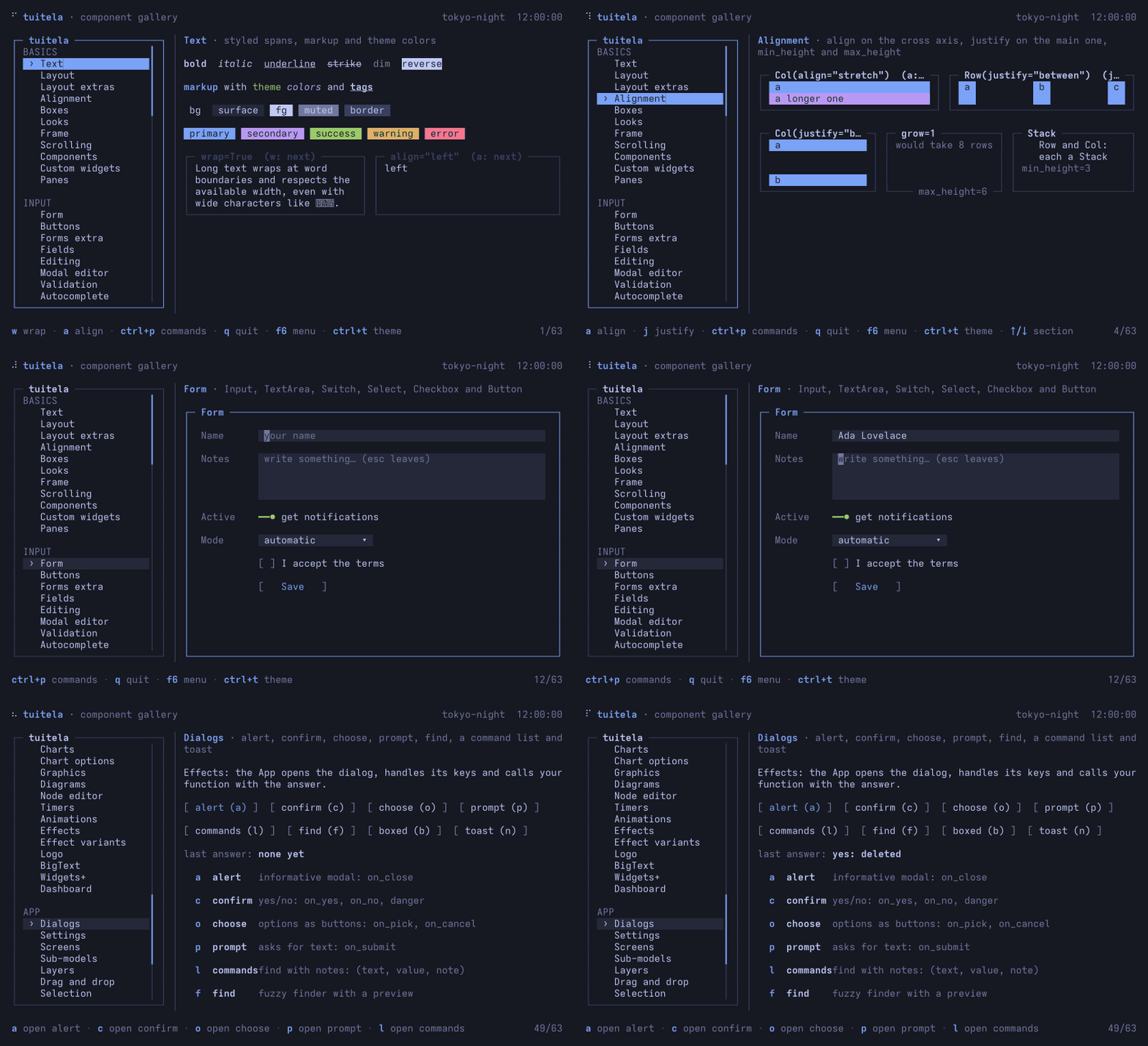
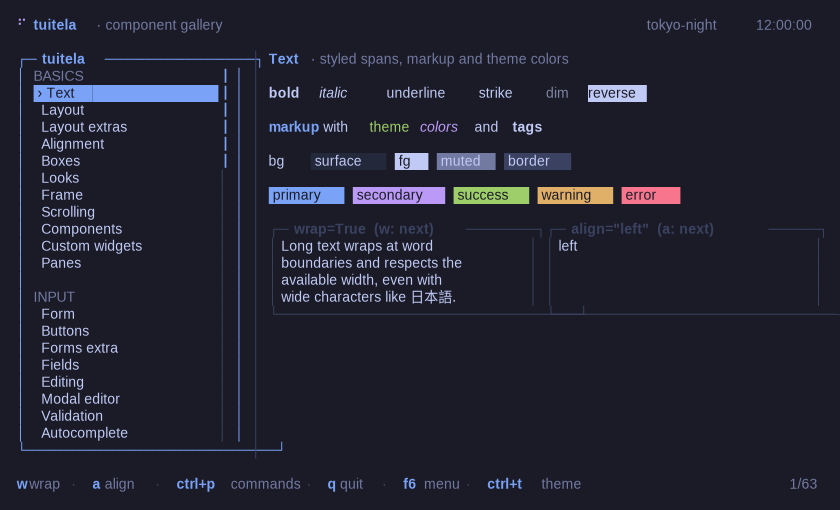
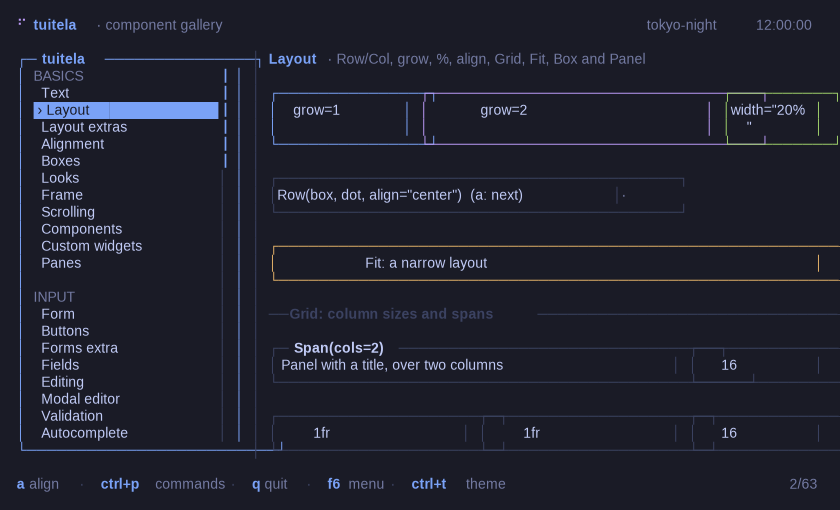
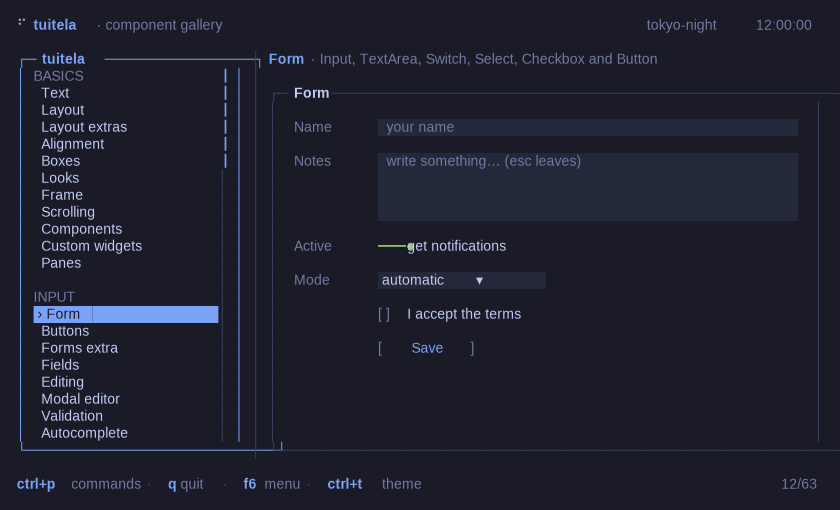
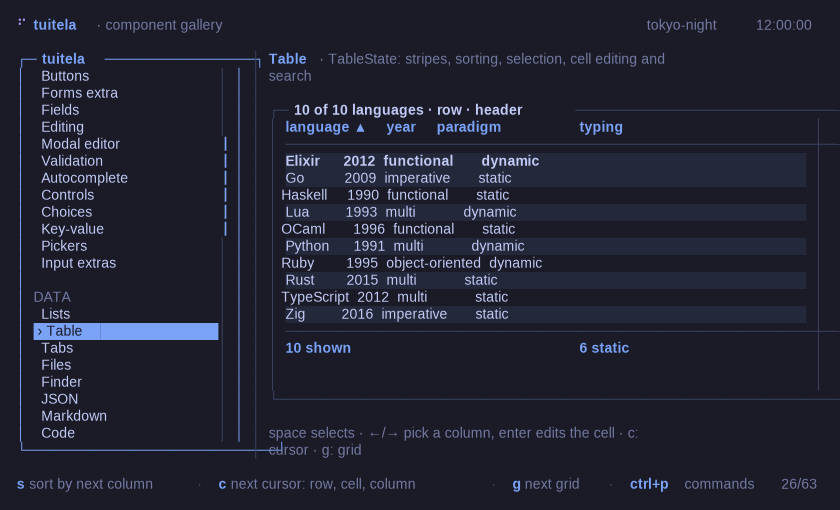
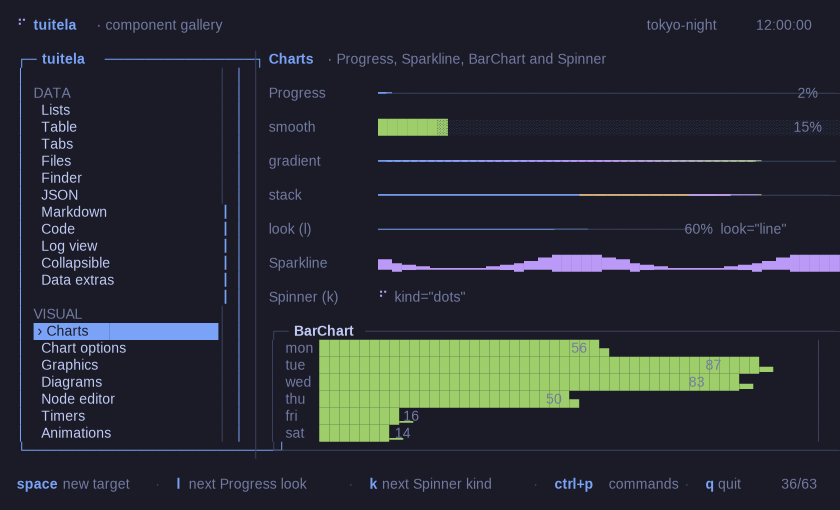
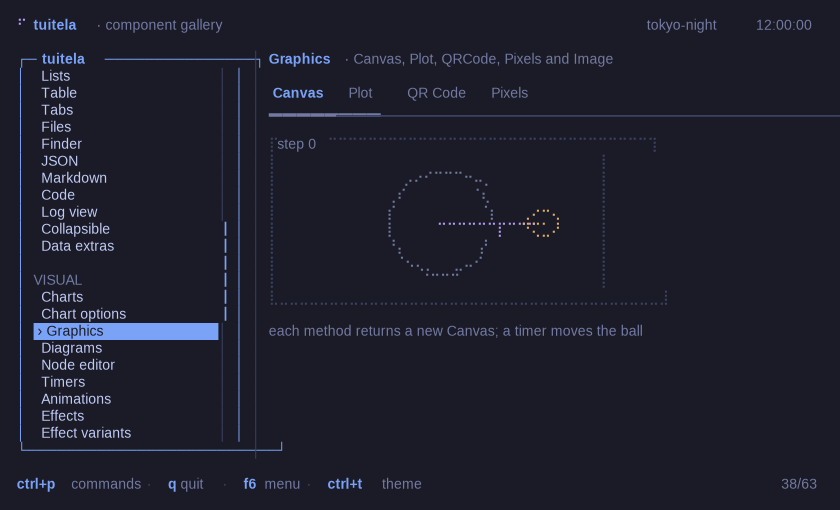
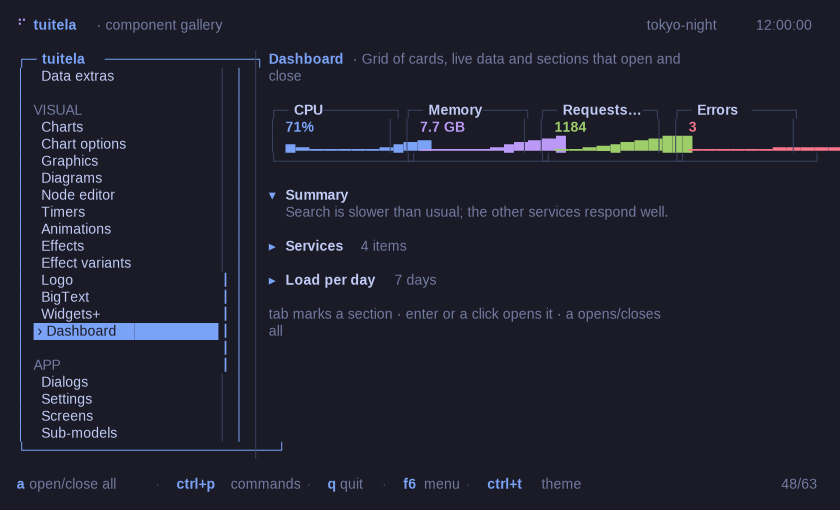
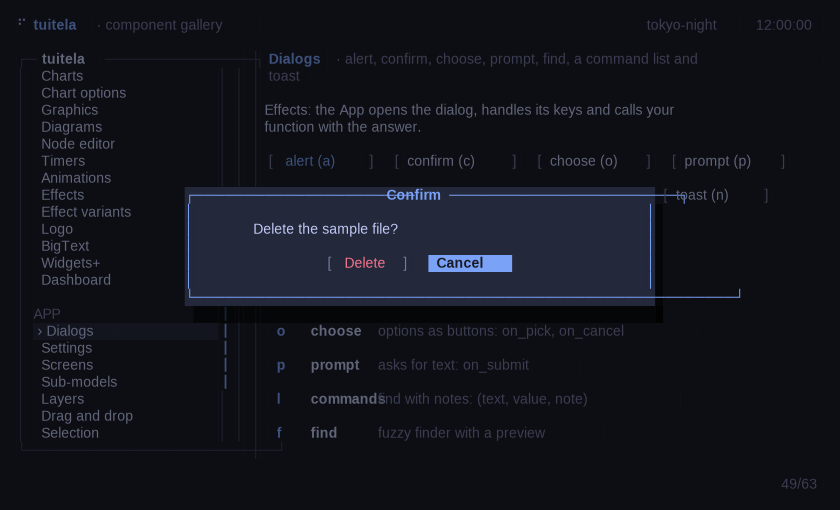
uv run tuitela (or tuitela after pip install tuitela) opens a gallery of 63 pages: every widget and its
options, live, next to the code that draws it. ctrl+p searches the pages, ctrl+t changes the theme and
f12 saves an SVG of the screen. The reference has every page with an animation of
it in use and its sample code.
 |
 |
 |
 |
 |
 |
 |
 |
Status
tuitela is young: version 0.0.x, and the API can still change. What exists: the Elm core, automatic wiring and focus, every widget in the catalog, dialogs, workers, themes, mouse and selection, inline apps, the test driver, snapshots and the examples above. What is missing or limited:
- scroll regions, the kitty keyboard and images, focus events, suspend and the OSC 52 clipboard were tested in tmux and against a VT emulator, not yet in kitty, WezTerm, iTerm2 or GNOME Terminal;
- the Windows console driver needs testing on real Windows terminals, and the embedded
Terminalruns only on Linux and macOS; - typing in a huge file copies its text on each key, and one huge line with
wrap=Trueis wrapped on every frame; - recorded tours (an autopilot run at a human pace, with a visible pointer, exported as a GIF or video) are planned.
ROADMAP.md has the full list.
Contributing
See CONTRIBUTING.md for the setup, the checks and the conventions. AI coding agents start at AGENTS.md.
License
MIT. See LICENSE.
1 maintainer

Metadata
1 maintainer
Release files for tuitela 0.3.1
For a detailed explanation of source distributions (sdists) and built distributions (wheels), please see the package formats documentation.
Source distribution (sdist)
| File | Size | Uploaded | Provenance | Actions |
|---|---|---|---|---|
| tuitela-0.3.1.tar.gz | 488.6 kB | With provenance | Details for tuitela-0.3.1.tar.gz |
Built distribution (wheel)
| File | Interpreter | ABI | Platform | Actions Reset |
|---|---|---|---|---|
| tuitela-0.3.1-py3-none-any.whl | Python 3 | none | any | Details for tuitela-0.3.1-py3-none-any.whl |
Total release size: 1.0 MB
Release files / tuitela-0.3.1.tar.gz
| Download URL | tuitela-0.3.1.tar.gz |
|---|---|
| Size | 488.6 kB |
| Tags | Source |
|
SHA-256 checksum How to use checksums |
f503554fecd4a8cffd8fbd6a0aa5a7dcad67fb2320bdf73743ddc350d2d6a3a8
|
|
BLAKE2b-256 checksum How to use checksums |
ebc99ca0e2987bc7d668b42f2176f66c25dc73b58718abff2d6f78ae8c66d049
|
| Upload date | |
|
Uploaded using Trusted Publishing? What is trusted publishing? |
Yes |
| Uploaded via |
twine/7.0.0 CPython/3.13.16
|
Provenance
Provenance describes where a file came from. On PyPI, provenance is shared via attestations, which provide a verifiable record of the build or publishing details. View details, limitations and caveats.


PyPI Publish Attestation
PyPI verified that this artifact, at this checksum, originated from the publisher listed below.
Signed by GitHub Actions, verified by PyPI on Nov 28, 2026.
Transparency logRelease files / tuitela-0.3.1-py3-none-any.whl
| Download URL | tuitela-0.3.1-py3-none-any.whl |
|---|---|
| Size | 546.0 kB |
| Tags | Python 3 |
|
SHA-256 checksum How to use checksums |
2b82c3ab5f17428e116ceee5c6327cb389e315ac94a33b1770191c2ddb8fd07e
|
|
BLAKE2b-256 checksum How to use checksums |
4603ea52bc2d47ed5fd774b698253fb22f200dfbb37378028ccc1fb24e3d2a12
|
| Upload date | |
|
Uploaded using Trusted Publishing? What is trusted publishing? |
Yes |
| Uploaded via |
twine/7.0.0 CPython/3.13.16
|
Provenance
Provenance describes where a file came from. On PyPI, provenance is shared via attestations, which provide a verifiable record of the build or publishing details. View details, limitations and caveats.
PyPI Publish Attestation
PyPI verified that this artifact, at this checksum, originated from the publisher listed below.
Signed by GitHub Actions, verified by PyPI on Nov 28, 2026.
Transparency logSecurity for tuitela 0.3.1
Provenance
Provenance describes where a file came from. On PyPI, provenance is shared via attestations, which provide a verifiable record of the build or publishing details. View details, limitations and caveats.
Full provenance
Both files in this release have been uploaded with provenance metadata.
Attestation for tuitela-0.3.1.tar.gz
PyPI Publish Attestation
PyPI verified that this artifact, at this checksum, originated from the publisher listed below.
Signed by GitHub Actions, verified by PyPI on Nov 28, 2026.
Transparency logA note on package security
PyPI is a repository for distributing packages, not a service for auditing them. While third-party security researchers and our staff do their best to detect and remove malicious packages, PyPI cannot guarantee the quality, security or suitability of any given package.
To learn more about protecting yourself from malicious actors, visit our package security documentation.