
Tunnex
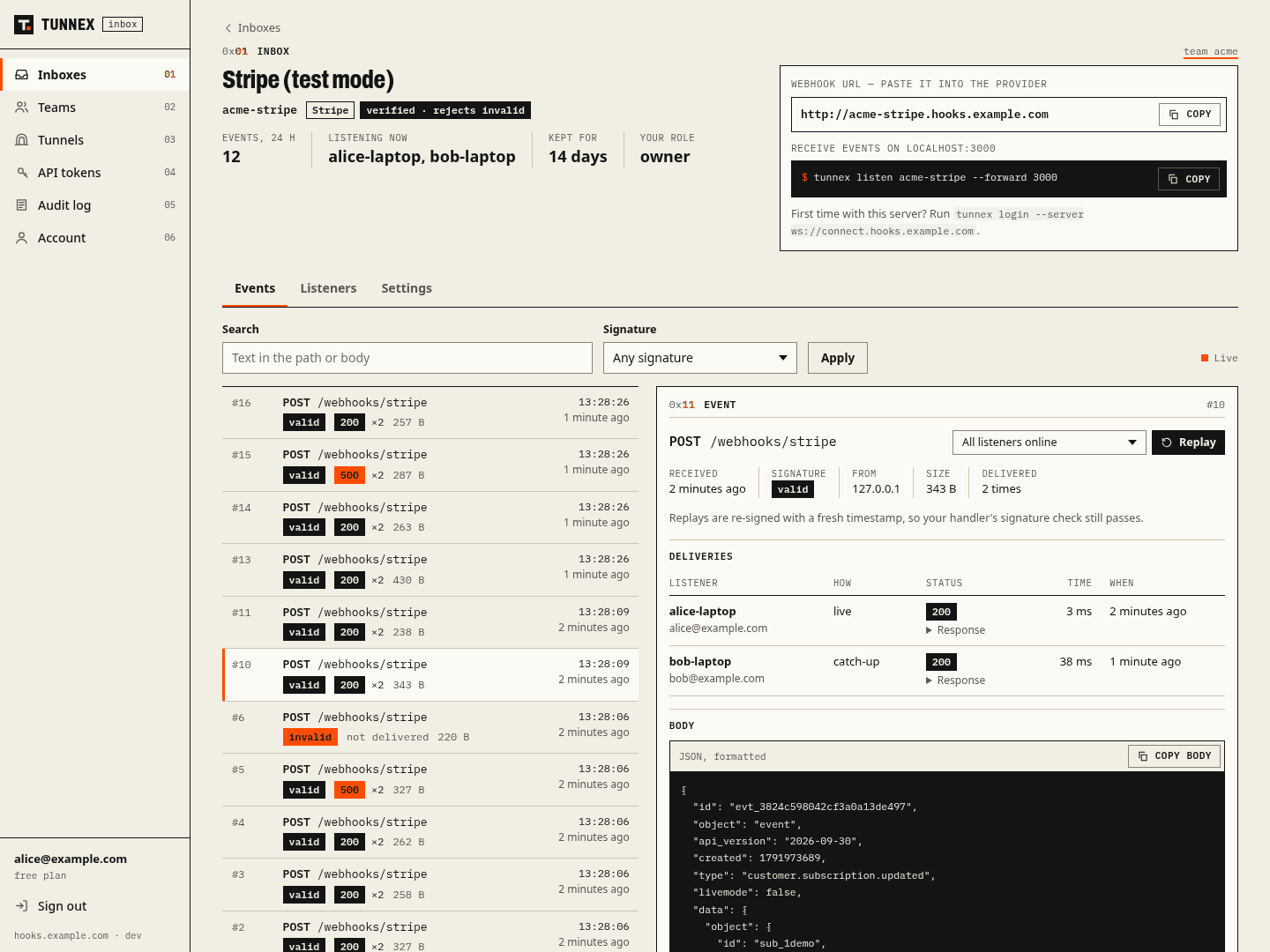
A self-hosted webhook inbox for teams, with tunnels. Point Stripe, GitHub or Telegram at one stable URL. Tunnex keeps every event, verifies its signature at the edge, and delivers a copy to every developer who is listening — including the ones who were offline when it arrived. Replay any event days later, and it still passes your signature check.





Website · Getting started · Inboxes · Self-hosting · Configuration · API · Changelog
30 seconds
pip install tunnex
tunnex login
tunnex inboxes create acme-stripe --provider stripe --secret whsec_...   # → https://acme-stripe.tunnex.org
tunnex listen acme-stripe --forward 3000                                 # every developer runs this
Set https://acme-stripe.tunnex.org/webhooks/stripe as the endpoint in Stripe once. Every listener now gets
every event at localhost:3000/webhooks/stripe, with the original headers, so your handler verifies the
signature as usual.
Why
Providers give a team one webhook URL per environment (Stripe allows 16 endpoints, a Telegram bot exactly one, a GitHub App one), but the team has many developers. So people rewire the dashboard every time someone starts a tunnel, events that arrive while a laptop sleeps are lost, and replaying an old Stripe or Slack event fails its 5-minute signature window. The research and the comparison with Hookdeck, Convoy, Webhook Relay, smee.io and ngrok are in ADR 0001.
What you get
- Inboxes — a team-owned URL per provider that stores every request and acknowledges it immediately; size limits, retention, IP allowlists, custom acknowledgements.
- Fan-out and catch-up — every listener gets its own copy; a cursor per listener delivers what it missed; at-least-once delivery with retries while your app restarts; filters on path, headers and JSON fields.
- Signatures at the edge — Stripe, GitHub, Slack, Shopify, Standard Webhooks (Svix, Clerk, …) and Telegram; invalid events rejected by default; re-signing on replay for timestamped schemes.
- Teams — owner/admin/member roles, invite links, scoped and expiring API tokens (revocation disconnects live clients), an audit log.
- Runs where your code runs — official multi-arch images for the client and the server,
tunnex.yaml+ environment configuration, Docker Compose and Kubernetes sidecars, GitLab CI and GitHub Actions. - Tunnels — HTTPS and TCP to localhost with WebSockets and streaming, reserved subdomains, edge policies (basic auth, API keys, IP and path allowlists, email SSO, rate limits).
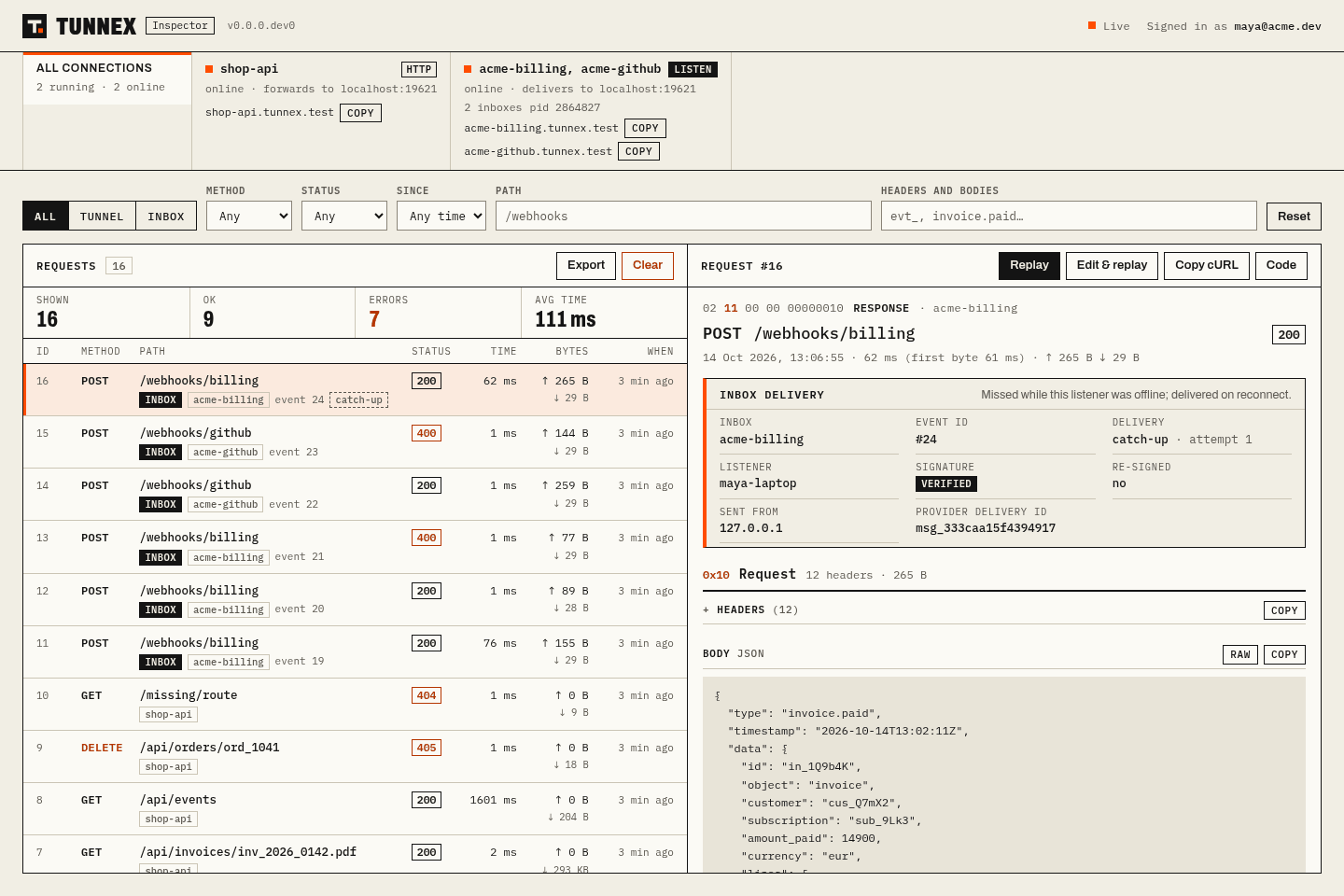
- A local inspector — every request and delivery on
127.0.0.1:4040, with replay. - For coding agents — an MCP server: start a listener, wait for the next webhook, read it, replay it.
Self-host
docker compose -f examples/self-hosted/docker-compose.yml up -d     # server + PostgreSQL on *.lvh.me
tunnex login --server ws://connect.lvh.me:8081
Production (TLS, wildcard DNS, backups, upgrades, Kubernetes): docs/self-hosting.md.
Images: registry.gitlab.com/homycoder/tunnex/server and registry.gitlab.com/homycoder/tunnex/client.
Documentation
| Getting started | Install, tunnels, a team inbox, CI tokens, agents |
| Inboxes | Providers, listeners, filters, catch-up, replay and re-signing, roles |
| Configuration | Client environment and tunnex.yaml; every server setting |
| Self-hosting | Compose, Kubernetes, reverse proxy, backups, upgrades, scaling |
| API | Control-plane REST API, edge behaviour, local inspector API |
| Protocol | Wire format, negotiation, compatibility rules |
| Architecture | Request and webhook paths, layers, data |
| Security | Threat model, controls, review log |
| Benchmarks | Reproducible numbers |
| Decisions | Product focus, feature audit, single node, layering |
Development
uv venv .venv --python 3.12
uv pip install -e . -r tunnex_server/requirements.in --group dev
make check            # ruff, mypy, the whole test suite with coverage
make run-server       # a local server on http://connect.lvh.me:8081
Tests start real servers, clients and upstream apps in-process (no sleeps, no fixed ports). Set
TUNNEX_TEST_DATABASE_URL=postgresql+asyncpg://… to run them against PostgreSQL. See
CONTRIBUTING.md.
| Path | What |
|---|---|
tunnex/ |
Client: CLI, connection, inspector, local store, MCP server; protocol/ and domain/ are shared with the server |
tunnex_server/ |
Server: domain/ rules, services/, api/, edge/, transport/, db/ + migrations, web console |
examples/ |
Compose, Kubernetes, GitLab CI, GitHub Actions — tested in CI |
deploy/ |
How tunnex.org itself runs: Compose stack, Nginx, backups, monitoring, smoke test |
landing/ |
tunnex.org |
License
MIT. Security reports: SECURITY.md.
1 maintainer

Metadata
1 maintainer
Release files for tunnex 26.10.14.31
For a detailed explanation of source distributions (sdists) and built distributions (wheels), please see the package formats documentation.
Source distribution (sdist)
| File | Size | Uploaded | |
|---|---|---|---|
| tunnex-26.10.14.31.tar.gz | 149.1 kB | Details |
Built distribution (wheel)
| File | Interpreter | ABI | Platform | Reset |
|---|---|---|---|---|
| tunnex-26.10.14.31-py3-none-any.whl | Python 3 | none | any | Details |
Total release size: 318.7 kB
Release files / tunnex-26.10.14.31.tar.gz
| Download URL | tunnex-26.10.14.31.tar.gz |
|---|---|
| Size | 149.1 kB |
| Tags | Source |
|
SHA-256 checksum How to use checksums |
350673fff5334539f84da612df02be78f23a5740ba31d182b5f94066e2e8b37d
|
|
BLAKE2b-256 checksum How to use checksums |
672354b850c55c82ecf2e455f51d063ef5c85664ebaf58e19c4cebb32c16bfb4
|
| Upload date | |
|
Uploaded using Trusted Publishing? What is trusted publishing? |
No |
| Uploaded via |
twine/7.0.0 CPython/3.12.15
|
Release files / tunnex-26.10.14.31-py3-none-any.whl
| Download URL | tunnex-26.10.14.31-py3-none-any.whl |
|---|---|
| Size | 169.6 kB |
| Tags | Python 3 |
|
SHA-256 checksum How to use checksums |
3973b5ffdab9e6ac1226306898a318bae1d0dfc5c163a30c23b3b2b221c101e8
|
|
BLAKE2b-256 checksum How to use checksums |
3be295cf87e053a392e373f5fd4e5c69d65c7132f7db986628d509977f60b669
|
| Upload date | |
|
Uploaded using Trusted Publishing? What is trusted publishing? |
No |
| Uploaded via |
twine/7.0.0 CPython/3.12.15
|














