
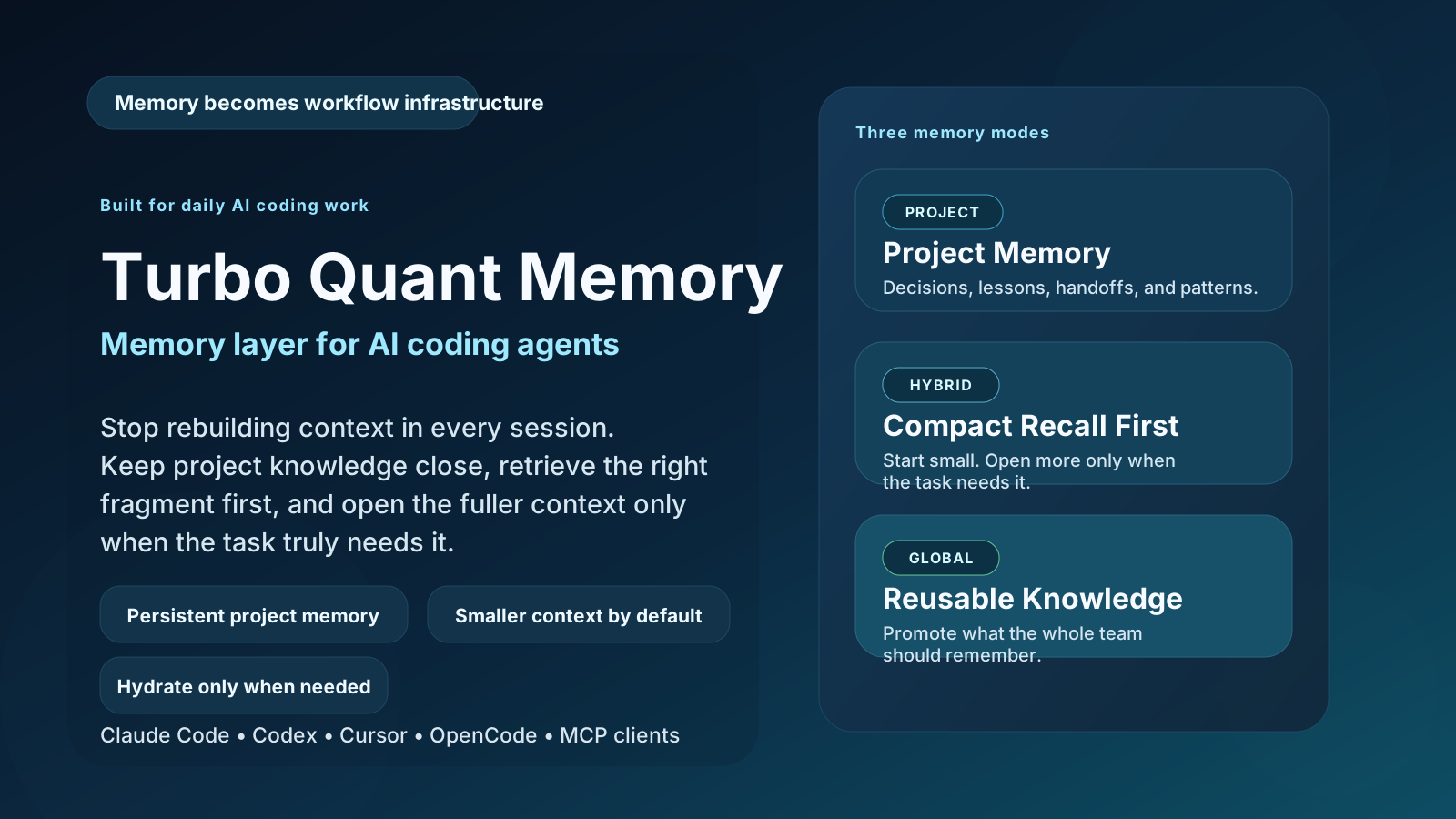
Local-first memory and knowledge graph for AI coding agents
Your agent stops re-reading files and re-deriving the same conclusions.
Your notes, code and secrets never leave your machine.







The problem
A long session accumulates hard-won detail about why the code is the way it is. Then the context compacts and it is gone. Next session the agent re-reads the same files, re-derives the same conclusions, and bills you for the same tokens again.
CLAUDE.md does not scale past a few dozen lines, and it cannot answer "what did we decide about X, and why?".
Turbo Quant Memory is an MCP server that gives the agent a persistent, searchable store it writes to while it works — decisions, lessons, patterns, session handoffs — plus a compact index of your Markdown. Retrieval returns ~220-character result cards rather than whole documents; the agent loads full content only when a card is not enough.
Why this one
| Turbo Quant Memory | mem0 / OpenMemory | MCP memory server |
|
|---|---|---|---|
| Where your data lives | your disk, always | vendor cloud or self-host | your disk |
| Your data leaves the host | never | yes, unless self-hosted | never |
| Retrieval | hybrid BM25 + dense vector, RRF-fused | dense vector | exact graph lookup |
| What a search returns | compact cards, hydrate on demand | full memories | full nodes |
| Knowledge graph | yes — with lifecycle + linting | no | yes |
| Non-English content | Cyrillic exact-match out of the box | varies | n/a |
| Measures its own savings | yes — server_info() |
no | no |
| Price | free, MIT | paid tiers | free |
No HTTP client, no telemetry, no phone-home. Verify it yourself — this returns nothing:
grep -rnE '^[[:space:]]*(import|from)[[:space:]]+(requests|httpx|aiohttp|urllib3)\b' src/
To be precise about the one exception: on first run fastembed downloads the embedding model (~0.22 GB) from Hugging Face. After that the server runs fully offline. Your notes, code and secrets are never transmitted anywhere — there is nothing in the package that could send them.
Install
Let your agent install it
Paste this into Claude Code, Codex, Gemini CLI, Cursor or Antigravity:
Install and configure the Turbo Quant Memory MCP server for this workspace from https://github.com/Lexus2016/turbo_quant_memory — follow the README, register the
tqmemoryserver, runturbo-memory-mcp skill install, run the health check, and index this project.
skill install copies an operating manual into every agent skill directory on the machine, so every future session already knows how to use the memory without being told.
Or install it yourself
uv tool install turbo-quant-memory
Upgrading from 0.27.x or earlier? The distribution was renamed in 0.28.0, so
uv tool upgrade turbo-memory-mcp no longer resolves — run
uv tool install --force turbo-quant-memory once, and uv tool upgrade turbo-quant-memory afterwards. The turbo-memory-mcp command itself is
unchanged, so client configs keep working.
Then register the server with your client:
claude mcp add --scope project tqmemory -- turbo-memory-mcp serve   # Claude Code
codex  mcp add tqmemory -- turbo-memory-mcp serve                   # Codex
gemini mcp add tqmemory turbo-memory-mcp serve                      # Gemini CLI
Cursor, OpenCode, Antigravity and other clients → CLIENT_INTEGRATIONS.md. Hermes runs MCP through a systemd gateway → docs/hermes.md.
📈 It measures its own savings — see for yourself
Turbo Quant Memory doesn't just claim to save tokens — every install keeps a running tally you can read anytime with server_info() (field usage_stats.headline). The savings are yours to verify, not ours to promise.
Live snapshot from a real developer instance (v0.28.2):
| What the memory did | Number |
|---|---|
| 🔢 Input tokens saved (cumulative) | ≈ 2,640,000 and counting |
| 🔁 Retrievals served | 2,280 searches + 280 deep hydrations |
| 📉 Average saved per retrieval | ≈ 1,200 tokens |
| 📚 Knowledge under management | 237 active notes + 763 indexed code blocks |
| 🛡️ Integrity | 0 corrupted records · 0 pending migrations |
These are one machine's cumulative numbers, not a synthetic benchmark — your own counter starts at zero and grows as your agent works. Run
server_info()on your install to see your real figure.
What it does
- Typed notes.
decision,lesson,pattern,handoff— each stored with tags, provenance and a knowledge-graph link to the file or issue it is about. - Tiered memory.
durable(decisions, patterns) andreference(indexed docs) are searched by default;episodic(session handoffs) stays out of the way until you ask for it, so yesterday's noise never buries an architectural decision. - Hybrid retrieval. A dense vector lane leads; a BM25 lane rescues exact terms — function names, file paths, IDs — fused with Reciprocal Rank Fusion. Cyrillic and other non-English terms match exactly, case- and accent-insensitive, with no configuration.
- Knowledge graph. Directed, timestamped relations between notes, files and issues. Search results carry the linked context inline, so the agent does not need a second lookup.
- Human notes outrank agent notes. Anything you explicitly asked to remember is flagged
human-explicitand ranks above the agent's own observations at equal relevance. - Encrypted secrets vault. Project-scoped, AES-256-GCM, structurally unreachable from search. → docs/secrets-vault.md
- Runs on a small machine. The default embedder is ONNX via fastembed — no PyTorch, ~0.22 GB model, comfortable on 2 GB of RAM.
Full technical detail → docs/features.md
The 19 MCP tools
| Group | Tools |
|---|---|
| Write | remember_note · deprecate_note · promote_note · index_paths |
| Read | semantic_search · hydrate · recent_context · list_scopes |
| Graph | link_entities · unlink_entities · get_related_entities |
| Hygiene | lint_knowledge_base · health · self_test · server_info |
| Vault | set_secret · get_secret · list_secrets · delete_secret |
Documentation
| MEMORY_STRATEGY.md | How to actually use the memory day to day |
| CLIENT_INTEGRATIONS.md | Per-client setup: Cursor, OpenCode, Antigravity, … |
| TECHNICAL_SPEC.md | Architecture and storage format |
| docs/features.md | Retrieval, graph, tiers, embedder, FTS language |
| docs/secrets-vault.md | Vault setup, threat model, FAQ |
| docs/hermes.md | Hermes gateway setup and troubleshooting |
| CHANGELOG.md | Release history |
License
MIT. Copy it, modify it, fork it, ship it inside a closed-source product, sell it. Attribution is the only condition.
Languages
🇺🇸 English · 🇺🇦 Українська · 🇷🇺 Русский
1 maintainer

Metadata
1 maintainer
Release files for turbo-quant-memory 0.30.0
For a detailed explanation of source distributions (sdists) and built distributions (wheels), please see the package formats documentation.
Source distribution (sdist)
| File | Size | Uploaded | Provenance | |
|---|---|---|---|---|
| turbo_quant_memory-0.30.0.tar.gz | 738.2 kB | With provenance | Details |
Built distribution (wheel)
| File | Interpreter | ABI | Platform | Reset |
|---|---|---|---|---|
| turbo_quant_memory-0.30.0-py3-none-any.whl | Python 3 | none | any | Details |
Total release size: 877.4 kB
Release files / turbo_quant_memory-0.30.0.tar.gz
| Download URL | turbo_quant_memory-0.30.0.tar.gz |
|---|---|
| Size | 738.2 kB |
| Tags | Source |
|
SHA-256 checksum How to use checksums |
096a2ce7695e65a08cd1b0121c5c52787d677fd7584811b5d65563d0fce82672
|
|
BLAKE2b-256 checksum How to use checksums |
3ac75fa74da44997dde2a823427117b1fa1569649ee1a457f8ce54b6501e8b69
|
| Upload date | |
|
Uploaded using Trusted Publishing? What is trusted publishing? |
Yes |
| Uploaded via |
twine/7.0.0 CPython/3.13.14
|
Provenance
Provenance describes where a file came from. On PyPI, provenance is shared via attestations, which provide a verifiable record of the build or publishing details. View details, limitations and caveats.


PyPI Publish Attestation
PyPI verified that this artifact, at this checksum, originated from the publisher listed below.
Signed by GitHub Actions, verified by PyPI on Oct 4, 2026.
Transparency logRelease files / turbo_quant_memory-0.30.0-py3-none-any.whl
| Download URL | turbo_quant_memory-0.30.0-py3-none-any.whl |
|---|---|
| Size | 139.2 kB |
| Tags | Python 3 |
|
SHA-256 checksum How to use checksums |
2b6cb195077e6563754860c70539f2c6be27ac7f8494ad2d626c45e408b507b4
|
|
BLAKE2b-256 checksum How to use checksums |
39219165ff26419575e1c117ac41d2168efa9a850b24c3565d97e8564753a054
|
| Upload date | |
|
Uploaded using Trusted Publishing? What is trusted publishing? |
Yes |
| Uploaded via |
twine/7.0.0 CPython/3.13.14
|
Provenance
Provenance describes where a file came from. On PyPI, provenance is shared via attestations, which provide a verifiable record of the build or publishing details. View details, limitations and caveats.
PyPI Publish Attestation
PyPI verified that this artifact, at this checksum, originated from the publisher listed below.
Signed by GitHub Actions, verified by PyPI on Oct 4, 2026.
Transparency logSecurity for turbo-quant-memory 0.30.0
Provenance
Provenance describes where a file came from. On PyPI, provenance is shared via attestations, which provide a verifiable record of the build or publishing details. View details, limitations and caveats.
Full provenance
All 2 files in this release have been uploaded with provenance metadata.
Attestation for turbo_quant_memory-0.30.0.tar.gz
PyPI Publish Attestation
PyPI verified that this artifact, at this checksum, originated from the publisher listed below.
Signed by GitHub Actions, verified by PyPI on Oct 4, 2026.
Transparency logA note on package security
PyPI is a repository for distributing packages, not a service for auditing them. While third-party security researchers and our staff do their best to detect and remove malicious packages, PyPI cannot guarantee the quality, security or suitability of any given package.














