
phpmyadmin plugin for Tutor
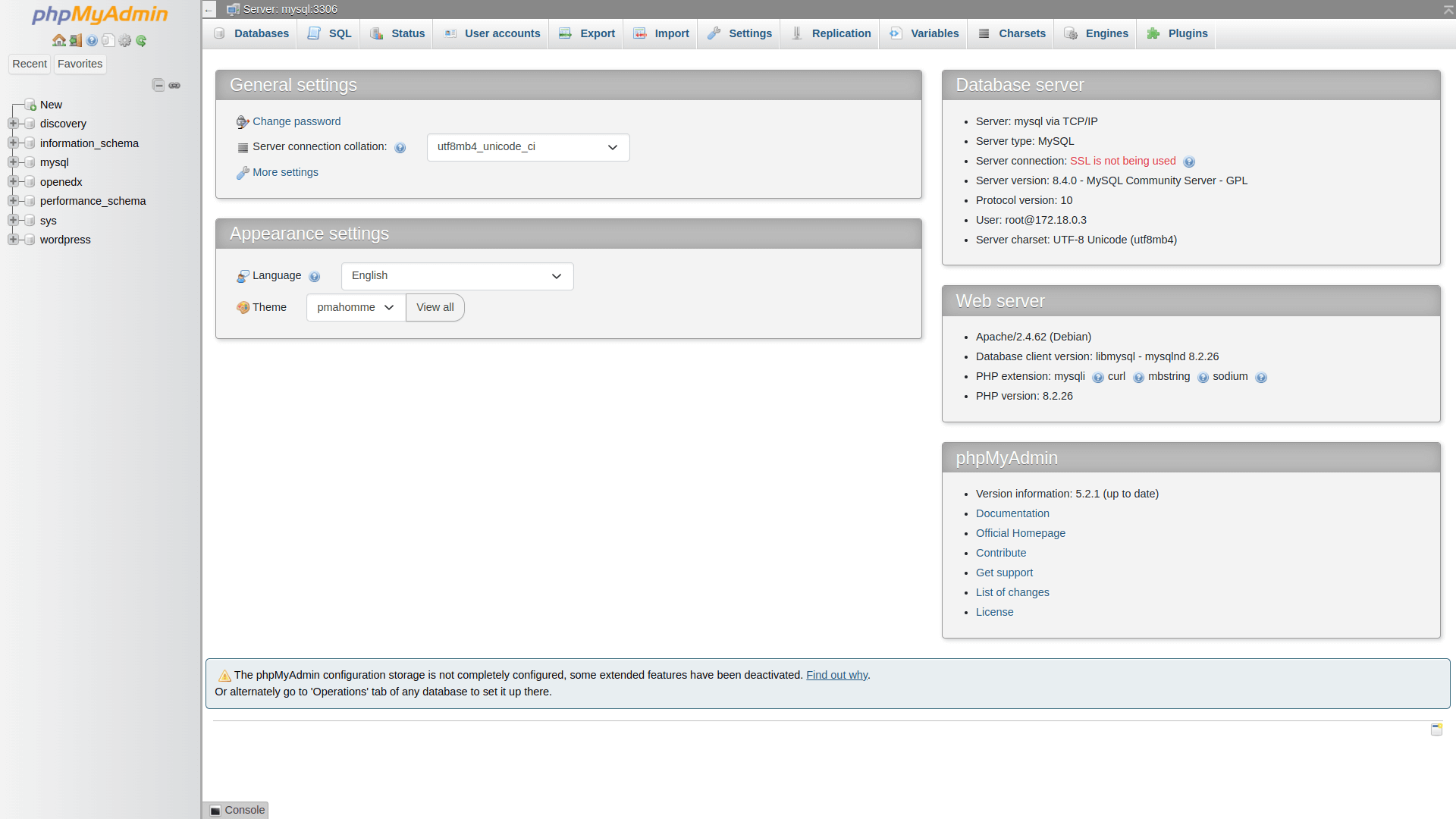
This is a Tutor plugin that provides an easy way to manage your MySQL databases through a web interface using phpMyAdmin.
Installation
Ensure you are using Tutor v15+ (Olive onwards). First, install the plugin by running:
pip install -U tutor-contrib-phpmyadmin
# or
pip install git+https://github.com/CodeWithEmad/tutor-contrib-phpmyadmin
Enable the plugin and run the launch command:
tutor plugins enable phpmyadmin
tutor dev|local|k8s launch
Alternatively, if you already have a running Open edX instance, just start the phpmyadmin service:
tutor dev|local|k8s start phpmyadminAccess phpMyAdmin at: http://phpmyadmin.local.edly.io:8081 (local) or https://phpmyadmin.yourdomain.com (production)
Important
Enabling phpMyAdmin can be useful for managing your WordPress database directly. However, please be aware that exposing phpMyAdmin can pose security risks if not properly secured. Ensure that you have strong passwords, and consider restricting access to phpMyAdmin to trusted IP addresses only.
Variables
The following variables can be configured to customize the phpMyAdmin plugin:
PHPMYADMIN_HOST: phpMyAdmin hostname (default: phpmyadmin.local.edly.io)
PHPMYADMIN_PORT: phpMyAdmin port (default: 8081)
PHPMYADMIN_DOCKER_IMAGE: Docker image for phpMyAdmin (default: phpmyadmin:5.2.1)
PHPMYADMIN_UPLOAD_LIMIT: phpMyAdmin upload limit (default: 50M)
Contributing
We welcome all contributions! Feel free to open a Pull Request or an Issue.
License
This software is licensed under the terms of the AGPLv3.
1 maintainer

Metadata
1 maintainer
Release files for tutor-contrib-phpmyadmin 2.0.0
For a detailed explanation of source distributions (sdists) and built distributions (wheels), please see the package formats documentation.
Source distribution (sdist)
| File | Size | Uploaded | Provenance | Actions |
|---|---|---|---|---|
| tutor_contrib_phpmyadmin-2.0.0.tar.gz | 16.2 kB | Without provenance | Details for tutor_contrib_phpmyadmin-2.0.0.tar.gz |
Built distribution (wheel)
| File | Interpreter | ABI | Platform | Actions Reset |
|---|---|---|---|---|
| tutor_contrib_phpmyadmin-2.0.0-py3-none-any.whl | Python 3 | none | any | Details for tutor_contrib_phpmyadmin-2.0.0-py3-none-any.whl |
Total release size: 36.0 kB
Release files / tutor_contrib_phpmyadmin-2.0.0.tar.gz
| Download URL | tutor_contrib_phpmyadmin-2.0.0.tar.gz |
|---|---|
| Size | 16.2 kB |
| Tags | Source |
|
SHA-256 checksum How to use checksums |
757a81416a51af552287f1e20cbe91cb9b9f02b913a16b956f32749c0d899378
|
|
BLAKE2b-256 checksum How to use checksums |
707f3158844b930053a5987f0e07dda6526557a68f2698f1281718b311925e18
|
| Upload date | |
|
Uploaded using Trusted Publishing? What is trusted publishing? |
No |
| Uploaded via |
python-httpx/0.28.1
|
Release files / tutor_contrib_phpmyadmin-2.0.0-py3-none-any.whl
| Download URL | tutor_contrib_phpmyadmin-2.0.0-py3-none-any.whl |
|---|---|
| Size | 19.8 kB |
| Tags | Python 3 |
|
SHA-256 checksum How to use checksums |
684cd2918776ecaef4167d79c8ebf66afb026d78cf5f74f915564e9ed9f027b3
|
|
BLAKE2b-256 checksum How to use checksums |
ded4de9813dcdb69efab74f4e5e9dacfc08ddd73bd0e43b67d73dad4b0bf000b
|
| Upload date | |
|
Uploaded using Trusted Publishing? What is trusted publishing? |
No |
| Uploaded via |
python-httpx/0.28.1
|
Security for tutor-contrib-phpmyadmin 2.0.0
Provenance
Provenance describes where a file came from. On PyPI, provenance is shared via attestations, which provide a verifiable record of the build or publishing details. View details, limitations and caveats.
No provenance found
None of the files in this release were uploaded with provenance metadata.
A note on package security
PyPI is a repository for distributing packages, not a service for auditing them. While third-party security researchers and our staff do their best to detect and remove malicious packages, PyPI cannot guarantee the quality, security or suitability of any given package.
To learn more about protecting yourself from malicious actors, visit our package security documentation.














