
Awesome administration dashboard and plugin marketplace for Tutor

Project description
This is a plugin for Tutor that provides an administration dashboard and integrates Plugin Marketplace in an Open edX platform.
Installation
tutor plugins update
tutor plugins install deck
tutor plugins enable deck
Run Tutor Deck with:
tutor deck runserver
And access the interface at http://127.0.0.1:3274
Development
Install requirements:
pip install -e .[dev]
npm clean-install
Compile SCSS files:
make scss       # compile once
make scss-watch # compile and watch for changes
Run a development server:
make runserver
Usage
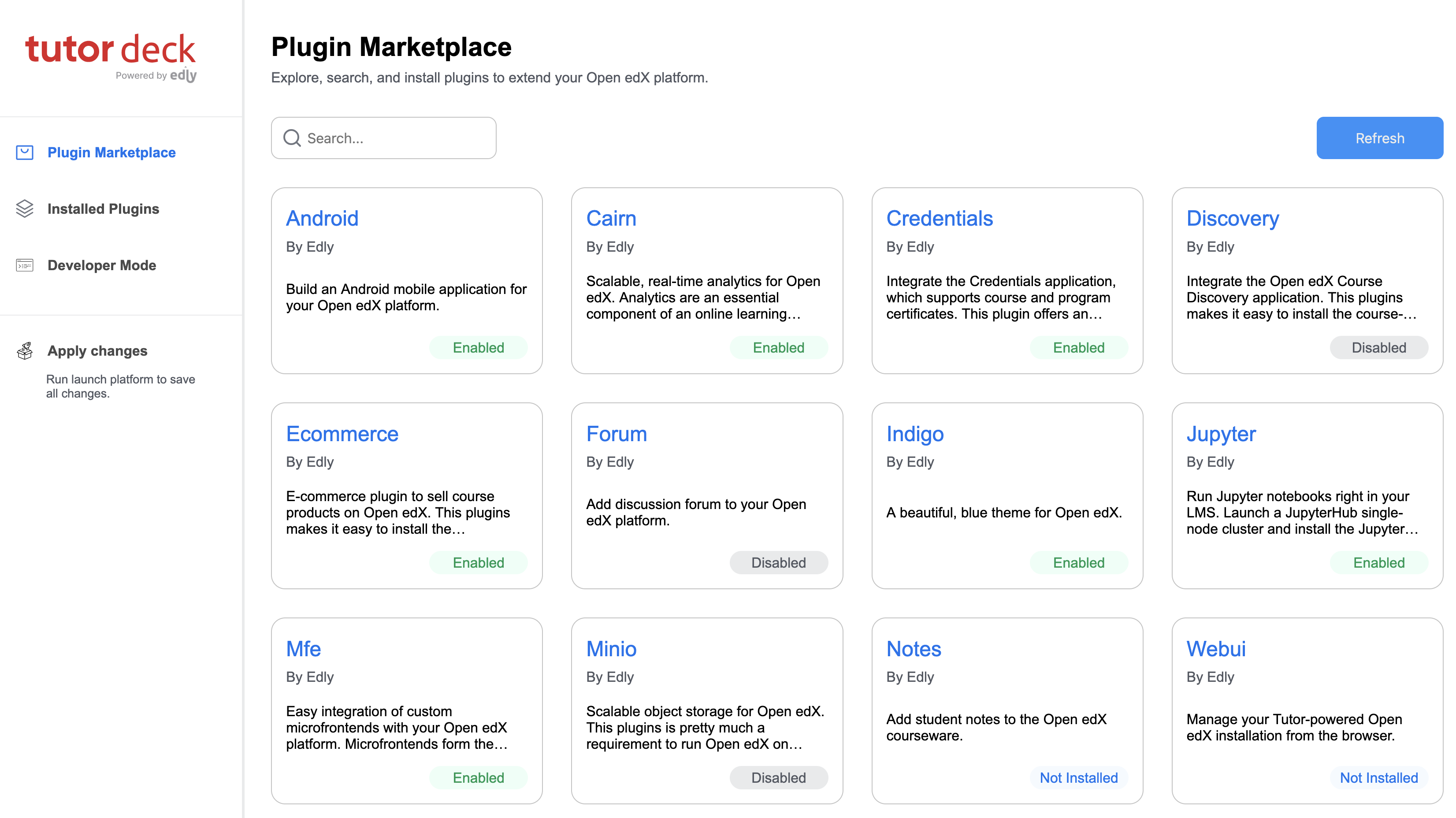
Discover and install plugins from plugin marketplace:
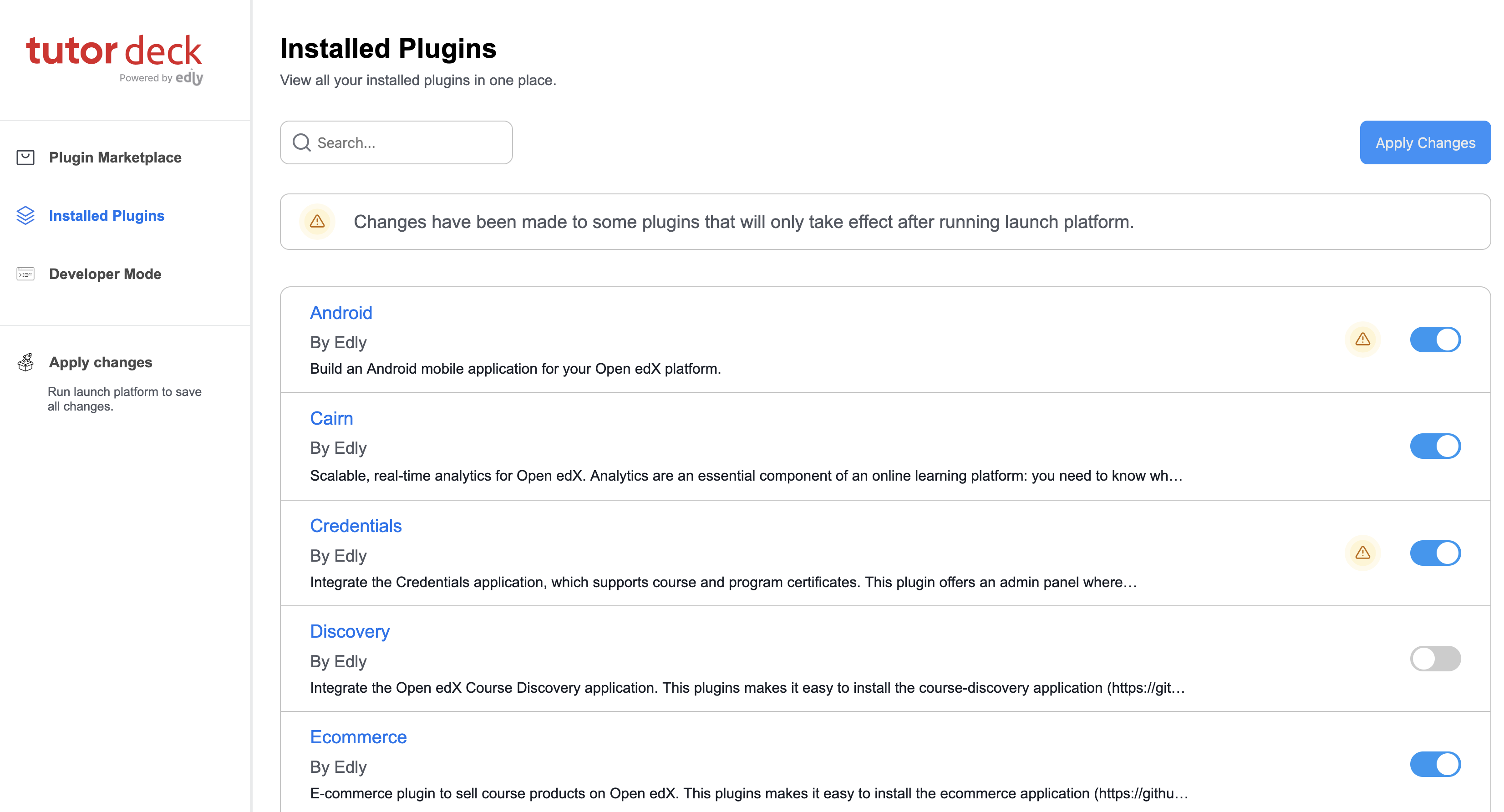
Browse your installed plugins:
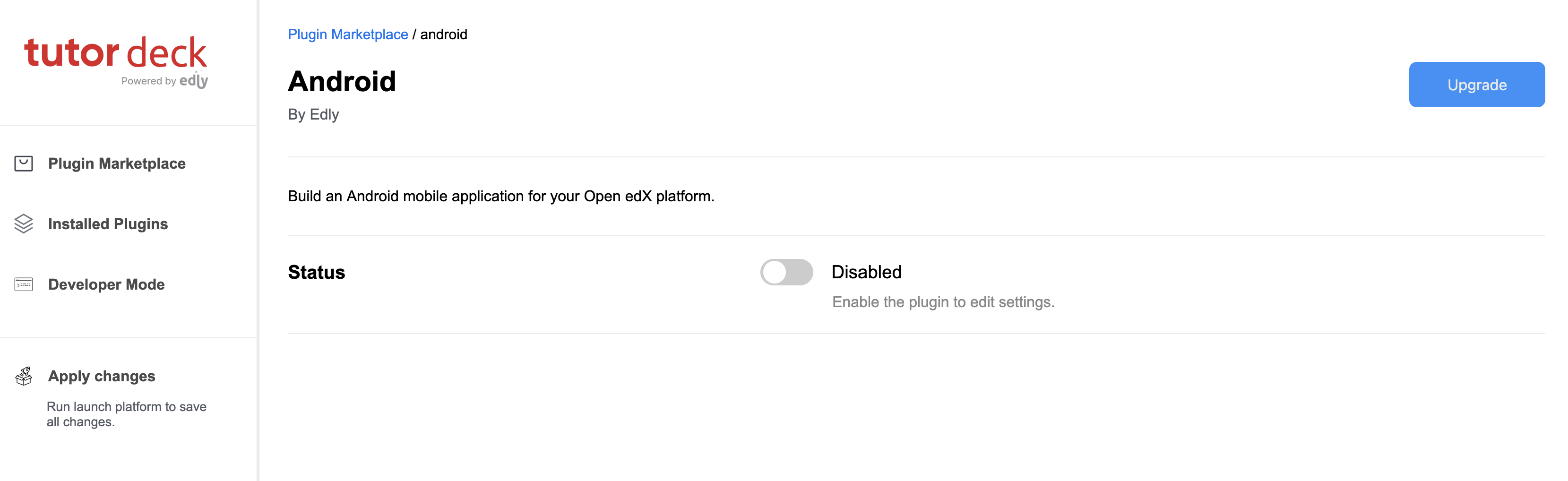
Enable/Disable plugin:
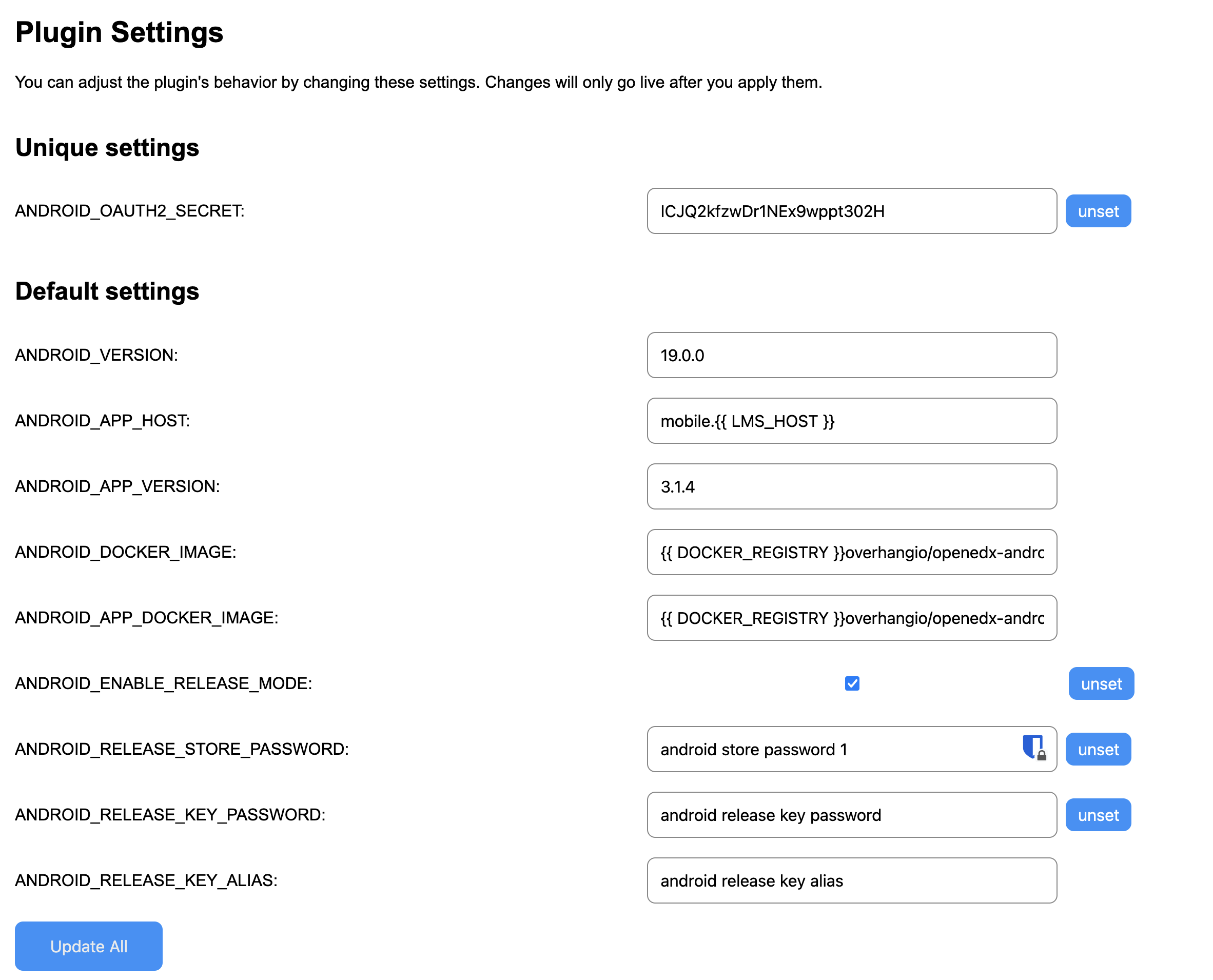
Change plugin parameters:
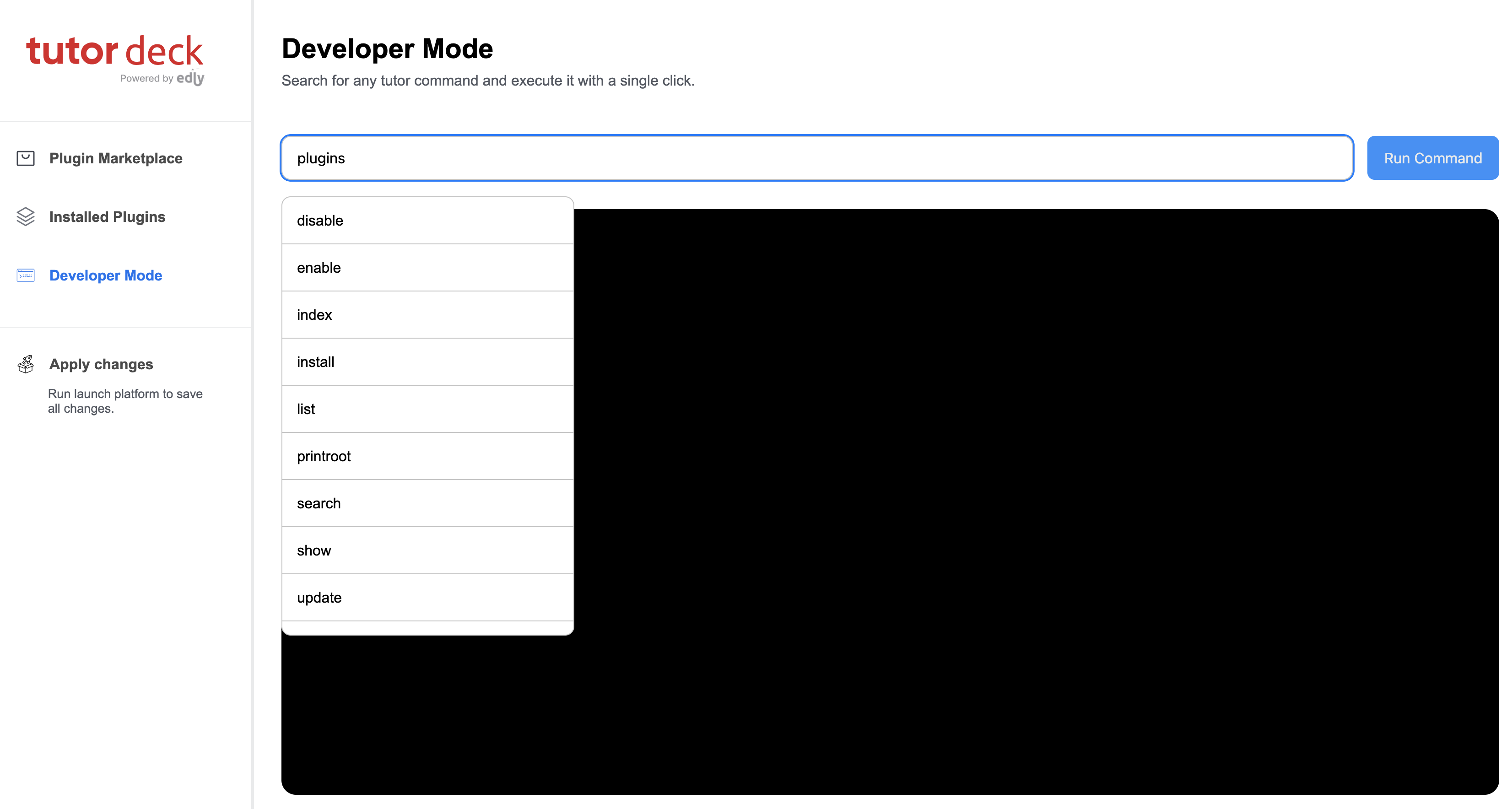
Use Developer mode for all tutor CLI commands:
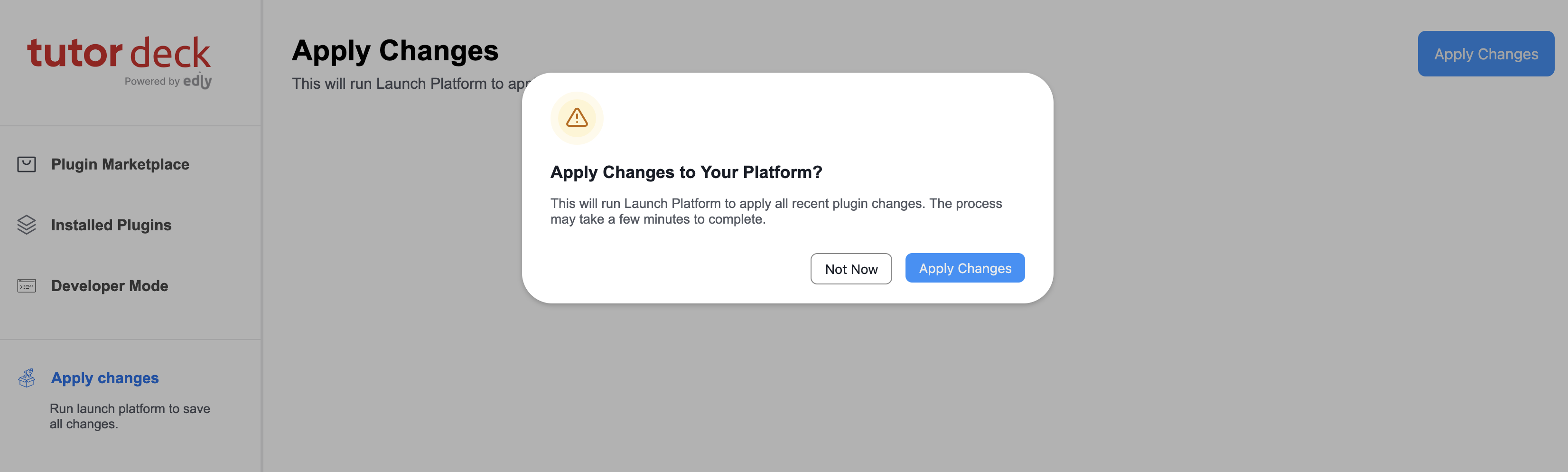
Restart platform via GUI to apply changes:
You may add HTTP basic authentication by defining the following Tutor settings:
tutor config save --set DECK_AUTH_USERNAME=myusername \
   --set DECK_AUTH_PASSWORD=s3cr3tpassw0rd
Troubleshooting
This Tutor plugin is maintained by Muhammad Labeeb from Edly. Community support is available from the official Open edX forum. Do you need help with this plugin? See the troubleshooting section from the Tutor documentation.
License
This work is licensed under the terms of the GNU Affero General Public License (AGPL).


Download files
Download the file for your platform. If you're not sure which to choose, learn more about installing packages.
Source Distribution
File details
Details for the file tutor_deck-20.1.0.tar.gz.
File metadata
- Download URL: tutor_deck-20.1.0.tar.gz
- Upload date:
- Size: 189.6 kB
- Tags: Source
- Uploaded using Trusted Publishing? No
- Uploaded via: twine/6.1.0 CPython/3.9.20
File hashes
| Algorithm | Hash digest | |
|---|---|---|
| SHA256 |
e22f7568d9361082ac22d40fd428814214ccfeddaa63a8d9d150ab9bd99c9a10
|
|
| MD5 |
cf3974cd62197de786cf04246356eb03
|
|
| BLAKE2b-256 |
a583db5a2dc6caed6defab87d44202242daf91ed6f432e5d4435c1945f1fe44f
|






