
forum plugin for Tutor


Project description
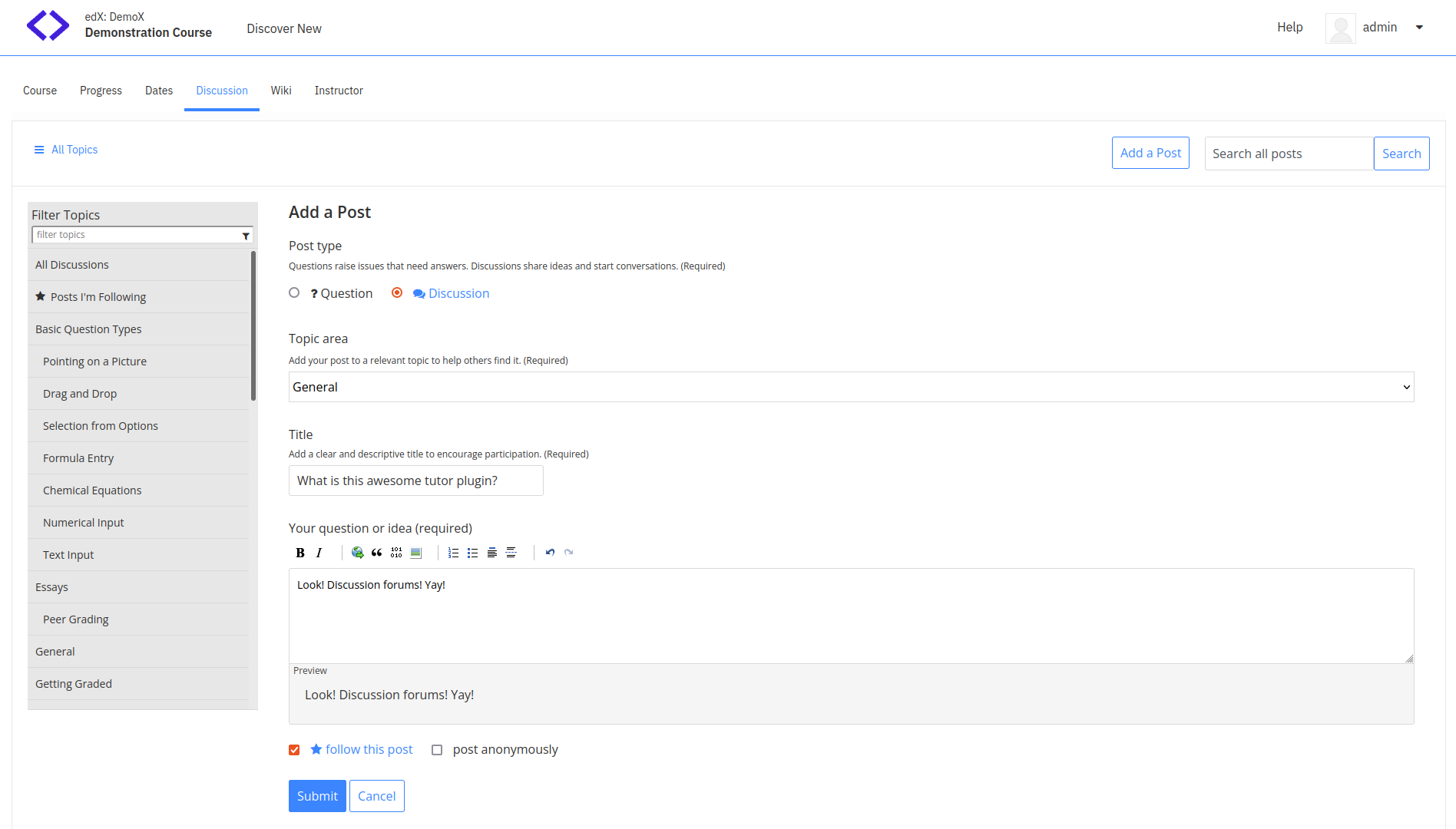
This plugin adds discussion forums to your Open edX platform, such that students can have conversations about the courses they are following right in your LMS.
Installation
tutor plugins install forum
Usage
tutor plugins enable forum
tutor local launch
Configuration
FORUM_DOCKER_IMAGE (default: ""{{ DOCKER_REGISTRY }}overhangio/openedx-forum:{{ FORUM_VERSION }}")
FORUM_MONGODB_DATABASE (default: "cs_comments_service")
FORUM_PORT (default: "4567"")
FORUM_API_KEY (default: "forumapikey")
FORUM_MONGODB_USE_SSL: (default: False)
FORUM_MONGODB_AUTH_SOURCE: (default: "")
FORUM_MONGODB_AUTH_MECH: (default: "")
FORUM_REPOSITORY (default: "https://github.com/openedx/cs_comments_service.git")
FORUM_REPOSITORY_VERSION (default: "{{ OPENEDX_COMMON_VERSION }}")
Customising Environment Variables
To add, or modify environment variables that are supplied to the forum service, you can use the FORUM_ENV hook.
To add or modify a environment variable, update the corresponding entry in the FORUM_ENV dict as follows:
from tutorforum.hooks import FORUM_ENV

@FORUM_ENV.add()
def _add_forum_env_vars(env_vars):
    env_vars.update({ "NEW_ENV_VAR": "VALUE" })
    return env_vars
If the environment variable already exists, it will be overridden, otherwise it will be added. Note that if multiple plugins override the same value, the last override will apply.
It is posible to use templates when setting the above values.
Caveats for the mongodb+srv:// syntax
While the newer [mongodb+srv://](https://www.mongodb.com/developer/products/mongodb/srv-connection-strings/) syntax for the MONGODB_HOST is supported, there are some tradeoffs:
Query parameters in the URL will be ignored by the forum. Please use the provided configuration options instead.
The username and password should form part of the URL in the format mongodb+srv://username:password@host/.
Debugging
To debug the comments service, you are encouraged to mount the cs_comments_service repo from the host in the development container:
tutor dev start –mount /path/to/cs_comments_service
Once a local repository is mounted in the image, you will have to install all gems (ruby dependencies):
bundle install
Troubleshooting
This Tutor plugin is maintained by Ghassan Maslamani from Zaat.dev. Community support is available from the official Open edX forum. Do you need help with this plugin? See the troubleshooting section from the Tutor documentation.
License
This software is licensed under the terms of the AGPLv3.
Release history Release notifications | RSS feed


Download files
Download the file for your platform. If you're not sure which to choose, learn more about installing packages.
Source Distribution
File details
Details for the file tutor-forum-16.0.1.tar.gz.
File metadata
- Download URL: tutor-forum-16.0.1.tar.gz
- Upload date:
- Size: 20.3 kB
- Tags: Source
- Uploaded using Trusted Publishing? No
- Uploaded via: twine/4.0.2 CPython/3.8.17
File hashes
| Algorithm | Hash digest | |
|---|---|---|
| SHA256 |
0b948d64ded83f25da8a44a1cefc47b549ebcadbebda9ce138522fa6b7a62718
|
|
| MD5 |
0498c2847fd61f5e82735379224a84e8
|
|
| BLAKE2b-256 |
efe4dee90fc65298c29772c1555c85488cf3f616f2e3ecc5998e9207bcdbad0d
|






