
TW Experimentation: A library for automated A/B testing
TW Experimentation is a library to design experiments, check data, run statistical tests and make decisions
What can this do for you?
The experimentation library can help you with:
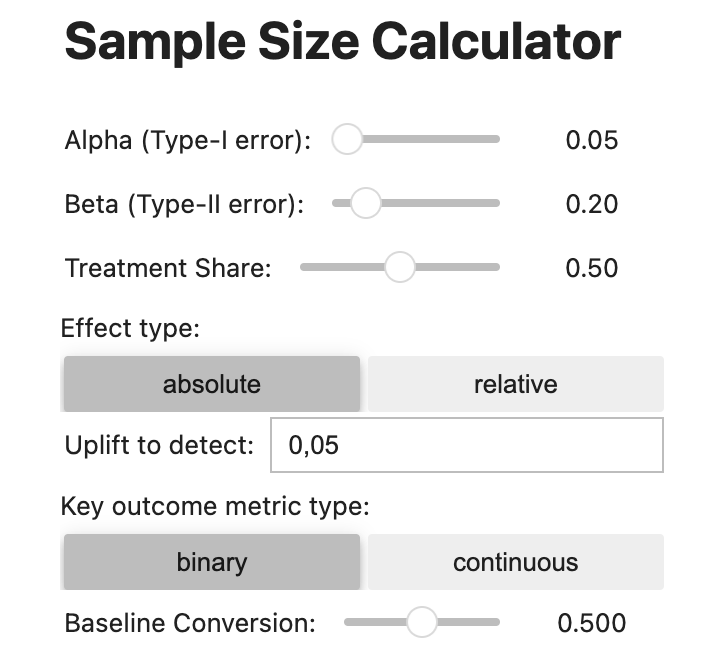
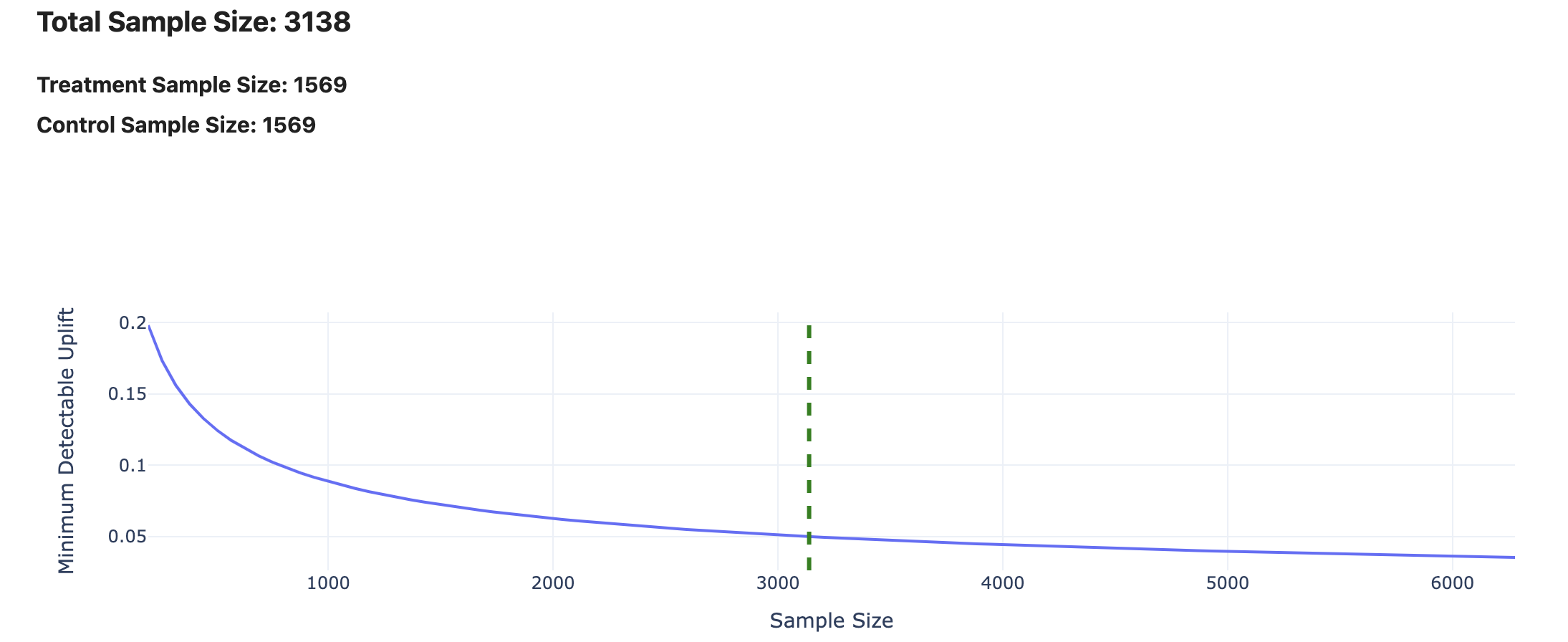
- Sample Size Calculator link - here you can estimate how many observations you need to perform an experiment on the given parameters.
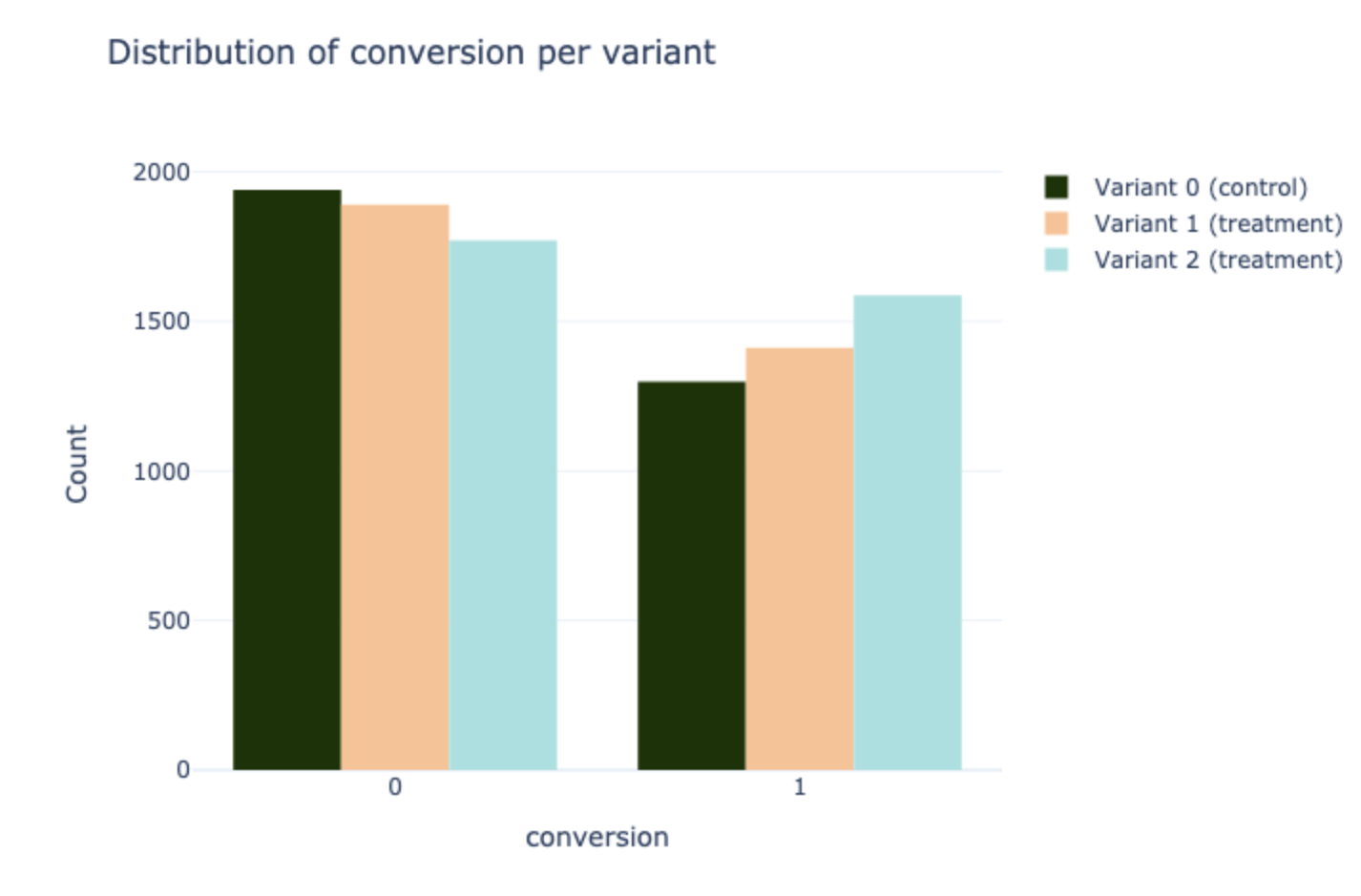
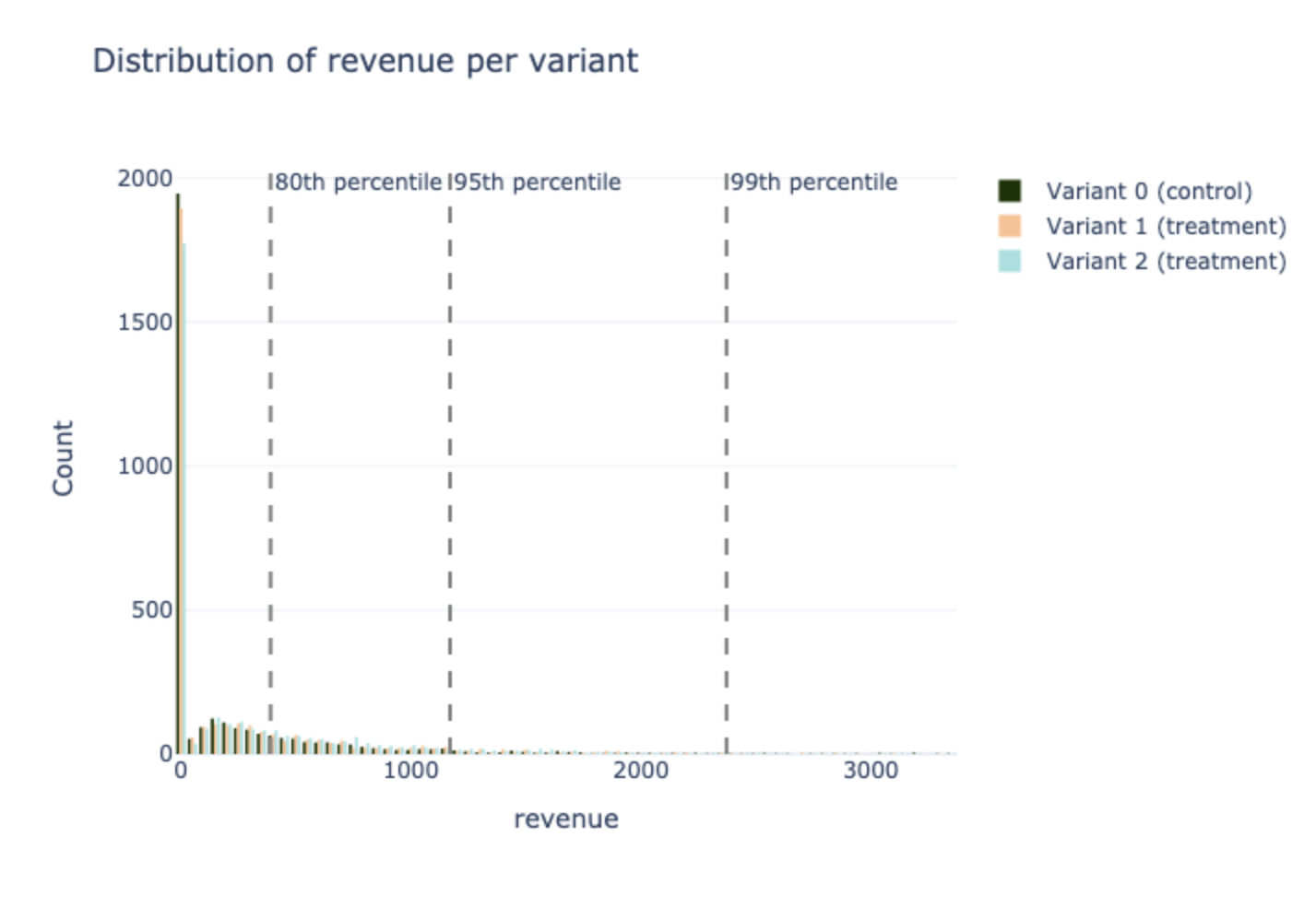
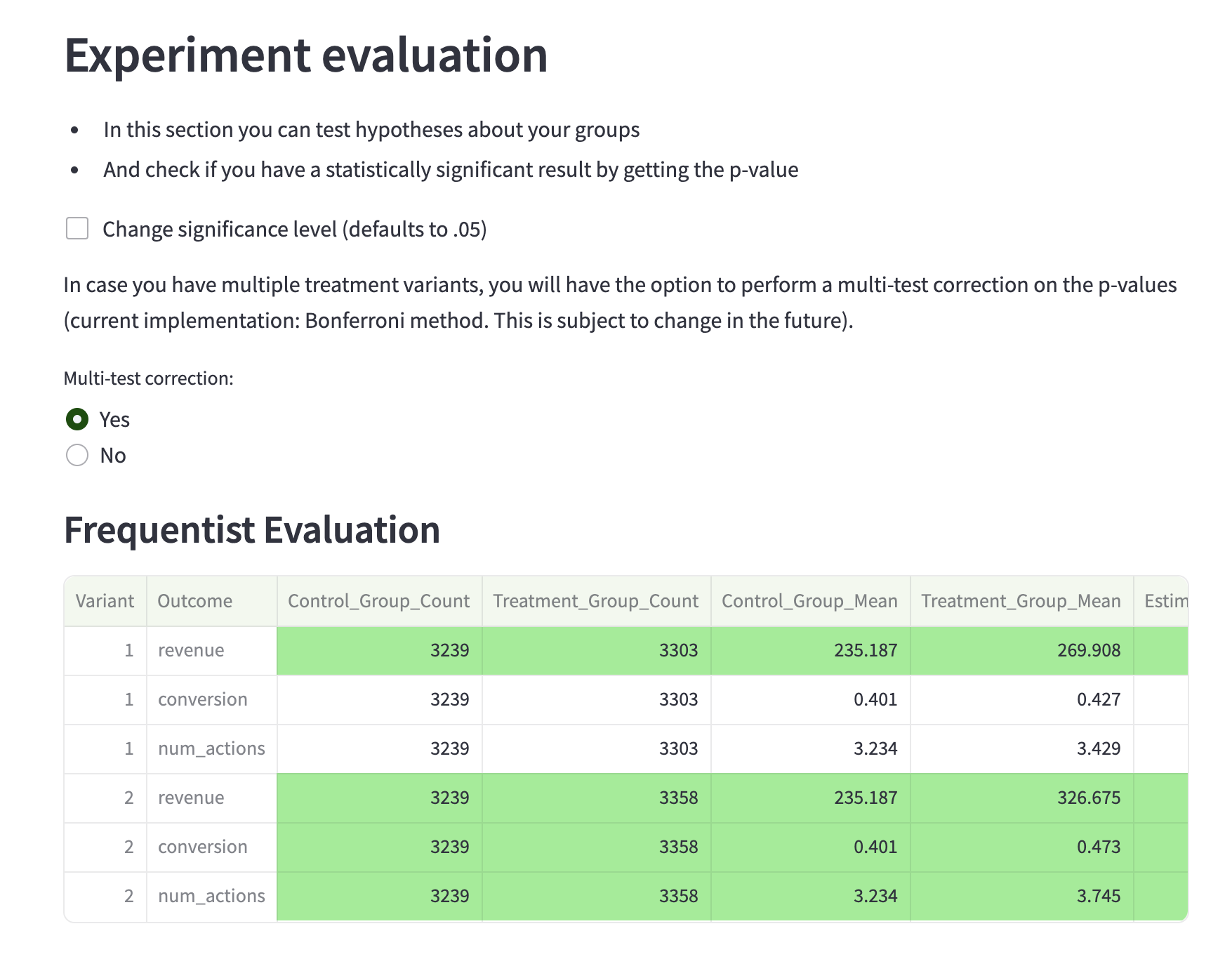
- Integrity checks + Evaluation link - here you can check important plots to understand your data better and then run statistical evaluation. Our library will automatically detect if it is a binary metric or continuous and then apply specific method as well as multiple hypothesis correction if needed.
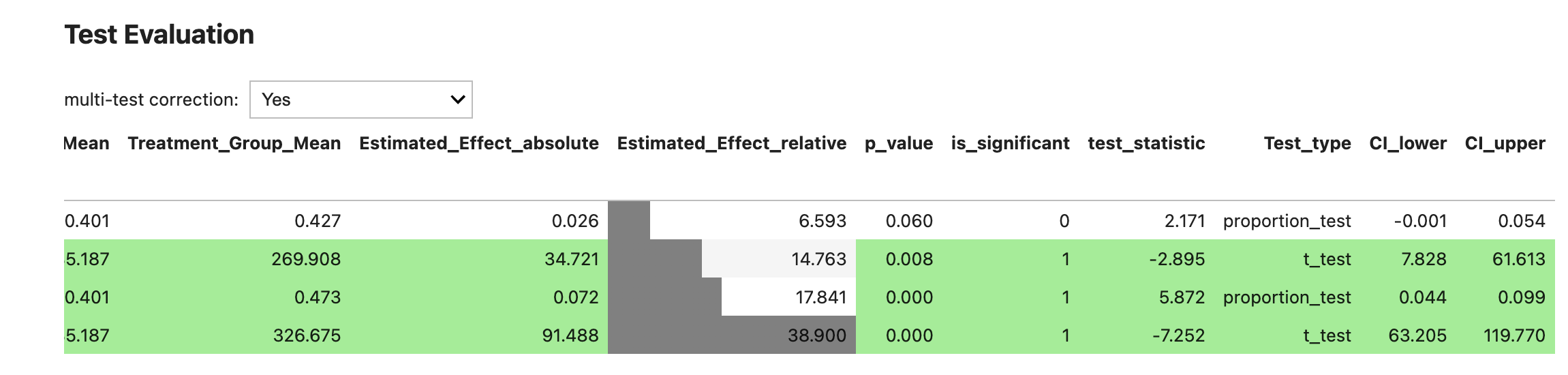
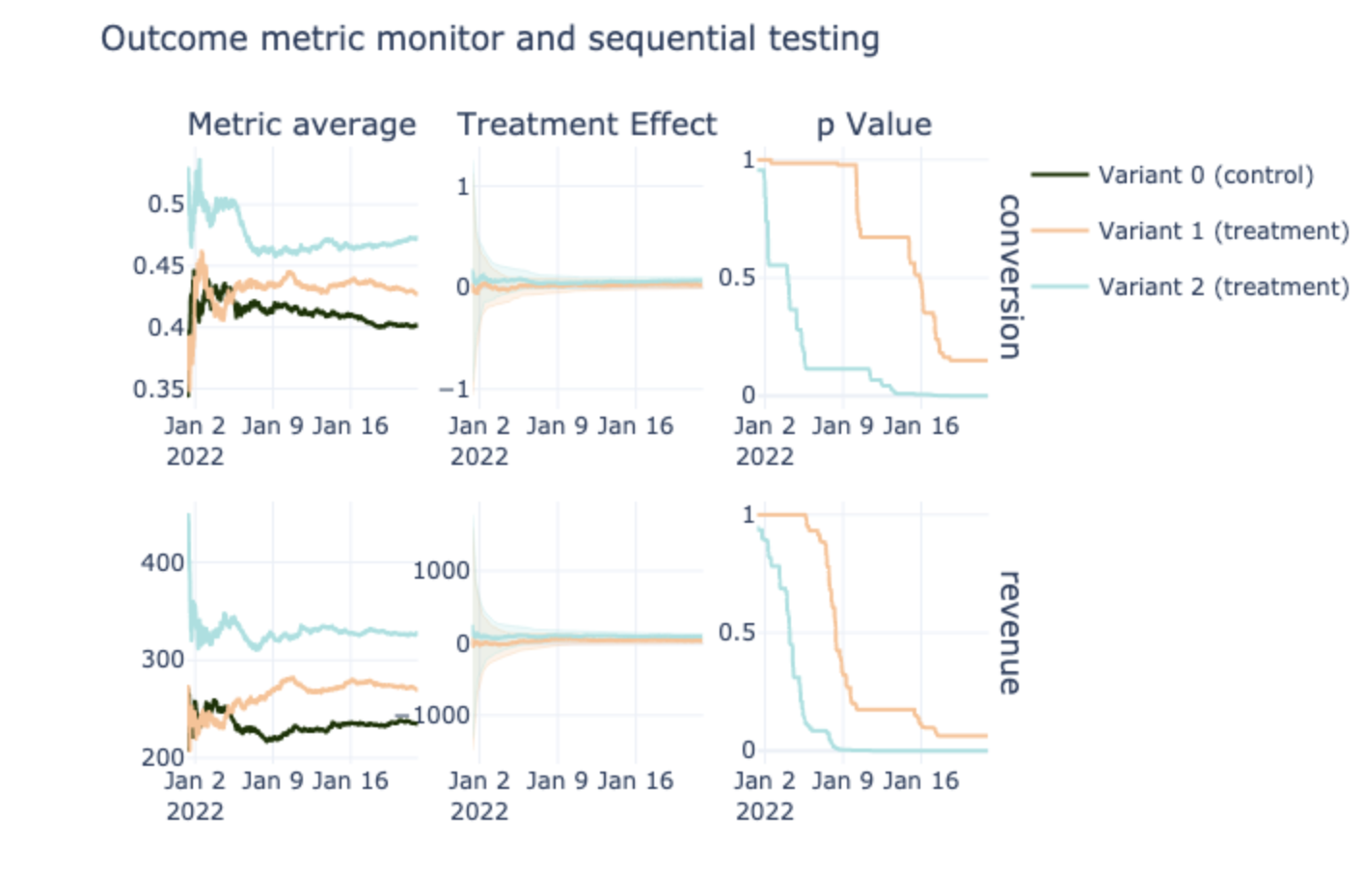
- Evaluation (Bayesian A/B testing) link - here you can apply bayesian evaluation on your dataset
1. Designing experiments
By using TW Experimentation you can design your experiments, choose sample size, evaluate the experiment.
2. Evaluating results
You can use various statistical tests for the metrics provided. (Frequentist / Bayesian) For this goal you can use jupyter notebooks or streamlit app with user-friendly interface. Using this repo you can:
- Run frequentist evaluation
- Run bayesian evaluation
- Apply multiple hypothesis correction
- Remove outliers
- Check different plots
- Run segmentation to check evaluation on specific segments as well as find unusual segments using our another tool: wise-pizza
Installation
- You can easily install this repo using "pip"
pip install tw-experimentation
Then you can just use all functionality.
For running streamlit app please just open the terminal and run:
run_tw_experimentation_streamlit
- You can install the package via the dependency manager poetry after cloning/git pull/download it as a zip from this repository.
To do so, clone the repository by running
git clone git@github.com:transferwise/tw-experimentation.git
from terminal. To set up poetry, run
make set-up-poetry-mac
for mac (or linux) and
make set-up-poetry-windows
for windows. Then, run
make run-streamlit-poetry
from the root of the package folder.
- Alernative: TW Experimentation requires the following libraries to work which you can find in the .yml file. To install requirements please make sure you have installed the package manager Anaconda and then run the following commands in the terminal:
conda env create -n <my_env> -f envs/environment.yml
conda activate <my_env>
If you are using Windows, please do these additional steps:
- pick a jaxlib-0.3.7 wheel from here https://whls.blob.core.windows.net/unstable/index.html and install it manually (pip install <wheel_url>)
- Install jax==0.3.7
If you have any problems with jax on Mac, please do the following:
pip uninstall jax jaxlib
conda install -c conda-forge jaxlib
conda install -c conda-forge jax
Quick Start
Make sure you have followed the installation instructions.
Notebooks
You can use the jupyter notebooks 1_pre_experiment.ipynb or 2_integrity_checks + evaluation.ipynb for experiments design and evaluation.
The tw experimentation package can be used for different things, for example for analyzing results:
df = pd.read_csv('experiment.csv')

ed = ExperimentDataset(
    data=df,
    variant="T",
    targets=['conversion', 'revenue'],
    date='trigger_dates',
    pre_experiment_cols=None,
    n_variants=2,
)
ed.preprocess_dataset(remove_outliers=True)
This code will generate the data model for experiment analysis
And then you can run evaluation
evaluation = FrequentistEvaluation(experiment_dataset)
evaluation.start()
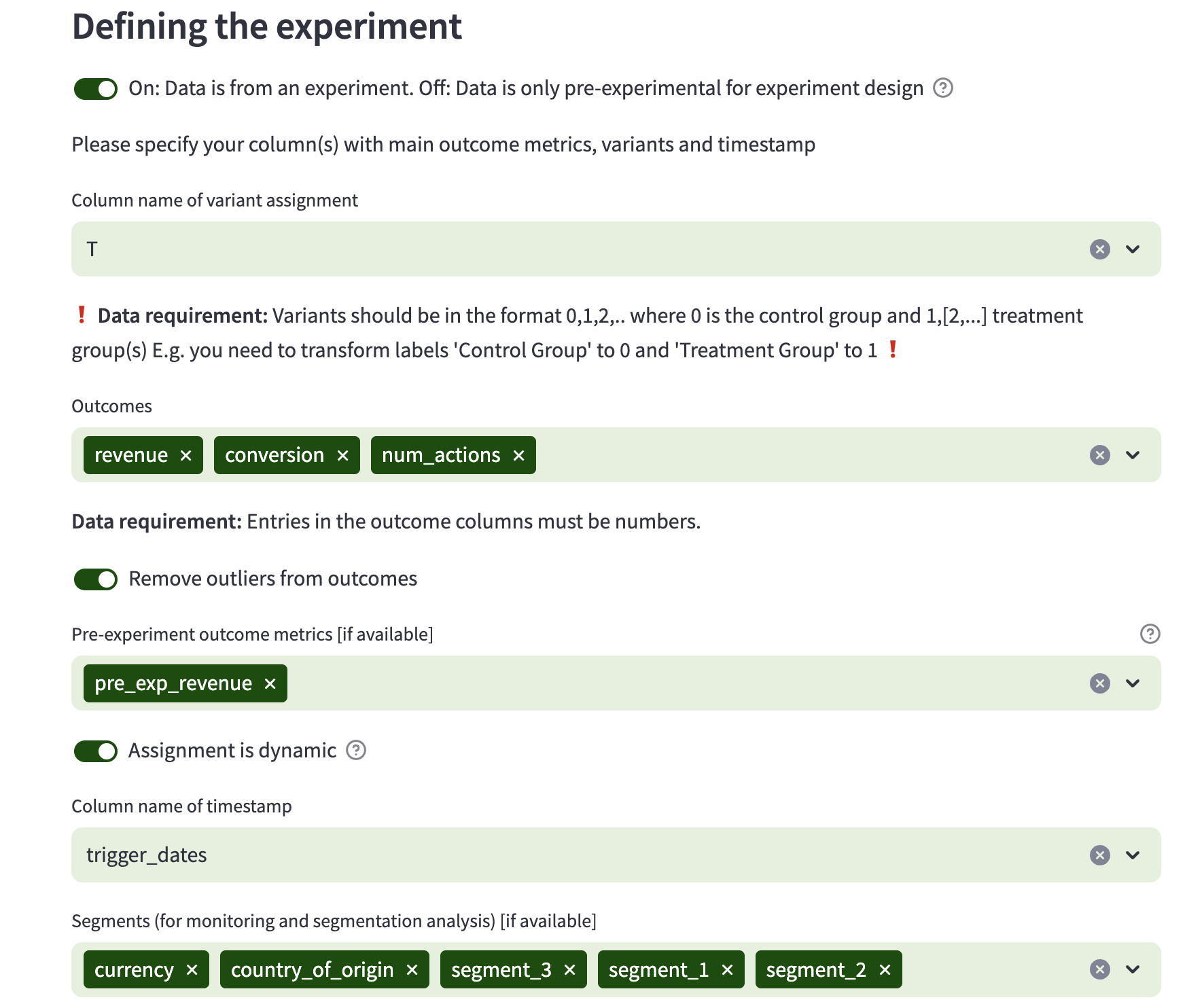
Streamlit web app
For running streamlit app please just open the terminal and run after "pip install" section:
run_tw_experimentation_streamlit
Or:
Open terminal and navigate to the repository.
Then navigate to the folder ./tw_experimentation/streamlit.
Now run the command streamlit run Main.py and the app should open in your browser.
Then you can use or test dataset from data/test_data.csv
Tip on navigation:
ls - show files in current directory
pwd - print current directory address
cd - change directory, e.g. cd ./tw_experimentation/streamlit
For Developers
Testing
We use PyTest for testing. If you want to contribute code, make sure that the tests in tests/ run without errors.
3 maintainers


Release files for tw-experimentation 0.1.2.4
For a detailed explanation of source distributions (sdists) and built distributions (wheels), please see the package formats documentation.
Source distribution (sdist)
| File | Size | Uploaded | |
|---|---|---|---|
| tw_experimentation-0.1.2.4.tar.gz | 83.0 kB | Details |
Built distribution (wheel)
| File | Interpreter | ABI | Platform | Reset |
|---|---|---|---|---|
| tw_experimentation-0.1.2.4-py3-none-any.whl | Python 3 | none | any | Details |
Total release size: 183.2 kB
Release files / tw_experimentation-0.1.2.4.tar.gz
| Download URL | tw_experimentation-0.1.2.4.tar.gz |
|---|---|
| Size | 83.0 kB |
| Tags | Source |
|
SHA-256 checksum How to use checksums |
837d886f54270223a5ebfba77d69e89e4585f8593c2e48b305b36e12650b5d6e
|
|
BLAKE2b-256 checksum How to use checksums |
970f02537ec7730f805c34b7b62995cd1f09ee79039606e57bb9cf679f299543
|
| Upload date | |
|
Uploaded using Trusted Publishing? What is trusted publishing? |
Yes |
| Uploaded via |
twine/4.0.2 CPython/3.11.7
|
Release files / tw_experimentation-0.1.2.4-py3-none-any.whl
| Download URL | tw_experimentation-0.1.2.4-py3-none-any.whl |
|---|---|
| Size | 100.2 kB |
| Tags | Python 3 |
|
SHA-256 checksum How to use checksums |
01e6815ca84fb60551fa92ffc26e69a370b8d0eef31eceb22355cb52092acb89
|
|
BLAKE2b-256 checksum How to use checksums |
ed4f14bb2429a6dc90c5532d36b139201ef2b12834c58ada6e217a69899da07e
|
| Upload date | |
|
Uploaded using Trusted Publishing? What is trusted publishing? |
Yes |
| Uploaded via |
twine/4.0.2 CPython/3.11.7
|














