
Package to handle real-time frames or audio segments from a twitch stream

Project description



Description
This package allows to extract in real-time frames or audio segments of a twitch stream as a numpy array. It heavily relies on FFmpeg to decode on-the-fly and asynchronously the stream. Then the package stocks the frames or the audio segments into a fifo.
Requirements
- FFmpeg
- python 3.7+
This code has only been tested on Ubuntu 20.04, it might requires some tweaks to make it compatible with Windows or MacOSX
Installation
Install using pip for stable release,
pip install twitchrealtimehandler
For latest development release,
pip install git+git://github.com:adrz/twitch-realtime-handler.git
Usage
from twitchrealtimehandler import (TwitchAudioGrabber,
                                   TwitchImageGrabber)
import numpy as np

audio_grabber = TwitchAudioGrabber(
    twitch_url="https://www.twitch.tv/jeanmassietaccropolis",
    blocking=True,  # wait until a segment is available
    segment_length=2,  # segment length in seconds
    rate=16000,  # sampling rate of the audio
    channels=2,  # number of channels
    dtype=np.int16  # quality of the audio could be [np.int16, np.int32, np.float32, np.float64]
    )

audio_segment = audio_grabber.grab()
audio_grabber.terminate()  # stop the transcoding

image_grabber = TwitchImageGrabber(
    twitch_url="https://www.twitch.tv/jeanmassietaccropolis",
    quality="480p",  # quality of the stream could be ["160p", "360p", "480p", "720p", "720p60", "1080p", "1080p60"]
    blocking=True,
    rate=10  # frame per rate (fps)
    )

frame = image_grabber.grab()
image_grabber.terminate()  # stop the transcoding
Examples
Requirements
Dependencies for face_recognition package:
sudo apt-get update
sudo apt-get install build-essential cmake
sudo apt-get install libopenblas-dev liblapack-dev
sudo apt-get install libx11-dev libgtk-3-dev
sudo apt-get install python3 python3-dev python3-pip
pip install -r requirements-examples.txt
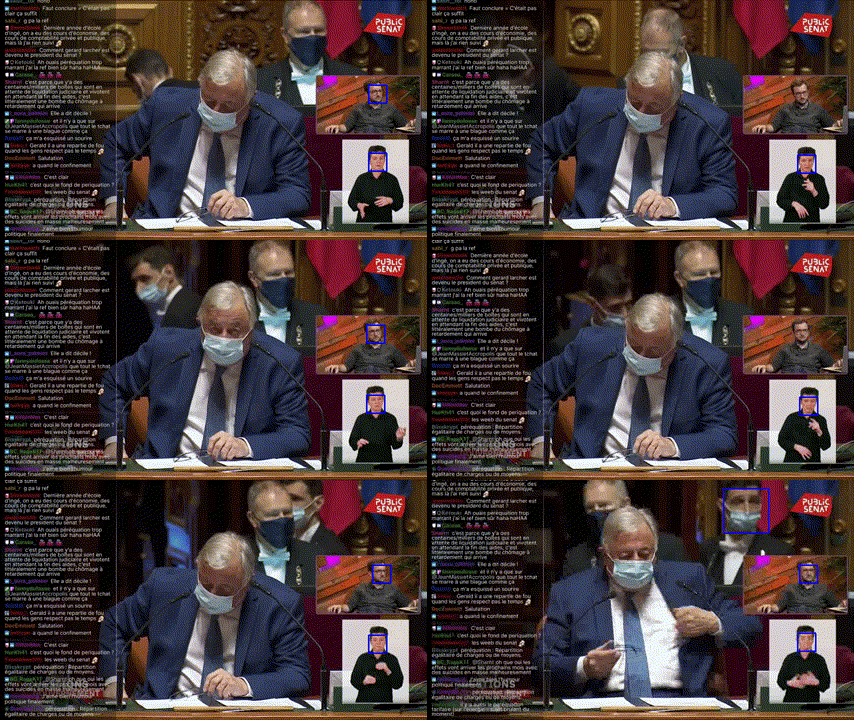
Real-time face detection
python examples/realtime-face-detection.py --twitch-url https://twitch.tv/yourfavouritetwitcher
Real-time transcript
python examples/realtime-transcript.py --twitch-url https://twitch.tv/yourfavouritetwitcher
Known issues
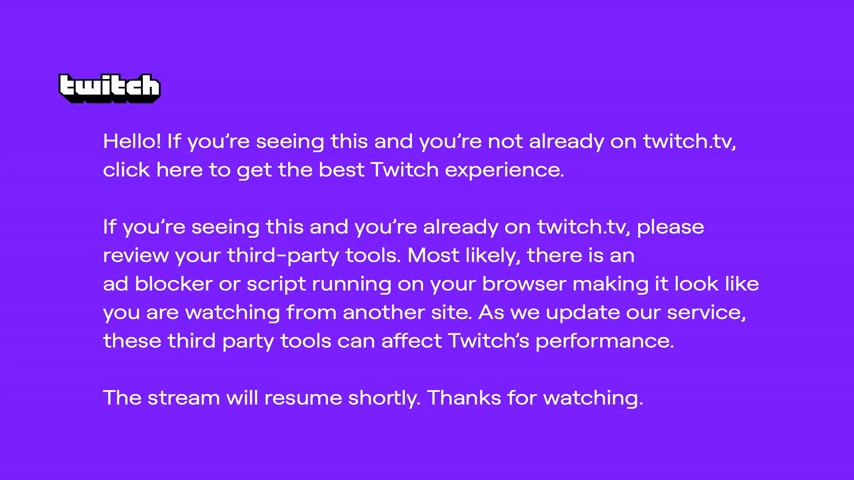
If you encounter this image, it means that twitch knows your not watching from its website. You'll get this message for a few seconds and the stream will resume.


Download files
Download the file for your platform. If you're not sure which to choose, learn more about installing packages.
Source Distribution
Built Distribution
Filter files by name, interpreter, ABI, and platform.
If you're not sure about the file name format, learn more about wheel file names.
Copy a direct link to the current filters
File details
Details for the file twitchrealtimehandler-0.1.0.tar.gz.
File metadata
- Download URL: twitchrealtimehandler-0.1.0.tar.gz
- Upload date:
- Size: 4.1 kB
- Tags: Source
- Uploaded using Trusted Publishing? No
- Uploaded via: poetry/1.7.1 CPython/3.12.0 Darwin/23.1.0
File hashes
| Algorithm | Hash digest | |
|---|---|---|
| SHA256 |
c4a1136c1583e51dec28f6cb9baf9a3e1396471c3e816f15bab44852cab7b6c0
|
|
| MD5 |
ab9b26760057363e9688fb2d7aa6ddb8
|
|
| BLAKE2b-256 |
4c7e8de026e0fafd0d226c846670e9a21e09cbdd2a52bd603f6538a1c531f924
|
File details
Details for the file twitchrealtimehandler-0.1.0-py3-none-any.whl.
File metadata
- Download URL: twitchrealtimehandler-0.1.0-py3-none-any.whl
- Upload date:
- Size: 5.1 kB
- Tags: Python 3
- Uploaded using Trusted Publishing? No
- Uploaded via: poetry/1.7.1 CPython/3.12.0 Darwin/23.1.0
File hashes
| Algorithm | Hash digest | |
|---|---|---|
| SHA256 |
036ea1dce7486016c76c57c5193787474f6fcaa1b274ea245693d8d243a5fc90
|
|
| MD5 |
0cdac8c920e4150d7f4e050179635255
|
|
| BLAKE2b-256 |
949fa936c0008cab66b11051f497cc9b953dc0fed9ace08d09f26608932c23f3
|






