





txt_to_pickle
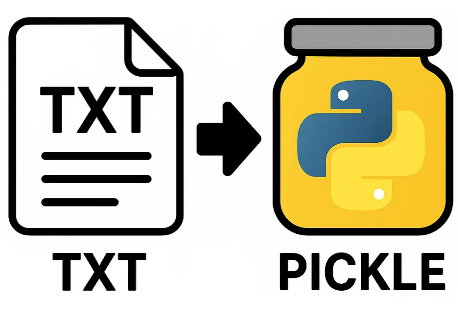
txt_to_pickle is a method turning a txt file to a pickle file.
In layman's terms, it automates conversion by:
- turning a txt file to a list,
- saving a list to a pickle file.
Input:
input.txt– A txt file containing data.data_length– Length of the txt file containing data for each segnment.
Output:
output.pkl– A pickle file of a list.
Installation
It can be installed with pip, ideally by using a virtual environment. Open up a terminal and install the package and the dependencies with:
pip install txt_to_pickle
or
python -m pip install txt_to_pickle
🐍 This requires Python 3.8 or newer versions
Steps to convert txt file to pickle file
-
Prepare the input file (i.e., a txt file containing data).
-
Know how long the data is for each segment (
data_length):txt_to_pickle input.txt data_length output.pkl
Test
You may test the installation using the sample input file (input_string_list.pkl) located in the test folder.
♥ Lastly executed on Python 3.10 on 2025-06-12.
1 maintainer

Release files for txt-to-pickle 0.0.1
For a detailed explanation of source distributions (sdists) and built distributions (wheels), please see the package formats documentation.
Source distribution (sdist)
| File | Size | Uploaded | |
|---|---|---|---|
| txt_to_pickle-0.0.1.tar.gz | 4.3 kB | Details |
Built distribution (wheel)
| File | Interpreter | ABI | Platform | Reset |
|---|---|---|---|---|
| txt_to_pickle-0.0.1-py3-none-any.whl | Python 3 | none | any | Details |
Total release size: 9.6 kB
Release files / txt_to_pickle-0.0.1.tar.gz
| Download URL | txt_to_pickle-0.0.1.tar.gz |
|---|---|
| Size | 4.3 kB |
| Tags | Source |
|
SHA-256 checksum How to use checksums |
182cfd22953df0d27b4f7c5c77c6b1a10e45d7b71304d40dc4b02235f8252576
|
|
BLAKE2b-256 checksum How to use checksums |
8cdf1d6edd9db384f5fecbf065897829afc09f386c727658a66469c561bd17c5
|
| Upload date | |
|
Uploaded using Trusted Publishing? What is trusted publishing? |
No |
| Uploaded via |
twine/6.0.1 CPython/3.9.18
|
Release files / txt_to_pickle-0.0.1-py3-none-any.whl
| Download URL | txt_to_pickle-0.0.1-py3-none-any.whl |
|---|---|
| Size | 5.2 kB |
| Tags | Python 3 |
|
SHA-256 checksum How to use checksums |
ffac37536c435a7d830a8e2c2e08dade3244c5e86be9a7ab9d46ffbdb4e3d4d3
|
|
BLAKE2b-256 checksum How to use checksums |
1be03d4a4c763261114c1ddeb0a103a6570366c0ca006eab2e70df773fd8255c
|
| Upload date | |
|
Uploaded using Trusted Publishing? What is trusted publishing? |
No |
| Uploaded via |
twine/6.0.1 CPython/3.9.18
|














