
txt2dub
A text-based UI application for editing voiceover scripts and generating text to speech performances.
What is txt2dub for?
txt2dub is a video content creation tool for writing scripts and generating overdub performances as MP3 files that can be imported into your video editing software. This supports a workflow for arranging video assets on your timeline based on the voice performance's timing. You can record your own voiceovers to replace the robotic text-to-speech performance, or you can keep the placeholders if that's the style you're targeting.
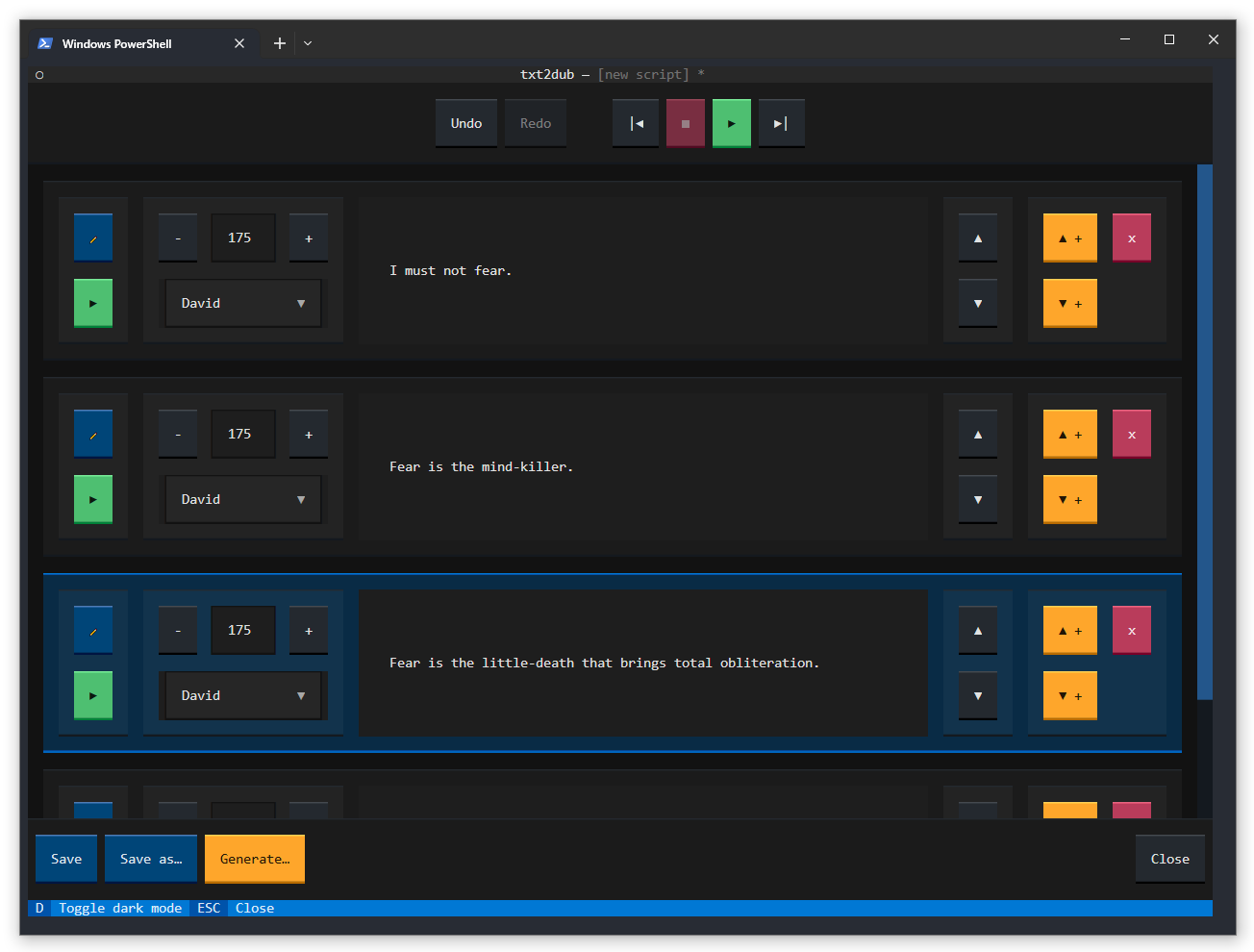
This is how it looks to edit a script in txt2dub. As you type each script line is played aloud by the text-to-speech system. You can play back a line, reorder lines or insert new lines anywhere in the script. You can set the voice performer and the rate of speech for each line in the script. You can undo or redo actions without limit. You can also play back the whole script starting from the selected line.
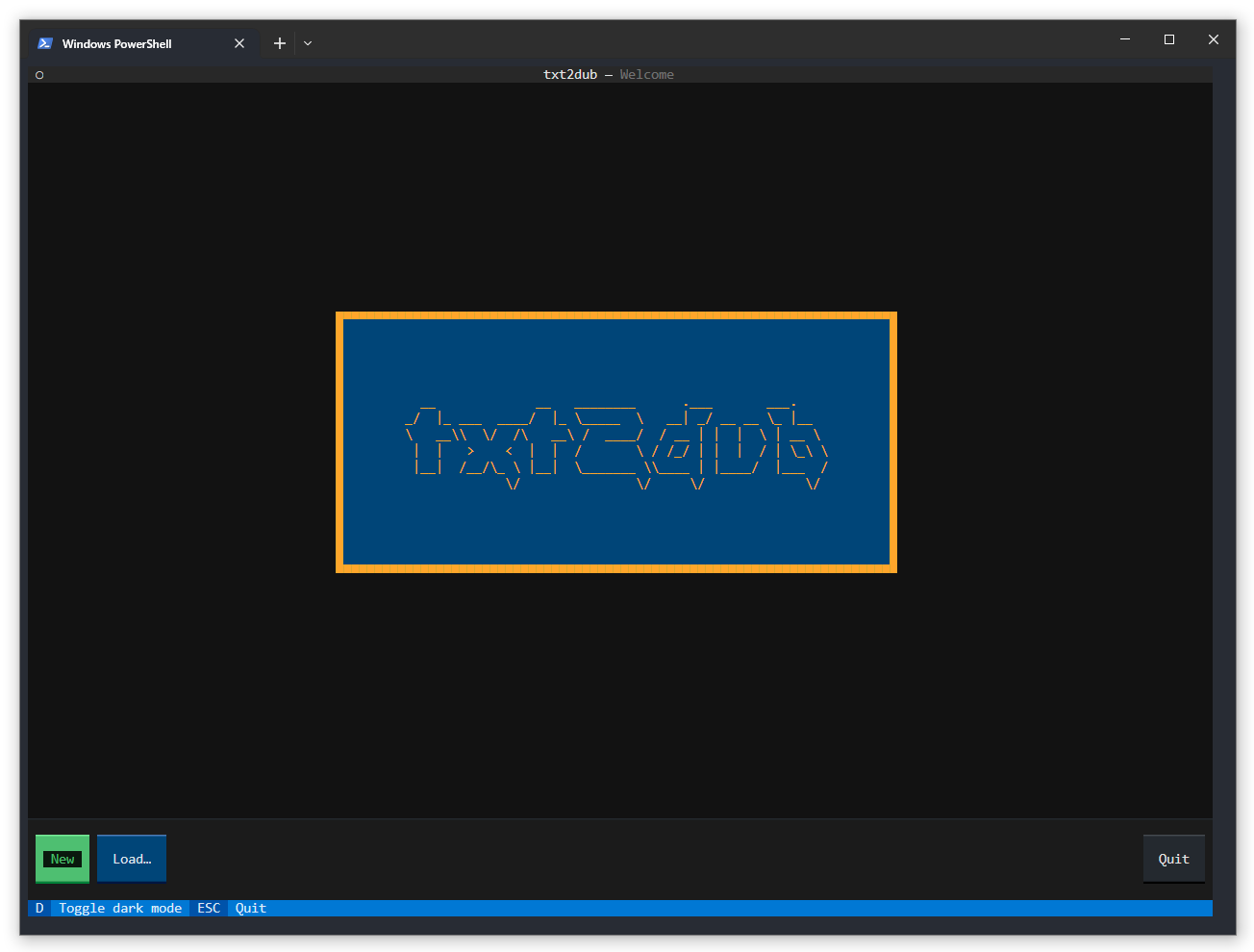
And here is the home screen.
Who is txt2dub for?
txt2dub is designed to be easily installable on the major desktop platforms (Windows, Mac and Linux) without programming skills. More detailed installation instructions will be posted soon. For those familiar with Python, you can install txt2dub in a virtual environment or globally with:
pip install txt2dub
It can be run from its installed script:
txt2dub
or from its Python module:
python -m txt2dub
Why isn't txt2dub an app or web-based service?
txt2dub aims to unlock access to the text-to-speech services provided by your operating system, all wrapped in a simple application that tries to improve the workflow for voiceover script writing. It is built on top of the Textual rapid application development framework for text-based UIs. This makes it easy to install and run in any supported terminal with Python 3.7 or later.
This project doesn't require a subscription, a new account or payment. It's entirely open source, free to use, and it doesn't share your data or the content you create using it with anyone.
Is txt2dub ready for production use?
It has been used successfully for production work by the project's author in Windows 10 and macOS Monterey. Testing on Mac will proceed in the near future. Linux testing will be community-driven. Please report issues with details about your OS (Windows, Mac, Linux + version) and Python environment (version) if you encounter bugs.
1 maintainer

Metadata
1 maintainer
Release files for txt2dub 0.1.3
For a detailed explanation of source distributions (sdists) and built distributions (wheels), please see the package formats documentation.
Source distribution (sdist)
| File | Size | Uploaded | Provenance | Actions |
|---|---|---|---|---|
| txt2dub-0.1.3.tar.gz | 20.0 kB | Without provenance | Details for txt2dub-0.1.3.tar.gz |
Built distribution (wheel)
| File | Interpreter | ABI | Platform | Actions Reset |
|---|---|---|---|---|
| txt2dub-0.1.3-py3-none-any.whl | Python 3 | none | any | Details for txt2dub-0.1.3-py3-none-any.whl |
Total release size: 45.2 kB
Release files / txt2dub-0.1.3.tar.gz
| Download URL | txt2dub-0.1.3.tar.gz |
|---|---|
| Size | 20.0 kB |
| Tags | Source |
|
SHA-256 checksum How to use checksums |
c70dd3fdad5fe36c174fbda22cdf3b88be424513785ec5d26f8bb56a44d0d62f
|
|
BLAKE2b-256 checksum How to use checksums |
803419c12b2d1ecc9530b0c04dadc1db97db2185909837deb057fe8b58847c24
|
| Upload date | |
|
Uploaded using Trusted Publishing? What is trusted publishing? |
No |
| Uploaded via |
poetry/1.5.0 CPython/3.11.3 Darwin/21.3.0
|
Release files / txt2dub-0.1.3-py3-none-any.whl
| Download URL | txt2dub-0.1.3-py3-none-any.whl |
|---|---|
| Size | 25.2 kB |
| Tags | Python 3 |
|
SHA-256 checksum How to use checksums |
1bfed70e8f28a3630acfb5d7a8086a46531bd7facb45555b94e30d550729c393
|
|
BLAKE2b-256 checksum How to use checksums |
c0965aef0529ae3ada305775bc0d390f593882fbdc2c33bb38622dd39d05e52d
|
| Upload date | |
|
Uploaded using Trusted Publishing? What is trusted publishing? |
No |
| Uploaded via |
poetry/1.5.0 CPython/3.11.3 Darwin/21.3.0
|
Security for txt2dub 0.1.3
Provenance
Provenance describes where a file came from. On PyPI, provenance is shared via attestations, which provide a verifiable record of the build or publishing details. View details, limitations and caveats.
No provenance found
None of the files in this release were uploaded with provenance metadata.
A note on package security
PyPI is a repository for distributing packages, not a service for auditing them. While third-party security researchers and our staff do their best to detect and remove malicious packages, PyPI cannot guarantee the quality, security or suitability of any given package.
To learn more about protecting yourself from malicious actors, visit our package security documentation.














