
Backend CLI for the Typify inference engine

Project description
Typify


Typify is a usage-driven Python type inference system that automatically infers types for unannotated Python codebases.
Motivation
Python is one of the most widely used programming languages in the world, yet the vast majority of real-world Python code remains unannotated. Studies show that fewer than 10% of annotatable code elements carry explicit type annotations. This creates real problems for developers: without type information, IDEs cannot offer reliable autocompletion, refactoring tools operate blindly, and entire classes of bugs go undetected until runtime.
| Without annotations | With annotations |
|---|---|
 |
 |
Adding annotations manually is tedious and error-prone, especially in large or legacy codebases. The goal of Typify is to automate this process, recovering precise type information across an entire project without requiring developers to write a single annotation by hand.
Approach
Typify is a purely static type inference engine. It builds a dependency graph of the entire project, schedules modules in topological order, and propagates type information across functions, classes, and module boundaries using iterative fixpoint analysis.

The core insight is usage-driven inference: types are inferred not from declarations, but from how variables and functions are actually used throughout the codebase.
Example
Consider a function with no annotations:
def add(x, y):
    return x + y
Somewhere else in the project, it is called like this:
add(10, "hello")
Existing tools treat each function in isolation and cannot infer anything about x or y without explicit annotations. Typify traces the call site, observes that 10 is an int and "hello" is a str, and propagates these types back to the parameters, inferring x: int and y: str without any annotations.
This call-site propagation works recursively and cross-module, meaning types flow naturally through the entire project as Typify analyzes it.
Unlike local-only inference tools, Typify uses a whole-project usage-driven analysis. It tracks how values flow across files and function calls, allowing it to infer precise types such as:
list[dict[str, list[str]]]
instead of broad approximations like list or Any.
Evaluation
Typify was evaluated on two benchmark datasets, ManyTypes4Py and Typilus, against static checkers (Pyright, Pyre Infer), a deep learning model (Type4Py), and the state-of-the-art hybrid system (HiTyper).
Key findings:
- Typify substantially outperforms all static checkers, with exact-match accuracy up to 55.9% overall on ManyTypes4Py vs. Pyre Infer's 10.4%.
- Typify closely trails HiTyper despite using no machine learning, running at 4.7 ms per data point vs. HiTyper's 48.2 ms, a 90% reduction in latency.
- When combined with Type4Py, Typify outperforms HiTyper across nearly all tasks and datasets.
Feature Comparison
| Tool | No annotations needed | Usage-driven inference | Cross-module / whole-project | Deterministic & reproducible | ML-based predictions |
|---|---|---|---|---|---|
| Pyright | ✕ | ✕ | ✓ | ✓ | ✕ |
| Pyre | ✕ | ✕ | ✕ | ✓ | ✕ |
| Type4Py | ✓ | ✕ | ✕ | ✕ | ✓ |
| HiTyper | ✓ | ✕ | ✕ | ✓ | ✓ |
| Typify | ✓ | ✓ | ✓ | ✓ | ✓ |
As shown above, Typify stands out because it combines analysis of the entire project with predictable execution, while also supporting optional ML features. Unlike many existing tools, it does not focus on just one strength at the expense of others.
Installation
Requires Python 3.11 or higher.
pip install typify-cli
Dependencies
The following packages are installed automatically by the above command: tantivy, rich, gdown, and requests.
Example Project
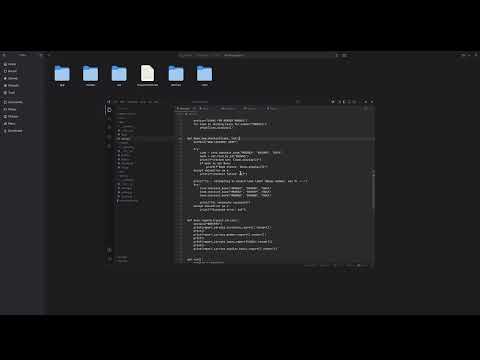
A sample Python project is available for download to experiment with Typify right away.
Extract the archive, navigate to the project root, set up a Python virtual environment, install the project dependencies, then install typify-cli:
python -m venv .venv
source .venv/bin/activate       # Windows: .venv\Scripts\activate
pip install -r requirements.txt
pip install typify-cli
The demo video below walks through this setup and runs Typify on the example project.
How Typify Works
The analysis pipeline consists of several stages:
-
Dependency graph construction - builds a project-wide import graph and handles circular imports through fixpoint iteration.
-
Usage-driven inference - infers types from assignments, operators, method calls, and usage patterns. Types accumulate monotonically over time.
-
Propagation passes - re-applies inferred call-site information across multiple rounds, resolving increasingly deep call chains.
-
Context-matching retrieval - queries a search index of annotated Python code for unresolved slots.
-
Type4Py integration - uses neural predictions for remaining unresolved cases.
Usage
Inference
Usage: typify infer [PROJECT-PATH] [OUTPUT-PATH] [OPTIONS]

Arguments:
  PROJECT-PATH    Path to the project directory
  OUTPUT-PATH     Output directory to write inferred types into

Options:
  --config PATH   Path to a config file to configure inference
Output Structure
The output directory contains:
types/           # JSON type outputs per file
index.json       # Source-to-output mapping
config.json      # Analyzer configuration
context-index/   # Retrieval index

Subsequent runs are incremental: only changed files are reprocessed by retrieval and Type4Py passes.
See schema.md for the full output format.
Configuration
On first run, Typify writes a default config.json:
{
    "context-retrieval": true,
    "context-index-download": "<gdrive-url>",
    "retrieval-top-k": 5,
    "type4py": true,
    "type4py-api-url": "https://type4py.ali-aman.ca/api/predict?tc=0",
    "augment-context": false,
    "propagation-passes": 3,
    "symbolic-depth": 3
}
| Field | Description |
|---|---|
context-retrieval |
Enable retrieval-based inference |
context-index-download |
Retrieval index download URL |
retrieval-top-k |
Number of retrieved candidates |
type4py |
Enable Type4Py integration |
type4py-api-url |
Type4Py API endpoint |
augment-context |
Experimental retrieval augmentation |
propagation-passes |
Number of propagation rounds |
symbolic-depth |
Symbolic execution recursion depth |
For more details, refer to the links at the bottom of the page.
Building a Custom Retrieval Index
Researchers can build their own retrieval indexes using:
Usage: typify build [DATASET-PATH] [INDEX-PATH] [OPTIONS]

Arguments:
  DATASET-PATH    Path to the dataset directory
  INDEX-PATH      Output directory to write the retrieval index into

Options:
  --workers N     Number of parallel workers to use during index construction
Supported datasets include:
- ManyTypes4Py
- Typilus
- Any annotated Python corpus
This enables experimentation with domain-specific retrieval corpora.
Batch Inference and Evaluation
For large-scale analysis across entire datasets, such as benchmarking Typify against a corpus of Python projects, typify-cli provides three commands that together form an end-to-end evaluation pipeline: ground-truth extraction, batch inference, and result comparison. The command-line interface for batch inference is being worked on due to some minor porting issues, so it may be slightly inconsistent in this area.
typify gt - Ground-Truth Extraction
Extracts type annotations from an already-annotated dataset, producing a JSON file that serves as the reference ground truth for evaluation. Run this first on any dataset that contains existing annotations.
Usage: typify gt [DATASET-PATH] [OUTPUT-PATH]

Arguments:
  DATASET-PATH    Path to the dataset directory
  OUTPUT-PATH     Output JSON file to write extracted annotations into
typify dataset - Batch Inference
Runs Typify's inference engine over an entire dataset directory, processing each project and writing predicted types to a JSON output file.
Usage: typify dataset [DATASET-PATH] [OUTPUT-PATH] [OPTIONS]

Arguments:
  DATASET-PATH    Path to the dataset directory
  OUTPUT-PATH     Output JSON file for inferred type predictions

Options:
  --config PATH   Path to a config file to configure inference
typify eval - Evaluation
Compares Typify's predictions against the ground truth produced by typify gt, reporting accuracy using both exact-match and base-type matching.
Usage: typify eval [GT-PATH] [TOOL-PATH]

Arguments:
  GT-PATH      Ground-truth JSON file produced by typify gt
  TOOL-PATH    Inference output JSON file produced by typify dataset
Links
The full technical paper containing the technique description and evaluation results was published at the 34th IEEE/ACM International Conference on Program Comprehension (ICPC 2026), Rio de Janeiro, Brazil.
Typify is a research project from the University of Windsor, supported by the Natural Sciences and Engineering Research Council of Canada (NSERC).
Release history Release notifications | RSS feed


Download files
Download the file for your platform. If you're not sure which to choose, learn more about installing packages.
Source Distribution
Built Distribution
Filter files by name, interpreter, ABI, and platform.
If you're not sure about the file name format, learn more about wheel file names.
Copy a direct link to the current filters
File details
Details for the file typify_cli-0.2.5.tar.gz.
File metadata
- Download URL: typify_cli-0.2.5.tar.gz
- Upload date:
- Size: 97.4 kB
- Tags: Source
- Uploaded using Trusted Publishing? No
- Uploaded via: twine/6.2.0 CPython/3.11.14
File hashes
| Algorithm | Hash digest | |
|---|---|---|
| SHA256 |
c61f429148f1fc3f657e1f6423ff271fcb4384c47480b52dac33010a2a43ee2a
|
|
| MD5 |
e485a1acf9a02058ce767583246cc628
|
|
| BLAKE2b-256 |
9cac8ed79ce5535a377cd9a164c97f2307bd722834cda5f2985c16281839aa9f
|
File details
Details for the file typify_cli-0.2.5-py3-none-any.whl.
File metadata
- Download URL: typify_cli-0.2.5-py3-none-any.whl
- Upload date:
- Size: 116.4 kB
- Tags: Python 3
- Uploaded using Trusted Publishing? No
- Uploaded via: twine/6.2.0 CPython/3.11.14
File hashes
| Algorithm | Hash digest | |
|---|---|---|
| SHA256 |
4c5e68361af85b1c7c36d0c13228cd0cbaa95c9d3bec3b77e20f9c7235449b9d
|
|
| MD5 |
33c3863d0595f33a542b43a1f29ece04
|
|
| BLAKE2b-256 |
49897b6f5da4d38572adce9586ec8df986a09818c23a24d76756057953f2bba1
|






