
About


This repository contains Python data processing scripts to be used with the UFO framework. At the moment they are targeted at high-performance reconstruction of tomographic data sets.
If you use this software for publishing your data, we kindly ask you to cite the article
Faragó, T., Gasilov, S., Emslie, I., Zuber, M., Helfen, L., Vogelgesang, M. & Baumbach, T. (2022). J. Synchrotron Rad. 29, https://doi.org/10.1107/S160057752200282X
If you want to stay updated, subscribe to our newsletter. Simply leave the body of the e-mail empty and in the subject change YourFirstName YourLastName accordingly.
Installation
First make sure you have ufo-core and ufo-filters installed. For that, please follow the installation instructions. You can either install the prerequisites yourself on Linux, or use one of our Docker containers.
Then, for the newest version run the following in tofu's top directory:
pip install .
or to install via PyPI:
pip install ufo-tofu
in a prepared virtualenv or as root for system-wide installation.
Note that graphical user interfaces require additional packages. You are strongly advised to install PyQt through your system package manager. You can install the requirements for the different guis as extras:
pip install .[gui]
# OR
pip install ufo-tofu[gui]
depending if you are installing from source or PyPI.
tofu flow and tofu ez are supported similarly:
pip install .[flow]
pip install .[ez]
pip install .[interactive,gui,flow,ez,test]         # All extras
Usage
Flow
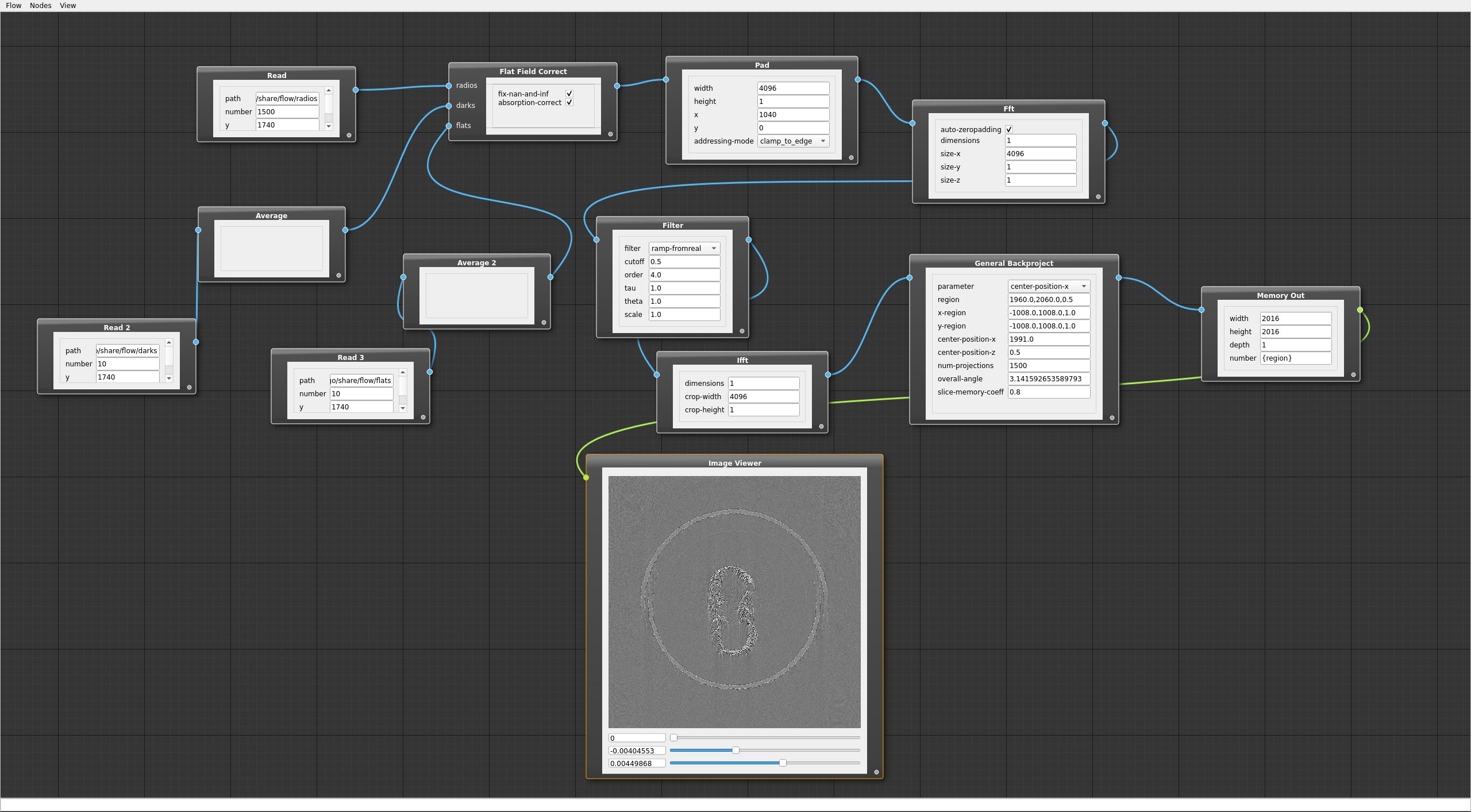
tofu flow is a visual flow programming tool. You can create a flow by using any task from ufo-filters and execute it. In includes visualization of 2D and 3D results, so you can quickly check the output of your flow, which is useful for finding algorithm parameters.
Reconstruction
To do a tomographic reconstruction you simply call
$ tofu tomo --sinograms $PATH_TO_SINOGRAMS
from the command line. To get get correct results, you may need to append
options such as --axis-pos/-a and --angle-step/-a (which are given in
radians!). Input paths are either directories or glob patterns. Output paths are
either directories or a format that contains one %i
specifier:
$ tofu tomo --axis-pos=123.4 --angle-step=0.000123 \
     --sinograms="/foo/bar/*.tif" --output="/output/slices-%05i.tif"
You can get a help for all options by running
$ tofu tomo --help
and more verbose output by running with the -v/--verbose flag.
You can also load reconstruction parameters from a configuration file called
reco.conf. You may create a template with
$ tofu init
Note, that options passed via the command line always override configuration parameters!
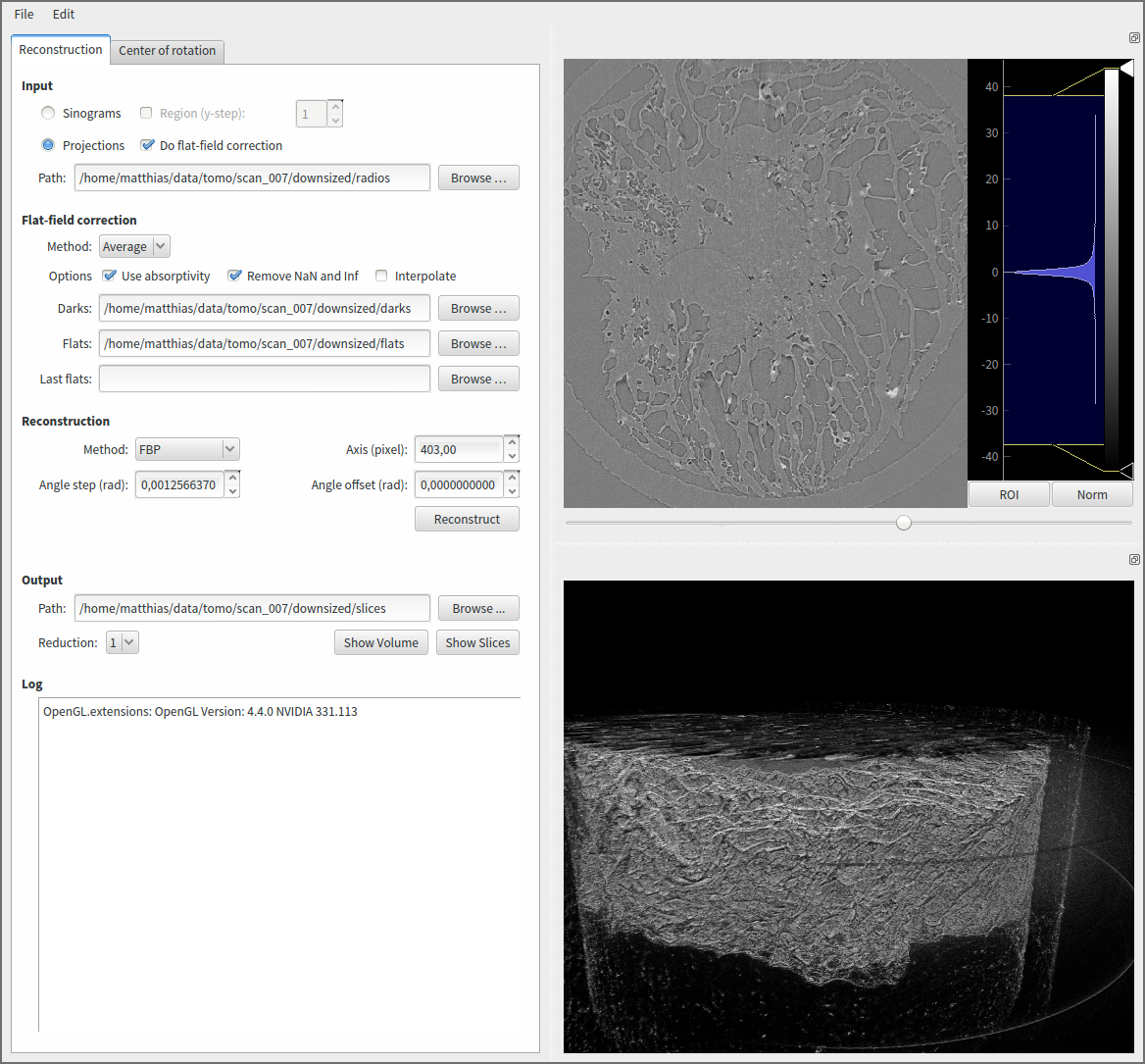
Besides scripted reconstructions, one can also run a standalone GUI for both reconstruction and quick assessment of the reconstructed data via
$ tofu gui
Performance measurement
If you are running at least ufo-core/filters 0.6, you can evaluate the performance of the filtered backprojection (without sinogram transposition!), with
$ tofu perf
You can customize parameter scans, pretty easily via
$ tofu perf --width 256:8192:256 --height 512
which will reconstruct all combinations of width between 256 and 8192 with a step of 256 and a fixed height of 512 pixels.
Estimating the center of rotation
If you do not know the correct center of rotation from your experimental setup, you can estimate it with:
$ tofu estimate -i $PATH_TO_SINOGRAMS
Currently, a modified algorithm based on the work of Donath et al. is used to determine the center.
1 maintainer

Metadata
1 maintainer
Release files for ufo-tofu 0.15.0
For a detailed explanation of source distributions (sdists) and built distributions (wheels), please see the package formats documentation.
Source distribution (sdist)
| File | Size | Uploaded | |
|---|---|---|---|
| ufo_tofu-0.15.0.tar.gz | 202.1 kB | Details |
Built distribution (wheel)
| File | Interpreter | ABI | Platform | Reset |
|---|---|---|---|---|
| ufo_tofu-0.15.0-py3-none-any.whl | Python 3 | none | any | Details |
Total release size: 437.7 kB
Release files / ufo_tofu-0.15.0.tar.gz
| Download URL | ufo_tofu-0.15.0.tar.gz |
|---|---|
| Size | 202.1 kB |
| Tags | Source |
|
SHA-256 checksum How to use checksums |
e4c878d955887bb61dda2455c1e03ebce89fdc41ac9633033e7edf57eda28cb6
|
|
BLAKE2b-256 checksum How to use checksums |
fba26962493532cf76ffb61e365ebb7a91f81f4629180c1b754d0eb6843a4ee3
|
| Upload date | |
|
Uploaded using Trusted Publishing? What is trusted publishing? |
No |
| Uploaded via |
twine/6.2.0 CPython/3.12.3
|
Release files / ufo_tofu-0.15.0-py3-none-any.whl
| Download URL | ufo_tofu-0.15.0-py3-none-any.whl |
|---|---|
| Size | 235.6 kB |
| Tags | Python 3 |
|
SHA-256 checksum How to use checksums |
f2f60b490e00716f0f966e98fb80d41daccdeb515b07866441b96b17eb3decbd
|
|
BLAKE2b-256 checksum How to use checksums |
b15b688b60083cb8c6b94d42ed3d901733e3f42f6bc6470dd0d848773b47e05a
|
| Upload date | |
|
Uploaded using Trusted Publishing? What is trusted publishing? |
No |
| Uploaded via |
twine/6.2.0 CPython/3.12.3
|














