
PyQt6 SSH Terminal Widget: UglierPTY
Overview
UglierPTY is a very functional proof-of-concept (POC) application created to construct a fully functional SSH Terminal Widget using PyQt6. This POC is inspired by its sister project, UglyPTY, a full-featured SSH client that utilizes xterm.js. The aim is to offer a similar, if not superior, feature set without relying on browser technologies or JavaScript, resulting in a more streamlined and resource-efficient solution.
This is a work in progress, but feel free to give it a try! REPO: https://github.com/scottpeterman/UglierPTY
A Note About UglyPTY
If your interested in the PyQt6/XTerm.js version of this application take a look here: https://github.com/scottpeterman/UglyPTY
Features
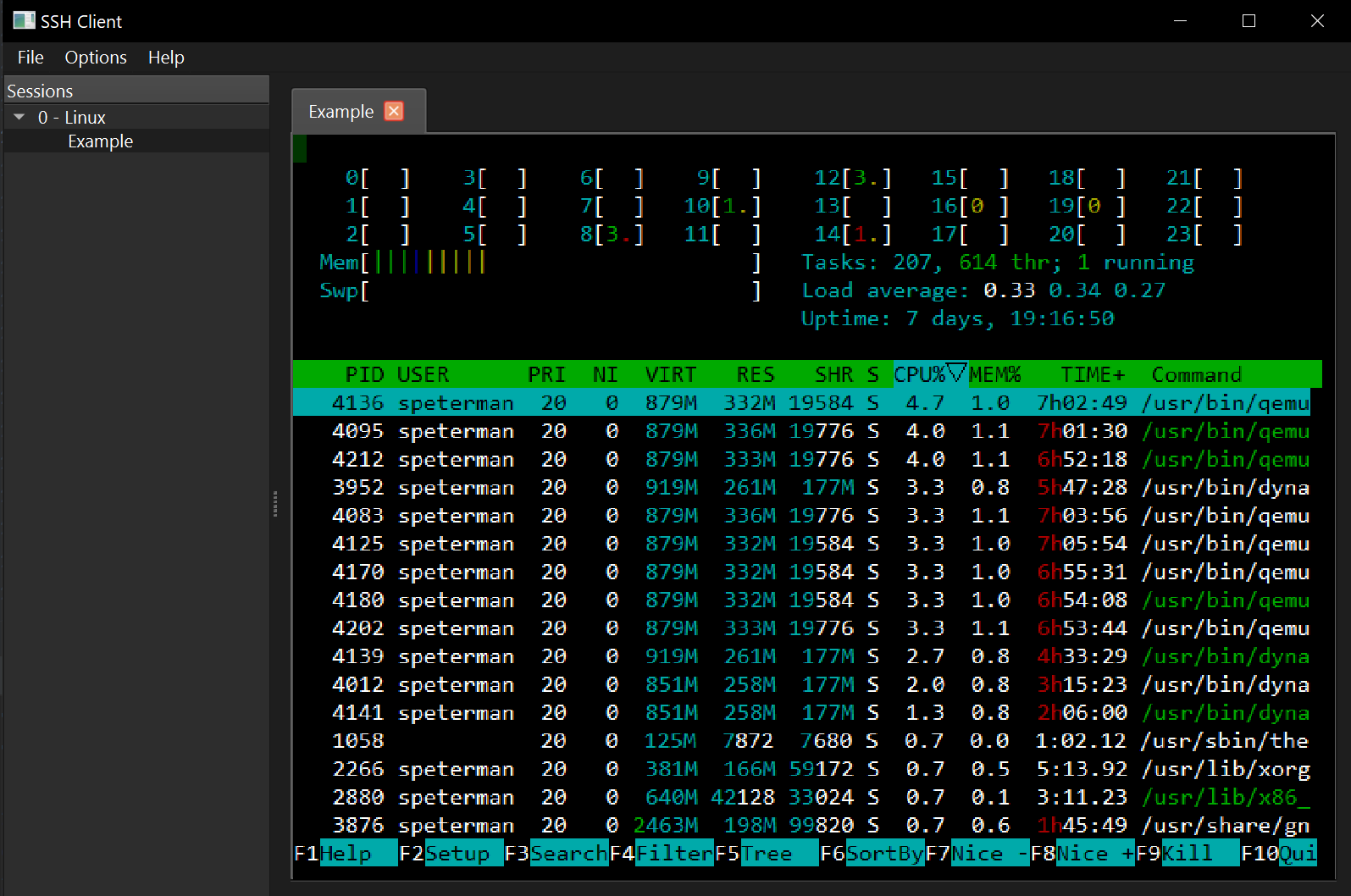
- Fully functional SSH terminal built with PyQt6
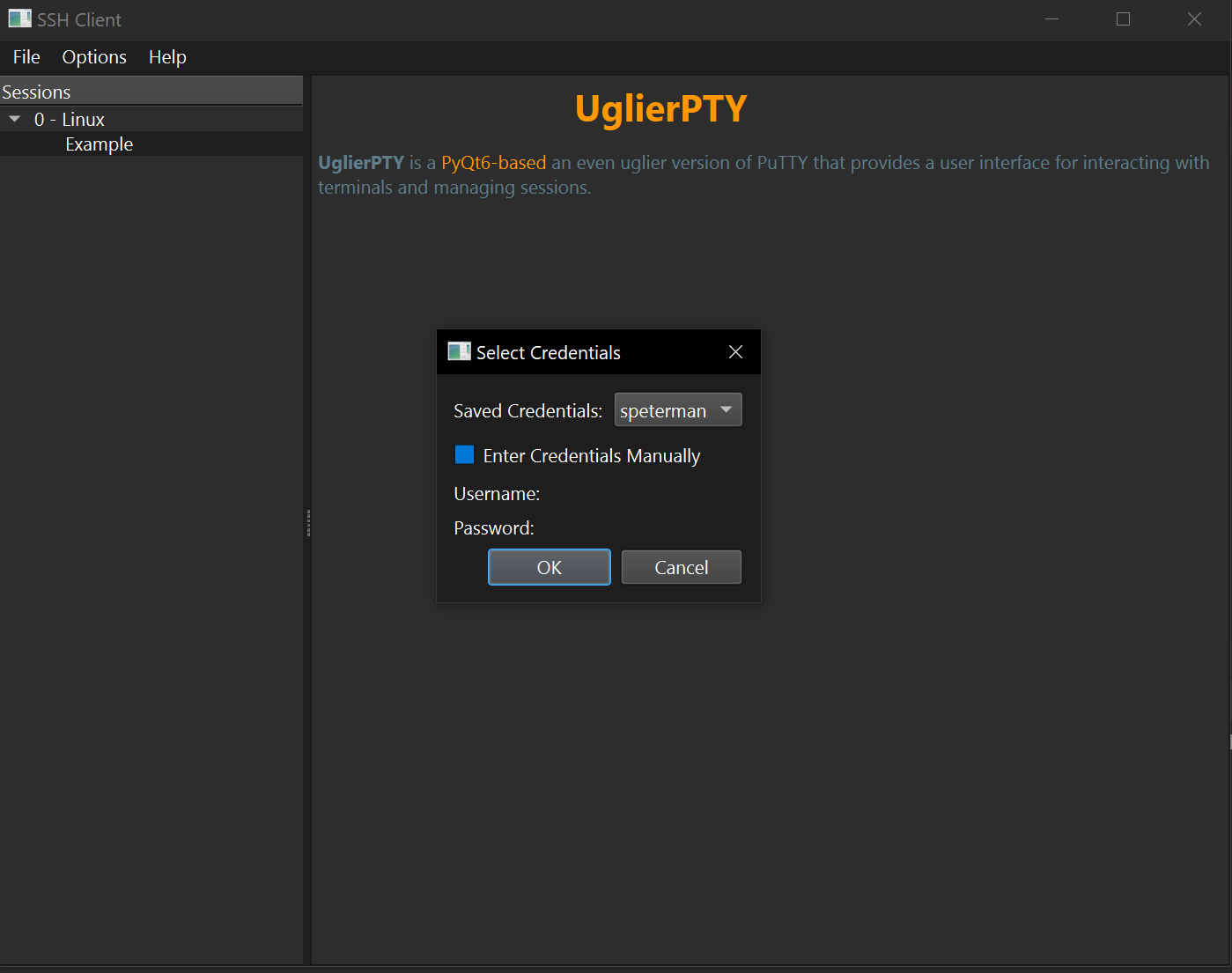
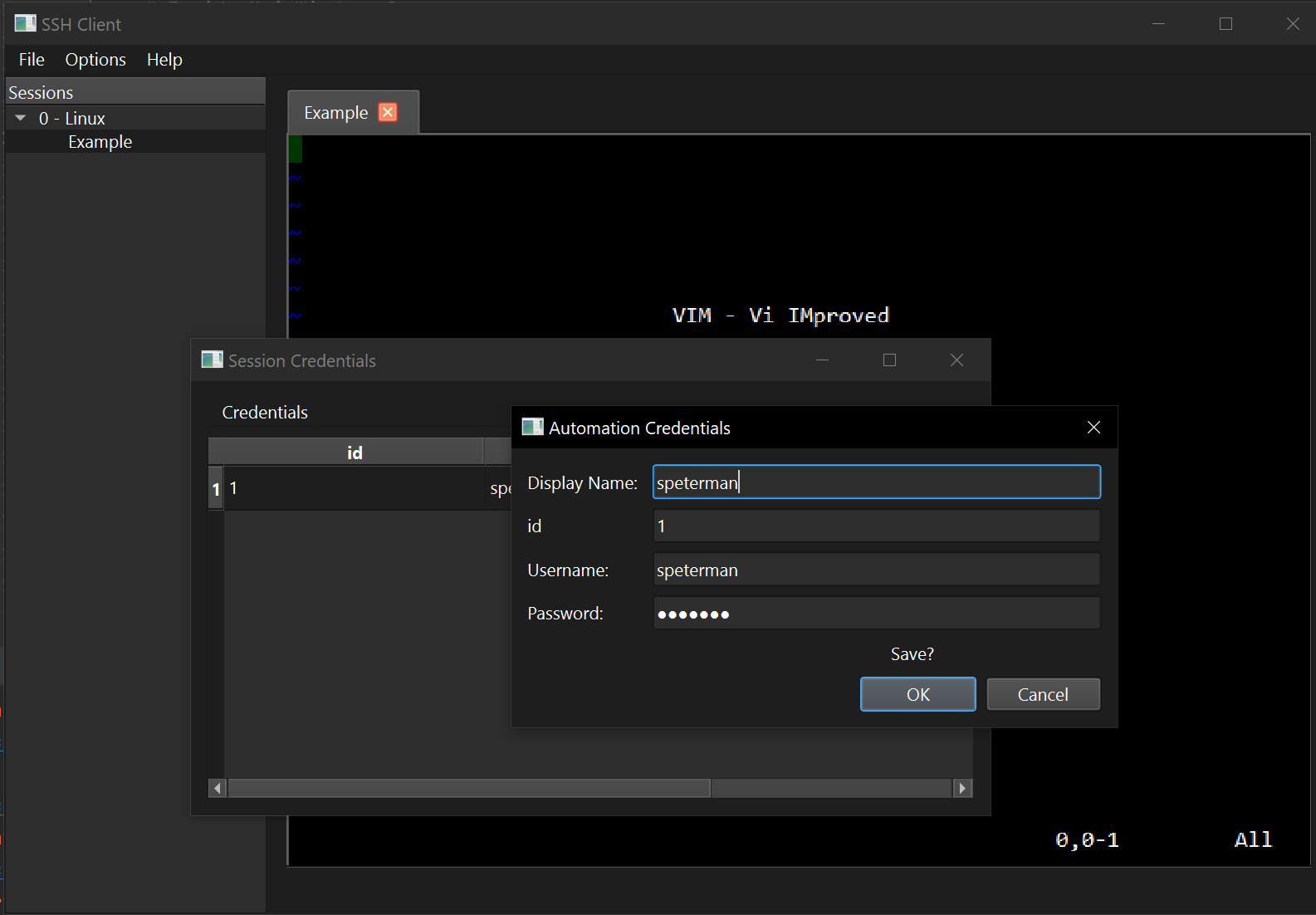
- Credentials manager for easy login
- Portable session files in YAML (Compatible with UglyPTY)
- Terminal history and screen ratio control via pyte
- Terminal screen render via QPaint
- Modular design for easy embedding into other PyQt6 projects
- Pure Python - Free of Web technology (no xterm.js)
Architecture
- Python 3.x
- PyQt6
- Paramiko
- pyte
- SQLAlchemy
- PyYaml
Screenshots
Here are some snapshots of Uglier in action:
Installation
-
Clone the repository:
git clone https://github.com/scottpeterman/UglierPTY
-
Navigate into the project directory:
cd UglierPTY
-
Install the required Python packages:
pip install -r requirements.txt
Usage
The primary entry point for this POC is the uglierpty.py script. To launch the application:
If you cloned the repo
python run_test.py
If you installed via PIP
python -m uglierpty
or
pythonw -m uglierpty
SSH Terminal Flow
<title>SSH Terminal Flow</title>SSH Terminal Flow
+--------------------+       +-------------------+       +-------------------+       +------------+       +------------------+
| SSHTerminalWidget  |       |    SSHLib Class   |       |  Communication    |       |    pyte    |       | Remote SSH Host  |
|                    |       |                   |       |                   |       |            |       |                  |
|  keyPressEvent()   |------>|     write(data)   |------>|   sendDataToSSH() |------>|            |------>|   Shell Process  |
|                    |       |                   |       |                   |       |            |       |                  |
+--------------------+       +-------------------+       +-------------------+       +------------+       +------------------+
                ^                                       ^                          ^                           ^
                |                                       |                          |                           |
                |                                       |                          |                           |
                |                                       |                          |                           |
                |                                       |                          |                           |
+--------------------+       +-------------------+       +-------------------+       +------------+       +------------------+
| SSHTerminalWidget  |       |    SSHLib Class   |       |  Communication    |       |    pyte    |       | Remote SSH Host  |
|                    |       |                   |       |                   |       |            |       |                  |
|    paintEvent()    |<------|      read()       |<------|  receiveDataFromSSH() |<------|   feed()   |<------|   Shell Process  |
|                    |       |                   |       |                   |       | stream.attach(screen) |       |                  |
+--------------------+       +-------------------+       +-------------------+       +------------+       +------------------+
Step-by-Step Explanation:
- Keystroke in SSHTerminalWidget: The
keyPressEvent()function captures the keystroke and sends it to theSSHLibclass viawrite(data). - Sending to SSH Channel: The
write()method sends the data through an SSH channel, probably utilizingparamiko.SSHClient. This is done inCommunication.sendDataToSSH(). - SSH to Remote Host: The keystroke reaches the shell process running on the remote SSH host.
- Remote Host to pyte: Once the shell process echoes the output, it's read by
Communication.receiveDataFromSSH()and fed to pyte'sStreamobject viafeed()inSSHLib.read(). - pyte to GUI: The
Streamobject updates theScreenobject, which theSSHTerminalWidget.paintEvent()method uses to draw on the GUI, completing the round trip.
1 maintainer

Metadata
1 maintainer
Release files for uglierpty 0.3
For a detailed explanation of source distributions (sdists) and built distributions (wheels), please see the package formats documentation.
Source distribution (sdist)
| File | Size | Uploaded | |
|---|---|---|---|
| uglierpty-0.3.tar.gz | 26.2 kB | Details |
Built distribution (wheel)
| File | Interpreter | ABI | Platform | Reset |
|---|---|---|---|---|
| uglierpty-0.3-py3-none-any.whl | Python 3 | none | any | Details |
Total release size: 55.8 kB
Release files / uglierpty-0.3.tar.gz
| Download URL | uglierpty-0.3.tar.gz |
|---|---|
| Size | 26.2 kB |
| Tags | Source |
|
SHA-256 checksum How to use checksums |
2b16199c8c71cd0d8dc416164094410308eb0eeae84681632966972e9f10e441
|
|
BLAKE2b-256 checksum How to use checksums |
cb981ac7e0381cc5e3094ada6774ad2b71f89d84d4e6c6dd8744a49018caf8c9
|
| Upload date | |
|
Uploaded using Trusted Publishing? What is trusted publishing? |
No |
| Uploaded via |
twine/4.0.2 CPython/3.9.13
|
Release files / uglierpty-0.3-py3-none-any.whl
| Download URL | uglierpty-0.3-py3-none-any.whl |
|---|---|
| Size | 29.6 kB |
| Tags | Python 3 |
|
SHA-256 checksum How to use checksums |
55882db3a7bb27fd498a84795f6707e27e95e1b235b26df0b3fb947951653ae8
|
|
BLAKE2b-256 checksum How to use checksums |
7c90641596a055ad4639588f956a7348e3ec158467faa01846d1a48865084999
|
| Upload date | |
|
Uploaded using Trusted Publishing? What is trusted publishing? |
No |
| Uploaded via |
twine/4.0.2 CPython/3.9.13
|














