
ULoRa - ULoRa is a MicroPython library for SX127x LoRa modules (e.g., SX1276, SX1278) on embedded systems like ESP32, ESP8266, and ARM, enabling low-power, long-range communication for IoT applications.

Project description
ULoRa: Lightweight LoRa Library for SX127x Modules

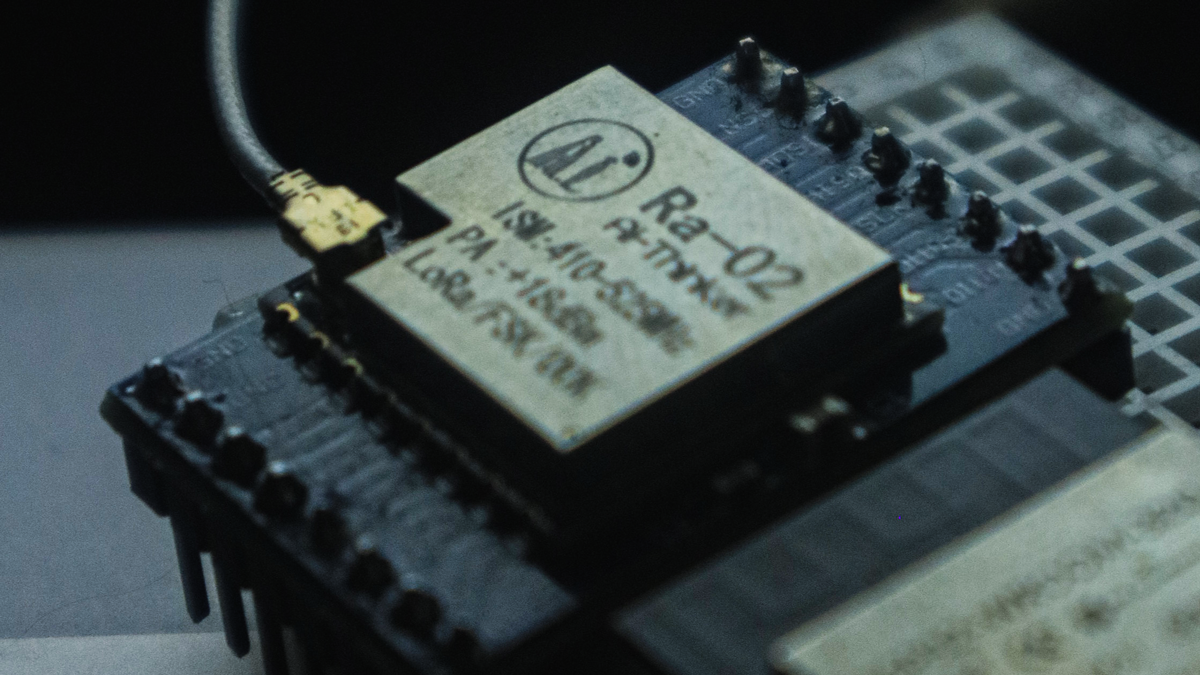
ULoRa is a lightweight MicroPython library designed for interfacing with SX127x series LoRa modules (e.g., SX1276, SX1278). This library allows for long-range communication with low power consumption, making it ideal for IoT (Internet of Things) applications. It supports a wide range of features such as packet transmission, reception, power management, and more, all customizable for your specific needs.
Features
- Packet Transmission and Reception using LoRa
- Configurable parameters: frequency, spreading factor, TX power, bandwidth, coding rate, preamble length
- Low Power Management: Sleep and standby modes
- Automatic hardware reset handling
- Support for CRC and IQ inversion
- Implicit header mode support
- Full MicroPython integration for embedded systems
Supported Platforms
- ESP32
- ESP8266
- Any MicroPython-supported platform with SPI interface support
Hardware Requirements
- SX127x LoRa module (e.g., SX1276, SX1278)
- Microcontroller with SPI support (e.g., ESP32)
- Jumper wires to connect the LoRa module to the microcontroller
Installation
Install via PyPI (Recommended)
To install ULoRa via upip, run the following command:
upip install ulora
Manual Installation
Alternatively, you can download the ulora files from the repository and place it in your project folder .
Hardware Connections
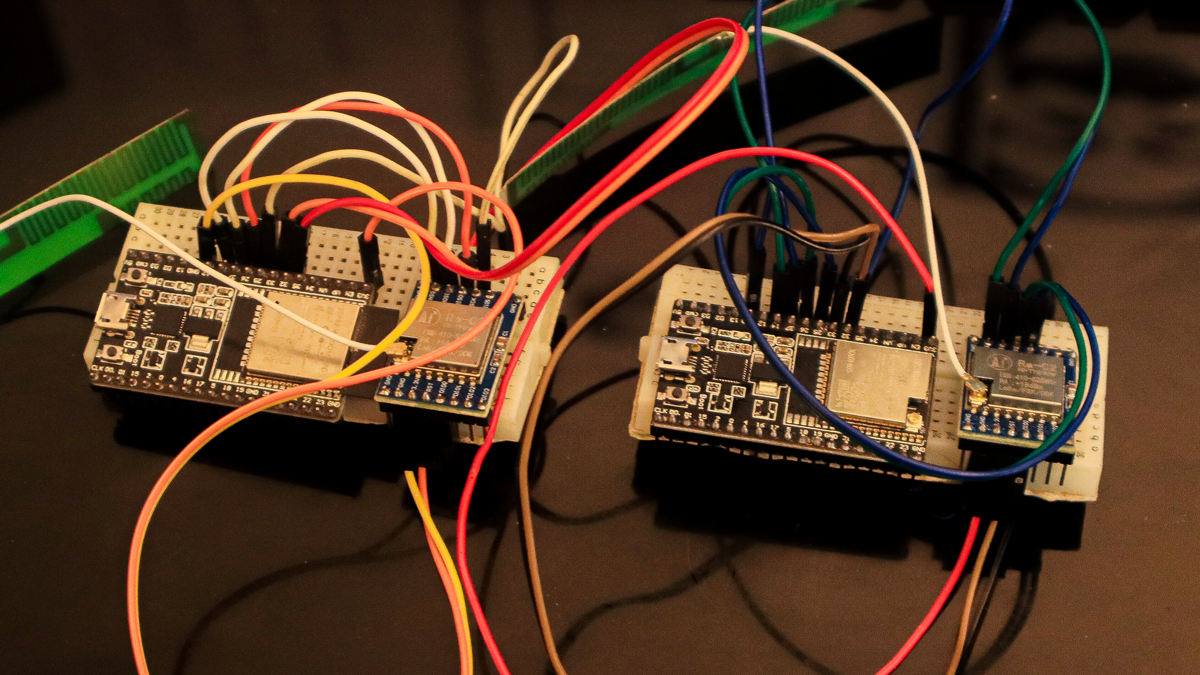
Pinout for ESP32 (or other compatible platforms)
SX1278 Module   | ESP32 Pins
----------------|--------------
  DIO0          | 33
  SS (Chip Select) | 14
  Reset         | 32
  SCK           | 25
  MISO          | 26
  MOSI          | 27
Make sure to connect the LoRa module correctly to the microcontroller for communication.
Library Usage
Importing the Library
To use the ULoRa library in your project, start by importing it:
from ulora.core import ULoRa
from machine import SPI, Pin
Initializing the LoRa Module
Create an SPI object and define the pins to connect the LoRa module to your microcontroller:
spi = SPI(1, baudrate=5000000, polarity=0, phase=0,sck=Pin(25), mosi=Pin(27), miso=Pin(26))
pins = {"ss": 14, "reset": 32, "dio0": 33}

lora = ULoRa(spi, pins)
You can also configure optional parameters like frequency, spreading factor, etc., during initialization:
parameters = {
    "frequency": 433000000,
    "tx_power_level": 10,
    "spreading_factor": 8,
}

lora = ULoRa(spi, pins, parameters)
Sending Data
To send a message, use the println() method. The repeat parameter specifies how many times to repeat the transmission:
lora.println("Hello, LoRa!", repeat=3)
To send binary data, use the send() method:
lora.send(b"Hello, LoRa!")
Receiving Data
To receive data, use the listen() method. You can set the timeout parameter to control how long the receiver waits for a message:
message = lora.listen(timeout=5000)
if message:
    print("Received:", message)
else:
    print("Timeout - No data received")
To check for available data in a non-blocking way, use the check() method:
if lora.check():
    print("Data is available!")
    message = lora.listen(timeout=1000)
    print("Received:", message)
Example Sender Device
from machine import Pin, SPI
from time import sleep
from ulora.core import ULoRa  # Ensure the ULoRa class is implemented and imported correctly

# ============================================================================
# Sender Test Example
# ============================================================================
if __name__ == "__main__":
    # This example is designed for a MicroPython environment with an SX127x connected.
    # Adjust the SPI bus and pin numbers as per your hardware configuration.
    try:
        # ------------------------- Initializing SPI -------------------------
        print("Initializing SPI bus...")
        spi = SPI(1, baudrate=5000000, polarity=0, phase=0,
                  sck=Pin(25), mosi=Pin(27), miso=Pin(26))
        print("SPI bus initialized with SCK: 25, MOSI: 27, MISO: 26.")

        # ------------------------- Defining Pin Mappings --------------------
        print("Setting up pin configurations...")
        pins = {
            "ss": 14,     # Chip Select (CS) pin
            "reset": 32,  # Reset pin
            "dio0": 33    # DIO0 pin
        }
        print(f"Pin configuration: SS={pins['ss']}, Reset={pins['reset']}, DIO0={pins['dio0']}.")

        # ------------------------- Creating ULoRa Instance ------------------
        print("Creating ULoRa instance with default parameters...")
        lora = ULoRa(spi, pins)
        print("ULoRa instance created successfully.")

        # ------------------------- Transmitting Test Message ----------------
        test_message = "Hello From Arman Ghobadi"
        print("\n----- Transmitting Message -----")
        print(f"Message: {test_message}")

        # Send the message via LoRa
        lora.println(test_message)

        print("Message transmission complete.")
        print("---------------------------------------------------------------------\n")

        # ------------------------- Waiting for Response ---------------------
        # You can add code here to listen for incoming messages if needed.
        print("You can now listen for responses...")

    except Exception as e:
        # ------------------------- Error Handling --------------------------
        print("\nError during test:")
        print(f"Exception: {e}")
        print("Please check the wiring and LoRa module configuration.")
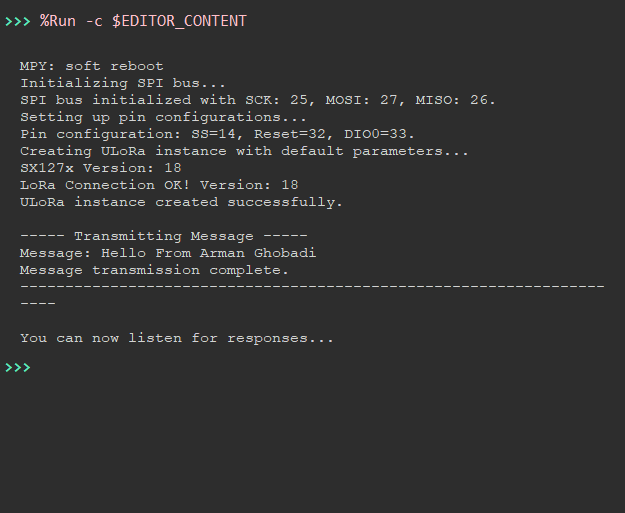
Test Sender Image
Example Receiver Device
from machine import Pin, SPI
from time import sleep
from ulora.core import ULoRa  # Ensure the ULoRa class is implemented and imported correctly

# ============================================================================
# Sender Test Example
# ============================================================================
if __name__ == "__main__":
    # This example is designed for a MicroPython environment with an SX127x connected.
    # Adjust the SPI bus and pin numbers as per your hardware configuration.
    try:
        # ------------------------- Initializing SPI -------------------------
        print("Initializing SPI bus...")
        spi = SPI(1, baudrate=5000000, polarity=0, phase=0,
                  sck=Pin(25), mosi=Pin(27), miso=Pin(26))
        print("SPI bus initialized with SCK: 25, MOSI: 27, MISO: 26.")

        # ------------------------- Defining Pin Mappings --------------------
        print("Setting up pin configurations...")
        pins = {
            "ss": 14,     # Chip Select (CS) pin
            "reset": 32,  # Reset pin
            "dio0": 33    # DIO0 pin
        }
        print(f"Pin configuration: SS={pins['ss']}, Reset={pins['reset']}, DIO0={pins['dio0']}.")

        # ------------------------- Creating ULoRa Instance ------------------
        print("Creating ULoRa instance with default parameters...")
        lora = ULoRa(spi, pins)
        print("ULoRa instance created successfully.")

        # ------------------------- Transmitting Test Message ----------------
        test_message = "Hello From Arman Ghobadi"
        print("\n----- Transmitting Message -----")
        print(f"Message: {test_message}")

        # Send the message via LoRa
        lora.println(test_message)

        print("Message transmission complete.")
        print("---------------------------------------------------------------------\n")

        # ------------------------- Waiting for Response ---------------------
        # You can add code here to listen for incoming messages if needed.
        print("You can now listen for responses...")

    except Exception as e:
        # ------------------------- Error Handling --------------------------
        print("\nError during test:")
        print(f"Exception: {e}")
        print("Please check the wiring and LoRa module configuration.")
Test Receiver Image

License
ULoRa is licensed under the MIT License. See the LICENSE file for more details.
Acknowledgements
- Thanks to the MicroPython community for providing great resources and libraries.
- LoRa module specifications are based on Semtech SX127x datasheets.
Release history Release notifications | RSS feed

Download files
Download the file for your platform. If you're not sure which to choose, learn more about installing packages.
Source Distribution
Built Distribution
Filter files by name, interpreter, ABI, and platform.
If you're not sure about the file name format, learn more about wheel file names.
Copy a direct link to the current filters
File details
Details for the file ulora-1.0.0.tar.gz.
File metadata
- Download URL: ulora-1.0.0.tar.gz
- Upload date:
- Size: 5.0 kB
- Tags: Source
- Uploaded using Trusted Publishing? No
- Uploaded via: twine/6.0.1 CPython/3.12.0
File hashes
| Algorithm | Hash digest | |
|---|---|---|
| SHA256 |
2b85884c8da3b03413b4bad10c1b1130fc938f521d9f08bd8f98b26b8294b1f3
|
|
| MD5 |
6ee09cafe31be4f4e0200d49e3782ff7
|
|
| BLAKE2b-256 |
03cd860a6c9852668d5adad29923c55a97b3a4387f3206431aad646258b8dcaa
|
File details
Details for the file ulora-1.0.0-py3-none-any.whl.
File metadata
- Download URL: ulora-1.0.0-py3-none-any.whl
- Upload date:
- Size: 4.4 kB
- Tags: Python 3
- Uploaded using Trusted Publishing? No
- Uploaded via: twine/6.0.1 CPython/3.12.0
File hashes
| Algorithm | Hash digest | |
|---|---|---|
| SHA256 |
a60ec4b3c03a8f049baba3cd1807b25cff67681f2dd364d331eb8a33f9806e5e
|
|
| MD5 |
37f92212a1f5bf0c2807290666495703
|
|
| BLAKE2b-256 |
28929536dd79f3ccfa5e882191d1001798b2372f1da87f04d551303b974d79b8
|






