
The context API for AI agents

Project description

Context infrastructure for AI agents.
Documentation · API Reference · Changelog






All agents. One context.
Auto-capture and share your agents' context everywhere. Realtime. Open source.

Everyone is shipping with agents. Few are shipping with agents together.
Multiple people, multiple agents, multiple machines. Our contexts are spread everywhere. There's no standard for context engineering. No infrastructure to build on. No fundamental building blocks to agree on. So we decided to make it.
UltraContext is the context infrastructure. The API gives you git-like primitives for context engineering. The Hub lets you auto-capture, share, and collaborate across agents in realtime.
Install
Requires Node >= 22.
npm install -g ultracontext
The Hub
All agents. One context.
The Hub lets you auto-capture, share, and collaborate across agents in realtime.
Features
- Auto-capture — Ingests your agents' context in realtime. Zero config.
- Switch between agents — Pick up where one agent left off with another.
- Collaborate — Share contexts across your team. See what everyone sees. Realtime.
- Fork & clone — Continue contexts while preserving the full history.
- Own your data — Open source. Your contexts. Your rules.
How it works
- A daemon runs in the background, watching your agents.
- Contexts are ingested in realtime.
- Your dashboard gets updated.
Quick Start
ultracontext          # start daemon + open dashboard
ultracontext config   # run setup wizard
ultracontext start    # start daemon only
ultracontext stop     # stop daemon
ultracontext status   # check if daemon is running
ultracontext tui      # open dashboard only
The default ultracontext command does everything: checks the daemon, starts it if needed, and opens the dashboard.
When you open an existing session, it forks the context — the original is always preserved and automatically versioned. A local caching layer prevents duplicate context creations and appends.
Add your own agents and extend behavior with the Context API. (Docs here)
The API
Context engineering built like Git.
The API gives you git-like primitives for context engineering, without the complexity.
Features
- Five methods — Create, get, append, update, delete. That's it.
- Automatic versioning — Every change creates a new version. Full history out of the box.
- Time-travel — Jump to any point in your context history.
- Framework-agnostic — Works with any LLM framework. No vendor lock-in.
The simplest way to control what your agents see. Replace messages, compact long context, replay decisions and roll back mistakes — all with a single API call.
Use the API standalone to build your own agents, or to extend existing ones in UltraContext.
| SDK | Install | Source |
|---|---|---|
| JavaScript/TypeScript | npm install ultracontext |
apps/js-sdk |
| Python | pip install ultracontext |
apps/python-sdk |
JavaScript/TypeScript
npm install ultracontext
import { UltraContext } from 'ultracontext';

const uc = new UltraContext({ apiKey: 'uc_live_...' });

const ctx = await uc.create();
await uc.append(ctx.id, { role: 'user', content: 'Hello!' });

// use with any LLM framework
const response = await generateText({ model, messages: ctx.data });
Python
pip install ultracontext
from ultracontext import UltraContext

uc = UltraContext(api_key="uc_live_...")

ctx = uc.create()
uc.append(ctx["id"], {"role": "user", "content": "Hello!"})

# use with any LLM framework
response = generate_text(model=model, messages=uc.get(ctx["id"])["data"])
📚 Context API Guides
Store & Retrieve · Edit Contexts · Fork & Clone · View History
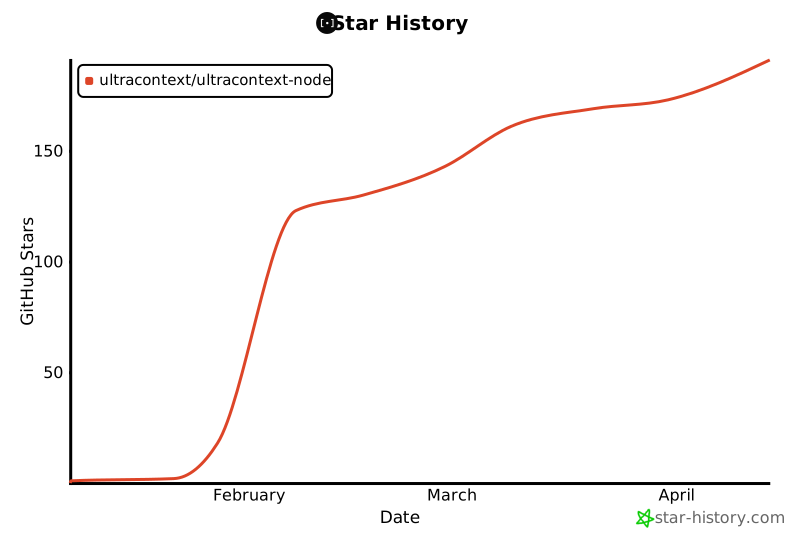
Star History
Documentation
- Quickstart — Get running in 2 minutes
- Guides — Practical patterns for common use cases
- API Reference — Full endpoint documentation
Release history Release notifications | RSS feed


Download files
Download the file for your platform. If you're not sure which to choose, learn more about installing packages.
Source Distribution
Built Distribution
Filter files by name, interpreter, ABI, and platform.
If you're not sure about the file name format, learn more about wheel file names.
Copy a direct link to the current filters
File details
Details for the file ultracontext-1.1.3.tar.gz.
File metadata
- Download URL: ultracontext-1.1.3.tar.gz
- Upload date:
- Size: 10.2 kB
- Tags: Source
- Uploaded using Trusted Publishing? No
- Uploaded via: twine/6.2.0 CPython/3.12.12
File hashes
| Algorithm | Hash digest | |
|---|---|---|
| SHA256 |
5795c6ecc64f49cb9c8b486a37369637c9dd9fd04d933d61ead4a6faa41f997e
|
|
| MD5 |
a9469059372753d23c22ea7238ba0702
|
|
| BLAKE2b-256 |
61967cad9e262f31d5b985c5e47981555293ea8f96c5f1f715dc15984de94f4f
|
File details
Details for the file ultracontext-1.1.3-py3-none-any.whl.
File metadata
- Download URL: ultracontext-1.1.3-py3-none-any.whl
- Upload date:
- Size: 11.5 kB
- Tags: Python 3
- Uploaded using Trusted Publishing? No
- Uploaded via: twine/6.2.0 CPython/3.12.12
File hashes
| Algorithm | Hash digest | |
|---|---|---|
| SHA256 |
42a4c08dd1885927e187df810f34f20d97e0651f64888f299a54af9da2ef4864
|
|
| MD5 |
79569b3d6eeffd3c791a14400e01938d
|
|
| BLAKE2b-256 |
df51c293e099042b7b4a8654bccb02f8ab6e142fbca68f1f765901f9f3143234
|






