











A succinct matplotlib wrapper for making beautiful, publication-quality graphics. It builds upon ProPlot and transports it into the modern age (supporting mpl 3.9.0+).
Why UltraPlot? | Write Less, Create More
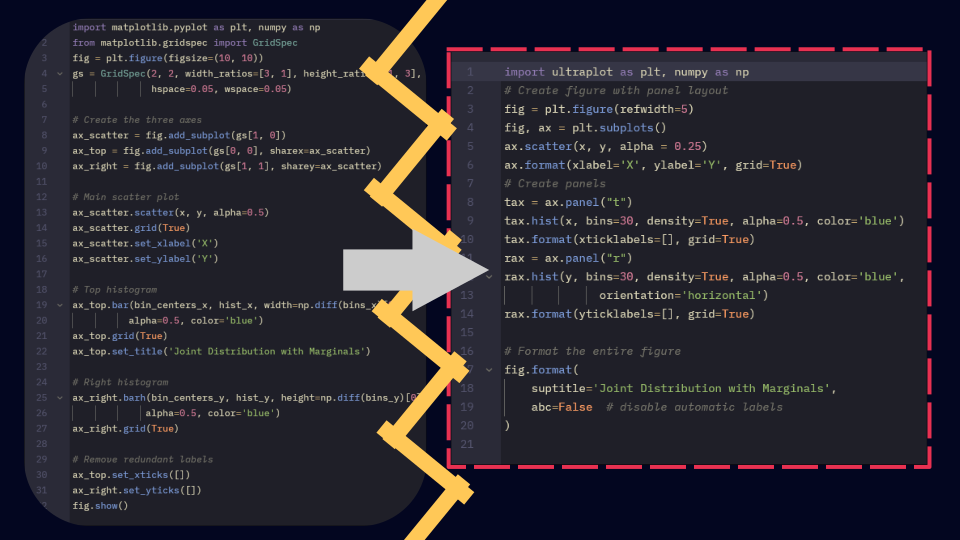
Checkout our examples
Below is a gallery showing random examples of what UltraPlot can do, for more examples checkout our extensive docs. View the full gallery here: Gallery.
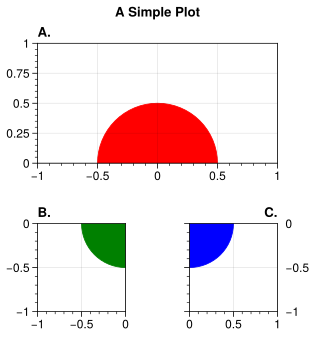
Subplots & Layouts Create complex multi-panel layouts effortlessly. |
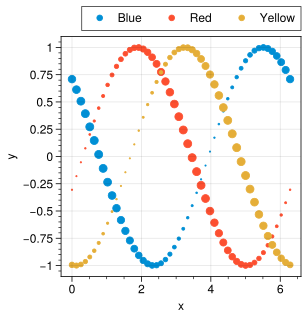
Cartesian Plots Easily generate clean, well-formatted plots. |
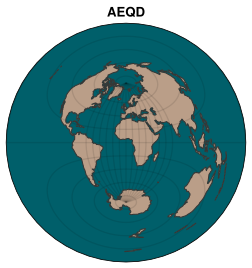
Projections & Maps Built-in support for projections and geographic plots. |

Colorbars & Legends Customize legends and colorbars with ease. |
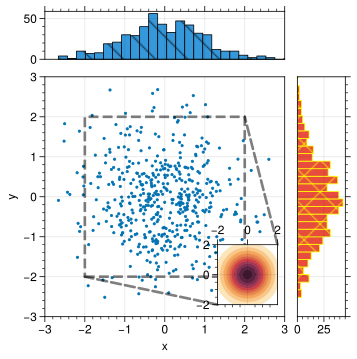
Insets & Panels Add inset plots and panel-based layouts. |
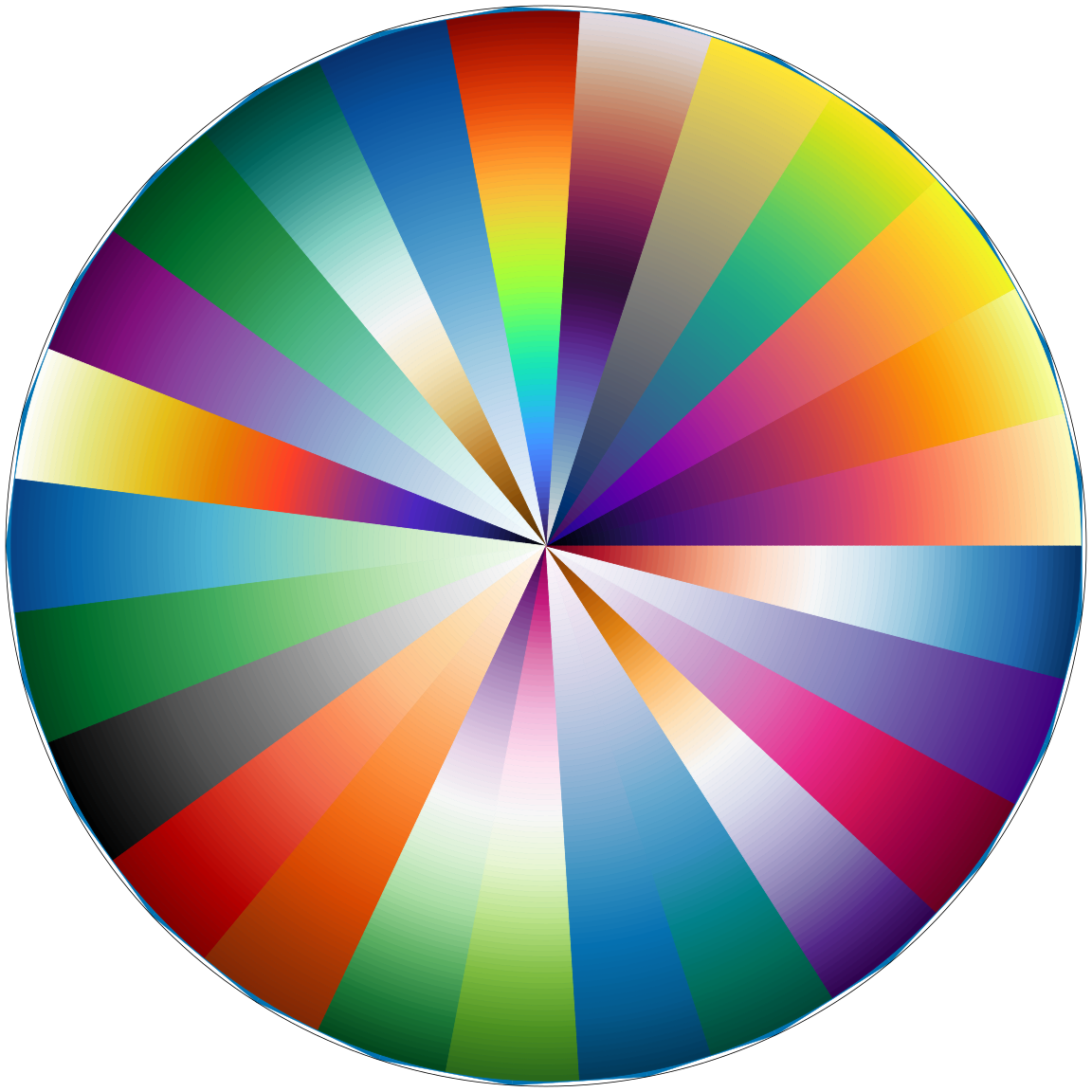
Colormaps & Cycles Visually appealing, perceptually uniform colormaps. |
Documentation
The documentation is published on readthedocs.
Installation
UltraPlot is published on PyPi and conda-forge. It can be installed with pip or conda as follows:
pip install ultraplot
conda install -c conda-forge ultraplot
pyCirclize-based plots require the optional circos extra:
pip install 'ultraplot[circos]'The docs extra also includes pyCirclize for building the documentation.
To install the circos, docs, and stats dependency groups together:
pip install 'ultraplot[all]'Likewise, an existing installation of UltraPlot can be upgraded to the latest version with:
pip install --upgrade ultraplot
conda upgrade ultraplot
To install a development version of UltraPlot, you can use pip install git+https://github.com/ultraplot/ultraplot.git or clone the repository and run pip install -e . inside the ultraplot folder.
MCP server
UltraPlot includes a Model Context Protocol (MCP) server that lets AI assistants search documentation and examples, inspect the live Python API, and read source code and release notes.
Run directly with uvx
With uv installed, your MCP client can launch the server with uvx. uv installs the package and its dependencies in an isolated environment automatically, so you do not need to create a virtual environment or install UltraPlot separately.
For a PyPI release containing the MCP server, the launch command is:
uvx --from 'ultraplot[mcp]' ultraplot-mcpFor clients that use an mcpServers configuration, add:
{
  "mcpServers": {
    "ultraplot": {
      "command": "uvx",
      "args": ["--from", "ultraplot[mcp]", "ultraplot-mcp"]
    }
  }
}
The client starts the server when needed and communicates with it over stdio. Other clients may use a different configuration format; use the same command and arguments. uvx is equivalent to uv tool run.
Until the MCP server is released on PyPI, run it directly from the feature branch instead:
uvx --from 'ultraplot[mcp] @ git+https://github.com/ultraplot/ultraplot.git@feat/mcp' ultraplot-mcpFor this development version, replace ultraplot[mcp] in the client configuration with ultraplot[mcp] @ git+https://github.com/ultraplot/ultraplot.git@feat/mcp.
Install persistently with uv
Alternatively, keep the executable on your PATH by installing it as a uv tool. For a PyPI release containing the MCP server:
uv tool install 'ultraplot[mcp]'
ultraplot-mcp --help
Before that release, install from the feature branch:
uv tool install 'ultraplot[mcp] @ git+https://github.com/ultraplot/ultraplot.git@feat/mcp'Then configure your client to launch ultraplot-mcp with no arguments. If uv reports that its executable directory is missing from PATH, run uv tool update-shell and restart your shell.
Install from a checkout
From a checkout containing the MCP implementation, install the optional mcp extra in the Python environment you want the server to use:
pip install -e '.[mcp]'Connect an MCP client
After installing persistently with uv or pip, register the server with an installed Codex CLI:
ultraplot-mcp install codexRestart Codex after registration. Try asking it to search the UltraPlot examples for shared colorbars or inspect ultraplot.subplots.
For other MCP clients, configure a stdio server with ultraplot-mcp as the command and no arguments. Use the executable’s absolute path if the client does not inherit your Python environment’s PATH. Running ultraplot-mcp starts the server; ultraplot-mcp --help lists the available commands.
Documentation tools read the checkout’s docs directory. Direct uvx and uv tool installations require a separate documentation checkout for these tools. If documentation lives elsewhere, set ULTRAPLOT_MCP_DOCS to its absolute path in the MCP client’s server environment. Documentation is not currently bundled in the Python package; API and source inspection use the installed UltraPlot version.
Citing UltraPlot
If you use UltraPlot in your research, please cite the latest release metadata in CITATION.cff. GitHub can export this metadata as BibTeX from the repository’s “Cite this repository” panel, and the Zenodo badge below points to the project DOI across releases.
1 maintainer

Release files for ultraplot 2.7.0
For a detailed explanation of source distributions (sdists) and built distributions (wheels), please see the package formats documentation.
Source distribution (sdist)
| File | Size | Uploaded | |
|---|---|---|---|
| ultraplot-2.7.0.tar.gz | 15.3 MB | Details |
Built distribution (wheel)
| File | Interpreter | ABI | Platform | Reset |
|---|---|---|---|---|
| ultraplot-2.7.0-py3-none-any.whl | Python 3 | none | any | Details |
Total release size: 30.3 MB
Release files / ultraplot-2.7.0.tar.gz
| Download URL | ultraplot-2.7.0.tar.gz |
|---|---|
| Size | 15.3 MB |
| Tags | Source |
|
SHA-256 checksum How to use checksums |
c697ad6b64dc75f6b9fbeff593228c40ccf78a1bc5bb70fd2c5abdc8df227af5
|
|
BLAKE2b-256 checksum How to use checksums |
91267ada5b260f48d609aac8da378f3863591f22b8e88fb58f651564ce2b0bd3
|
| Upload date | |
|
Uploaded using Trusted Publishing? What is trusted publishing? |
Yes |
| Uploaded via |
twine/7.0.0 CPython/3.13.14
|
Provenance
Provenance describes where a file came from. On PyPI, provenance is shared via attestations, which provide a verifiable record of the build or publishing details. View details, limitations and caveats.


PyPI Publish Attestation
PyPI verified that this artifact, at this checksum, originated from the publisher listed below.
Signed by GitHub Actions, verified by PyPI on Sep 28, 2026.
Transparency logRelease files / ultraplot-2.7.0-py3-none-any.whl
| Download URL | ultraplot-2.7.0-py3-none-any.whl |
|---|---|
| Size | 15.0 MB |
| Tags | Python 3 |
|
SHA-256 checksum How to use checksums |
44cd815efbf3ee2b124fbc8335a2809f677e4448b288a9740707be92f21c21e3
|
|
BLAKE2b-256 checksum How to use checksums |
26f2d94f90dd60dc6f6b08a9fb757b3fc3d3903bf4bd12f8ee4dc58f1ae80c3b
|
| Upload date | |
|
Uploaded using Trusted Publishing? What is trusted publishing? |
Yes |
| Uploaded via |
twine/7.0.0 CPython/3.13.14
|
Provenance
Provenance describes where a file came from. On PyPI, provenance is shared via attestations, which provide a verifiable record of the build or publishing details. View details, limitations and caveats.
PyPI Publish Attestation
PyPI verified that this artifact, at this checksum, originated from the publisher listed below.
Signed by GitHub Actions, verified by PyPI on Sep 28, 2026.
Transparency log













