
Local-first AI agent MCP server — TCG card grading, conformal risk forecasts with Safe-Hold/Momentum card grades, video production, music generation, image generation, and security scanning. Zero-trust architecture, everything runs on your machine.

Project description




Quick Install
pip install undesirables-mcp-server
Turn any Undesirable NFT into an MCP-compatible AI agent with 35+ local compute tools.
Table of Contents
- What It Does
- What's New in v1.1.8
- Prerequisites
- Full Setup
- Boot The Server
- Connect Your Chat Front-End
- Local Image Generation
- Troubleshooting
- Technical Architecture
- Agent Framework Integration
- LitVM TCG Oracle
- Ecosystem
- License & Commercial Use
What It Does
- 🎴 Vision AI Card Grading — PSA/Beckett prediction via Qwen VL
- 📊 Conformal Risk Forecast — calibrated VaR/CVaR + Safe-Hold & Momentum letter grades (Monte Carlo GBM/Merton opt-in)
- 🎵 AI Music Generation — ACE Step on Apple Silicon
- 🎬 Video Clipping & Beat Sync Editing — FFmpeg
- 🖼️ Local Image Generation — MLX Flux on Mac, DirectML on Windows, CUDA on Linux
- 🗣️ Text to Speech Voice Engine — Kokoro TTS
- 🧠 Persistent RAG Memory Graphs — CRM node mapping
- 🔍 Zero Token Web Search — DuckDuckGo
- 🔒 SAST Code Security Auditing
- 📈 Financial Analytics Oracle — TCGCSV + eBay depth analysis
What's New in v1.1.8
v1.1.8 adds the FREE card_forecast(card_name | product_id) tool — one call returns the conformal 30-day price forecast plus Safe-Hold & Momentum letter grades and a one-line plain-English read (e.g. "~12% chance it's below $Y in 30 days; Safe-Hold B, Momentum A"). No payment required.
The conformal-calibrated risk forecast is the default model — regime-aware split-conformal bands with honest VaR/CVaR, plus Safe-Hold & Momentum letter grades. Monte Carlo (GBM / Merton Jump-Diffusion) remains available opt-in via model=. Also: corrected license badge and full ecosystem integration.
Key Features:
purchase_undesirables_license_key— Returns an unsigned EVM transaction payload (Ethereum Mainnet, chainId 1) for autonomous agents to mint directly from the Scatter.art contractverify_soul_initialization— Verifies on chain purchase via public RPC and initializes the cryptographic soul matrix, unlocking all local compute engines- Verified on Glama.ai with a 3.8/5 quality score across 36 tools
- Listed on 9+ MCP directories including the Official MCP Registry
🛑 Prerequisites (Read Carefully)
If you've never used Python or run AI Models locally, you must do this first:
- Download Python (Version 3.10 or higher).
- Download Ollama. CRITICAL: You cannot just download the app and leave it in your downloads folder. You must double-click the Ollama app to physically run it. You should see a little llama icon in your Mac menu bar or Windows system tray for this server to work.
🛠️ Step 1: Install & Clone
First, open your Terminal or Command Prompt and clone this repository. After cloning, you must activate a "Virtual Environment" (a sandbox folder just for this codebase).
🍎 On Mac / Linux
git clone https://github.com/sailorpepe/undesirables-mcp-server.git
cd undesirables-mcp-server
python3 -m venv venv
source venv/bin/activate
pip install -r requirements.txt
🪟 On Windows
git clone https://github.com/sailorpepe/undesirables-mcp-server.git
cd undesirables-mcp-server
python -m venv venv
venv\Scripts\activate
pip install -r requirements.txt
🚀 Step 2: Boot The Server
Every single time you want to run this server later, you must open your terminal and make sure your Virtual Environment is activated (venv) first!
If you already downloaded your Soul Workspace from the website:
# Make sure to point to your EXACT soul folder path
python server.py --workspace "/Users/username/Desktop/soul_folder/0420"
🔌 Step 3: Connect Your Chat Front-End
The MCP Server doesn't have a chat window; it runs invisibly in the background of your terminal! To actually talk to your agent, you must connect it to a desktop application like Claude or Cursor.
Claude Desktop Connection
- Open the Claude Desktop application on your computer.
- Go to Settings > Developer > Edit Config.
- Paste this into your config file, making absolutely sure you replace the
cwd(Current Working Directory) with your exact folder path:
{
  "mcpServers": {
    "undesirables": {
      "command": "python",
      "args": ["server.py", "--workspace", "/Users/yourname/Desktop/soul_folder/0420"],
      "cwd": "/Users/yourname/Documents/undesirables-mcp-server"
    }
  }
}
- Restart the Claude Desktop app. You should see a little "Plugin/Hammer" icon telling you that 35+ The Undesirables tools are now available!
🎨 Step 4: Setup Local Image Generation (Optional)
If you want your agent to physically generate memes and illustrations 100% offline natively on your computer, the MCP Server uses the massively powerful 16GB FLUX.1-schnell model.
If you do not complete this step, or if your computer is too weak (< 12GB RAM), the server will automatically fallback and generate memes for you silently via the free Pollinations.ai cloud network.
🍏 Authenticating Apple Silicon (Mac M1/M2/M3/M4)
Apple Silicon specifically uses mflux, which strictly requires a Hugging Face token to bypass Black Forest Labs' legal compliance gate.
- Navigate to black-forest-labs/FLUX.1-schnell, create a free Hugging Face account, and click Agree and Access.
- Go to Hugging Face Tokens and generate a new Read token.
- Open your Mac terminal, activate your virtual environment, and log in:
cd undesirables-mcp-server
source venv/bin/activate
python -c "import huggingface_hub; huggingface_hub.login()"
- Paste your token and press Enter (your clipboard characters will be invisible for security).
🪟 Setup for Windows/Linux GPUs
If your computer uses Nvidia CUDA or AMD DirectML, the diagnostic scanner detects this and logically shifts your engine to an ungated open-weights repository (shuttleai/FLUX.1-schnell).
- You do not need to authenticate anything or make an account.
- Simply ask your agent to
generate a memein the UI! Your system will natively download the 16GB weights fully offline during the very first execution automatically.
⚠️ Common Idiot-Proof Diagnostics
If your terminal throws red text and halts, check these top 3 reasons:
-
Error: Ollama connection refused Your AI's brain is offline! Make sure you physically double-clicked the Ollama.app on your computer. If the little llama icon isn't in your menu bar/taskbar, local inference will fail immediately.
-
ModuleNotFoundError: no module named fastmcp You forgot to activate your Virtual Environment. You cannot just launch a fresh terminal and run
python server.py. You must navigate to the folder and runsource venv/bin/activate(Mac) orvenv\Scripts\activate(Windows) first! -
Invalid JSON: expected value at line 1 The Python terminal running the MCP Server is communicating in raw machine code (JSON-RPC). You cannot type plain English into that terminal window! Once it turns on, leave it alone. Open Claude Desktop or Cursor to chat with it.
Technical Architecture (For Developers)
This MCP server exposes your local NFT soul via the Model Context Protocol standard.
Resources (read only context your AI can access):
soul://personality— Big Five scores, archetype, strategy, fatal flawsoul://system-prompt— The full system prompt that defines the agentsoul://memory— Persistent memory (trade history, observations)soul://predictions— Prediction ledger with grades
Core Tools (35+ functions your AI can call):
grade_tcg_card— 3-stage PSA/Beckett grading: Qwen Vision LLM + OpenCV centering + BGS cappingcard_forecast— FREE one-call conformal 30-day forecast + Safe-Hold/Momentum letter grades + plain-English read (pass a card name or TCGplayer product_id)monte_carlo_simulation— Price forecasting: conformal-calibrated risk by default (honest VaR/CVaR + Safe-Hold/Momentum grades); Monte Carlo GBM/Merton opt-insearch_ebay_market— Live eBay market depth, price distributions, arbitrage detectionpurchase_undesirables_license_key— M2M purchase bridge (EVM tx payload)verify_soul_initialization— On chain soul verificationgenerate_voice— Kokoro TTS voice synthesisgenerate_3d_object— Shap E text to 3D mesh (.glb)generate_image— Local FLUX image generationweb_search— DuckDuckGo instant answersrun_security_audit— SAST code scanningquery_ollama— Send prompts to local Ollamaanalyze_market— Run market analysis in charactercreate_content— Write tweets, threads, bios in charactermeme_machine— Generate meme concepts and marketing content- And 20+ more covering video, audio, memory, sandbox execution
┌─────────────────────────────────────────────┐
│           MCP Client (Cursor, Claude)       │
└──────────────────┬──────────────────────────┘
                   │ JSON-RPC (stdio)
┌──────────────────▼──────────────────────────┐
│        Undesirables MCP Server              │
│  ┌──────────┐ ┌──────────┐ ┌────────────┐  │
│  │Resources │ │  Tools   │ │  Prompts   │  │
│  │SOUL.md   │ │Skills    │ │Templates   │  │
│  │MEMORY.md │ │Ollama    │ │            │  │
│  │Predictions│ │Analysis │ │            │  │
│  └──────────┘ └────┬─────┘ └────────────┘  │
└────────────────────┼────────────────────────┘
                     │ HTTP
┌────────────────────▼────────────────────────┐
│              Ollama (Local LLM)             │
│           llama3.1:8b / qwen / etc          │
└─────────────────────────────────────────────┘
Agent Framework Integration
LangChain / LangGraph
from langchain_mcp_adapters.client import MultiServerMCPClient

async with MultiServerMCPClient({
    "undesirables": {
        "command": "python",
        "args": ["server.py", "--workspace", "/path/to/soul_folder/0420"],
        "cwd": "/path/to/undesirables-mcp-server"
    }
}) as client:
    tools = client.get_tools()
    # 35+ tools now available to any LangChain agent
CrewAI
from crewai import Agent
from crewai_tools import MCPServerAdapter

mcp = MCPServerAdapter(
    command="python",
    args=["server.py", "--workspace", "/path/to/soul_folder/0420"]
)

agent = Agent(
    role="NFT Card Grader",
    tools=mcp.tools,
    goal="Grade trading cards and run Monte Carlo price simulations"
)
OpenAI Agents SDK
from agents import Agent
from agents.mcp import MCPServerStdio

mcp_server = MCPServerStdio(
    command="python",
    args=["server.py", "--workspace", "/path/to/soul_folder/0420"]
)

agent = Agent(
    name="Undesirables Agent",
    instructions="You are an autonomous AI agent with NFT soul personality.",
    mcp_servers=[mcp_server]
)
ElizaOS (Merged into Official Monorepo)
npm install plugin-undesirables
The plugin is now part of the official ElizaOS monorepo (PR #7869, merged May 21 2026).
Add to your character.json:
{
  "settings": {
    "UNDESIRABLES_WORKSPACE": "/path/to/soul_folder/0420"
  },
  "plugins": ["plugin-undesirables"]
}
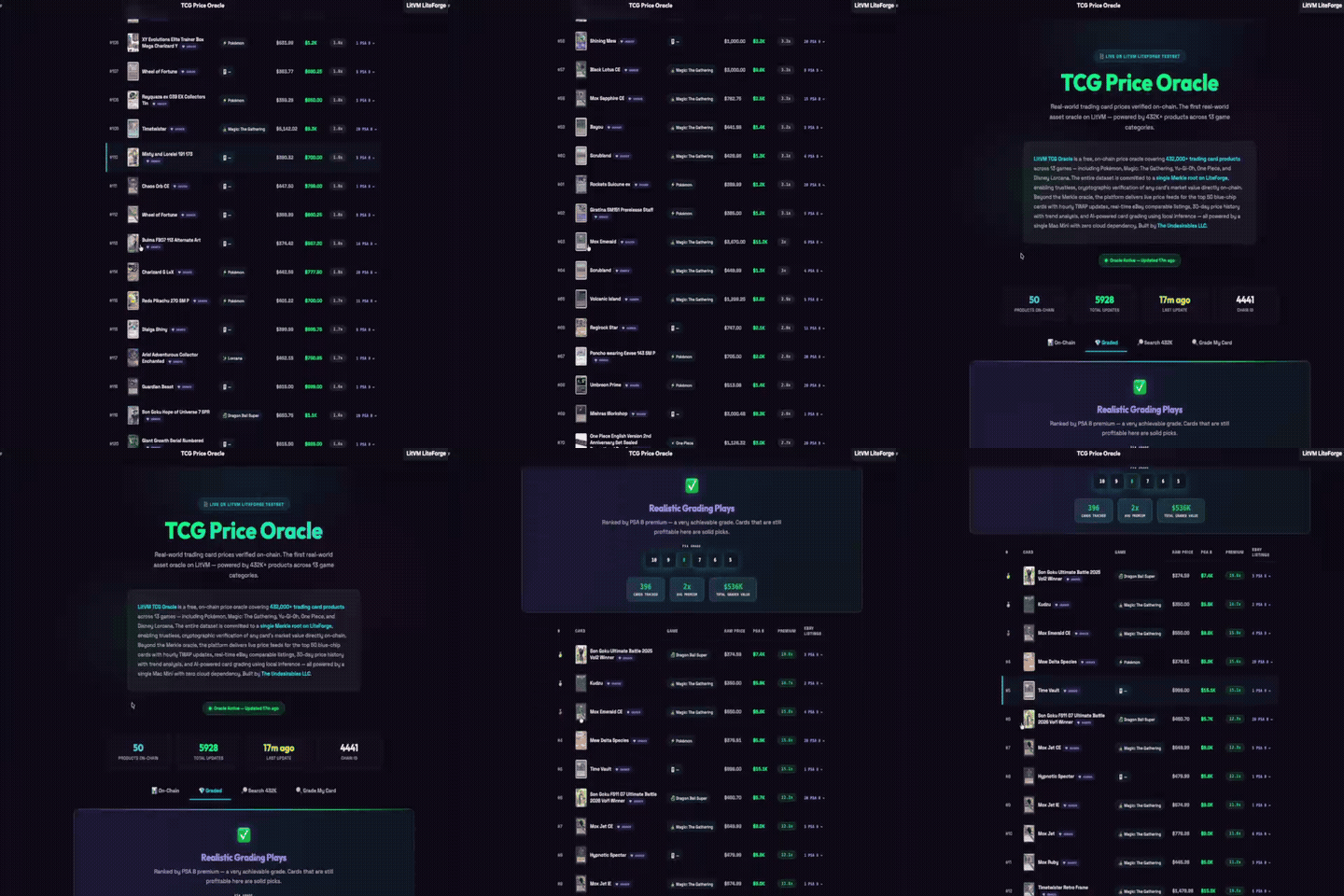
LitVM TCG Oracle — MCP Server
We also publish a dedicated on-chain oracle MCP server for the LitecoinVM ecosystem:
pip install litvm-tcg-oracle
| Feature | Detail |
|---|---|
| 433K+ trading cards | 13 games, 276K actively priced |
| 13.5M+ price observations | 60+ days of continuous data |
| On-chain Merkle proofs | Trustless verification on LiteForge (Chain 4441) |
| Risk forecast | Conformal-calibrated VaR/CVaR + Safe-Hold/Momentum grades (Monte Carlo opt-in) |
| 6 MCP tools | search_cards, get_price_history, verify_price, oracle_status, simulate_price, grade_card |
→ GitHub: litvm-tcg-oracle-mcp
→ PyPI: litvm-tcg-oracle
→ Live Oracle: the-undesirables.com/litvm
The Undesirables Ecosystem
- Website: the-undesirables.com
- LitVM Oracle: the-undesirables.com/litvm
- Mint: scatter.art/the-undesirables
- Docs: the-undesirables.com/docs
- PyPI (MCP): undesirables-mcp-server (v1.1.8)
- PyPI (LitVM): litvm-tcg-oracle (v1.0.3)
- npm: plugin-undesirables (ElizaOS plugin, v2.5.0)
- Oracle API: oracle.the-undesirables.com (28 endpoints, x402 micropayments)
- awesome-mcp-servers: Listed ✅ (85K+ ⭐)
- Glama: Verified ✅ 3.8/5
- ElizaOS Plugin: Official monorepo
- x402 Payment Server: undesirables-x402-server
- Kaggle Dataset: tcg-market-intelligence
- X: @undesirables_ai
⚖️ Legal Disclaimer
For Entertainment Purposes Only: The Market Oracle, Trading Simulators, and all AI-generated predictions are for educational and entertainment purposes. AI models natively hallucinate. Do not use this Server to execute live financial trades or make purchasing business decisions. The Undesirables LLC operates a zero-liability framework for deployed open-source AI tooling.
📝 License & Commercial Use
This project is licensed under the Business Source License 1.1 (BUSL-1.1).
We build in public and support the developer ecosystem — but we also protect the infrastructure and IP of The Undesirables LLC.
✅ What You CAN Do (Free)
- Personal & Educational Use — Download, modify, and run locally for learning, research, or personal projects.
- Non-Competing Applications — Integrate our packages into your app, provided your app does not offer TCG market intelligence, pricing aggregation, AI card grading, or on-chain price oracle services as its primary function.
- MCP / Agent Integration — Connect your AI agent to our tools for non-commercial use.
- Community Contributions — Security audits, bug fixes, and PRs are always welcome.
🚫 What You CANNOT Do (Use Limitation)
- Competing Service — You may not use this code to operate a competing TCG market intelligence, pricing aggregation, AI card grading, or on-chain price oracle service.
- Commercial Resale — You may not wrap our API, data pipelines, or AI models into a paid service without a commercial license.
- Hosted SaaS — You may not host this software as a service for third parties without written permission.
🔓 Open-Source Conversion
On June 1, 2030 (or 4 years after the first public release of each version), this code automatically converts to the MIT License — fully open source, forever.
🤝 Commercial Licensing
Building a commercial product? Want guaranteed API access or white-label integration? Contact us:
📧 theundesirables7@gmail.com · 🐦 @undesirables_ai
© 2026 The Undesirables LLC
⭐ If this project helped you, please star this repo — it helps others find it.
Release history Release notifications | RSS feed


Download files
Download the file for your platform. If you're not sure which to choose, learn more about installing packages.
Source Distribution
Built Distribution
Filter files by name, interpreter, ABI, and platform.
If you're not sure about the file name format, learn more about wheel file names.
Copy a direct link to the current filters
File details
Details for the file undesirables_mcp_server-1.1.9.tar.gz.
File metadata
- Download URL: undesirables_mcp_server-1.1.9.tar.gz
- Upload date:
- Size: 417.6 kB
- Tags: Source
- Uploaded using Trusted Publishing? No
- Uploaded via: twine/6.2.0 CPython/3.13.3
File hashes
| Algorithm | Hash digest | |
|---|---|---|
| SHA256 |
44fb7cbe74cd16ac5f3a02ccc4e45c8781d51749345e0c856095a5747a6e9a8d
|
|
| MD5 |
179db5cc537d1ae8439bf68a91a3bdff
|
|
| BLAKE2b-256 |
f4ae7cbfd8fe9ce08b76e63b0c0d827a19d3516cd94adef99297e169fe4cfd42
|
File details
Details for the file undesirables_mcp_server-1.1.9-py3-none-any.whl.
File metadata
- Download URL: undesirables_mcp_server-1.1.9-py3-none-any.whl
- Upload date:
- Size: 64.3 kB
- Tags: Python 3
- Uploaded using Trusted Publishing? No
- Uploaded via: twine/6.2.0 CPython/3.13.3
File hashes
| Algorithm | Hash digest | |
|---|---|---|
| SHA256 |
5e768bf97c118d74512ae02edcbaa8d3503bfe1026e85399040cd214a3670dfa
|
|
| MD5 |
c9dedfe09850700e748d856e76e2f780
|
|
| BLAKE2b-256 |
138f99f10c4a2e4f23188177ff3d05f38da1c273d4177c473c2d17b6a05f23dc
|






