
Kit
Kit is a Python SDK for CAD interchange.
Readers build a neutral CadDocument from source files.
Writers produce target files and report how they represented the source information.
Production conversion runs without requiring CAD software.

Start here
- Read the installation guide.
- Select a registered format.
- Follow the conversion procedure.
- Evaluate the result and acceptance evidence.
The documentation index includes API, model, adapter, research, and maintenance references. The standards scope identifies the writing rules and current conformance limits. The completion roadmap describes the path to full conversion support. Use the conversion backlog to find task ownership, dependencies and existing PRs.
Formats and limits
| Format | Suffixes | Registration |
|---|---|---|
| SOLIDWORKS part | .SLDPRT |
Reader |
| SOLIDWORKS assembly | .SLDASM |
Reader |
| FreeCAD | .FCStd |
Reader and writer |
| CATIA V5 | .CATPart, .CATProduct |
Reader and writer |
| Kit interchange JSON | .json |
Reader and writer |
| Autodesk Fusion | .f3d |
Reader and writer |
Registration does not establish complete feature coverage or lossless translation.
Native replay and carrier preservation have different meanings from editable cross-format output.
Check the format reference and result for each input.
SOLIDWORKS output is unavailable until a generative serializer replaces the removed recorded-payload writer.
The Fusion public adapter reads and writes qualified parameter, circle, rectangle, cylinder, cuboid, and frustum documents. Arbitrary feature graphs remain unsupported; strict=False explicitly selects the earlier partial reader.
Command line
Use a release containing the CLI, or install from a source checkout with uv tool install ..
Supply a real input file and an unused destination before running:
kit formats
kit convert model.f3d model.json
kit decode model.f3d --layer container
The CLI uses strict reading and applies the output policy. It does not establish complete format coverage or target-application acceptance. See command-line usage for setup, developer views, and limits. Use deterministic research commands with PR #94's checkout for pinned decoding and evidence receipts.
Conversion example
Call convert(source, destination) with the input and output paths.
Supply a real bracket.SLDPRT file and an unused output path before running this example.
from convert import convert as ConvertDoc

Result = ConvertDoc("bracket.SLDPRT", "bracket.FCStd", allow_carrier=False)
Install unicad-kit in the Python environment that runs your script.
The public import is convert.
The default allow_carrier=True permits preservation results subject to the registry policy.
Set allow_carrier=False for conversion acceptance work.
This option is independent of the reader's strict option.
The default does not waive the repository's lossless and parametric acceptance requirements.
A successful return reports writer evidence. It does not prove that a target application can open, edit, and rebuild the output. See result evaluation before making an acceptance claim.
Architecture
flowchart LR
    Source[Source file] --> Reader[Reader adapter]
    Reader --> Model[CadDocument]
    Model --> Writer[Writer adapter]
    Writer --> Output[Output and attestation]
The neutral document separates readers from writers. Vendor applications run only in isolated validation workflows after output generation.
Contribute
Activate standard-pr-practice before repository work. Use an isolated worktree and a separate PR. Add a change entry for each repository addition. Record each new discovery as a separate gotcha. Run tests only in remote CI.
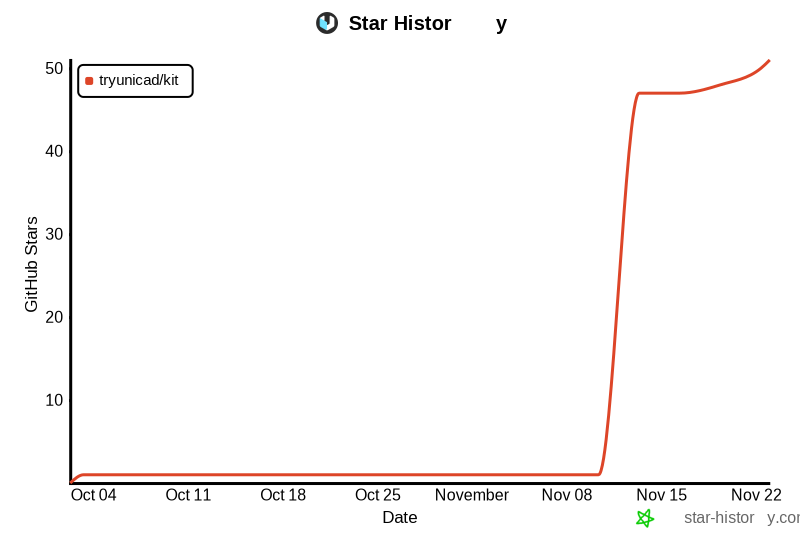
Star history
Distribution
Use Python 3.11 or later. Activate your project's virtual environment and install Kit from PyPI.
pip install unicad-kit
If no release is available, follow repository installation. See getting started for uv project setup and output limits. See release publishing for the release process.
License
Kit uses the MIT License. Copyright (c) 2026 Parashell, Odin Glynn-Martin, Stephen Harcourt. Third-party materials retain their own licenses. See the research artifact policy.
1 maintainer

Metadata
1 maintainer
Release files for unicad-kit 0.1.0.553
For a detailed explanation of source distributions (sdists) and built distributions (wheels), please see the package formats documentation.
Source distribution (sdist)
| File | Size | Uploaded | Provenance | Actions |
|---|---|---|---|---|
| unicad_kit-0.1.0.553.tar.gz | 2.3 MB | With provenance | Details for unicad_kit-0.1.0.553.tar.gz |
Built distribution (wheel)
| File | Interpreter | ABI | Platform | Actions Reset |
|---|---|---|---|---|
| unicad_kit-0.1.0.553-py3-none-any.whl | Python 3 | none | any | Details for unicad_kit-0.1.0.553-py3-none-any.whl |
Total release size: 6.2 MB
Release files / unicad_kit-0.1.0.553.tar.gz
| Download URL | unicad_kit-0.1.0.553.tar.gz |
|---|---|
| Size | 2.3 MB |
| Tags | Source |
|
SHA-256 checksum How to use checksums |
4d06fec993336df9fb1574c9f7b4d3fc98ea91c57688a300ddc1b65879b69775
|
|
BLAKE2b-256 checksum How to use checksums |
3eabea389f7f707a0128dbf9337b65fe880c72c372039ee730e3c9e93828bb00
|
| Upload date | |
|
Uploaded using Trusted Publishing? What is trusted publishing? |
Yes |
| Uploaded via |
twine/7.0.0 CPython/3.13.16
|
Provenance
Provenance describes where a file came from. On PyPI, provenance is shared via attestations, which provide a verifiable record of the build or publishing details. View details, limitations and caveats.


PyPI Publish Attestation
PyPI verified that this artifact, at this checksum, originated from the publisher listed below.
Signed by GitHub Actions, verified by PyPI on Nov 21, 2026.
Transparency logRelease files / unicad_kit-0.1.0.553-py3-none-any.whl
| Download URL | unicad_kit-0.1.0.553-py3-none-any.whl |
|---|---|
| Size | 3.9 MB |
| Tags | Python 3 |
|
SHA-256 checksum How to use checksums |
f25cb17d70d94e34527d5164683b7e303e5e41ebe1193b0fe87ac4db40a2332e
|
|
BLAKE2b-256 checksum How to use checksums |
33539e1218e0f407243d3dee989ca101168774453cdff38b7fea8aaba650b08c
|
| Upload date | |
|
Uploaded using Trusted Publishing? What is trusted publishing? |
Yes |
| Uploaded via |
twine/7.0.0 CPython/3.13.16
|
Provenance
Provenance describes where a file came from. On PyPI, provenance is shared via attestations, which provide a verifiable record of the build or publishing details. View details, limitations and caveats.
PyPI Publish Attestation
PyPI verified that this artifact, at this checksum, originated from the publisher listed below.
Signed by GitHub Actions, verified by PyPI on Nov 21, 2026.
Transparency logSecurity for unicad-kit 0.1.0.553
Provenance
Provenance describes where a file came from. On PyPI, provenance is shared via attestations, which provide a verifiable record of the build or publishing details. View details, limitations and caveats.
Full provenance
Both files in this release have been uploaded with provenance metadata.
Attestation for unicad_kit-0.1.0.553.tar.gz
PyPI Publish Attestation
PyPI verified that this artifact, at this checksum, originated from the publisher listed below.
Signed by GitHub Actions, verified by PyPI on Nov 21, 2026.
Transparency logA note on package security
PyPI is a repository for distributing packages, not a service for auditing them. While third-party security researchers and our staff do their best to detect and remove malicious packages, PyPI cannot guarantee the quality, security or suitability of any given package.
To learn more about protecting yourself from malicious actors, visit our package security documentation.














