
Universal complex-script text rendering for Matplotlib and Seaborn using Qt/HarfBuzz shaping.

Project description

universal-render
Universal complex-script text rendering for Matplotlib and Seaborn, powered by Qt/HarfBuzz shaping.




Matplotlib's text engine cannot shape complex scripts — Bengali conjuncts break apart, Arabic letters don't join, Tamil and Thai vowels land in the wrong place, and often all you get is tofu boxes (▯▯▯). universal_render routes text through Qt's shaping engine (HarfBuzz) and embeds the correctly shaped result into your figures, with automatic script detection and per-script font fallback — no font configuration needed.
Before / After
Left: Matplotlib's own text engine. Right: the same text through universal_render — 22 scripts, same machine, zero configuration.
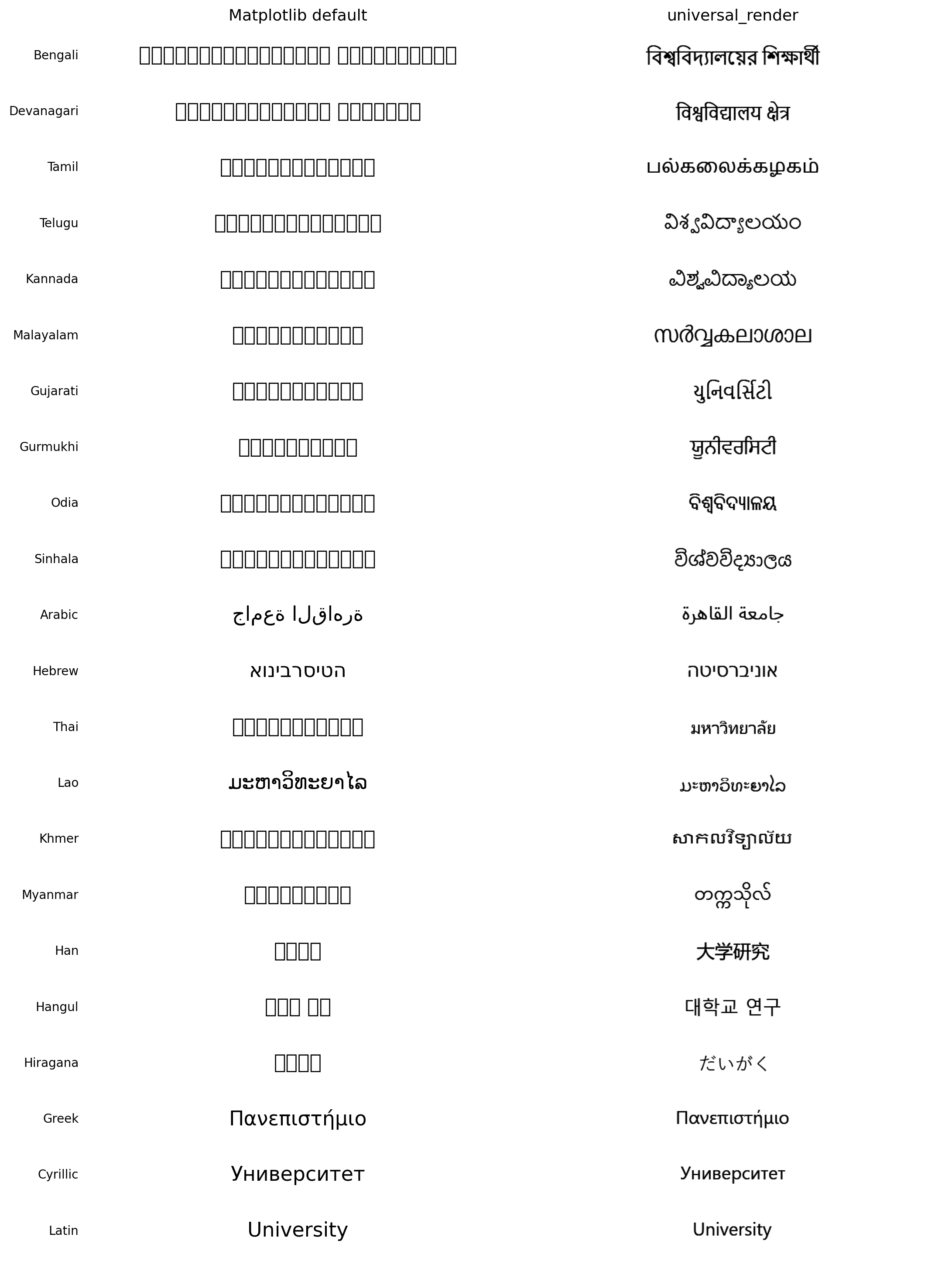
And it isn't just tofu: even with the correct font installed, Matplotlib (and, on Windows, mplcairo and Pillow — their official wheels ship without Raqm/HarfBuzz) silently renders complex scripts unshaped: Arabic unjoined, Bengali conjuncts split, with zero warnings. See evaluation/ for the measured comparison.
✨ Features
- Automatic Unicode script detection (
detect_script,segment_runs) - Per-script font fallback with glyph-coverage validation (
auto_font_fallback) - Correct shaping for Indic (Bengali, Hindi, Tamil, Telugu, …), RTL (Arabic, Hebrew), Southeast Asian (Thai, Khmer, Lao, Myanmar), CJK, and more — 22 scripts verified by the built-in
self_test() - Mixed-script text: Bengali + English + numbers in one string
- Native numerals for 16 scripts (
to_native_numerals(2026, "Bengali")→২০২৬) - Drop-in replacements for titles, axis labels, tick labels, legends, annotations, and heatmap cell text
- Matplotlib-style text options:
weight="bold",italic=True,alpha=0.5,rotation=45(any angle, including rotated tick labels), multiline"\n"strings, titleloc="left"/"center"/"right", and a proper figuresuptitle - DPI-safe layout: titles, labels, and ticks stay correctly placed at any
savefig(dpi=..., bbox_inches="tight") - Works headless (Colab/Kaggle/CI) via Qt offscreen mode
- Drop-in
bangla_rendercompatibility:import universal_render.compat as br
🚀 Quick Example
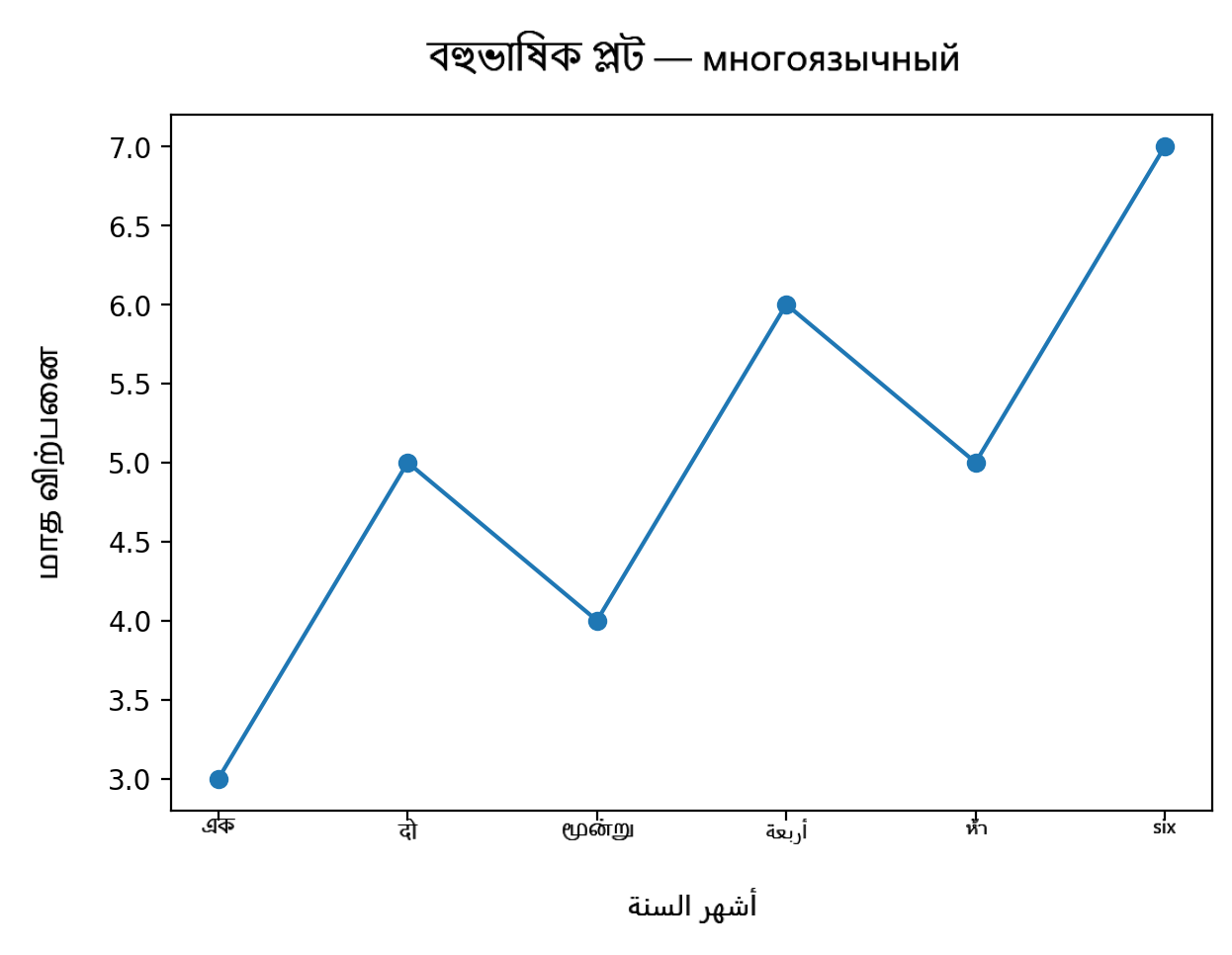
import matplotlib.pyplot as plt
import universal_render as ur

fig, ax = plt.subplots()
ax.plot([1, 2, 3], [3, 1, 4])

ur.set_multilingual_title(ax, "বাংলা শিরোনাম")        # Bengali — font auto-selected
ur.set_multilingual_xlabel(ax, "أشهر السنة")           # Arabic — shaped + RTL
ur.set_multilingual_ylabel(ax, "மாத விற்பனை")          # Tamil

ur.set_multilingual_xticks(ax, [1, 2, 3], ["एक", "दो", "तीन"])  # Hindi
ur.apply_multilingual_layout(fig, auto=True)

plt.savefig("plot.png", dpi=300)
One-call APIs
# Label a whole plot at once — each string picks its own script's font
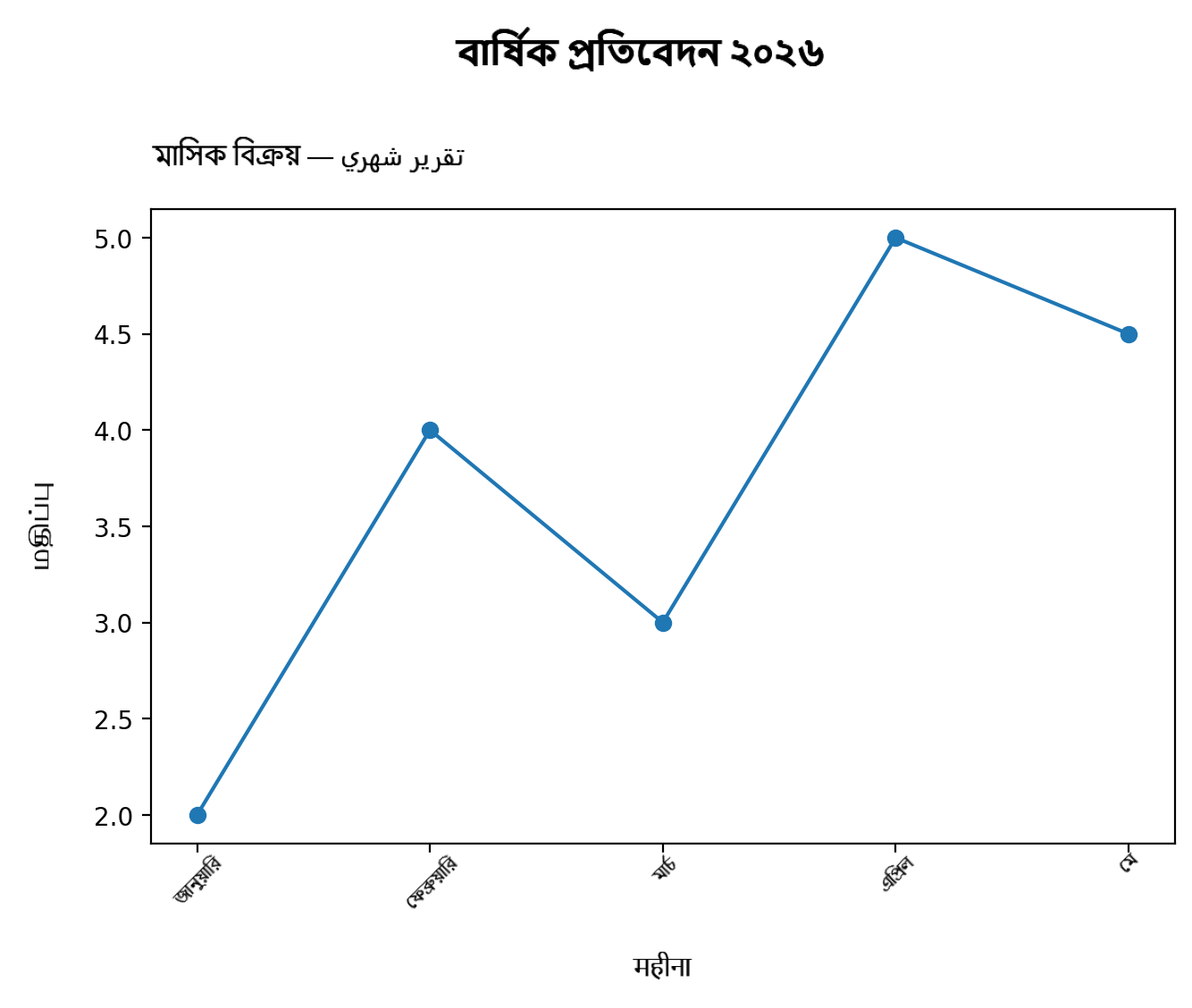
ur.localize_axes(
    ax,
    title="বিক্রয় প্রতিবেদন ২০২৬",
    xlabel="महीना", ylabel="மதிப்பு",
    xticklabels=["জানু", "फ़र", "மார்", "April"],
    legend_labels=["পূর্বাভাস"],
)

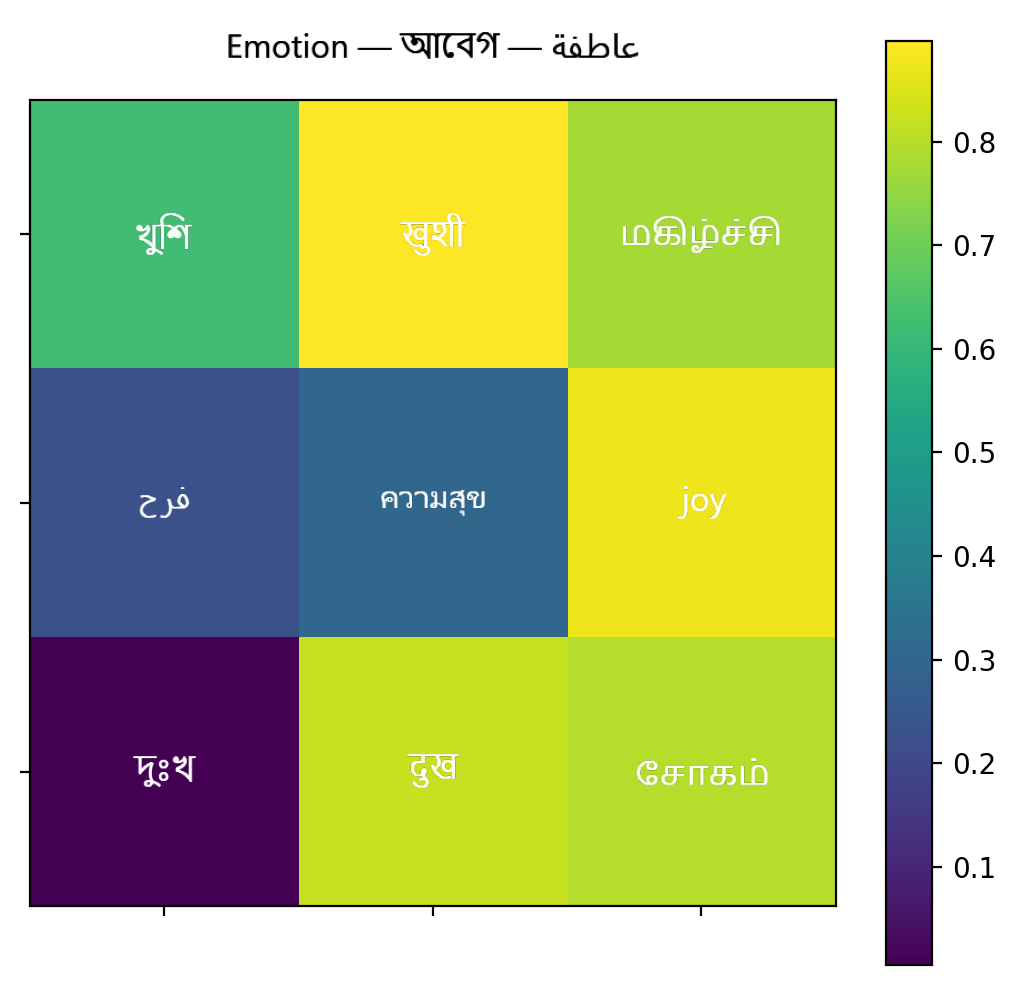
# Annotated heatmap with native Bengali digits and auto text contrast
ur.multilingual_heatmap(
    ax, data, value_format=".2f", value_script="Bengali",
    row_labels=["ঢাকা", "চট্টগ্রাম", "খুলনা"],
    col_labels=["جودة", "คุณภาพ", "Quality"],
    title="গুণমান ম্যাট্রিক্স",
)

# Verify this machine renders all 22 supported scripts
ur.self_test()
📦 API Overview
| Area | Functions |
|---|---|
| High-level (one call) | localize_axes, multilingual_heatmap, multilingual_bar_labels, language_to_script, set_language_font, font_for_language, localized_numerals, supported_languages |
| Script detection | detect_script, segment_runs, is_rtl_text, is_mixed_script, describe_text, to_native_numerals, script_direction |
| Fonts | auto_font_fallback, find_font_for_script, set_script_font, register_font, validate_font, font_covers_text, coverage_report |
| Rendering | render_text, render_text_array, render_mixed_text, render_paragraph, measure_text, set_render_defaults, render cache controls |
| Matplotlib | set_multilingual_title/xlabel/ylabel/suptitle, set_multilingual_xticks/yticks/numeric_ticks, set_multilingual_legend, multilingual_text, annotate_multilingual, add_multilingual_cell_text, multilingual_paragraph, apply_multilingual_layout |
| Diagnostics / evaluation | self_test (per-script render check), benchmark_render (cold/warm latency), save_comparison_figure (before/after figure) |
| bangla-render compat | import universal_render.compat as br — every set_bangla_* name works unchanged |
🌍 Supported Script Families
| Family | Scripts (verified by self_test()) |
Direction |
|---|---|---|
| Indic / Brahmic | Bengali, Devanagari (Hindi/Marathi/Nepali), Tamil, Telugu, Kannada, Malayalam, Gujarati, Gurmukhi (Punjabi), Odia, Sinhala | LTR |
| Right-to-left | Arabic (Arabic/Urdu/Persian), Hebrew | RTL |
| Southeast Asian | Thai, Lao, Khmer, Myanmar | LTR |
| East Asian | Han (Chinese), Hangul (Korean), Hiragana (Japanese) | LTR |
| European | Latin, Greek, Cyrillic | LTR |
Script detection additionally covers Katakana, Tibetan, Georgian, Armenian, and Ethiopic. One script serves many languages — language_to_script() maps ~60 language names.
📊 Evaluation
evaluation/compare_backends.py renders the same text with the same font file through every backend, so the shaping engine is the only variable. Findings on Windows (Python 3.11):
| Backend | Bengali | Arabic | Notes |
|---|---|---|---|
universal_render |
✅ correct | ✅ correct | reference (Qt/HarfBuzz) |
| Matplotlib, default font | ▯▯▯ tofu (104 warnings) | unjoined | at least it warns |
| Matplotlib, correct font | broken conjuncts, 0 warnings | unjoined, 0 warnings | silent failure |
| mplcairo 0.6.1 (pip wheel) | broken conjuncts, 0 warnings | unjoined, 0 warnings | wheel ships without Raqm |
| Pillow (pip wheel) | — | — | PIL.features.check("raqm") → False |
🛠 Installation
pip install PySide6 matplotlib numpy
pip install git+https://github.com/mbs57/universal-render.git
Fonts: on Windows, everything works out of the box (Nirmala UI, Segoe UI, Leelawadee UI…). On Linux/Colab, install Noto fonts (fonts-noto / fonts-noto-cjk) — the fallback tables pick them up automatically. Verify any environment with:
import universal_render as ur
ur.self_test()   # prints a per-script pass/fail table
🧪 Tests
py tests/test_universal_render.py # or: pytest tests/
Limitations
- Text is embedded as high-resolution raster images; SVG/PDF exports contain images rather than selectable vector glyphs.
- Arbitrary-angle rotated tick labels are center-anchored under their tick (Matplotlib anchors the label end).
- Scripts requiring vertical layout (e.g. traditional Mongolian) are not supported.
Citation
If you use universal-render in academic work, please cite the bangla-render paper (SoftwareX) for now — a dedicated paper for the universal framework is in preparation.
License
MIT © 2026 Mrinal Basak Shuvo
Release history Release notifications | RSS feed

Download files
Download the file for your platform. If you're not sure which to choose, learn more about installing packages.
Source Distribution
Built Distribution
Filter files by name, interpreter, ABI, and platform.
If you're not sure about the file name format, learn more about wheel file names.
Copy a direct link to the current filters
File details
Details for the file universal_render-0.1.0.tar.gz.
File metadata
- Download URL: universal_render-0.1.0.tar.gz
- Upload date:
- Size: 53.4 kB
- Tags: Source
- Uploaded using Trusted Publishing? No
- Uploaded via: twine/6.2.0 CPython/3.11.9
File hashes
| Algorithm | Hash digest | |
|---|---|---|
| SHA256 |
22037b458581e8f915753c2ce291c5a72323d51df17fc44ed7b8c4dc8c0e182c
|
|
| MD5 |
4688de8ad64ab93f6bb38fef8c429e7d
|
|
| BLAKE2b-256 |
07614cc57fc61be7cb2f060539b35ac3dedaee3f6e463f1a905cdecb0de421ca
|
File details
Details for the file universal_render-0.1.0-py3-none-any.whl.
File metadata
- Download URL: universal_render-0.1.0-py3-none-any.whl
- Upload date:
- Size: 50.1 kB
- Tags: Python 3
- Uploaded using Trusted Publishing? No
- Uploaded via: twine/6.2.0 CPython/3.11.9
File hashes
| Algorithm | Hash digest | |
|---|---|---|
| SHA256 |
60d0dd22577b3cff2154386f5f36dd0818294aeac04a7db5a7f231480bf20ed3
|
|
| MD5 |
e60cccb14c0a1bbd8a80122de945a947
|
|
| BLAKE2b-256 |
da17a6a39f8aec9ed0a71dc20dee4356263646506238950eec42ab622af5ac8f
|






