
uniwire
Electrical diagrams, as code.
An open standard to describe electrical installations, and the reference Python library that validates them, checks them against rules and draws their single-line and multi-line diagrams.




You describe the installation (sources, protective devices, cables, loads, PLCs) in a *.uniwire.json
file or in Python, and uniwire computes the drawings. No coordinates, no CAD file: a text file you can
review and diff.
- Format:
*.uniwire.json, format 1.0, defined by the specification and validated by a published JSON Schema: https://uniwire.sh/schema/v1/uniwire.schema.json. - Library:
pip install uniwire: Python API, code-first builder and theuniwirecommand line. - Documentation: https://uniwire.sh/docs/
- Web viewer: https://uniwire.sh/viewer/, paste a document to validate, check and draw it in the browser.
Features
- Single-line and multi-line diagrams from the same document: the multi-line view derives every conductor (L1, L2, L3, N, PE, PEN) from the single-line data, with no extra input.
- 53 node types: utility grid, transformers, generators, UPS, PV, batteries, inverters; breakers, RCDs, RCBOs, fuses, switch-disconnectors, contactors, motor starters, transfer switches, SPDs, protection relays, instrument transformers, insulation monitors; busbars, boards, terminal blocks; lighting, sockets, heating, motors, EV chargers, modular PLCs and more.
- Tree + links: the power tree is the backbone; transfers, bus ties, infeeds, earthing, control, interlocks, trips, measurements and data buses are links. A terminal / connectivity-node graph is derived automatically, with CIM, IFC and IEC 61850 SCL mappings.
- Closed typing and unit-suffixed fields:
in_A,idn_mA,section_mm2,p_kW; unknown fields are errors (calibreinstead ofin_Ais caught), extensions live inext. Templates declare a device once. - Rule profiles:
core(always),nfc15100(French dwellings),iec60364(cable current-carrying capacity), plus PLC consistency checks. - Bill of materials: structured
productreferences (manufacturer, part number, range, accessories) on any node or PLC module, aggregated to CSV (uniwire bom). - Wire and cable marking: marking rules per view (manual, sequential, per potential, pattern), marks
drawn on the multi-line diagram, and CSV exports: wire list (
uniwire wires), wire marker list (uniwire markers), cable schedule (uniwire cables);uniwire marks --writefreezes the marks. - Colour modes: conductors in their IEC 60445 or North-American colours, or colouring by phase, source, status or voltage level.
- Sheets: paper size, sub-tree views, automatic sheet splitting with cross-references, circuit schedule, enclosure frames, title block, revisions and notes. SVG output is deterministic and diff-friendly; the multi-sheet PDF has clickable links between sheets.
- English and French rendering, selected per document with
meta.lang. - LLM tooling: a reference card generated from the model (
uniwire card), a text outline with stable ids (uniwire describe), id-based edits (uniwire patch), an MCP server (uniwire-mcp, stdio) and a hosted MCP endpoint at https://mcp.uniwire.sh/mcp, plus llms.txt for assistants (full reference card included). Setup for ChatGPT, Claude, Cursor and VS Code: uniwire in your assistant; details in LLM tools.
Gallery
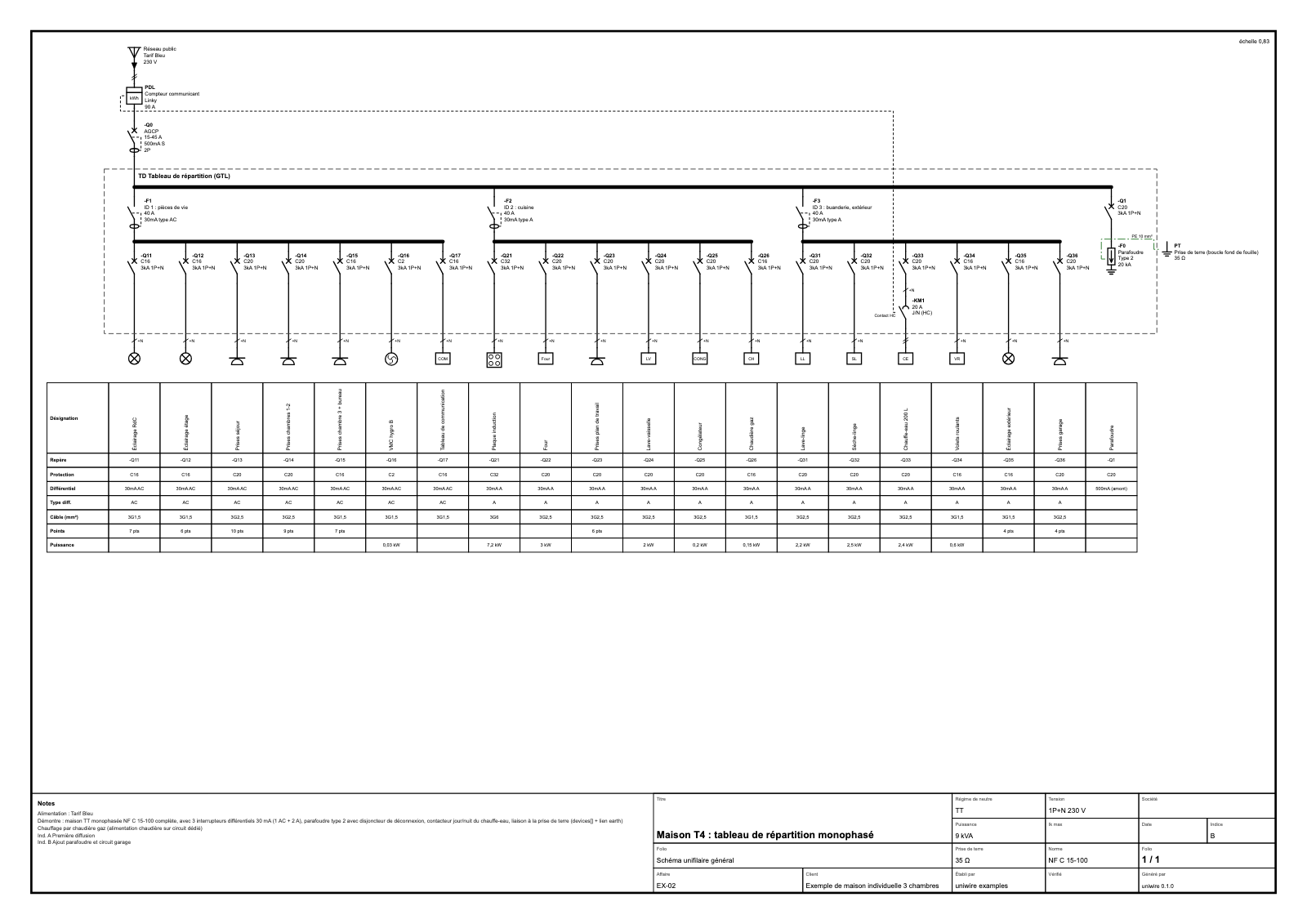 French house, TT (NF C 15-100), single-line |
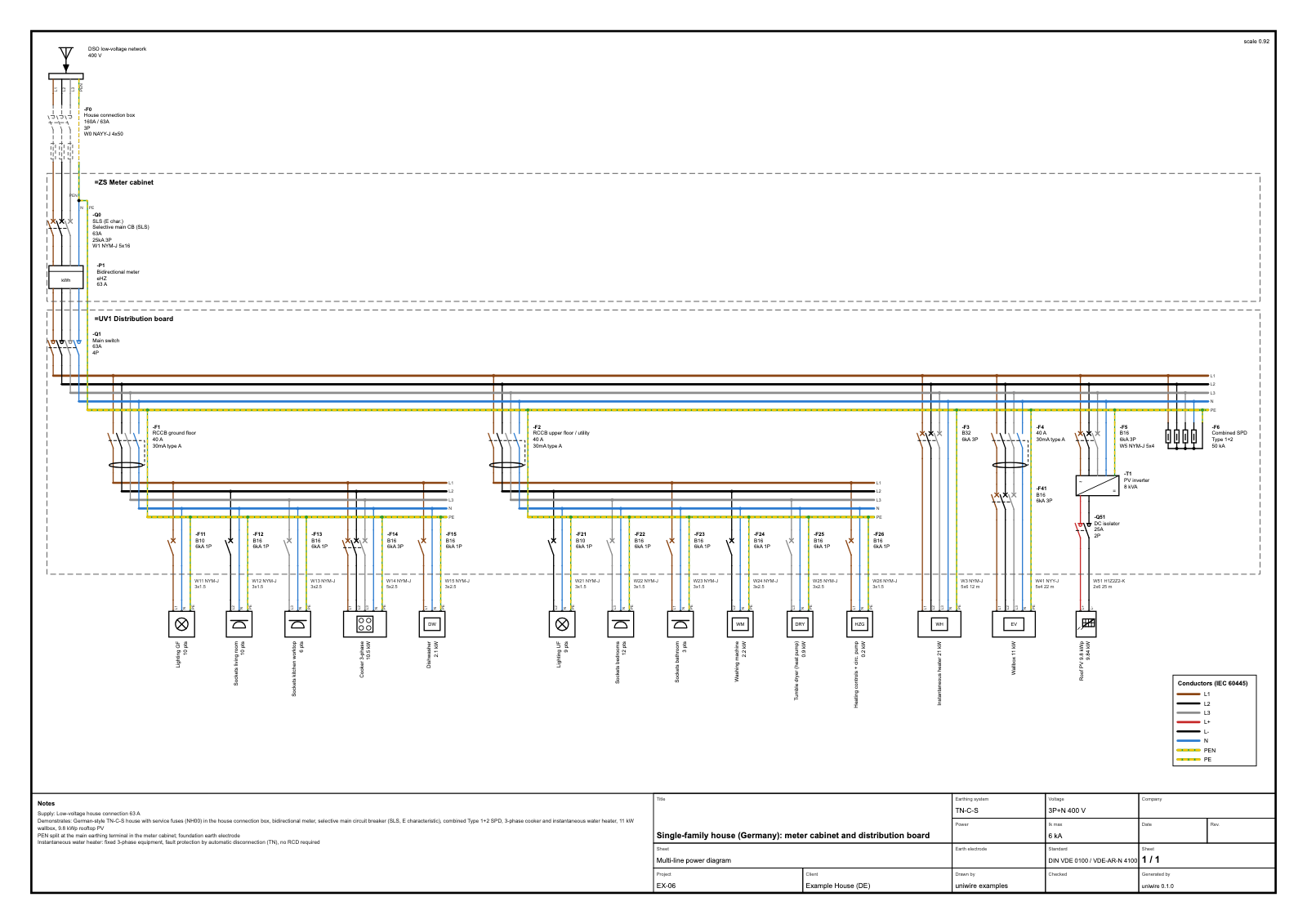 German house, TN-C-S, multi-line in conductor colours |
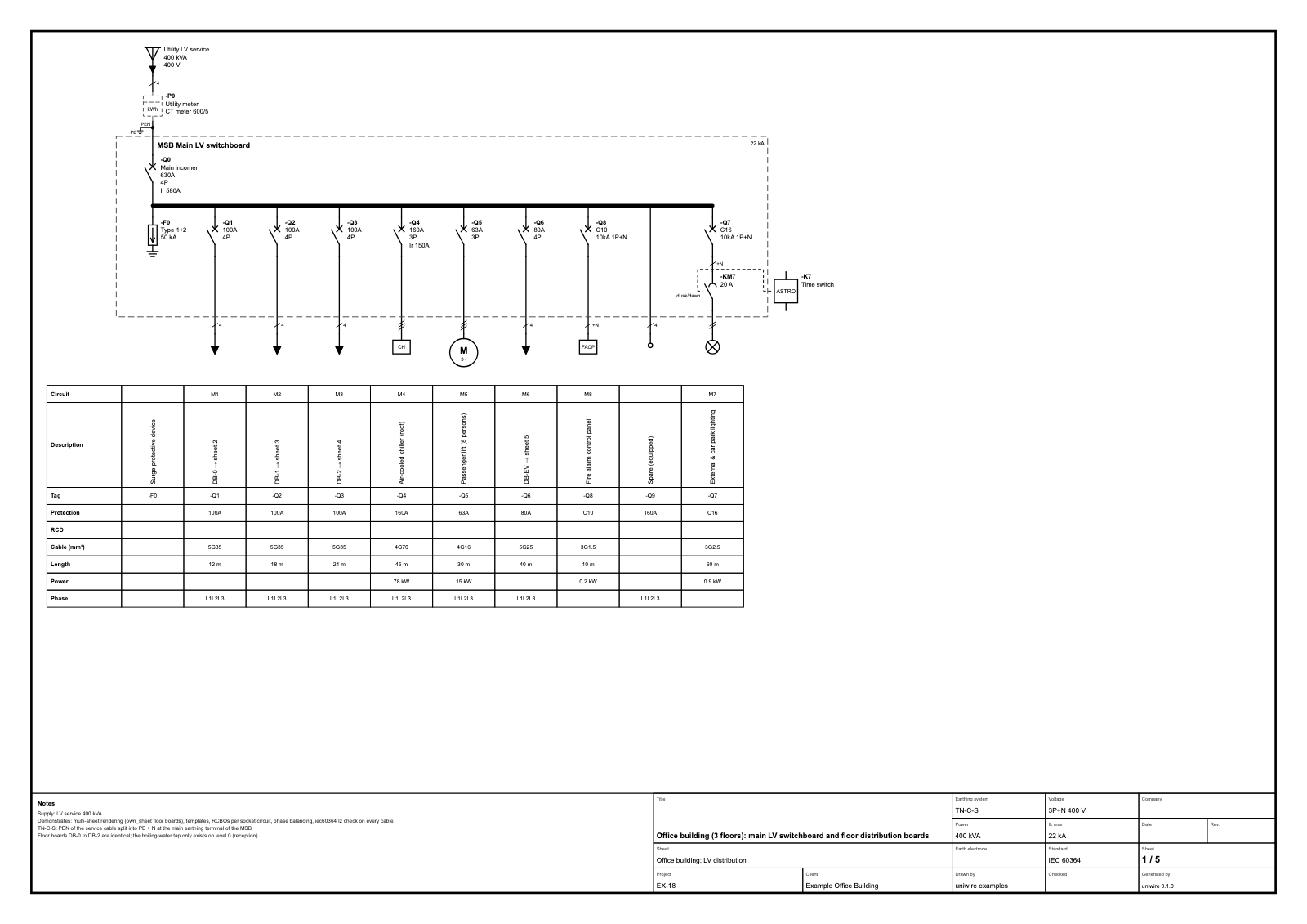 Office building, main LV switchboard |
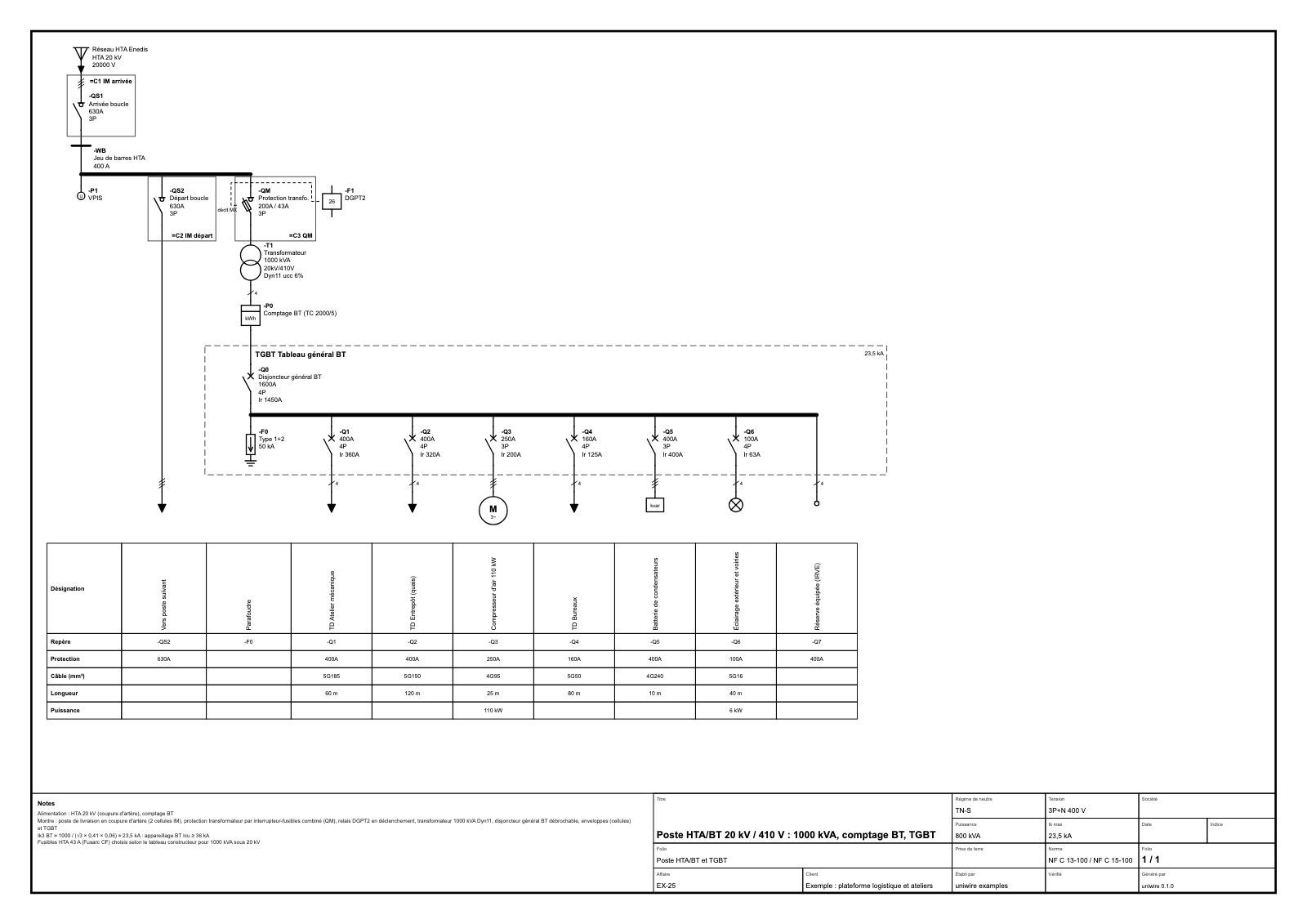 MV/LV substation, 1000 kVA |
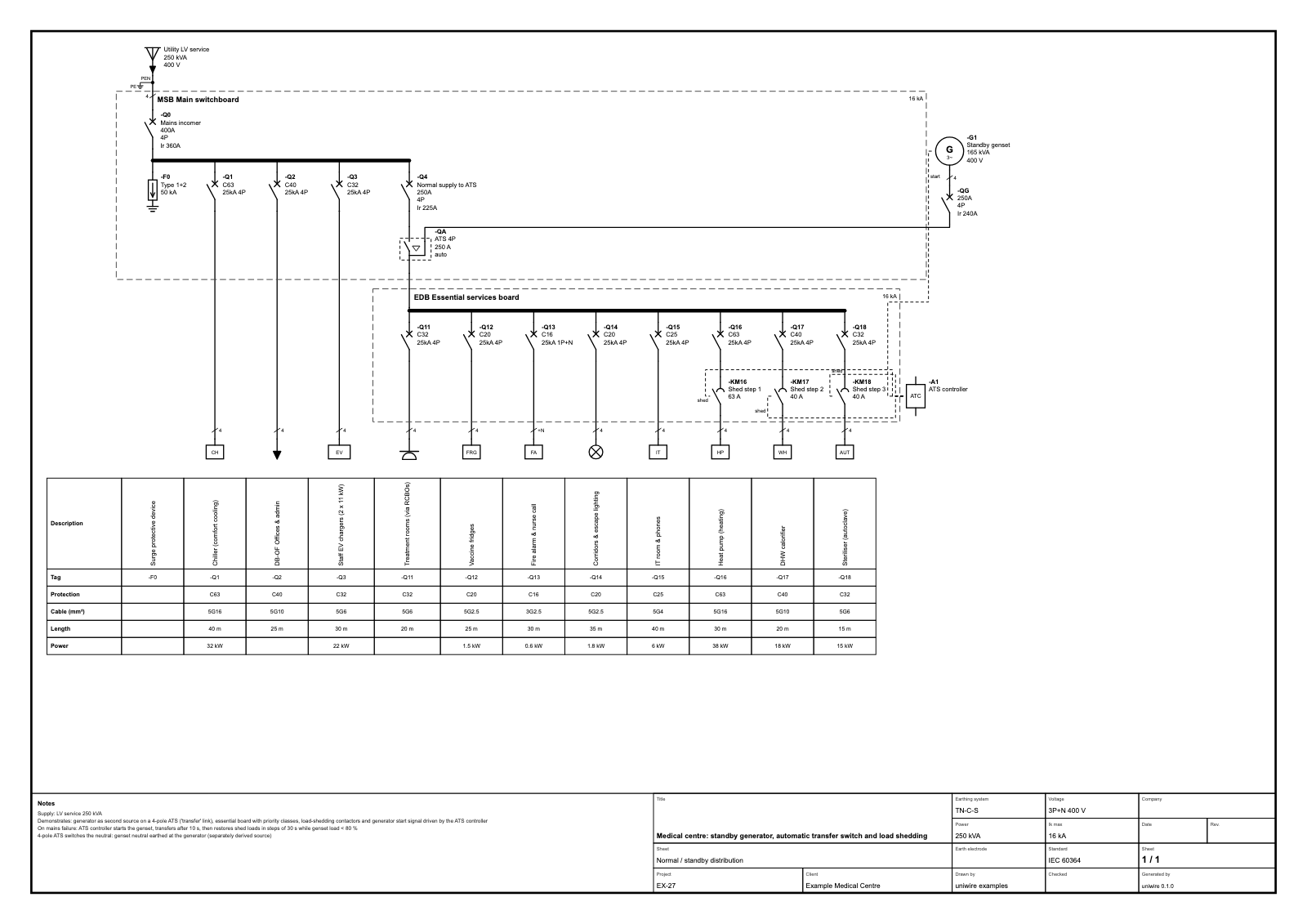 Standby generator, ATS, load shedding |
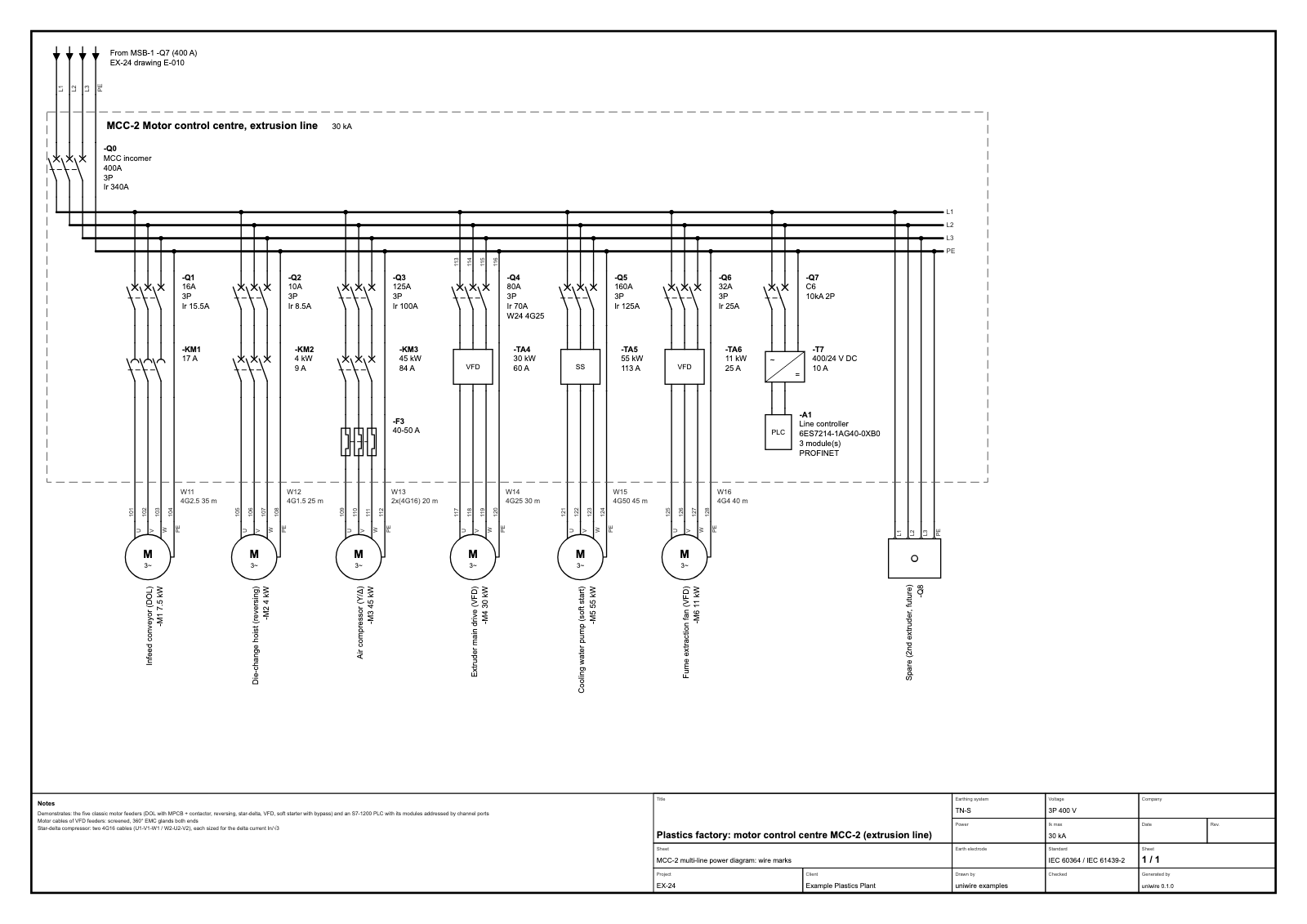 Motor control centre, multi-line with wire marks |
All 52 examples are in examples/ and listed in the documentation; open any of them in the web viewer.
Install
pip install uniwire                 # validation, rules, SVG rendering, bill of materials, exports
pip install "uniwire[pdf]"          # + PDF output (reportlab)
pip install "uniwire[mcp]"          # + MCP server (uniwire-mcp)
pip install "uniwire[iec81346]"     # + optional IEC 81346-2 class table (separate CC BY-SA 4.0 data package)
Python 3.10 or later. The only required dependency is pydantic.
Quickstart
A document in JSON:
{
  "$schema": "https://uniwire.sh/schema/v1/uniwire.schema.json",
  "uniwire": "1.0.0",
  "profiles": ["nfc15100"],
  "meta": { "title": "Small house", "lang": "en" },
  "installation": { "earthing": "TT", "system": "1P+N", "un_V": 230 },
  "templates": { "C16": { "type": "breaker", "in_A": 16, "curve": "C" } },
  "sources": [
    { "type": "grid", "label": "Utility", "children": [
      { "type": "main_breaker", "ref": "-Q0", "range_A": "15-45", "in_A": 45, "idn_mA": 500, "selective": true,
        "children": [
          { "type": "rcd", "ref": "-Q1", "in_A": 40, "idn_mA": 30, "rcd_type": "A", "children": [
            { "type": "breaker", "ref": "-Q11", "use": "C16", "cable": { "cores": "3G", "section_mm2": 1.5 },
              "children": [ { "type": "lighting", "label": "Lighting", "points": 6 } ] },
            { "type": "breaker", "ref": "-Q12", "in_A": 20, "curve": "C", "cable": { "cores": "3G", "section_mm2": 2.5 },
              "children": [ { "type": "socket", "label": "Sockets", "points": 8 } ] }
          ] }
      ] }
    ] }
  ]
}
The tree is the power flow (source, protective devices, loads); whatever falls outside the tree
(transfer switches, bus ties, control and data connections) goes in links.
uniwire validate house.uniwire.json                 # schema + integrity
uniwire check house.uniwire.json                    # rule profiles (exit code 1 on errors)
uniwire render house.uniwire.json                   # SVG sheets in out/house/
uniwire render house.uniwire.json -f pdf -o house.pdf
uniwire render house.uniwire.json --kind multi-line # multi-line power diagram
uniwire bom house.uniwire.json -o house.bom.csv     # bill of materials
uniwire wires house.uniwire.json                    # wire list (also: markers, cables, marks)
uniwire card                                        # reference card for assistants
The same installation in Python:
from uniwire.build import *

with Installation("Small house", earthing="TT", system="1P+N", un="230 V", profiles=["nfc15100"]) as inst:
    with Grid("Utility"), MainBreaker("-Q0", "15-45 A", idn="500 mA", selective=True):
        with RCD("-Q1", "40 A", "30 mA", type="A"):
            Breaker("-Q11", "C16", cable="3G1,5") >> Lighting("Lighting", points=6)
            Breaker("-Q12", "C20", cable="3G2,5 18 m") >> Socket("Sockets", points=8)

for finding in inst.check():
    print(finding)
inst.save("house.uniwire.json")
inst.render("house.pdf")
with makes an element the parent of everything created inside it, >> chains elements, ratings and
cables are written the way they appear on drawings ("C16", "3G2,5 18 m"). See the
code-first API and the Python API and CLI.
Roadmap
- Terminals, terminal strips and wires: UEP-0001, a draft for format 2.0 (named ports, terminal strips, wires and cables as objects, potentials).
- Control schematics: coils, auxiliary contacts with cross-references, terminal plans and wire numbers, built on named ports.
- Exports: DXF drawings, pandapower networks for load-flow and short-circuit studies.
Ideas and format proposals are welcome: see CONTRIBUTING.md.
Contributing
Bug reports, examples, rules, symbols and translations are welcome. Read CONTRIBUTING.md (development setup, tests, uniwire Enhancement Proposals) and the Code of Conduct. Report security issues privately, see SECURITY.md.
Licences
- Code, CLI and JSON Schema: Apache License 2.0.
- Specification text: CC BY 4.0: implement it freely, in any software.
- Optional data package
uniwire-data-iec81346(IEC 81346-2 class table): CC BY-SA 4.0, distributed separately (pip install "uniwire[iec81346]").
See NOTICE for third-party notices.
1 maintainer

Metadata
1 maintainer
Release files for uniwire 0.1.0
For a detailed explanation of source distributions (sdists) and built distributions (wheels), please see the package formats documentation.
Source distribution (sdist)
| File | Size | Uploaded | |
|---|---|---|---|
| uniwire-0.1.0.tar.gz | 343.0 kB | Details |
Built distribution (wheel)
| File | Interpreter | ABI | Platform | Reset |
|---|---|---|---|---|
| uniwire-0.1.0-py3-none-any.whl | Python 3 | none | any | Details |
Total release size: 690.9 kB
Release files / uniwire-0.1.0.tar.gz
| Download URL | uniwire-0.1.0.tar.gz |
|---|---|
| Size | 343.0 kB |
| Tags | Source |
|
SHA-256 checksum How to use checksums |
b168ba4200d3d67841b90173bc7df88cfe7db1c6365153ebe182659212008a4e
|
|
BLAKE2b-256 checksum How to use checksums |
ccaa1c4559e860a3dfc3afc682663eeec4431948aeea7f80961cf53abdcbeeff
|
| Upload date | |
|
Uploaded using Trusted Publishing? What is trusted publishing? |
Yes |
| Uploaded via |
twine/7.0.0 CPython/3.13.14
|
Provenance
Provenance describes where a file came from. On PyPI, provenance is shared via attestations, which provide a verifiable record of the build or publishing details. View details, limitations and caveats.


PyPI Publish Attestation
PyPI verified that this artifact, at this checksum, originated from the publisher listed below.
Signed by GitHub Actions, verified by PyPI on Oct 13, 2026.
Transparency logRelease files / uniwire-0.1.0-py3-none-any.whl
| Download URL | uniwire-0.1.0-py3-none-any.whl |
|---|---|
| Size | 347.9 kB |
| Tags | Python 3 |
|
SHA-256 checksum How to use checksums |
8136eb89acce7038b842653612667b46f2b0d3b7d3a58e357d2f685c46b4f8e5
|
|
BLAKE2b-256 checksum How to use checksums |
f66d605d3045f91524a1bf868a9ac4b492dea6b6dcf3a69c9b99152ace368af4
|
| Upload date | |
|
Uploaded using Trusted Publishing? What is trusted publishing? |
Yes |
| Uploaded via |
twine/7.0.0 CPython/3.13.14
|
Provenance
Provenance describes where a file came from. On PyPI, provenance is shared via attestations, which provide a verifiable record of the build or publishing details. View details, limitations and caveats.
PyPI Publish Attestation
PyPI verified that this artifact, at this checksum, originated from the publisher listed below.
Signed by GitHub Actions, verified by PyPI on Oct 13, 2026.
Transparency log












