








Install a complete, bootable Ubuntu system on a USB stick from an ISO, straight from the terminal.
usbuntu is not dd. A raw ISO copy gives you a live session that forgets everything. A normal install needs an
installer boot first. usbuntu skips both: it unpacks the ISO's own system layers straight onto the stick, installs the
bootloader, and hands you a full Ubuntu that keeps its files, takes updates and installs software. A portable machine
in your pocket.
uv tool install usbuntu
usbuntu devices
sudo usbuntu install ubuntu-26.04.1-desktop-amd64.iso --username you
Type WIPE at the prompt, wait about twenty minutes, reboot, press F12 and pick the stick.
Install
It needs Python 3.14 or later on any Linux machine that can mount things; Ubuntu, Debian and friends work out of the box, and uv fetches a Python if yours is older.
uv tool install usbuntu
pip install usbuntu and pipx install usbuntu work too.
Use
usbuntu devices                                                   # which disks are safe targets, no root needed
sudo usbuntu install ubuntu.iso --username you --dry-run          # show the plan, touch nothing
sudo usbuntu install ubuntu.iso --username you                    # everything else optional
sudo usbuntu inspect ubuntu.iso                                   # which layers an ISO would install
sudo usbuntu verify /dev/sda                                      # check a stick's boot chain
Every variable:
| Variable | Flag | Default |
|---|---|---|
| Account name | --username you |
required |
| Starting password | --password secret |
generated, printed at the end |
| Force a new password at first login | --no-force-password-change |
forced |
| Machine name | --hostname my-stick |
usb-ubuntu |
| Full or reduced desktop | --flavor full|minimal |
full |
| Language layers | --language en |
en |
| Snap | --remove-snap |
kept |
| Extra apt packages | --packages curl,vim,git |
none |
| Bundled extras | --with opencode, --with claude-code, --with build-tools |
none |
| Target disk | --device /dev/sda |
the one safe disk found |
| Unattended | --yes |
asks for WIPE |
The password is written to the new system through a pipe, never to a file and never to a log, and a fresh install always asks for its own password at first login.
Safe by default
usbuntu will not wipe a disk that is not on USB, not removable, smaller than 8 GiB, or that holds the running system,
so a machine that boots from a stick cannot be told to erase itself. With more than one safe disk it refuses to guess.
usbuntu devices shows the same verdicts before you start:
$ usbuntu devices
/dev/nvme0n1    476.9 GiB  Example NVMe SSD      refused: not on USB; not removable; holds the running system (/)
/dev/sdb         14.3 GiB  Example USB stick     ACCEPTED
With an AI agent
usbuntu ships a skill that teaches an agent to drive it safely: never pick the disk silently, leave WIPE to you,
never echo a password, read the log after a failure. Install it as a Claude Code plugin:
/plugin install usbuntu --marketplace jpsanders/usbuntu
On Claude Code before 2.1.275: /plugin marketplace add jpsanders/usbuntu, then /plugin install usbuntu@usbuntu.
Other agents read skills/usbuntu/SKILL.md as it is. usbuntu devices --json gives an
agent the disk verdicts as data, and usbuntu guide prints the whole manual.
There is no MCP server, on purpose: erasing a disk as root should stay a decision a person makes at a terminal.
How it works
Ubuntu desktop ISOs since 24.04 ship as a stack of squashfs overlay layers: a minimal base, a standard full desktop
layer, thin language layers, and two kinds of layer that must never reach an installed stick. usbuntu mounts the right
chain with overlayfs and copies the merged view over with rsync -aHAX, the same path the official installer takes,
minus the installer.
ISO  ->  squashfs layer chain  ->  overlayfs merged view  ->  rsync  ->  stick
                                                          chroot: apt, account, GRUB
                                                          ESP: signed shim + signed GRUB, md5 verified
Every step in that pipeline exists because its absence broke a real install:
- Layer selection. The
livelayer only belongs to the live session. Theenhanced-securebootlayers whiteout the deb kernel from/boot, because Ubuntu 26.04 can hand the boot chain to snapd (boot-managed-by-snapd). usbuntu keeps the classic GRUB path and always excludes both. - overlayfs, not unsquashfs. Extracting stacked layers one by one with unsquashfs dies on hardlinks across layers. Overlayfs consumes whiteouts correctly and rsync preserves what it merges.
- A truthful
/etc/mtab. Chrooted GRUB tools read the host's mount table and probe the wrong root. usbuntu writes a realmtabnaming the stick beforeupdate-grubruns. - The signed binaries, verified.
grub-installin a chroot can silently write its own unsigned GRUB image toEFI/BOOT/BOOTX64.EFI, which boots to a baregrub>prompt. After every install usbuntu copies the genuine signed shim and GRUB from the target's own packages and verifies them with md5.sudo usbuntu verify /dev/sdaruns the same checks again on any stick, any time.
Notes
- The stick must be at least 8 GiB and the machine must boot with UEFI. The result boots with Secure Boot on or off, because the chain is the same signed shim Ubuntu ships.
--remove-snappurges snapd and holds it back. Firefox and the Snap Store go with it; install a deb browser in--packagesif you want one.- A failed run costs little: the completed system copy is marked on the stick and the next run resumes from it instead
of copying 7 GB again. Stop the desktop's automount monitor and unmount the leftovers first;
usbuntu guidehas the exact commands. - Every root run appends a log to
/var/log/usbuntu.log: the commands, the phase messages, the full traceback, and, when the chroot fails, the realapterror. Diagnose from there instead of exit codes. - The pipeline was verified end to end against the 26.04.1 desktop ISO on a 16 GiB SanDisk Cruzer Blade.
The manual
usbuntu guide prints the full manual for people and agents, usbuntu man shows it as a man page, and
usbuntu man --install makes man usbuntu work. The source is docs/MANUAL.md.
Develop
make init-dev
make checks
make checks runs isort, black, editorconfig-checker, darglint, flake8, mypy in strict mode, bandit, the man page
check and pytest with coverage, the same as CI. Tests never touch a real disk. See CONTRIBUTING.md
and AGENTS.md.
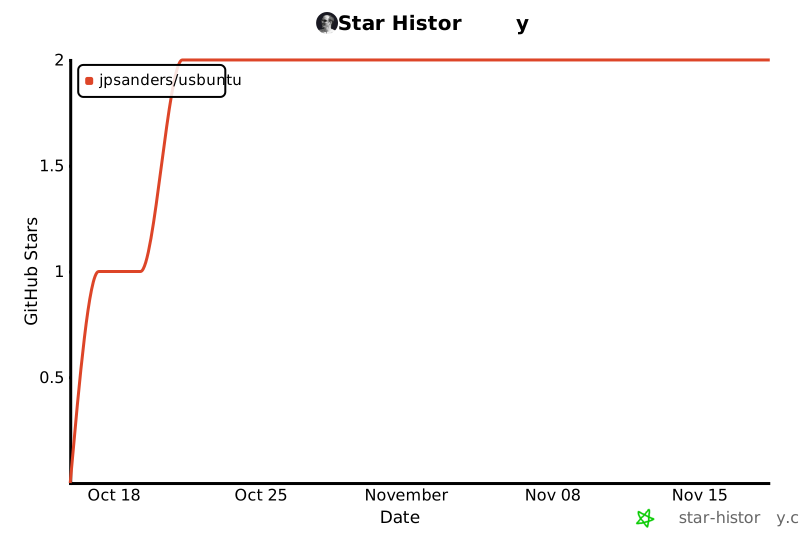
Star history
Licence
MIT. Made by James Phillip Sanders.
1 maintainer

Metadata
1 maintainer
Release files for usbuntu 1.2.1
For a detailed explanation of source distributions (sdists) and built distributions (wheels), please see the package formats documentation.
Source distribution (sdist)
| File | Size | Uploaded | Provenance | Actions |
|---|---|---|---|---|
| usbuntu-1.2.1.tar.gz | 186.1 kB | With provenance | Details for usbuntu-1.2.1.tar.gz |
Built distribution (wheel)
| File | Interpreter | ABI | Platform | Actions Reset |
|---|---|---|---|---|
| usbuntu-1.2.1-py3-none-any.whl | Python 3 | none | any | Details for usbuntu-1.2.1-py3-none-any.whl |
Total release size: 221.7 kB
Release files / usbuntu-1.2.1.tar.gz
| Download URL | usbuntu-1.2.1.tar.gz |
|---|---|
| Size | 186.1 kB |
| Tags | Source |
|
SHA-256 checksum How to use checksums |
95a6b7bcddb8ecb4cecf7fa6e37c39e879dc4ca2159f988037a1a65b2fc803de
|
|
BLAKE2b-256 checksum How to use checksums |
22a0a118d2fc6c60d7cbab6d4c403410d702118e7f8292d31610f2ecbb85a7d2
|
| Upload date | |
|
Uploaded using Trusted Publishing? What is trusted publishing? |
Yes |
| Uploaded via |
twine/7.0.0 CPython/3.13.16
|
Provenance
Provenance describes where a file came from. On PyPI, provenance is shared via attestations, which provide a verifiable record of the build or publishing details. View details, limitations and caveats.


PyPI Publish Attestation
PyPI verified that this artifact, at this checksum, originated from the publisher listed below.
Signed by GitHub Actions, verified by PyPI on Nov 15, 2026.
Transparency logRelease files / usbuntu-1.2.1-py3-none-any.whl
| Download URL | usbuntu-1.2.1-py3-none-any.whl |
|---|---|
| Size | 35.6 kB |
| Tags | Python 3 |
|
SHA-256 checksum How to use checksums |
8cddb50c8027c3547746e1565b79118a1a923e45a1e012a062edd6872871ac3a
|
|
BLAKE2b-256 checksum How to use checksums |
3a4b5402b60639ef5fe2c18c04c65f616ef80617c059860200ee41d3a9d6d971
|
| Upload date | |
|
Uploaded using Trusted Publishing? What is trusted publishing? |
Yes |
| Uploaded via |
twine/7.0.0 CPython/3.13.16
|
Provenance
Provenance describes where a file came from. On PyPI, provenance is shared via attestations, which provide a verifiable record of the build or publishing details. View details, limitations and caveats.
PyPI Publish Attestation
PyPI verified that this artifact, at this checksum, originated from the publisher listed below.
Signed by GitHub Actions, verified by PyPI on Nov 15, 2026.
Transparency logSecurity for usbuntu 1.2.1
Provenance
Provenance describes where a file came from. On PyPI, provenance is shared via attestations, which provide a verifiable record of the build or publishing details. View details, limitations and caveats.
Full provenance
Both files in this release have been uploaded with provenance metadata.
Attestation for usbuntu-1.2.1.tar.gz
PyPI Publish Attestation
PyPI verified that this artifact, at this checksum, originated from the publisher listed below.
Signed by GitHub Actions, verified by PyPI on Nov 15, 2026.
Transparency logA note on package security
PyPI is a repository for distributing packages, not a service for auditing them. While third-party security researchers and our staff do their best to detect and remove malicious packages, PyPI cannot guarantee the quality, security or suitability of any given package.
To learn more about protecting yourself from malicious actors, visit our package security documentation.













