
Variability resolution engine for UVL models and text-based implementation artifacts.


Project description
Table of Contents
UVengine
Universal Variability resolution engine for UVL models and text-based artifacts with Jinja templates.

Official website
Description
UVengine is a variability resolution engine for UVL models and text-based artifacts with Jinja templates.
Its main features are:
- A variability resolution engine for UVL models.
- Support all language level extensions of UVL.
- Feature traceability between UVL models and implementation artifacts.
- Language independence for any text-based artifacts using Jinja templates.
- Composition and annotation-based mechanisms to implement variability at different degrees of granularity.
- Easy integration with existing tools of the UVL ecosystem such as UVLS and flamapy.
How to use it
The tool is currently deployed and available online in the following link so that you don't need to install any stuff:
The main use case of the tool is uploading the files and it automatically resolves the variability.
- Inputs:
- The feature model (.uvl).
- A configuration of the feature model (.json).
- The templates artifacts (.jinja)
- A mapping model (optional) to relate the features in the feature model within the variation points in the artifacts.
- Outputs:
- The artifacts with their variability resolved.
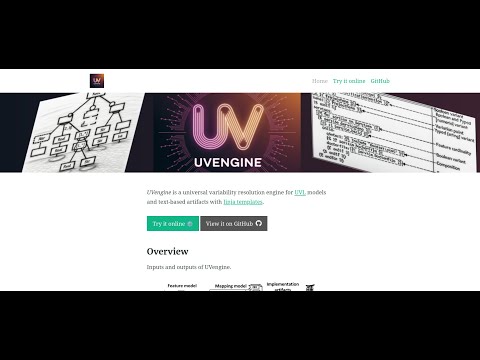
Video demo
Using the library
In case you want to use UVengine programatically as a library or using CLI.
Requirements
Download and install
-
Install Python 3.9+
-
Clone this repository and enter into the main directory:
git clone https://github.com/UVengine/uvenginecd uvengine -
Create a virtual environment:
python -m venv env -
Activate the environment:
In Linux:
source env/bin/activateIn Windows:
.\env\Scripts\Activate -
Install the dependencies:
pip install -r requirements.txt
Usage
The derivation_engine.py script illustrate how to use UVengine programatically.
Basically:
# Import the UVengine
from uvengine import UVEngine

# Instantiate the engine
uvengine = UVEngine(feature_model_path=<<path_to_your_feature_model>>,
                    configs_path=<<list_of_paths_to_your_configs_files>>,
                    templates_paths=<<list_of_paths_to_your_template_files>>,
                    mapping_model_filepath=<<path_to_your_mapping_model_files>>)
# Resolve the variability
resolved_templates = uvengine.resolve_variability()

# Save the resolved templates to file and print the content to the standard output
for template_path, content in resolved_templates.items():
    # Rename output file for avoiding overriding original templates and remove .jinja extension
    output_file = pathlib.Path(template_path).with_name(pathlib.Path(template_path).stem + '_resolved' + ''.join(pathlib.Path(template_path).suffixes).replace('.jinja', ''))
    with open(output_file, 'w', encoding='utf-8') as file:
      file.write(content)
    print(content)
Execution
The derivation_engine.py script is also the entry point interface to resolve the variability from the given inputs.
To resolve the variability over any input, execute:
python derivation_engine.py -fm FEATURE_MODEL -c CONFIGS [CONFIGS ...] -t TEMPLATES [TEMPLATES ...] [-m MAPPING_FILE]
where:
-fm FEATURE_MODEL: Feature model in UVL (.uvl).
-c CONFIGS [CONFIGS ...]: Configuration files (.json) or directy with configurations (in case of a single configuration split in multiple files).
-t TEMPLATES [TEMPLATES ...]: Template files (.jinja) or directory with templates over which the variability is resolved.
[-m MAPPING_FILE]: Optional file with the mapping between the features in the feature model and the variation points and variants in the templates (.csv).
Example:
python derivation_engine.py -fm case_studies/icecream/feature_model/icecream.uvl -c case_studies/icecream/configurations/cone.json -t case_studies/icecream/templates/main.txt.jinja -m case_studies/icecream/mapping_model/icecream.csv
As result, the final product (i.e., the templates with the variability resolved) are generated in the same template folder provided with the suffixes _resolved.
Executing the Case Studies
To facilitate the execution of the different case studies, we have prepared a Python script for each case study:
-
Ice cream:
python cs1_icecream.py -
Docker:
python cs2_docker.py
References and third-party software


Download files
Download the file for your platform. If you're not sure which to choose, learn more about installing packages.
Source Distribution
Built Distribution
Filter files by name, interpreter, ABI, and platform.
If you're not sure about the file name format, learn more about wheel file names.
Copy a direct link to the current filters
File details
Details for the file uvengine-1.0.1.tar.gz.
File metadata
- Download URL: uvengine-1.0.1.tar.gz
- Upload date:
- Size: 8.4 kB
- Tags: Source
- Uploaded using Trusted Publishing? No
- Uploaded via: twine/6.1.0 CPython/3.12.3
File hashes
| Algorithm | Hash digest | |
|---|---|---|
| SHA256 |
8bc3d3a0326a75a152c609d3b0757b98d68f956bffe3ab4948ae9fe1e9fe6608
|
|
| MD5 |
9c9e90c1c961881572eef9921f2a3ee5
|
|
| BLAKE2b-256 |
0564f67cc52122f27cbe9afe390e018399462d2657d68ec1cfa744280eb3a40c
|
File details
Details for the file uvengine-1.0.1-py3-none-any.whl.
File metadata
- Download URL: uvengine-1.0.1-py3-none-any.whl
- Upload date:
- Size: 7.4 kB
- Tags: Python 3
- Uploaded using Trusted Publishing? No
- Uploaded via: twine/6.1.0 CPython/3.12.3
File hashes
| Algorithm | Hash digest | |
|---|---|---|
| SHA256 |
ae79cdc8507f5b7540cb4f94e86889ed898775a89663f71eab60cc004af1556f
|
|
| MD5 |
13f56ded3651405929ea963c7af3112e
|
|
| BLAKE2b-256 |
4972bab111774a9cb5a23173f1fbfbf036a211999b8e46c5898b53a131d00c48
|






