
A terminal client for vaux listening rooms.

Project description
Vaux CLI
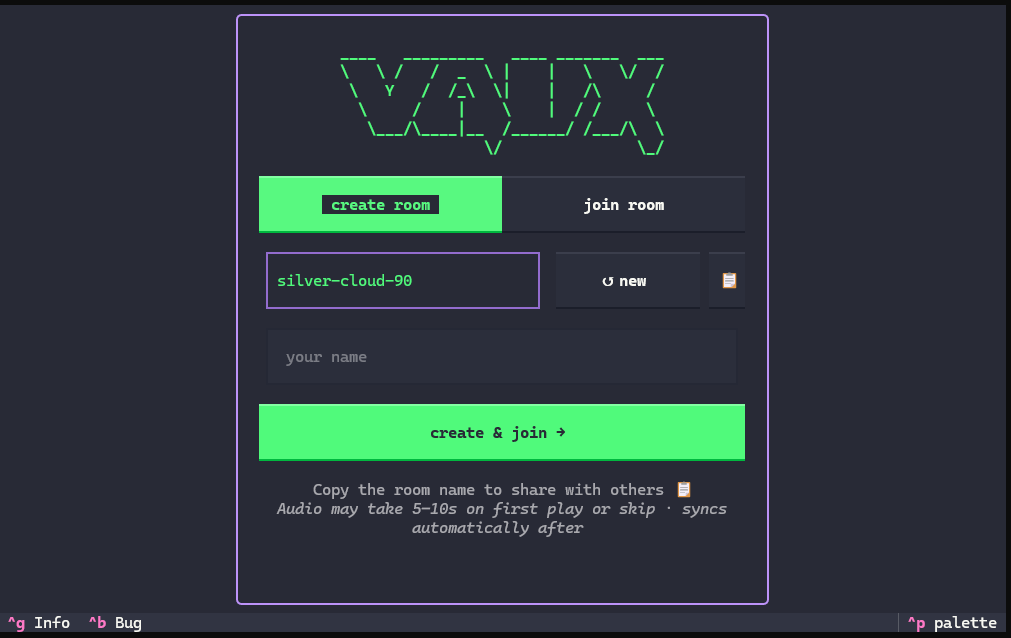
A terminal client for Vaux listening rooms. Listen to YouTube audio in sync with friends directly from your terminal.
Built with Textual and powered by mpv.
Features
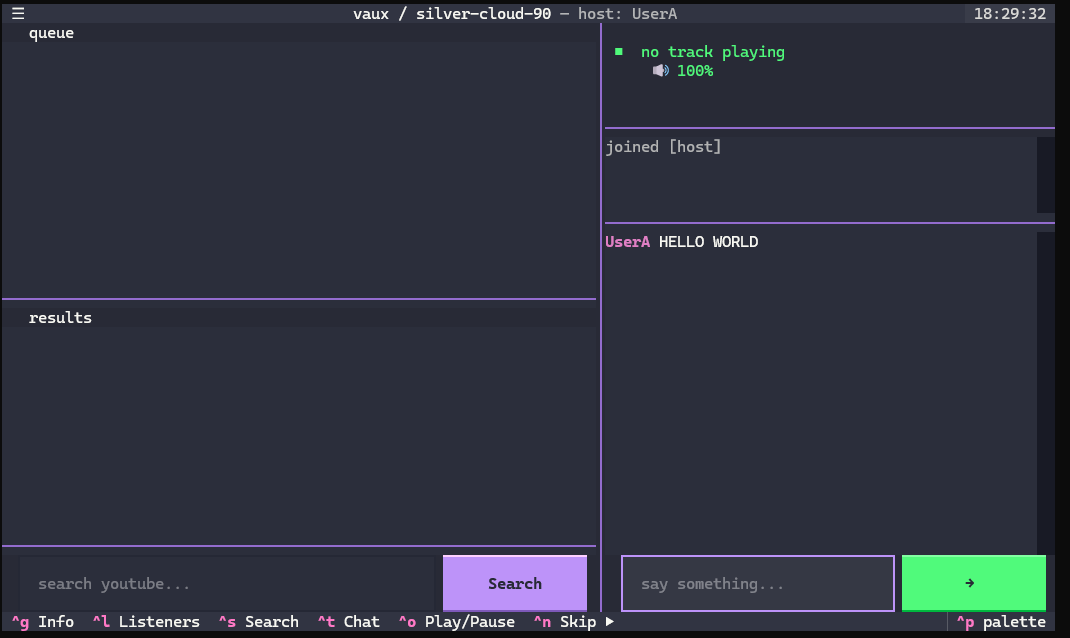
- Synchronized playback — everyone hears the same timestamp
- Shared queue — search YouTube and add tracks from the terminal
- Live voting — vote tracks up or down to re-sort the queue
- Live chat — talk with friends alongside the music
- Host controls — play, pause, skip, remove tracks, transfer host
- No YouTube API key — search and stream URLs come from the Vaux server (with local yt-dlp fallback)
Requirements
- mpv — plays audio. On Windows, the CLI can download a portable build on first run. On Linux/macOS, install via your package manager (
apt install mpv,brew install mpv, etc.). - Node.js (recommended) — modern yt-dlp needs a JS runtime for YouTube extraction. Node is auto-detected when using the local yt-dlp fallback. The hosted server already runs Node.
- yt-dlp — included as a package dependency; keep it updated with
pip install -U yt-dlp.
Installation
pipx install vaux-cli
Or:
pip install vaux-cli
Upgrade to latest release
pip install --upgrade vaux-cli
Usage
Launch the interactive lobby:
vaux
Join a room directly:
vaux <room-id> -u <your-name>
Point at a local server when developing:
vaux --server http://localhost:4000
vaux --server http://localhost:4000 my-room -u yourname
Keyboard shortcuts
In a room
| Key | Action |
|---|---|
Ctrl+S |
Focus search |
Ctrl+R |
Clear search results |
Ctrl+T |
Focus chat |
↑ / ↓ |
Chat history (chat input focused) |
Ctrl+O |
Play / pause (host) |
Ctrl+N |
Skip track (host) |
x / Del |
Remove queue item (host, queue focused) |
Ctrl+U |
Vote up selected track |
Ctrl+D |
Vote down selected track |
- / = |
Volume down / up |
m |
Mute / unmute |
Ctrl+K |
Copy room name to clipboard |
Ctrl+L |
Listeners & transfer host (host) |
Ctrl+G |
Info (version, links, shortcuts) |
Ctrl+B |
Report a bug (Google Form / GitHub) |
Ctrl+P |
Command palette (save screenshot, etc.) |
Ctrl+C |
Quit |
Type /host <username> in chat to transfer host to another listener.
Lobby
| Key | Action |
|---|---|
Tab |
Next field |
Ctrl+G |
Info (version, links, shortcuts) |
Ctrl+B |
Report a bug (Google Form / GitHub) |
Ctrl+P |
Command palette (save screenshot, etc.) |
Ctrl+C |
Quit |
Modal overlays
| Key | Action |
|---|---|
Esc |
Close current overlay (Info / Bug / Listeners) |
Streaming notes
Audio is resolved via the server first, then local yt-dlp fallback. Override VAUX_API_KEY only if the server uses a custom API_KEY. If playback fails, update yt-dlp and keep Node.js on PATH:
pip install -U yt-dlp
yt-dlp --js-runtimes node --remote-components ejs:github "https://youtu.be/VIDEO_ID"
If that command works locally, the CLI fallback should work too.
Reporting bugs
Found something broken? You have three ways to report it:
- Inside the app — press
Ctrl+Bfrom the lobby or any room. An overlay opens with two choices:- Google Form — anonymous, no GitHub account needed.
- GitHub Issues — opens a pre-filled issue with your vaux-cli version, Python version, and OS already in the body.
- From the shell —
vaux bugopens the GitHub Issues page in your browser with the same pre-filled template. - Attaching a screenshot — press
Ctrl+Pinside vaux to open Textual's command palette, then choose Save screenshot. vaux writes an SVG of the current terminal screen to your working directory; attach it to the form or drop it into the GitHub issue. Close the bug-report overlay before capturing so the screenshot shows the underlying screen.
Development
cd cli
python -m venv .venv
.venv\Scripts\activate        # Windows
source .venv/bin/activate     # macOS/Linux
pip install -e .
python main.py --server http://localhost:4000
Links
- Repository: github.com/itsvee0120/vaux
- PyPI: pypi.org/project/vaux-cli
- Issues: github.com/itsvee0120/vaux/issues
Why this project
I'm too lazy to switch tabs and need my full screen while coding ... That's it, that's why. 😺
Okay, not entirely.
This project was created because I wanted to learn how to use Socket.IO across a CLI application and a web app. It started as a fun hobby project and a learning exercise, and I decided to publish it so others can play around with it, learn from it, or build their own ideas based on what I've made.
Disclaimer: This is a personal hobby project created for learning and experimentation. It is free, open source, non-commercial, and released under the MIT License. No donations, sponsorships, subscriptions, or other forms of compensation are requested or expected. If you find it useful, that's more than enough.
Author
Violet Nguyen — nviolet0120@gmail.com
License
MIT — see LICENSE.
Release history Release notifications | RSS feed


Download files
Download the file for your platform. If you're not sure which to choose, learn more about installing packages.
Source Distribution
Built Distribution
Filter files by name, interpreter, ABI, and platform.
If you're not sure about the file name format, learn more about wheel file names.
Copy a direct link to the current filters
File details
Details for the file vaux_cli-0.2.5.tar.gz.
File metadata
- Download URL: vaux_cli-0.2.5.tar.gz
- Upload date:
- Size: 32.2 kB
- Tags: Source
- Uploaded using Trusted Publishing? No
- Uploaded via: twine/6.2.0 CPython/3.13.7
File hashes
| Algorithm | Hash digest | |
|---|---|---|
| SHA256 |
7331aa89d4e9e6e62058cd5f131e5a86a1f495fe962cb579df527b02d76de1b4
|
|
| MD5 |
c931199609a94ac7db48bf92b6dce719
|
|
| BLAKE2b-256 |
a3d06b6cecc984f1ff2d781c5f12917c53257a9800c29cc4ef8edc9072d55270
|
File details
Details for the file vaux_cli-0.2.5-py3-none-any.whl.
File metadata
- Download URL: vaux_cli-0.2.5-py3-none-any.whl
- Upload date:
- Size: 31.8 kB
- Tags: Python 3
- Uploaded using Trusted Publishing? No
- Uploaded via: twine/6.2.0 CPython/3.13.7
File hashes
| Algorithm | Hash digest | |
|---|---|---|
| SHA256 |
ccfe2ce66893f2ab08bc78fceb18ea03b39752733bbbb86e7d96bb381957397e
|
|
| MD5 |
d7bb40f23d5c14bf4c9fa88b0d526322
|
|
| BLAKE2b-256 |
f2befec7571c66ee3a1252095af5a1ceece3e530be4665e315492c8c217656d1
|






