
VBR Development Kit



Install
pip install vbr-devkit
Run without installing (uvx)
If you have uv installed, you can run the kit without installing it into your environment:
uvx vbr-devkit list
uvx fetches the package into a temporary, isolated environment and runs it. Any vbr command works through the vbr-devkit entry point, for example:
uvx vbr-devkit download campus_train0 ~/data/
uvx vbr-devkit convert kitti <input.bag> <output_dir>
You can install autocompletion for our package by typing:
vbr --install-completion
you might need to restart the shell for the autocompletion to take effect.
Usage
Download sequences
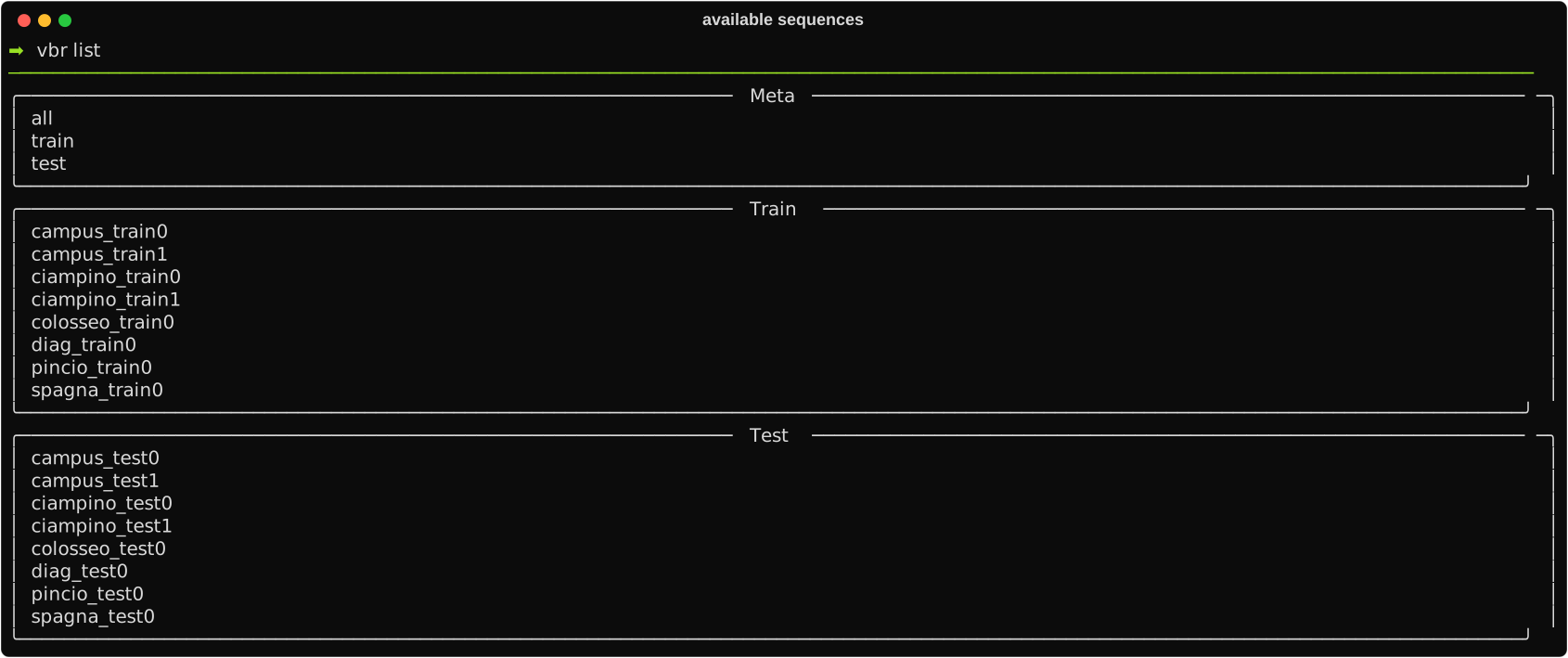
You can list the available sequences you can download by typing:
vbr list
You should see something similar to this
After choosing your sequence, you can type
vbr download <sequence_name> <save_directory>
For instance, we could save campus_train0 as follows:
vbr download campus_train0 ~/data/
N.B. The script will actually save the sequence at <save_directory>/vbr_slam/<sequence_prefix>/<sequence_name>. Moreover, by calling the previous command, we expect the following directory:
data
  - vbr_slam
    - campus
      - campus_train0
        - vbr_calib.yaml
        - campus_train0_gt.txt
        - campus_train0_00.bag
        - campus_train0_01.bag
        - campus_train0_02.bag
        - campus_train0_03.bag
        - campus_train0_04.bag
Convert format
The sequences are provided in ROS1 format. We offer a convenient tool to change representation if you prefer working on a different format. You can see the supported formats by typing:
vbr convert --help
To convert a bag or a sequence of bags, type:
vbr convert <desired_format> <input_directory/input_bag> <output_directory>
for instance, we could convert the campus_train0 sequence to kitti format as follows:
vbr convert kitti ~/data/vbr_slam/campus/campus_train0/campus_train0_00.bag ~/data/campus_train0_00_kitti/
We can expect the following result:
data
  - campus_train0_00_kitti
    - camera_left
      - timestamps.txt
      - data
        - 0000000000.png
        - 0000000001.png
        - ...
    - camera_right
      - timestamps.txt
      - data
        - 0000000000.png
        - 0000000001.png
        - ...
    - ouster_points
      - timestamps.txt
      - data
        - .dtype.pkl
        - 0000000000.bin
        - 0000000001.bin
        - ...
    - ...
N.B. In KITTI format, point clouds are embedded in binary files that can be opened using Numpy and pickle as follows:
import numpy as np
import pickle

with open("campus_train0_00_kitti/ouster_points/data/.dtype.pkl", "rb") as f:
    cdtype = pickle.load(f)

cloud_numpy = np.fromfile("/campus_train0_00_kitti/ouster_points/data/0000000000.bin", dtype=cdtype)
1 maintainer

Metadata
1 maintainer
Release files for vbr-devkit 0.1.2
For a detailed explanation of source distributions (sdists) and built distributions (wheels), please see the package formats documentation.
Source distribution (sdist)
| File | Size | Uploaded | Provenance | |
|---|---|---|---|---|
| vbr_devkit-0.1.2.tar.gz | 10.4 kB | Without provenance | Details |
Release files / vbr_devkit-0.1.2.tar.gz
| Download URL | vbr_devkit-0.1.2.tar.gz |
|---|---|
| Size | 10.4 kB |
| Tags | Source |
|
SHA-256 checksum How to use checksums |
09a1d5ab27c13c576bae2f369995f1465995f405624b7867aea0b0cad13a09c6
|
|
BLAKE2b-256 checksum How to use checksums |
ad3c64d7d8824fe7196bfc589f30bb014d7ece7bb816dc7404f0314836c12ac7
|
| Upload date | |
|
Uploaded using Trusted Publishing? What is trusted publishing? |
No |
| Uploaded via |
twine/6.1.0 CPython/3.13.12
|
Security for vbr-devkit 0.1.2
Provenance
Provenance describes where a file came from. On PyPI, provenance is shared via attestations, which provide a verifiable record of the build or publishing details. View details, limitations and caveats.
No provenance found
None of the files in this release were uploaded with provenance metadata.
A note on package security
PyPI is a repository for distributing packages, not a service for auditing them. While third-party security researchers and our staff do their best to detect and remove malicious packages, PyPI cannot guarantee the quality, security or suitability of any given package.














