
Vedro Screenshot Matcher
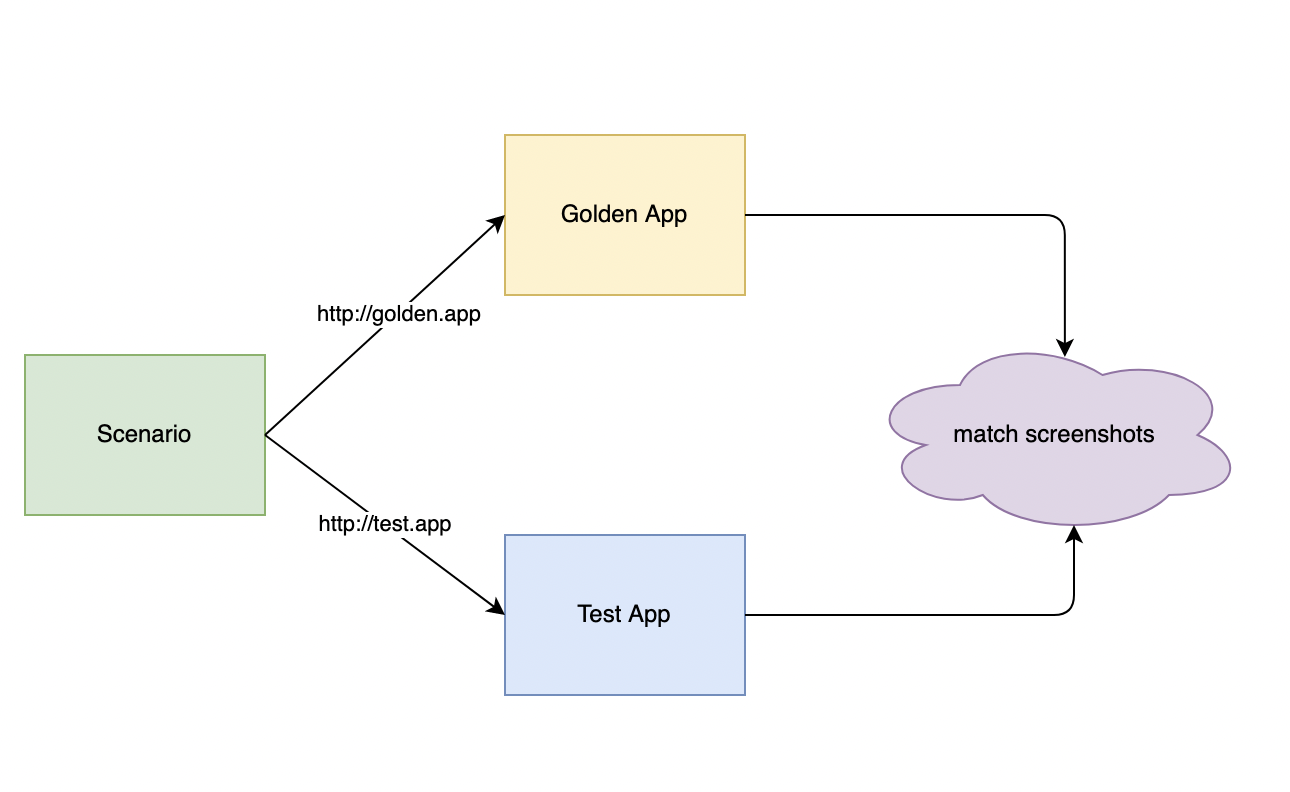
The screenshot_matcher is a powerful tool designed for developers and testers to visually compare two versions of an application. By contrasting a production version (known as "golden") with a development version (referred to as "test"), spotting visual inconsistencies becomes more straightforward.
Integrated seamlessly with the vedro testing framework, it aids in performing visual regression tests with ease.
Installation
-
Install the Plugin
vedro plugin install vedro_screenshot_matcher -
Configure the Plugin In your
vedro.cfg.py:import vedro import screenshot_matcher class Config(vedro.Config): class Plugins(vedro.Config.Plugins): class ScreenshotMatcher(screenshot_matcher.ScreenshotMatcher): test_app_url = "http://localhost" golden_app_url = "http://golden-app.com"
Make sure to provide the correct test_app_url and golden_app_url in the configuration.
Quick Start
Suppose you have a basic test as below:
import vedro
from contexts import opened_index_page

class Scenario(vedro.Scenario):
    subject = "share page"

    def given_opened_page(self):
        self.page = opened_index_page()

    def when_user_click_on_share(self):
        self.page.get_by_text("Share").click()

    def then_it_should_show_share_popup(self):
        share_popup = self.page.locator(".share-popup .title")
        assert share_popup.text_content() == "Share Page"
The context that opens the index page:
import vedro
import playwright
from os import environ

@vedro.context
async def opened_index_page():
    browser = await playwright.chromium.launch()
    page = await browser.new_page()

    await page.goto(environ["APP_URL"])

    return page
To implement a screenshot assertion:
-
Add the
@screenshot_assertsdecorator at the beginning of the scenario -
Include the
match_screenshotassertion where needed import vedro from screenshot_matcher import screenshot_asserts, match_screenshot@screenshot_asserts() # Step 1: Add decorator class Scenario(vedro.Scenario): subject = "share page"
 def given_opened_page(self):
     self.page = opened_index_page()

 def when_user_click_on_share(self):
     self.page.get_by_text("Share").click()

 def then_it_should_show_share_popup(self):
     share_popup = self.page.locator(".share-popup .title")
     assert share_popup.text_content() == "Share Page"
     assert match_screenshot(share_popup)  # Step 2: Add screenshot assertion
By following these steps, the plugin will:
- Execute the test using
APP_URLset to yourgolden_app_url - Capture a screenshot, storing it as the expected outcome
- Run the test again with
APP_URLset to yourtest_app_url - Finally, it will compare the new screenshot with the previously saved one
1 maintainer

Metadata
1 maintainer
Release files for vedro-screenshot-matcher 0.1.0
For a detailed explanation of source distributions (sdists) and built distributions (wheels), please see the package formats documentation.
Source distribution (sdist)
| File | Size | Uploaded | |
|---|---|---|---|
| vedro-screenshot-matcher-0.1.0.tar.gz | 7.3 kB | Details |
Built distribution (wheel)
| File | Interpreter | ABI | Platform | Reset |
|---|---|---|---|---|
| vedro_screenshot_matcher-0.1.0-py3-none-any.whl | Python 3 | none | any | Details |
Total release size: 14.7 kB
Release files / vedro-screenshot-matcher-0.1.0.tar.gz
| Download URL | vedro-screenshot-matcher-0.1.0.tar.gz |
|---|---|
| Size | 7.3 kB |
| Tags | Source |
|
SHA-256 checksum How to use checksums |
67d5ecf292729fef9e0b943e7de366478bc163af336a865e1ffe62b29397914a
|
|
BLAKE2b-256 checksum How to use checksums |
a46157466e759d3c35311775a1424154e523d566ec473783a9dc29a0091bf9b9
|
| Upload date | |
|
Uploaded using Trusted Publishing? What is trusted publishing? |
No |
| Uploaded via |
twine/4.0.2 CPython/3.10.13
|
Release files / vedro_screenshot_matcher-0.1.0-py3-none-any.whl
| Download URL | vedro_screenshot_matcher-0.1.0-py3-none-any.whl |
|---|---|
| Size | 7.3 kB |
| Tags | Python 3 |
|
SHA-256 checksum How to use checksums |
9b16fb3f6fe65b12b8356b3c667c840e2174c4c9406e9909aaf89b8c86effd31
|
|
BLAKE2b-256 checksum How to use checksums |
5aaabadab16e06839ad6c04e8a50efbf0c1467e37b988a3260f31836fbd108ab
|
| Upload date | |
|
Uploaded using Trusted Publishing? What is trusted publishing? |
No |
| Uploaded via |
twine/4.0.2 CPython/3.10.13
|













