






Veggie is a web-based tool for monitoring the status of Celery tasks and starting tasks through a UI. It stores Celery events in a SQLite database but allows easy switch to another user-defined storage backend.
Installation
pip install veggie
Quickstart
To enable better task monitoring, add the following to your Celery application:
celery_app = Celery("myapp")

celery_app.conf.worker_send_task_events = True  # Enables task events
celery_app.conf.task_send_sent_event = True  # Enables sent events
celery_app.conf.task_track_started = True  # Update task result state to STARTED
celery_app.conf.result_extended = True  # Store args and kwargs in the result
Start monitoring by adding the following to your Celery application or in a separate script:
from veggie.monitor import CeleryMonitor
from veggie.storage import SQLiteStorage

os.environ["VEGGIE_PORT"] = "5000"  # Set port for the UI and API

if __name__ == "__main__":
    celery_monitor = CeleryMonitor(celery_app=celery_app, storage=SQLiteStorage(path="events.db")) # or any other storage class that inherits from veggie.storage.Storage
    celery_monitor.start()
Open your browser at http://localhost:5000:
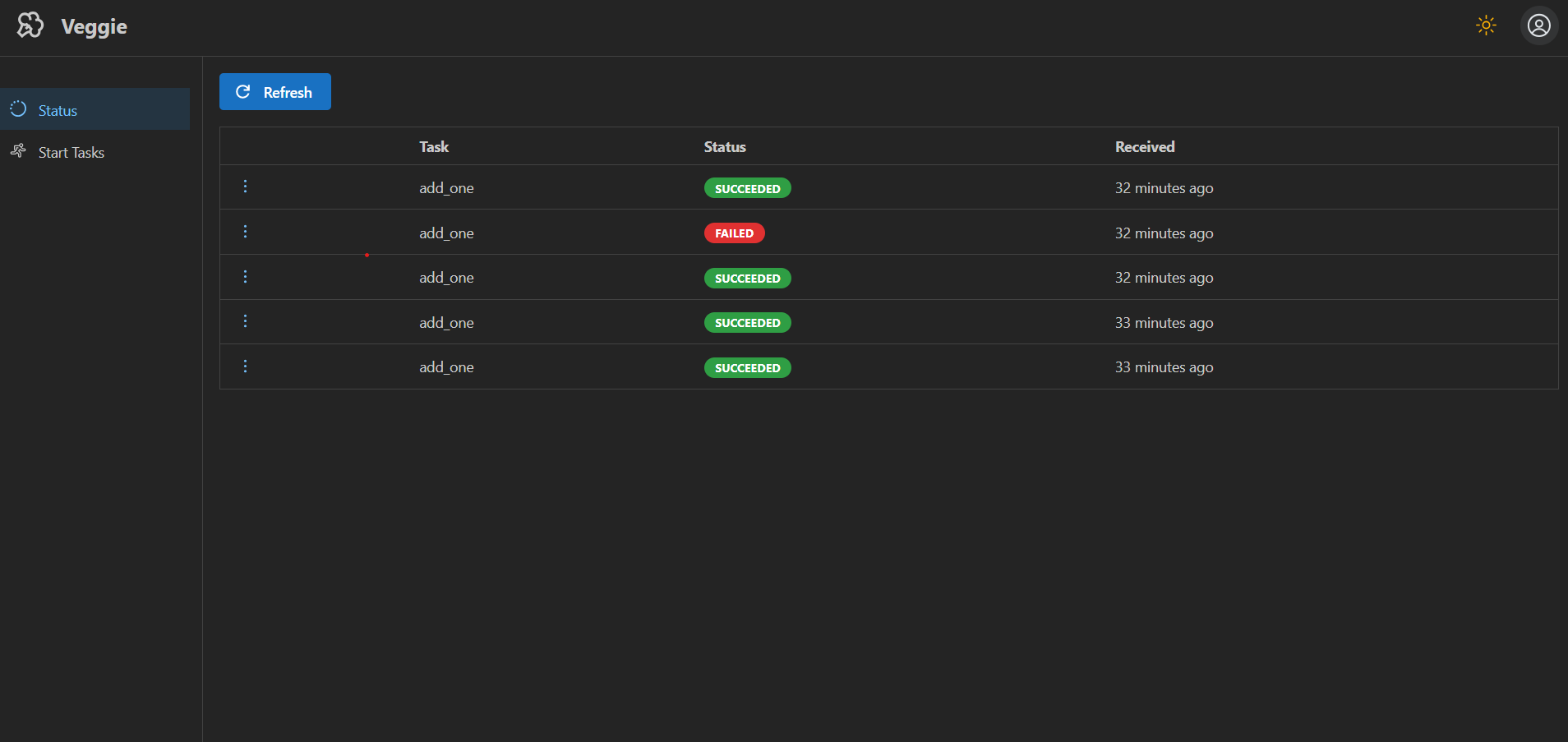
Check the status of past and running tasks:
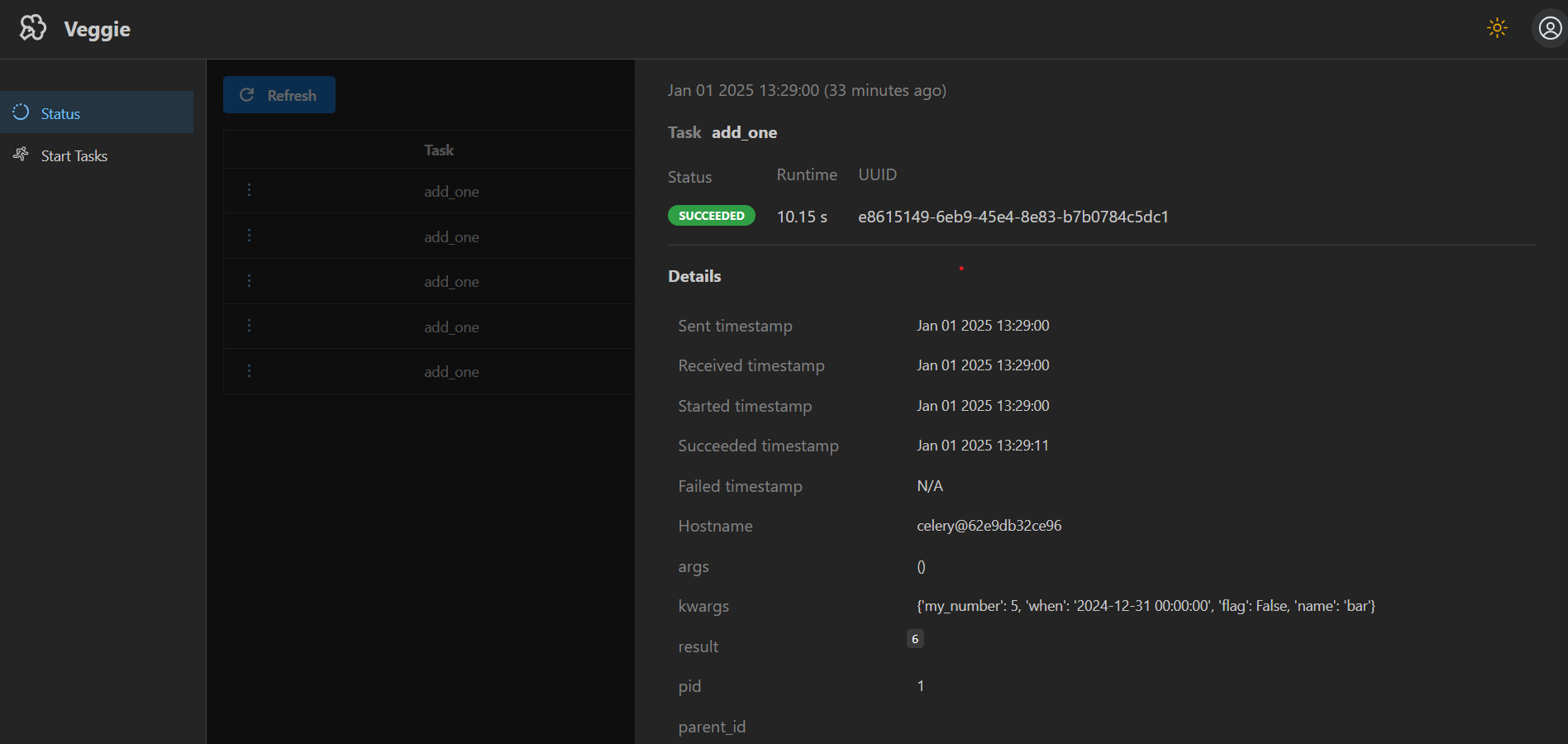
Select a task to view its details:
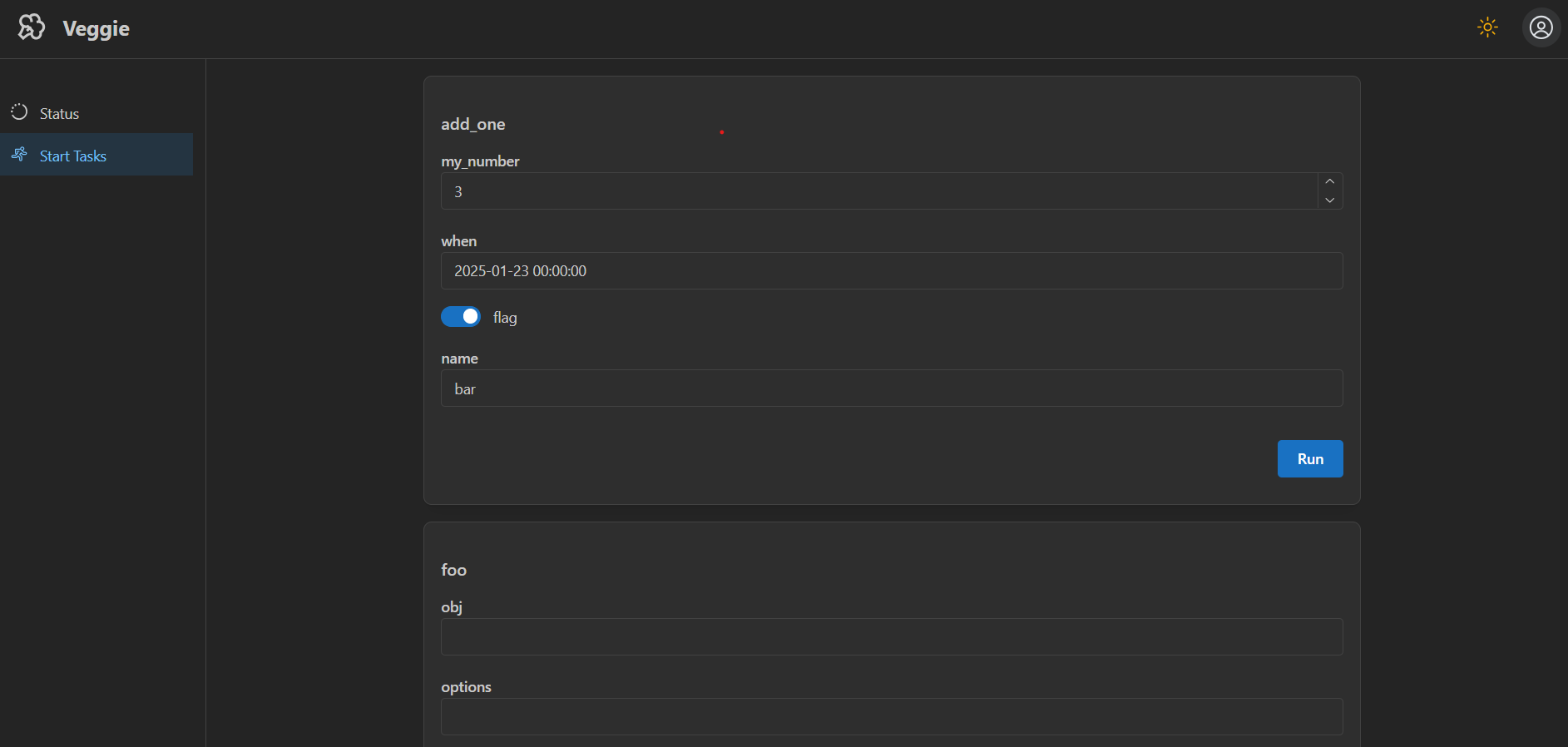
Start a new task by entering values for its parameters through the UI:
See the example folder for a full example.
REST API
Access the API at http://localhost:5000/api/
Configure your own storage backend
All storage implementations should inherit from the veggie.storage.Storage class and implement the store_event(), get_events() and get_event_by_id() methods. For an example, check the SQLiteStorage implementation.
1 maintainer

Metadata
1 maintainer
Release files for veggie 0.1.12
For a detailed explanation of source distributions (sdists) and built distributions (wheels), please see the package formats documentation.
Source distribution (sdist)
| File | Size | Uploaded | Provenance | |
|---|---|---|---|---|
| veggie-0.1.12.tar.gz | 15.5 kB | Without provenance | Details |
Built distribution (wheel)
| File | Interpreter | ABI | Platform | Reset |
|---|---|---|---|---|
| veggie-0.1.12-py3-none-any.whl | Python 3 | none | any | Details |
Total release size: 32.4 kB
Release files / veggie-0.1.12.tar.gz
| Download URL | veggie-0.1.12.tar.gz |
|---|---|
| Size | 15.5 kB |
| Tags | Source |
|
SHA-256 checksum How to use checksums |
93be76585f345c2a4033eb32dae0278e5fd0855ce9e50037f1f179afb1c9d843
|
|
BLAKE2b-256 checksum How to use checksums |
9e7e74236f56b1d7492b0840020991218233308f476548e3a8ecdd497ee8db21
|
| Upload date | |
|
Uploaded using Trusted Publishing? What is trusted publishing? |
No |
| Uploaded via |
twine/6.0.1 CPython/3.11.4
|
Release files / veggie-0.1.12-py3-none-any.whl
| Download URL | veggie-0.1.12-py3-none-any.whl |
|---|---|
| Size | 16.9 kB |
| Tags | Python 3 |
|
SHA-256 checksum How to use checksums |
fed859ed92af73955ef26387362e5138c457edcf7b3e865c0f004f10467b8947
|
|
BLAKE2b-256 checksum How to use checksums |
4e957f0d27948e04f802b7159c4834814a1d2e6c67d15ffab3f0c807ee6164f8
|
| Upload date | |
|
Uploaded using Trusted Publishing? What is trusted publishing? |
No |
| Uploaded via |
twine/6.0.1 CPython/3.11.4
|
Security for veggie 0.1.12
Provenance
Provenance describes where a file came from. On PyPI, provenance is shared via attestations, which provide a verifiable record of the build or publishing details. View details, limitations and caveats.
No provenance found
None of the files in this release were uploaded with provenance metadata.
A note on package security
PyPI is a repository for distributing packages, not a service for auditing them. While third-party security researchers and our staff do their best to detect and remove malicious packages, PyPI cannot guarantee the quality, security or suitability of any given package.














