
VelociDictate
AI-Powered Hands-Free Technical Dictation
VelociDictate is a cross-platform speech-to-text application designed for technical professionals. It combines OpenAI's Whisper for local audio transcription with Anthropic's Claude for intelligent correction of technical terminology, acronyms, and domain-specific language.
The Problem
General-purpose speech-to-text consistently fails on technical content:
- "oh SPF" instead of OSPF
- "B G P" instead of BGP
- "ten dot zero dot zero dot one" instead of 10.0.0.1
- "V LAN one hundred" instead of VLAN 100
- "eight oh two dot one Q" instead of 802.1Q
VelociDictate solves this with a two-stage pipeline: Whisper handles the speech recognition, Claude corrects the technical terms.
Features
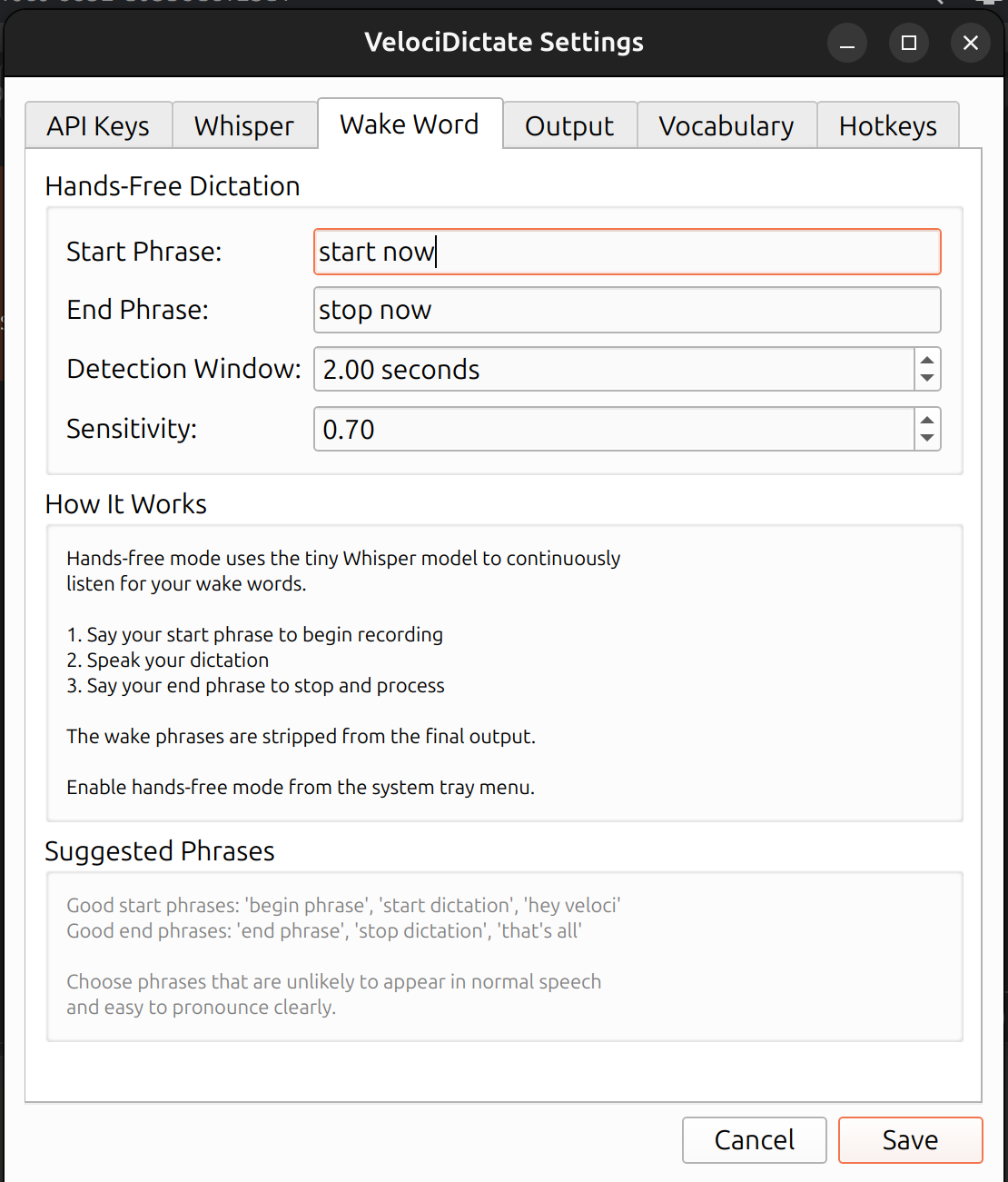
Hands-Free Operation Voice-activated recording with customizable start/stop phrases. Say "start now" to begin dictating, "stop now" to transcribe and paste. No keyboard or mouse required.
Technical Accuracy Domain-specific vocabulary correction for networking, software development, IT operations, project management, and creative writing. Extensible with custom vocabulary packs.
Auto-Paste Mode Transcriptions paste directly into whatever application has focus. Dictate into emails, chat windows, IDEs, terminals, or documents without switching context.
Local Processing Whisper runs entirely on your machine. Audio never leaves your system. Only the text transcript is sent to Claude for refinement.
System Tray Application Runs quietly in the background. Tray icon indicates state: green (ready), orange (listening for wake word), red (recording).
How It Works
Microphone → Wake Word Detection → Recording → Transcription → Refinement → Auto-Paste
              (Whisper tiny)                    (Whisper small)  (Claude API)
- Wake Word Detection - A lightweight Whisper "tiny" model continuously monitors for voice commands
- Recording - Audio captured from start phrase until stop phrase detected
- Transcription - Whisper "small" model converts speech to text
- Refinement - Claude corrects technical terminology using domain-specific prompts
- Output - Text copied to clipboard and optionally pasted into the active window
Installation
Requirements
- Python 3.12+
- Anthropic API key
- Microphone
Install from PyPI
pip install velocidictate
Install from Source
git clone https://github.com/scottpeterman/velocidictate.git
cd velocidictate
pip install -e .
Linux Dependencies
sudo apt install libportaudio2 portaudio19-dev xdotool xclip
API Key Setup
export ANTHROPIC_API_KEY='sk-ant-...'
Or configure through Settings → API Keys after launching.
Usage
Starting the Application
velocidictate
A system tray icon appears. Right-click for the menu.
Hands-Free Dictation
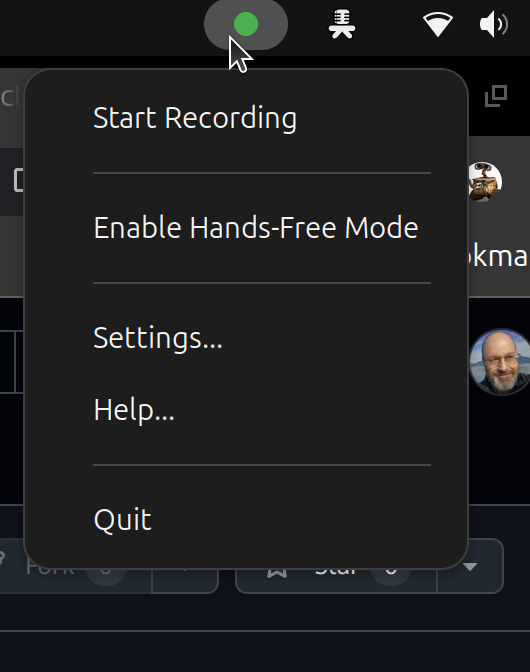
- Right-click tray → Enable Hands-Free Mode
- Right-click tray → Settings → Output → Enable Auto-paste
- Focus on any text field (email, chat, IDE, document)
- Say "start now"
- Dictate naturally
- Say "stop now"
- Text appears in the focused field
Manual Mode
- Click tray icon to start recording
- Click again to stop and transcribe
- Or use the global hotkey (default: Ctrl+Shift+R)
Example
You say:
"Start now. Configure the BGP neighbor at 10.0.0.1 with remote AS 65001 period. Enable OSPF on VLAN 100 comma area zero period. Stop now."
Result:
Configure the BGP neighbor at 10.0.0.1 with remote AS 65001. Enable OSPF on VLAN 100, area 0.
Screenshots
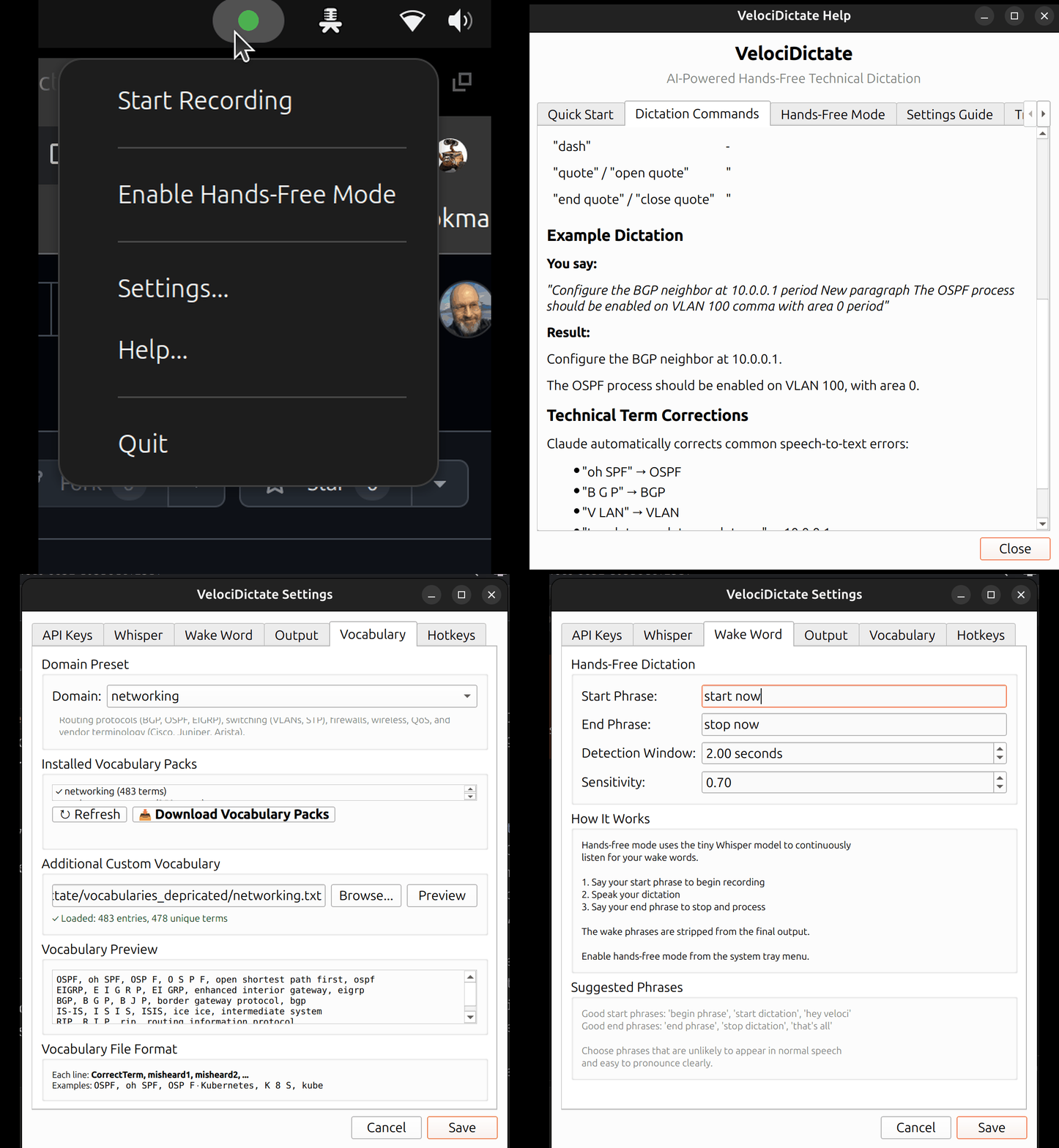
System Tray Menu
Wake Word Settings
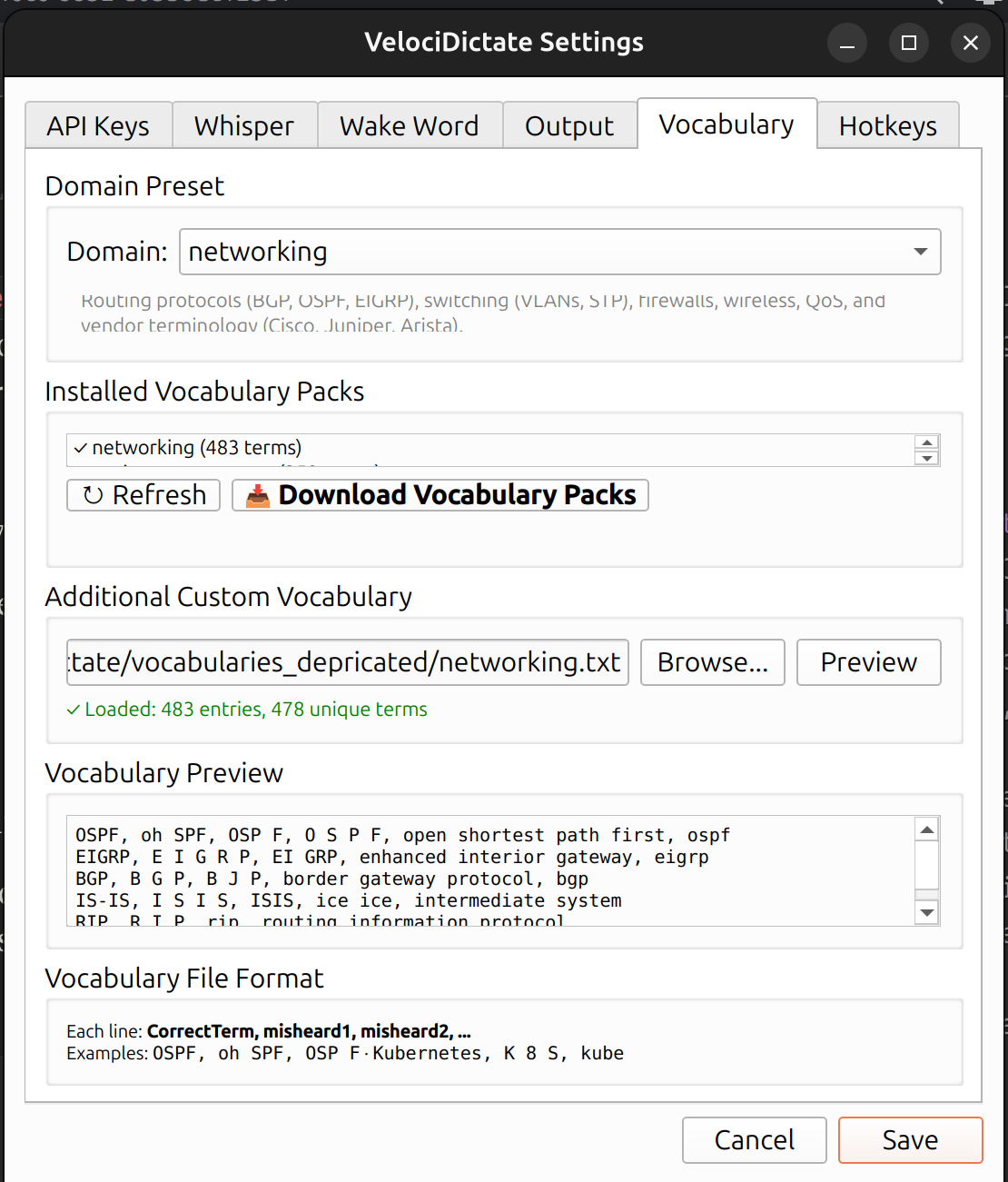
Vocabulary Manager
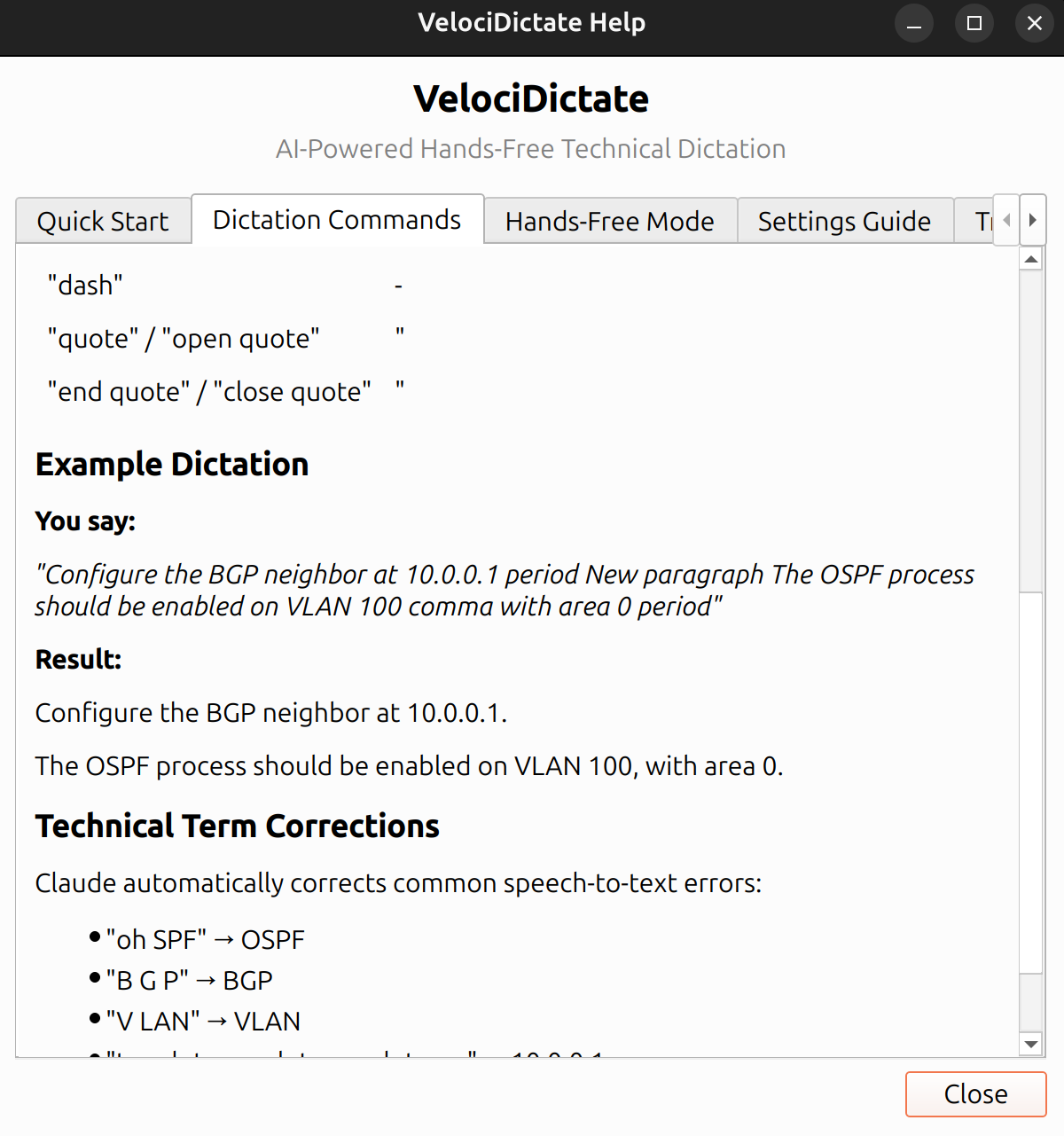
Help - Dictation Commands
Vocabulary Packs
VelociDictate includes domain-specific vocabulary correction. Select your domain in Settings → Vocabulary.
Built-in Domains
| Domain | Description |
|---|---|
| networking | BGP, OSPF, VLAN, firewalls, Cisco/Juniper/Arista terminology |
| development | Python, JavaScript, APIs, Docker, Kubernetes, cloud platforms |
| it-general | Windows, Linux, Active Directory, helpdesk, sysadmin |
| project-management | Agile, Scrum, SAFe, Kanban, Jira, stakeholder terminology |
| creative-writing | Latin phrases, Shakespeare, literary terms, classical references |
| general | Basic punctuation and capitalization without domain focus |
Extended Vocabulary Packs
Download comprehensive vocabulary packs with hundreds of terms and their common misrecognitions:
Settings → Vocabulary → Download Vocabulary Packs
Or manually from: https://github.com/scottpeterman/velocidictate
Custom Vocabulary
Create your own vocabulary file (one entry per line):
OSPF, oh SPF, OSP F, O S P F
BGP, B G P, beep, bee gee pee
Kubernetes, K 8 S, K8s, kube, kubernetes
Point to it in Settings → Vocabulary → Additional Custom Vocabulary.
Configuration
Config File Location
| Platform | Path |
|---|---|
| Linux | ~/.config/velocidictate/config.toml |
| Windows | %APPDATA%\velocidictate\config.toml |
| macOS | ~/Library/Application Support/velocidictate/config.toml |
Settings Dialog
Right-click tray → Settings
API Keys - Claude and OpenAI credentials
Whisper - Model size (tiny/base/small/medium/large-v3), device (cpu/cuda)
Wake Word - Start/stop phrases, detection sensitivity
Output - Auto-paste toggle, notifications
Vocabulary - Domain selection, custom vocabulary files
Hotkeys - Global keyboard shortcuts
Voice Commands
Speak these words to insert punctuation:
| Say | Result |
|---|---|
| period | . |
| comma | , |
| question mark | ? |
| exclamation point | ! |
| colon | : |
| semicolon | ; |
| new paragraph | (blank line) |
| new line | (line break) |
| open paren | ( |
| close paren | ) |
| quote / open quote | " |
| end quote / close quote | " |
| dash | - |
Architecture
Components
| Component | Technology | Purpose |
|---|---|---|
| Audio Capture | sounddevice | Microphone input |
| Wake Word | Whisper tiny | Voice command detection |
| Transcription | Whisper small (faster-whisper) | Speech to text |
| Refinement | Claude API | Technical term correction |
| Output | pyperclip, xdotool | Clipboard and auto-paste |
| GUI | PyQt6 | System tray application |
Design Decisions
Two Whisper Models: The tiny model (~75MB) runs continuously for wake word detection with minimal CPU impact. The small model (~460MB) provides higher accuracy for actual transcription but only runs after recording stops.
Claude Refinement: Speech-to-text engines consistently fail on technical terminology. Claude's language understanding corrects domain-specific terms that would otherwise require extensive post-processing rules.
Voice-Activated: True hands-free operation enables dictation while typing, reading documents, or working in any application without switching focus.
Troubleshooting
No Audio Captured
# List available devices
velocidictate --list-devices

# Check PulseAudio/PipeWire
pactl list sources short
Wake Word Not Detected
- Speak clearly with a brief pause before the phrase
- Reduce background noise
- Increase sensitivity in Settings → Wake Word
- Try different wake phrases
Auto-Paste Not Working (Linux)
# Install xdotool
sudo apt install xdotool

# For Wayland, xdotool may not work
# Use X11 or install wtype
High CPU Usage
Expected in hands-free mode (tiny model runs continuously). Disable hands-free mode when not dictating. Consider CUDA acceleration if available.
Claude Errors
- Verify API key:
echo $ANTHROPIC_API_KEY - Check quota at console.anthropic.com
- Refinement is optional; raw Whisper output still works without Claude
Command Line Options
velocidictate                    # Launch GUI
velocidictate --debug            # Enable debug output
velocidictate --list-devices     # List audio devices
Project Structure
velocidictate/
├── audio/
│   ├── capture.py           # Microphone recording
│   └── wake_word.py         # Voice-activated detection
├── transcription/
│   └── whisper_local.py     # Whisper inference
├── refinement/
│   └── claude.py            # Claude API integration
├── output/
│   └── clipboard.py         # Clipboard and auto-paste
├── ui/
│   ├── tray.py              # System tray application
│   ├── settings_dialog.py   # Settings interface
│   ├── help_dialog.py       # Help documentation
│   └── config.py            # Configuration management
└── vocabularies/
    └── networking.txt       # Default vocabulary
License
GPLv3 - This project uses PyQt6 which is licensed under GPL.
Author
Scott Peterman
Links
- Repository: https://github.com/scottpeterman/velocidictate
- Vocabulary Packs: https://github.com/scottpeterman/velocidictate
- Issues: https://github.com/scottpeterman/velocidictate/issues
1 maintainer

Metadata
1 maintainer
Release files for velocidictate 0.1.1
For a detailed explanation of source distributions (sdists) and built distributions (wheels), please see the package formats documentation.
Built distribution (wheel)
| File | Interpreter | ABI | Platform | Reset |
|---|---|---|---|---|
| velocidictate-0.1.1-py3-none-any.whl | Python 3 | none | any | Details |
Release files / velocidictate-0.1.1-py3-none-any.whl
| Download URL | velocidictate-0.1.1-py3-none-any.whl |
|---|---|
| Size | 50.9 kB |
| Tags | Python 3 |
|
SHA-256 checksum How to use checksums |
95b6ba93d04dff8f491011a6d847abba56f8bbf4b664235991eb41500ec9f58b
|
|
BLAKE2b-256 checksum How to use checksums |
78cc950c320d979a4d3d818a8e37c7d3e797a9b43c7d55e7e15d2b2c9cea1ef9
|
| Upload date | |
|
Uploaded using Trusted Publishing? What is trusted publishing? |
No |
| Uploaded via |
twine/6.2.0 CPython/3.12.3
|













