
Tactical network CMDB with automated discovery, change detection, and operational intelligence

Project description
VelocityCMDB
Tactical, highly portable network CMDB with automated discovery, change detection, and operational intelligence for Windows, Mac or Linux
Project Status
VelocityCMDB is in active development and has been extensively tested against real production networks with hundreds of devices across multiple vendors. While functional and feature-complete for core workflows, it is not yet recommended for security-critical environments. The codebase is stabilizing but may still see breaking changes before v1.0.


New site onboarded in under 1 hour - Automated discovery, configuration capture, and topology visualization out of the box.
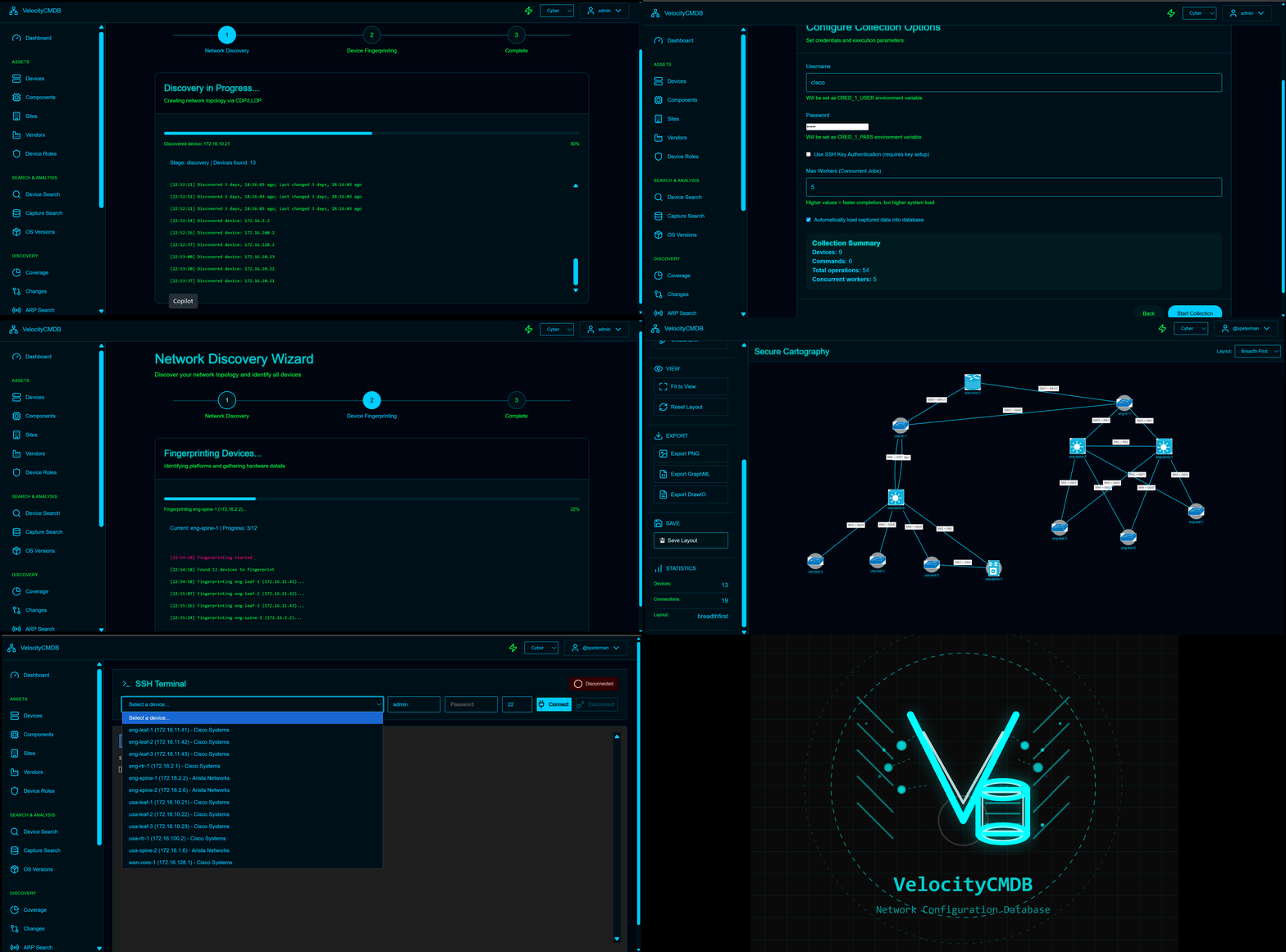
What is VelocityCMDB?
VelocityCMDB is a pip-installable network CMDB that combines asset management, automated discovery, configuration tracking, and operational intelligence in a unified platform.
Three Commands to Running
pip install velocitycmdb
python -m velocitycmdb.cli init
python -m velocitycmdb.app.run
That's it. Access the dashboard at http://localhost:8086 (default: admin / admin)
Key Features
- Automated Discovery - LLDP/CDP-based topology mapping
- Device Inventory - Complete asset tracking with components, sites, vendors, roles
- Hardware Components - Automated inventory parsing with vendor-aware classification
- Change Detection - Configuration monitoring with severity classification and diffs
- Topology Visualization - Interactive maps with export to GraphML/DrawIO/PNG
- Map Library - Import existing Visio/DrawIO diagrams organized by folder
- Operational Search - Full-text search across configs, ARP, MAC, inventory captures
- Integrated Documentation - Wiki-style notes linked to devices
- Web SSH Terminal - Browser-based device access with authentication
- Multi-Auth - LDAP, local database, and OS authentication
Why VelocityCMDB?
- Zero Infrastructure - Runs from pip install, SQLite backend, no external dependencies
- Wizard-Driven - Discovery and collection wizards guide deployment
- Real-World Tested - Validated against production networks with multi-vendor environments
- Engineer-Focused - CLI tools, REST API, and scriptable workflows
- Portable - Run locally on your laptop or deploy to a server
Quick Start
Onboard Your First Site
Step 1: Run Discovery Wizard (~15 minutes)
- Navigate to Discovery > Wizard
- Enter seed device credentials
- Let LLDP/CDP discover your network
- Review and save topology map
Step 2: Run Collection Wizard (~30 minutes)
- Select discovered devices
- Choose capture types (configs, routes, MACs, inventory, etc.)
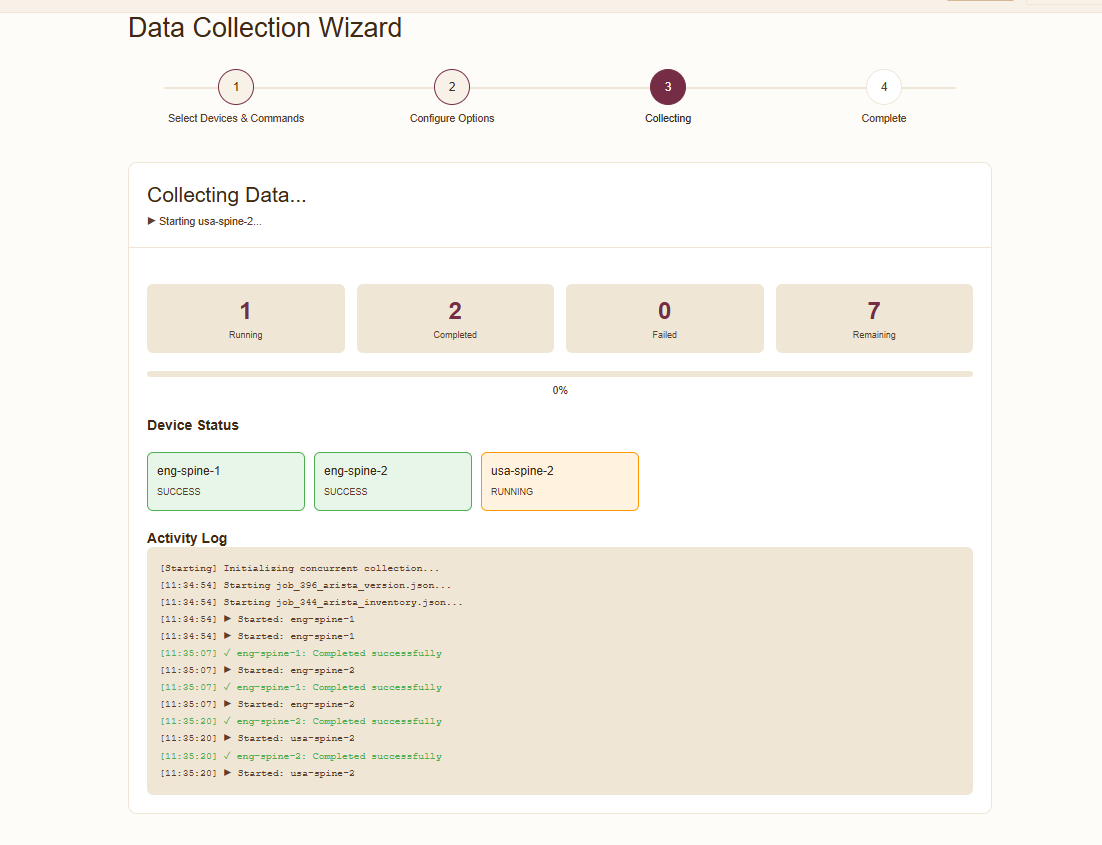
- Execute concurrent collection
- Review capture status
Total Time: ~45 minutes to full visibility
Architecture
VelocityCMDB is built on proven open-source components:
Foundation:
- Secure Cartography - Network discovery engine
- Paramiko - SSH automation
- TextFSM - Multi-vendor parsing (100+ templates)
- Flask + SocketIO - Real-time web interface
- SQLite FTS5 - Full-text search
Structure:
velocitycmdb/
├── cli.py                 # Command-line interface
├── app/                   # Flask web application
│   ├── blueprints/       # 13+ modular features
│   └── templates/        # Material Design 3 UI
├── services/             # Business logic
│   ├── discovery.py      # LLDP-based topology
│   ├── collection.py     # Data capture orchestration
│   └── fingerprint.py    # Device classification
├── db/                   # Database management
└── pcng/                 # Capture engine (100+ job templates)
Features
Asset Management
- Devices - Full CRUD with sites, vendors, roles, stacks
- Components - Automated hardware inventory with classification
- Sites/Vendors/Roles - Complete taxonomy management
- Bulk Operations - Preview-commit workflow for batch changes
- CSV Export - Export filtered data for reporting
Discovery and Topology
- Automated Discovery - LLDP/CDP-based network mapping
- Topology Maps - Interactive visualization with multiple layouts
- Secure Cartography - Enhanced topology with vendor icons
- Multiple Formats - GraphML (yEd), DrawIO, PNG, SVG export
Hardware Inventory
- Automated Parsing - Extract components from
show inventory/show chassis hardware - Vendor-Aware Classification - Transceivers, modules, PSUs, fans, supervisors
- Serial Number Tracking - Full coverage reporting
- Filtered Export - CSV export with current filters applied
Network Map Library
Centralize your network documentation alongside CMDB data.
- Bring Your Own Diagrams - Import SVG exports from Visio, DrawIO, Lucidchart
- Flexible Organization - Group by site, region, project, or any folder structure
- Automatic Thumbnails - Preview images generated on first view
- Multiple Formats - Store companion files (.json, .graphml, .drawio) alongside SVGs
Operational Intelligence
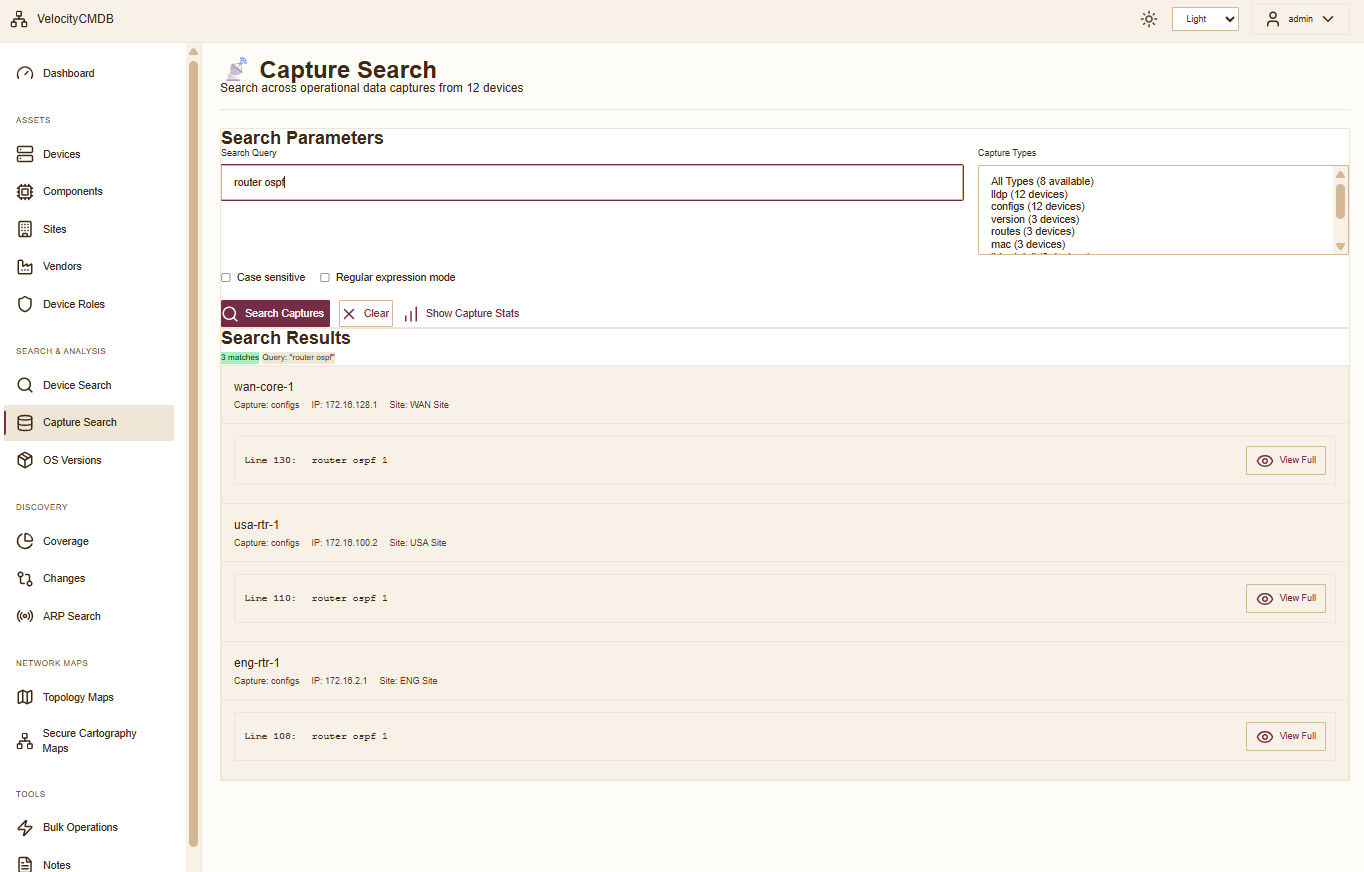
- Capture Search - Full-text search across all operational data
- Change Detection - Real-time config monitoring with visual diffs
- Coverage Analysis - Gap identification and success metrics
- OS Version Tracking - Compliance monitoring across fleet
- ARP Search - MAC address lookup with vendor OUI resolution
Collaboration
- Notes System - Wiki-style documentation with rich text
- Device Associations - Link notes to devices and sites
- Internal Linking -
[[Note Title]]syntax for knowledge graphs - Full-Text Search - Unified search across notes and captures
Administration
- Multi-Auth Backend - LDAP, database, OS authentication
- Role-Based Access - Admin and viewer roles
- Audit Logging - Track administrative actions
- Backup/Restore - Complete system lifecycle management
- Maintenance Tools - Index rebuild, database reset, component reclassification
Automation
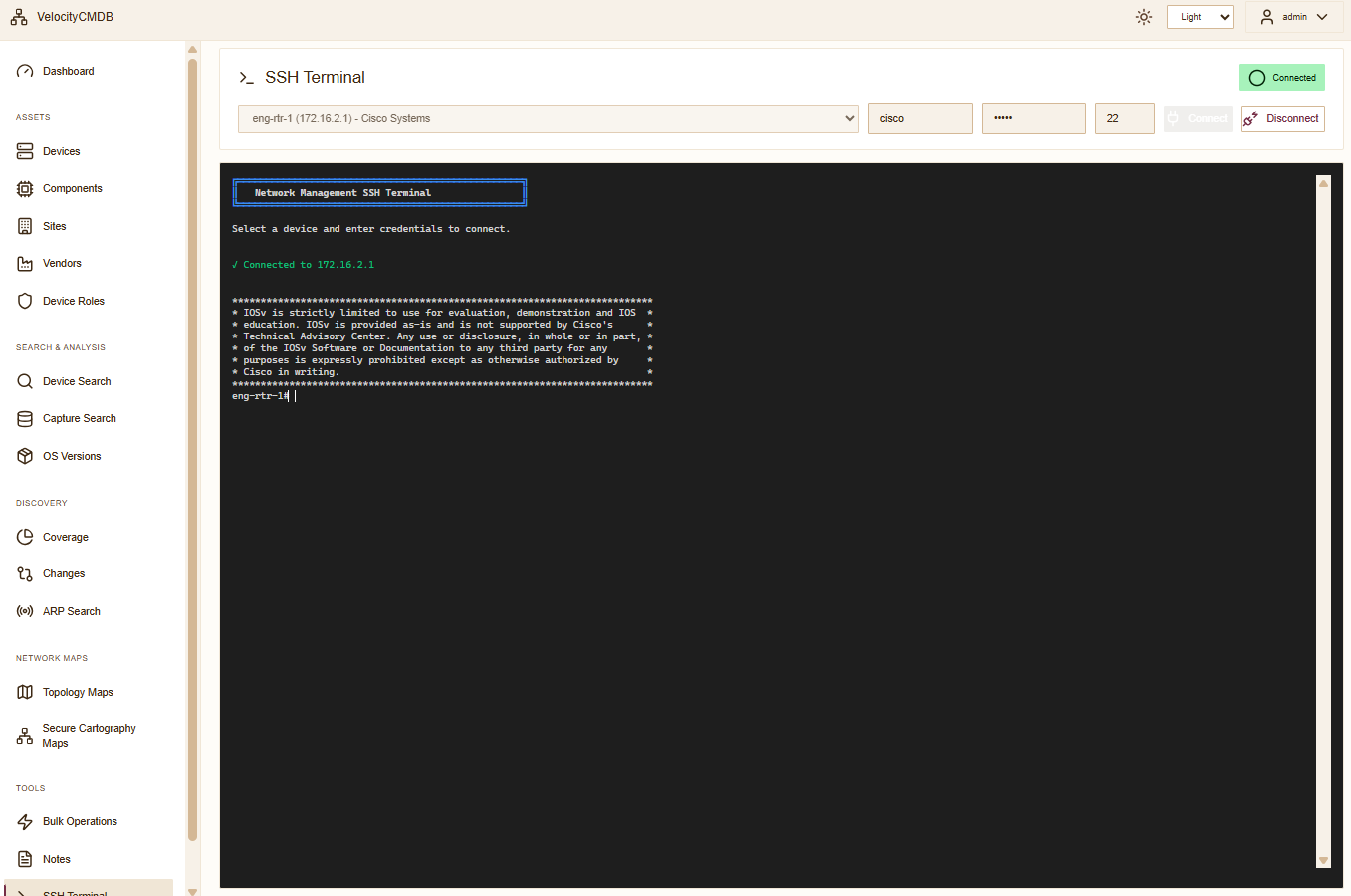
- SSH Terminal - WebSocket-based browser access
- Collection Wizard - Concurrent capture execution
- 100+ Job Templates - Pre-built for Cisco, Arista, Juniper, HPE
- REST API - Programmatic access to all features
Screenshots
Device Inventory |
Device Detail |
Change Tracking |
Collection Wizard |
Capture Search |
SSH Terminal |
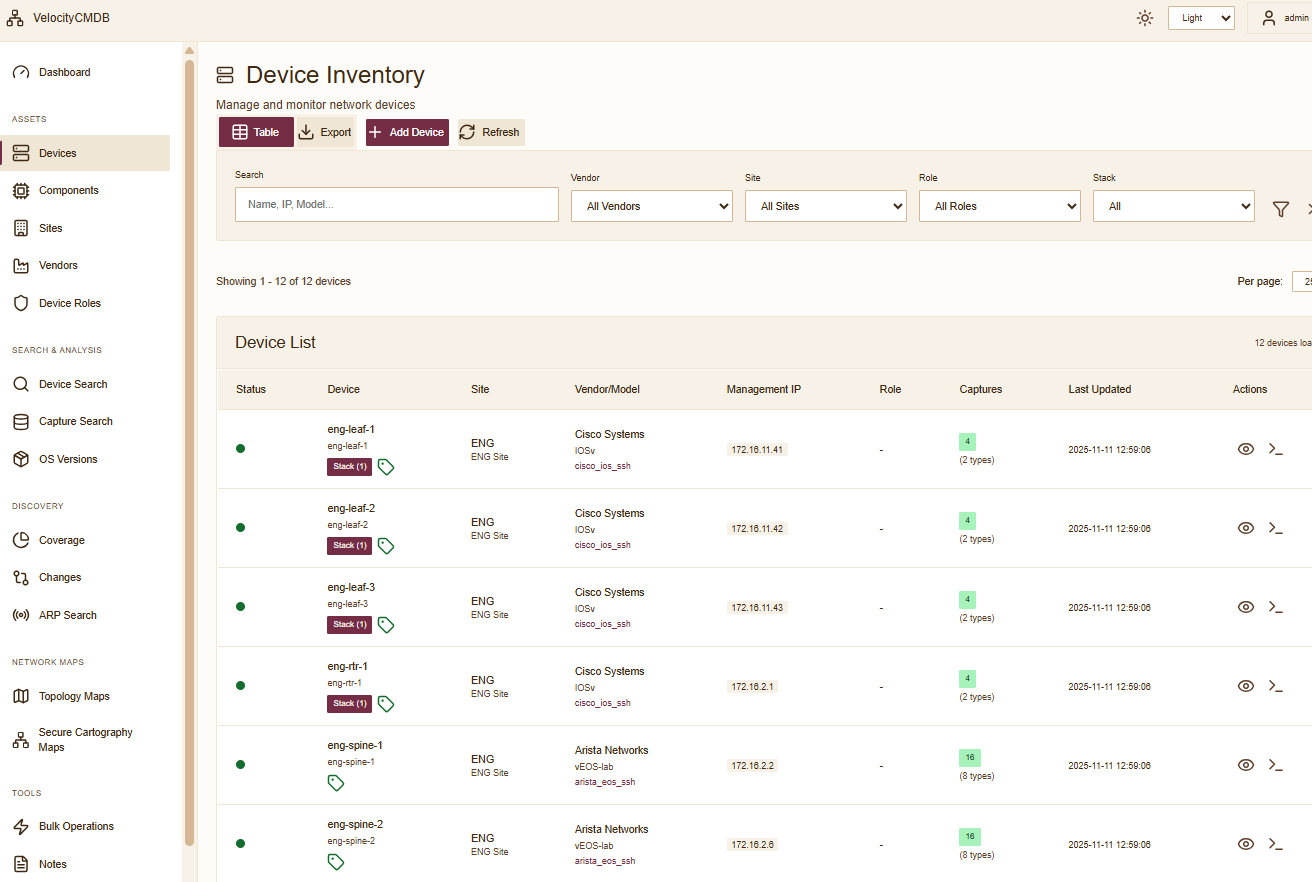
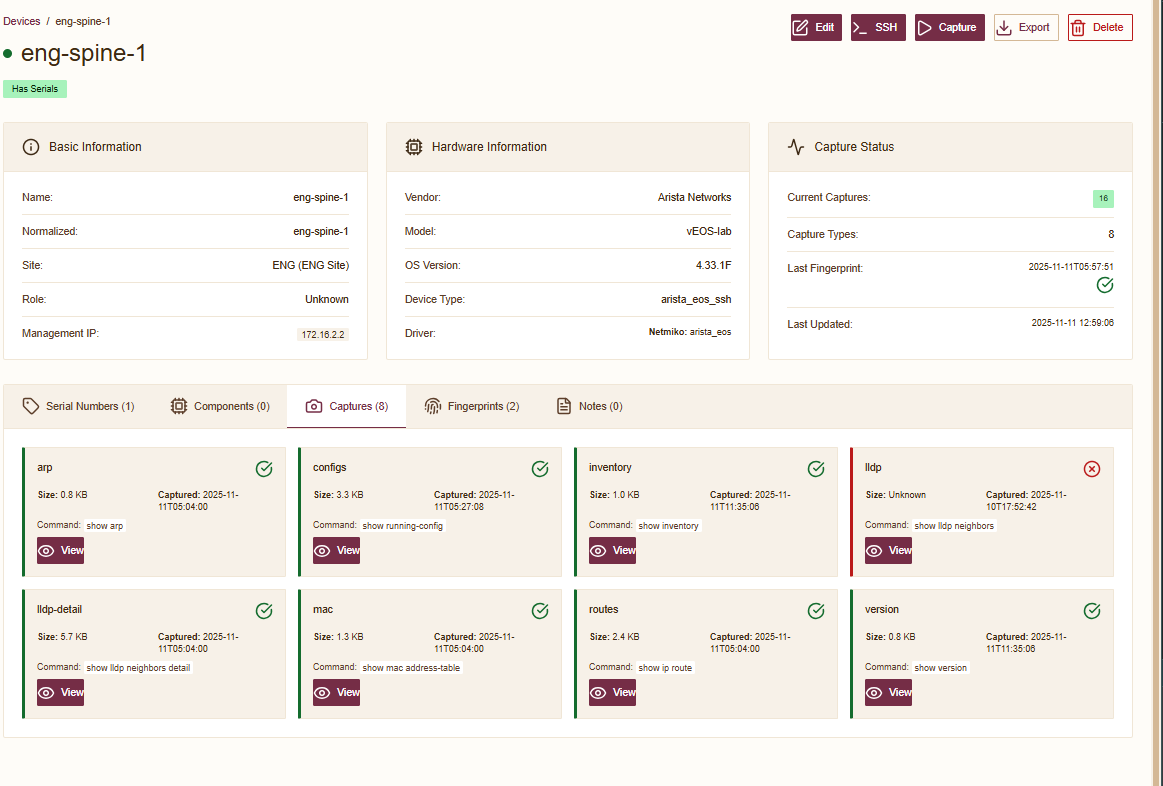
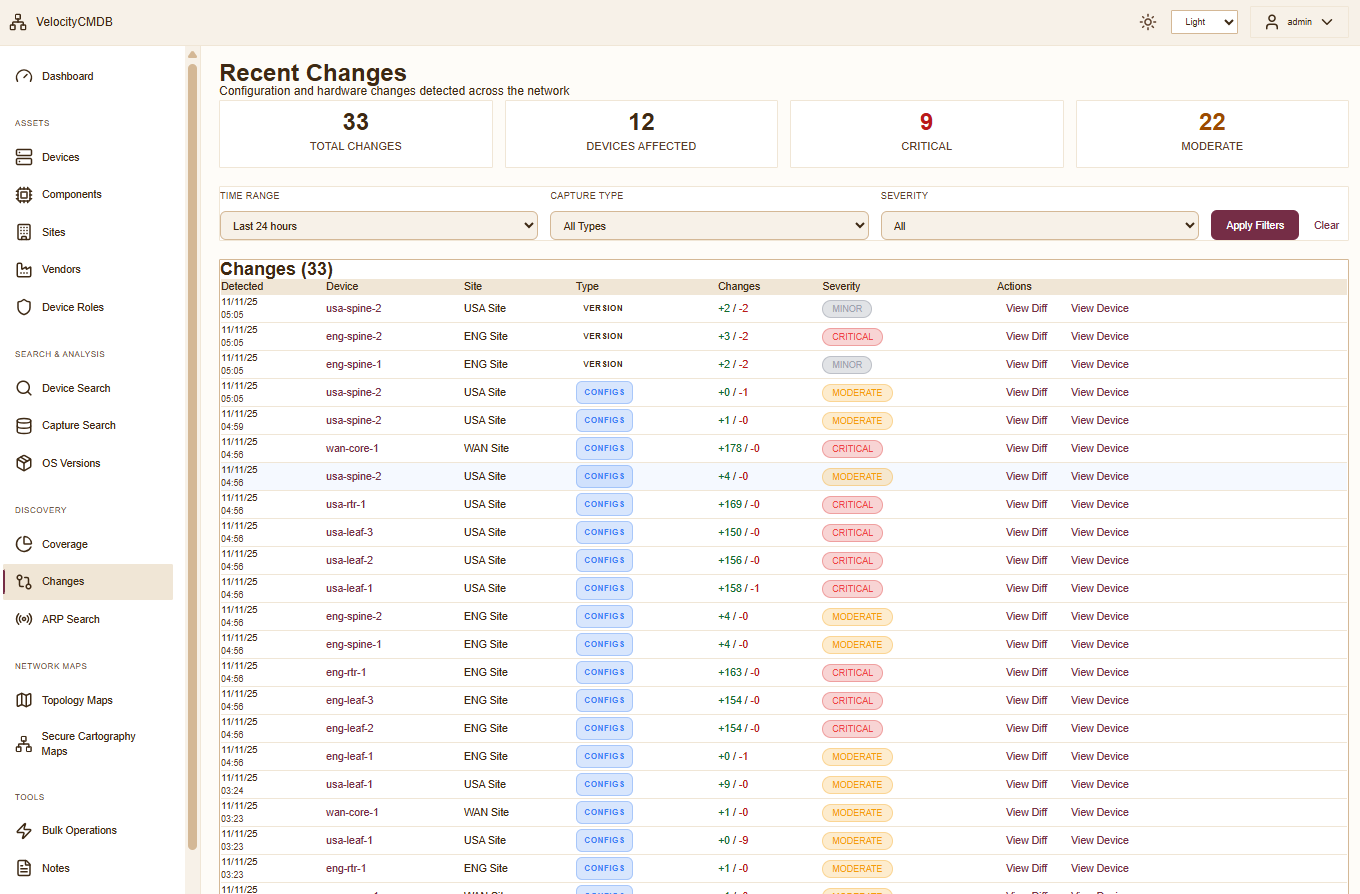
Vendor Support
Tested and validated with:
- Cisco - IOS, IOS-XE, NX-OS
- Arista - EOS
- Juniper - Junos
- HPE - ProCurve, Aruba
Additional vendors supported via TextFSM templates.
CLI Reference
# Initialize system (first time setup)
python -m velocitycmdb.cli init

# Re-initialize and overwrite config
python -m velocitycmdb.cli init --force

# Start web server (default: port 8086)
python -m velocitycmdb.app.run

# Start with SSL enabled
python -m velocitycmdb.app.run --ssl

# Start on custom port
python -m velocitycmdb.app.run -p 8443

# Disable debug mode (for production)
python -m velocitycmdb.app.run --no-debug

# Show help
python -m velocitycmdb.cli init --help
python -m velocitycmdb.app.run --help
Documentation
Roadmap
v1.0 - Foundation (Current Focus)
- Pip-installable package
- Wizard-driven workflows
- 13+ feature modules
- Multi-auth backend
- Material Design 3 UI
- Hardware component inventory
- API documentation
- Installation hardening
v1.1 - Enhanced Automation
- Job scheduler UI
- Webhook notifications
- Prometheus metrics exporter
- Advanced search filters
v1.2 - Integration
- NetBox sync plugin
- REST API expansion
- Custom collection jobs
- Device driver plugins
Community and Support
Contributions welcome! See CONTRIBUTING.md for guidelines.
Related Projects
Part of the network automation ecosystem:
- Secure Cartography - Network discovery engine
- VelociTerm - Web SSH terminal framework
- TerminalTelemetry - PyQt6 SSH terminal with monitoring
License
GPLv3 License - See LICENSE for details.
Credits
Created by Scott Peterman
Built with Flask, SocketIO, Cytoscape.js, Material Design 3, TextFSM, Paramiko, NetworkX, and SQLite.
VelocityCMDB v0.10.5 | December 2025
Release history Release notifications | RSS feed


Download files
Download the file for your platform. If you're not sure which to choose, learn more about installing packages.
Source Distributions
Built Distribution
Filter files by name, interpreter, ABI, and platform.
If you're not sure about the file name format, learn more about wheel file names.
Copy a direct link to the current filters
File details
Details for the file velocitycmdb-0.10.5-py3-none-any.whl.
File metadata
- Download URL: velocitycmdb-0.10.5-py3-none-any.whl
- Upload date:
- Size: 32.6 MB
- Tags: Python 3
- Uploaded using Trusted Publishing? No
- Uploaded via: twine/6.2.0 CPython/3.12.3
File hashes
| Algorithm | Hash digest | |
|---|---|---|
| SHA256 |
814f97034181d68dc95a07b4fc5b69472280915adeda394804cfbbb3ac5a3bac
|
|
| MD5 |
9424108455a3b161acda23779ce86448
|
|
| BLAKE2b-256 |
26e8656deb6e9ca418bbe319cac9dd7639402bb953d4cce43a3b226ea278569d
|






