
AI coding safety system for vibecoders
Verified details
These details have been verified by PyPIProject links
GitHub Statistics
Maintainers

Project description
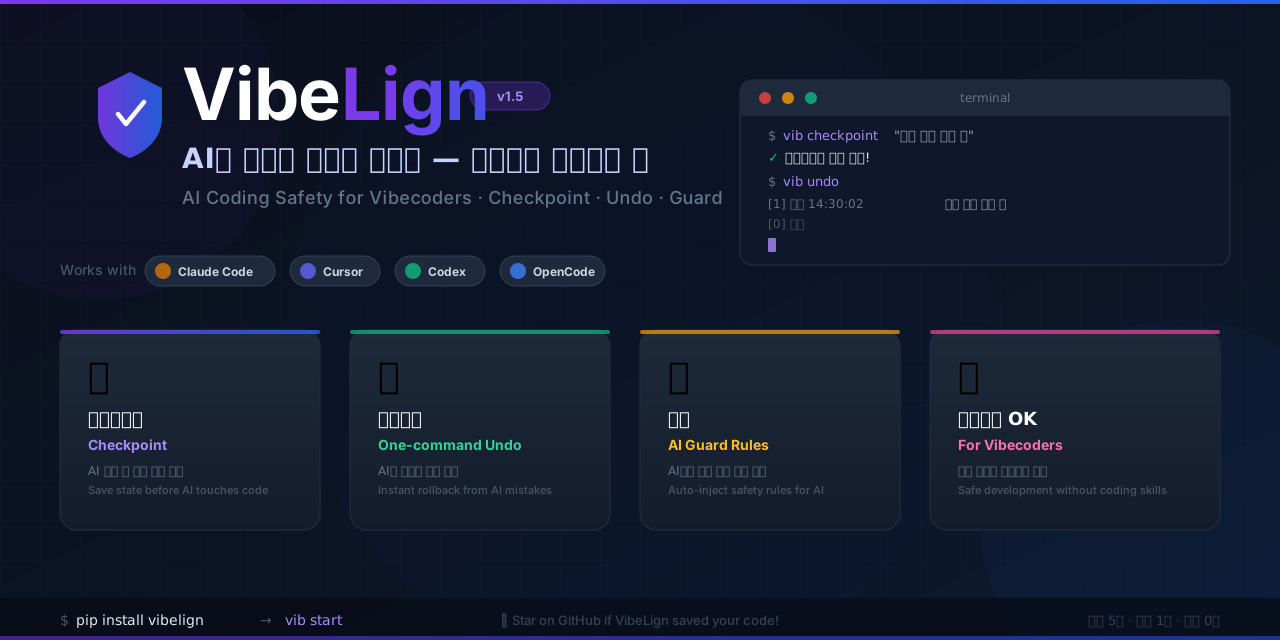
🇰🇷 한국어 | 🇺🇸 English





🎮 VibeLign — Safety Guard for AI Coding
VibeLign (vibelign) is an AI coding safety CLI + Desktop GUI for vibe coding workflows.
It helps developers and non-developers protect project structure, save checkpoints, undo bad AI edits, manage anchors, and block secret leaks before commit.
🆕 v2.0: Desktop app for macOS / Windows, per-document AI summarization, anchor intent regeneration. See CHANGELOG and migration notes.
Documentation: https://yesonsys03-web.github.io/VibeLign/
Repository: https://github.com/yesonsys03-web/VibeLign
Issues: https://github.com/yesonsys03-web/VibeLign/issues
Releases: https://github.com/yesonsys03-web/VibeLign/releases
Sound familiar?
- You asked AI to add a small feature — it rewrote the entire file
- All code ended up in
main.py— 1000+ lines, impossible to manage- AI touched other files and now nothing works
- You want to undo but don't know how
That's why we made this!
Desktop App (macOS / Windows) — 📥 Download latest release
Mac / Linux (CLI)
pip install vibelign
vib start
Windows (PowerShell, CLI)
# Step 1: install uv — one-time setup, auto-configures PATH
powershell -ExecutionPolicy ByPass -c "irm https://astral.sh/uv/install.ps1 | iex"
# Close and reopen PowerShell, then:
uv tool install vibelign
vib start
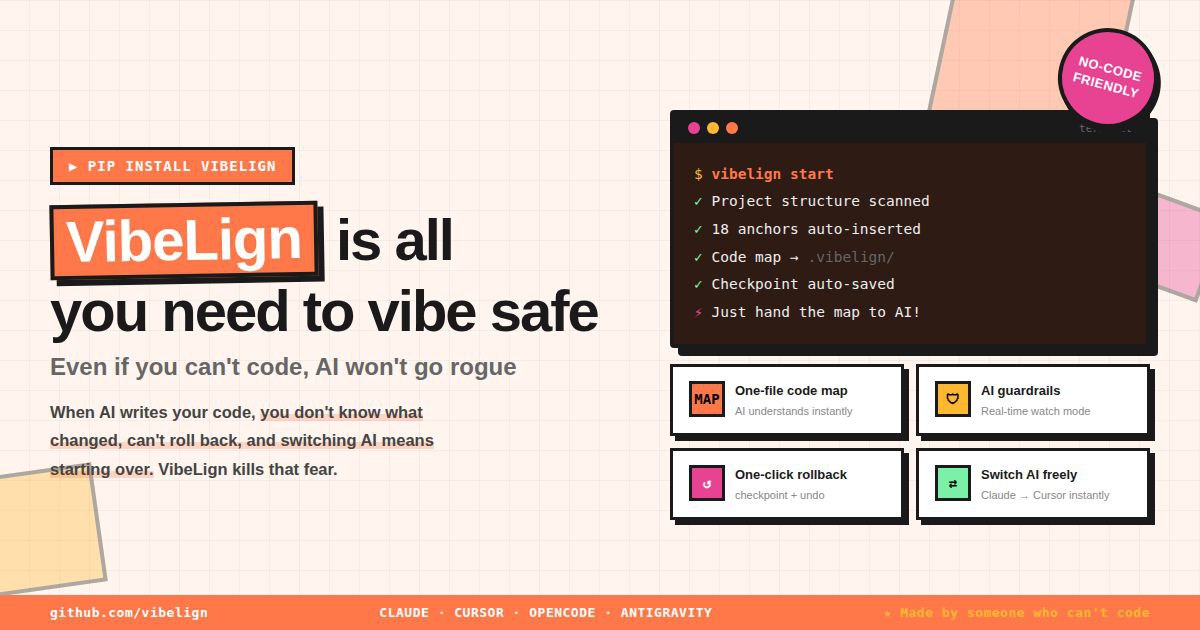
🤔 What is VibeLign?
AI coding tools (Claude Code, Cursor, etc.) write code fast. But they have problems:
| Problem | VibeLign Fixes It |
|---|---|
All code goes into main.py |
AI organizes code properly |
| AI does something different from what you asked | Creates precise edit requests |
| Code breaks and you can't go back | Save & Undo feature |
Works with any AI tool: Claude Code · Cursor · Codex · OpenCode
📝 Just 3 Things to Remember
Before AI edits  →  vib checkpoint "before work"    # save
AI broke it      →  vib undo                         # undo
Looks good       →  vib checkpoint "done"             # save again
No Git knowledge needed. Just type
vib.
🚀 Start in 3 Steps
Mac / Linux
# 1. Install
pip install vibelign

# 2. Go to your project folder
cd my-project

# 3. Start!
vib start
Windows (PowerShell)
# 1. Install uv — one-time setup (auto-configures PATH, no warnings)
powershell -ExecutionPolicy ByPass -c "irm https://astral.sh/uv/install.ps1 | iex"

# Close and reopen PowerShell, then:

# 2. Install vibelign
uv tool install vibelign

# 3. Go to your project folder and start!
cd my-project
vib start
📚 All Commands
Basics (Must Know)
| Command | What It Does |
|---|---|
vib start |
First time only! Set up project |
vib checkpoint "message" |
Save current state (like game save) |
vib checkpoint |
Will ask for a message |
vib undo |
Go back to last save |
vib history |
See all saves |
When Asking AI to Code
| Command | What It Does |
|---|---|
vib patch "add button" |
Tell AI exactly how to edit (Korean OK!) |
vib anchor |
Mark safe areas for AI to edit |
vib scan |
Clean up files + check status |
VibeLign patch rules
- Split composite requests into
intent / source / destination / behavior_constraint. - If
deleteandmoveappear together, treat it as move + preservation unless the user clearly wants removal. - Resolve
sourceanddestinationby role, not with the same rule. - If patch contract or codespeak shape changes, update tests and docs together.
- Keep terminology aligned with the shared glossary and project docs.
Checking & Verification
| Command | What It Does |
|---|---|
vib doctor |
Check project health |
vib explain |
Explain changes in plain language |
vib guard |
Check if code is broken |
vib ask filename.py |
Ask AI to explain a file |
File Protection
| Command | What It Does |
|---|---|
vib protect filename.py |
Lock important files (AI can't touch) |
vib protect --list |
See locked files |
vib protect --remove filename.py |
Unlock file |
vib secrets --staged |
Block staged API keys, tokens, and .env files before commit |
Settings & Export
| Command | What It Does |
|---|---|
vib config |
Set API keys |
vib export claude |
Create Claude Code settings |
vib export cursor |
Create Cursor settings |
vib export opencode |
Create OpenCode settings |
Other Useful Commands
| Command | What It Does |
|---|---|
vib watch |
Monitor file changes in real-time |
vib bench |
Test how effective anchors are |
vib manual |
Show detailed user guide |
vib rules |
Show all AI development rules |
vib transfer |
Generate PROJECT_CONTEXT.md for switching AI tools |
vib transfer --handoff |
Add Session Handoff block so a new AI can continue immediately |
vib completion |
Set up tab autocomplete |
vib install |
Show step-by-step installation guide |
💡 Recommended Workflow
# First time
vib start

# Before AI edits
vib checkpoint "before login feature"
vib doctor --strict
vib patch "create login button"

# After AI edits
vib explain --write-report
vib guard --strict --write-report

# If done
vib checkpoint "login feature done!"

# If something broke
vib undo

# Hitting a token limit or switching AI tools?
vib transfer --handoff    # generates a Session Handoff block
# Then tell the new AI: "Read PROJECT_CONTEXT.md first"
vib start now also enables Git secret protection automatically when your project uses Git.
Before each commit, VibeLign checks staged changes for API keys, tokens, private keys, and secret-like files such as .env.
# Check manually anytime
vib secrets --staged
🔧 Installation
Option 1: uv (Recommended, faster)
uv tool install vibelign
If you see "is not on your PATH" warning after install:
uv tool update-shellThen close and reopen your terminal.
vibwill work after that. If you use bash, runuv tool update-shellfrom inside bash, or:echo 'export PATH="$HOME/.local/bin:$PATH"' >> ~/.bashrc && source ~/.bashrc
Option 2: pip
pip install vibelign
After installation, both vib and vibelign commands are available.
Option 3: Desktop App (GUI)
Download the latest .dmg (macOS, Apple Silicon) or .exe / .msi (Windows) from the
Releases page.
The GUI bundles the vib runtime — no separate CLI install required.
macOS first-launch: if you see "app is damaged", open Terminal and run
xattr -rc vibelign-gui.app(ad-hoc signed, not notarized).
Windows — if vib is not recognized after pip install
When you install with pip on Windows, vib.exe is placed in the Python Scripts folder which may not be in PATH.
The pip warning message shows the exact path you need to add:
WARNING: The scripts vib.exe ... are installed in 'C:\Users\...\Scripts' which is not on PATH.
To fix manually:
- Press
Win + R→ typesysdm.cpl→ Enter - Advanced tab → Environment Variables
- Under System variables, find
Path→ click Edit - Click New and paste the
Scriptspath shown in the pip warning- Example:
C:\Users\YourName\AppData\Local\Programs\Python\Python312\Scripts\
- Example:
- Click OK → fully close and reopen PowerShell
Tip: Use
uv tool install vibelignto skip this entirely — uv handles PATH automatically.
📖 Want to Learn More?
vib manual          # Detailed user guide
vib manual rules    # AI development rules only
vib rules           # Same as above
🎯 Our Promise
"AI coding is fast. But without safety guards, it can destroy what you built."
VibeLign promises:
- ✅ Save in 1 second (
vib checkpoint "description") - ✅ Undo in 1 second (
vib undo) - ✅ No Git knowledge needed
- ✅ Easy for beginners
⭐ If VibeLign saved your code, a Star would mean a lot — thank you!
📋 Release Notes
v2.0.0 — Desktop GUI + MCP/Patch Modularization + AI Opt-In:
- 🖥️ VibeLign GUI (macOS / Windows) — Tauri desktop app
- Doctor page: one-click diagnosis + auto-apply
- Anchor card: anchor insertion + intent/aliases regeneration (code-based / AI-based,
--forceoverwrites prior AI results) - DocsViewer: per-document AI summarization
- Settings: API key management, global AI opt-in toggle
- 🔌 MCP server refactored —
vibelign/mcp/with dispatch/handlers/tool_specs split - 🧩 Patch module split —
vibelign/patch/(builder · handoff · preview · targeting · …) - 🤖 AI opt-in — consent UI removed, single global toggle in Settings; Anthropic / OpenAI / Gemini auto-selected
- ⚡ onedir runtime — PyInstaller
onefile → onedirremoves GUI cold-start (1–3 s → instant) - 🏷️ Anchor
_sourcefield —anchor_meta.jsonnow trackscode / ai / manual / ai_failedso AI/manual results are protected from code-based regeneration (use--forceto override) - ⚠️ Breaking:
vibelign.vib_cli→vibelign.cli.vib_cli;vibelign.mcp_server→vibelign.mcp.mcp_server - See CHANGELOG.md · MIGRATION_v1_to_v2.md
v1.6.0 — MCP Server + AI Development Rules System:
vib mcp— MCP (Model Context Protocol) server for Claude Desktop integrationvib start— Auto-register VibeLign MCP for Claude Code and Cursor without overwriting existing Cursor MCP serversvib rules— View all AI development rules directly in CLIvib manual rules— Detailed rules manual- Anchor intent system — Store intent information in anchors
- Korean tokenizer — Accurately interpret patch requests in Korean
- AI_DEV_SYSTEM — Added maintainability/function design rules (Section 6-1, 14)
vib scanbug fix — Fixed missing set_intent attribute
v1.5.32 — Checkpoint & Undo UX Overhaul + AI Config File Protection:
vib checkpoint— Message prompt supportvib undo— Number selection + cancel option[0]vib history— Second-precision timestampsvib start— Beginner onboarding + auto first checkpointvib export— AGENTS.md, CLAUDE.md, OPENCODE.md, .cursorrules protection
v1.5.0 — Multi-Tool AI Config Export:
vib export claude— Generate CLAUDE.md for Claude Codevib export cursor— Generate .cursorrules for Cursorvib export opencode— Generate OPENCODE.md for OpenCodevib export antigravity— Generate AGENTS.md for Codex/agents- Added VibeLign markers to exported files (prevent overwriting)
v1.1.0 — Core Features for Beginners:
vib init— Initialize/reset VibeLignvib start— First-time user guidevib checkpoint/vib undo— Save & restore without Gitvib protect— Lock important filesvib ask— Generate AI explanation promptsvib history— View checkpoint history
License
MIT
Project details
Verified details
These details have been verified by PyPIProject links
GitHub Statistics
Maintainers
Release history Release notifications | RSS feed


Download files
Download the file for your platform. If you're not sure which to choose, learn more about installing packages.
Source Distribution
Built Distribution
Filter files by name, interpreter, ABI, and platform.
If you're not sure about the file name format, learn more about wheel file names.
Copy a direct link to the current filters
File details
Details for the file vibelign-2.0.18.tar.gz.
File metadata
- Download URL: vibelign-2.0.18.tar.gz
- Upload date:
- Size: 398.6 kB
- Tags: Source
- Uploaded using Trusted Publishing? Yes
- Uploaded via: twine/6.1.0 CPython/3.13.12
File hashes
| Algorithm | Hash digest | |
|---|---|---|
| SHA256 |
fe1b8105f651efd0286acf2e247911266a805c3e4aff282b2de1c023b75f48ef
|
|
| MD5 |
3420baa764b45ab958c09a7d718808e6
|
|
| BLAKE2b-256 |
e5c928c8e172d0c71f0ed4df106a8d72a03bc9c1ea87ca4cafc51d9b9341cc02
|
Provenance
The following attestation bundles were made for vibelign-2.0.18.tar.gz:
Publisher:
publish.yml on yesonsys03-web/VibeLign
-
Statement:
-
Statement type:
https://in-toto.io/Statement/v1 -
Predicate type:
https://docs.pypi.org/attestations/publish/v1 -
Subject name:
vibelign-2.0.18.tar.gz -
Subject digest:
fe1b8105f651efd0286acf2e247911266a805c3e4aff282b2de1c023b75f48ef - Sigstore transparency entry: 1341332727
- Sigstore integration time:
-
Permalink:
yesonsys03-web/VibeLign@0511da04a26d4b1553ac0d1b3c36fa067101ca8a -
Branch / Tag:
refs/tags/v2.0.18 - Owner: https://github.com/yesonsys03-web
-
Access:
public
-
Token Issuer:
https://token.actions.githubusercontent.com -
Runner Environment:
github-hosted -
Publication workflow:
publish.yml@0511da04a26d4b1553ac0d1b3c36fa067101ca8a -
Trigger Event:
push
-
Statement type:
File details
Details for the file vibelign-2.0.18-py3-none-any.whl.
File metadata
- Download URL: vibelign-2.0.18-py3-none-any.whl
- Upload date:
- Size: 359.0 kB
- Tags: Python 3
- Uploaded using Trusted Publishing? Yes
- Uploaded via: twine/6.1.0 CPython/3.13.12
File hashes
| Algorithm | Hash digest | |
|---|---|---|
| SHA256 |
aaaedd4fe739dc07032bb72d6e552d7f956e987b816bd4d15fd9f6a2e9cda136
|
|
| MD5 |
9668ca116fd6f836723fc0c6f3a80204
|
|
| BLAKE2b-256 |
12fe5c4c20b9455f85be4afcf04b099b048b5c82a33cd99836dc06d5946c2a5a
|
Provenance
The following attestation bundles were made for vibelign-2.0.18-py3-none-any.whl:
Publisher:
publish.yml on yesonsys03-web/VibeLign
-
Statement:
-
Statement type:
https://in-toto.io/Statement/v1 -
Predicate type:
https://docs.pypi.org/attestations/publish/v1 -
Subject name:
vibelign-2.0.18-py3-none-any.whl -
Subject digest:
aaaedd4fe739dc07032bb72d6e552d7f956e987b816bd4d15fd9f6a2e9cda136 - Sigstore transparency entry: 1341332757
- Sigstore integration time:
-
Permalink:
yesonsys03-web/VibeLign@0511da04a26d4b1553ac0d1b3c36fa067101ca8a -
Branch / Tag:
refs/tags/v2.0.18 - Owner: https://github.com/yesonsys03-web
-
Access:
public
-
Token Issuer:
https://token.actions.githubusercontent.com -
Runner Environment:
github-hosted -
Publication workflow:
publish.yml@0511da04a26d4b1553ac0d1b3c36fa067101ca8a -
Trigger Event:
push
-
Statement type:






