
VibeSurf: A powerful browser assistant for vibe surfing

Project description
VibeSurf: A powerful browser assistant for vibe surfing



Note: VibeSurf can be used in Claude Code for control and real-time preview of browsers. For more details, see the claude-surf.
Note: VibeSurf is also available in Open-Claw. Install with:
npx clawhub@latest install vibesurf. For more details, see claw-surf.
VibeSurf is the first open-source AI agentic browser that combines workflow automation with intelligent AI agents - delivering browser automation that's faster, cheaper, and smarter than traditional solutions.
🎯 Why VibeSurf? Save 99% of token costs with workflows, run parallel AI agents across tabs, and keep your data private with local LLM support - all through a seamless Chrome extension.
🐳 Quick Start with Docker: Get up and running in seconds with our Docker image - no complex setup required!
☁️ Non-Docker Deployment: For cloud manual deployment with noVNC browser visualization, see docs/cloud-manual-start.md.
If you're as excited about open-source AI browsing as I am, give it a star! ⭐
✨ Key Features
-
🔄 Revolutionary Browser Workflows: Create drag-and-drop workflows that consume virtually zero tokens - define once, run forever. Perfect for auto-login, data collection, and repetitive tasks with 100x speed boost.
-
🚀 Multi-Agent Parallel Processing: Run multiple AI agents simultaneously across different browser tabs for massive efficiency gains in both deep and wide research.
-
🧠 Intelligent AI Automation: Beyond basic automation - perform deep research, intelligent crawling, content summarization, and adaptive browsing with AI decision-making.
-
🔒 Privacy-First Architecture: Full support for local LLMs (Ollama, etc.) and custom APIs - your browsing data never leaves your machine during vibe surfing.
-
🎨 Seamless Chrome Extension: Native browser integration without switching applications - feels like a natural part of your browser with intuitive UI.
-
🐳 One-Click Docker Deployment: Get started instantly with our Docker image - includes VNC access for remote browsing and easy scaling.
🚀 Browser Workflow Magic
Why Browser Workflow Matters
🎯 Efficiency First: Most browser operations follow predictable patterns - why rebuild them every time with agents? Workflows let you define once, run forever.
💰 Token Savings: Workflows consume virtually zero tokens, only using them when dynamic information retrieval is needed. Save costs while maintaining intelligence.
⚡ Speed & Reliability: Deterministic workflows deliver consistent, fast, and highly accurate results. No more waiting for agents to "think" through repetitive steps.
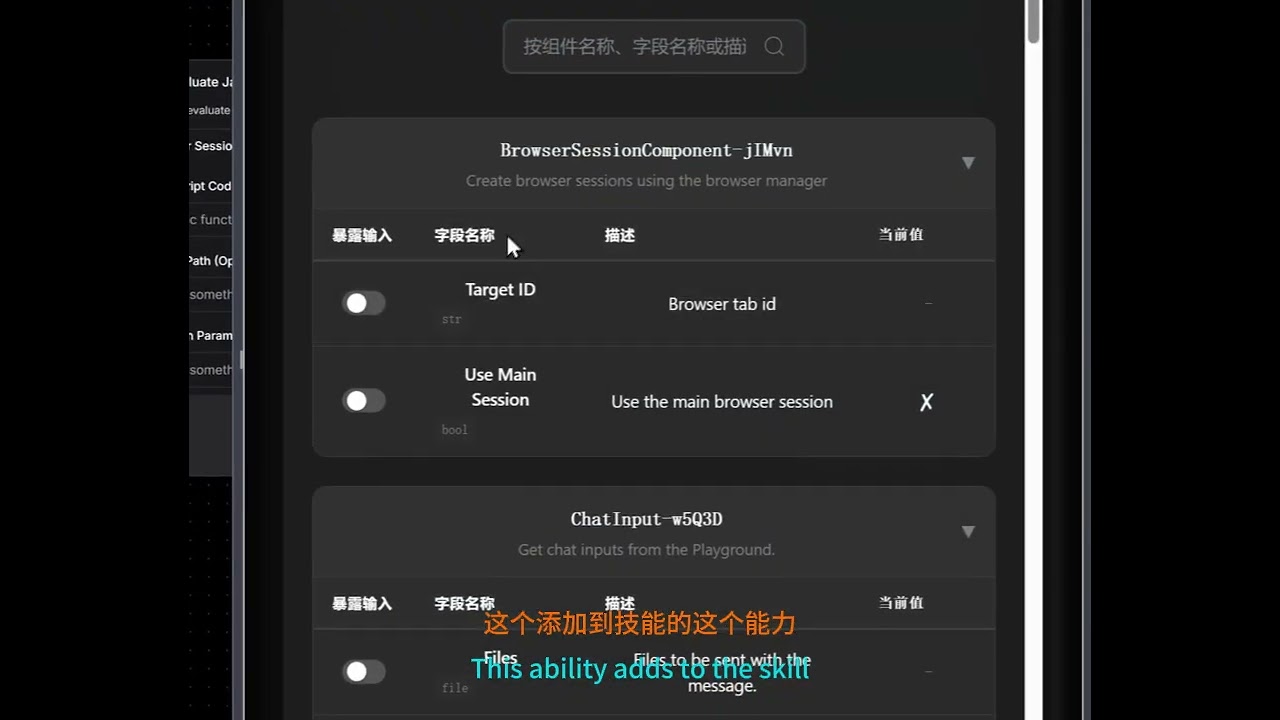
A tutorial that step-by-step guides you from scratch on using VibeSurf to build a browser automation workflow that searches X and extracts results. Beyond the basics, it demonstrates how to transform this workflow into a deployable API and integrate it as a custom Skill within Claude Code.
👉 Explore Workflow Templates - Get started with pre-built workflows for common tasks!
🛠️ Installation
For Windows users: You can also download and run our one-click installer: VibeSurf-Installer.exe
Note: If you encounter DLL errors related to torch c10.so or onnxruntime during installation, please download and install the Microsoft Visual C++ Redistributable.
Get VibeSurf up and running in just three simple steps. No complex configuration required.
1. Install uv
Install uv package manager from the official website
MacOS/Linux
curl -LsSf https://astral.sh/uv/install.sh | sh
Windows
powershell -ExecutionPolicy ByPass -c "irm https://astral.sh/uv/install.ps1 | iex"
2. Install VibeSurf
Install VibeSurf as a tool
uv tool install vibesurf
Tip: Use
uv tool upgrade vibesurfto upgrade to the latest version.Full Installation: To install with all optional features (including PyTorch, OCR, and advanced document processing), use
uv tool install vibesurf[full].
3. Launch VibeSurf
Start the VibeSurf browser assistant
vibesurf
Note: To run in headless browser mode without a visible GUI, use the
--headlessflag:vibesurf --headless
Note: Starting from Chrome 142, the --load-extension flag is no longer supported. When you first start VibeSurf, the browser will show a popup displaying the extension path. To manually load the extension:
- Open chrome://extensions
- Enable Developer mode
- Click "Load unpacked" and navigate to the extension folder
Typical Extension Locations:
-
Windows:
C:\Users\<username>\AppData\Roaming\uv\tools\vibesurf\Lib\site-packages\vibe_surf\chrome_extension -
macOS:
~/.local/share/uv/tools/vibesurf/lib/python3.<version>/site-packages/vibe_surf/chrome_extension(replace<version>with your Python version, e.g.,python3.12)Tip: Besides the popup, you can also find the extension path in the command line startup logs. For macOS users, press
Cmd+Shift+Gin Finder, paste the path, and press Enter to navigate directly to the folder.
4. Start to Use
Your browser does not support playing this video!
🐳 Docker (Alternative)
You can also run VibeSurf in Docker with browser VNC access:
Option 1: Using docker-compose (Recommended)
# 1. Clone VibeSurf Repo
git clone https://github.com/vibesurf-ai/VibeSurf
cd VibeSurf
# Optional: Edit docker-compose.yml to modify envs

# 2. Start VibeSurf
docker-compose up -d

# 3. Access VibeSurf
# - Backend: http://localhost:9335
# - Browser VNC (Web): http://localhost:6080 (default password: vibesurf)
Note: The VNC browser environment defaults to English input. Press
Ctrl + Spaceto switch to Chinese Pinyin input method.
Note: To use a proxy, set the
HTTP_PROXYandHTTPS_PROXYenvironment variables indocker-compose.yml(e.g.,HTTP_PROXY: http://proxy.example.com:8080).
Option 2: Using docker run
# Pull the image
docker pull ghcr.io/vibesurf-ai/vibesurf:latest

# Run the container
docker run --name vibesurf -d --restart unless-stopped \
  -p 9335:9335 \
  -p 6080:6080 \
  -p 5901:5901 \
  -v ./data:/data \
  -e IN_DOCKER=true \
  -e VIBESURF_BACKEND_PORT=9335 \
  -e VIBESURF_WORKSPACE=/data/vibesurf_workspace \
  -e RESOLUTION=1440x900x24 \
  -e VNC_PASSWORD=vibesurf \
  --shm-size=4g \
  --cap-add=SYS_ADMIN \
  ghcr.io/vibesurf-ai/vibesurf:latest
👩💻 For Contributors
Want to contribute to VibeSurf? Follow these steps to set up your development environment:
1. Clone Repository
git clone https://github.com/vibesurf-ai/VibeSurf.git
cd VibeSurf
2. Setup Environment
MacOS/Linux
uv venv --python 3.12
source .venv/bin/activate
uv pip install -e .
Full Installation (with all optional features)
uv pip install -e ".[full]"
Windows
uv venv --python 3.12
.venv\Scripts\activate
uv pip install -e .
3. Build Frontend (Optional)
If you're working on frontend changes, you need to build and copy the frontend to the backend directory:
# Navigate to frontend directory
cd vibe_surf/frontend

# Install frontend dependencies
npm ci

# Build the frontend
npm run build

# Copy build output to backend directory
mkdir -p ../backend/frontend
cp -r build/* ../backend/frontend/
4. Start Debugging
Option 1: Direct Server
uvicorn vibe_surf.backend.main:app --host 127.0.0.1 --port 9335
Option 2: CLI Entry
uv run vibesurf
🗺️ Roadmap
We're building VibeSurf to be your ultimate AI browser companion. Here's what's coming next:
-
Smart Skills System - Completed Add
/searchfor quick information search,/crawlfor automatic website data extraction and/codefor webpage js code execution. Integrated native APIs for Xiaohongshu, Douyin, Weibo, and YouTube. -
Third-Party Integrations - Completed Connect with hundreds of popular tools including Gmail, Notion, Google Calendar, Slack, Trello, GitHub, and more through Composio integration to combine browsing with powerful automation capabilities
-
Agentic Browser Workflow - Completed Create custom drag-and-drop and conversation-based workflows for auto-login, data collection, and complex browser automation tasks
-
Powerful Coding Agent - In Progress Build a comprehensive coding assistant for data processing and analysis directly in your browser
-
Intelligent Memory & Personalization - Planned Transform VibeSurf into a truly human-like companion with persistent memory that learns your preferences, habits, and browsing patterns over time
🎬 Demo
How to use?
Your browser does not support playing this video!
Dozens of agent running in on browser
Your browser does not support playing this video!
📝 License
This repository is licensed under the VibeSurf Open Source License, based on Apache 2.0 with additional conditions.
👏 Acknowledgments
VibeSurf builds on top of other awesome open-source projects:
Huge thanks to their creators and contributors!
💬 Join Our Community
Welcome to join our WeChat group for discussions!

Release history Release notifications | RSS feed


Download files
Download the file for your platform. If you're not sure which to choose, learn more about installing packages.
Source Distribution
Built Distribution
Filter files by name, interpreter, ABI, and platform.
If you're not sure about the file name format, learn more about wheel file names.
Copy a direct link to the current filters
File details
Details for the file vibesurf-0.5.15.tar.gz.
File metadata
- Download URL: vibesurf-0.5.15.tar.gz
- Upload date:
- Size: 47.7 MB
- Tags: Source
- Uploaded using Trusted Publishing? No
- Uploaded via: twine/6.1.0 CPython/3.13.7
File hashes
| Algorithm | Hash digest | |
|---|---|---|
| SHA256 |
44fa3ff5557e84d07c4656d1222e4becb59ceeab043be476c6928005785489e9
|
|
| MD5 |
e82c1e3d261b58d72f6a2e52588185cc
|
|
| BLAKE2b-256 |
d0da1f9c8a646bfbad9654a252cae3ff3228bc8cfa17ddf5386b91813e7481c5
|
File details
Details for the file vibesurf-0.5.15-py3-none-any.whl.
File metadata
- Download URL: vibesurf-0.5.15-py3-none-any.whl
- Upload date:
- Size: 19.0 MB
- Tags: Python 3
- Uploaded using Trusted Publishing? No
- Uploaded via: twine/6.1.0 CPython/3.13.7
File hashes
| Algorithm | Hash digest | |
|---|---|---|
| SHA256 |
735870735e8cd96f45f9b8d1097f3102ac6e6ea232a89cae37f25c18a74ab3f4
|
|
| MD5 |
a2ad21db44a95b1d26f81a9ef4600625
|
|
| BLAKE2b-256 |
4135288e7df925f5ca3d5b03fc2344ef18996a1544af0011a3fd55140935b100
|






