
Viby vibes everything

Project description

Viby
Viby vibes everything





🚀 Overview
Viby is a powerful AI agent that lives in your terminal, designed to solve virtually any task you throw at it. Whether you need code assistance, shell commands, information retrieval, or creative content - Viby vibes with your needs and delivers solutions instantly.
✨ Features
- Intelligent Conversations - Engage in natural multi-turn dialogues
- Automatic Shell Command Generation - Get optimized shell commands when needed
- Pipeline Integration - Process data from other commands (e.g.,
git diff | viby "write a commit message") - MCP Tools - Extended capabilities through Model Context Protocol integration
- Smart Tool Discovery - Automatically finds and uses the most relevant tools within configured MCP servers
- History Management - Complete interaction history with search, export, and management
- Command Embeddings - Semantic search in tools using embedded vectors for accurate tool selection
- Multi-language Support - Full interface in English and Chinese with easy language switching
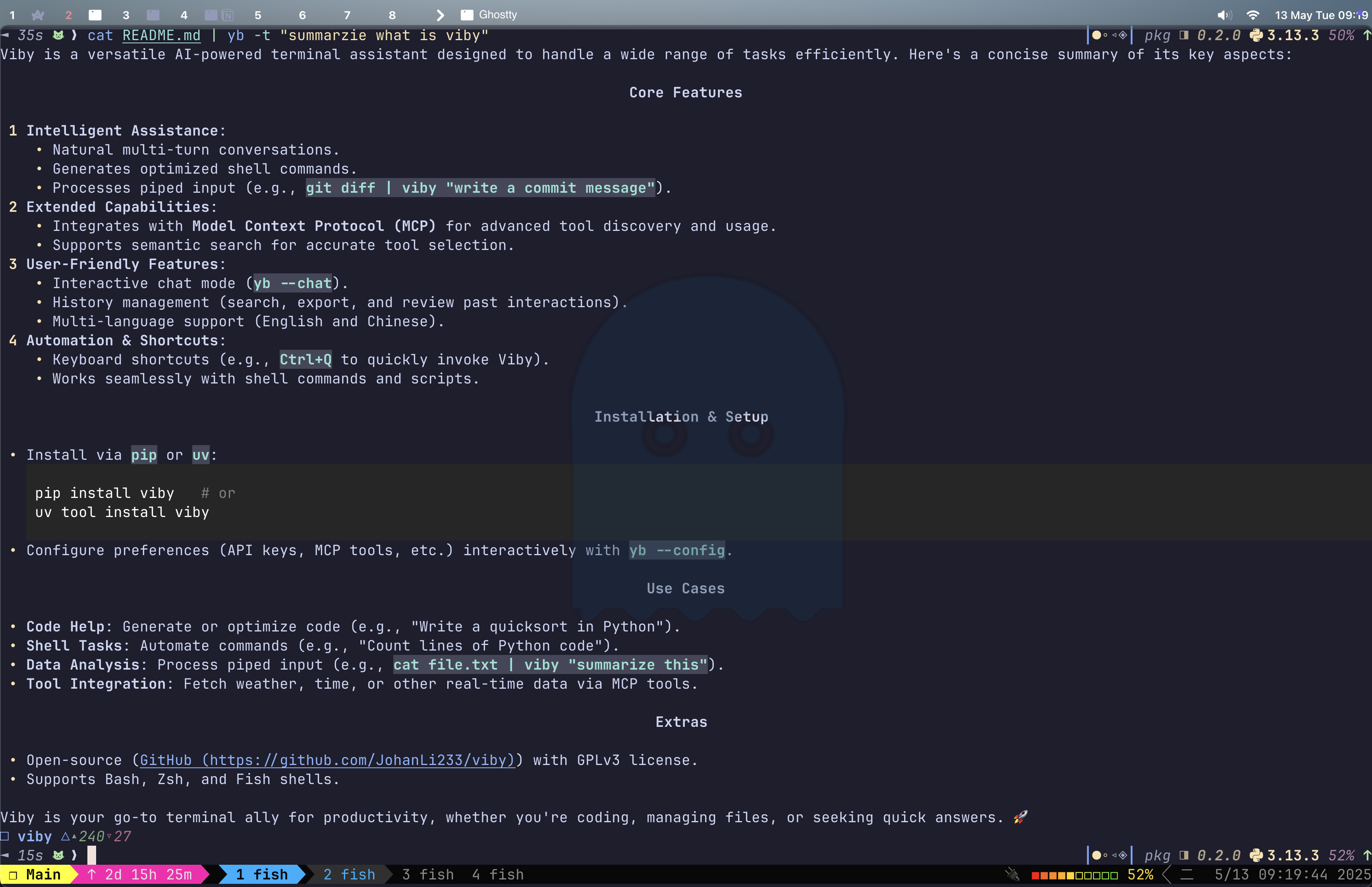
🔧 Installation
# Install from PyPI
pip install viby
# OR
uv tool install viby
Alternative Installation
# Install from source with uv
uv pip install -e .
Usage Examples
Basic Question
yb "Write a quicksort in python"
# -> Sure! Here is a quicksort algorithm implemented in **Python**:
Interactive Chat Mode
yb --chat
# or
yb -c
|> Tell me about quantum computing
# -> [AI responds about quantum computing]
|> What are the practical applications?
# -> [AI responds with follow-up information]
|> exit
Process Piped Content
git diff | yb "Generate a commit message"
# -> Added information to the README
yb "What is this project about?" < README.md
# -> This project is about...
Generate Shell Command
yb "How many lines of python code did I write?"
# -> find . -type f -name "*.py" | xargs wc -l
# -> [r]run, [e]edit, [y]copy, [c]chat, [q]quit (default: run):
Advanced Model Selection
# Use think model for complex analysis
yb --think "Analyze this complex algorithm and suggest optimizations"

# Use fast model for quick responses
yb --fast "Translate 'Hello, World!' to French"
Shell Command Magic Integration
# List directory contents
yb "$(ls) What files are in the current directory?"
# -> The current directory contains: file1.txt, file2.py, directory1/...

# Analyze Git status
yb "$(git status) Which files should I commit first?"

# View code files
yb "$(cat main.py) How can I improve this code?"
Smart Tool Discovery
# Viby will automatically discover and use relevant tools
yb "What's the weather in San Francisco?"
# -> [Viby identifies and uses weather tools]
# -> The current weather in San Francisco is 68°F and partly cloudy...

# Managing tool embeddings from configured MCP servers
yb tools embed
# -> Updates tools' semantic embeddings for better tool discovery
History Management
# View recent interactions
yb history list

# Search your history
yb history search "python"

# Export your interaction history
yb history export history.json

# View command history
yb history shell
Automatically Use MCP Tools When Needed
yb "What time is it now?"
# -> [AI uses time tool to get current time]
# -> "datetime": "2025-05-03T00:49:57+08:00"
Keyboard Shortcuts
Viby provides a convenient keyboard shortcut (Ctrl+Q) that allows you to quickly use Viby with the current command line content:
# Install the keyboard shortcuts (auto-detects your shell)
yb shortcuts

# After installation, type any command and press Ctrl+Q
help me analysis my readme file  # Now press Ctrl+Q
# -> This transforms into: yb help me analysis my readme file
# -> [AI analyzes and responds to question]
Supported shells:
- Bash
- Zsh
- Fish
After installing shortcuts, you'll need to reload your shell configuration (source ~/.bashrc, source ~/.zshrc, or equivalent) or restart your terminal for the shortcuts to take effect.
For more detailed examples and advanced usage, see the Usage Examples documentation.
Configuration
Viby reads configuration from ~/.config/viby/config.yaml. You can set the model, parameters, and MCP options here.
Interactive Configuration
Use the configuration wizard to set up your preferences:
yb --config
This allows you to configure:
- API endpoint and key
- Model
- Temperature and token settings
- MCP tools enablement
- Interface language
MCP Server Configuration
Viby supports Model Context Protocol (MCP) servers for extended capabilities. MCP configurations are stored in ~/.config/viby/mcp_servers.json.
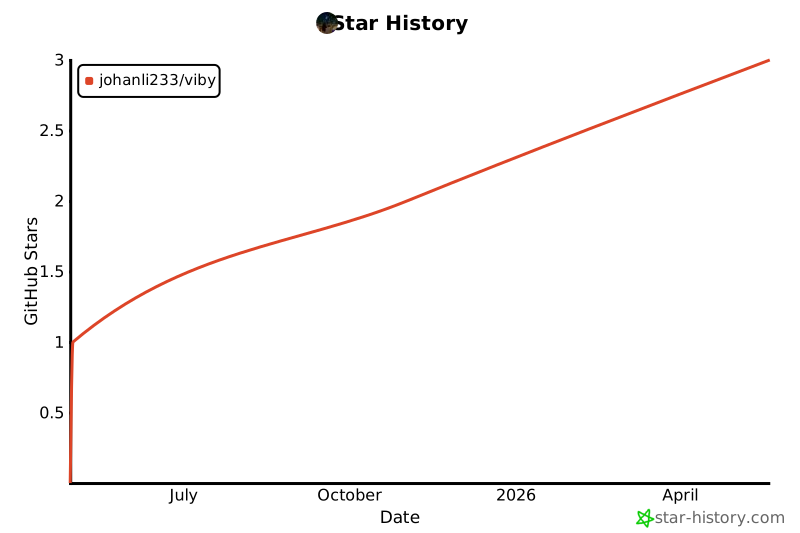
⭐ Star History
📄 Documentation
- Usage Examples - Detailed examples of all Viby features
- Project Design Document - Technical architecture and design
🤝 Contributing
Contributions are welcome! Feel free to submit a Pull Request or create an Issue.
Release history Release notifications | RSS feed


Download files
Download the file for your platform. If you're not sure which to choose, learn more about installing packages.
Source Distribution
Built Distribution
Filter files by name, interpreter, ABI, and platform.
If you're not sure about the file name format, learn more about wheel file names.
Copy a direct link to the current filters
File details
Details for the file viby-0.2.1.tar.gz.
File metadata
- Download URL: viby-0.2.1.tar.gz
- Upload date:
- Size: 89.6 kB
- Tags: Source
- Uploaded using Trusted Publishing? Yes
- Uploaded via: twine/6.1.0 CPython/3.12.9
File hashes
| Algorithm | Hash digest | |
|---|---|---|
| SHA256 |
a48f77f2a342cdba06526670f4b8d1e5aa80c58969ebae19c3b3b73a58142a7c
|
|
| MD5 |
6a8007950b92263286ec461b97a06190
|
|
| BLAKE2b-256 |
046e6d31f1dbbfaae43a6b4160df9e360e51c3a72ba265b553544e903700974a
|
Provenance
The following attestation bundles were made for viby-0.2.1.tar.gz:
Publisher:
release.yaml on JohanLi233/viby
-
Statement:
-
Statement type:
https://in-toto.io/Statement/v1 -
Predicate type:
https://docs.pypi.org/attestations/publish/v1 -
Subject name:
viby-0.2.1.tar.gz -
Subject digest:
a48f77f2a342cdba06526670f4b8d1e5aa80c58969ebae19c3b3b73a58142a7c - Sigstore transparency entry: 212230629
- Sigstore integration time:
-
Permalink:
JohanLi233/viby@dc82c985a21271b138e4a665813e3e2bb3012c65 -
Branch / Tag:
refs/tags/0.2.1 - Owner: https://github.com/JohanLi233
-
Access:
public
-
Token Issuer:
https://token.actions.githubusercontent.com -
Runner Environment:
github-hosted -
Publication workflow:
release.yaml@dc82c985a21271b138e4a665813e3e2bb3012c65 -
Trigger Event:
push
-
Statement type:
File details
Details for the file viby-0.2.1-py3-none-any.whl.
File metadata
- Download URL: viby-0.2.1-py3-none-any.whl
- Upload date:
- Size: 106.1 kB
- Tags: Python 3
- Uploaded using Trusted Publishing? Yes
- Uploaded via: twine/6.1.0 CPython/3.12.9
File hashes
| Algorithm | Hash digest | |
|---|---|---|
| SHA256 |
6941454b420b49fb9b3628fd3b2fe4d5dd7ce7ef1e757087ef9a0dfe732d85e1
|
|
| MD5 |
921cffc4d743a7f89a2791ee6ae94c48
|
|
| BLAKE2b-256 |
9b39a0dcd31d405b1324bd86370bb8044075cf4f000444e9437fe39073344eb2
|
Provenance
The following attestation bundles were made for viby-0.2.1-py3-none-any.whl:
Publisher:
release.yaml on JohanLi233/viby
-
Statement:
-
Statement type:
https://in-toto.io/Statement/v1 -
Predicate type:
https://docs.pypi.org/attestations/publish/v1 -
Subject name:
viby-0.2.1-py3-none-any.whl -
Subject digest:
6941454b420b49fb9b3628fd3b2fe4d5dd7ce7ef1e757087ef9a0dfe732d85e1 - Sigstore transparency entry: 212230635
- Sigstore integration time:
-
Permalink:
JohanLi233/viby@dc82c985a21271b138e4a665813e3e2bb3012c65 -
Branch / Tag:
refs/tags/0.2.1 - Owner: https://github.com/JohanLi233
-
Access:
public
-
Token Issuer:
https://token.actions.githubusercontent.com -
Runner Environment:
github-hosted -
Publication workflow:
release.yaml@dc82c985a21271b138e4a665813e3e2bb3012c65 -
Trigger Event:
push
-
Statement type:






