

Vicoa - Vibe Code Anywhere
Vicoa is a platform that allows you to run a team of coding agents (Claude Code, Codex, and OpenCode) anywhere, on any device. Remote control your AI agents from your phone or tablet.
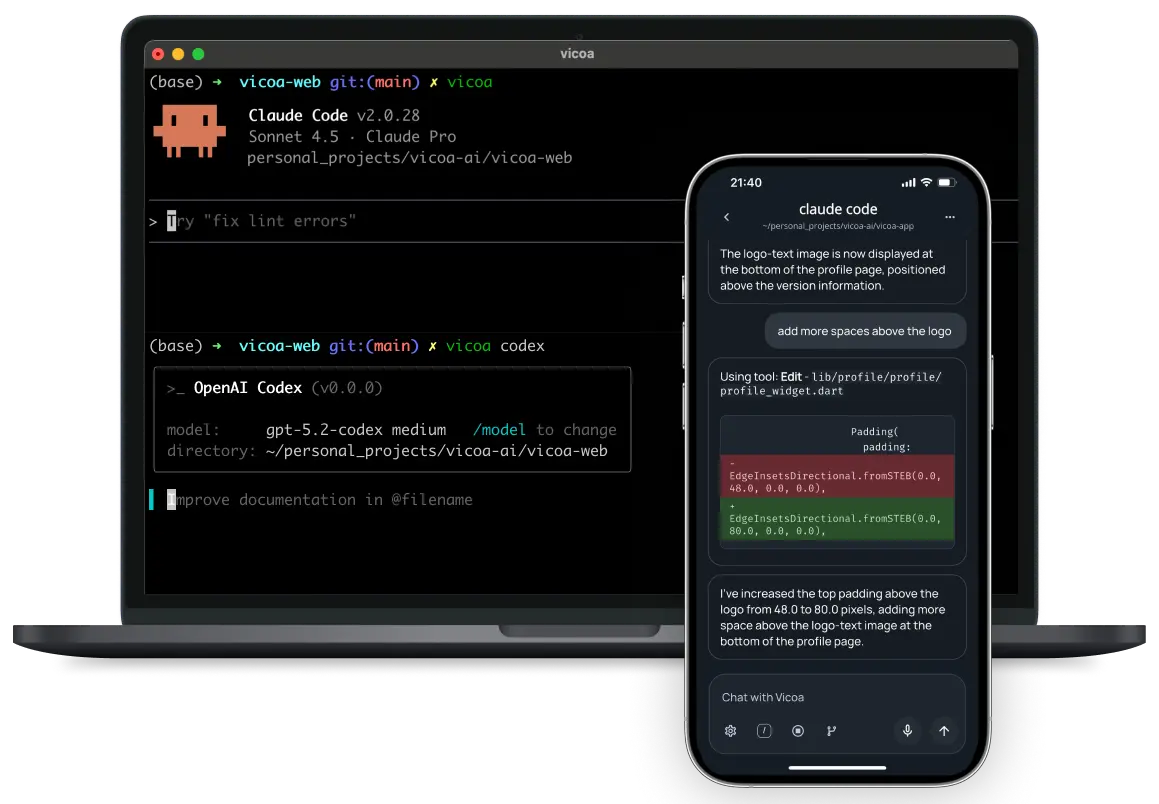
What is Vicoa?
Vicoa (Vibe Code Anywhere) lets you vibe coding seamlessly across your devices.
💻 Start coding with Claude Code on your laptop
📱 Continue on mobile or tablet
🔔 Get notifications when your AI agent needs your input
🌍 Everything stays in sync across devices
Demo Video
🎥 Watch Vicoa in Action
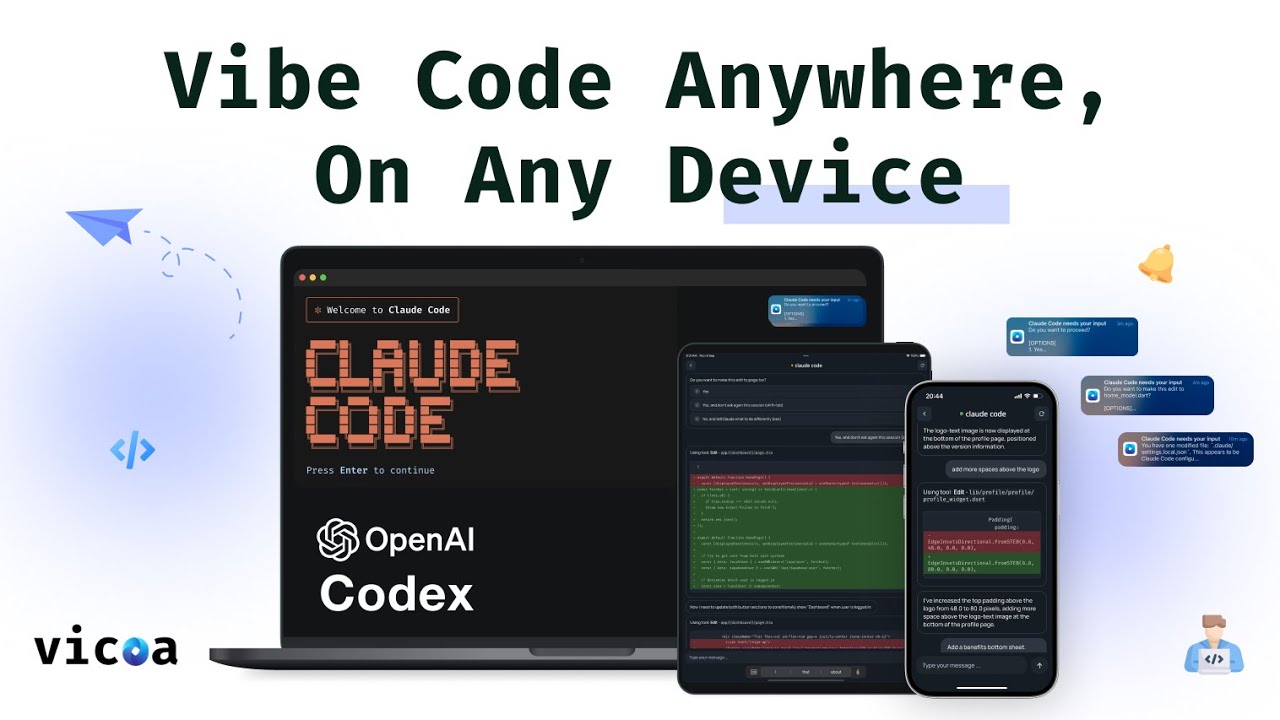
Key Features
- 💻 Cross-platform vibe coding - Start on desktop, continue on mobile
- 📱 Mobile-first design - Full coding experience on phones and tablets
- 🔔 Smart notifications - Get alerts when your AI agent needs input
- 🤖 Original Vibe Coding Experience - Vibe coding with normal Claude Code and Codex sessions
- 🎯 Seamless workflow - Pick up exactly where you left off
Get Started
- Quick start with a simple command:
pip install vicoa && vicoa
Connect With Us
- 📧 Email: hi@vicoa.ai
- 🐦 Twitter: @vicoaai
- 💼 LinkedIn: Vicoa
- 🌐 Website: vicoa.ai
Vicoa - Vibe Code Anywhere
1 maintainer

Release files for vicoa 1.7.14
For a detailed explanation of source distributions (sdists) and built distributions (wheels), please see the package formats documentation.
Source distribution (sdist)
| File | Size | Uploaded | |
|---|---|---|---|
| vicoa-1.7.14.tar.gz | 794.5 kB | Details |
Built distributions (wheels)
| File | Interpreter | ABI | Platform | Reset |
|---|---|---|---|---|
| vicoa-1.7.14-py3-none-manylinux_2_28_x86_64.whl | Python 3 | none | Linux glibc 2.28+ x86-64 | Details |
| vicoa-1.7.14-py3-none-macosx_11_0_arm64.whl | Python 3 | none | macOS 11.0+ ARM64 | Details |
| vicoa-1.7.14-py3-none-macosx_10_13_x86_64.whl | Python 3 | none | macOS 10.13+ x86-64 | Details |
Total release size: 308.2 MB
Release files / vicoa-1.7.14.tar.gz
| Download URL | vicoa-1.7.14.tar.gz |
|---|---|
| Size | 794.5 kB |
| Tags | Source |
|
SHA-256 checksum How to use checksums |
55690d0619565e5d3def620760ea003745371a2811d4974f32654dc8f6e6cb35
|
|
BLAKE2b-256 checksum How to use checksums |
b4904a05ae648bcae11b15a0a1ed6cb4e8116e22873e0c5fa0df0baf16e97e20
|
| Upload date | |
|
Uploaded using Trusted Publishing? What is trusted publishing? |
No |
| Uploaded via |
twine/7.0.0 CPython/3.12.14
|
Release files / vicoa-1.7.14-py3-none-manylinux_2_28_x86_64.whl
| Download URL | vicoa-1.7.14-py3-none-manylinux_2_28_x86_64.whl |
|---|---|
| Size | 108.9 MB |
| Tags | Linux glibc 2.28+ x86-64 Python 3 |
|
SHA-256 checksum How to use checksums |
5ad311fc8bb1fe42ef6165e4fafb03569cbcc470112d899c726fc427b02378bd
|
|
BLAKE2b-256 checksum How to use checksums |
b6e77c74c6e25deb57c779b562b20a73180510abda8a2a5eba13f30931f6bca6
|
| Upload date | |
|
Uploaded using Trusted Publishing? What is trusted publishing? |
No |
| Uploaded via |
twine/7.0.0 CPython/3.12.14
|
Release files / vicoa-1.7.14-py3-none-macosx_11_0_arm64.whl
| Download URL | vicoa-1.7.14-py3-none-macosx_11_0_arm64.whl |
|---|---|
| Size | 96.1 MB |
| Tags | Python 3 macOS 11.0+ ARM64 |
|
SHA-256 checksum How to use checksums |
ed0ede6c2fb49d1428c71b23bb057adf3b16eeb0b04c0c9e8f6cd444b16d1ede
|
|
BLAKE2b-256 checksum How to use checksums |
3a84013e7579f249f3757a8cbfb52c6bf3f22faccc94a1c7e76588fa56b9fa41
|
| Upload date | |
|
Uploaded using Trusted Publishing? What is trusted publishing? |
No |
| Uploaded via |
twine/7.0.0 CPython/3.12.14
|
Release files / vicoa-1.7.14-py3-none-macosx_10_13_x86_64.whl
| Download URL | vicoa-1.7.14-py3-none-macosx_10_13_x86_64.whl |
|---|---|
| Size | 102.5 MB |
| Tags | Python 3 macOS 10.13+ x86-64 |
|
SHA-256 checksum How to use checksums |
c0f1badb8baadb55255bd39f2eaaa35b6484a368eecf79f3420e3b4d0109263b
|
|
BLAKE2b-256 checksum How to use checksums |
8342d89dd256a0c173c53a64451561285cf9792751b46aa0d8db6278b9334657
|
| Upload date | |
|
Uploaded using Trusted Publishing? What is trusted publishing? |
No |
| Uploaded via |
twine/7.0.0 CPython/3.12.14
|














