
VidAI
Record, understand and improve your videos — by talking to Claude.
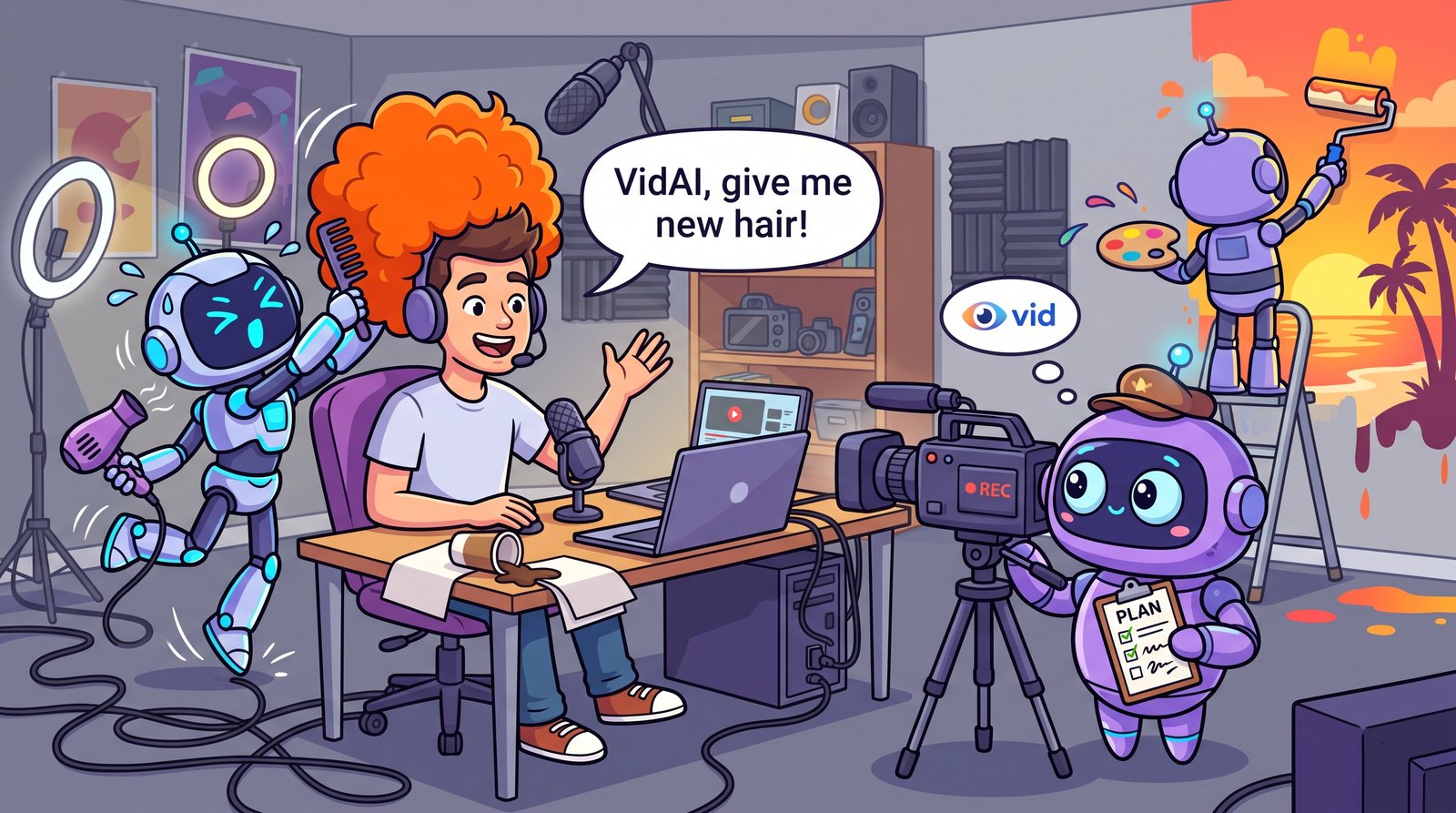





VidAI is a video plugin for Claude Code. Say vidai, answer a few questions, and record. While you record,
VidAI measures small, useful statistics ("anchors") and applies live effects; you can talk to it
("VidAI, zoom in", "VidAI, add a title that says Hello"). Afterwards Claude uses the anchors to edit the
video and exports a YouTube-ready file. Everything runs locally and for free.
How it works
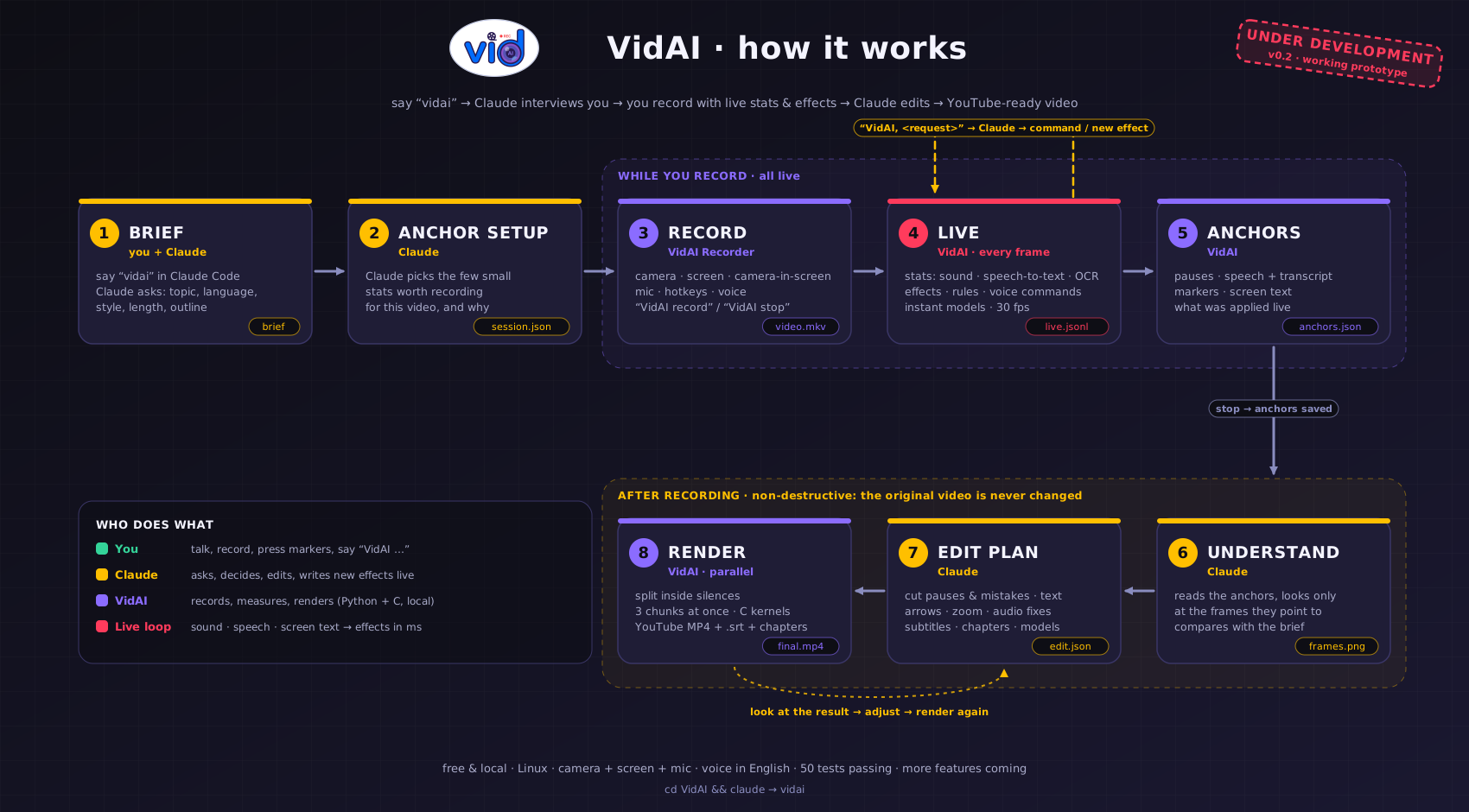
Generated by assets/flowchart/flowchart.js (pure Node → SVG → PNG via headless Chrome): node assets/flowchart/flowchart.js
What it can do now
| 🎙️ Brief | Claude asks what the video is about, the language, style, length and sections, then decides what to track |
| 🎥 Record | Its own recorder: camera, screen, or screen + camera, with mic · live preview · countdown · crash-safe files |
| 📊 Live anchors | Pauses, speech (speech-to-text), text on screen (OCR), motion, scene changes, active window, markers |
| 🗣️ Voice | “VidAI record / stop / mark / mistake / new section … / important / zoom in / zoom out / captions on” — anything else goes to Claude (English for now) |
| ✨ Live effects | Text, logos, arrows and boxes, zoom, blur, live captions — plus new effects Claude writes on the spot (e.g. an object that follows your hand) |
| 💬 Talk or type | Say “VidAI …”, hold ctrl+alt+space to talk without the wake word, or type in the Tell VidAI… box · “VidAI help” shows every command |
| 🗣️ VidAI talks | Say “VidAI talk” → “How can I help you?” → ask anything; Claude answers in VidAI's own voice (offline, natural), mixed cleanly into the video |
| ↶ Undo / redo | “VidAI undo” takes back a whole request (even one that changed several effects), “VidAI redo” brings it back |
| 🙋 Claude asks you | When a request is unclear, Claude asks in the window with buttons (“Which background? blur · purple · beach”) and tells you what it did — messages that are never recorded |
| 🏎️ Stays smooth | A performance governor keeps 30 fps: it slows tracking and preview first, warns you, and only then turns off the heaviest effect |
| 🤔 Thinking icon | A little animated VidAI eye bounces in the corner while Claude works on your request |
| 🧠 Instant models | Teach it something during the recording (“VidAI label yes”), correct it (“VidAI wrong”); it learns immediately |
| ✂️ Editing | Remove pauses and failed takes, add titles, arrows, zooms, subtitles, chapters, audio clean-up — without touching the original |
| 🌱 Learns you | Remembers misheard phrases you corrected, turns Claude's solutions into instant shortcuts, keeps your sizes and hand choices, and reads its lessons before every new video |
| 🔐 Asks first | “Master, I need to install … Say VidAI confirm” — or say “VidAI, take all actions” for full access |
| ⚡ Fast | Renders in parallel chunks split inside silences; hot loops in C |
| 📺 YouTube export | MP4 + subtitles (.srt) + a description with chapters |
Quick start
pip install vidai-rec
Working on VidAI itself (tests, Claude Code skill and MCP config included):
git clone https://github.com/AlsammanAlsamman/VidAI && cd VidAI
python3 -m venv .venv && .venv/bin/pip install -e ".[all]"
.venv/bin/python -m pytest -q        # optional: run the tests
Then open Claude Code inside the folder and say vidai:
claude
> vidai
Claude interviews you, opens the VidAI Recorder, and edits the video when you are done.
Prefer the terminal? vidai studio · vidai analyze video.mkv · vidai plan video.mkv remove_gaps · vidai render video.mkv
Requirements: Linux (X11), a webcam and mic (PipeWire/PulseAudio), gcc for the C speed-ups (optional).
ffmpeg is bundled; the speech model downloads on first use.
Coming next
- Speech-based editing: remove filler words, keep the best take automatically
- Built-in tracking: hands, face, objects — effects that follow them
- Arabic voice commands and on-screen text
- More layouts, transitions and music
1 maintainer

Metadata
1 maintainer
Release files for vidai-rec 0.4.0
For a detailed explanation of source distributions (sdists) and built distributions (wheels), please see the package formats documentation.
Source distribution (sdist)
| File | Size | Uploaded | |
|---|---|---|---|
| vidai_rec-0.4.0.tar.gz | 770.2 kB | Details |
Built distribution (wheel)
| File | Interpreter | ABI | Platform | Reset |
|---|---|---|---|---|
| vidai_rec-0.4.0-py3-none-any.whl | Python 3 | none | any | Details |
Total release size: 1.5 MB
Release files / vidai_rec-0.4.0.tar.gz
| Download URL | vidai_rec-0.4.0.tar.gz |
|---|---|
| Size | 770.2 kB |
| Tags | Source |
|
SHA-256 checksum How to use checksums |
b5f26b326d44083d612090324b5c92c7259e98d2d3e9e2e0ad90d250654fc3e2
|
|
BLAKE2b-256 checksum How to use checksums |
462c99632f678820c7dea4581c9137e0319593afa80e54b54263a94a8046f4b8
|
| Upload date | |
|
Uploaded using Trusted Publishing? What is trusted publishing? |
No |
| Uploaded via |
twine/7.0.0 CPython/3.12.3
|
Release files / vidai_rec-0.4.0-py3-none-any.whl
| Download URL | vidai_rec-0.4.0-py3-none-any.whl |
|---|---|
| Size | 758.2 kB |
| Tags | Python 3 |
|
SHA-256 checksum How to use checksums |
1b94175d1ef4c8602fde10178dfa01985db756edf721a6d04176198d4bed9102
|
|
BLAKE2b-256 checksum How to use checksums |
90fab8bf63f8aaba7e588631901371a50d3432471dcf803c0b9e87c8ffc3e028
|
| Upload date | |
|
Uploaded using Trusted Publishing? What is trusted publishing? |
No |
| Uploaded via |
twine/7.0.0 CPython/3.12.3
|














