
the simplest + fastest media cutter and joiner

Project description
[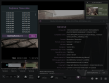](https://cdn.rawgit.com/ozmartian/vidcutter/gh-pages/images/vidcutter-04.png)
### VidCutter 6 released on Flathub!
VidCutter is now available as a flatpak at [Flathub](https://www.flathub.org) and is the most reliable option for Linux. All dependencies come bundled with it, including the very latest stable releases of mpv, FFmpeg, MediaInfo and associated codec libraries. Most linux distribution sofware centres like Plasma Discover and GNOME/Ubuntu Software are able to be expanded to also support searching and installing flatpaks from Flathub too. Unlike other packaged versions of VidCutter, the flatpak is purpose-built from the ground up with all dependencies built from source and containing only what the app requires resulting in a noticeably smaller total package file size.
The flatpak is also an exclusive early release of upcoming version 6 which should be released across all platforms and usual channels towards the end of May so checkout the flatpak if you want an earlier peak.
Click the icon below for VidCutter's page @ Flathub:
[](https://flathub.org/apps/details/com.ozmartians.VidCutter)
or via the terminal:
```
$ flatpak remote-add --if-not-exists flathub https://dl.flathub.org/repo/flathub.flatpakrepo
(to enable the flathub repo if not already)
$ flatpak install flathub com.ozmartians.VidCutter
$ flatpak run com.ozmartians.VidCutter
```
### VidCutter snap Now Available!
The latest version of VidCutter can now be installed as a snap package via the Ubuntu Snapcraft store at https://snapcraft.io/vidcutter or install it via the terminal as follows:
```
$ snap install vidcutter
```
### Latest DEV Builds Available
Automated deployments from VidCutter CI servers have been setup together with new repos to host the latest builds produced. If you want to check out the very latest DEV builds of VidCutter then follow the links below. Do keep in mind that these are considered unstable so there is a small risk of things not working but care is taken to ensure only complete and working code is pushed to Git, but sometimes mistakes can happen.
| VidCutter DEV Builds |
--- | --- |
**Linux** | https://github.com/ozmartian/vidcutter-appimage/releases/latest |
**Windows** | https://ci.appveyor.com/project/ozmartian/vidcutter/build/artifacts |
**macOS** | https://github.com/ozmartian/vidcutter-osx/releases/latest |
***
### Open Build Service
Prebuilt Linux packages available, click on your distro below.
|[](https://software.opensuse.org/download/package?project=home:ozmartian&package=vidcutter)| [](https://software.opensuse.org/download/package?project=home:ozmartian&package=vidcutter "Debian")|[](https://copr.fedorainfracloud.org/coprs/suspiria/VidCutter "Fedora")|[](https://software.opensuse.org/download/package?project=home:ozmartian&package=vidcutter "Mageia")|[](https://software.opensuse.org/download/package?project=home:ozmartian&package=vidcutter "openSUSE")|[](https://software.opensuse.org/download/package?project=home:ozmartian&package=vidcutter "Ubuntu")
|:---:|:---:|:---:|:---:|:---:|:---:|
|Arch Linux|Debian|Fedora|Mageia|openSUSE|Ubuntu|
***
### Windows + macOS Users
Native installers for Windows and macOS are available on the releases page with every new version, or just click the button below.
[](https://github.com/ozmartian/vidcutter/releases/latest)
#### Homebrew cask
For macOS users of Homebrew, VidCutter can be easily installed as a "cask". With Homebrew already installed, just run the following terminal command:
```
$ brew cask install vidcutter
```
#### Chocolatey package
VidCutter has finally been approved + published in the [Chocolatey](https://chocolatey.org) public repository (its a package manager like in Linux but
for Windows).
To install VidCutter, run the following command from the command line or from PowerShell:
```
C:\> choco install vidcutter
```
To upgrade VidCutter, run the following command from the command line or from PowerShell:
```
C:\> choco upgrade vidcutter
```
***
### Linux Users
#### Arch Linux
Users can install directly from AUR, package is available in both stable and git-latest versions:
AUR: vidcutter, vidcutter-git
Using an AUR helper like pacaur (replace pacaur with yaourt or other AUR helper):
LATEST STABLE RELEASE:
pacaur -S vidcutter
LATEST DEVELOPMENT RELEASE:
pacaur -S vidcutter-git
#### Ubuntu/Mint/Debian/KDE Neon and other Ubuntu flavors + derivatives
Users can install the latest release via:
ppa:ozmartian/apps
The following set of commands will get you up and running:
sudo add-apt-repository ppa:ozmartian/apps
sudo apt update
sudo apt install vidcutter
#### Fedora
Due to Fedora's restrictive policies on media licensing you'll need to install a VidCutter package from a third-party repository to have all common media formats supported. At the time of writing RPMFusion and UnitedRPMs both contain VidCutter RPMs as well as all the required dependencies so you can simply install the VidCutter RPM package from these sources without needing to do anything else for an up to date version of the app with all common libraries, codecs and formats supported right away.
I also maintain a custom COPR repository at:
suspiria/VidCutter
I keep this updated myself so it will alwats carry the very latest release version but you will still need to enable one of the third-party repos for the multimedia dependencies. RPMFusion and UnitedRPMs only take a couple of days to update their repos when new versions are released so only bother with COPR if you're "must have the very latest version" type of addict.
Commands for a Fedora install using the COPR repo are:
sudo dnf copr enable suspiria/VidCutter
sudo dnf install vidcutter
Check https://copr.fedorainfracloud.org/coprs/suspiria/VidCutter for more detailed instructions on enabling third-party repos for your multimedia dependencies.
#### openSUSE
https://software.opensuse.org/package/vidcutter
VidCutter is available from openSUSE Leap 15.0 + Tumbleweed official distributions repos. Community built packages for other openSUSE releases/versions can be found @ https://software.opensuse.org/package/vidcutter.
VidCutter is also available from the popular Packman third-party repository. Instructions to enable it can be found here:
https://en.opensuse.org/Additional_package_repositories#Packman
### AppImage
An AppImage portable Linux binary is also available via the releases page for Linux users. AppImages are tested and confirmed to work on most Linux distributions. My personal testing includes Ubuntu (Trusty through to Artful), and current stable releases of Mint, KDE Neon, Arch Linux, Manjaro, Antergos, Fedora, openSUSE, Debian, and Mageia.
### snap
Available on the Ubuntu Snapcraft store at https://snapcraft.io/vidcutter or install it via the terminal as follows:
```
$ snap install vidcutter
```
### FlatPak
A FlatPak will soon be available via FlatHub for all you GNOME users. In the meantime, the AppImage or snap package should work as an alternative.
***
### PyPi
If you're familiar with Python and PyPi then you can always try that option too but avoid installing PyQt5 from through pip and instead run with your distributions own PyQt5 offering. PyQt5 is known as some of the following names under various distros: python-pyqt5, python3-pyqt5, python3-qt5 etc. Using your distro's version ensures a more seamless look & feel with the app integrating with your distro's look & feel + widget sets. Installing all via PyPi will still work, but won't look as nice..
If installing via PyPi, be aware to also ensure you have the following tools also installed via your package manager or any other means it doesn't matter so long as they are installed:
- libmpv (Arch: mpv, Ubuntu: libmpv1, Fedora: mpv-libs via RPMFusion, openSUSE: libmpv1)
- FFmpeg (ffmpeg in all places, if on older Linux then you may have libav-tools instead which will also work)
- mediainfo (mediainfo in all/most places. mainly needs to be the CLI version)
Fedora and RedHat users need to enable the RPMFusion repository in order to access mpv packages and just about anything multimedia-wise. Chances are you know what I'm talking about here but if not here are some simple steps to get VidCutter working in Fedora 25, the same should apply for any other RPM based distro... until I get off my lazy butt and try to learn RPM packaging (oh how horrible it looks though).... if anyone wants to help in this area by all means do!
***
## Command-line for debugging (Linux/macOS only)
```
$ vidcutter --help
Usage: vidcutter [options] [video] [project]
VidCutter - the simplest + fastest video cutter & joiner
Options:
--debug debug mode; verbose console output & logging. This will
basically output what is being logged to file to the console
stdout. Mainly useful for debugging problems with your system
video and/or audio stack and codec configuration.
--dev developer mode; disables the use of compiled resource files so
that all app resources & assets are accessed directly from the
file system allowing you to see UI changes immediately. this
typically relates to changes made to Qt stylesheets (.qss),
layout/templates, content includes and images. basically all
assets defined in .qrc files throughout the codebase.
-v, --version Displays version information.
-h, --help Displays this help.
Arguments:
video Preload video file
project Open VidCutter project file (.vcp)
```
Release history Release notifications | RSS feed


Download files
Download the file for your platform. If you're not sure which to choose, learn more about installing packages.
Source Distribution
Built Distributions
Filter files by name, interpreter, ABI, and platform.
If you're not sure about the file name format, learn more about wheel file names.
Copy a direct link to the current filters
File details
Details for the file vidcutter-6.0.0.1.tar.gz.
File metadata
- Download URL: vidcutter-6.0.0.1.tar.gz
- Upload date:
- Size: 3.0 MB
- Tags: Source
- Uploaded using Trusted Publishing? No
- Uploaded via: twine/1.11.0 pkginfo/1.4.2 requests/2.19.1 setuptools/40.0.0 requests-toolbelt/0.8.0 tqdm/4.24.0 CPython/3.7.0
File hashes
| Algorithm | Hash digest | |
|---|---|---|
| SHA256 |
ed349f928d04ccf5f7d90379658395ffb05efe73873ced75f22819f56af61041
|
|
| MD5 |
e3c5109aa3308b2e86aa97fe76448518
|
|
| BLAKE2b-256 |
61a26a5297fe13f635c1313bed28d87756364f85609d3f260f9056e8bcaba6be
|
File details
Details for the file vidcutter-6.0.0.1-py3.7-macosx-10.12-x86_64.egg.
File metadata
- Download URL: vidcutter-6.0.0.1-py3.7-macosx-10.12-x86_64.egg
- Upload date:
- Size: 4.9 MB
- Tags: Egg
- Uploaded using Trusted Publishing? No
- Uploaded via: twine/1.11.0 pkginfo/1.4.2 requests/2.19.1 setuptools/40.0.0 requests-toolbelt/0.8.0 tqdm/4.24.0 CPython/3.7.0
File hashes
| Algorithm | Hash digest | |
|---|---|---|
| SHA256 |
b18d21ffc43698f85a091ce42a66685d488a37ec8a82c9efe285b26b16ada325
|
|
| MD5 |
6adac16abccebc49e61f6807dffb9fa9
|
|
| BLAKE2b-256 |
9d6e05874cd7adf0be1d90f0072fab1ec06a63c2e0a2884e978c4ef34b807169
|
File details
Details for the file vidcutter-6.0.0.1-py3.7-linux-x86_64.egg.
File metadata
- Download URL: vidcutter-6.0.0.1-py3.7-linux-x86_64.egg
- Upload date:
- Size: 5.1 MB
- Tags: Egg
- Uploaded using Trusted Publishing? No
- Uploaded via: twine/1.11.0 pkginfo/1.4.2 requests/2.19.1 setuptools/40.0.0 requests-toolbelt/0.8.0 tqdm/4.24.0 CPython/3.7.0
File hashes
| Algorithm | Hash digest | |
|---|---|---|
| SHA256 |
1bcb45edc005c38558b979a4d17479b91833fe9551519b5d4d9bf14e30882963
|
|
| MD5 |
ba554eb771d670e265cbd2f2e2d32e3b
|
|
| BLAKE2b-256 |
943339d4fa17506e635d6c413513c3c348539a7605f1bdfb506c192cad01815d
|
File details
Details for the file vidcutter-6.0.0.1-py3.6-macosx-10.12-x86_64.egg.
File metadata
- Download URL: vidcutter-6.0.0.1-py3.6-macosx-10.12-x86_64.egg
- Upload date:
- Size: 4.9 MB
- Tags: Egg
- Uploaded using Trusted Publishing? No
- Uploaded via: twine/1.11.0 pkginfo/1.4.2 requests/2.19.1 setuptools/40.1.0 requests-toolbelt/0.8.0 tqdm/4.24.0 CPython/3.6.5
File hashes
| Algorithm | Hash digest | |
|---|---|---|
| SHA256 |
95dc48ab15ff984a624ae429b9ee9600fa5a6f37b5378860965e6f4aa955dc32
|
|
| MD5 |
a7466344d0c3af2dce5a7d487a7b5fb4
|
|
| BLAKE2b-256 |
cd2fd882bc7fdda81cf5d42c8da6c2a26f0bddd2cb6a1992456c06c5189fb5e0
|
File details
Details for the file vidcutter-6.0.0.1-py3.6-linux-x86_64.egg.
File metadata
- Download URL: vidcutter-6.0.0.1-py3.6-linux-x86_64.egg
- Upload date:
- Size: 5.1 MB
- Tags: Egg
- Uploaded using Trusted Publishing? No
- Uploaded via: twine/1.11.0 pkginfo/1.4.2 requests/2.18.4 setuptools/38.5.2 requests-toolbelt/0.8.0 tqdm/4.24.0 CPython/3.6.5
File hashes
| Algorithm | Hash digest | |
|---|---|---|
| SHA256 |
0c8aefb6a46863771a5abd0eae984329b31aee34b0b5feaa94fda66144be217a
|
|
| MD5 |
84a9fb03675cf52ef09a33c34cda9a07
|
|
| BLAKE2b-256 |
168801ce490580d8ce6782bc85f3e86db540bdb200c35570dd9a1888e8fe1fe7
|
File details
Details for the file vidcutter-6.0.0.1-cp37-cp37m-macosx_10_12_x86_64.whl.
File metadata
- Download URL: vidcutter-6.0.0.1-cp37-cp37m-macosx_10_12_x86_64.whl
- Upload date:
- Size: 3.0 MB
- Tags: CPython 3.7m, macOS 10.12+ x86-64
- Uploaded using Trusted Publishing? No
- Uploaded via: twine/1.11.0 pkginfo/1.4.2 requests/2.19.1 setuptools/40.0.0 requests-toolbelt/0.8.0 tqdm/4.24.0 CPython/3.7.0
File hashes
| Algorithm | Hash digest | |
|---|---|---|
| SHA256 |
dab722b26bc93a550643ee8ac744cd202a7c80035aee887c0e5e7dcc49da99b5
|
|
| MD5 |
aec7654e9d1f05f2f3a18d45c26985e4
|
|
| BLAKE2b-256 |
cb98a39b48414a23d38bbb52d4e8744577ba1b3b78e63cd4eebf94fce5bb7359
|
File details
Details for the file vidcutter-6.0.0.1-cp36-cp36m-macosx_10_12_x86_64.whl.
File metadata
- Download URL: vidcutter-6.0.0.1-cp36-cp36m-macosx_10_12_x86_64.whl
- Upload date:
- Size: 3.0 MB
- Tags: CPython 3.6m, macOS 10.12+ x86-64
- Uploaded using Trusted Publishing? No
- Uploaded via: twine/1.11.0 pkginfo/1.4.2 requests/2.19.1 setuptools/40.1.0 requests-toolbelt/0.8.0 tqdm/4.24.0 CPython/3.6.5
File hashes
| Algorithm | Hash digest | |
|---|---|---|
| SHA256 |
12a47666637d78d406a9c5417764e854693be2eb6acdc103f6f4d7a9355356a4
|
|
| MD5 |
7ea89ade88e692e4e1e40c947102e96d
|
|
| BLAKE2b-256 |
d9afaa51ceb8ba74e546a3a8a4b7c728fef8022e6aa8539e02999fa214e8d7eb
|






