
Library to extract background from static video.

Project description
VideoBackgroundExtractor
Library to extract background from static video.
This library provides a simple and optimized tool for:
- Generating an image containing only the background of a video with a static camera even though foreground objects are always present
- Comparing video frames to the video background, showing regions where foreground objects are present
- Removing the background from frames, keeping only foreground objects visible
- Comparing full frames to the background, generating a difference intensity index that can be used to detect background changes
This package uses torch to optimize these processes, allowing for real time processing of video frames. This package will also make use of cuda if available to further enhance processing speeds.
The following table contains measured timings for some the possible operations.
| Operation | CPU Time | Nvidia Tesla T4 Time | Nvidia Tesla A100 Time |
|---|---|---|---|
| Loading background (211s video) | 5.23s | 4.89s | 4.41s |
| Create image of difference to background | 8.78ms | 2.55ms | 1.98ms |
| Calculating index of difference to background | 11.9ms | 2.83ms | 2.12ms |
| Removing background from frame | 19ms | 3.77ms | 2.6ms |
Note: The main bottleneck for loading the background is the need to decode all the video before to jump to specific frames that will be collected to create the background image. Because of this, the time for loading background is highly dependant on video length and scarcely affected by GPU usage.
Instalation
From Pypi
pip install video-background-extractor
From Github
pip install -q git+https://github.com/HenriqueSchmitz/VideoBackgroundExtractor@dist
Usage
For usage with general python, example.py can be used as reference.
For usage with google colab, the following notebook can be used: https://colab.research.google.com/drive/1hMrAC0tIAhoO3theECk0OMmtR-JB-UsE?usp=sharing
Getting example image:
import cv2
video = cv2.VideoCapture("example.mp4")
video.set(cv2.CAP_PROP_POS_FRAMES, 3000)
ret, exampleFrame = video.read()
Original Image:
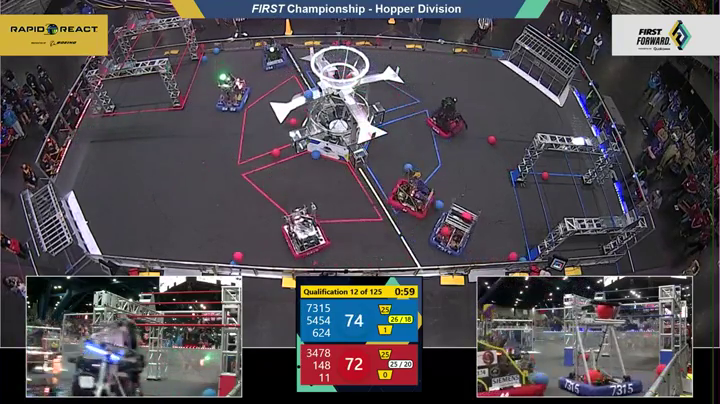
Getting background from video:
from video_background_extractor import VideoBackgroundExtractor
extractor = VideoBackgroundExtractor()
extractor.loadVideo("example.mp4")
background = extractor.getBackgroundFrame()
Background Extracted from Video:
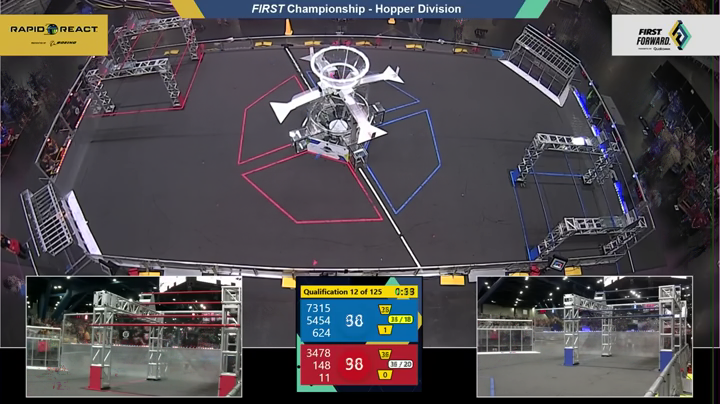
Note: extractor.loadVideo will by default use 25 random frames to build your background. If this is not sufficient, you can either select a differene amount of frames to be used by including the argument numberOfFramesToUse. You can also use the method loadVideoResiliently, which tries batches of the number of desired frames until the background is sufficiently close to the frames or the maximum number of retries is reached. This is helpful to filter out possible momentary obstructions to the camera or occasional camera changes in broadcasts.
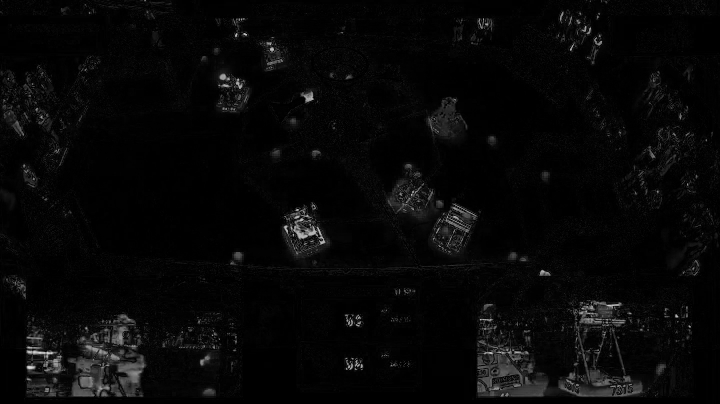
Getting image with difference to background:
frameDifference = extractor.getDifferenceToBackground(exampleFrame)
Difference to Background:
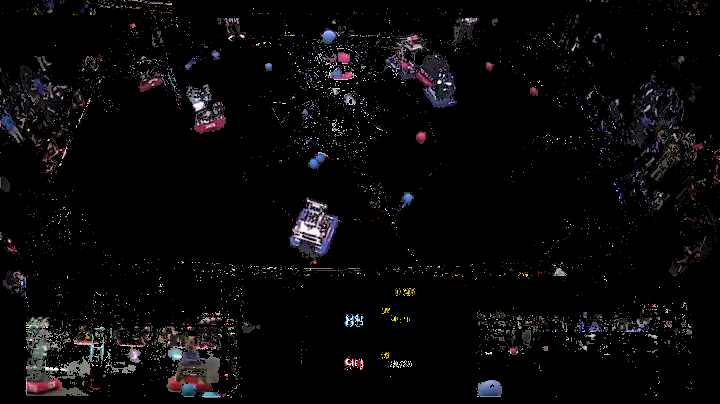
Getting example image with background removed:
noBackgroundFrame = extractor.removeBackground(exampleFrame)
Image with no Background:
Getting example image with background grayed out:
grayscaleBackgroundFrame = extractor.grayOutBackground(exampleFrame)
Image with Grayscale Background:
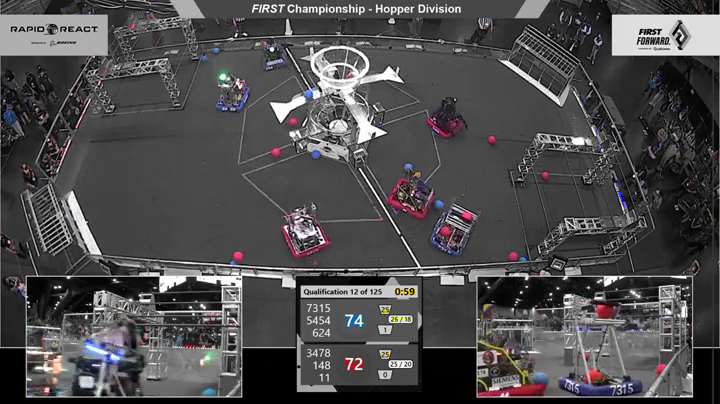
Release history Release notifications | RSS feed


Download files
Download the file for your platform. If you're not sure which to choose, learn more about installing packages.
Source Distributions
Built Distribution
Filter files by name, interpreter, ABI, and platform.
If you're not sure about the file name format, learn more about wheel file names.
Copy a direct link to the current filters
File details
Details for the file video_background_extractor-1.4.5-py3-none-any.whl.
File metadata
- Download URL: video_background_extractor-1.4.5-py3-none-any.whl
- Upload date:
- Size: 9.1 kB
- Tags: Python 3
- Uploaded using Trusted Publishing? No
- Uploaded via: twine/6.2.0 CPython/3.13.5
File hashes
| Algorithm | Hash digest | |
|---|---|---|
| SHA256 |
08c465cbaf03dceac9401b3b041262216bbae065bc1d1c170533f91d47998bc6
|
|
| MD5 |
f87200e5cabbb16a8d7cfb783b05594f
|
|
| BLAKE2b-256 |
87164a31e229e01cfb6cf84f18cd080de6fdf43e53f8fd597e7dcdb3f279473a
|






