
AI-powered video captioning tool — ASR, subtitle optimization, translation, and synthesis
Verified details
These details have been verified by PyPIProject links
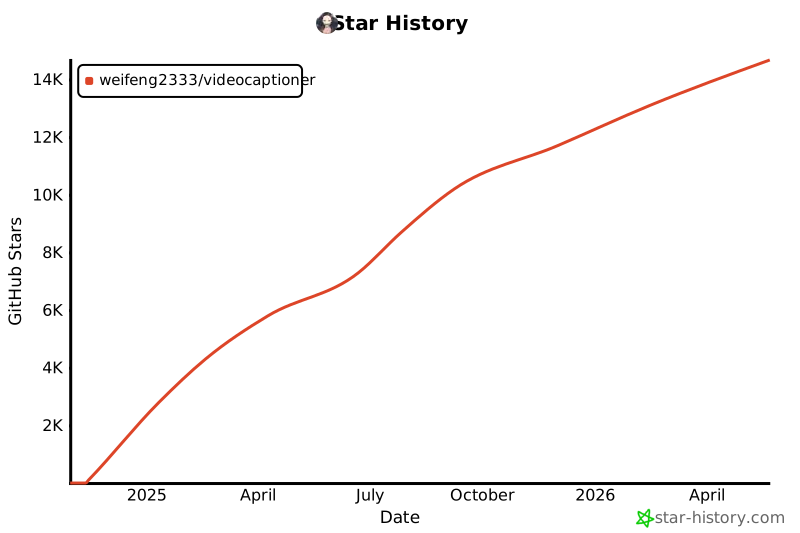
GitHub Statistics
Maintainers

Project description

VideoCaptioner
基于大语言模型的视频字幕处理工具 — 语音识别、字幕优化、翻译、视频合成一站式处理
在线文档 · CLI 使用 · GUI 桌面版 · Claude Code Skill
安装
pip install videocaptioner # 安装 CLI + GUI 桌面版
免费功能(必剪语音识别、必应/谷歌翻译)无需任何配置,安装即用。
CLI 命令行
# 语音转录(免费,无需 API Key)
videocaptioner transcribe video.mp4 --asr bijian

# 字幕翻译(免费必应翻译)
videocaptioner subtitle input.srt --translator bing --target-language en

# 全流程:转录 → 优化 → 翻译 → 合成
videocaptioner process video.mp4 --target-language ja

# 字幕烧录到视频
videocaptioner synthesize video.mp4 -s subtitle.srt

# 下载在线视频
videocaptioner download "https://youtube.com/watch?v=xxx"
需要 LLM 功能(字幕优化、大模型翻译)时,配置 API Key:
videocaptioner config set llm.api_key <your-key>
videocaptioner config set llm.api_base https://api.openai.com/v1
videocaptioner config set llm.model gpt-4o-mini
配置优先级:命令行参数 > 环境变量 (VIDEOCAPTIONER_*) > 配置文件 > 默认值。运行 videocaptioner config show 查看当前配置。
所有 CLI 命令一览
| 命令 | 说明 |
|---|---|
gui |
打开桌面版。也可以直接运行 videocaptioner-gui |
transcribe |
语音转字幕。引擎:faster-whisper、whisper-api、bijian(免费)、jianying(免费)、whisper-cpp |
subtitle |
字幕优化/翻译。翻译服务:llm、bing(免费)、google(免费) |
dub |
根据字幕生成配音音轨或配音视频 |
synthesize |
字幕烧录到视频(软字幕/硬字幕) |
process |
全流程处理 |
download |
下载 YouTube、B站等平台视频 |
config |
配置管理(show、set、get、path、init) |
运行 videocaptioner <命令> --help 查看完整参数。完整 CLI 文档见 docs/cli.md。
GUI 桌面版
pip install videocaptioner
videocaptioner-gui                  # 显式打开桌面版
videocaptioner gui                  # 等价命令
videocaptioner                      # 无参数时也会打开桌面版
其他安装方式:Windows 安装包 / macOS 一键脚本
Windows:从 Release 下载安装包
macOS:
curl -fsSL https://raw.githubusercontent.com/WEIFENG2333/VideoCaptioner/master/scripts/run.sh | bash
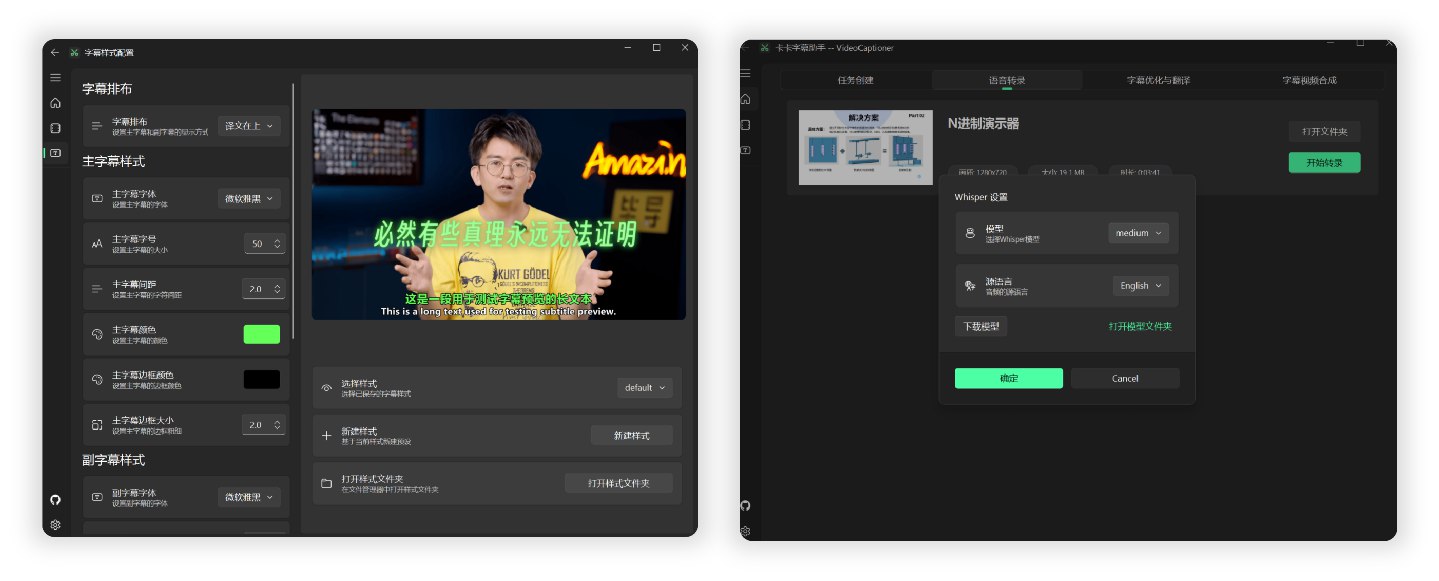
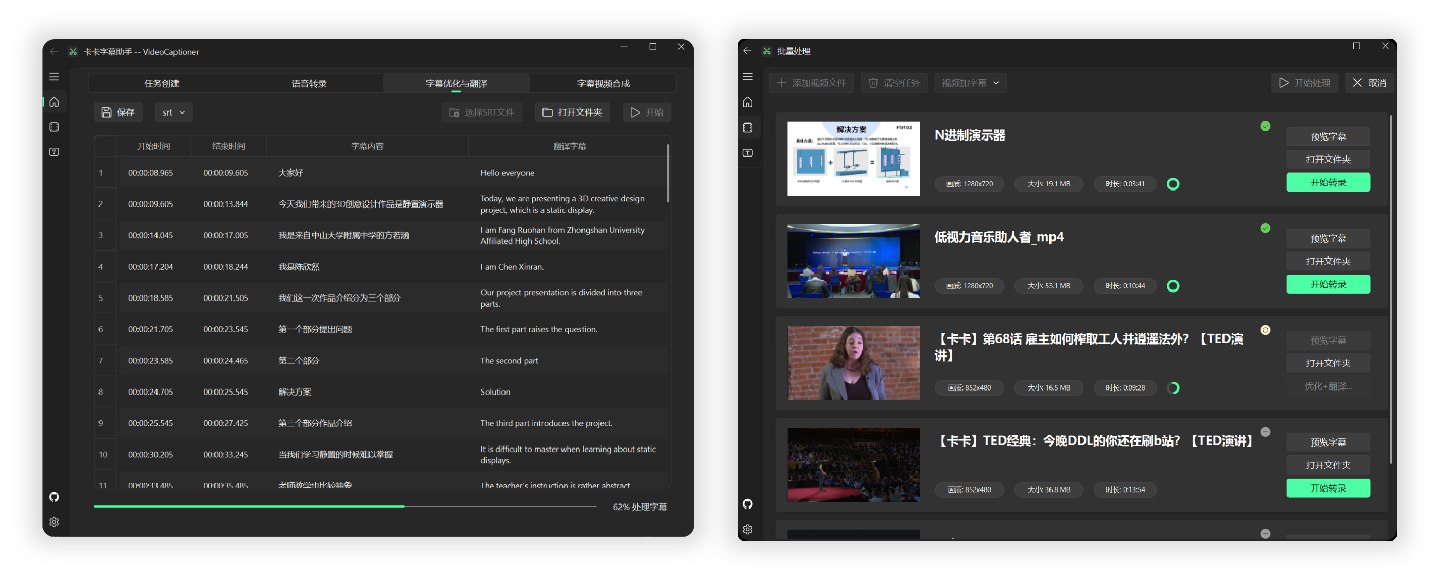
LLM API 配置
LLM 仅用于字幕优化和大模型翻译,免费功能(必剪识别、必应翻译)无需配置。
支持所有 OpenAI 兼容接口的服务商:
| 服务商 | 官网 |
|---|---|
| VideoCaptioner 中转站 | api.videocaptioner.cn — 高并发,性价比高,支持 GPT/Claude/Gemini 等 |
| SiliconCloud | cloud.siliconflow.cn |
| DeepSeek | platform.deepseek.com |
在软件设置或 CLI 中填入 API Base URL 和 API Key 即可。详细配置教程
Claude Code Skill
本项目提供了 Claude Code Skill,让 AI 编程助手可以直接调用 VideoCaptioner 处理视频。
安装到 Claude Code:
mkdir -p ~/.claude/skills/videocaptioner
cp skills/SKILL.md ~/.claude/skills/videocaptioner/SKILL.md
然后在 Claude Code 中输入 /videocaptioner transcribe video.mp4 --asr bijian 即可使用。
工作原理
音视频输入 → 语音识别 → 字幕断句 → LLM 优化 → 翻译 → 视频合成
- 词级时间戳 + VAD 语音活动检测,识别准确率高
- LLM 语义理解断句,字幕阅读体验自然流畅
- 上下文感知翻译,支持反思优化机制
- 批量并发处理,效率高
开发
git clone https://github.com/WEIFENG2333/VideoCaptioner.git
cd VideoCaptioner
uv sync && uv run videocaptioner     # 运行 GUI
uv run videocaptioner --help          # 运行 CLI
uv run pyright                        # 类型检查
uv run pytest tests/test_cli/ -q      # 运行测试
许可证
Project details
Verified details
These details have been verified by PyPIProject links
GitHub Statistics
Maintainers
Release history Release notifications | RSS feed


Download files
Download the file for your platform. If you're not sure which to choose, learn more about installing packages.
Source Distribution
Built Distribution
Filter files by name, interpreter, ABI, and platform.
If you're not sure about the file name format, learn more about wheel file names.
Copy a direct link to the current filters
File details
Details for the file videocaptioner-1.4.2.tar.gz.
File metadata
- Download URL: videocaptioner-1.4.2.tar.gz
- Upload date:
- Size: 8.5 MB
- Tags: Source
- Uploaded using Trusted Publishing? Yes
- Uploaded via: twine/6.1.0 CPython/3.13.12
File hashes
| Algorithm | Hash digest | |
|---|---|---|
| SHA256 |
048b03c05dabf35e2821f62b8667415aa4f937e453389a15a56a936235cf4290
|
|
| MD5 |
87d05dd43e87d12004ee17b8715fd7ad
|
|
| BLAKE2b-256 |
67685d84f0c13e7344de3e64399c0f737e433dc0452faa38cc22a242697c232e
|
Provenance
The following attestation bundles were made for videocaptioner-1.4.2.tar.gz:
Publisher:
publish-pypi.yml on WEIFENG2333/VideoCaptioner
-
Statement:
-
Statement type:
https://in-toto.io/Statement/v1 -
Predicate type:
https://docs.pypi.org/attestations/publish/v1 -
Subject name:
videocaptioner-1.4.2.tar.gz -
Subject digest:
048b03c05dabf35e2821f62b8667415aa4f937e453389a15a56a936235cf4290 - Sigstore transparency entry: 1617520195
- Sigstore integration time:
-
Permalink:
WEIFENG2333/VideoCaptioner@d753521d57cf2311df96bfee96fe39c6306a8e09 -
Branch / Tag:
refs/tags/v1.4.2 - Owner: https://github.com/WEIFENG2333
-
Access:
public
-
Token Issuer:
https://token.actions.githubusercontent.com -
Runner Environment:
github-hosted -
Publication workflow:
publish-pypi.yml@d753521d57cf2311df96bfee96fe39c6306a8e09 -
Trigger Event:
push
-
Statement type:
File details
Details for the file videocaptioner-1.4.2-py3-none-any.whl.
File metadata
- Download URL: videocaptioner-1.4.2-py3-none-any.whl
- Upload date:
- Size: 6.6 MB
- Tags: Python 3
- Uploaded using Trusted Publishing? Yes
- Uploaded via: twine/6.1.0 CPython/3.13.12
File hashes
| Algorithm | Hash digest | |
|---|---|---|
| SHA256 |
903befb39a0d1e2af78fa8ee130e5b37dd95dbe7b7286d503ebc62bc67862e85
|
|
| MD5 |
ee603d3216fc647a46949e3c1ff51951
|
|
| BLAKE2b-256 |
21df701fcb965b6fcd1a1283a556d38020bd19212a4fa1a9e2a5b38043390094
|
Provenance
The following attestation bundles were made for videocaptioner-1.4.2-py3-none-any.whl:
Publisher:
publish-pypi.yml on WEIFENG2333/VideoCaptioner
-
Statement:
-
Statement type:
https://in-toto.io/Statement/v1 -
Predicate type:
https://docs.pypi.org/attestations/publish/v1 -
Subject name:
videocaptioner-1.4.2-py3-none-any.whl -
Subject digest:
903befb39a0d1e2af78fa8ee130e5b37dd95dbe7b7286d503ebc62bc67862e85 - Sigstore transparency entry: 1617520531
- Sigstore integration time:
-
Permalink:
WEIFENG2333/VideoCaptioner@d753521d57cf2311df96bfee96fe39c6306a8e09 -
Branch / Tag:
refs/tags/v1.4.2 - Owner: https://github.com/WEIFENG2333
-
Access:
public
-
Token Issuer:
https://token.actions.githubusercontent.com -
Runner Environment:
github-hosted -
Publication workflow:
publish-pypi.yml@d753521d57cf2311df96bfee96fe39c6306a8e09 -
Trigger Event:
push
-
Statement type:






