
A Python script for efficiently compressing videos without sacrificing quality
Verified details
These details have been verified by PyPIProject links
GitHub Statistics
Maintainers

Project description
CLI Video Compressor
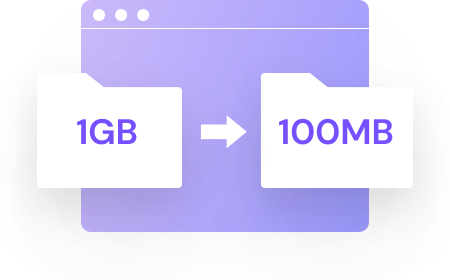
Pack is a simple yet powerful CLI video compressor.
It reduces file sizes by up to 60% while maintaining high quality, using FFmpeg under the hood. Compress individual videos or entire folders with ease.




Installation | Upgrade
You might be sure that you have installed Python 3.10+ and FFmpeg. The CLI app uses FFmpeg under the hood, so make sure you have it installed and added to your PATH.
pip install -U vidpack
Prerequisites
```console
# MacOS
brew install ffmpeg

# Ubuntu
sudo apt install ffmpeg

# ArchLinux
sudo pacman -S ffmpeg

# Fedora
sudo dnf install ffmpeg
```
Basic Usage
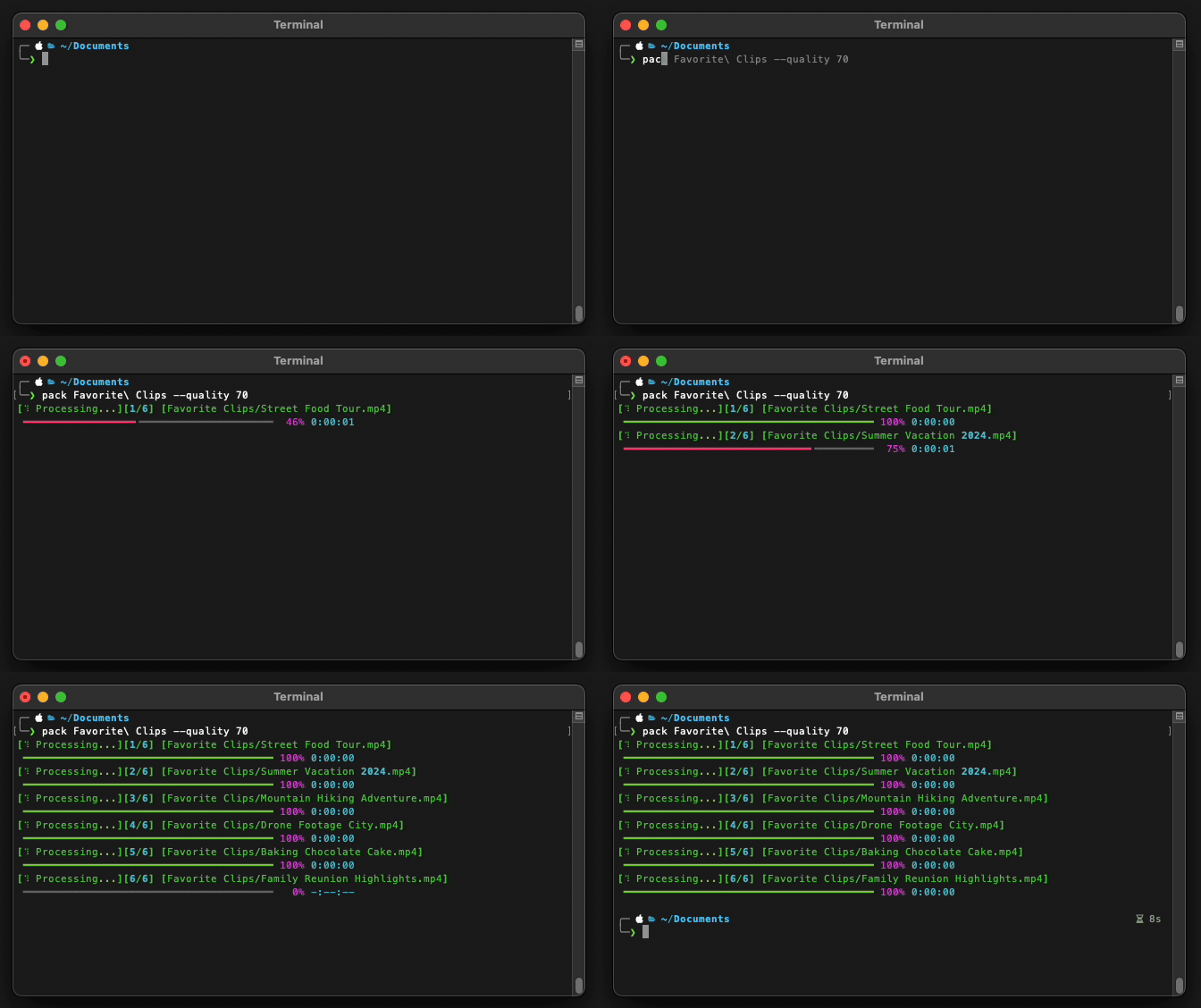
To compress a video or multiple videos, you will use the pack command, followed by the required input argument (a file or a directory).
pack INPUT [OPTIONS]
[!NOTE]
INPUT: This is the file or directory you want to process. If you provide a directory, all videos within it will be compressed.
[!TIP] For additional help or to see all available options, you can use the command:
pack --help
Options
Pack offers several options to customize the compression process:
--output,-o: Specifies the output file to save the compressed video.--quality,-q: Defines the video quality level (0-100). Default value: 75.--overwrite,-w: Overwrites the output file if it already exists.--delete-original,-d: Deletes the original video after successful compression.--codec,-c: Specifies the video codec to use for compression(h264,libx265). Default ish264.
[!IMPORTANT] The H265 (
libx265) codec offers superior compression quality and produces smaller file sizes compared toH264. However, encoding with H265 is more time-consuming and requires significantly more processing power. If you have a modern GPU and enough time for encoding, H265 is an excellent choice for reducing file sizes without sacrificing quality.
Usage Examples
To compress a video named video.mp4, simply run:
pack video.mp4
This command will compress video.mp4 with default settings(quality: 75) and save the result as video_compressed.mp4 in the same directory.
Show more examples
Specify an output file
If you want to specify the name or location of the compressed file:
pack video.mp4 --output compressed/small_video.mp4
This command will compress video.mp4 and save the result as small_video.mp4 in the compressed directory.
Adjust compression quality
To compress a video with a specific quality (e.g., 60):
pack video.mp4 -q 60
This will compress the video with lower quality, resulting in a smaller file size.
Compress all videos in a directory
To compress all videos in a directory:
pack /path/to/my/videos
This command will compress all videos in the specified directory and save the results in the same directory.
Overwrite existing files
If you want to overwrite existing compressed files:
pack video.mp4 --output output.mp4 --overwrite
This will overwrite the file output.mp4 if it already exists.
Delete the original file after compression
To delete the original video file after successful compression:
pack video.mp4 --delete-original
The original video.mp4 will be deleted after compression.
Specify a video codec
To compress a video with a specific video codec (e.g., libx265):
pack video.mp4 --codec libx265
This will compress the video with the libx265 codec, resulting in a smaller file size. Currently, only h264 and libx265 codecs are supported.
Use multiple options
You can combine multiple options in a single command:
pack video.mp4 -o compressed.mp4 -q 80 -w -d
This command will compress video.mp4 with a quality of 80, save the result as compressed.mp4, overwrite if the file exists, delete the original, and display detailed information during the process.
Additional Notes
- The quality option (
-q) affects both visual quality and file size. A lower value will result in a smaller file but lower visual quality, while a higher value will maintain better quality but with a larger file size. - It's always recommended to backup your original videos before using the delete option (
-d).
[!TIP] If you are a Windows user, you can install
ffmpegandpythonmanually or using package managers likeScoop. Once you have installed a package manager, you can just run something likescoop install python ffmpeg.
[!TIP] Windows user can watch a tutorial video on YouTube about the installation process [Here].
Contributors

See my other projects


Project details
Verified details
These details have been verified by PyPIProject links
GitHub Statistics
Maintainers


Download files
Download the file for your platform. If you're not sure which to choose, learn more about installing packages.
Source Distribution
Built Distribution
Filter files by name, interpreter, ABI, and platform.
If you're not sure about the file name format, learn more about wheel file names.
Copy a direct link to the current filters
File details
Details for the file vidpack-0.3.2.tar.gz.
File metadata
- Download URL: vidpack-0.3.2.tar.gz
- Upload date:
- Size: 8.3 kB
- Tags: Source
- Uploaded using Trusted Publishing? Yes
- Uploaded via: twine/6.1.0 CPython/3.12.9
File hashes
| Algorithm | Hash digest | |
|---|---|---|
| SHA256 |
bf2adc6abca028bec9d5a2082d435367d227be65f20cc085e047d85a99a35805
|
|
| MD5 |
3d3875f5eda877f0be0b17977ea117b1
|
|
| BLAKE2b-256 |
ea4a28e8424ccd5386341641ea73e492ec1ee2975a167de1923f9504e8a69726
|
Provenance
The following attestation bundles were made for vidpack-0.3.2.tar.gz:
Publisher:
release.yml on ivansaul/CLI-Video-Compressor
-
Statement:
-
Statement type:
https://in-toto.io/Statement/v1 -
Predicate type:
https://docs.pypi.org/attestations/publish/v1 -
Subject name:
vidpack-0.3.2.tar.gz -
Subject digest:
bf2adc6abca028bec9d5a2082d435367d227be65f20cc085e047d85a99a35805 - Sigstore transparency entry: 185279776
- Sigstore integration time:
-
Permalink:
ivansaul/CLI-Video-Compressor@67835c93fd98514593a818e7609d3759ed892fd0 -
Branch / Tag:
refs/heads/master - Owner: https://github.com/ivansaul
-
Access:
public
-
Token Issuer:
https://token.actions.githubusercontent.com -
Runner Environment:
github-hosted -
Publication workflow:
release.yml@67835c93fd98514593a818e7609d3759ed892fd0 -
Trigger Event:
push
-
Statement type:
File details
Details for the file vidpack-0.3.2-py3-none-any.whl.
File metadata
- Download URL: vidpack-0.3.2-py3-none-any.whl
- Upload date:
- Size: 10.4 kB
- Tags: Python 3
- Uploaded using Trusted Publishing? Yes
- Uploaded via: twine/6.1.0 CPython/3.12.9
File hashes
| Algorithm | Hash digest | |
|---|---|---|
| SHA256 |
5052e5b0920595db3b07519b9abd373cc89ef11e8bc4cf953df246c5834da379
|
|
| MD5 |
cc04b28ccab52b8f319af6d8c62653bd
|
|
| BLAKE2b-256 |
66a22bb3dc59afbd2fb667cfa39291aba7c97a0e948ab75360adcb82706cac4c
|
Provenance
The following attestation bundles were made for vidpack-0.3.2-py3-none-any.whl:
Publisher:
release.yml on ivansaul/CLI-Video-Compressor
-
Statement:
-
Statement type:
https://in-toto.io/Statement/v1 -
Predicate type:
https://docs.pypi.org/attestations/publish/v1 -
Subject name:
vidpack-0.3.2-py3-none-any.whl -
Subject digest:
5052e5b0920595db3b07519b9abd373cc89ef11e8bc4cf953df246c5834da379 - Sigstore transparency entry: 185279791
- Sigstore integration time:
-
Permalink:
ivansaul/CLI-Video-Compressor@67835c93fd98514593a818e7609d3759ed892fd0 -
Branch / Tag:
refs/heads/master - Owner: https://github.com/ivansaul
-
Access:
public
-
Token Issuer:
https://token.actions.githubusercontent.com -
Runner Environment:
github-hosted -
Publication workflow:
release.yml@67835c93fd98514593a818e7609d3759ed892fd0 -
Trigger Event:
push
-
Statement type:






