




vidtoolz
Make videos using python. A plugin-based CLI toolset for editing, authering videos, built with python.
Overview
vidtoolz is a collection of command-line tools designed to make videos and edit videos easier. The project takes a plugin-based approach, allowing users to extend its functionality by creating custom plugins.
After installing vidtoolz, install any of the following plugins.
Default Plugins
vidtoolz comes with several built-in plugins for common video operations:
| Plugin | Description | Command |
|---|---|---|
| info | Get video information (codecs, duration, etc.) | vidtoolz info video.mp4 |
| clip | Clip a portion of a video | vidtoolz clip input.mp4 output.mp4 -s 00:00:10 -d 00:00:05 |
| ffconcat | Concatenate multiple videos | vidtoolz ffconcat video1.mp4 video2.mp4 -o output.mp4 |
| ffoverlay | Overlay one video on another | vidtoolz ffoverlay background.mp4 overlay.mp4 -o output.mp4 |
| play | Play a video file | vidtoolz play video.mp4 |
| reverse | Reverse a video (uses FFmpeg by default) | vidtoolz reverse input.mp4 output.mp4 |
| scale | Scale/resize a video | vidtoolz scale input.mp4 output.mp4 640 480 |
| speed | Change video playback speed | vidtoolz speed input.mp4 output.mp4 2.0 |
VidToolz Plugins
| Tool | Description | Category |
|---|---|---|
| Reverse | Reverse a video file | Video Effects |
| Zoomtext | Zoom out the video and display text as caption | Video Effects |
| Mchap | Make chapters using a list of videos | Video Effects |
| Lightning | Add lightning effects on video | Video Effects |
| Flicker | Add flicker effects on video | Video Effects |
| Slideshow | Create slideshow with images using ffmpeg | Video Effects |
| Split | Split a video into two | Video Effects |
| Normalize | Normalize audio of a video | Audio Enhancements |
| Shake | Shake a portion of a video | Special Effects |
| Flip | Flip a vedio vertically or horizontally | Special Effects |
| Denoise | Denoise audio in a video | Audio Enhancements |
| Enhance | Enhance audio of a video using ffmpeg | Audio Enhancements |
| Twitch | Add twitch effect to a video | Video Effects |
| H2R | Tools for hum hai rahi channel | Video Effects |
| Vintage | Create vintage effect on videos using ffmpeg | Video Effects |
| Jitter | Add jitter effect to a video using moviepy | Special Effects |
| Trim | Trim video using ffmpeg | Video Effects |
| Rotate | Rotates a video | Special Effects |
| Metadata | Add metadata to a video for better SEO | Metadata and SEO |
| Stitch | Stitch videos using music | Music Integration |
| Highlights | Make highlights from videos | Video Effects |
| Fade | Add fade in and out for a video using ffmpeg | Video Effects |
| Fadeinout | Apply fadein-fadeout effects on videos | Video Effects |
| Soundeffects | Add sound effects to videos | Audio Enhancements |
| Getframe | Get frame out of a video for thumbnail | Special Effects |
| Chapters | Write formated youtube chapters with text inputs | Video Effects |
| Hue | Add a hue to a video using ffmpeg | Video Effects |
| Echo | Apply noise reduction and echo effect | Audio Enhancements |
| Beats | Get beats from a mp3 song | Music Analysis |
| Greenscreen | Apply greenscreen video on top of a video | Special Effects |
| Shorts | Create shorts from long form videos | Video Effects |
| Freeze | Use moviepy to flash freeze a frame just like imovie | Special Effects |
| Intro | Create intro video from a series of videos | Video Effects |
| Repaudio | Replace audio for a video file | Audio Enhancements |
| Vignette | Apply Vignette on Video | Video Effects |
| Addtext | Add text to a video file | Text and Overlay |
| Volume | Increase decrease volume | Audio Control |
| Addsound | Add sound to a video | Audio Control |
| Loudness | Use EBU R128 Loudness Normalization with ffmpeg | Audio Enhancements |
| Overlay | Add overlay effect on video using ffmpeg | Text and Overlay |
| Textclip | Create a color clip with overlaid text | Text and Overlay |
| Compose | Compose Videos using the supplied compose_vid file | Video Composition |
| Concat | Concat videos using ffmpeg | Video Composition |
To get help, just type vidtoolz or its shortcut vid to access the cli.
vidtoolz --help
or
vid --help
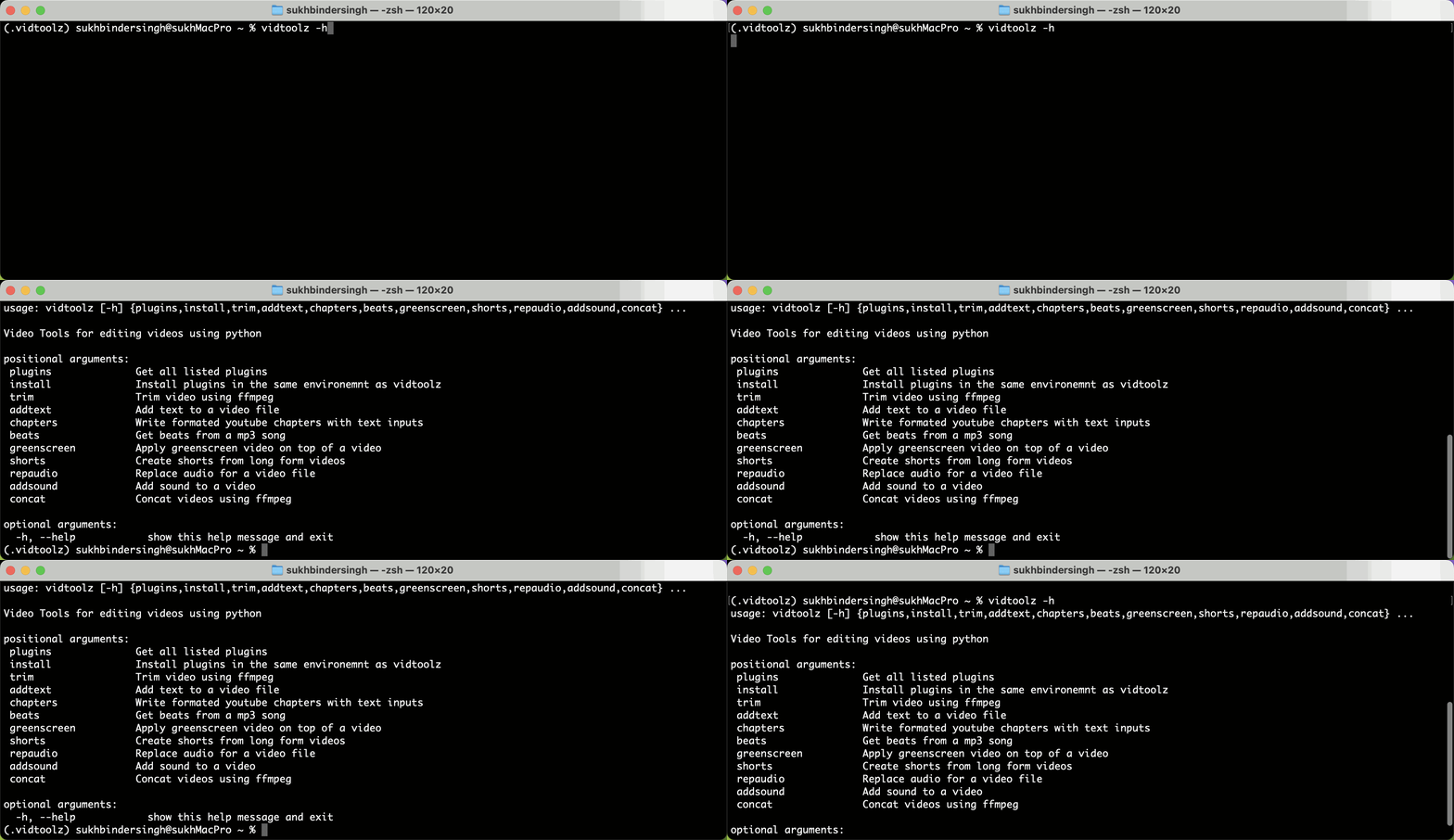
This will show all the plugins installed.
usage: vid [-h]
           {plugins,install,trim,addtext,chapters,beats,greenscreen,shorts,repaudio,addsound,concat}
           ...

Video Tools for editing videos using python

positional arguments:
 plugins              Get all listed plugins
 install              Install plugins in the same environemnt as vidtoolz
 trim                 Trim video using ffmpeg
 addtext              Add text to a video file
 chapters             Write formated youtube chapters with text inputs
 beats                Get beats from a mp3 song
 greenscreen          Apply greenscreen video on top of a video
 shorts               Create shorts from long form videos
 repaudio             Replace audio for a video file
 addsound             Add sound to a video
 concat               Concat videos using ffmpeg

optional arguments:
  -h, --help            show this help message and exit
To install a plugin, just type
vid install vidtoolz-trim
Features
- A simple and intuitive CLI interface
- Extensive plugin support for customizing and extending the toolset
- Integration with popular Python libraries and frameworks
- Support for multiple Python versions (>=3.9)
- Comprehensive testing suite with integration tests for all default plugins
- FFmpeg-based operations for better performance
Testing
vidtoolz includes a comprehensive test suite that covers all default plugins:
# Run all tests
python -m pytest tests/

# Run specific tests
python -m pytest tests/test_vidtoolz.py::test_info_plugin -v
python -m pytest tests/test_vidtoolz.py::test_reverse_plugin -v
python -m pytest tests/test_vidtoolz.py::test_speed_plugin -v
The tests use the provided test data (tests/test_data/) and verify:
- Output file creation and validation
- Proper error handling
- Argument parsing and validation
- Performance characteristics
Speed Plugin
The speed plugin allows you to change video playback speed with flexible audio handling options:
# 2x speed with adjusted audio (default)
vidtoolz speed input.mp4 output.mp4 2.0

# Half speed with muted audio
vidtoolz speed input.mp4 output.mp4 0.5 -a mute

# 1.5x speed keeping original audio
vidtoolz speed input.mp4 output.mp4 1.5 -a keep

# Auto-generated output filename
vidtoolz speed input.mp4 1.8
Audio Modes:
adjust(default): Adjust audio speed to match video speedmute: Remove audio from the output videokeep: Keep original audio unchanged (video only speed change)
Reverse Plugin Enhancement
The reverse plugin now uses FFmpeg by default for much faster performance:
# Fast FFmpeg-based reversal (default)
vidtoolz reverse input.mp4 output.mp4

# Original MoviePy-based reversal (slower but may work better for some files)
vidtoolz reverse input.mp4 output.mp4 --use-moviepy
The FFmpeg version typically completes in seconds vs minutes for the MoviePy version.
Requirements
- Python 3.9 or later
- The
pluggylibrary for plugin management
Installation
pip install vidtoolz
Developing your plugin
You'll need to have cookiecutter installed.
pipx install cookiecutter
Regular pip will work OK too.
Usage
Run cookiecutter gh:sukhbinder/vidtoolz-plugin and then answer the prompts. Here's an example run:
cookiecutter gh:sukhbinder/vidtoolz-plugin
This will show this. Fill this and the template is ready. Just add your code.
plugin_name []: vidtoolz plugin template demo
description []: Demonstrating https://github.com/sukhbinder/vidtoolz-plugin
hyphenated [vidtoolz-plugin-template-demo]:
underscored [vidtoolz_plugin_template_demo]:
github_username []: sukhbinder
author_name []: Sukhbinder Singh
Development
To contribute to this tool, first checkout the code. Then create a new virtual environment:
# To clone
git clone https://github.com/sukhbinder/vidtoolz.git

# And create a new virtual environment
cd vidtoolz
python -m venv venv
source venv/bin/activate

# In windows
venv\Scripts\activate
Now install the dependencies and test dependencies:
pip install -e '.[test]'
To run the tests:
python -m pytest
1 maintainer

Download files
Download the file for your platform. If you're not sure which to choose, learn more about installing packages.
Source Distribution
Built Distribution
Filter files by name, interpreter, ABI, and platform.
If you're not sure about the file name format, learn more about wheel file names.
Copy a direct link to the current filters
File details
Details for the file vidtoolz-0.1.5.tar.gz.
File metadata
- Download URL: vidtoolz-0.1.5.tar.gz
- Upload date:
- Size: 23.0 kB
- Tags: Source
- Uploaded using Trusted Publishing? Yes
- Uploaded via:
twine/6.1.0 CPython/3.13.14
File hashes
| Algorithm | Hash digest | |
|---|---|---|
| SHA256 |
7c1d90356bff24f23eddf720d96852dfdeeeaa91d211a94d44d036a7c4922c7b
|
|
| MD5 |
fa99b3f4724665bddb5288912e8aa2d1
|
|
| BLAKE2b-256 |
16d54d9c568417e4a1c833fb09cc8aa84f5c626efa950e5ab5418e50149b4e52
|
Provenance
The following attestation bundles were made for vidtoolz-0.1.5.tar.gz:
Publisher:
publish.yml on sukhbinder/vidtoolz
-
Statement:
-
Statement type:
https://in-toto.io/Statement/v1 -
Predicate type:
https://docs.pypi.org/attestations/publish/v1 -
Subject name:
vidtoolz-0.1.5.tar.gz -
Subject digest:
7c1d90356bff24f23eddf720d96852dfdeeeaa91d211a94d44d036a7c4922c7b - Sigstore transparency entry: 2224279086
- Sigstore integration time:
-
Permalink:
sukhbinder/vidtoolz@bc8cb39570a3b889e9fa3f8afb2b63a0bb1491bf -
Branch / Tag:
refs/tags/v0.1.5 - Owner: https://github.com/sukhbinder
-
Access:
public
-
Token Issuer:
https://token.actions.githubusercontent.com -
Runner Environment:
github-hosted -
Publication workflow:
publish.yml@bc8cb39570a3b889e9fa3f8afb2b63a0bb1491bf -
Trigger Event:
release
-
Statement type:
File details
Details for the file vidtoolz-0.1.5-py3-none-any.whl.
File metadata
- Download URL: vidtoolz-0.1.5-py3-none-any.whl
- Upload date:
- Size: 22.5 kB
- Tags: Python 3
- Uploaded using Trusted Publishing? Yes
- Uploaded via:
twine/6.1.0 CPython/3.13.14
File hashes
| Algorithm | Hash digest | |
|---|---|---|
| SHA256 |
ba308af9fcbe7e4842245ce84ca965e2c9d70632332b7e7536c6e4420c3a2490
|
|
| MD5 |
b8d3e00a87627ceea89d48b04c5b4fbc
|
|
| BLAKE2b-256 |
1392ba423d3373a8fb139c8c14217e37b9a48efe50b6331280fe2aecd5094be5
|
Provenance
The following attestation bundles were made for vidtoolz-0.1.5-py3-none-any.whl:
Publisher:
publish.yml on sukhbinder/vidtoolz
-
Statement:
-
Statement type:
https://in-toto.io/Statement/v1 -
Predicate type:
https://docs.pypi.org/attestations/publish/v1 -
Subject name:
vidtoolz-0.1.5-py3-none-any.whl -
Subject digest:
ba308af9fcbe7e4842245ce84ca965e2c9d70632332b7e7536c6e4420c3a2490 - Sigstore transparency entry: 2224279343
- Sigstore integration time:
-
Permalink:
sukhbinder/vidtoolz@bc8cb39570a3b889e9fa3f8afb2b63a0bb1491bf -
Branch / Tag:
refs/tags/v0.1.5 - Owner: https://github.com/sukhbinder
-
Access:
public
-
Token Issuer:
https://token.actions.githubusercontent.com -
Runner Environment:
github-hosted -
Publication workflow:
publish.yml@bc8cb39570a3b889e9fa3f8afb2b63a0bb1491bf -
Trigger Event:
release
-
Statement type:














