
Log Keeper
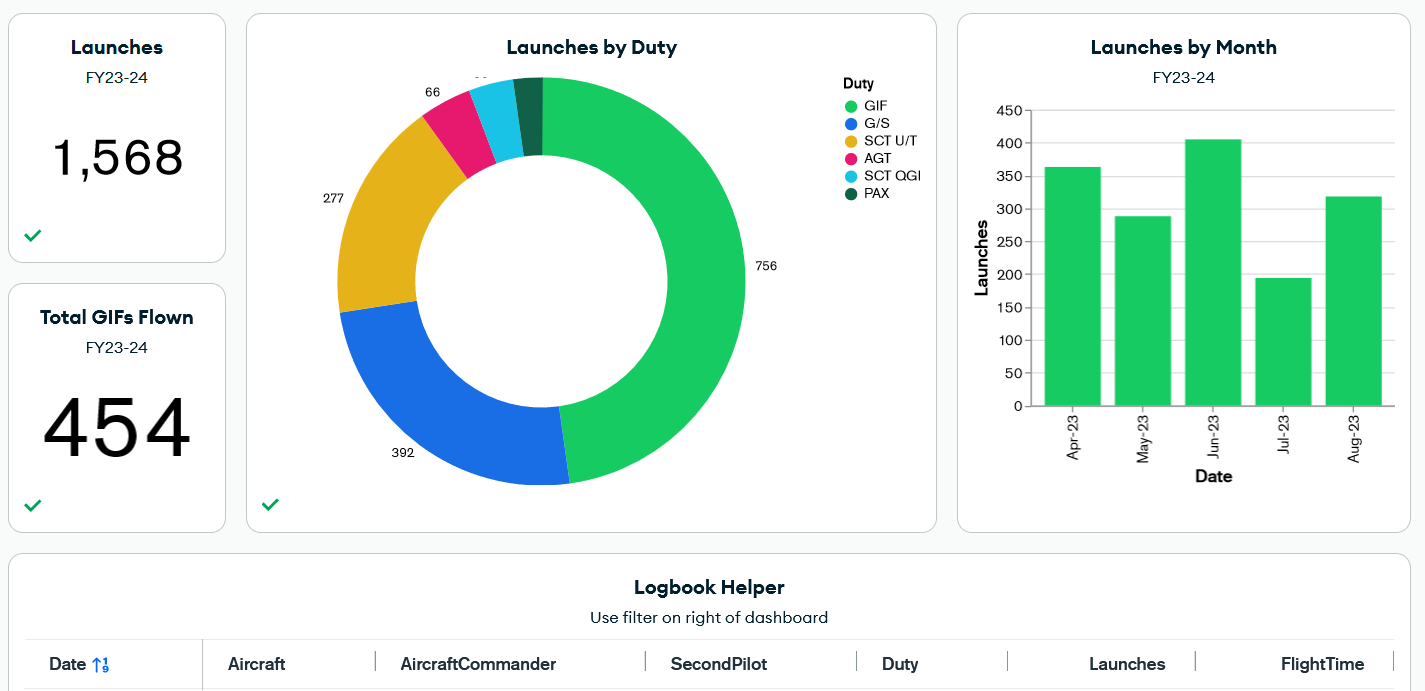
661 VGS - All-in-one log keeper for the Viking fleet. Records launches from 2965D log sheets, uploads to MongoDB Atlas, and provides a web interface for viewing statistics.
Contents
Installation
-
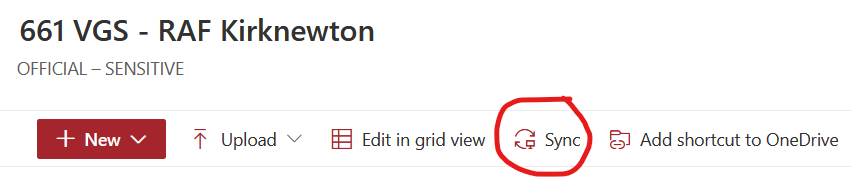
Sync your squadron sharepoint using OneDrive:
-
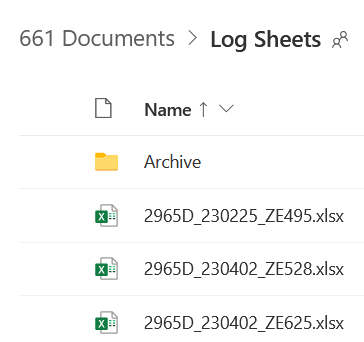
Create a directory on your sharepoint to store the log sheets e.g.
Log Sheets. -
Save the
2965B_YYMMDD_ZEXXX.xlsxtemplate (Seedocs/) into theLog Sheetsdirectory. -
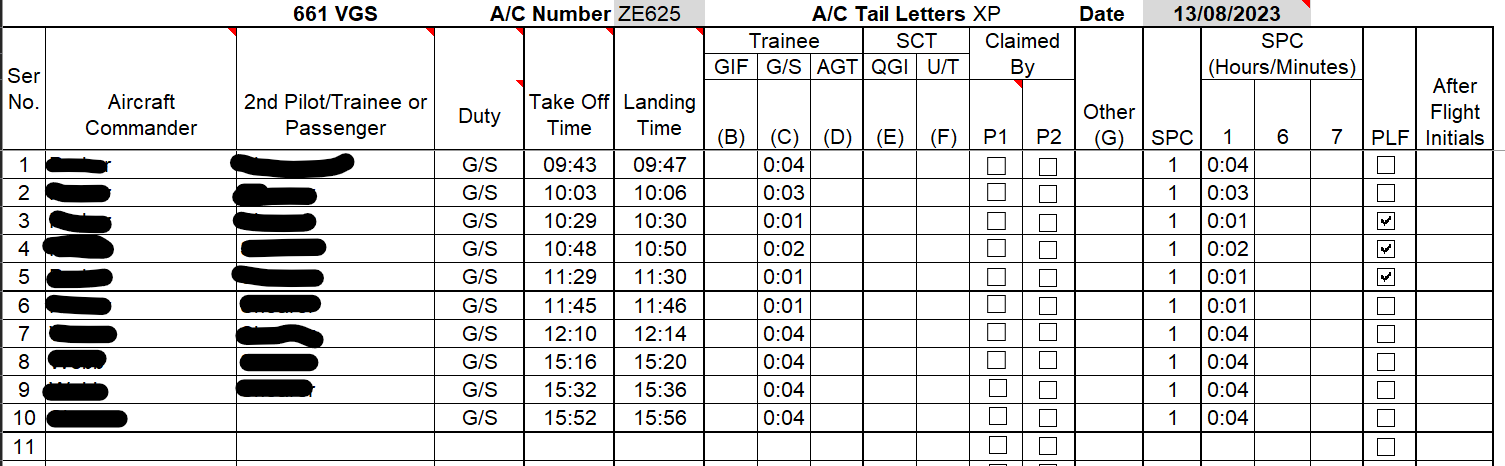
Get started with creating some log sheets to test it out. Note, you will need to update the hidden
INPUT_DATAsheet to add your aircraft and pilots: -
Sign up to MongoDB Atlas. Contact the project owner for access to the database.
Usage
Normal Usage
-
Login to the dashboard:
-
Upload your completed log sheets. Note, the re-uploading log sheets will overwrite the existing data:


Python Dashboard
-
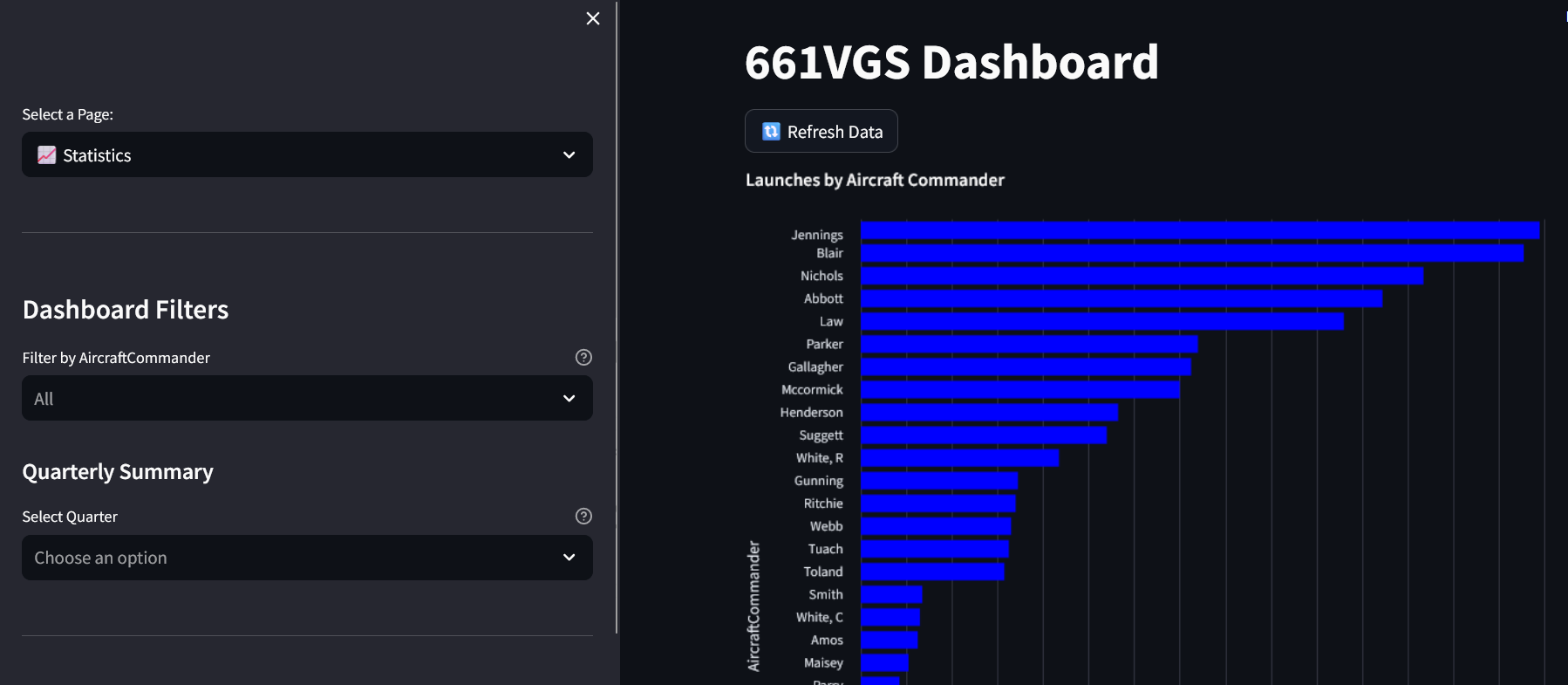
The log keeper comes with a python dashboard for viewing statistics. To run the dashboard, setup the secrets. NOTE, you must have a MongoDB Atlas account and access to the database (get this from the project owner).:
echo "MONGO_URI=<YOUR_MONGO_URI>" > .streamlit/secrets.toml
echo "OPS_FORM_URL=<YOUR_OPS_FORM_URL>" >> .streamlit/secrets.toml
# COOKIE_SECRET keeps users logged in across page refreshes. Generate one:
echo "COOKIE_SECRET=\"$(python -c 'from cryptography.fernet import Fernet; print(Fernet.generate_key().decode())')\"" >> .streamlit/secrets.toml
When deploying to Streamlit Community Cloud, add the same secrets (
MONGO_URI,OPS_FORM_URL,COOKIE_SECRET) under the app's Settings → Secrets. IfCOOKIE_SECRETis omitted the app still works, but logins are not persisted across refreshes. Rotating it logs everyone out once. -
run the following command:
viking-dashboard
Contribution
- Ensure Python 3.11 is installed and
python.exeis added to the path:

Testing
To run the tests, run the following commands:
playwright install
python -m pytest
Support
For questions and assistance, consider raising an issue on the issue tracker. All other queries can be directed to mjennings061@gmail.com
License
The project is licensed under the MIT License.
1 maintainer

Metadata
1 maintainer
Release files for viking-log-keeper 3.0.0
For a detailed explanation of source distributions (sdists) and built distributions (wheels), please see the package formats documentation.
Source distribution (sdist)
| File | Size | Uploaded | |
|---|---|---|---|
| viking_log_keeper-3.0.0.tar.gz | 414.1 kB | Details |
Built distribution (wheel)
| File | Interpreter | ABI | Platform | Reset |
|---|---|---|---|---|
| viking_log_keeper-3.0.0-py3-none-any.whl | Python 3 | none | any | Details |
Total release size: 816.3 kB
Release files / viking_log_keeper-3.0.0.tar.gz
| Download URL | viking_log_keeper-3.0.0.tar.gz |
|---|---|
| Size | 414.1 kB |
| Tags | Source |
|
SHA-256 checksum How to use checksums |
975fd02c017d14e8fb6b3efd94967723119a301c2779671601d45c752d625eed
|
|
BLAKE2b-256 checksum How to use checksums |
d169479248dc324a7590654fcde3a6953a5749b63ace164108089420031a0451
|
| Upload date | |
|
Uploaded using Trusted Publishing? What is trusted publishing? |
No |
| Uploaded via |
twine/7.0.0 CPython/3.11.16
|
Release files / viking_log_keeper-3.0.0-py3-none-any.whl
| Download URL | viking_log_keeper-3.0.0-py3-none-any.whl |
|---|---|
| Size | 402.2 kB |
| Tags | Python 3 |
|
SHA-256 checksum How to use checksums |
86e1fc3b47ef36bdf91feefc03f9c0e7d5d401d995c297190e412b553c804309
|
|
BLAKE2b-256 checksum How to use checksums |
5046b83a3b09db3d7dade122a7b78a4c3beef02f1e636c8588a2cac88af0cd54
|
| Upload date | |
|
Uploaded using Trusted Publishing? What is trusted publishing? |
No |
| Uploaded via |
twine/7.0.0 CPython/3.11.16
|














