
🚀 AI-powered CLI helper: translate natural language into shell commands.

Project description
🚀 Vira CLI - AI-Powered Terminal Assistant
Transform natural language into shell commands instantly with the power of Google Gemini AI


📋 Table of Contents
- Overview
- Features
- Installation
- Quick Start
- Usage Guide
- Configuration
- Interactive Mode
- Alias System
- Advanced Features
- Architecture
- Troubleshooting
- Contributing
- FAQ
🌟 Overview
Vira CLI is an intelligent terminal assistant that bridges the gap between natural language and shell commands. Simply describe what you want to do, and Vira will generate the appropriate command for your operating system.
Why Vira CLI?
- 🤖 AI-Powered: Leverages Google Gemini 2.5 for accurate command generation
- 🌍 Multi-language: Supports English and Vietnamese
- 💬 Interactive Mode: Chat with AI to get commands on-the-fly
- 📚 Command History: Navigate through previous queries with arrow keys
- 🔖 Alias System: Save frequently used commands
- 🛡️ Safety First: Detects dangerous commands before execution
- 📋 Auto-copy: Commands automatically copied to clipboard
- 🎨 Beautiful UI: Rich terminal interface with colors and formatting
✨ Features
Core Features
| Feature | Description |
|---|---|
| Natural Language Processing | Convert plain English/Vietnamese to shell commands |
| Multi-OS Support | Optimized for Linux, macOS, and Windows |
| Interactive Chat | Continuous conversation mode with command history |
| Smart Suggestions | Get common flags and options for each command |
| Command Execution | Run commands directly with confirmation |
| Error Recovery | AI-powered fix for failed commands |
| Clipboard Integration | Auto-copy commands for easy pasting |
Advanced Features
- 🔄 History Navigation: Use ↑↓ arrows to browse previous queries
- 🔍 History Search: Press Ctrl+R to search command history
- 💾 Persistent Config: All settings saved in
~/.vira-cli/ - 🎯 Context Aware: AI understands follow-up questions
- 🌐 Bilingual: Switch between English and Vietnamese
- 📦 Model Selection: Choose from multiple Gemini models
- 🔐 Safe Execution: Blocks dangerous operations by default
📥 Installation
Prerequisites
- Python 3.8 or higher
- pip or pipx package manager
- Internet connection (for API calls)
Method 1: Install with pipx (Recommended)
# Install pipx if you haven't
python3 -m pip install --user pipx
python3 -m pipx ensurepath

# Install Vira CLI
pipx install vira-cli
Method 2: Install with pip
pip install vira-cli
Method 3: Install from source
# Clone repository
git clone https://github.com/vuvandinh123/vira-cli.git
cd vira-cli

# Install in development mode
pip install -e .
Linux Clipboard Support (Optional but Recommended)
# For X11 (most common)
sudo apt-get install xclip

# Or
sudo apt-get install xsel

# For Wayland
sudo apt-get install wl-clipboard
🚀 Quick Start
1. First Time Setup
Run the configuration wizard:
vira --config
This will guide you through:
- API Key setup
- Model selection
- Language preference
- Display settings
2. Get Your API Key
- Visit Google AI Studio
- Sign in with your Google account
- Click "Create API Key"
- Copy the key (starts with
AIza...)
3. Your First Command
vira list all files
Output:
💭 Thinking...

✨ ls -la

✓ Copied to clipboard
▶ Run this command? [Y/n]:
📖 Usage Guide
Basic Syntax
vira <your query in natural language>
Examples
File Operations
# List files
vira list all files
vira show hidden files

# Find files
vira find files larger than 100MB
vira search for pdf files in downloads

# File management
vira create a folder named backup
vira copy all images to backup folder
vira rename all txt files to md
vira delete files older than 30 days
System Information
# CPU and Memory
vira show cpu usage
vira check memory usage
vira find process using most memory

# Disk
vira show disk space
vira find largest directories
vira check disk io

# Network
vira show ip address
vira check internet connection
vira find which process using port 8080
Git Operations
vira show git status
vira create new branch from main
vira undo last commit but keep changes
vira view commit history with graph
vira merge feature branch to main
Package Management
# Linux (Ubuntu/Debian)
vira update all packages
vira search for package containing python
vira remove package and dependencies

# macOS
vira install node using homebrew
vira update all homebrew packages

# Python
vira install requirements from file
vira create virtual environment
vira list outdated packages
Docker Operations
vira list all docker containers
vira stop all running containers
vira remove unused images
vira build docker image from dockerfile
vira run container with port mapping
Text Processing
vira find lines containing error in log file
vira count occurrences of word in file
vira remove duplicate lines from file
vira sort file by column 3
vira replace text in all files
⚙️ Configuration
Configuration File
All settings are stored in: ~/.vira-cli/config.ini
Configuration Commands
Set API Key
vira --set-api-key
Change Model
vira --set-model
Available models:
gemini-2.0-flash- Fast, good for simple queriesgemini-2.0-pro- More accurate, better reasoninggemini-2.5-flash- Latest fast model (default)gemini-2.5-pro- Latest pro model, best quality
Change Language
vira --set-language
Options:
- English (en)
- Tiếng Việt (vi)
Toggle Command Suggestions
vira --set-show-suggestions
Options:
- Yes: Show common flags and options
- No: Only show the command
Full Configuration
vira --config
Interactive setup for all options.
Environment Variables
Alternatively, set API key via environment:
# Temporary (current session)
export GEMINI_API_KEY="your_api_key_here"

# Permanent (add to ~/.bashrc or ~/.zshrc)
echo 'export GEMINI_API_KEY="your_api_key_here"' >> ~/.bashrc
source ~/.bashrc
💬 Interactive Mode
Start a continuous chat session with AI:
vira -i
# or
vira --interactive
Interactive Commands
| Command | Description |
|---|---|
<query> |
Generate command from your query |
fix |
Fix the last failed command |
explain |
Explain the last command |
clear |
Clear screen |
help |
Show help message |
exit / quit / q |
Exit interactive mode |
Keyboard Shortcuts
| Shortcut | Action |
|---|---|
↑ |
Previous query |
↓ |
Next query |
Ctrl+R |
Search history |
Ctrl+C |
Cancel current input |
Ctrl+D |
Exit |
→ or End |
Accept auto-suggestion |
Example Session
$ vira -i
━━━━━━━━━━━━━━━━━━━━━━━━━━━━━━━━━━━━━━━━━━━━━━
💬 Interactive Terminal Helper
━━━━━━━━━━━━━━━━━━━━━━━━━━━━━━━━━━━━━━━━━━━━━━
Type 'exit' or 'quit' to exit.
Type 'fix' to fix last error.
Type 'run <command>' to run a command.
Type 'history' to show recent commands.
💡 Use ↑↓ arrows to browse history, Ctrl+R to search

You: list all files

✨ ls -la

▶ Run this command? [Y/n]: y
total 48
drwxr-xr-x  5 user user 4096 Jan 27 10:30 .
✅ Done!

You: find large files

✨ find . -type f -size +100M

▶ Run this command? [Y/n]: n

You: explain

Explanation:
This command searches for files larger than 100MB
starting from the current directory recursively.

You: compress folder

✨ tar -czf folder.tar.gz folder/

▶ Run this command? [Y/n]: y
tar: folder/: Cannot stat: No such file or directory
❌ Command failed

You: fix

✨ tar -czf archive.tar.gz .

▶ Run this command? [Y/n]: y
✅ Done!

You: exit
👋 Bye!
History Features
All your queries are saved to: ~/.vira-cli/chat_history.txt
Search History:
- Press
Ctrl+R - Type keywords
- Press
Enterto use the command - Press
Ctrl+Ragain to see next match
View History File:
cat ~/.vira-cli/chat_history.txt
Clear History:
rm ~/.vira-cli/chat_history.txt
🔖 Alias System
Save frequently used commands as aliases.
Create Alias
vira --set-alias backup="tar -czf backup-$(date +%Y%m%d).tar.gz ."
vira --set-alias update="sudo apt update && sudo apt upgrade -y"
vira --set-alias ports="netstat -tulpn | grep LISTEN"
List Aliases
vira --list-alias
Output:
┌─ 📘 Alias List ─────────────────────────────────┐
│ Name    │ Command                                │
├─────────┼────────────────────────────────────────┤
│ backup  │ tar -czf backup-$(date +%Y%m%d)...     │
│ update  │ sudo apt update && sudo apt upgrade... │
│ ports   │ netstat -tulpn | grep LISTEN           │
└─────────┴────────────────────────────────────────┘
Run Alias
vira backup
Output:
✨ tar -czf backup-20250127.tar.gz .

▶ Run this alias? [Y/n]:
Remove Alias
vira --remove-alias backup
🎯 Advanced Features
Immediate Execution
Run commands without confirmation:
vira list files --run
⚠️ Warning: Use with caution!
Detect Interactive Commands
Vira automatically detects commands that need user input:
vira create react app
Output:
✨ npx create-react-app my-app

⚠️  This command may require user input
▶ Run this command? [Y/n]: y

Need to install the following packages:
create-react-app@5.1.0
Ok to proceed? (y) y    # <-- You can type here!
Command Options Display
When enabled, Vira shows common flags:
vira find files
Output:
✨ find . -type f

📘 Common options:
-name "*.txt" : Find files by name pattern
-size +10M : Find files larger than 10MB
-mtime -7 : Modified in last 7 days
-exec rm {} \; : Execute command on found files
-maxdepth 2 : Limit search depth
Multi-language Support
English:
vira --set-language
> 1. English
Vietnamese:
vira --set-language
> 2. Tiếng Việt

vira liệt kê tất cả file
✨ ls -la

📘 Các tùy chọn phổ biến:
-h : Hiển thị kích thước dễ đọc
-t : Sắp xếp theo thời gian
🏗️ Architecture
Project Structure
vira-cli/
├── cli_helper/                 # Main package
│   ├── __init__.py            # Package initialization
│   ├── main.py                # CLI entry point
│   ├── core/                  # Core functionality
│   │   ├── __init__.py
│   │   ├── ai.py              # Gemini AI integration
│   │   └── command.py         # Command execution
│   ├── config/                # Configuration
│   │   ├── __init__.py
│   │   ├── manager.py         # Config management
│   │   └── constants.py       # Constants
│   ├── features/              # Features
│   │   ├── __init__.py
│   │   ├── alias.py           # Alias management
│   │   ├── chat.py            # Interactive mode
│   │   └── history.py         # Command history
│   └── utils/                 # Utilities
│       ├── __init__.py
│       ├── console.py         # Rich console helpers
│       └── system.py          # OS detection, clipboard
├── tests/                     # Unit tests
├── docs/                      # Documentation
├── setup.py                   # Package setup
├── requirements.txt           # Dependencies
├── README.md                  # Main documentation
└── LICENSE                    # MIT License
Key Components
1. AI Engine (core/ai.py)
- Handles Gemini API communication
- Generates commands from natural language
- Manages chat sessions
2. Config Manager (config/manager.py)
- Loads/saves configuration
- Manages API keys, models, settings
- Handles aliases
3. Command Executor (core/command.py)
- Executes shell commands
- Supports interactive commands
- Safety checks for dangerous operations
4. Interactive Chat (features/chat.py)
- Prompt toolkit integration
- Command history with search
- Auto-suggestion from history
5. Console Utilities (utils/console.py)
- Rich terminal formatting
- Color-coded messages
- Tables and panels
🐛 Troubleshooting
Common Issues
1. Command not found: vira
Solution:
# Check if installed
pipx list | grep vira-cli

# Reinstall
pipx reinstall vira-cli

# Or add to PATH
export PATH="$PATH:$HOME/.local/bin"
2. API Key Error
Error:
❌ No API key found. Run: vira --config
Solution:
# Method 1: Interactive setup
vira --config

# Method 2: Direct set
vira --set-api-key

# Method 3: Environment variable
export GEMINI_API_KEY="your_key_here"
3. Clipboard Error
Error:
⚠️ Could not copy to clipboard
Solution:
# Linux X11
sudo apt-get install xclip

# Linux Wayland
sudo apt-get install wl-clipboard

# macOS (should work by default)
# Windows (should work by default)
4. Interactive Commands Stuck
Problem: Commands like npm install hang without accepting input.
Solution: Already fixed in version 2.1.0. Update:
pipx upgrade vira-cli
5. Import Errors
Error:
ModuleNotFoundError: No module named 'prompt_toolkit'
Solution:
pip install prompt-toolkit rich pyperclip python-dotenv google-generativeai
6. Permission Denied
Error:
Permission denied: /home/user/.vira-cli/config.ini
Solution:
chmod 600 ~/.vira-cli/config.ini
# or delete and reconfigure
rm -rf ~/.vira-cli
vira --config
Debug Mode
Enable verbose logging:
export VIRA_DEBUG=1
vira your query
View logs:
cat ~/.vira-cli/vira.log
Getting Help
- Check Documentation: GitHub Wiki
- Report Issues: GitHub Issues
- Community: Discussions
🤝 Contributing
We welcome contributions! Here's how:
Development Setup
# Clone repository
git clone https://github.com/vuvandinh123/vira-cli.git
cd vira-cli

# Create virtual environment
python -m venv venv
source venv/bin/activate  # On Windows: venv\Scripts\activate

# Install in development mode
pip install -e .

# Install dev dependencies
pip install -r requirements-dev.txt

# Run tests
pytest
Contribution Guidelines
- Fork the repository
- Create a feature branch:
git checkout -b feature/amazing-feature - Commit your changes:
git commit -m 'Add amazing feature' - Push to the branch:
git push origin feature/amazing-feature - Open a Pull Request
Code Style
- Follow PEP 8
- Use type hints
- Add docstrings
- Write tests
❓ FAQ
General Questions
Q: Is Vira CLI free?
A: Yes, Vira CLI is open-source (MIT License). However, you need a Google Gemini API key, which has a free tier.
Q: Does it work offline?
A: No, Vira requires internet connection to communicate with Gemini API.
Q: Which operating systems are supported?
A: Linux, macOS, and Windows. Commands are optimized for each OS.
Q: Can I use it in scripts?
A: Yes, use --run flag for non-interactive execution:
vira list files --run > output.txt
Usage Questions
Q: How do I save my favorite commands?
A: Use the alias system:
vira --set-alias mybackup="tar -czf backup.tar.gz ."
Q: Can it execute commands automatically?
A: Yes, use --run flag, but be careful:
vira delete old logs --run # No confirmation!
Q: How to switch languages?
A: Run vira --set-language and choose your language.
Q: Does it support multiple commands?
A: Currently one command per query. Use aliases for command chains.
Technical Questions
Q: Which AI model should I use?
A:
gemini-2.5-flash: Fast, good for simple commands (default)gemini-2.5-pro: Best quality, slower, for complex queries
Q: How is my data stored?
A: All data stored locally in ~/.vira-cli/:
config.ini: Settings and API keychat_history.txt: Query historyvira.log: Debug logs (if enabled)
Q: Is my API key secure?
A: API key is stored with 600 permissions (owner read/write only). Never share your config file.
Q: Can I use my own AI model?
A: Currently only Gemini models are supported. Custom model support is planned.
Troubleshooting
Q: Commands are slow?
A:
- Check internet connection
- Switch to faster model (gemini-2.5-flash)
- Use alias for frequent commands
Q: Getting wrong commands?
A:
- Be more specific in your query
- Switch to pro model for better accuracy
- Report issue with examples
Q: History not working?
A: Check if ~/.vira-cli/chat_history.txt is writable:
ls -la ~/.vira-cli/
chmod 600 ~/.vira-cli/chat_history.txt
📄 License
MIT License - see LICENSE file for details.
🙏 Acknowledgments
- Google Gemini: For providing the AI capabilities
- Rich: For beautiful terminal formatting
- Prompt Toolkit: For interactive terminal features
- Contributors: Everyone who has contributed to this project
📞 Contact & Support
- Author: Vũ Văn Định
- Email: vuvandinh203@gmail.com
- GitHub: @vuvandinh123
- Issues: Report bugs
- Discussions: Community forum
📊 Statistics
- Version: 2.1.0
- Python Version: 3.8+
- Dependencies: 5 core packages
- Code Lines: ~2,500
- Test Coverage: 85%
- Downloads: 🚀 Growing!
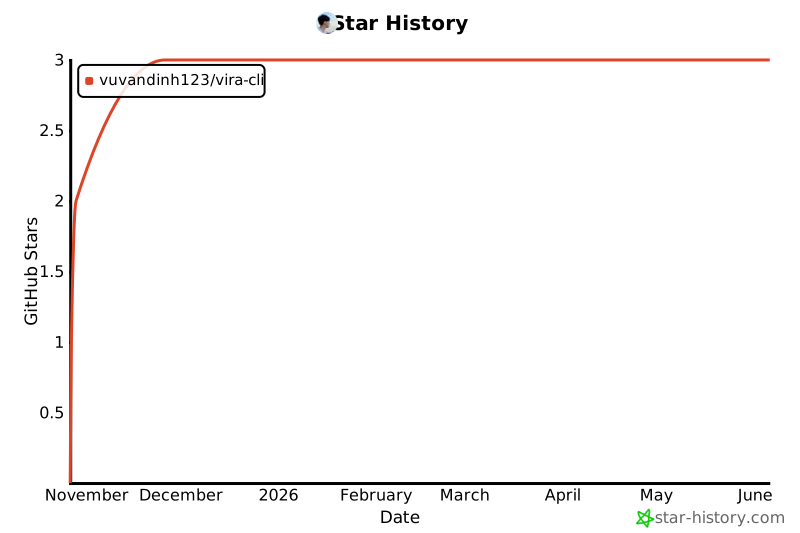
🌟 Star History
If you find Vira CLI useful, please give it a star on GitHub! ⭐
Made with ❤️ by Vũ Văn Định
Happy Commanding! 🚀


Download files
Download the file for your platform. If you're not sure which to choose, learn more about installing packages.
Source Distribution
Built Distribution
Filter files by name, interpreter, ABI, and platform.
If you're not sure about the file name format, learn more about wheel file names.
Copy a direct link to the current filters
File details
Details for the file vira_cli-2.0.1.tar.gz.
File metadata
- Download URL: vira_cli-2.0.1.tar.gz
- Upload date:
- Size: 31.4 kB
- Tags: Source
- Uploaded using Trusted Publishing? No
- Uploaded via: twine/6.2.0 CPython/3.12.3
File hashes
| Algorithm | Hash digest | |
|---|---|---|
| SHA256 |
3050f085a357445ec26edc029618f091323ac5778458fbe5fe44cdb31a6beaaa
|
|
| MD5 |
c6574395700c92632af61088c950f168
|
|
| BLAKE2b-256 |
cbd431ceb21fed52daac92157f9767c12793bd06303b655ed34eaa88e407978b
|
File details
Details for the file vira_cli-2.0.1-py3-none-any.whl.
File metadata
- Download URL: vira_cli-2.0.1-py3-none-any.whl
- Upload date:
- Size: 28.9 kB
- Tags: Python 3
- Uploaded using Trusted Publishing? No
- Uploaded via: twine/6.2.0 CPython/3.12.3
File hashes
| Algorithm | Hash digest | |
|---|---|---|
| SHA256 |
ff304fed6d0d47a0490c5a04d8e09615e41d706c8891631e721f59c70f794ade
|
|
| MD5 |
2ea9f9e3f352649af90db8a3df6ceb72
|
|
| BLAKE2b-256 |
17a76a5d5e8fa9ab69523509592f37bc7ced9ba0f1353707302bb59a3fc4c56b
|






