
vismatch
Vis(ion)Match(ers) is a unified API for quickly and easily trying 50+ (and growing!) image matching models.








Jump to: Install | Use | Models | Add a Model / Contributing | Acknowledgements | Cite | Download Stats | Documentation
Matching Examples
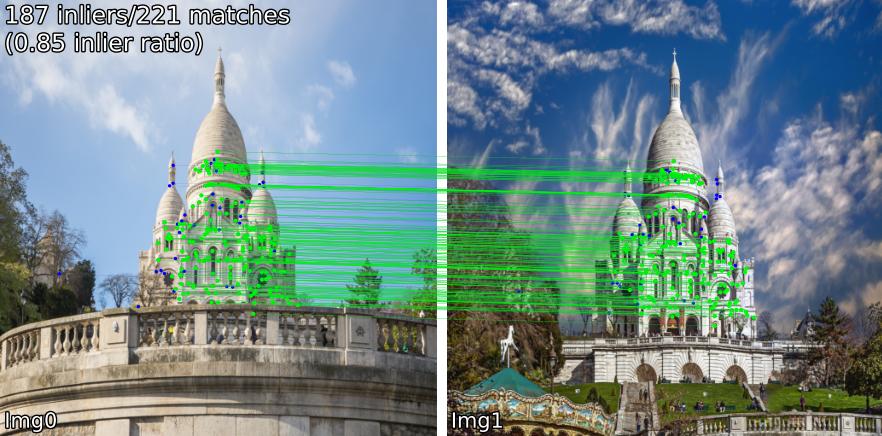
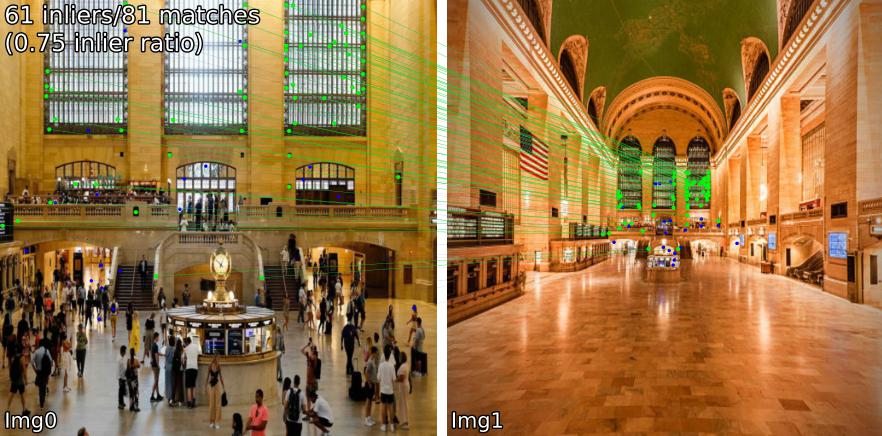
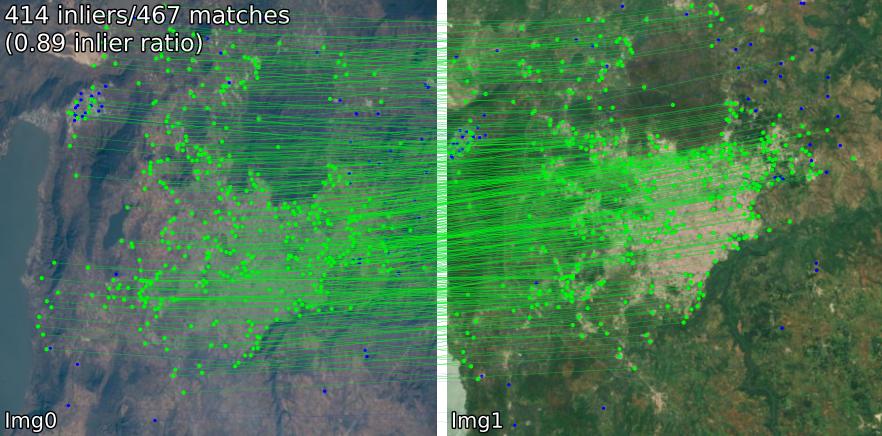
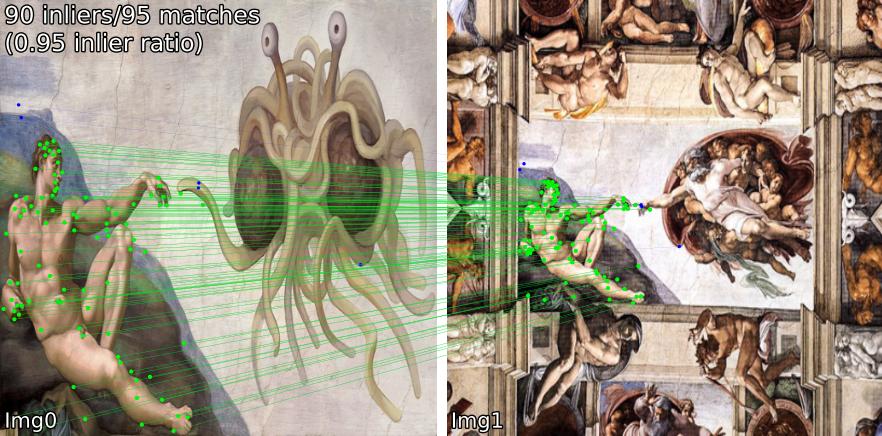
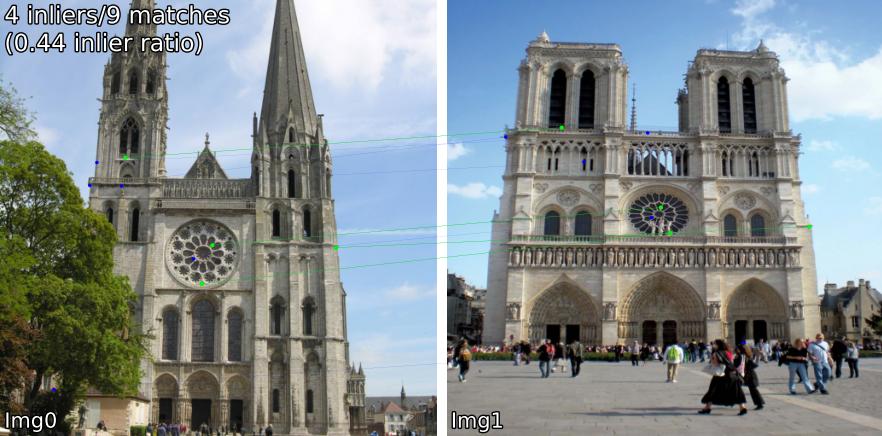
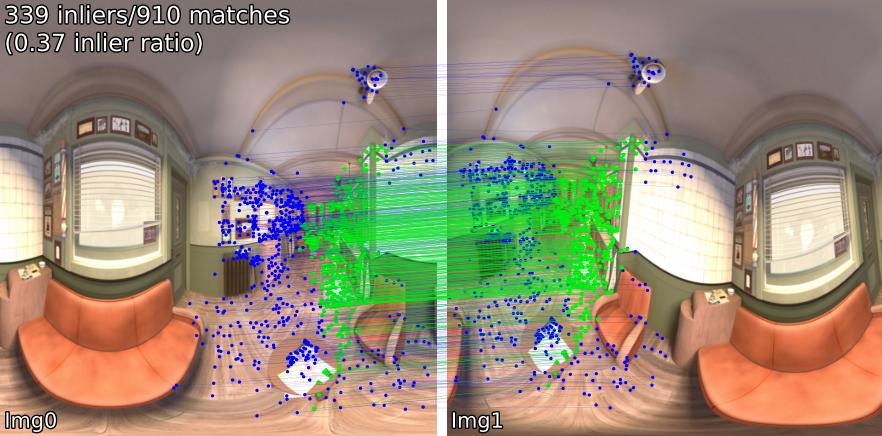
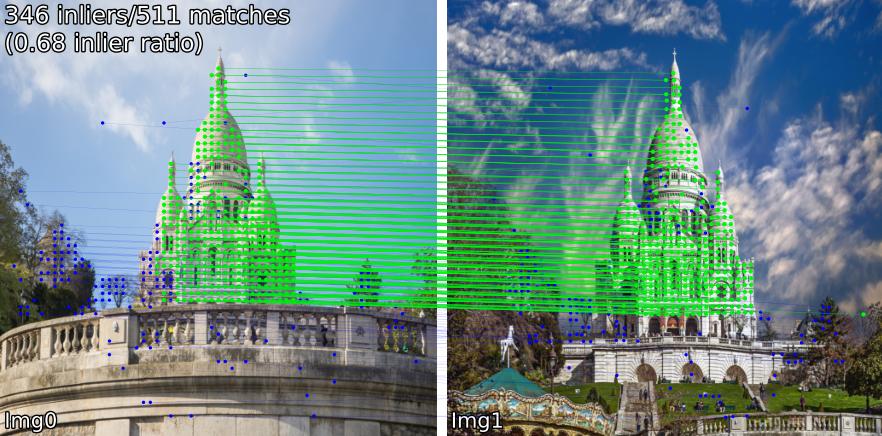
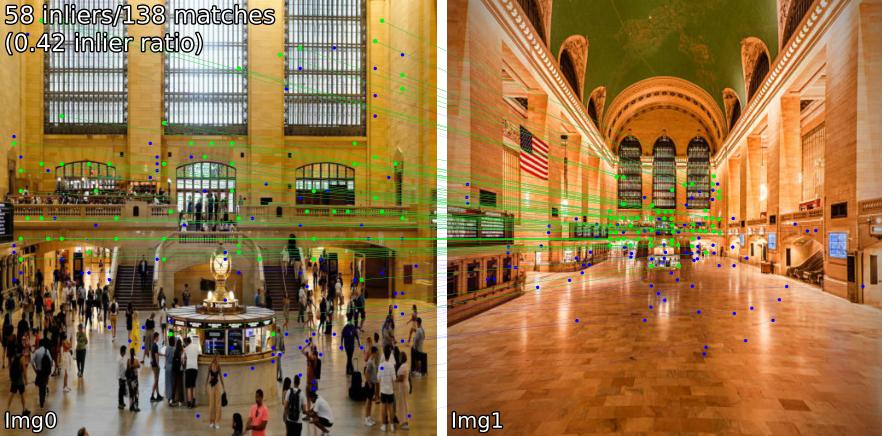
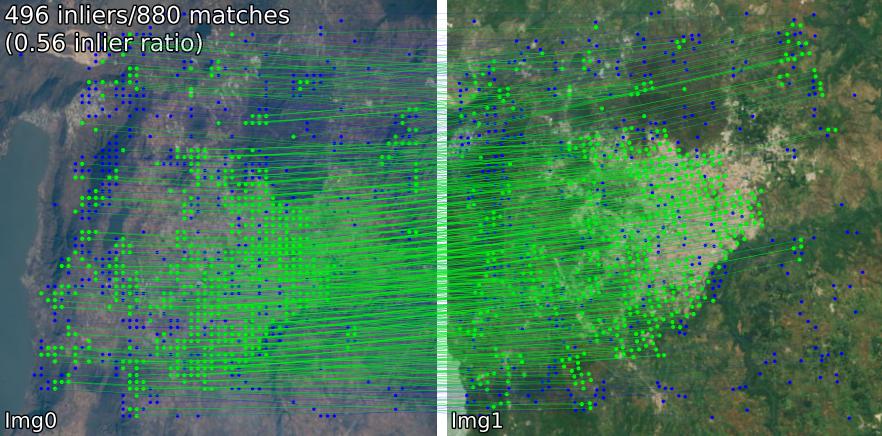
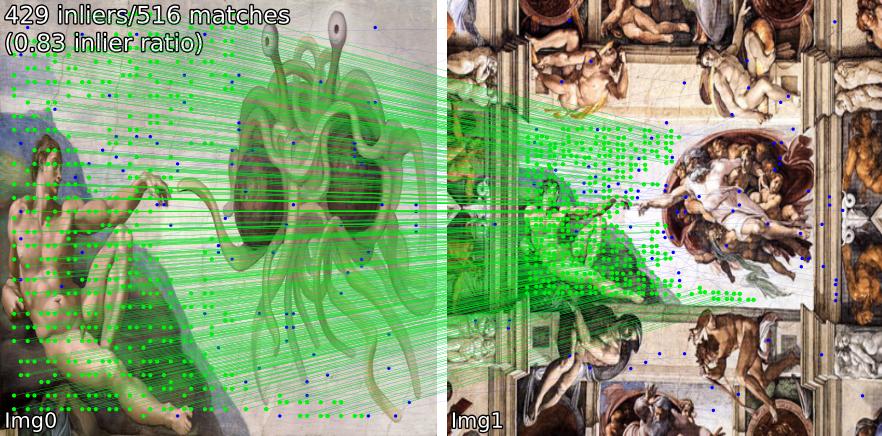
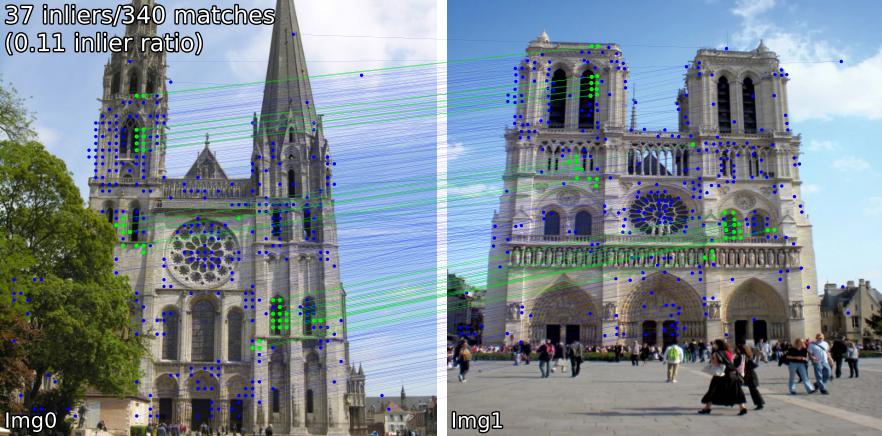
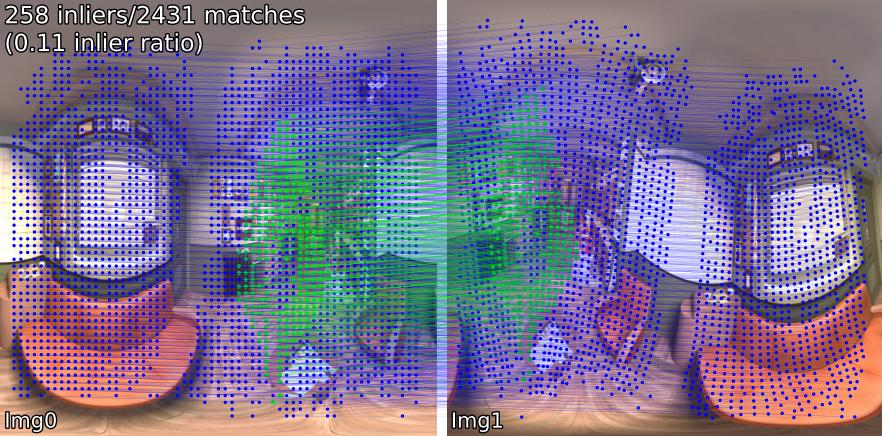
Compare matching models across various scenes. For example, we show SIFT-LightGlue and LoFTR matches on pairs:
(1) outdoor, (2) indoor, (3) satellite remote sensing, (4) paintings, (5) a false positive, and (6) spherical.
SIFT-LightGlue
LoFTR
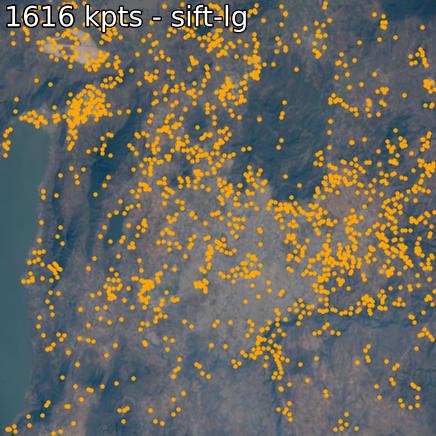
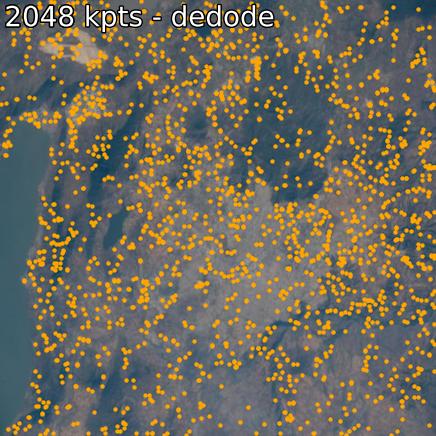
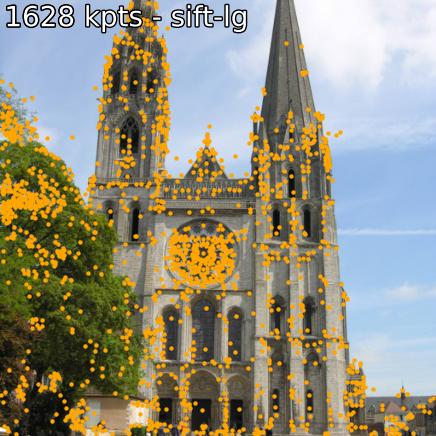
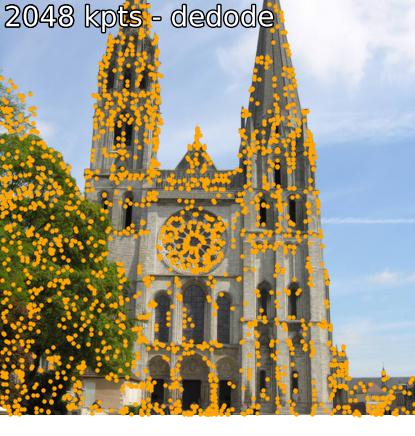
Extraction Examples
You can also extract keypoints and associated descriptors.
SIFT and DeDoDe
Install
vismatch can be installed directly from PyPi. We strongly recommend using uv, but pip should work too
pip install uv             # install uv
uv venv                    # create uv venv
source .venv/bin/activate  # activate uv venv
uv pip install vismatch
# or, if you don't want to use uv
pip install vismatch
or, for development, clone this git repo and install with:
# Clone recursively
git clone --recursive https://github.com/gmberton/vismatch
cd vismatch

uv venv                    # create uv venv
source .venv/bin/activate  # activate uv venv
# editable install for dev work
uv pip install -e .
# or non-editable install
uv pip install .
Some models require additional optional dependencies which are not included in the default list, like torch-geometric (required by SphereGlue) and tensorflow/larq (required by OmniGlue/ZippyPoint). To install these, use
uv pip install ".[all]"
# or
pip install .[all]
Use
You can use any of the over 50 matchers simply like this. All model weights are automatically downloaded by vismatch.
Python API
from vismatch import get_matcher
from vismatch.viz import plot_matches, plot_keypoints

# Choose any of the 50+ matchers listed below
matcher = get_matcher("superpoint-lightglue", device="cuda")
img_size = 512  # optional

img0 = matcher.load_image("vismatch/assets/example_pairs/outdoor/montmartre_close.jpg", resize=img_size)
img1 = matcher.load_image("vismatch/assets/example_pairs/outdoor/montmartre_far.jpg", resize=img_size)

result = matcher(img0, img1)
# result.keys() = ["num_inliers", "H", "all_kpts0", "all_kpts1", "all_desc0", "all_desc1", "matched_kpts0", "matched_kpts1", "inlier_kpts0", "inlier_kpts1", "matched_confidences"]

# This will plot visualizations for matches as shown in the figures above
plot_matches(img0, img1, result, save_path="plot_matches.png")

# Or you can extract and visualize keypoints as easily as
result = matcher.extract(img0)
# result.keys() = ["all_kpts0", "all_desc0"]
plot_keypoints(img0, result, save_path="plot_keypoints.png")
Command Line Interface / Standalone Scripts
You can also run matching or extraction as standalone scripts, to get the same results as above.
Matching:
# if you cloned this repo, vismatch_match.py is available, else see CLI below
python vismatch_match.py --matcher superpoint-lightglue --out-dir outputs/superpoint-lightglue --input vismatch/assets/example_pairs/outdoor/montmartre_close.jpg vismatch/assets/example_pairs/outdoor/montmartre_far.jpg
# or
uv run vismatch_match.py --matcher superpoint-lightglue --out-dir outputs/superpoint-lightglue --input vismatch/assets/example_pairs/outdoor/montmartre_close.jpg vismatch/assets/example_pairs/outdoor/montmartre_far.jpg
From any location where an python enviroment with vismatch installed is active, you can also run
# for PyPi install, use CLI entry point
vismatch-match --matcher superpoint-lightglue --out-dir outputs/superpoint-lightglue --input path/to/img0 --input path/to/img2
Keypoints extraction:
# if you cloned this repo, vismatch_extract.py is available, else see CLI below
python vismatch_extract.py --matcher superpoint-lightglue --out-dir outputs/superpoint-lightglue --input vismatch/assets/example_pairs/outdoor/montmartre_close.jpg
# or
uv run vismatch_extract.py --matcher superpoint-lightglue --out-dir outputs/superpoint-lightglue --input vismatch/assets/example_pairs/outdoor/montmartre_close.jpg
From any location where an python enviroment with vismatch installed is active, you can also run
# for PyPi install, use CLI entry point
vismatch-extract --matcher superpoint-lightglue --out-dir outputs/superpoint-lightglue --input path/to/img0
These scripts can take as input images, folders with multiple images (or multiple pairs of images), or files with pairs of images paths. To see all possible parameters run
python vismatch_match.py -h
# or
python vismatch_extract.py -h
Available Models
We support the following methods:
Dense: roma, tiny-roma, duster, master, minima-roma, ufm, redimatch[-indoor], flexglue
Semi-dense: loftr, eloftr, se2loftr, xoftr, minima-loftr, aspanformer, matchformer, xfeat-star, xfeat-star-steerers[-perm/-learned], edm, rdd-star, topicfm[-plus]
Sparse: [sift, superpoint, disk, aliked, dedode, doghardnet, gim, xfeat, raco]-lightglue, dedode, steerers, affine-steerers, xfeat-steerers[-perm/learned], dedode-kornia, [sift, orb, doghardnet]-nn, patch2pix, superglue, r2d2, d2net, gim-dkm, xfeat, omniglue, [dedode, xfeat, aliked]-subpx, [sift, superpoint]-sphereglue, minima-superpoint-lightglue, liftfeat, rdd-[sparse,lightglue, aliked], ripe, lisrd, zippypoint, loma, loma-r, upal, clidd-[a48/u128], dad-roma, raco-flexglue, sandesc[-dedode]
See Model Details to see runtimes, supported devices, source, and license of each model.
Important: although VisMatch uses a BSD 3-Clause License, the matchers we wrap can have different licenses. Please refer to each matcher's license when using them.
Adding a new method
See CONTRIBUTING.md for details. We follow the 1st principle of PyTorch: Usability over Performance
Documentation
Please see docs at: https://vismatch.readthedocs.io/en/latest/
Acknowledgements
Special thanks to the authors of all models included in this repo (links in Model Details), and to authors of other libraries we wrap like the Image Matching Toolbox and Kornia.
Download Stats
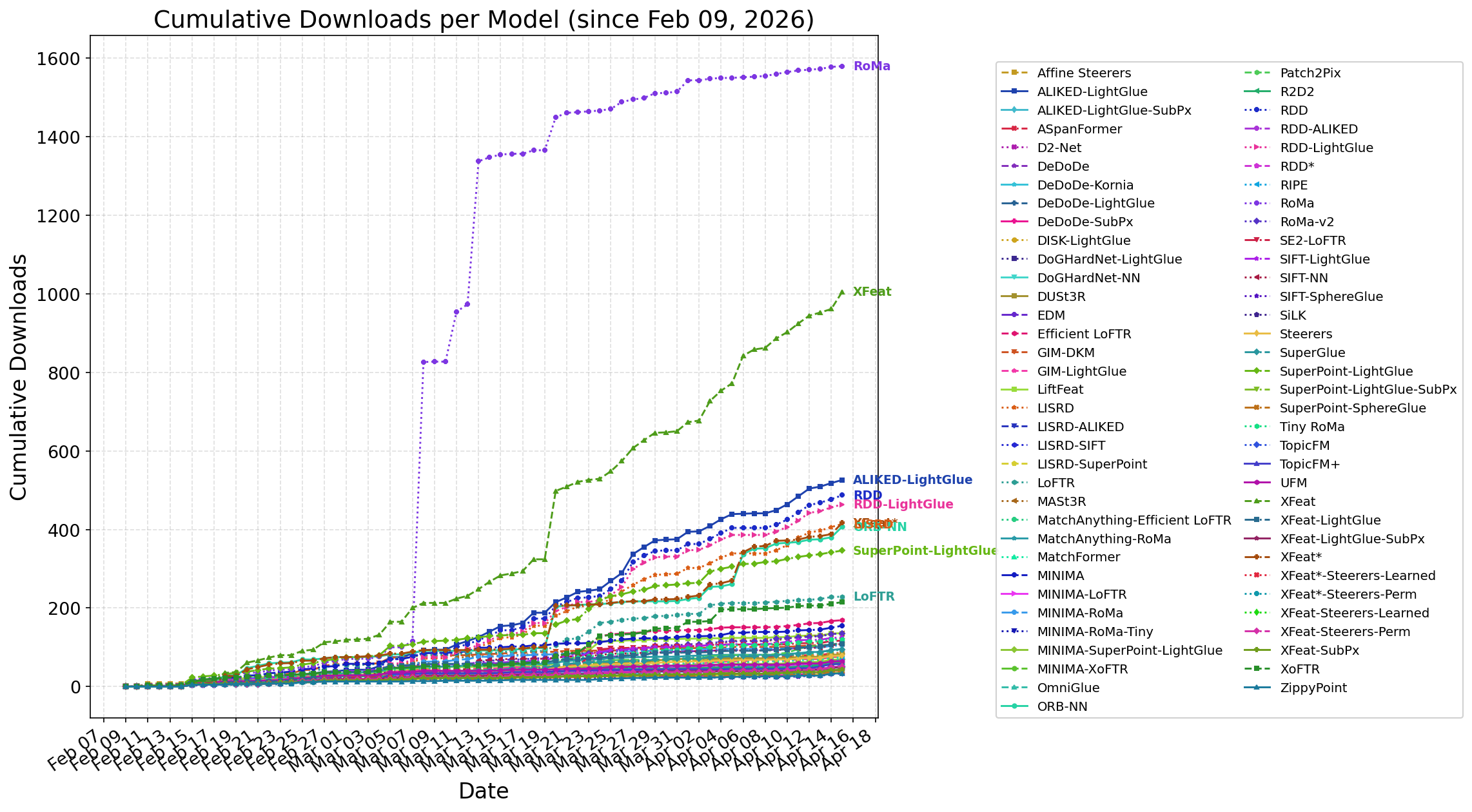
Daily downloads across all vismatch HuggingFace models, updated daily. Click the plot for the interactive version.
Cite
This repo was created as part of the EarthMatch paper. Please cite EarthMatch if this repo is helpful to you!
@InProceedings{Berton_2024_EarthMatch,
    author    = {Berton, Gabriele and Goletto, Gabriele and Trivigno, Gabriele and Stoken, Alex and Caputo, Barbara and Masone, Carlo},
    title     = {EarthMatch: Iterative Coregistration for Fine-grained Localization of Astronaut Photography},
    booktitle = {Proceedings of the IEEE/CVF Conference on Computer Vision and Pattern Recognition (CVPR) Workshops},
    month     = {June},
    year      = {2024},
}
2 maintainers


Metadata
2 maintainers
Release files for vismatch 1.5.0
For a detailed explanation of source distributions (sdists) and built distributions (wheels), please see the package formats documentation.
Source distribution (sdist)
| File | Size | Uploaded | Provenance | Actions |
|---|---|---|---|---|
| vismatch-1.5.0.tar.gz | 38.6 MB | With provenance | Details for vismatch-1.5.0.tar.gz |
Built distribution (wheel)
| File | Interpreter | ABI | Platform | Actions Reset |
|---|---|---|---|---|
| vismatch-1.5.0-py3-none-any.whl | Python 3 | none | any | Details for vismatch-1.5.0-py3-none-any.whl |
Total release size: 71.7 MB
Release files / vismatch-1.5.0.tar.gz
| Download URL | vismatch-1.5.0.tar.gz |
|---|---|
| Size | 38.6 MB |
| Tags | Source |
|
SHA-256 checksum How to use checksums |
da0cb759154a4d6a9e0f3ef769889b7051ae7fb1f96433f91c19df89ce861f14
|
|
BLAKE2b-256 checksum How to use checksums |
36aa842e5d1bc3005b9a00920870be07c63543f259ca47f1d76e7d7fab324684
|
| Upload date | |
|
Uploaded using Trusted Publishing? What is trusted publishing? |
Yes |
| Uploaded via |
twine/7.0.0 CPython/3.13.16
|
Provenance
Provenance describes where a file came from. On PyPI, provenance is shared via attestations, which provide a verifiable record of the build or publishing details. View details, limitations and caveats.


PyPI Publish Attestation
PyPI verified that this artifact, at this checksum, originated from the publisher listed below.
Signed by GitHub Actions, verified by PyPI on Nov 12, 2026.
Transparency logRelease files / vismatch-1.5.0-py3-none-any.whl
| Download URL | vismatch-1.5.0-py3-none-any.whl |
|---|---|
| Size | 33.1 MB |
| Tags | Python 3 |
|
SHA-256 checksum How to use checksums |
d9475056c0040583c96336b07c4e8c46459efbc6c80af60f6d2a3dae17374f1e
|
|
BLAKE2b-256 checksum How to use checksums |
eb25e5271f715673e3b8de07cf76534f381788970419dc8d0100878f71f96a24
|
| Upload date | |
|
Uploaded using Trusted Publishing? What is trusted publishing? |
Yes |
| Uploaded via |
twine/7.0.0 CPython/3.13.16
|
Provenance
Provenance describes where a file came from. On PyPI, provenance is shared via attestations, which provide a verifiable record of the build or publishing details. View details, limitations and caveats.
PyPI Publish Attestation
PyPI verified that this artifact, at this checksum, originated from the publisher listed below.
Signed by GitHub Actions, verified by PyPI on Nov 12, 2026.
Transparency logSecurity for vismatch 1.5.0
Provenance
Provenance describes where a file came from. On PyPI, provenance is shared via attestations, which provide a verifiable record of the build or publishing details. View details, limitations and caveats.
Full provenance
Both files in this release have been uploaded with provenance metadata.
Attestation for vismatch-1.5.0.tar.gz
PyPI Publish Attestation
PyPI verified that this artifact, at this checksum, originated from the publisher listed below.
Signed by GitHub Actions, verified by PyPI on Nov 12, 2026.
Transparency logA note on package security
PyPI is a repository for distributing packages, not a service for auditing them. While third-party security researchers and our staff do their best to detect and remove malicious packages, PyPI cannot guarantee the quality, security or suitability of any given package.
To learn more about protecting yourself from malicious actors, visit our package security documentation.














