
Visual Regression Scanner


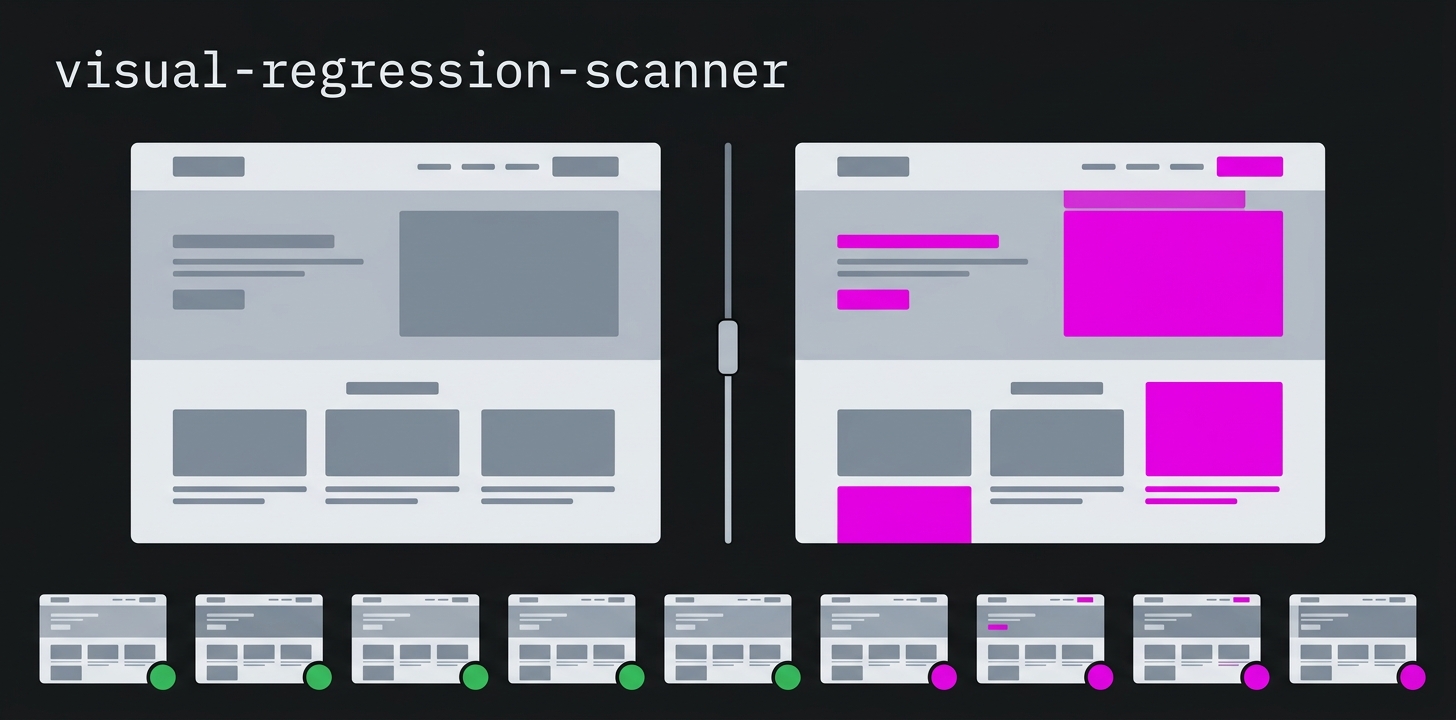







A TUI tool for detecting visual regressions on websites. It automatically creates full-page screenshots of all pages in a sitemap and compares them against stored references via pixel diff.
Installation
One-Liner (standalone, no Python required)
Linux / macOS:
curl -fsSL https://raw.githubusercontent.com/michaelblaess/visual-regression-scanner/main/install.sh | bash
Windows (PowerShell):
irm https://raw.githubusercontent.com/michaelblaess/visual-regression-scanner/main/install.ps1 | iex
Features
- Automatic screenshots of all URLs from an XML sitemap
- Pixel-diff comparison against stored references (baselines)
- Configurable threshold for permitted deviations
- TUI with live updates, filter, detail view
- Dynamic scan button - shows the current state in the footer
- Result cache (
results.json) - avoids recomputation on startup - HTML reports with embedded before/after/diff images (Base64)
- JSON reports for CI/CD integration
- Consent handling (Usercentrics, OneTrust, CookieBot)
- Lazy-loading detection - scrolls through pages and waits for images
- Parallel processing with configurable concurrency
Setup
# Windows
.\bootstrap.ps1

# Linux/macOS
./bootstrap.sh
The bootstrap script creates a virtual environment, installs all dependencies, and downloads Chromium.
Usage
# Start the TUI
visual-regression-scanner https://example.com/sitemap.xml

# With increased tolerance
visual-regression-scanner https://example.com/sitemap.xml --threshold 0.5

# Smaller viewport
visual-regression-scanner https://example.com/sitemap.xml --viewport 1280x720

# Save HTML report automatically
visual-regression-scanner https://example.com/sitemap.xml --output-html report.html

# Only specific URLs
visual-regression-scanner https://example.com/sitemap.xml --filter /produkte

# With auth cookie
visual-regression-scanner https://example.com/sitemap.xml --cookie auth=token123
CLI Parameters
| Parameter | Default | Description |
|---|---|---|
SITEMAP_URL |
- | URL of the sitemap (XML) |
--screenshots-dir PATH |
./screenshots |
Root directory (one subfolder per site) |
--threshold FLOAT |
0.1 |
Diff threshold in percent |
--viewport WxH |
1920x1080 |
Viewport size |
--concurrency N |
4 |
Max parallel browser tabs |
--timeout SEC |
30 |
Timeout per page in seconds |
--rate-limit N |
60 |
Max pages per minute (0 = no limit) |
--ignore-robots |
false |
Ignore robots.txt |
--output-json PATH |
- | Save JSON report automatically |
--output-html PATH |
- | Save HTML report automatically |
--no-headless |
false |
Start browser visibly |
--no-full-page |
false |
Screenshot only the visible area |
--filter TEXT |
- | Only URLs containing TEXT |
--user-agent UA |
Chrome 131 | Custom user agent |
--cookie NAME=VALUE |
- | Set cookie (can be used multiple times) |
Settings
Press s in the TUI to open the settings. They are stored in
~/.visual-regression-scanner/settings.json and cover diff threshold, viewport, full-page
capture, parallel tabs, rate limit, timeout, robots.txt, visible browser, user agent, cookies and
proxy - plus interface language and theme.
Command-line flags take precedence for the current run without changing the stored values. Only flags you actually pass override anything; everything else comes from the settings.
Image preview and history
The detail pane shows the selected capture directly in the terminal - switch between reference, current and difference. By default the image is drawn from Unicode half blocks, which renders safely in any terminal; enable graphical preview in the settings for pixel-accurate output via Sixel or the Kitty protocol. The browser comparison view is still one button away.
h opens the history of previously checked sitemaps with viewport and result, so you can pick
one instead of typing the URL again.
Keyboard Shortcuts
| Key | Action |
|---|---|
c |
Start scan (dynamic text, see below) |
r |
Reset (delete all images + reload sitemap) |
R |
Save reports (HTML + JSON) |
o |
Open images in browser (lightbox with zoom) |
l |
Toggle log |
e |
Show diffs only |
/ |
Focus filter |
s |
Settings |
u |
Enter sitemap URL |
h |
History of checked sitemaps |
i |
About dialog |
q |
Quit |
Drag the handle above the log area to resize it. Copy, export and hide live in the log area's context menu (right-click).
Dynamic Scan Button
The text of the scan button (c) adapts automatically to the current state:
| State | Button Text |
|---|---|
| No reference available | c Scan (create reference) |
| Reference available, no captures | c Scan (vs. reference) |
| Reference + captures available | c Scan (choose mode) |
Load on the target system - please read this
Every page is fully rendered in a real browser to take the screenshot: scripts, fonts and images are loaded, and the request bypasses the server's caches. With full-page captures the tool additionally scrolls through the entire page so lazy-loaded content appears. One page therefore weighs several times an ordinary HTTP request - and a run touches every page of the sitemap.
The scanner is therefore rate-limited out of the box: 60 pages per minute.
visual-regression-scanner https://www.example.com/sitemap.xml --rate-limit 20   # gentler
visual-regression-scanner https://www.example.com/sitemap.xml --rate-limit 0    # no limit - careful
Note that --concurrency is not a rate limit: it caps how many browser tabs run at the same
time, not how many pages go out per minute.
robots.txt is honoured by default for the pages from the sitemap; blocked pages are skipped and
reported in the log. Use --ignore-robots only for systems of your own.
Use at your own risk
This program retrieves web pages automatically and thereby places load on the target systems. Depending on its settings, that load can exceed the load of an ordinary visitor many times over and can impair the availability of the target system.
By using it, you declare that:
- You will use this program only against systems for which you hold explicit authorisation from their operator.
- You bear sole responsibility for its use, for the settings you choose and for all consequences arising from them.
- Before running it against a production system, you will verify that the configured limits are appropriate for that system.
The software is provided free of charge and without warranty of any kind ("as is"), as set out in section 7 of the Apache License 2.0. The liability of the author (Michael Blaess) for damages arising from its use is excluded to the extent permitted by applicable law. Liability for intent and gross negligence, for injury to life, body or health, and under mandatory product liability law remains unaffected.
On first start the program asks you to confirm this notice.
Language
The interface is fully available in English and German - menus, messages, settings, the
log and the command line help. Switch it in the settings (s); the choice is stored and applies
from the next start.
On the very first start the system environment decides: German only for a demonstrably German-speaking environment, everything else falls back to English.
Workflow
First scan (reference is created automatically)
visual-regression-scanner https://example.com/sitemap.xml- Press
s- footer shows "Scan (Referenz erstellen)" - Screenshots are created and automatically saved as the reference, status "NEU"
- Afterwards the footer shows "Scan (vs. Referenz)"
Second scan (comparison against the reference)
- Press
s- footer shows "Scan (vs. Referenz)" - New screenshots are created and compared against the reference
- Result: "OK" (identical) or "DIFF" (visual difference)
- Afterwards the footer shows "Scan (Modus waehlen)"
Follow-up scans (reference + captures available)
When both reference images AND current captures already exist,
the footer shows "Scan (Modus waehlen)" and pressing s
opens a dialog with two options:
Option A: Scan again
- New screenshots replace the current captures
- The reference remains unchanged
- Comparison: new screenshots vs. existing reference
Option B: Update reference + scan
- The current captures become the new reference
- The old reference is deleted
- A new scan creates new captures
- Comparison: new screenshots vs. new reference (= previous captures)
Results
- Status "OK" = no difference, "DIFF" = visual change
- Press
R(Shift+R) - HTML report with before/after/diff images - Press
o- open images in browser (lightbox with zoom)
Result Cache
After each scan, the comparison results are stored in a results.json
in the site directory. On the next start, the results are loaded
from the cache instead of recomputing all diffs. The cache is
automatically invalidated when the image files have changed.
Directory Structure
A subdirectory based on the hostname is created automatically per site:
screenshots/
  www.example.com/
    baseline/            # Stored reference screenshots
      metadata.json      # URL -> filename mapping, timestamps
      {url_hash}.png     # Reference images (SHA256 hash of the URL)
    current/             # Current captures (last scan)
      {url_hash}.png
    diffs/               # Diff images (identical areas dimmed, changes in red)
      {url_hash}.png
    results.json         # Result cache (diff values + file timestamps)
  shop.example.com/
    baseline/
    current/
    diffs/
    results.json
Dependencies
- Python 3.12+
- Textual (TUI framework)
- Playwright (browser automation)
- Pillow (image comparison)
- httpx (HTTP client)
- Rich (formatted output)
Creating a Release
git tag v1.6.1
git push origin v1.6.1
Push the tag explicitly: git push --follow-tags leaves lightweight tags behind, and the
release build never starts.
GitHub Actions automatically builds executables for Windows, Linux, and macOS.
1 maintainer

Metadata
1 maintainer
Release files for visual-regression-scanner 1.6.1
For a detailed explanation of source distributions (sdists) and built distributions (wheels), please see the package formats documentation.
Source distribution (sdist)
| File | Size | Uploaded | |
|---|---|---|---|
| visual_regression_scanner-1.6.1.tar.gz | 87.2 kB | Details |
Built distribution (wheel)
| File | Interpreter | ABI | Platform | Reset |
|---|---|---|---|---|
| visual_regression_scanner-1.6.1-py3-none-any.whl | Python 3 | none | any | Details |
Total release size: 176.8 kB
Release files / visual_regression_scanner-1.6.1.tar.gz
| Download URL | visual_regression_scanner-1.6.1.tar.gz |
|---|---|
| Size | 87.2 kB |
| Tags | Source |
|
SHA-256 checksum How to use checksums |
432bfa3c658484a4535f686a5241ea0e1ceae8fa6710a3967b749dcfd35d95bd
|
|
BLAKE2b-256 checksum How to use checksums |
3e7d3ba4de3555b7e898166191989559ab4282b066eb56305ef50efaeda4e116
|
| Upload date | |
|
Uploaded using Trusted Publishing? What is trusted publishing? |
Yes |
| Uploaded via |
twine/7.0.0 CPython/3.13.14
|
Provenance
Provenance describes where a file came from. On PyPI, provenance is shared via attestations, which provide a verifiable record of the build or publishing details. View details, limitations and caveats.


PyPI Publish Attestation
PyPI verified that this artifact, at this checksum, originated from the publisher listed below.
Signed by GitHub Actions, verified by PyPI on Oct 5, 2026.
Transparency logRelease files / visual_regression_scanner-1.6.1-py3-none-any.whl
| Download URL | visual_regression_scanner-1.6.1-py3-none-any.whl |
|---|---|
| Size | 89.7 kB |
| Tags | Python 3 |
|
SHA-256 checksum How to use checksums |
a74e7c868105f2c66f0e71d51f0f5f5c60c0deac30d27c7cd87e9bce0eeea055
|
|
BLAKE2b-256 checksum How to use checksums |
c9ae571cf138d89d00b596d37e1073821e808b3f06d2322243587ccfa0c640e7
|
| Upload date | |
|
Uploaded using Trusted Publishing? What is trusted publishing? |
Yes |
| Uploaded via |
twine/7.0.0 CPython/3.13.14
|
Provenance
Provenance describes where a file came from. On PyPI, provenance is shared via attestations, which provide a verifiable record of the build or publishing details. View details, limitations and caveats.
PyPI Publish Attestation
PyPI verified that this artifact, at this checksum, originated from the publisher listed below.
Signed by GitHub Actions, verified by PyPI on Oct 5, 2026.
Transparency log












