
visualkeras for Keras / TensorFlow


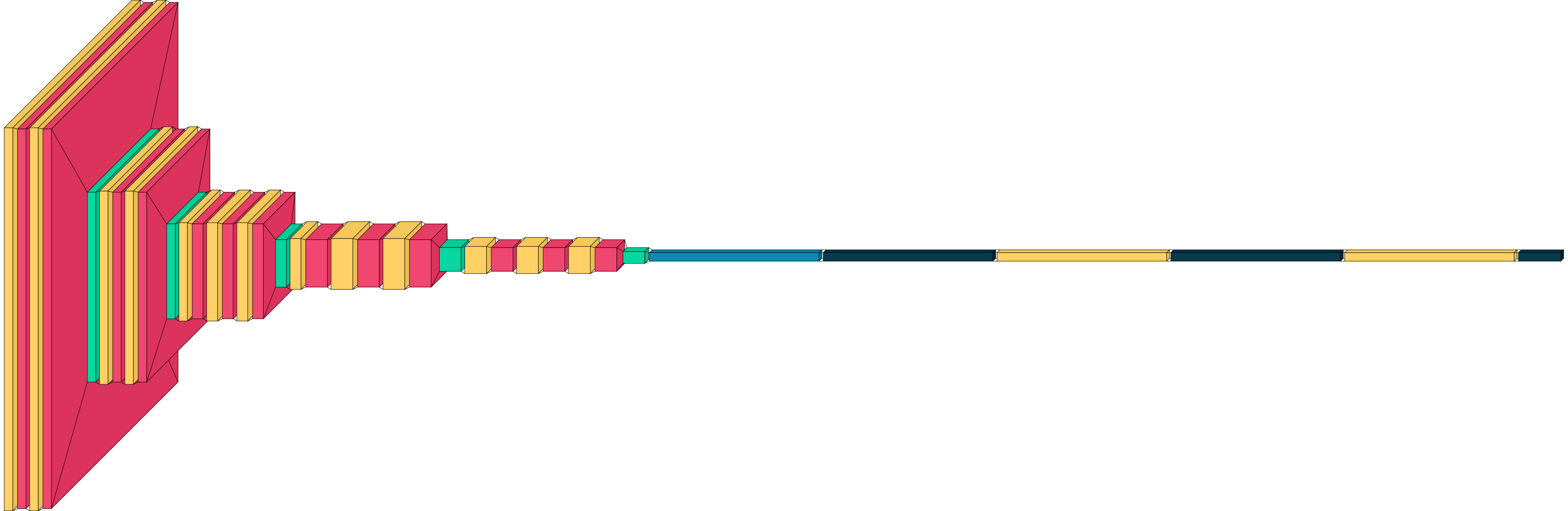
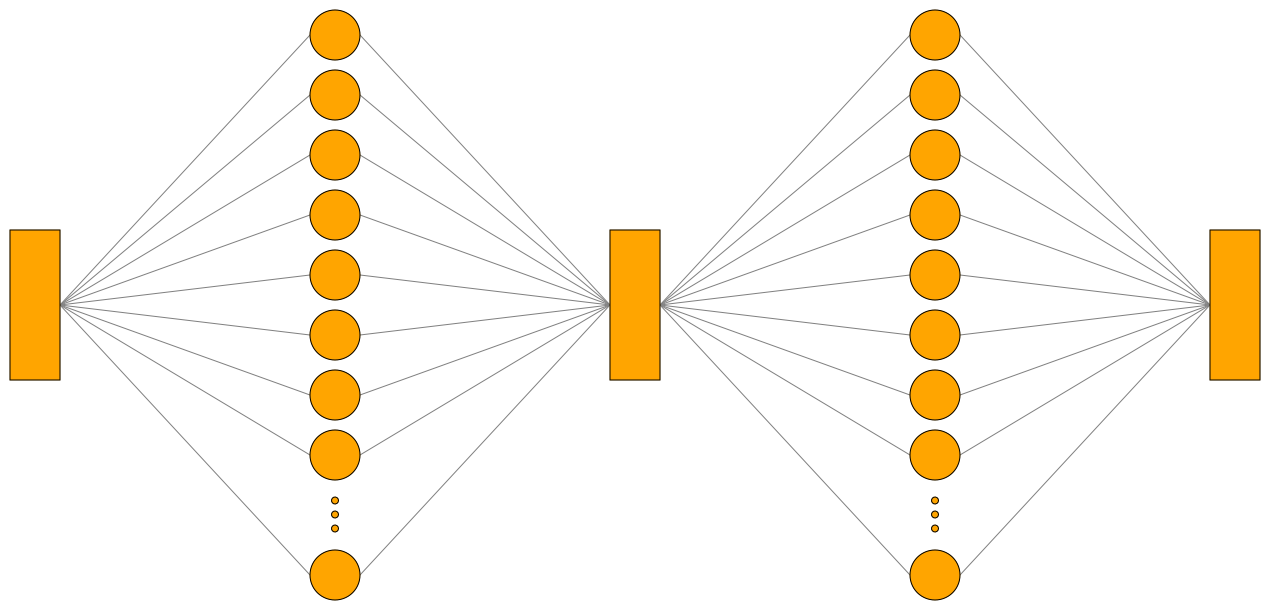
Visualkeras is a Python package for visualizing Keras and TensorFlow model architectures. It supports several rendering styles, such as classic layered CNN diagrams, node-based visualizations, and LeNet-style visualizations. It is very easy to get started with visualkeras (see Quickstart), but also highly customizable for advanced users. For help in citing this project, refer here.
Installation
Install the latest published release:
pip install visualkeras
Install the latest master branch (potentially unstable):
pip install git+https://github.com/paulgavrikov/visualkeras
Quick Start
import visualkeras

model = ...

visualkeras.layered_view(model).show()
visualkeras.layered_view(model, to_file="model.png")
The recommended high-level API is show(...), which selects a renderer by mode:
import visualkeras
from tensorflow.keras import layers
from visualkeras.options import FunctionalOptions

img = visualkeras.show(
    model,
    mode="functional",
    options=FunctionalOptions(
        collapse_enabled=True,
        collapse_rules=[
            {"kind": "layer", "selector": layers.Dense, "repeat_count": 4},
            {
                "kind": "block",
                "selector": [layers.Dense, layers.Dropout],
                "repeat_count": 2,
                "annotation_position": "below",
            },
        ],
    ),
)
show(...) supports these modes:
layeredgraphfunctionallenet
Renderers
| Renderer | Best for | Entry point |
|---|---|---|
| Layered view | Sequential CNN-style diagrams | visualkeras.layered_view(model) |
| Graph view | General node-based visualizations | visualkeras.graph_view(model) |
| Functional view | Functional Keras models with multiple modalities, inputs, outputs, streams, etc.; this is the most flexible option | visualkeras.functional_view(model) |
| LeNet view | Classic feature map stack diagrams; inspired by LeNet | visualkeras.lenet_view(model) |
Examples
We provide basic examples here. Explamples with various options and customizations are covered in the documentation: https://visualkeras.readthedocs.io/.
Layered view
import tensorflow as tf
from tensorflow import keras
import visualkeras

model = keras.Sequential([
    keras.layers.Input(shape=(28, 28, 1)),
    keras.layers.Conv2D(32, (3, 3), activation="relu"),
    keras.layers.MaxPooling2D((2, 2)),
    keras.layers.Conv2D(64, (3, 3), activation="relu"),
    keras.layers.Flatten(),
    keras.layers.Dense(10, activation="softmax"),
])

visualkeras.layered_view(model).show()
Graph view
import tensorflow as tf
from tensorflow import keras
import visualkeras

model = Sequential([
    Conv2D(32, (3, 3), activation='relu', input_shape=(28, 28, 1)),
    MaxPooling2D((2, 2)),
    Dense(10, activation='softmax')
])

visualkeras.graph_view(model)
Functional view
import tensorflow as tf
from tensorflow import keras
import visualkeras

inputs = keras.Input(shape=(16,))
x = keras.layers.Dense(32, activation='relu')(inputs)
x = keras.layers.Dense(32, activation='relu')(x)
outputs = keras.layers.Dense(10, activation='softmax')(x)

model = keras.Model(inputs=inputs, outputs=outputs)

visualkeras.functional_view(model)

LeNet view
import tensorflow as tf
from tensorflow import keras
import visualkeras

model = keras.Sequential([
    keras.layers.Input(shape=(28, 28, 1)),
    keras.layers.Conv2D(6, (5, 5), activation='tanh'),
    keras.layers.MaxPooling2D((2, 2)),
    keras.layers.Conv2D(16, (5, 5), activation='tanh'),
    keras.layers.MaxPooling2D((2, 2)),
    keras.layers.Flatten(),
    keras.layers.Dense(120, activation='tanh'),
    keras.layers.Dense(84, activation='tanh'),
    keras.layers.Dense(10, activation='softmax')
])

visualkeras.lenet_view(model)

Documentation
Detailed documentation can be found in the documentation website: https://visualkeras.readthedocs.io/.
Particularly useful sections include:
- Quickstart: https://visualkeras.readthedocs.io/en/latest/quickstart.html
- Tutorials: https://visualkeras.readthedocs.io/en/latest/tutorials/index.html
- Examples: https://visualkeras.readthedocs.io/en/latest/examples/index.html
- API reference: https://visualkeras.readthedocs.io/en/latest/api/index.html
- Architecture guide: ARCHITECTURE.md
Compatibility
| Scope | Status | Notes |
|---|---|---|
| Core package | Supported | Python 3.9+ |
tf.keras workflows |
Supported | Suggested usage |
Standalone keras |
Mostly supported | May vary by backend setup; fully supported with TensorFlow backend |
Citation
If you find this project helpful for your research, please cite it:
@misc{Gavrikov2020VisualKeras,
  author = {Gavrikov, Paul and Patapati, Santosh},
  title = {visualkeras},
  year = {2020},
  publisher = {GitHub},
  journal = {GitHub repository},
  howpublished = {\url{https://github.com/paulgavrikov/visualkeras}},
}
Contributing
- Issues: https://github.com/paulgavrikov/visualkeras/issues
- Contributing guide:
CONTRIBUTING.MD - Architecture guide:
ARCHITECTURE.md
Stay Updated
Sign up for the visualkeras mailing list here: https://forms.gle/7eBZ1jCJ7Xsm6RvA7
License
Visualkeras is licensed under the MIT License. See LICENSE.
2 maintainers


Metadata
2 maintainers
Release files for visualkeras 0.3.0
For a detailed explanation of source distributions (sdists) and built distributions (wheels), please see the package formats documentation.
Source distribution (sdist)
| File | Size | Uploaded | Provenance | Actions |
|---|---|---|---|---|
| visualkeras-0.3.0.tar.gz | 157.1 kB | Without provenance | Details for visualkeras-0.3.0.tar.gz |
Built distribution (wheel)
| File | Interpreter | ABI | Platform | Actions Reset |
|---|---|---|---|---|
| visualkeras-0.3.0-py3-none-any.whl | Python 3 | none | any | Details for visualkeras-0.3.0-py3-none-any.whl |
Total release size: 258.9 kB
Release files / visualkeras-0.3.0.tar.gz
| Download URL | visualkeras-0.3.0.tar.gz |
|---|---|
| Size | 157.1 kB |
| Tags | Source |
|
SHA-256 checksum How to use checksums |
65f869f6706ffaec86d5e5418afb0538a1617be59cf9133457e95d570436a60a
|
|
BLAKE2b-256 checksum How to use checksums |
2c0fec664af8e7b97b2801abdc1af94a84b2129abf21614aac77287a3a38deea
|
| Upload date | |
|
Uploaded using Trusted Publishing? What is trusted publishing? |
No |
| Uploaded via |
twine/6.2.0 CPython/3.9.25
|
Release files / visualkeras-0.3.0-py3-none-any.whl
| Download URL | visualkeras-0.3.0-py3-none-any.whl |
|---|---|
| Size | 101.8 kB |
| Tags | Python 3 |
|
SHA-256 checksum How to use checksums |
5ebb9dea5b2e65410e8113f248543d0fa4af756ed5ee2e3a07729ff5d51cb695
|
|
BLAKE2b-256 checksum How to use checksums |
2c333278c328327bef52376615109b3e0e8b54a34d601a07f574d87841c01993
|
| Upload date | |
|
Uploaded using Trusted Publishing? What is trusted publishing? |
No |
| Uploaded via |
twine/6.2.0 CPython/3.9.25
|
Security for visualkeras 0.3.0
Provenance
Provenance describes where a file came from. On PyPI, provenance is shared via attestations, which provide a verifiable record of the build or publishing details. View details, limitations and caveats.
No provenance found
None of the files in this release were uploaded with provenance metadata.
A note on package security
PyPI is a repository for distributing packages, not a service for auditing them. While third-party security researchers and our staff do their best to detect and remove malicious packages, PyPI cannot guarantee the quality, security or suitability of any given package.
To learn more about protecting yourself from malicious actors, visit our package security documentation.














