
Viu
Your browser anime experience, from the terminal.








Screenshots
Fzf: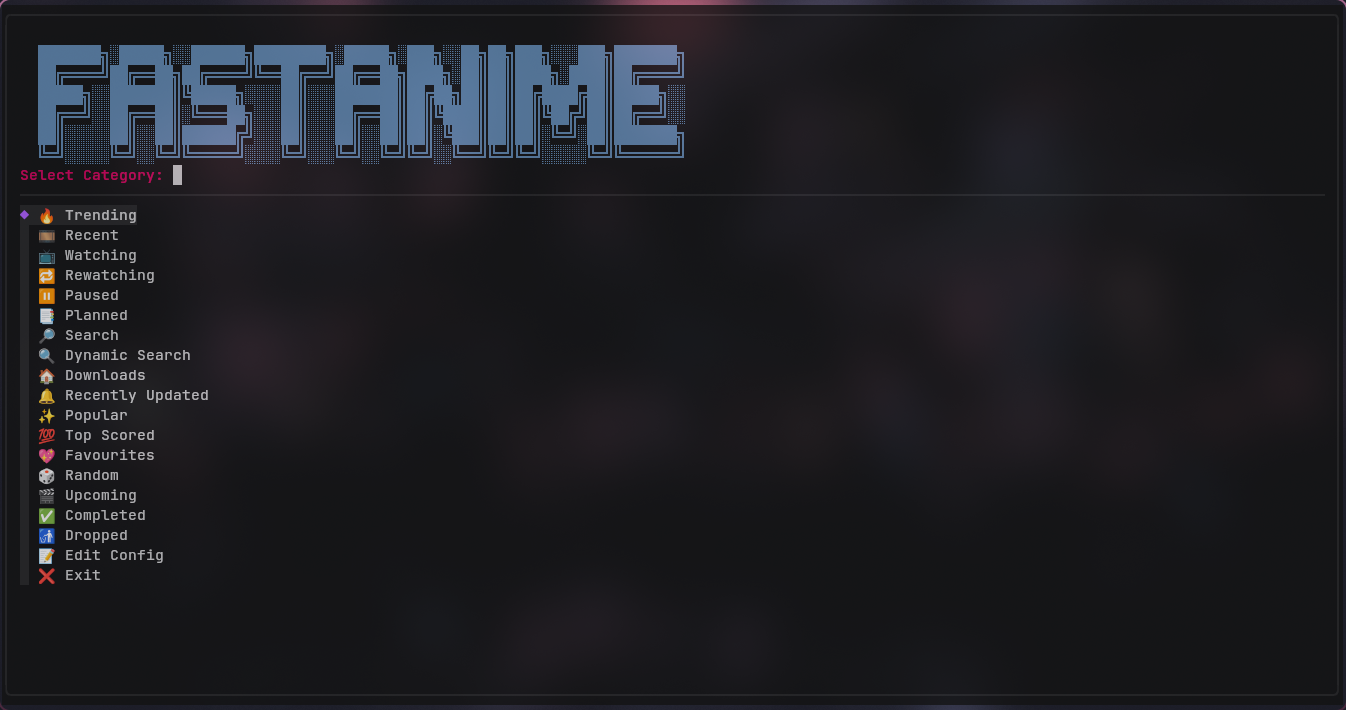
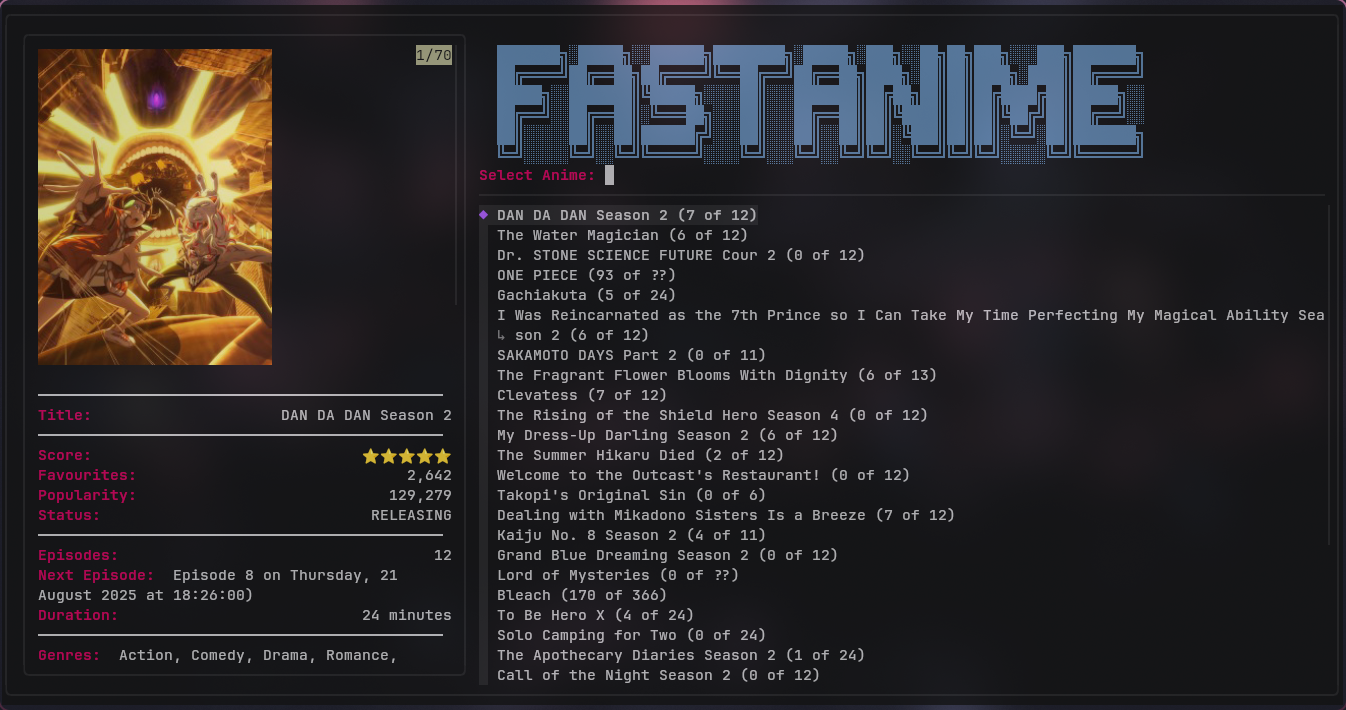
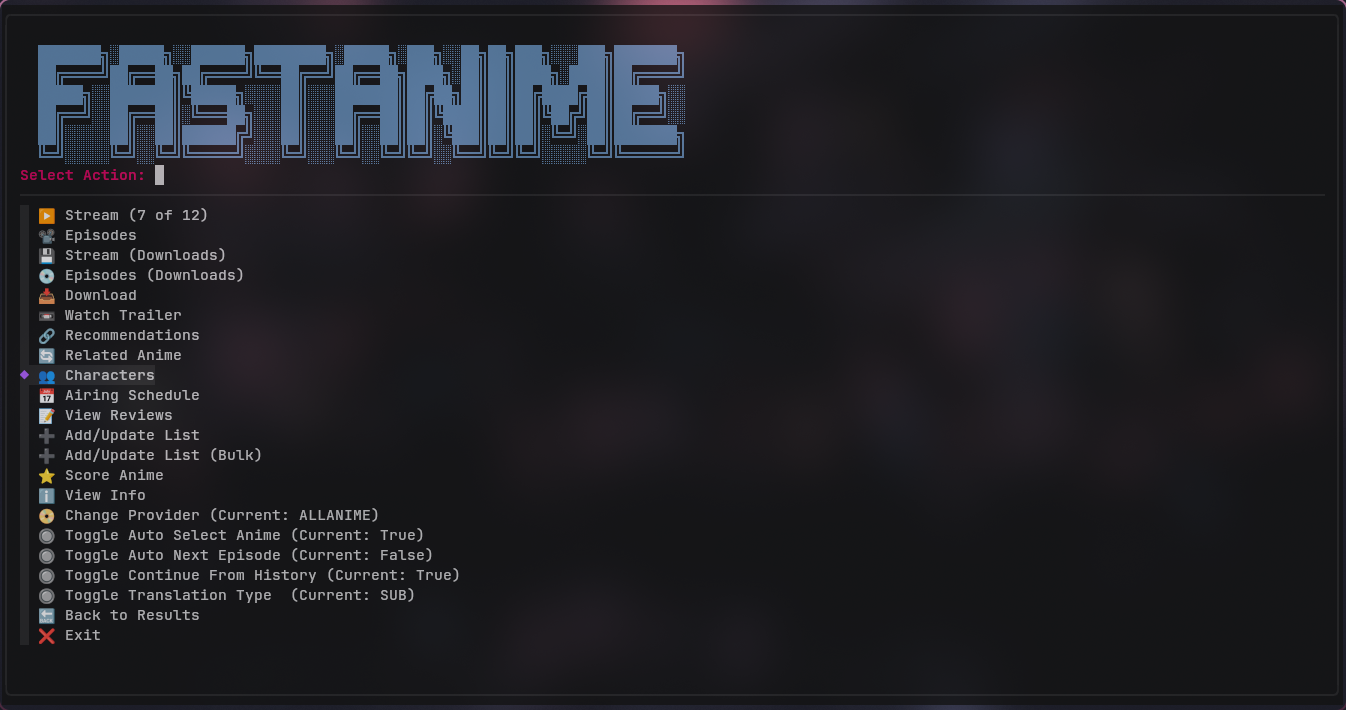
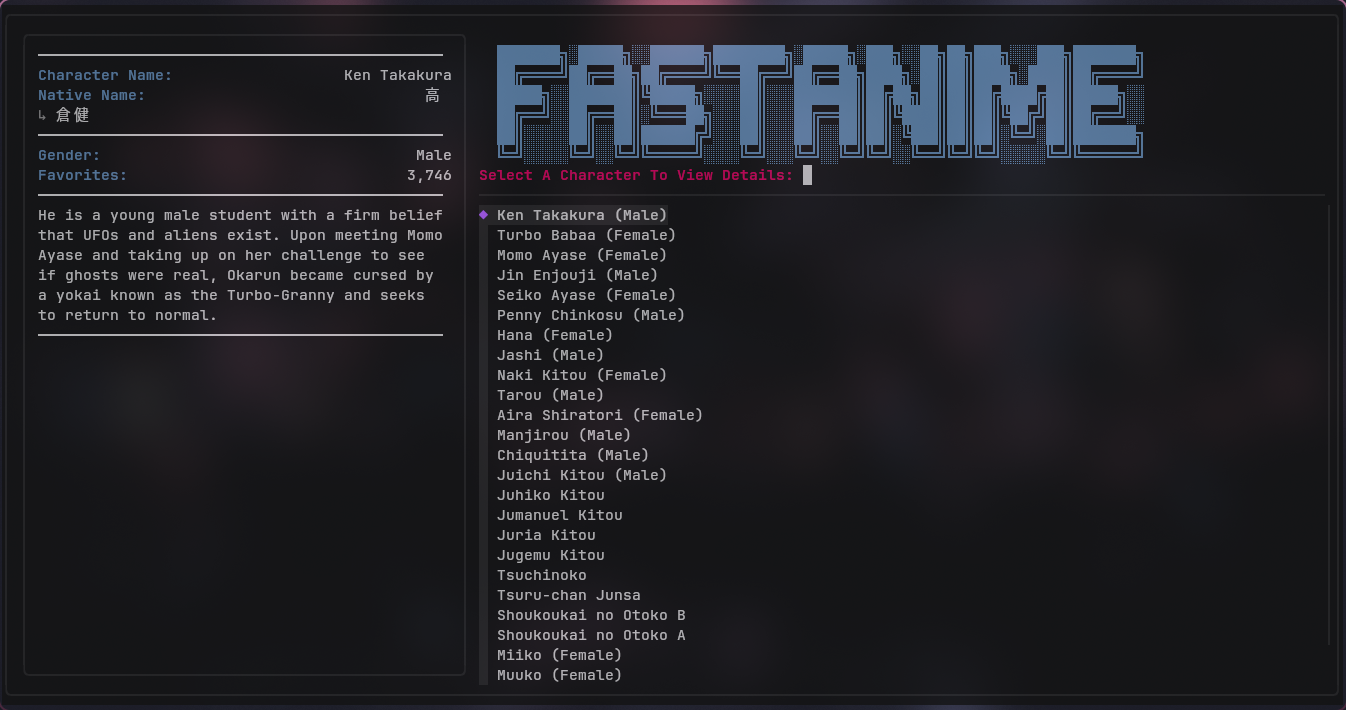
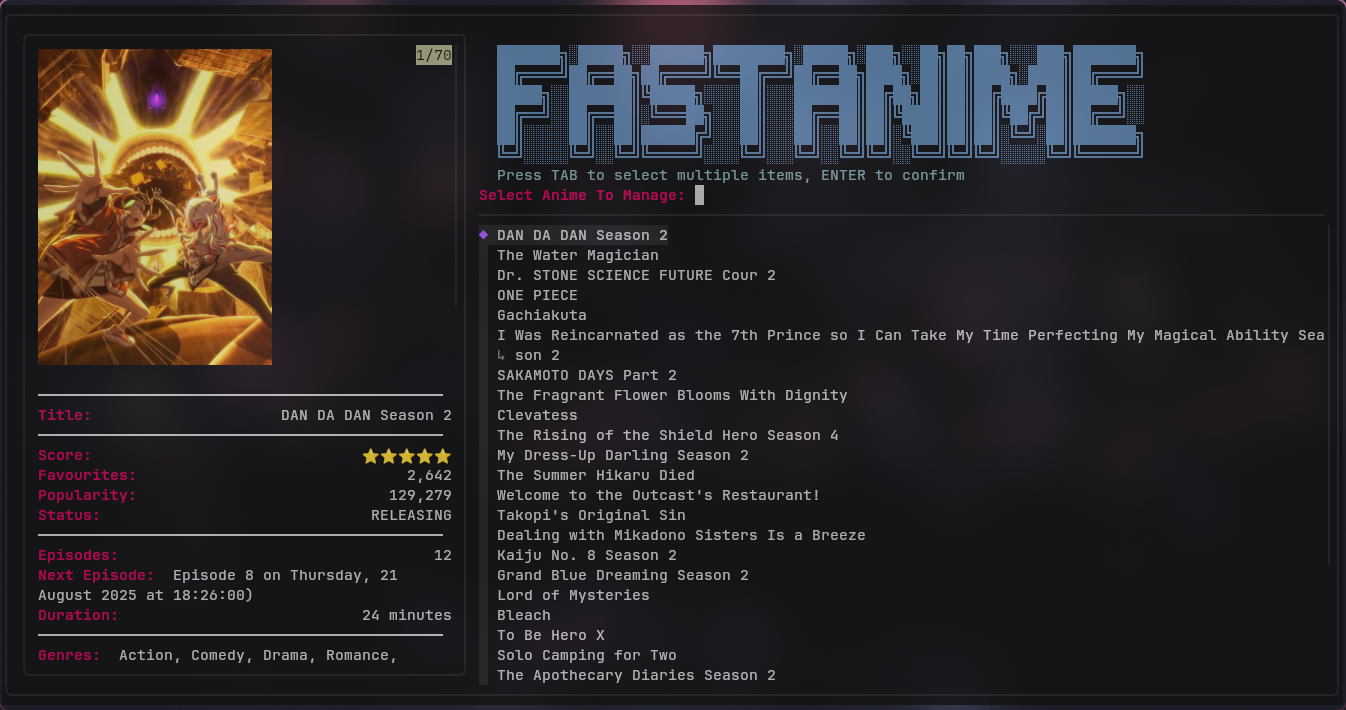
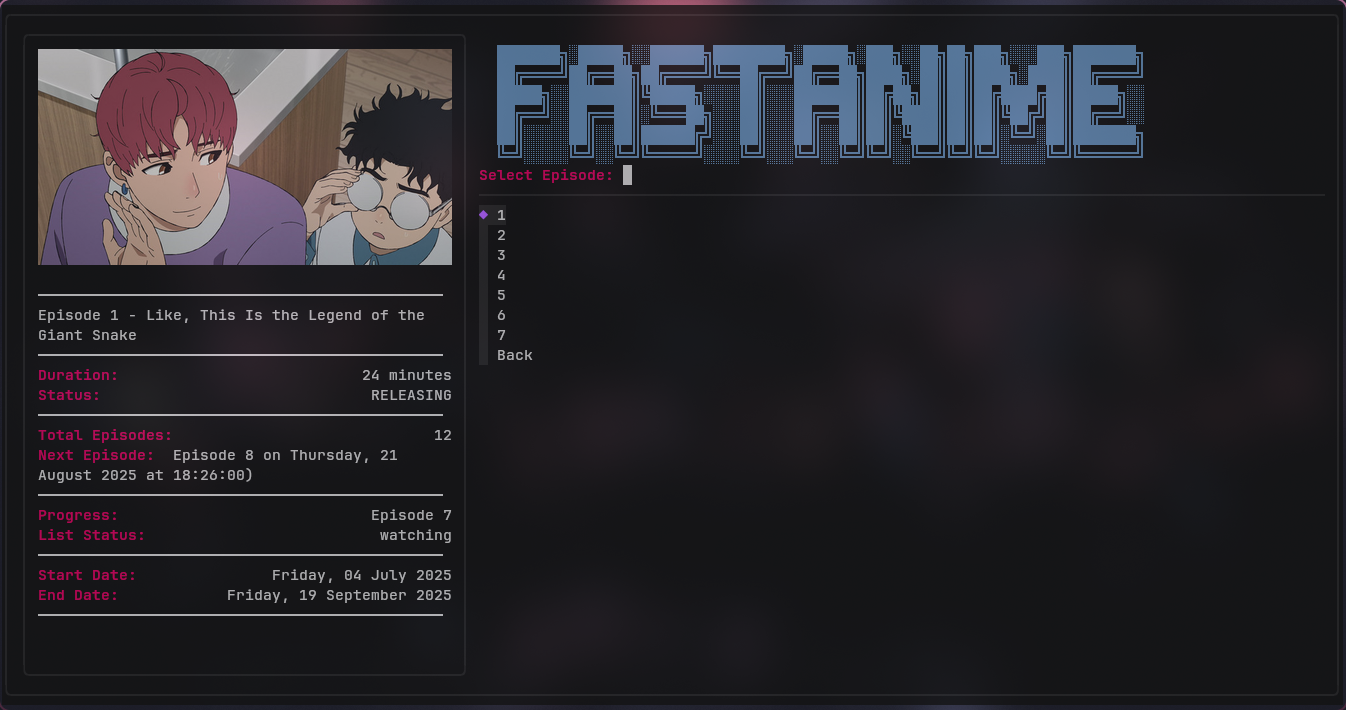
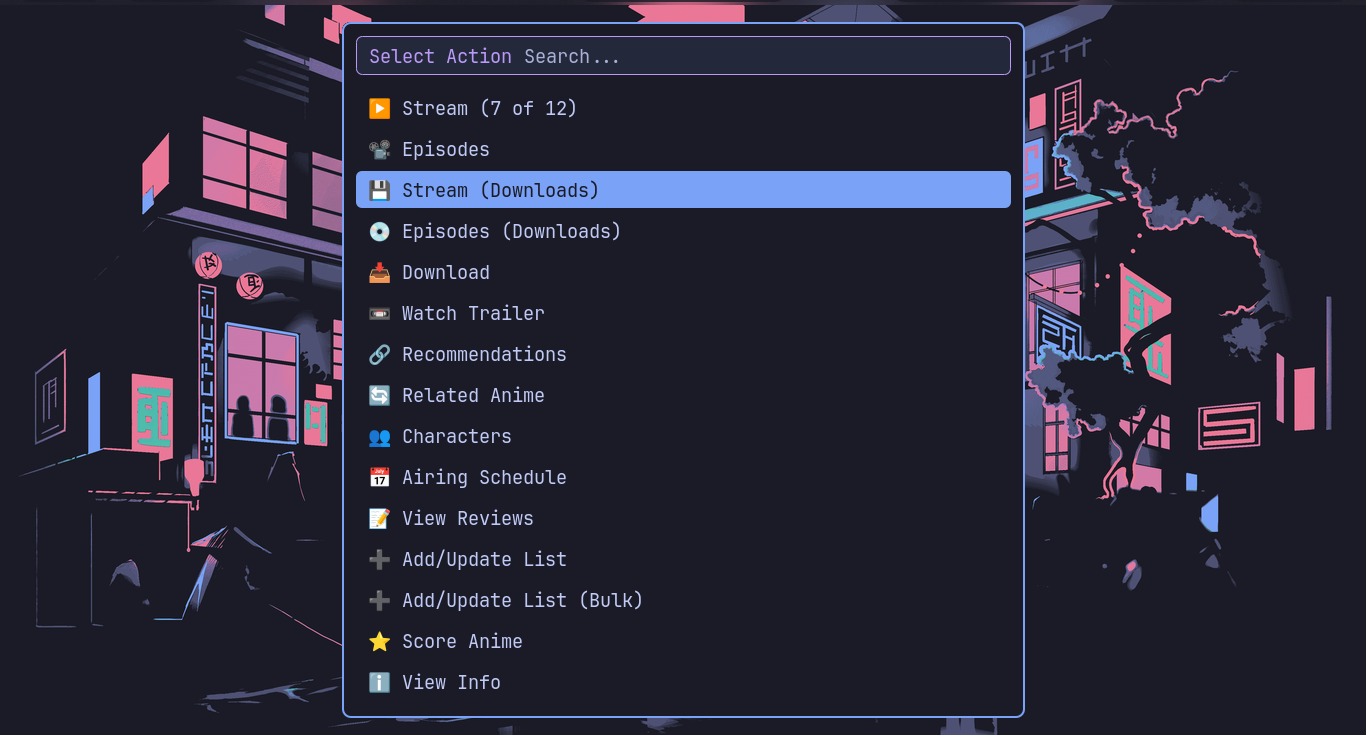
Rofi:




Riced Preview Examples
Anilist Results Menu (FZF):
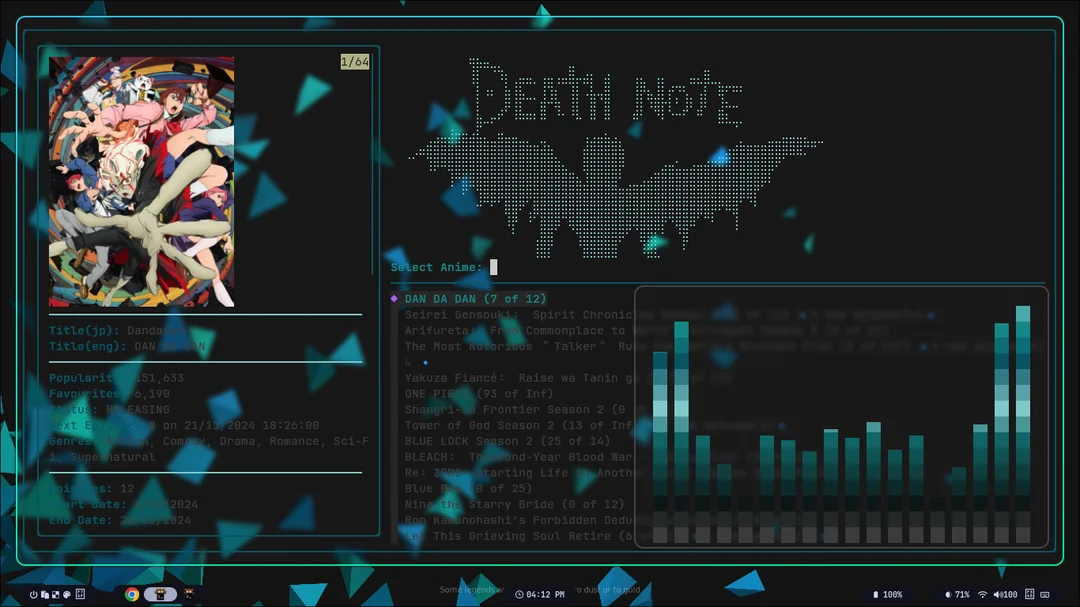
Episodes Menu with Preview (FZF):

No Image Preview Mode:
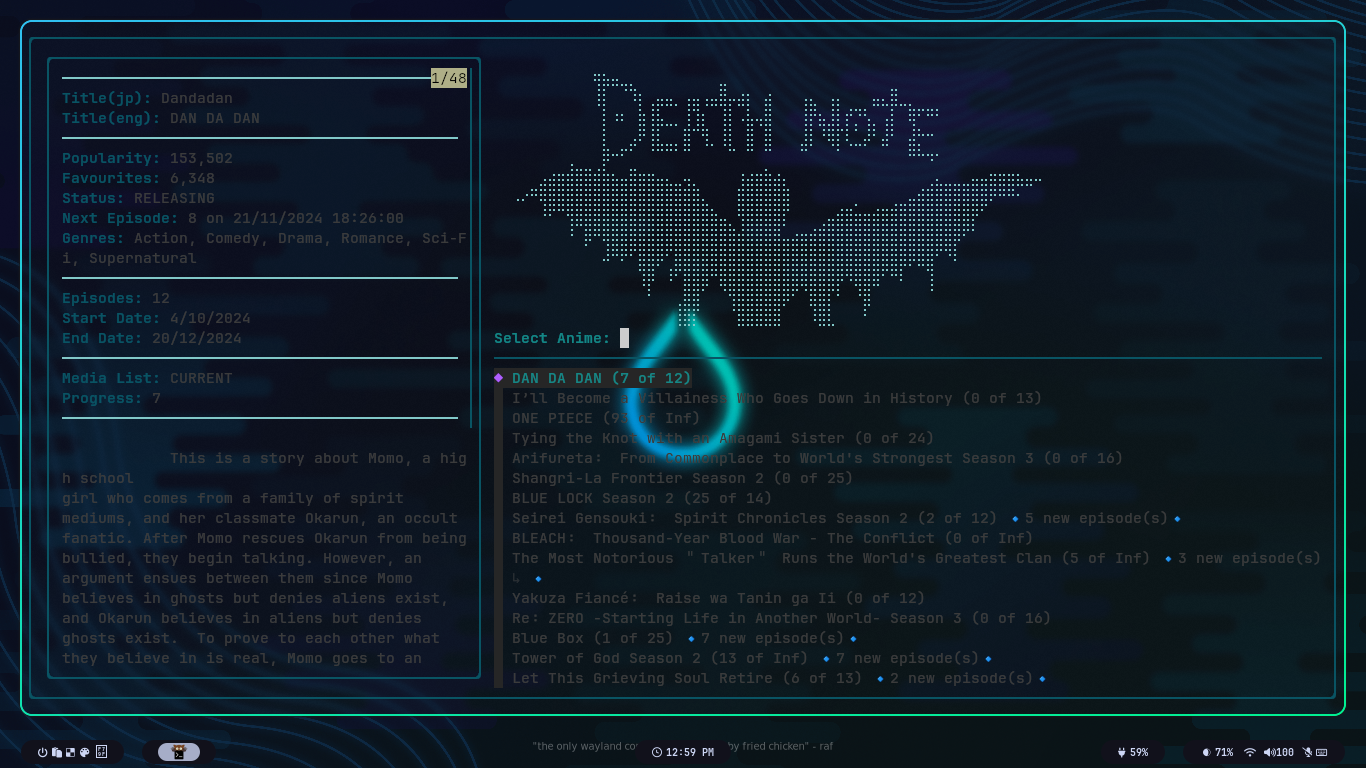
Desktop Notifications + Episodes Menu:
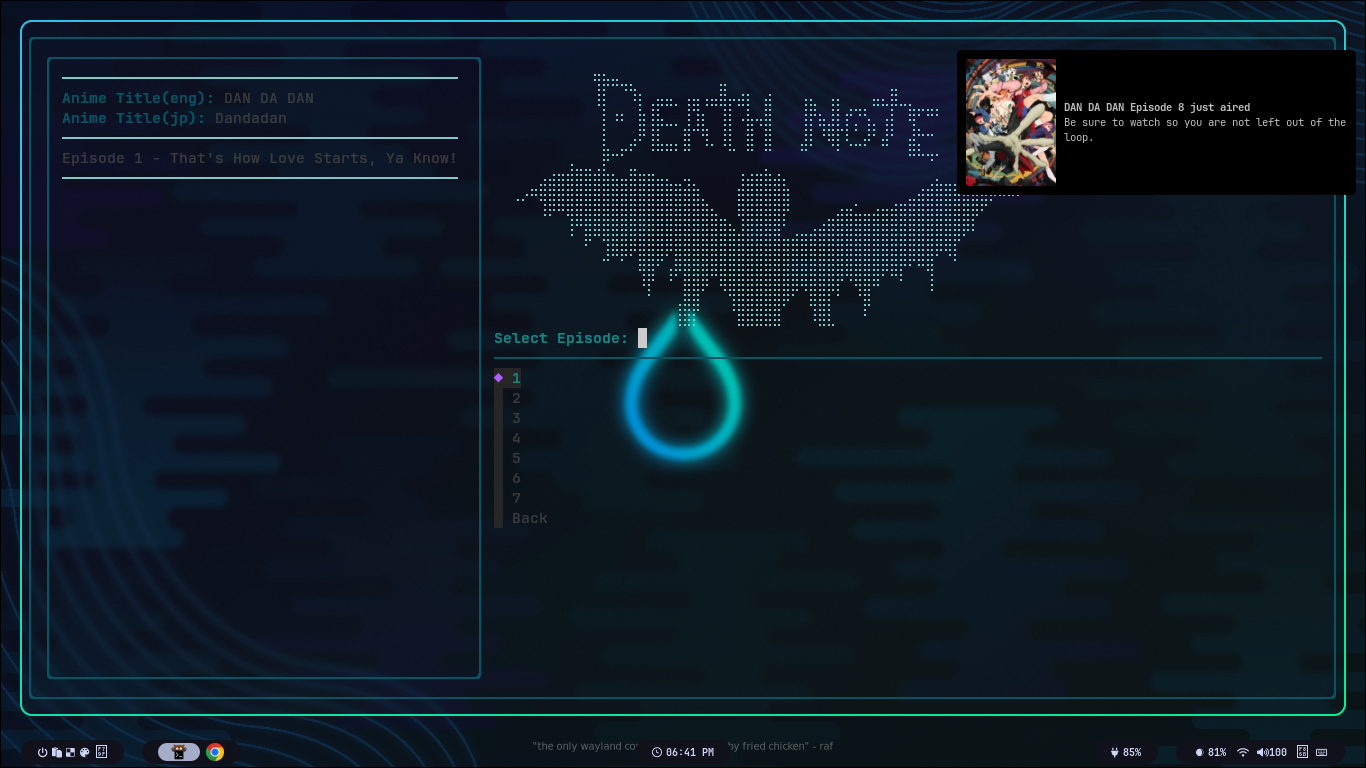
Core Features
- 📺 Interactive TUI: Browse, search, and manage your AniList library in a rich terminal interface powered by
fzf,rofi, or a built-in selector. - ⚡ Powerful Search: Filter the entire AniList database with over 20 different criteria, including genres, tags, year, status, and score.
- 💾 Local Registry: Maintain a fast, local database of your anime for offline access, detailed stats, and robust data management.
- ⚙️ Background Downloader: Queue episodes for download and let a persistent background worker handle the rest.
- 📜 Scriptable CLI: Automate streaming and downloading with powerful, non-interactive commands perfect for scripting.
- 🔧 Highly Customizable: Tailor every aspect—from UI colors and providers to playback behavior—via a simple, well-documented configuration file.
- 🔌 Extensible Architecture: Easily add new providers, media players, and UI selectors to fit your workflow.
Installation
Viu runs on any platform with Python 3.10+, including Windows, macOS, Linux, and Android (via Termux).
Prerequisites
For the best experience, please install these external tools:
- Required for Streaming:
- mpv - The primary and recommended media player.
- Recommended for UI & Previews:
- fzf - For the best fuzzy-finder interface.
- chafa or kitty's icat - For image previews in the terminal.
- Recommended for Downloads & Advanced Features:
- ffmpeg - Required for downloading HLS streams and merging subtitles.
- webtorrent-cli - For streaming torrents directly.
Recommended Installation (uv)
The best way to install Viu is with uv, a lightning-fast Python package manager.
# Install with all optional features for the full experience
uv tool install "viu_cli[standard]"

# Or, pick and choose the extras you need:
uv tool install viu_cli  # Core functionality only
uv tool install "viu_cli[download]"  # For advanced downloading with yt-dlp
uv tool install "viu_cli[discord]"   # For Discord Rich Presence
uv tool install "viu_cli[notifications]" # For desktop notifications
Other Installation Methods
Platform-Specific and Alternative Installers
Nix / NixOS
nix profile install github:Benexl/viu
Arch Linux (AUR)
Use an AUR helper like yay or paru.
# Stable version (recommended)
yay -S viu

# Git version (latest commit)
yay -S viu-git
Using pipx (for isolated environments)
pipx install "viu_cli[standard]"
Using pip
pip install "viu_cli[standard]"
Building from Source
Requires Git, Python 3.10+, and uv.
git clone https://github.com/Benexl/Viu.git --depth 1
cd Viu
uv tool install .
viu --version
Getting Started: Quick Start
Get up and running in three simple steps:
-
Authenticate with AniList:
viu anilist auth
This will open your browser. Authorize the app and paste the obtained token back into the terminal.
-
Launch the Interactive TUI:
viu anilist -
Browse & Play: Use your arrow keys to navigate the menus, select an anime, and choose an episode to stream instantly.
Usage Guide
The Interactive TUI (viu anilist)
This is the main, user-friendly way to use Viu. It provides a rich terminal experience where you can:
- Browse trending, popular, and seasonal anime.
- Manage your personal lists (Watching, Completed, Paused, etc.).
- Search for any anime in the AniList database.
- View detailed information, characters, recommendations, reviews, and airing schedules.
- Stream or download episodes directly from the menus.
Powerful Searching (viu anilist search)
Filter the entire AniList database with powerful command-line flags.
# Search for anime from 2024, sorted by popularity, that is releasing and not on your list
viu anilist search -y 2024 -s POPULARITY_DESC --status RELEASING --not-on-list

# Find the most popular movies with the "Fantasy" genre
viu anilist search -g Fantasy -f MOVIE -s POPULARITY_DESC

# Dump search results as JSON instead of launching the TUI
viu anilist search -t "Demon Slayer" --dump-json
Background Downloads (viu queue & worker)
Viu includes a robust background downloading system.
- Add episodes to the queue:
# Add episodes 1-12 of Jujutsu Kaisen to the download queue
viu queue add -t "Jujutsu Kaisen" -r "0:12"
- Start the worker process:
# Run the worker in the foreground (press Ctrl+C to stop)
viu worker

# Or run it as a background process
viu worker &
```The worker will now process the queue, download your episodes, and check for notifications.
Scriptable Commands (download & search)
These commands are designed for automation and quick, non-interactive tasks.
download Examples
# Download the latest 5 episodes of One Piece
viu download -t "One Piece" -r "-5"

# Download episodes 1 to 24, merge subtitles, and clean up original files
viu download -t "Jujutsu Kaisen" -r "0:24" --merge --clean
search (Binging) Examples
# Start binging an anime from the first episode
viu search -t "Attack on Titan" -r ":"

# Watch the latest episode directly
viu search -t "My Hero Academia" -r "-1"
Local Data Management (viu registry)
Viu maintains a local database of your anime for offline access and enhanced performance.
registry sync: Synchronize your local data with your remote AniList account.registry stats: Show detailed statistics about your viewing habits.registry backup: Create a compressed backup of your entire registry.registry restore: Restore your data from a backup file.registry export/import: Export/import your data to JSON/CSV for use in other applications.registry clean: Clean up orphaned or invalid entries from your local database.
Configuration
Viu is highly customizable. A default configuration file with detailed comments is created on the first run.
- Find your config file:
viu config --path - Edit in your default editor:
viu config - Use the interactive wizard:
viu config --interactive
Most settings in the config file can be temporarily overridden with command-line flags (e.g., viu --provider animepahe anilist).
Default Configuration (`config.ini`) Explained
# [general] Section: Controls overall application behavior.
[general]
provider = allanime          ; The default anime provider (allanime, animepahe).
selector = fzf               ; The interactive UI tool (fzf, rofi, default).
preview = full               ; Preview type in selectors (full, text, image, none).
image_renderer = icat        ; Tool for terminal image previews (icat, chafa).
icons = True                 ; Display emoji icons in the UI.
auto_select_anime_result = True ; Automatically select the best search match.
...

# [stream] Section: Controls playback and streaming.
[stream]
player = mpv                 ; The media player to use (mpv, vlc).
quality = 1080               ; Preferred stream quality (1080, 720, 480, 360).
translation_type = sub       ; Preferred audio/subtitle type (sub, dub).
auto_next = False            ; Automatically play the next episode.
continue_from_watch_history = True ; Resume playback from where you left off.
use_ipc = True               ; Enable in-player controls via MPV's IPC.
...

# [downloads] Section: Controls the downloader.
[downloads]
downloader = auto            ; Downloader to use (auto, default, yt-dlp).
downloads_dir = ...          ; Directory to save downloaded anime.
max_concurrent_downloads = 3 ; Number of parallel downloads in the worker.
merge_subtitles = True       ; Automatically merge subtitles into the video file.
cleanup_after_merge = True   ; Delete original files after merging.
...

# [worker] Section: Controls the background worker process.
[worker]
enabled = True
notification_check_interval = 15 ; How often to check for new episodes (minutes).
download_check_interval = 5      ; How often to process the download queue (minutes).
...
Advanced Features
MPV IPC Integration
When use_ipc = True is set in your config, Viu provides powerful in-player controls without needing to close MPV.
Key Bindings:
Shift+N: Play the next episode.Shift+P: Play the previous episode.Shift+R: Reload the current episode.Shift+A: Toggle auto-play for the next episode.Shift+T: Toggle betweendubandsub.
Script Messages (For MPV Console):
script-message select-episode <number>: Jump to a specific episode.script-message select-server <name>: Switch to a different streaming server.
Running as a Service (Linux/systemd)
You can run the background worker as a systemd service for persistence.
-
Create a service file at
~/.config/systemd/user/viu-worker.service:[Unit] Description=Viu Background Worker After=network-online.target [Service] Type=simple ExecStart=/path/to/your/viu worker --log Restart=always RestartSec=30 [Install] WantedBy=default.target
Replace
/path/to/your/viuwith the output ofwhich viu. -
Enable and start the service:
systemctl --user daemon-reload
systemctl --user enable --now viu-worker.service
Contributing
Contributions are welcome! Whether it's reporting a bug, proposing a feature, or writing code, your help is appreciated. Please read our Contributing Guidelines to get started.
Disclaimer
1 maintainer

Metadata
1 maintainer
Release files for viu-cli 3.2.6
For a detailed explanation of source distributions (sdists) and built distributions (wheels), please see the package formats documentation.
Source distribution (sdist)
| File | Size | Uploaded | Provenance | |
|---|---|---|---|---|
| viu_cli-3.2.6.tar.gz | 577.4 kB | With provenance | Details |
Built distribution (wheel)
| File | Interpreter | ABI | Platform | Reset |
|---|---|---|---|---|
| viu_cli-3.2.6-py3-none-any.whl | Python 3 | none | any | Details |
Total release size: 1.2 MB
Release files / viu_cli-3.2.6.tar.gz
| Download URL | viu_cli-3.2.6.tar.gz |
|---|---|
| Size | 577.4 kB |
| Tags | Source |
|
SHA-256 checksum How to use checksums |
58d4e40074d32457bf738c693fb97aa0e0554643a0be445420db7e733ff9f4b7
|
|
BLAKE2b-256 checksum How to use checksums |
41821b35c6ad2b16b7a21a1f21e4ccae381b99b061ed30dbfcf3c7630e6592c2
|
| Upload date | |
|
Uploaded using Trusted Publishing? What is trusted publishing? |
Yes |
| Uploaded via |
twine/6.1.0 CPython/3.12.9
|
Provenance
Provenance describes where a file came from. On PyPI, provenance is shared via attestations, which provide a verifiable record of the build or publishing details. View details, limitations and caveats.


PyPI Publish Attestation
PyPI verified that this artifact, at this checksum, originated from the publisher listed below.
Signed by GitHub Actions, verified by PyPI on Aug 16, 2025.
Transparency logRelease files / viu_cli-3.2.6-py3-none-any.whl
| Download URL | viu_cli-3.2.6-py3-none-any.whl |
|---|---|
| Size | 597.4 kB |
| Tags | Python 3 |
|
SHA-256 checksum How to use checksums |
4f0572b2fe9748520c997a17ba78f72f24e1e4bcc4006102dc0012c2db3722b1
|
|
BLAKE2b-256 checksum How to use checksums |
24c08bdff45475373c823921716945c6fe303eb8169d87760e911942eb8371fe
|
| Upload date | |
|
Uploaded using Trusted Publishing? What is trusted publishing? |
Yes |
| Uploaded via |
twine/6.1.0 CPython/3.12.9
|
Provenance
Provenance describes where a file came from. On PyPI, provenance is shared via attestations, which provide a verifiable record of the build or publishing details. View details, limitations and caveats.
PyPI Publish Attestation
PyPI verified that this artifact, at this checksum, originated from the publisher listed below.
Signed by GitHub Actions, verified by PyPI on Aug 16, 2025.
Transparency logSecurity for viu-cli 3.2.6
Provenance
Provenance describes where a file came from. On PyPI, provenance is shared via attestations, which provide a verifiable record of the build or publishing details. View details, limitations and caveats.
Full provenance
All 2 files in this release have been uploaded with provenance metadata.
Attestation for viu_cli-3.2.6.tar.gz
PyPI Publish Attestation
PyPI verified that this artifact, at this checksum, originated from the publisher listed below.
Signed by GitHub Actions, verified by PyPI on Aug 16, 2025.
Transparency logA note on package security
PyPI is a repository for distributing packages, not a service for auditing them. While third-party security researchers and our staff do their best to detect and remove malicious packages, PyPI cannot guarantee the quality, security or suitability of any given package.














