
vizop
Opinionated data visualization for Python. Publication-quality charts with minimal configuration.



vizop produces clean, presentation-ready charts inspired by the visual style of the NYT and FiveThirtyEight — left-aligned titles, no chartjunk, smart defaults. Built on matplotlib, driven by DataFrames.
Gallery
 Line |
 Bar |
 Scatter |
 Slope |
 Waffle |
 Raincloud |
 Parliament |
 Bump |
Installation
pip install vizop
or with uv:
uv add vizop
Quick Start
import pandas as pd
import vizop

df = pd.DataFrame({
    "month": ["Jan", "Feb", "Mar", "Apr", "May", "Jun",
              "Jul", "Aug", "Sep", "Oct", "Nov", "Dec"],
    "visitors": [1200, 1350, 1800, 2400, 2800, 3200,
                 3500, 3300, 2900, 2100, 1600, 1400],
})

chart = vizop.line(
    df, x="month", y="visitors",
    title="Monthly Website Visitors",
    subtitle="Pageviews peaked in July before seasonal decline",
    source="Internal analytics",
)
chart.show()
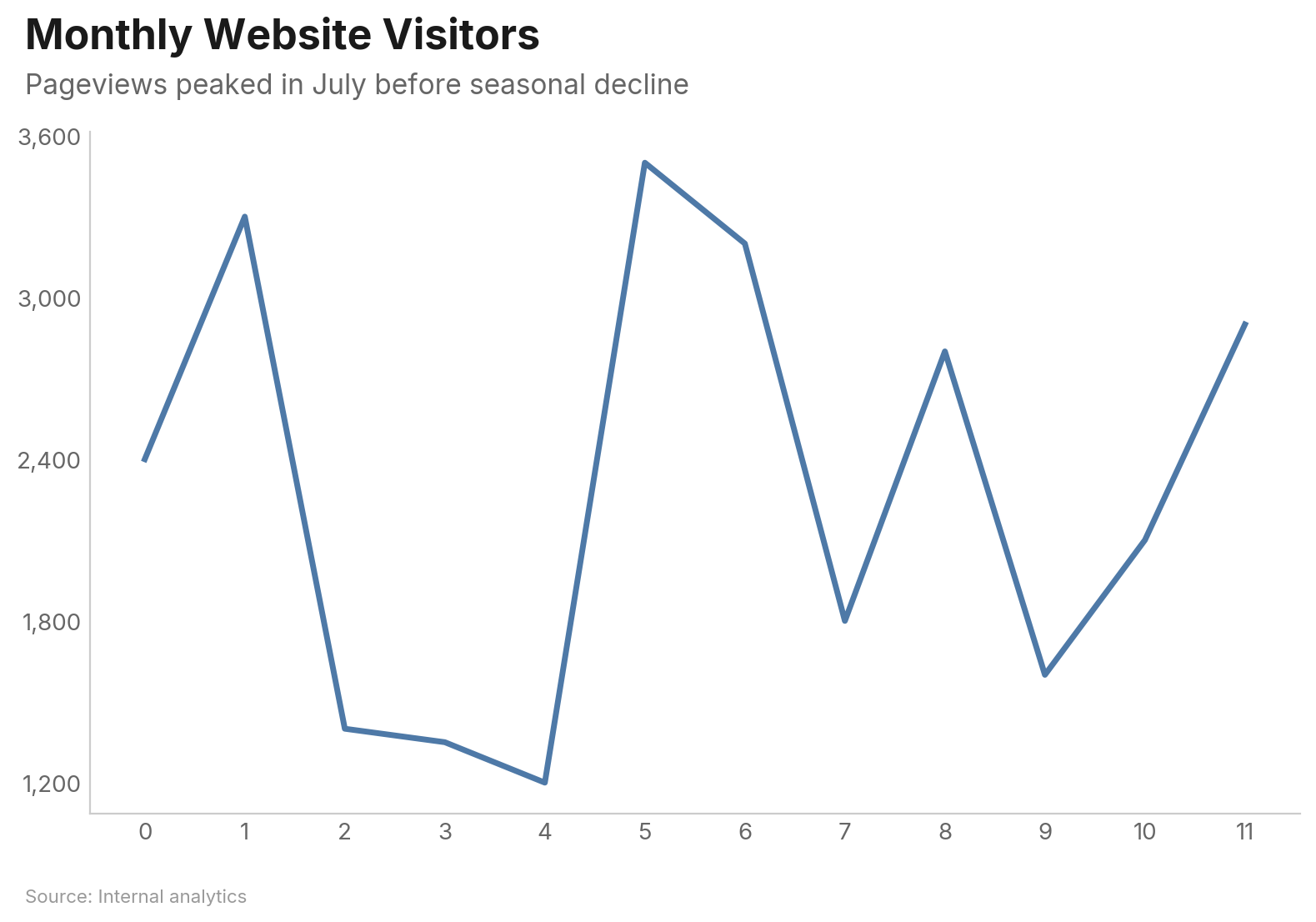
Every chart function returns a Chart object — call .show() to display, .save("file.png") to export, or just let it render inline in Jupyter.
Charts
Line Chart
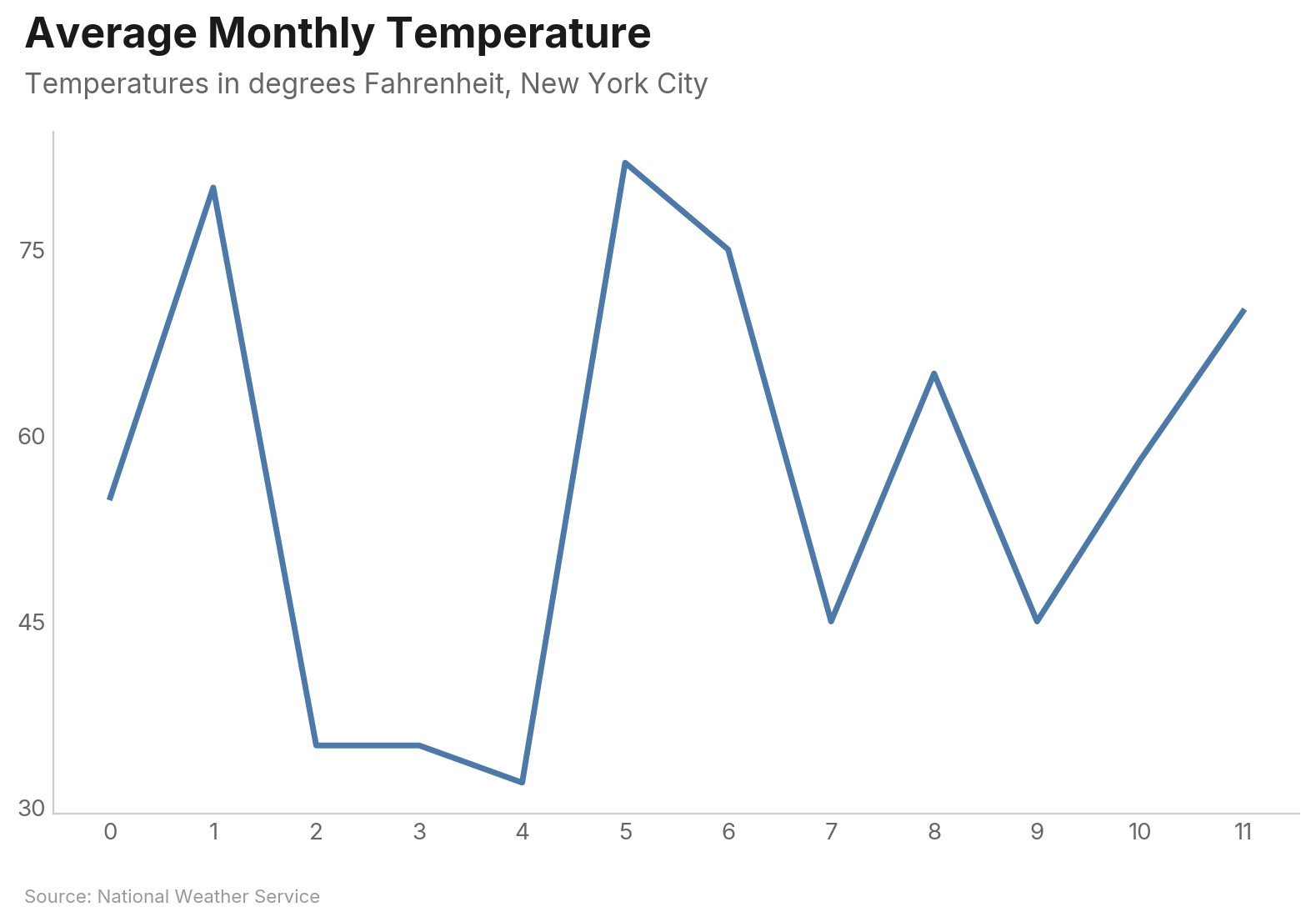
Basic single-series line:
df = pd.DataFrame({
    "month": ["Jan", "Feb", "Mar", "Apr", "May", "Jun",
              "Jul", "Aug", "Sep", "Oct", "Nov", "Dec"],
    "temperature": [32, 35, 45, 55, 65, 75, 82, 80, 70, 58, 45, 35],
})

vizop.line(
    df, x="month", y="temperature",
    title="Average Monthly Temperature",
    subtitle="Temperatures in degrees Fahrenheit, New York City",
    source="National Weather Service",
)
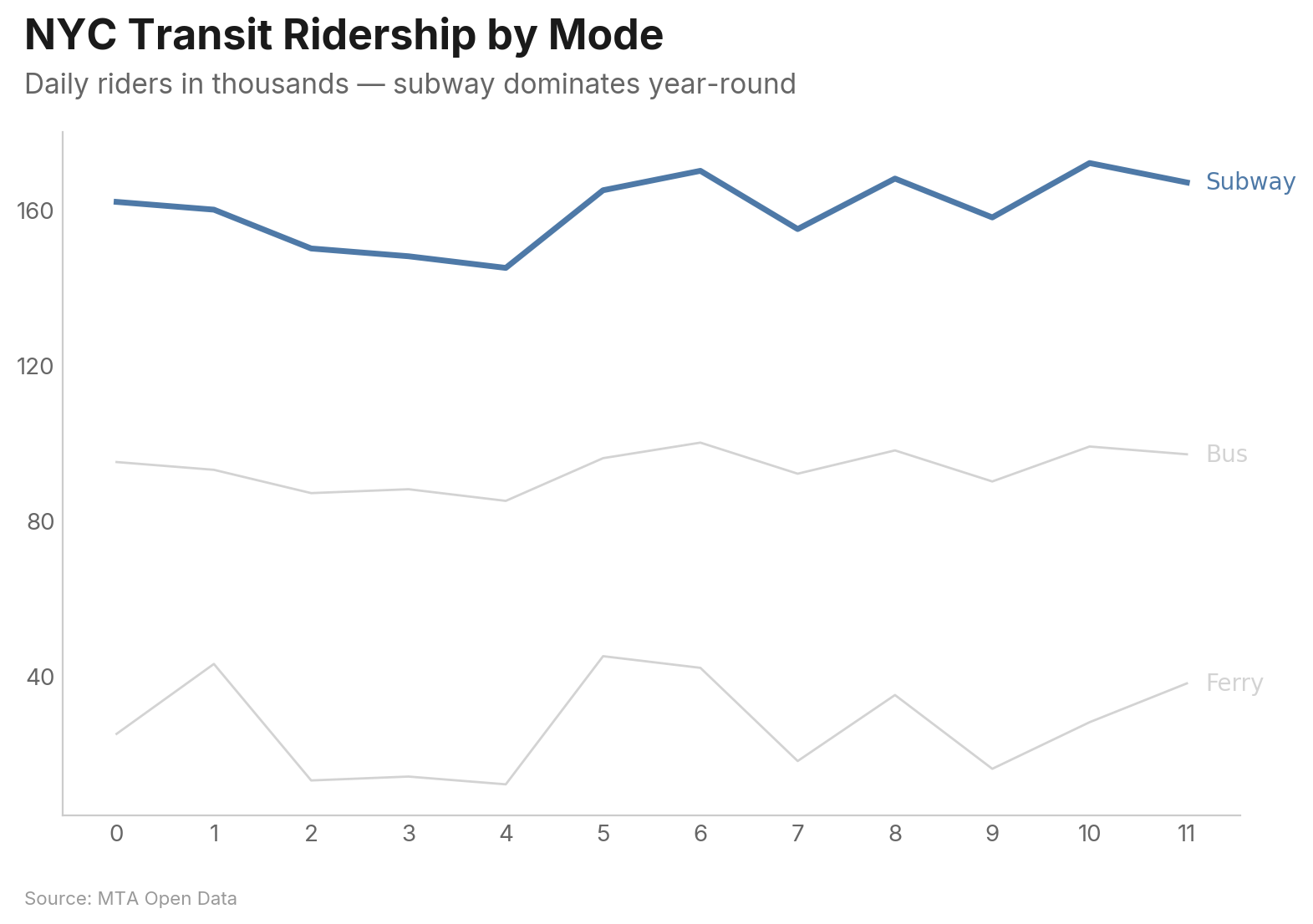
Multi-series with highlight — the highlighted series stays vivid while others are muted. Labels appear at line endpoints instead of a legend box:
vizop.line(
    df, x="month", y="ridership", group="mode",
    highlight="Subway",
    title="NYC Transit Ridership by Mode",
    subtitle="Daily riders in thousands — subway dominates year-round",
    source="MTA Open Data",
)
Key Parameters
| Parameter | Type | Description |
|---|---|---|
x |
str |
Column for the x-axis |
y |
str | list[str] |
Column(s) for y-axis. List for wide-format multi-series |
group |
str |
Column to group by (long format) |
highlight |
str | list[str] |
Series to highlight; others are muted |
show_area |
bool |
Fill area under the line (single-series) |
zero_baseline |
bool |
Force y-axis to start at 0 |
show_last_value |
bool |
Display value at the last data point |
highlight_range |
tuple |
(start, end) x-values to shade |
Bar Chart
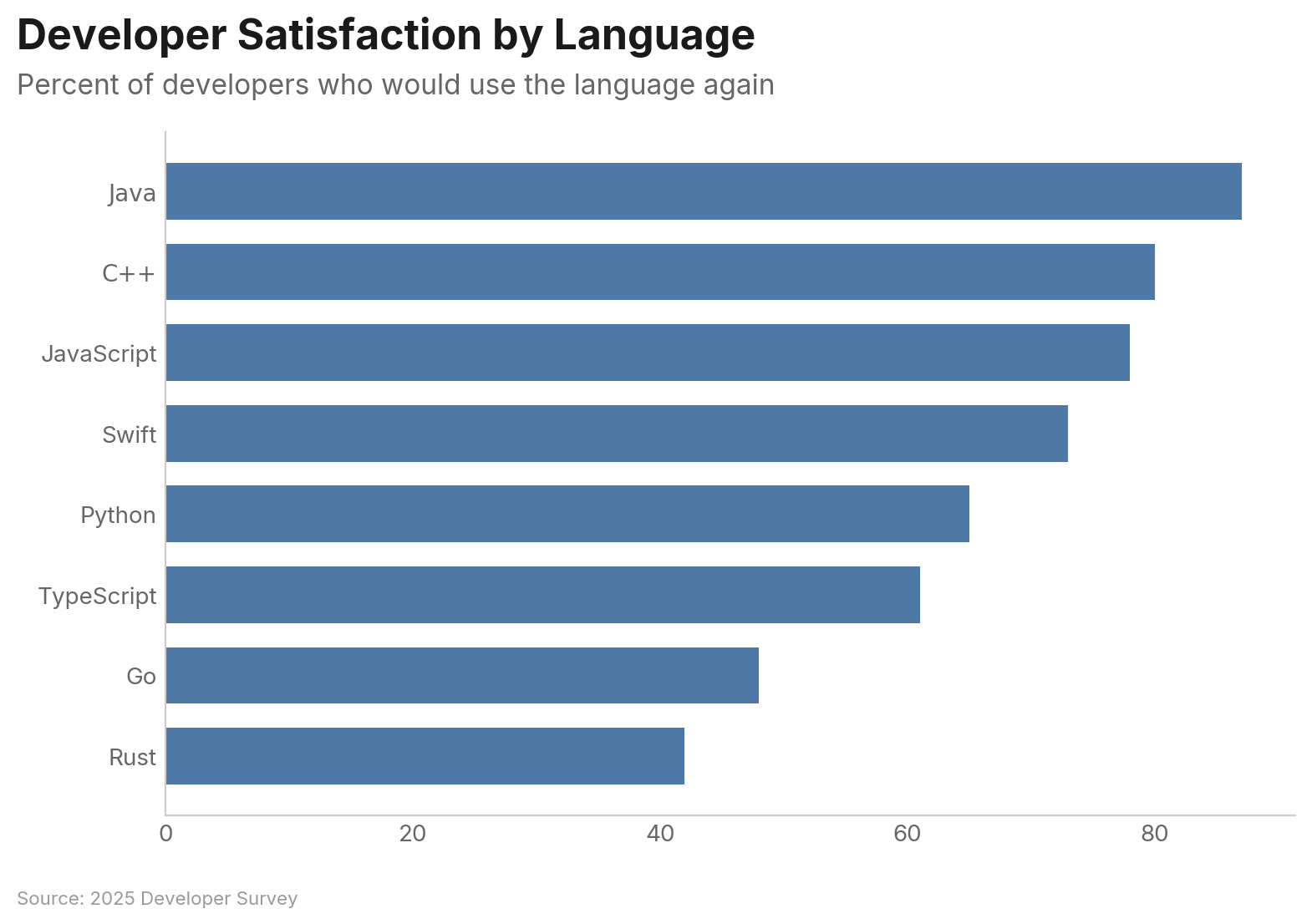
Bars are horizontal and sorted descending by default — the most important value is always at the top:
df = pd.DataFrame({
    "language": ["Python", "JavaScript", "Java", "C++", "TypeScript",
                 "Go", "Rust", "Swift"],
    "satisfaction": [73, 61, 42, 48, 78, 80, 87, 65],
})

vizop.bar(
    df, x="language", y="satisfaction",
    title="Developer Satisfaction by Language",
    subtitle="Percent of developers who would use the language again",
    source="2025 Developer Survey",
)
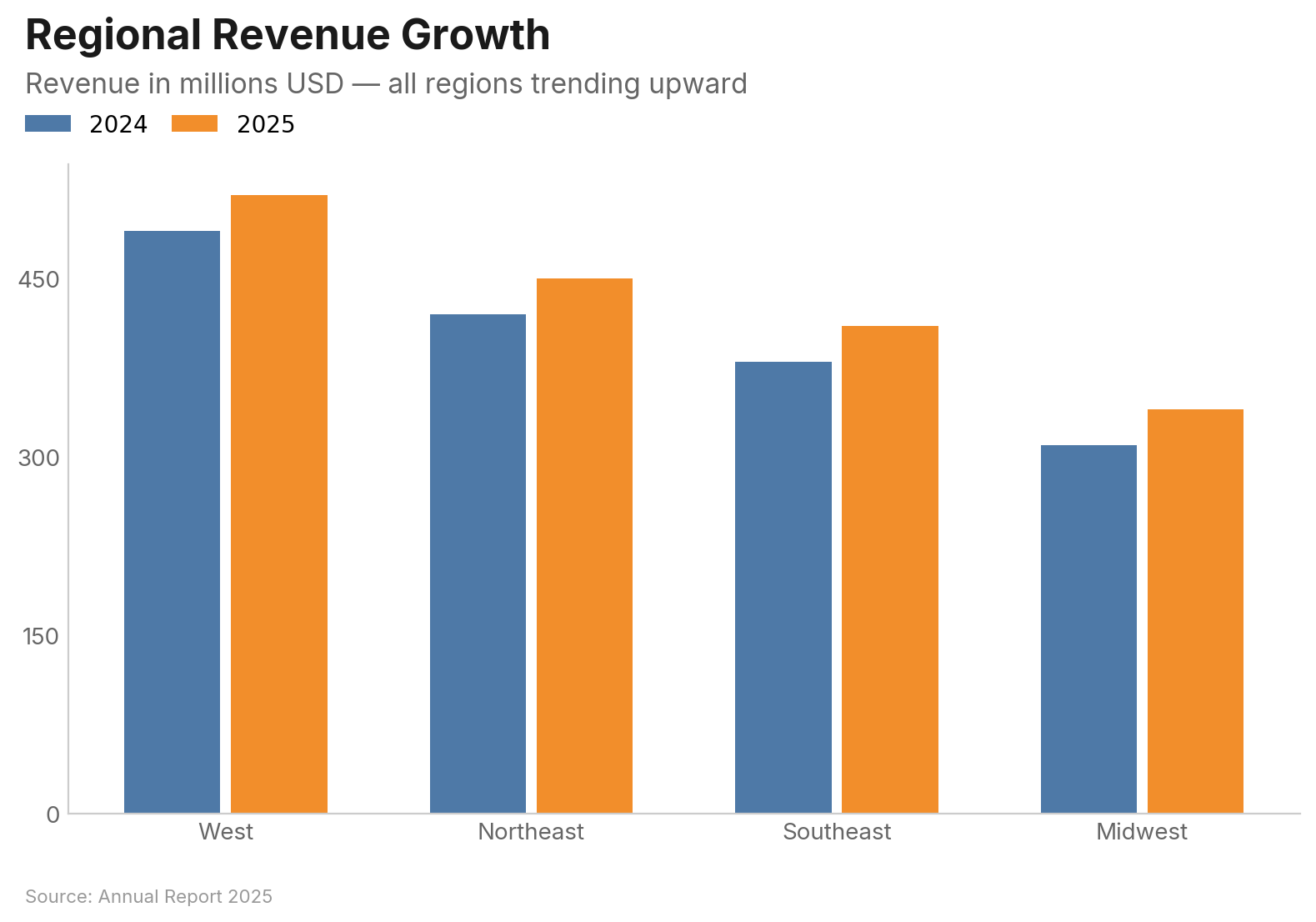
Grouped bars for comparing across categories:
vizop.bar(
    df, x="region", y="revenue", group="year",
    orientation="vertical", mode="grouped",
    title="Regional Revenue Growth",
    subtitle="Revenue in millions USD — all regions trending upward",
    source="Annual Report 2025",
)
Key Parameters
| Parameter | Type | Description |
|---|---|---|
x |
str |
Category column |
y |
str | list[str] |
Value column(s) |
group |
str |
Group column (long format) |
orientation |
str |
"horizontal" (default) or "vertical" |
mode |
str |
"grouped" or "stacked" for multi-series |
sort |
str | None |
"descending" (default), "ascending", or None |
limit |
int |
Show only top N categories |
show_values |
str |
Value labels: "inside", "inside_end", or "outside" |
reference_line |
float |
Draw a dashed reference line at this value |
Scatter Plot
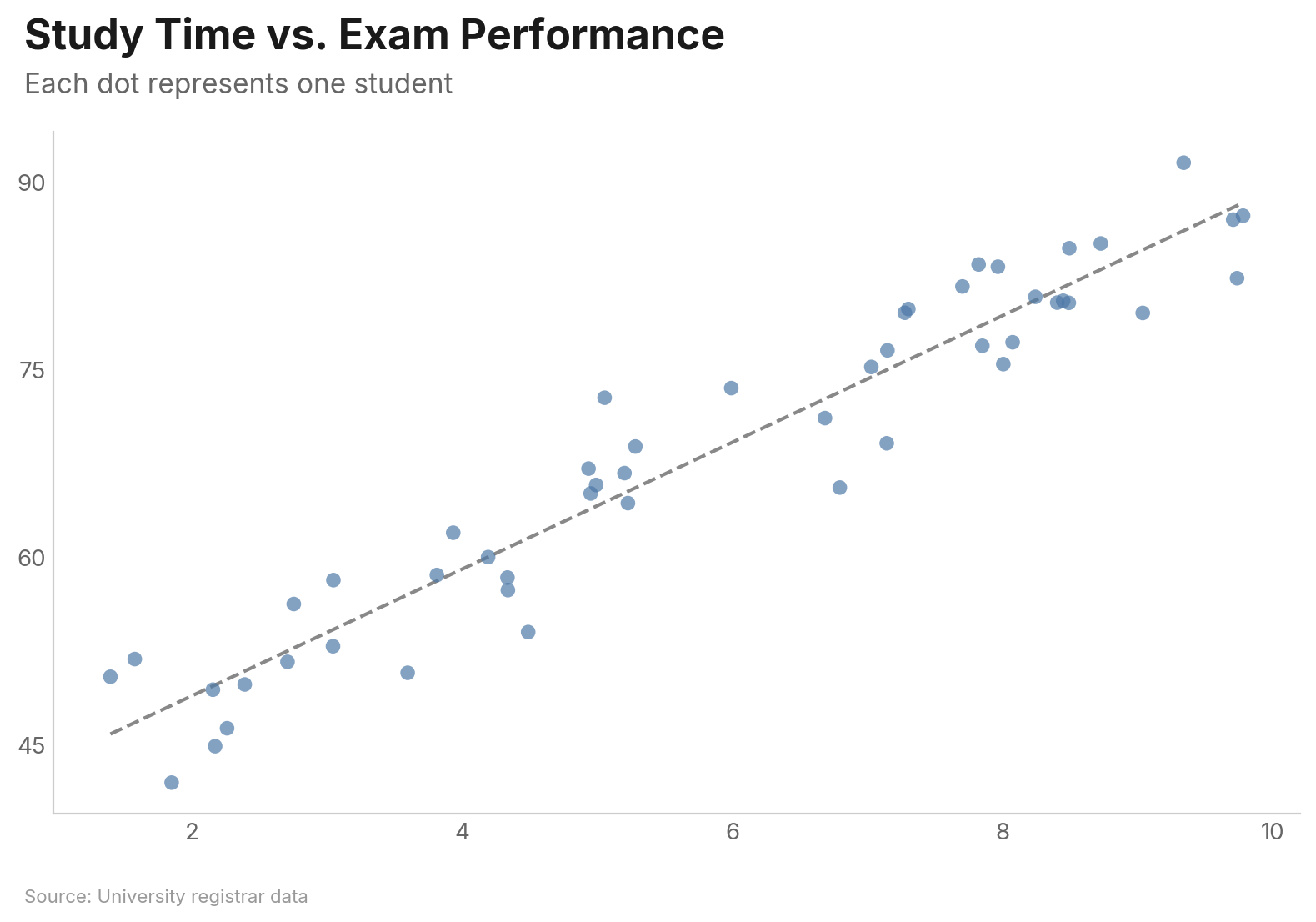
vizop.scatter(
    df, x="study_hours", y="exam_score",
    trend="linear",
    title="Study Time vs. Exam Performance",
    subtitle="Each dot represents one student",
    source="University registrar data",
)
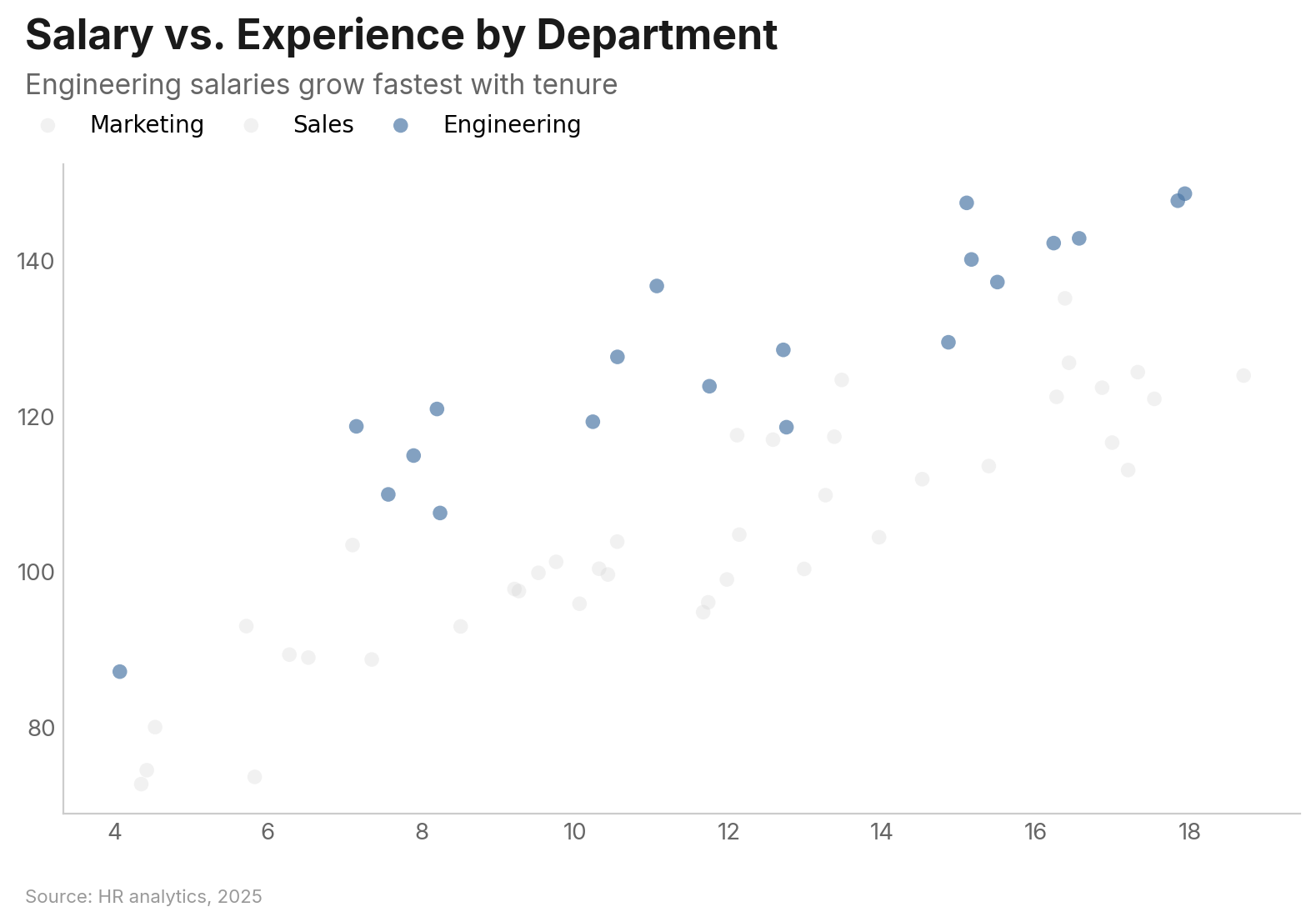
Grouped scatter with highlight:
vizop.scatter(
    df, x="experience", y="salary", group="department",
    highlight="Engineering",
    title="Salary vs. Experience by Department",
    subtitle="Engineering salaries grow fastest with tenure",
    source="HR analytics, 2025",
)
Key Parameters
| Parameter | Type | Description |
|---|---|---|
x |
str |
Column for x-axis |
y |
str |
Column for y-axis |
group |
str |
Column for color-coded groups |
size |
str |
Column for size encoding (bubble chart) |
label |
str |
Column for point labels |
trend |
str |
"linear", "lowess", or None |
opacity |
float |
Point opacity (default 0.7) |
jitter |
bool |
Add random noise to reduce overplotting |
log_x / log_y |
bool |
Logarithmic axis scale |
Slope Chart
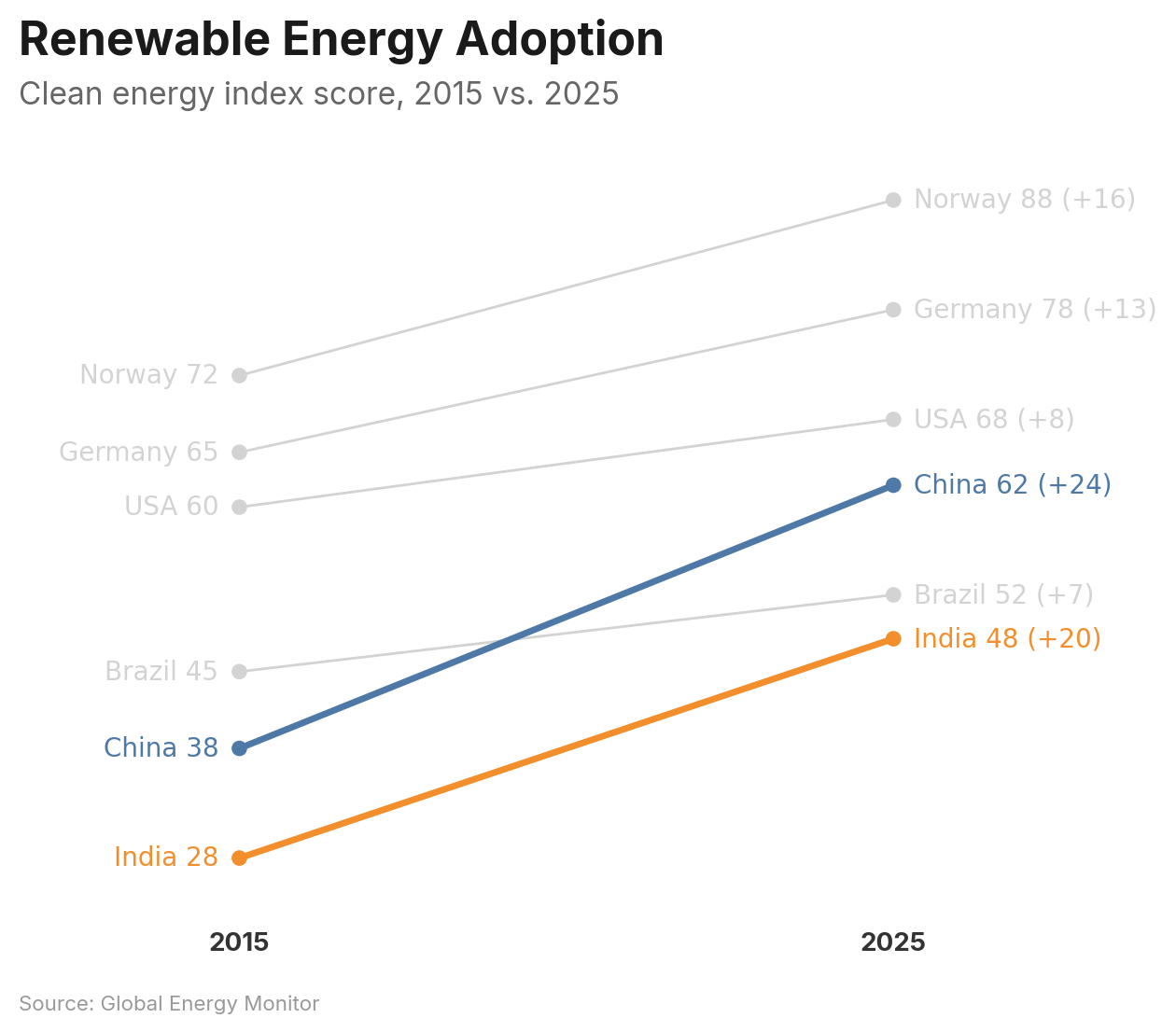
Compare values between two time points. Supports both wide format (label/left/right) and long format (x/y/group):
df = pd.DataFrame({
    "country": ["Norway", "Germany", "USA", "China", "Brazil", "India"],
    "2015": [72, 65, 60, 38, 45, 28],
    "2025": [88, 78, 68, 62, 52, 48],
})

vizop.slope(
    df, label="country", left="2015", right="2025",
    highlight=["China", "India"],
    show_change=True,
    title="Renewable Energy Adoption",
    subtitle="Clean energy index score, 2015 vs. 2025",
    source="Global Energy Monitor",
)
Key Parameters
| Parameter | Type | Description |
|---|---|---|
label |
str |
Entity name column (wide format) |
left / right |
str |
Value columns for each endpoint (wide format) |
x / y / group |
str |
Long format alternative |
highlight |
str | list[str] |
Entities to highlight |
color_by_direction |
bool | dict |
Color by increase/decrease |
show_change |
bool |
Show delta on right-side labels |
sort |
str |
"ascending", "descending", or None |
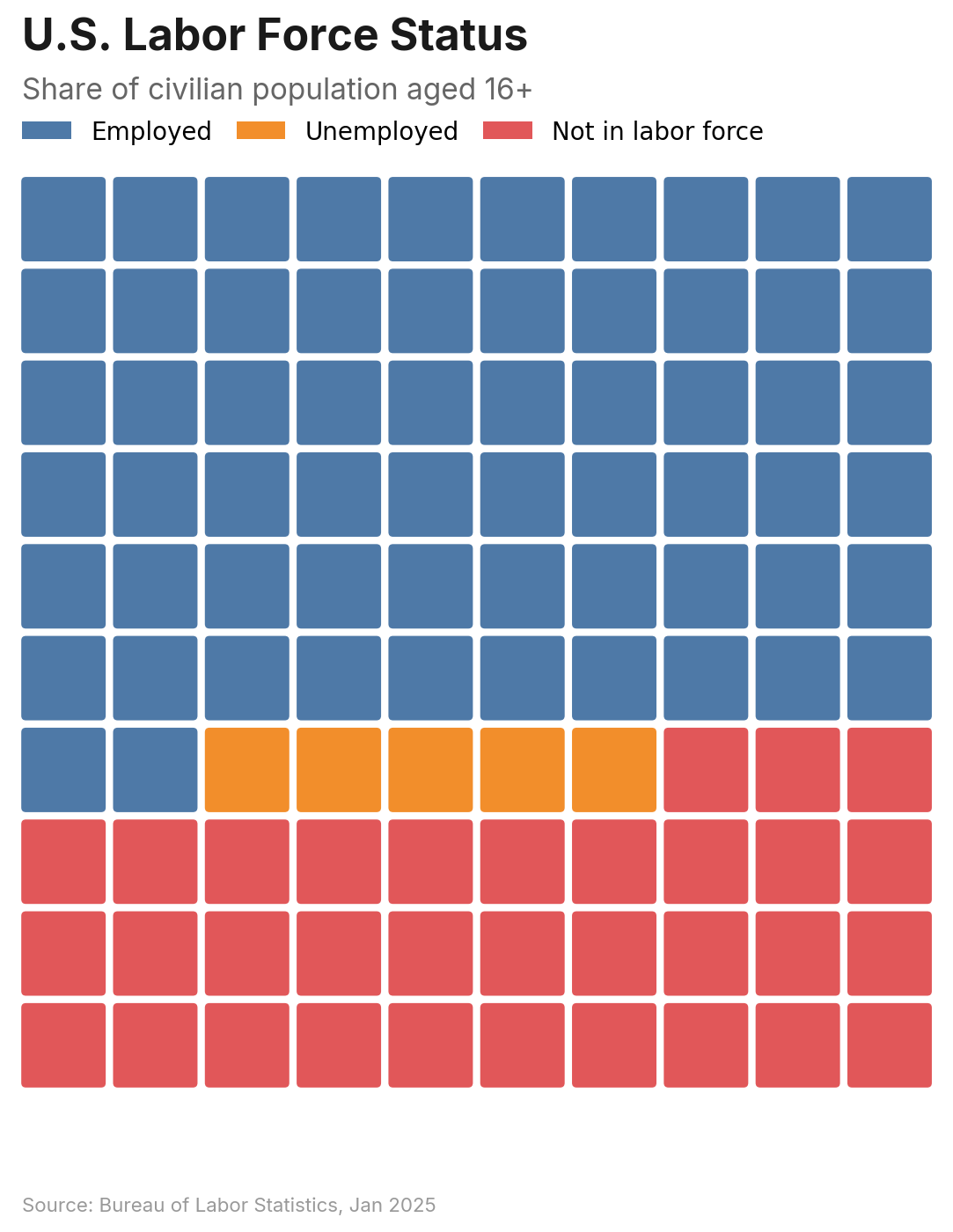
Waffle Chart
Proportional area chart using a grid of cells. Accepts a DataFrame or a simple dict:
vizop.waffle(
    values={"Employed": 62, "Unemployed": 5, "Not in labor force": 33},
    title="U.S. Labor Force Status",
    subtitle="Share of civilian population aged 16+",
    source="Bureau of Labor Statistics, Jan 2025",
)
Key Parameters
| Parameter | Type | Description |
|---|---|---|
values |
dict[str, float] |
Category-to-value mapping (dict mode) |
category / value |
str |
Column names (DataFrame mode) |
style |
str |
"square" (default), "circle", or "icon" |
icon |
str |
Built-in icon name (required when style="icon") |
grid_size |
int |
Cells per row/column (default 10 = 100 cells) |
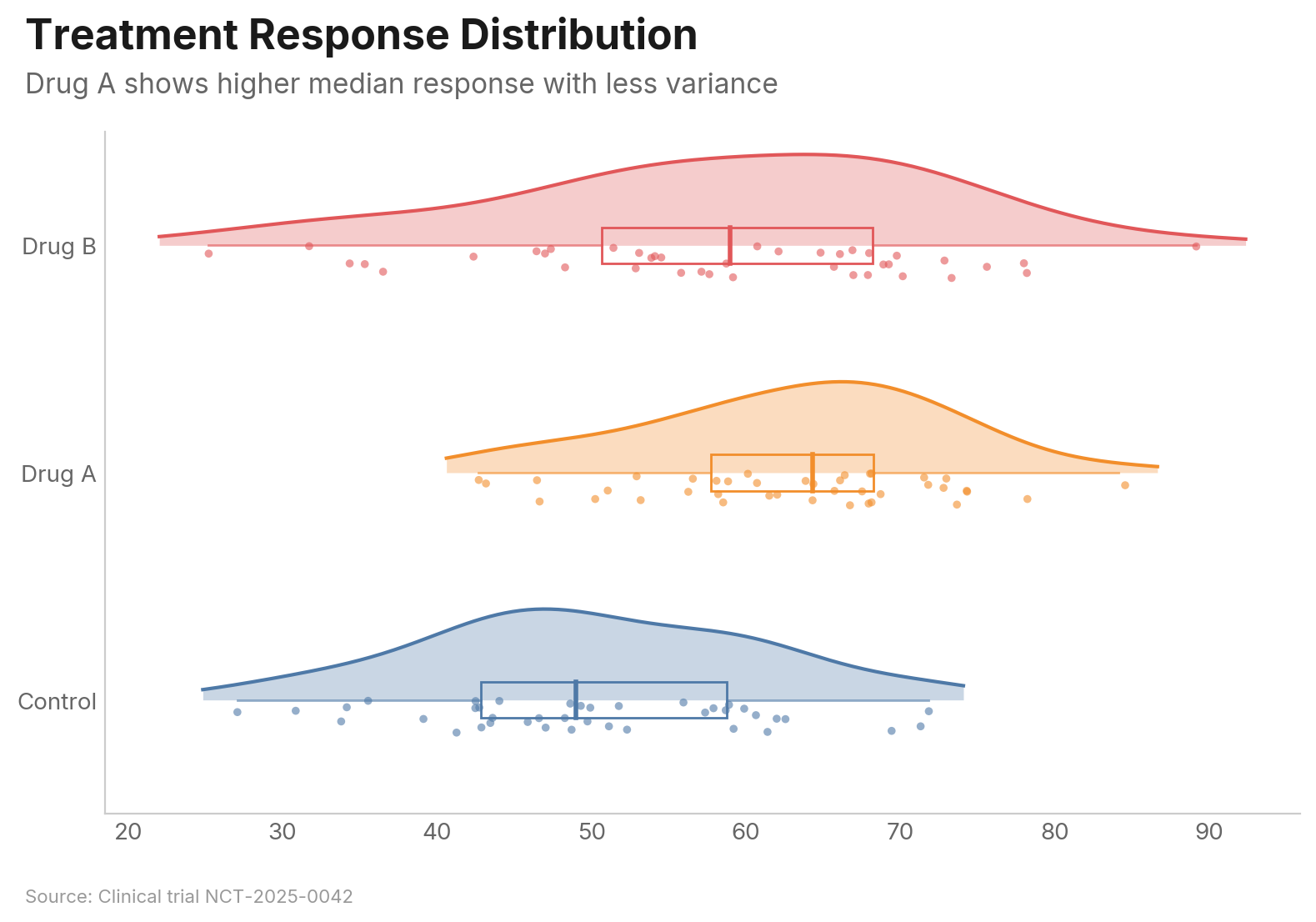
Raincloud Plot
Combines a half-violin density curve, box plot, and jittered strip plot for rich distribution visualization:
vizop.raincloud(
    df, value="score", group="treatment",
    title="Treatment Response Distribution",
    subtitle="Drug A shows higher median response with less variance",
    source="Clinical trial NCT-2025-0042",
)
Key Parameters
| Parameter | Type | Description |
|---|---|---|
value |
str | list[str] |
Value column (long format) or columns (wide format) |
group |
str |
Group column (long format) |
show_density |
bool |
Show half-violin (default True) |
show_box |
bool |
Show box plot (default True) |
show_points |
bool |
Show strip points (default True) |
bandwidth |
float |
KDE bandwidth (default: Scott's rule) |
jitter_width |
float |
Vertical jitter range (default 0.15) |
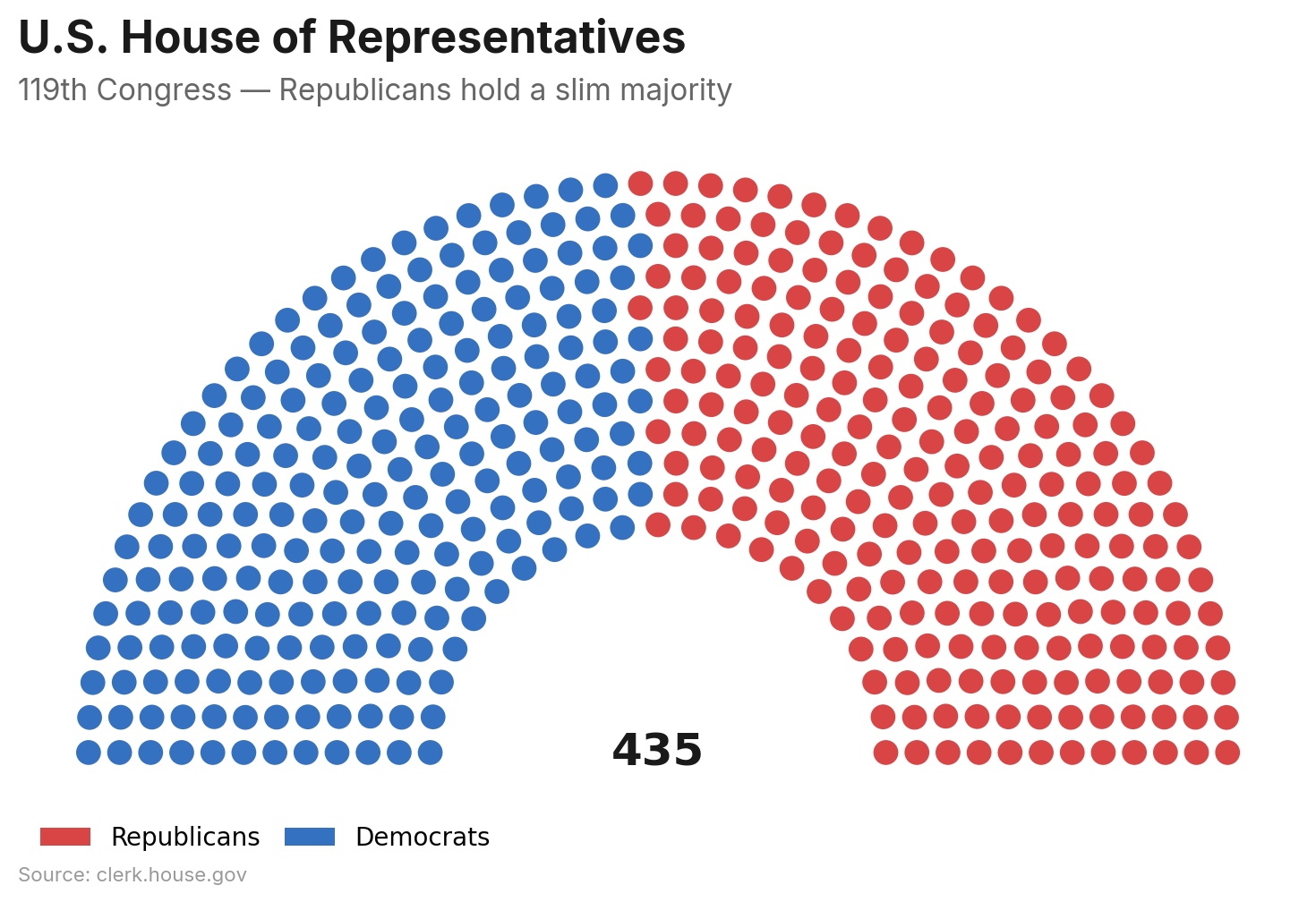
Parliament Chart
Semicircular seat layout for legislative composition. Accepts a DataFrame or dict:
vizop.parliament(
    values={"Democrats": 213, "Republicans": 222},
    color_map={"Democrats": "#3571C1", "Republicans": "#D94444"},
    title="U.S. House of Representatives",
    subtitle="119th Congress — Republicans hold a slim majority",
    source="clerk.house.gov",
)
Key Parameters
| Parameter | Type | Description |
|---|---|---|
values |
dict[str, int] |
Party-to-seats mapping (dict mode) |
party / seats |
str |
Column names (DataFrame mode) |
rows |
int |
Number of arc rows (auto-calculated if None) |
arc_degrees |
float |
Arc span in degrees (default 180) |
majority_line |
bool | int |
Draw majority threshold (True = auto) |
center_label |
str | bool |
Label at arc center (True = total seats) |
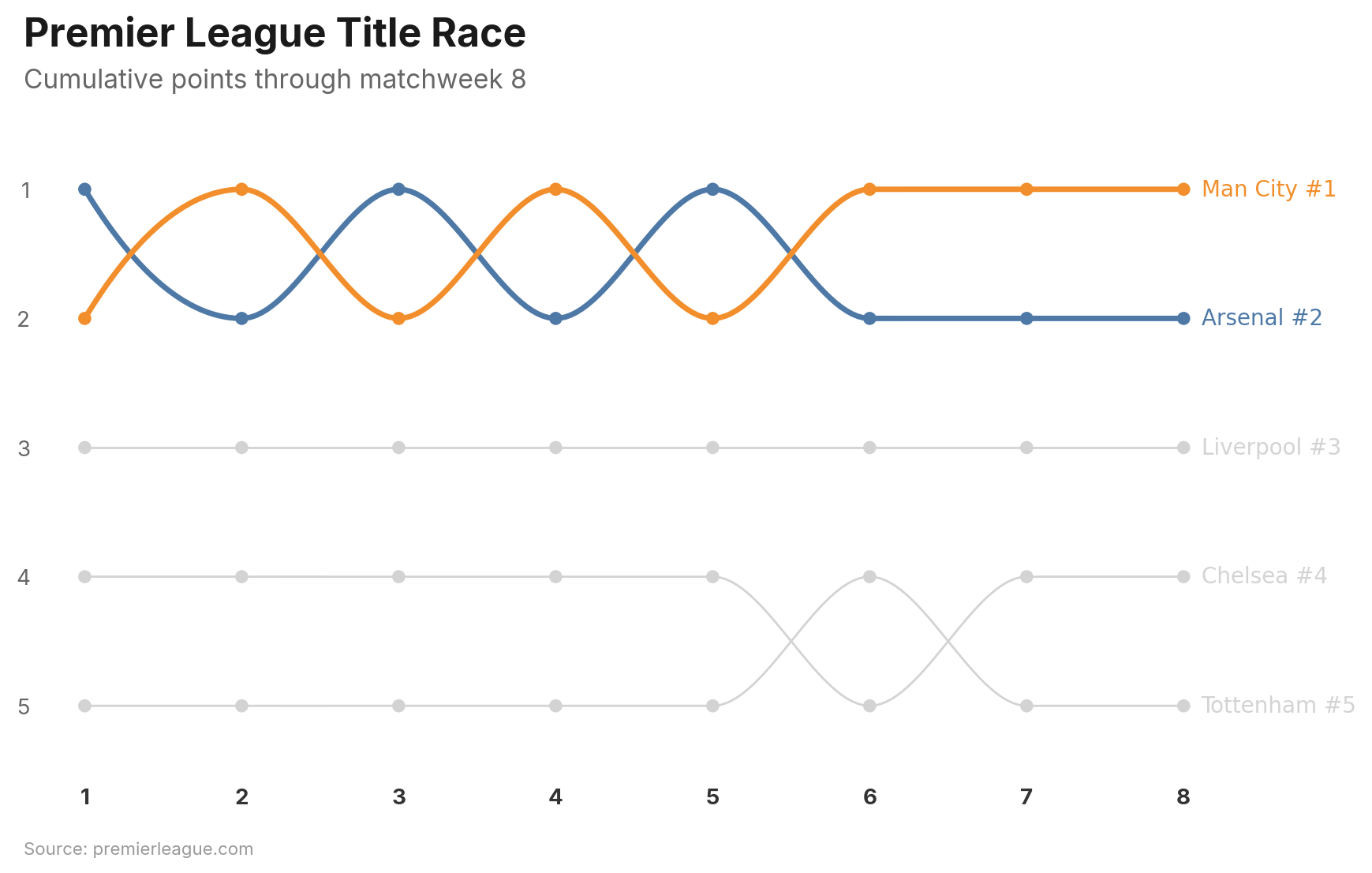
Bump Chart
Rank chart showing how entities change position over time. Values are automatically ranked within each period:
vizop.bump(
    df, x="week", y="points", group="team",
    highlight=["Arsenal", "Man City"],
    title="Premier League Title Race",
    subtitle="Cumulative points through matchweek 8",
    source="premierleague.com",
)
Key Parameters
| Parameter | Type | Description |
|---|---|---|
x |
str |
Time period column (3+ unique values) |
y |
str |
Value column (auto-ranked per period) |
group |
str |
Entity column |
highlight |
str | list[str] |
Entities to highlight |
top_n |
int |
Show only top N by final rank |
show_rank |
bool |
Append rank to endpoint labels (default True) |
rank_order |
str |
"desc" (highest = rank 1) or "asc" |
Configuration
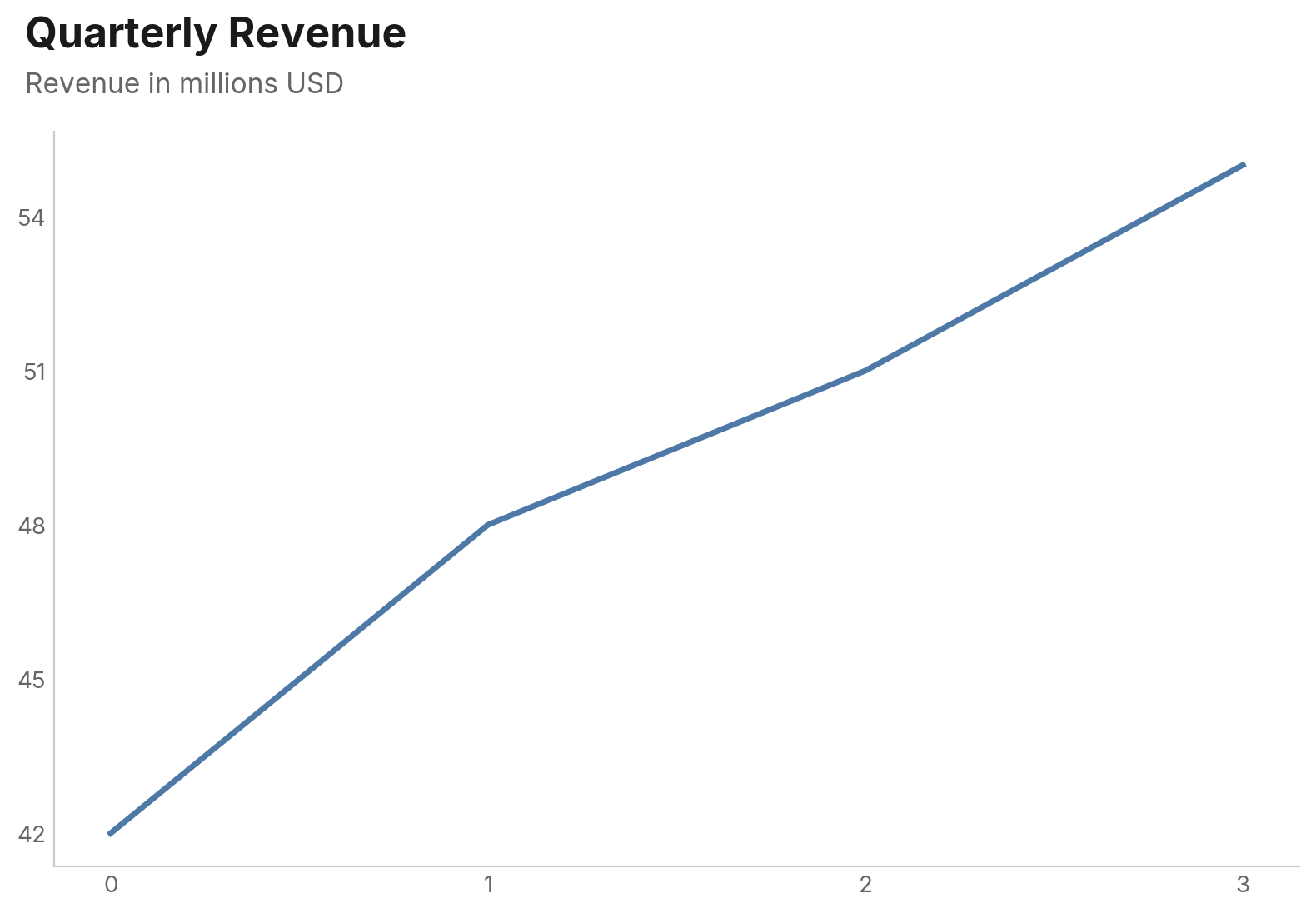
Use vizop.configure() to set global defaults. Settings apply to all subsequent charts:
vizop.configure(
    accent_color="#E15759",
    background="light_gray",
    source_label="Finance Dept.",
)
Before (defaults):
After configure:
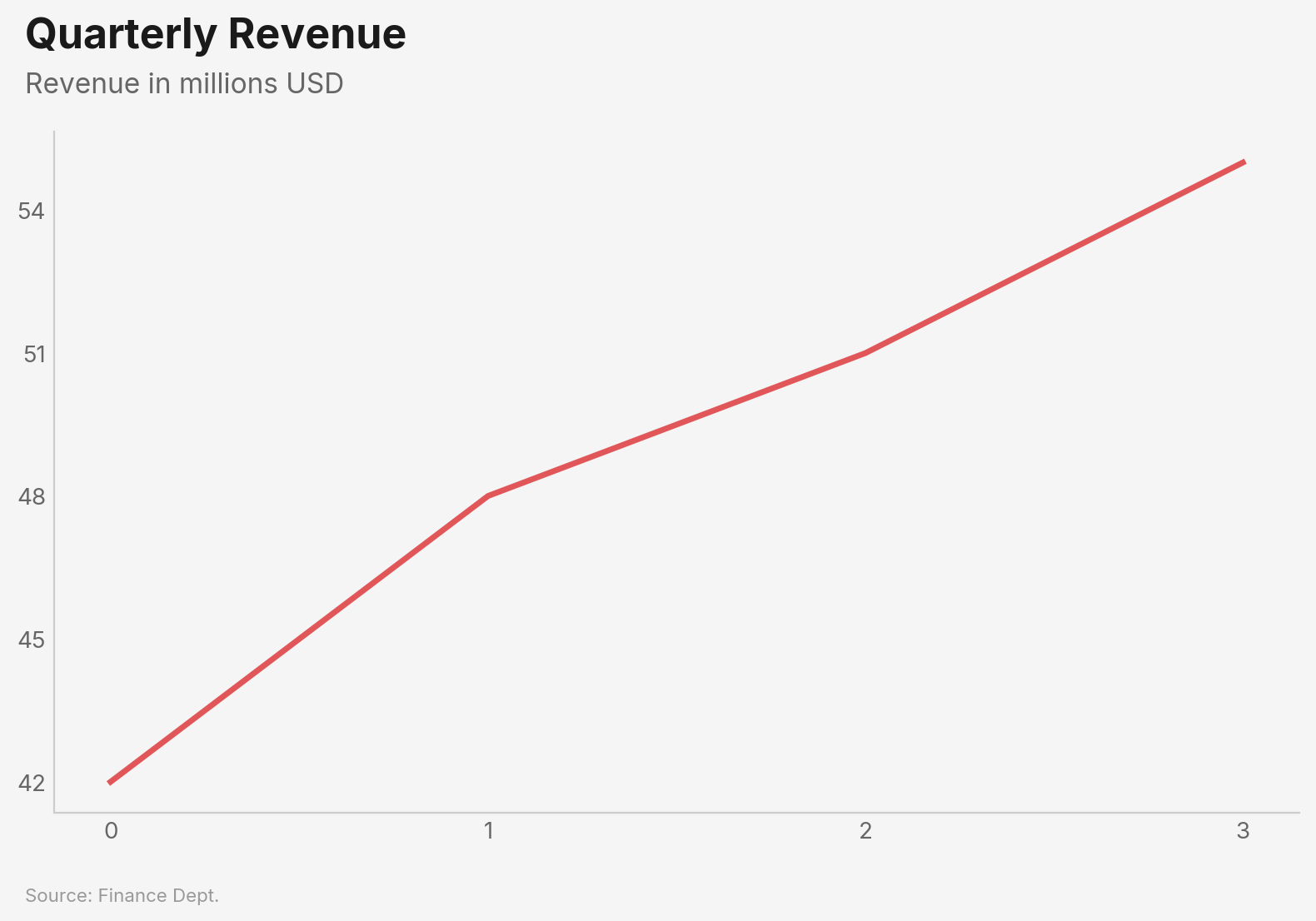
| Setting | Type | Default | Description |
|---|---|---|---|
accent_color |
str |
"#4E79A7" |
Default color for single-series charts |
font |
str |
"Inter" |
Font family (bundled: Inter, Libre Franklin, Source Sans Pro, IBM Plex Sans) |
background |
str |
"white" |
"white" or "light_gray" |
size |
str |
"standard" |
"standard", "wide", or "tall" |
source_label |
str |
None |
Default source text for all charts |
gridlines |
bool |
False |
Show gridlines by default |
dpi |
int |
300 |
Output resolution for .save() |
The Chart Object
Every chart function returns a Chart object:
chart = vizop.line(df, x="date", y="value", title="My Chart")

chart.show()                    # Display interactively
chart.save("output.png")       # Save to file (default 300 DPI)
chart.save("output.png", dpi=150)  # Custom DPI
chart.to_base64()               # Base64-encoded PNG string
chart.close()                   # Close the matplotlib figure
In Jupyter notebooks, charts render inline automatically — no .show() needed.
Philosophy
vizop is opinionated by design. These defaults exist so you spend time on your data, not your chart settings:
- Titles are left-aligned to the plot edge, matching the natural reading direction of Western text. Centered titles are a vestige of Excel defaults.
- No legend boxes on line charts. Labels appear directly at line endpoints where your eye already lands. Legends force readers to bounce between the legend and the data.
- Bars sort descending by default. The most important value goes at the top. Alphabetical bar order almost never helps the reader.
- Horizontal gridlines only. Vertical gridlines add noise without aiding value estimation. The sole exception is scatter plots, where both axes carry continuous data.
- No top or right spines. They frame the chart like a box but add zero information. Removing them lets the data breathe.
License
MIT — see LICENSE.
1 maintainer

Metadata
1 maintainer
Release files for vizop 0.1.1
For a detailed explanation of source distributions (sdists) and built distributions (wheels), please see the package formats documentation.
Source distribution (sdist)
| File | Size | Uploaded | |
|---|---|---|---|
| vizop-0.1.1.tar.gz | 3.0 MB | Details |
Built distribution (wheel)
| File | Interpreter | ABI | Platform | Reset |
|---|---|---|---|---|
| vizop-0.1.1-py3-none-any.whl | Python 3 | none | any | Details |
Total release size: 4.7 MB
Release files / vizop-0.1.1.tar.gz
| Download URL | vizop-0.1.1.tar.gz |
|---|---|
| Size | 3.0 MB |
| Tags | Source |
|
SHA-256 checksum How to use checksums |
90173535963aadc5cc2e0bdf7211eb9b0ab6e7c14a9d3716996f59e01fb62f4d
|
|
BLAKE2b-256 checksum How to use checksums |
49ea75c7401e0c23dcf4b1dbbd86fd79e6daa63633a251f51a2b8ed48b201876
|
| Upload date | |
|
Uploaded using Trusted Publishing? What is trusted publishing? |
No |
| Uploaded via |
uv/0.6.13
|
Release files / vizop-0.1.1-py3-none-any.whl
| Download URL | vizop-0.1.1-py3-none-any.whl |
|---|---|
| Size | 1.8 MB |
| Tags | Python 3 |
|
SHA-256 checksum How to use checksums |
9540c459a826e0557415a776f103056e9beeee4d71af45f102337e0cf8b586e2
|
|
BLAKE2b-256 checksum How to use checksums |
0c840cd290326bb55e057c75d9502e7bfc412da334c6ea32b30acebc3578cb0c
|
| Upload date | |
|
Uploaded using Trusted Publishing? What is trusted publishing? |
No |
| Uploaded via |
uv/0.6.13
|














